
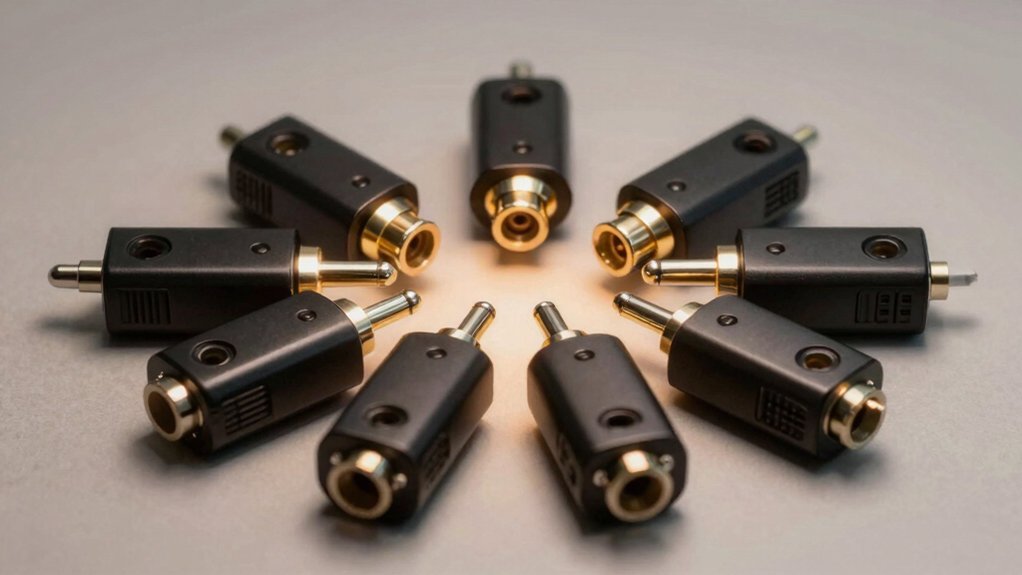

You’ll need to choose an optical audio splitter that matches your setup’s specific demands. Start by identifying how many devices require connection—whether you need a 1×2 or 1×3 configuration. Next, verify that your splitter supports your audio formats: LPCM 2.0, Dolby Digital, and DTS 5.1 are essential. Consider build quality features like gold-plated connectors and aluminum housings. But which model actually delivers the performance you’re paying for?
| BlueRigger Digital Optical Audio Splitter 1×2 |

| Best Overall | Configuration: 1 input, 2 outputs | Audio Format Support: LPCM 2.0, Dolby Digital, DTS 5.1 | Splitter Type: Passive splitter | VIEW LATEST PRICE | Read Our Analysis |
| NEWCARE Digital Optical Audio Splitter 1×3 Toslink |

| Most Outputs | Configuration: 1 input, 3 outputs | Audio Format Support: LPCM 2.0, Dolby Digital, DTS 5.1 | Splitter Type: Active splitter (USB power required) | VIEW LATEST PRICE | Read Our Analysis |
| BlueRigger Digital Optical Audio Splitter (1 in 2 Out) |

| Best For Power Users | Configuration: 1 input, 2 outputs | Audio Format Support: PCM, Dolby Digital AC3, DTS 5.1 (up to 96kHz) | Splitter Type: Active splitter (power cable included) | VIEW LATEST PRICE | Read Our Analysis |
| NEWCARE Digital Optical Audio Splitter 1×2 SPDIF |

| Budget-Friendly Pick | Configuration: 1 input, 2 outputs | Audio Format Support: LPCM 2.0, Dolby Digital, DTS 5.1 | Splitter Type: Passive splitter | VIEW LATEST PRICE | Read Our Analysis |
| KabelDirekt Optical Audio Splitter 1 in 2 Out |

| Best Warranty | Configuration: 1 input, 2 outputs | Audio Format Support: SPDIF digital audio | Splitter Type: Passive splitter | VIEW LATEST PRICE | Read Our Analysis |
| LiNKFOR Optical Cable Splitter 1×3 SPDIF Toslink |

| Best For Long Distance | Configuration: 1 input, 3 outputs | Audio Format Support: LPCM 2.0, DTS, Dolby AC3 | Splitter Type: Passive splitter | VIEW LATEST PRICE | Read Our Analysis |
| 1×2 Digital Audio Splitter Toslink Fiber Optic |

| Most Affordable | Configuration: 1 input, 2 outputs | Audio Format Support: PCM, Dolby Digital Plus, DTS-HD, LPCM | Splitter Type: Passive splitter | VIEW LATEST PRICE | Read Our Analysis |
| XMSJSIY Toslink Digital Optical Splitter 1 to 2 |

| Best Build Quality | Configuration: 1 input, 2 outputs | Audio Format Support: Standard optical audio formats | Splitter Type: Passive splitter | VIEW LATEST PRICE | Read Our Analysis |
More Details on Our Top Picks
BlueRigger Digital Optical Audio Splitter 1×2
If you’re connecting multiple audio devices to a single optical source, the BlueRigger Digital Optical Audio Splitter 1×2 stands as the leading choice for straightforward, reliable performance. This 1-in-2-out splitter accepts one optical input and sends it simultaneously to two outputs, supporting LPCM, Dolby Digital, and DTS 5.1 formats. The gold-plated connectors and low-jitter fiber ensure signal quality. Installation requires fully inserting Toslink cables until they click securely into place. Keep output cables under 10 feet for optimal performance. The splitter works with soundbars, receivers, DVD players, gaming consoles, and TVs. BlueRigger backs the product with a lifetime warranty and US-based customer support.
- Configuration:1 input, 2 outputs
- Audio Format Support:LPCM 2.0, Dolby Digital, DTS 5.1
- Splitter Type:Passive splitter
- Transmission Distance:Less than 10 ft
- Connector Type:Toslink/SPDIF
- Warranty:Lifetime warranty
- Additional Feature:24K gold-plated connectors
- Additional Feature:Passive splitter design
- Additional Feature:Lifetime warranty included
NEWCARE Digital Optical Audio Splitter 1×3 Toslink
Need to connect multiple audio devices to a single optical output? The NEWCARE 1×3 splitter lets you do exactly that. It takes one Toslink input and distributes it across three optical outputs simultaneously. The device supports LPCM 2.0, Dolby Digital, and DTS 5.1 formats, making it compatible with gaming consoles, Blu-ray players, soundbars, and home theater systems. Simply plug in your source device, connect your three destination devices to the outputs, and power it via USB. The splitter maintains signal integrity up to 40 meters with minimal loss. Its ESD protection circuit ensures stable operation across your audio setup.
- Configuration:1 input, 3 outputs
- Audio Format Support:LPCM 2.0, Dolby Digital, DTS 5.1
- Splitter Type:Active splitter (USB power required)
- Transmission Distance:Up to 15 ft (40m with optical cable)
- Connector Type:Toslink/SPDIF
- Warranty:100% satisfaction guarantee
- Additional Feature:ESD protection circuit
- Additional Feature:USB power cord included
- Additional Feature:Up to 15 ft transmission
BlueRigger Digital Optical Audio Splitter (1 in 2 Out)
The BlueRigger Digital Optical Audio Splitter (1 in 2 Out) serves power users who need to route one toslink audio source to two separate devices simultaneously. This active optical splitter handles Digital 5.1CH Dolby-AC3, DTS, PCM, and LPCM2.0 formats at sample rates up to 96kHz. Connect your TV, Xbox, PS4, or DVD player to the single input, then split the signal to an A/V receiver, soundbar, or Bluetooth transmitter. The aluminum alloy housing and fiber optic core minimize signal loss and interference. Note that 7.1CH formats aren’t supported via fiber optic. Installation requires only the included power cable; no AC adapter comes packaged. You’ll receive lifetime warranty coverage and US-based customer support.
- Configuration:1 input, 2 outputs
- Audio Format Support:PCM, Dolby Digital AC3, DTS 5.1 (up to 96kHz)
- Splitter Type:Active splitter (power cable included)
- Transmission Distance:Standard fiber optic range
- Connector Type:Toslink/SPDIF
- Warranty:Lifetime warranty
- Additional Feature:Active optical splitter
- Additional Feature:Aluminum alloy shell
- Additional Feature:Supports up to 96kHz
NEWCARE Digital Optical Audio Splitter 1×2 SPDIF
NEWCARE’s 1×2 optical splitter serves as your budget-friendly pick for connecting multiple audio devices to a single source without sacrificing sound quality. This splitter accepts one optical input and distributes it to two separate devices simultaneously. It supports Dolby Digital 5.1, DTS 5.1, and PCM 2.0 audio formats, making it compatible with gaming consoles, streaming devices, soundbars, and home theater systems. The included optical cable transmits signals up to 40 meters with minimal loss. An automatic balance system maintains stable operation, while ESD protection safeguards your equipment. Installation requires connecting your source device’s optical output to the splitter’s input, then running cables to your two destination devices.
- Configuration:1 input, 2 outputs
- Audio Format Support:LPCM 2.0, Dolby Digital, DTS 5.1
- Splitter Type:Passive splitter
- Transmission Distance:Up to 15 ft (40m with optical cable)
- Connector Type:Toslink/SPDIF
- Warranty:100% satisfaction guarantee
- Additional Feature:Automatic balance system
- Additional Feature:ESD electrostatic protection
- Additional Feature:100% satisfaction guarantee
KabelDirekt Optical Audio Splitter 1 in 2 Out
KabelDirekt’s 1-in-2-out optical splitter suits anyone routing digital audio from one source to two devices simultaneously. Connect your TV, game console, or streaming box to this TOSLINK splitter, then attach two playback devices like a soundbar and amplifier. The splitter also works bidirectionally, allowing you to connect two audio sources to one device (though you’ll use only one source at a time). Its fiber optic transmission resists electrical interference, ensuring clean digital audio. The female-to-female connectors accept standard TOSLINK cables. KabelDirekt backs this splitter with a 36-month warranty, making it a reliable choice for expanding your audio setup without quality loss.
- Configuration:1 input, 2 outputs
- Audio Format Support:SPDIF digital audio
- Splitter Type:Passive splitter
- Transmission Distance:Standard fiber optic transmission
- Connector Type:Toslink/SPDIF
- Warranty:36 months manufacturer warranty
- Additional Feature:Bidirectional use capability
- Additional Feature:36-month manufacturer warranty
- Additional Feature:Fiber optic interference immunity
LiNKFOR Optical Cable Splitter 1×3 SPDIF Toslink
LiNKFOR’s 1×3 optical splitter handles long-distance audio distribution across three separate devices. You’ll connect your source—a DVD player, gaming console, or soundbar—to the single input port. From there, the splitter directs the signal to three output ports simultaneously, supporting LPCM 2.0, DTS, and Dolby-AC3 formats. The included 1-meter optical cable gets you started immediately. You can extend connections up to 40 meters total with minimal signal loss. The lightweight, wall-mountable design fits most setups. An indicator light confirms operational status. This 18-month warranty model works with PS3, Xbox, Blu-Ray players, and amplifiers, making it practical for home theater systems requiring multiple audio feeds.
- Configuration:1 input, 3 outputs
- Audio Format Support:LPCM 2.0, DTS, Dolby AC3
- Splitter Type:Passive splitter
- Transmission Distance:Up to 40m with optical cable
- Connector Type:Toslink/SPDIF
- Warranty:18 months warranty
- Additional Feature:Built-in power indicator light
- Additional Feature:Includes 1m optical cable
- Additional Feature:18-month warranty coverage
1×2 Digital Audio Splitter Toslink Fiber Optic
The 1×2 Digital Audio Splitter Toslink Fiber Optic is the most affordable option for users who need to connect two devices simultaneously to one optical audio source. You’ll plug one optical cable from your TV, gaming console, or Blu-ray player into the single input port. The splitter then routes that signal to two separate outputs, allowing you to connect a soundbar and wireless headset at the same time. Each device gets independent volume control, so you’re not forced to match audio levels. Gold-plated connectors ensure reliable signal transmission up to 150 feet away, while the corrosion-resistant construction maintains durability. This straightforward setup eliminates cable switching and supports surround sound formats including Dolby Digital Plus and DTS-HD.
- Configuration:1 input, 2 outputs
- Audio Format Support:PCM, Dolby Digital Plus, DTS-HD, LPCM
- Splitter Type:Passive splitter
- Transmission Distance:Up to 150 ft
- Connector Type:Toslink/Fiber optic
- Warranty:Friendly warranty with 12-hour support
- Additional Feature:Independent volume adjustment capability
- Additional Feature:Up to 150 ft distance
- Additional Feature:Solid PVC outer layer
XMSJSIY Toslink Digital Optical Splitter 1 to 2
Need to connect your TV’s optical output to multiple audio devices simultaneously? The XMSJSIY splitter handles this task with one male input and two male outputs. You’ll connect your TV’s optical port to the single male end, then attach your soundbar and amplifier to the two output ports. The 4.9-foot cable length accommodates standard home theater setups. Gold-plated contacts prevent signal degradation while fiber optic construction eliminates electromagnetic interference. Dust caps protect unused ports and extend cable lifespan. This splitter maintains high-fidelity audio without quality loss, supporting PS4, Xbox, Blu-ray players, and HDTVs. Installation requires no additional software or power—simply plug in and activate your audio devices.
- Configuration:1 input, 2 outputs
- Audio Format Support:Standard optical audio formats
- Splitter Type:Passive splitter
- Transmission Distance:Standard fiber optic transmission
- Connector Type:Toslink male-to-male
- Warranty:Standard manufacturer warranty
- Additional Feature:Dust caps included
- Additional Feature:Gold-plated contact surface
- Additional Feature:1.5M cable included
Factors to Consider When Choosing an Optical Audio Splitter
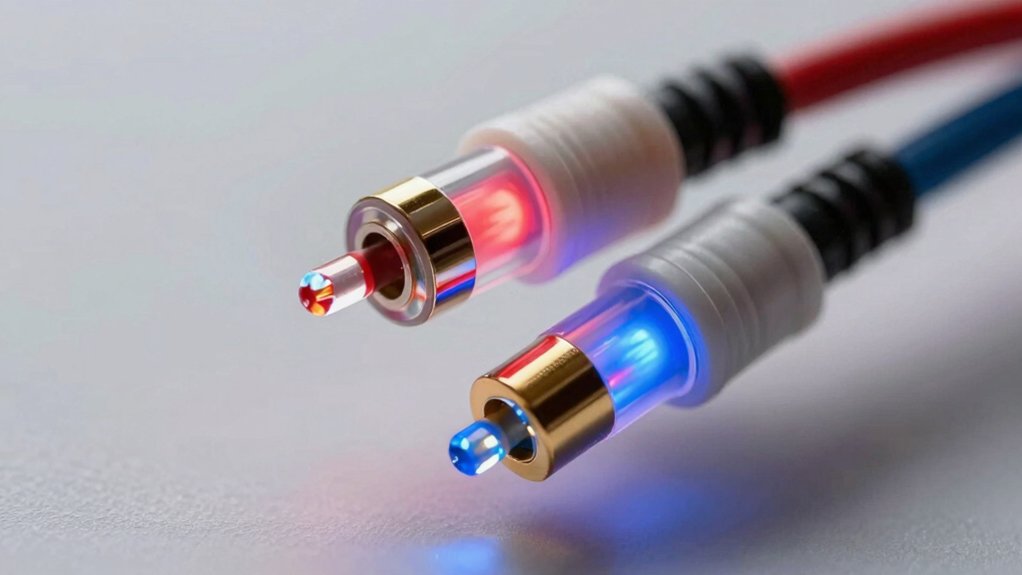
When selecting an optical audio splitter, you need to evaluate five critical factors: your input and output configuration requirements, the audio formats your devices support, the distance the signal will travel through cables, the build quality of materials used, and how these elements work together for your specific setup. First, determine whether you need a 1-to-2, 1-to-4, or other configuration based on how many devices you’re connecting, then verify that your splitter handles the audio formats (like Dolby Digital or DTS) your equipment uses. Finally, measure your cable run length and inspect the splitter’s construction—quality materials like aluminum housing and gold-plated connectors improve durability and signal integrity over distance.
Factors to Consider When Choosing Optical Audio Splitter
What configuration do you need—a 1×2 splitter with two outputs or a 1×3 with three outputs? Match the splitter type to your device count to ensure stable signal distribution. Next, determine whether you need a passive or active splitter. Passive models cost less but don’t require power. Active splitters need electricity but deliver better signal preservation over longer cable runs. Then, verify audio format compatibility. Your splitter must support LPCM 2.0, Dolby Digital, and DTS 5.1. Check the specifications for any limitations, such as 7.1 support ceilings. Finally, examine transmission distance and signal loss. Calculate your cable length and compare it against the splitter’s specifications. Most models handle up to 40 meters with approximately 0.2 dB loss per meter.
Input And Output Configuration
How you’ll distribute your optical signal depends on choosing the right input-output setup for your needs. Most consumer splitters feature a single input with multiple outputs, typically 1×2 or 1×3 configurations. A 1×2 splitter takes one optical signal and sends it to two devices simultaneously. A 1×3 splitter does the same for three devices. You won’t find many splitters designed to combine multiple optical inputs into one output, as that’s not the standard consumer setup. Consider how many devices you need to connect to your audio source. If you’re splitting to two devices, a 1×2 works. If you need three connections, go with 1×3. Verify your splitter matches your device count before purchasing to avoid compatibility issues.
Audio Format Compatibility
Once you’ve determined your input-output configuration, you’ll need to verify that your splitter can handle the audio formats your devices actually use. Check whether your splitter supports the formats you require: LPCM 2.0, Dolby Digital, DTS 5.1, and potentially Dolby TrueHD or DTS-HD. Confirm if it preserves PCM/LPCM signals for uncompressed audio needs. Next, verify compatibility between your source device, the splitter, and your receiving equipment—your TV, AV receiver, soundbar, or DAC. Ensure output formats match what these devices can decode. Review the splitter’s sample rate limitations, typically 32kHz, 44.1kHz, 48kHz, or 96kHz. Note maximum channel support, as some models don’t transmit 7.1 channels. Active splitters generally support wider format ranges than passive units.
Signal Transmission Distance
Why does distance matter when you’re installing an optical audio splitter? Signal degradation increases with cable length, affecting sound quality and reliability. Most optical splitters handle distances up to 15 feet without issues, while premium models support up to 40 meters. Beyond these limits, you’ll experience attenuation at approximately 0.2 dB per meter, potentially causing audio dropouts or synchronization problems.
When planning your setup, measure the distance from your source device to each output destination. Keep output cables within manufacturer specifications—typically under certain length limits—to maintain flawless operation. Before purchasing, verify the splitter’s maximum transmission distance and cross-reference it with your cable requirements. This prevents degradation and ensures consistent signal integrity across all connected devices.
Build Quality And Materials
The materials and construction of your optical audio splitter directly affect its durability, signal integrity, and long-term performance. Look for a sturdy outer shell made from aluminum alloy or durable PVC to resist physical damage and shield against interference. Examine the fiber optic cores for low attenuation and check that connectors are precision-polished, often gold-plated, to maintain signal quality and minimize loss. Verify that dust caps or protective port designs prevent contamination and preserve reliability. Inspect internal components for secure housing, including tight-fit Toslink connections and stable cable mounts that reduce loose connections. Consider units with mounting options or indicators that simplify installation and ensure stable operation over time.
Power Requirements And Design
How you’ll power your optical audio splitter depends on your setup’s distance and signal strength needs. Passive splitters require no power and work well for runs up to 15 feet, making them ideal for standard home setups. Active splitters need a power source to boost signals for longer distances and multiple device connections. Check whether your splitter includes a USB power cord or requires a separate adapter. Some models feature built-in LED power indicators that confirm operation status. If you’re extending cables beyond 15 feet, select an active splitter to maintain signal integrity. Review compatibility with available power sources before purchasing to ensure straightforward installation without hunting for adapters.
Final Thoughts
You’ll want to match your splitter choice to your setup’s needs. For single-device connections, use 1×2 models like BlueRigger or NEWCARE options. For multiple devices, choose 1×3 units. Verify your audio formats (LPCM, Dolby Digital, DTS) are supported. Check connector quality—gold-plated tips reduce signal loss. Buy active splitters for cable runs over 15 feet. Compare warranty lengths and return policies before purchasing.

Meet Ry, “TechGuru,” a 36-year-old technology enthusiast with a deep passion for tech innovations. With extensive experience, he specializes in gaming hardware and software, and has expertise in gadgets, custom PCs, and audio.
Besides writing about tech and reviewing new products, he enjoys traveling, hiking, and photography. Committed to keeping up with the latest industry trends, he aims to guide readers in making informed tech decisions.