
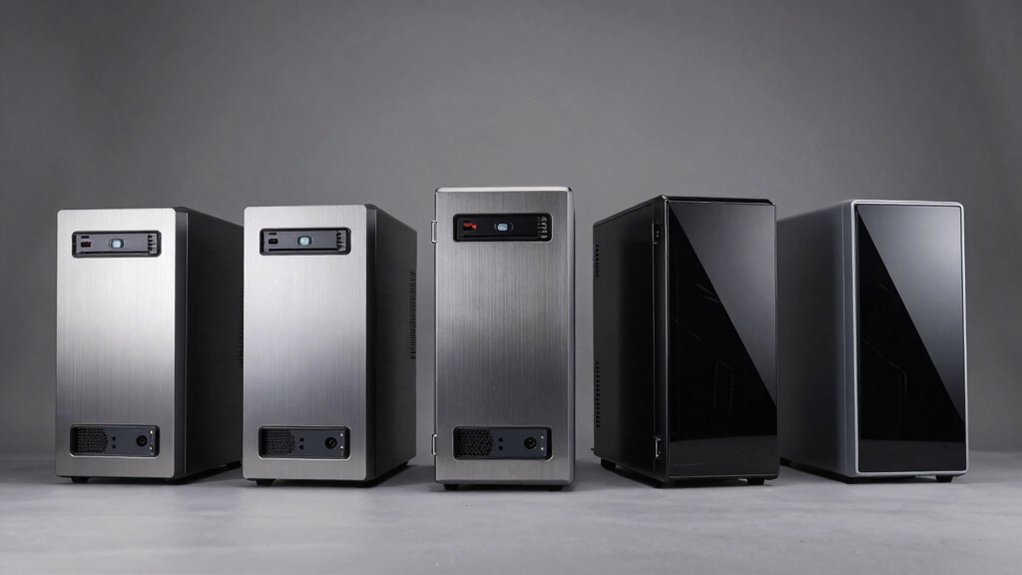

You’re looking for a PC case with an optical drive bay, but you need one that won’t compromise your build’s performance or aesthetics. The right case balances drive capacity with proper airflow, cable management, and component clearance. You’ve got solid options available—from compact towers to full-size models—each with distinct advantages. The question isn’t just which case holds a drive, but which one fits your specific needs.
| Fractal Design Focus G Mid Tower Computer Case Black |
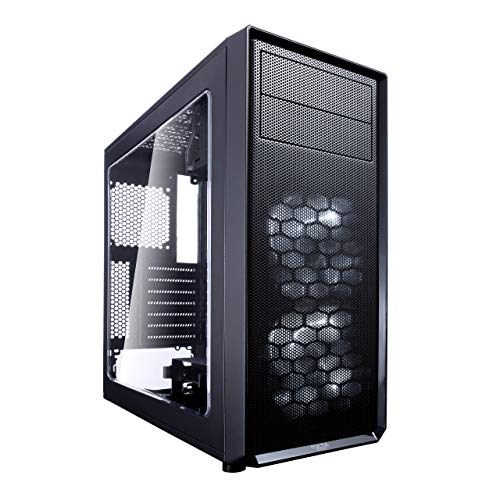
| Best Airflow Design | Form Factor: Mid Tower ATX | Front Panel Design: Filtered air intake | Cooling Capability: Six fan positions, dual 120mm pre-installed | VIEW LATEST PRICE | Read Our Analysis |
| Thermaltake Versa H21 ATX Mid Tower Chassis |
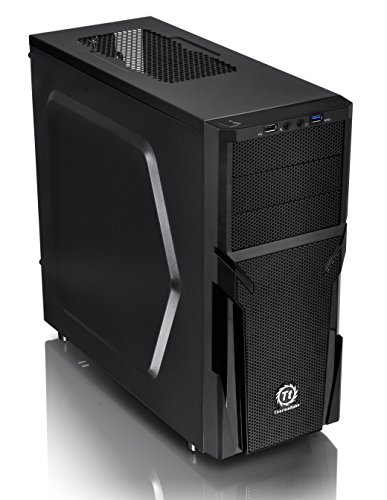
| Gamer’s Choice | Form Factor: Mid Tower ATX | Front Panel Design: Perforated metal mesh | Cooling Capability: Optimized ventilation, liquid cooling support | VIEW LATEST PRICE | Read Our Analysis |
| Cooler Master N200 Mini Tower Computer Case |

| Compact Powerhouse | Form Factor: Mini Tower (mATX/Mini-ITX) | Front Panel Design: Fully meshed front panel | Cooling Capability: 240mm liquid CPU cooler compatible | VIEW LATEST PRICE | Read Our Analysis |
| Silverstone Technology PS13B ATX Tower Computer Case |

| Premium Build Quality | Form Factor: ATX Tower | Front Panel Design: Standard front panel | Cooling Capability: Quick access filters | VIEW LATEST PRICE | Read Our Analysis |
| Zalman T6 ATX Mid Tower Computer PC Case |
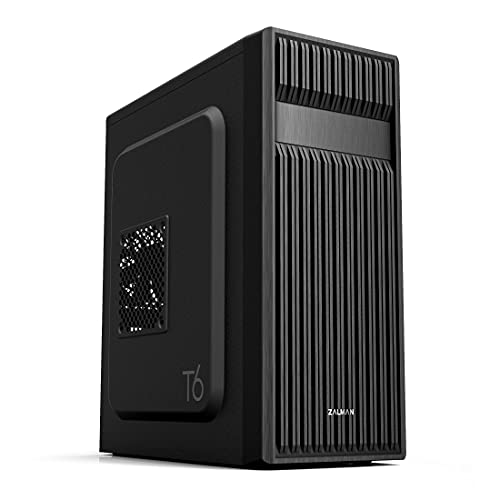
| Versatile All-Rounder | Form Factor: Mid Tower ATX | Front Panel Design: Hairline pattern mesh design | Cooling Capability: Four fan support, 120mm rear fan included | VIEW LATEST PRICE | Read Our Analysis |
More Details on Our Top Picks
Fractal Design Focus G Mid Tower Computer Case Black
The Fractal Design Focus G delivers superior airflow through its high-flow design. You get two preinstalled 120mm fans with white LED lighting, plus four additional fan positions for total expandability. The case supports ATX motherboards and fits high-profile CPU coolers without clearance issues. Filtered intake points at the front, top, and base keep dust out while maintaining cooling efficiency. The windowed side panel lets you monitor your components during operation. You can configure multiple radiator setups for liquid cooling if needed. This mid-tower case balances cooling capability with practical build flexibility for standard gaming and workstation setups.
- Form Factor:Mid Tower ATX
- Front Panel Design:Filtered air intake
- Cooling Capability:Six fan positions, dual 120mm pre-installed
- Internal Drive Storage:Not specified
- USB Connectivity:Not specified
- Graphics Card Support:Multiple radiator configurations
- Additional Feature:Windowed side panel visibility
- Additional Feature:Pre-installed LED fans
- Additional Feature:Filtered multi-point air intakes
Thermaltake Versa H21 ATX Mid Tower Chassis
Gamers seeking reliable airflow without sacrificing build convenience should consider the Thermaltake Versa H21 ATX Mid Tower Chassis. The perforated metal mesh front and top panels enable rapid heat dissipation and air intake. Heightened foot-stands at the bottom enhance airflow circulation throughout your system. Tool-free installation streamlines your build process, while pre-mounting holes support standard ATX motherboards and CPU coolers. The chassis accommodates long graphics cards and provides advanced cable management options. Front I/O includes SuperSpeed USB 3.0, USB 2.0, and audio jacks for convenient access. You’ll also benefit from optimized ventilation that supports liquid cooling systems when you need enhanced cooling performance.
- Form Factor:Mid Tower ATX
- Front Panel Design:Perforated metal mesh
- Cooling Capability:Optimized ventilation, liquid cooling support
- Internal Drive Storage:Not specified
- USB Connectivity:SuperSpeed USB 3.0, USB 2.0
- Graphics Card Support:Long graphics cards supported
- Additional Feature:Tool-free installation design
- Additional Feature:Integrated front audio jacks
- Additional Feature:Elevated foot-stand airflow
Cooler Master N200 Mini Tower Computer Case
Looking for a compact powerhouse that won’t monopolize your desk space? The Cooler Master N200 delivers efficiency in a mini tower design. You’ll fit either mATX or Mini-ITX motherboards inside its edgy frame. Install up to three 3.5″ HDDs and four 2.5″ SSDs for storage flexibility. The fully meshed front panel promotes airflow while keeping dust out via a removable filter below the power supply. You can mount a 240mm liquid CPU cooler or air coolers up to 160mm tall. High-end graphics cards measuring up to 355mm fit comfortably. USB 3.0 ports on the front provide fast data transfer. This case balances compact form with functional expandability.
- Form Factor:Mini Tower (mATX/Mini-ITX)
- Front Panel Design:Fully meshed front panel
- Cooling Capability:240mm liquid CPU cooler compatible
- Internal Drive Storage:Three 3.5″ HDDs, four 2.5″ SSDs
- USB Connectivity:High-speed USB 3.0
- Graphics Card Support:Up to 355mm length
- Additional Feature:240mm liquid cooling compatible
- Additional Feature:Removable dust filter maintenance
- Additional Feature:Asymmetrical edgy aesthetic
Silverstone Technology PS13B ATX Tower Computer Case
Silverstone’s PS13B delivers premium build quality for users who need reliable optical drive support without sacrificing modern performance capabilities. You’ll find two 5.25-inch bays accommodating optical drives and expansion cards. The all-black interior provides a professional appearance while the motherboard back plate opening enables quick CPU cooler installation. Quick-access filters simplify maintenance tasks. You can install graphics cards up to 13.7 inches, offering flexibility for various components. The case supports versatile drive storage configurations, letting you customize your setup according to your needs. These features combine streamlined assembly with practical functionality for demanding builds.
- Form Factor:ATX Tower
- Front Panel Design:Standard front panel
- Cooling Capability:Quick access filters
- Internal Drive Storage:Flexible drive storage options
- USB Connectivity:Not specified
- Graphics Card Support:Up to 347mm (13.7 inches)
- Additional Feature:All-black painted interior
- Additional Feature:Quick-access filter cleaning
- Additional Feature:Motherboard back plate opening
Zalman T6 ATX Mid Tower Computer PC Case
The Zalman T6 serves as a versatile all-rounder for builders who need flexible internal space without compromises. You’ll find a 120mm rear fan included, with support for up to four additional fans across the case. The mesh front and side panels enhance airflow directly to your components. You can install ATX, mATX, or mini-ITX motherboards, and you’ll have access to two 2.5″ bays, two 3.5″/2.5″ hybrid bays, and one external 5.25″ optical drive bay. Connect peripherals using one USB 3.0 port, two USB 2.0 ports, and dual audio connectors on the front panel. Note that side-facing SATA motherboards won’t fit this case.
- Form Factor:Mid Tower ATX
- Front Panel Design:Hairline pattern mesh design
- Cooling Capability:Four fan support, 120mm rear fan included
- Internal Drive Storage:Two 2.5″, two 3.5″/2.5″ bays, one 5.25″ bay
- USB Connectivity:One USB 3.0, two USB 2.0
- Graphics Card Support:Not specified
- Additional Feature:Corrosion-resistant powder coating
- Additional Feature:Hairline pattern mesh design
- Additional Feature:Supports multiple motherboard sizes
Factors to Consider When Choosing a PC Case With Optical Drive Bay
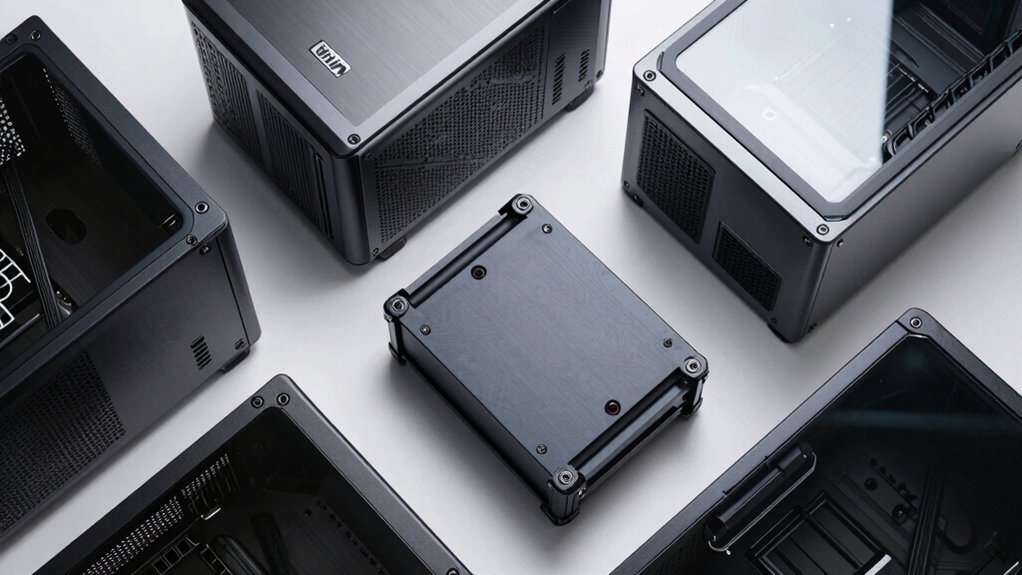
You’ll need to verify that your optical drive matches your case’s bay dimensions and connector types before making a purchase. Consider your motherboard’s form factor—ATX, Micro-ATX, or Mini-ITX—since this determines which case size you’ll need and how much internal space you’ll have for cooling fans, storage drives, and cable routing. Finally, evaluate the case’s airflow design, drive mounting locations, and cable management features to ensure your components stay cool and organized without blocking the optical drive bay.
Optical Drive Compatibility
How do you know if a PC case will actually fit your optical drive? First, check the case specifications for the number of external 5.25″ bays listed. Cases typically feature zero to two bays. Next, measure your optical drive’s dimensions and compare them to the 5.25″ standard width. Verify the drive’s depth doesn’t exceed the case’s internal space. Third, confirm the case provides mounting brackets or rails for securing the drive. Finally, ensure your motherboard layout allows the necessary front-panel connectors to reach the drive without obstruction. If a case lists no 5.25″ bays, you’ll need a USB external optical drive instead. This straightforward verification prevents purchasing incompatible components and saves time during your build.
Case Form Factor Selection
Once you’ve confirmed your optical drive will fit within a case’s 5.25″ bays, you’ll need to select a form factor that supports both your motherboard size and your storage needs. Mini-tower cases offer compact designs but limit expansion options and may not accommodate full-height GPUs or multiple drives. Mid-tower cases provide more drive bays and longer GPU support, giving you flexibility for optical drives plus additional storage. Full-tower cases deliver maximum expansion with extensive bay configurations. Match your motherboard size—ATX, mATX, or ITX—to your chosen case form factor. Check the case specifications for exact bay configurations, such as 2x 5.25″ bays or mixed 5.25″/3.5″/2.5″ options. This ensures your optical drive installs alongside other components without conflicts.
Cooling Performance Requirements
Because optical-drive bays occupy valuable real estate in your case’s front or internal structure, they’ll directly affect how air flows through your system and reaches critical components like your CPU and GPU. Evaluate how bay placement constrains your intake fan options. Cases with multiple front and top intake fans paired with filtered mesh panels maximize cooling efficiency while accommodating bays. Check whether drive cage spacing creates air channeling restrictions around your processor and graphics card. Prioritize cases offering tool-free drive installation, which reduces setup time and prevents accidental airflow obstruction. Review front-top perforation designs that enhance ambient air exchange near optical-drive regions. Match your cooling needs to case airflow layout before purchasing, ensuring your components receive adequate ventilation despite bay placement constraints.
Internal Space Planning
When you’re selecting a PC case with an optical drive bay, you’ll need to account for the physical footprint of the bay itself—typically either 5.25” or 3.5” with an adapter—to confirm that your case provides adequate clearance for both the drive mounting and surrounding components. Next, evaluate whether your case offers multiple drive bays, as this flexibility lets you configure optical drives alongside storage devices without cramping your layout. Check if the optical bay sits on the front or top, since front placement affects cable routing and front panel I/O positioning. Finally, verify whether your case supports hot-swappable or fixed mounting, as this determines what hardware you’ll need and how you’ll access the drive during maintenance.
Cable Management Solutions
After you’ve confirmed your case has adequate internal space and proper optical drive positioning, you’ll want to evaluate how the case handles cable routing. Look for dedicated grommets and routed openings behind the motherboard tray that conceal SATA and power cables for your optical drive. Check whether the case offers removable drive cages or extra trays near the optical bay to reduce clutter and improve organization. Examine tool-less drive installation features, which minimize cable complexity by enabling faster mounting without long connector cables. Verify that clearance around the optical drive bay prevents cable strain on front-panel connectors. Finally, confirm that front-panel USB and audio headers are positioned to avoid cross-cable routing through the optical bay area.
Front Panel Connectivity Options
Your case’s front panel connectivity directly impacts how you’ll access data and audio peripherals without reaching the back of your PC. Look for USB ports on the front panel—both USB 2.0 and USB 3.0 options give you flexibility for different devices. Check that audio jacks for headsets and microphones are positioned conveniently at the top or side of the chassis. Verify the case supports proper header connections from your motherboard to these front connectors. Quick-access positioning matters: place frequently used ports where you can reach them easily. Ensure your case includes pre-mounted holes and tool-free connectors to simplify installation. This setup lets you connect external drives, flash drives, and audio devices efficiently without repositioning your PC.
Motherboard Support Specifications
How do you know if a case’ll accommodate your motherboard without compatibility problems? First, check your motherboard’s form factor: ATX, mATX, or Mini-ITX. Then verify the case supports that size. Next, confirm the internal layout aligns with your motherboard’s mounting points and I/O shield position. Misalignment prevents proper installation and blocks rear connectivity. Third, measure your CPU cooler height and longest PCIe card length in millimeters. Compare these measurements against the case’s clearance specifications to avoid interference with side panels and drive bays. Finally, note that optical drive bays may reduce available space, potentially affecting cooler or card placement. Always cross-reference these specifications before purchasing to ensure seamless compatibility and installation.
Final Thoughts
You’ve reviewed five cases offering optical drive bays with modern features. When you choose, verify the bay doesn’t block your CPU cooler or GPU. Check that drive cages are removable for airflow. Confirm tool-free installation works for you. Test that front-panel ports remain accessible. Compare cable management grommets across models. Select the case matching your component dimensions and cooling needs. Prioritize cases balancing drive support with current build requirements.

Meet Ry, “TechGuru,” a 36-year-old technology enthusiast with a deep passion for tech innovations. With extensive experience, he specializes in gaming hardware and software, and has expertise in gadgets, custom PCs, and audio.
Besides writing about tech and reviewing new products, he enjoys traveling, hiking, and photography. Committed to keeping up with the latest industry trends, he aims to guide readers in making informed tech decisions.