
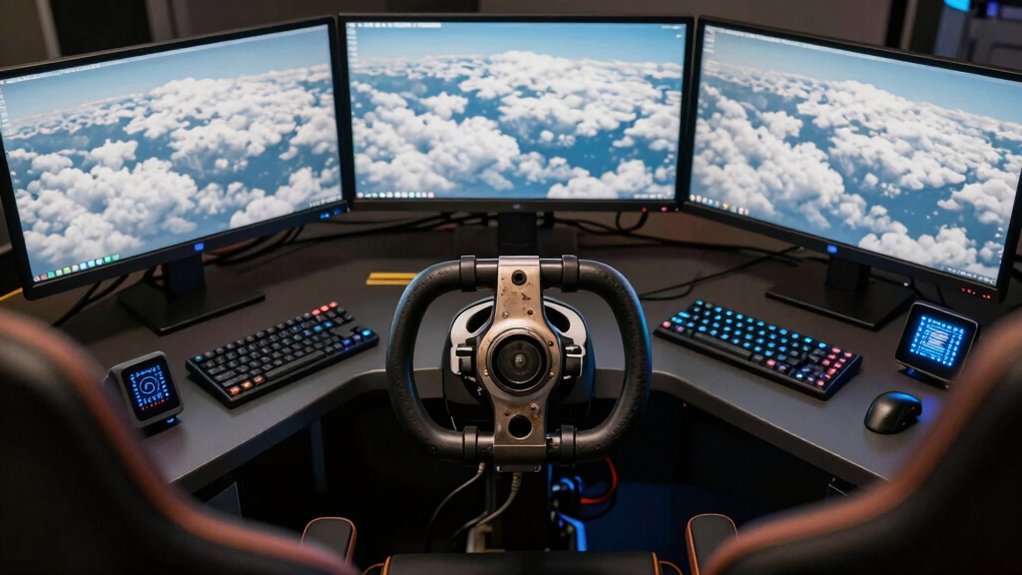

You’ll need to make specific decisions when building your PC flight simulator setup. Start by identifying your budget and the components you want: a yoke system, throttle quadrant, rudder pedals, and mounting hardware. Each piece affects your comfort during long sessions and your overall immersion level. The right combination of equipment can transform your experience, but choosing between brands like Logitech, Thrustmaster, and Turtle Beach requires understanding what each offers—which we’ll explore next.
| Logitech G PRO Flight Yoke System Professional Simulation |

| Professional Grade | Primary Control Type: Yoke and throttle quadrant | Programmable Controls: 54+ programmable controls | Platform Compatibility: Windows PC only | VIEW LATEST PRICE | Read Our Analysis |
| Turtle Beach VelocityOne Flight Universal Control System |

| Best Overall | Primary Control Type: All-in-one yoke, throttle, and rudder controls | Programmable Controls: 36+ programmable buttons and axes | Platform Compatibility: Xbox Series X|S and Windows PC | VIEW LATEST PRICE | Read Our Analysis |
| Thrustmaster T-Flight Hotas X (Compatible with PC) |

| Budget-Friendly Pick | Primary Control Type: Joystick with detachable throttle | Programmable Controls: 12 buttons and 5 axes programmable | Platform Compatibility: Windows PC only | VIEW LATEST PRICE | Read Our Analysis |
| Thrustmaster T-Flight Hotas One Flight Stick Controller |

| Official & Licensed | Primary Control Type: Joystick with detachable throttle | Programmable Controls: 14 action buttons and 5 axes | Platform Compatibility: Xbox Series X|S and Windows PC | VIEW LATEST PRICE | Read Our Analysis |
| Thrustmaster TFRP Flight Rudder Pedals for PS5/Xbox/PC |

| Essential Add-On | Primary Control Type: Rudder pedals only | Programmable Controls: Rudder axis (non-programmable) | Platform Compatibility: PS5, Xbox Series X|S, and Windows PC | VIEW LATEST PRICE | Read Our Analysis |
| Turtle Beach VelocityOne Flightdeck HOTAS Simulation System |
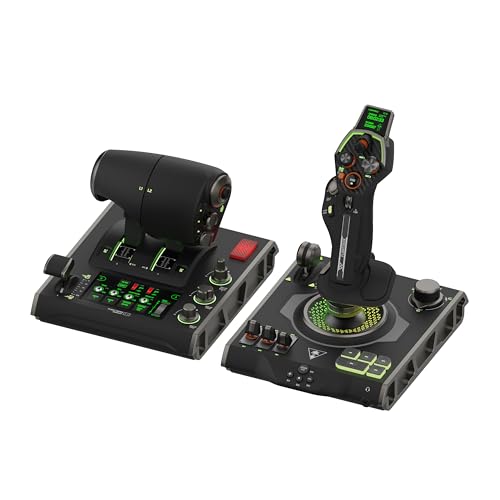
| Most Advanced | Primary Control Type: Joystick and dual throttle levers with touch display | Programmable Controls: 139 programmable controls | Platform Compatibility: Windows PC only | VIEW LATEST PRICE | Read Our Analysis |
| Marada Modular Flight Racing Simulator Cockpit |

| Best Cockpit Setup | Primary Control Type: Modular cockpit frame (supports various controls) | Programmable Controls: No programmable controls (frame only) | Platform Compatibility: Windows PC only | VIEW LATEST PRICE | Read Our Analysis |
| Thrustmaster T-Flight Hotas One Flight Stick Controller |

| Best Value | Primary Control Type: Joystick with detachable throttle | Programmable Controls: 14 action buttons and 5 axes | Platform Compatibility: Xbox Series X|S and Windows PC | VIEW LATEST PRICE | Read Our Analysis |
| FlightGear Flight Simulator 2025 Premium Deluxe Edition |

| Most Content | Primary Control Type: Flight simulator software (keyboard/mouse/joystick compatible) | Programmable Controls: Software-based input mapping | Platform Compatibility: Windows and macOS | VIEW LATEST PRICE | Read Our Analysis |
| Honeycomb Alpha Flight Controls Yoke & Switch Panel |
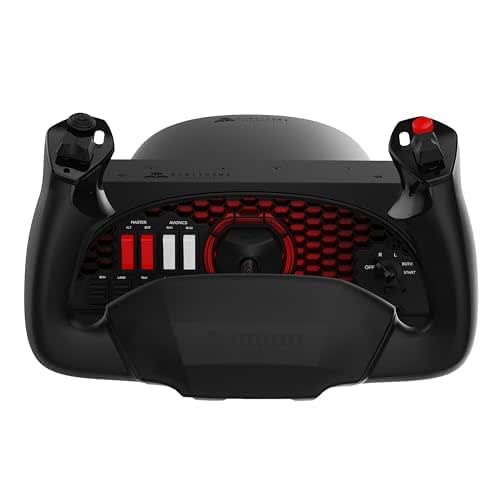
| Premium Precision | Primary Control Type: Yoke with integrated switch panel | Programmable Controls: 8-way switch, 4 rocker switches, 3 buttons, PTT button | Platform Compatibility: Windows PC and Mac | VIEW LATEST PRICE | Read Our Analysis |
More Details on Our Top Picks
Logitech G PRO Flight Yoke System Professional Simulation
If you’re looking for a setup that works for both newcomers learning the basics and experienced pilots refining their skills, the Logitech G PRO Flight Yoke System delivers realistic control with its steel shaft and dual components. The package includes a flight yoke with 14 button controls, a throttle quadrant, and two desk clamps for secure mounting. You’ll access 75 programmable controls across three modes to customize functions for different aircraft. The system connects via USB and PS/2 cables to Windows computers running versions 7 through 11. Download optional software to integrate with Microsoft Flight Simulator, FSX, X-Plane 10, or Prepar3D. The steel construction ensures smooth, accurate aircraft control during extended flight sessions.
- Primary Control Type:Yoke and throttle quadrant
- Programmable Controls:54+ programmable controls
- Platform Compatibility:Windows PC only
- Hall Effect Sensors:Steel shaft (non-contact not specified)
- Microsoft Flight Simulator Compatibility:Compatible (requires optional software download)
- Mounting/Stability Solution:2 desk clamps
- Additional Feature:Steel shaft smooth control
- Additional Feature:3-position mode switch
- Additional Feature:75 programmable controls
Turtle Beach VelocityOne Flight Universal Control System
Looking to build a complete flight simulator setup without purchasing separate components? The Turtle Beach VelocityOne Flight combines a yoke, throttle quadrant, trim wheel, and rudder controls in one system. You’ll get a 180° rotating yoke with hall effect sensors, customizable throttle levers with ten programmable buttons, and a dedicated pitch trim wheel. The integrated Flight Management Display lets you configure controls on the fly and switch input modes. Connect via USB to your Xbox Series X|S or Windows PC, then launch Microsoft Flight Simulator, X-Plane, or Elite Dangerous. The system weighs ten pounds and measures approximately nineteen by seven by nineteen inches, fitting most desk setups with its secure clamping system.
- Primary Control Type:All-in-one yoke, throttle, and rudder controls
- Programmable Controls:36+ programmable buttons and axes
- Platform Compatibility:Xbox Series X|S and Windows PC
- Hall Effect Sensors:Non-contact hall effect sensors (180° yoke)
- Microsoft Flight Simulator Compatibility:Compatible with MSFS 2020 & 2024
- Mounting/Stability Solution:Secure clamping system for multiple setups
- Additional Feature:180° yoke handle rotation
- Additional Feature:Full-color flight management display
- Additional Feature:Customizable swappable throttle tops
Thrustmaster T-Flight Hotas X (Compatible with PC)
The Thrustmaster T-Flight Hotas X works best for flight sim beginners and budget-conscious enthusiasts who want a fully functional setup without spending hours on configuration. You’ll plug it in and immediately start flying—no setup required. The joystick features a detachable throttle, weighted base for stability, and dual-control options: rotate the handle or use the progressive tilting lever. You can program all 12 buttons and 5 axes to match your preferences, and the internal memory saves your settings permanently. The adjustable-resistance joystick, brake trigger, and multi-directional hat give you precise control across civil and military flight scenarios.
- Primary Control Type:Joystick with detachable throttle
- Programmable Controls:12 buttons and 5 axes programmable
- Platform Compatibility:Windows PC only
- Hall Effect Sensors:Not specified
- Microsoft Flight Simulator Compatibility:Pre-configured for MSFS
- Mounting/Stability Solution:Weighted base
- Additional Feature:Adjustable joystick resistance
- Additional Feature:Internal memory saves programming
- Additional Feature:Weighted base stability
Thrustmaster T-Flight Hotas One Flight Stick Controller
Want a flight control system that works seamlessly with Microsoft Flight Simulator 2024 without requiring additional setup or compatibility troubleshooting? The Thrustmaster T-Flight Hotas One delivers official licensing and plug-and-play compatibility with Xbox Series X|S and PC. You’ll get 10-bit precision across five axes, including Z-axis rudder control, plus 14 action buttons for comprehensive aircraft management. The detachable throttle lets you configure your setup on a desk or lap. You can expand functionality by adding Thrustmaster TFRP rudder pedals separately, enhancing control realism across jets, helicopters, and prop aircraft.
- Primary Control Type:Joystick with detachable throttle
- Programmable Controls:14 action buttons and 5 axes
- Platform Compatibility:Xbox Series X|S and Windows PC
- Hall Effect Sensors:Not specified
- Microsoft Flight Simulator Compatibility:Officially licensed for MSFS 2024
- Mounting/Stability Solution:Desk or lap placement (modular)
- Additional Feature:Z-axis rudder control integrated
- Additional Feature:Detachable modular throttle design
- Additional Feature:S.M.A.R.T. sliding rail system
Thrustmaster TFRP Flight Rudder Pedals for PS5/Xbox/PC
If you’re serious about mastering coordinated flight movements across Microsoft Flight Simulator and other demanding flight sims, the Thrustmaster TFRP Flight Rudder Pedals deliver the precision control you’ll need. These pedals feature a long travel rudder axis that enables smooth, accurate turns through an advanced S.M.A.R.T. Rail Sliding System with four aluminum rails. The friction-free motion ensures consistent control inputs you’ll feel immediately. The self-centering design maintains balanced responsiveness for authentic flying. Mount them securely to your setup to guarantee stability during extended sessions. Compatible with PS5, Xbox Series X|S, and PC, these pedals provide the rigidity and repeatable performance required for serious flight simulation. The ergonomic construction supports prolonged use without fatigue.
- Primary Control Type:Rudder pedals only
- Programmable Controls:Rudder axis (non-programmable)
- Platform Compatibility:PS5, Xbox Series X|S, and Windows PC
- Hall Effect Sensors:Not specified
- Microsoft Flight Simulator Compatibility:Compatible with MSFS
- Mounting/Stability Solution:Sturdy mounting for stability
- Additional Feature:Advanced S.M.A.R.T. rail system
- Additional Feature:Self-centering balanced control
- Additional Feature:Long travel rudder axis
Turtle Beach VelocityOne Flightdeck HOTAS Simulation System
Looking for a flight stick that’ll handle both combat sims and space games without forcing you to swap equipment? The Turtle Beach VelocityOne Flightdeck delivers 139 programmable controls across its joystick and throttle modules. You’ll get hall-effect sensors for precise pitch, roll, and yaw input, plus dual throttle levers with adjustable haptic detents. The integrated touch display lets you customize buttons and monitor real-time sim data. Use the Flight Hangar app to create profiles for Microsoft Flight Simulator, DCS World, Star Citizen, or X-Plane. Configure RGB lighting, adjust axis response curves, and add up to 39 extra buttons through the touchpad. The system connects via two USB devices and includes a 3.5mm headset port with Turtle Beach audio enhancements.
- Primary Control Type:Joystick and dual throttle levers with touch display
- Programmable Controls:139 programmable controls
- Platform Compatibility:Windows PC only
- Hall Effect Sensors:Non-contact hall effect sensors
- Microsoft Flight Simulator Compatibility:Compatible with MSFS 2020 & 2024
- Mounting/Stability Solution:Desktop USB connections
- Additional Feature:139 programmable controls total
- Additional Feature:Head-up display on stick
- Additional Feature:Dual throttle levers locking
Marada Modular Flight Racing Simulator Cockpit
The Marada Modular Flight Racing Simulator Cockpit works best for you if you want one setup that handles both flight and racing simulations without buying separate equipment. You’ll swap between five interchangeable mounting panels to configure your station. Its 40mm thickened tubes provide zero wobble, and adjustable side joystick panels move in three directions. You can reposition pedals, the middle support panel, and your seat angle. The cockpit fits Logitech, Thrustmaster, Honeycomb, and Turtle Beach devices. At 96.5 pounds, it’s substantial and stable. Customers rate it 4.4 out of 5 stars across 74 reviews, confirming reliable performance for serious simulation.
- Primary Control Type:Modular cockpit frame (supports various controls)
- Programmable Controls:No programmable controls (frame only)
- Platform Compatibility:Windows PC only
- Hall Effect Sensors:Not applicable (frame only)
- Microsoft Flight Simulator Compatibility:Compatible (supports any mounted controls)
- Mounting/Stability Solution:Adjustable mounting panels with anti-slip pads
- Additional Feature:5 interchangeable mounting panels
- Additional Feature:Ultra-adjustable 3D positioning
- Additional Feature:Supports flight/racing simulation
Thrustmaster T-Flight Hotas One Flight Stick Controller
Want a flight stick setup that works straight out of the box without requiring separate purchases? The Thrustmaster T-Flight Hotas One delivers a complete HOTAS system combining joystick and throttle in one package. You’ll connect it via USB to your Windows PC or Xbox Series X|S and start flying immediately. The joystick features adjustable resistance, responsive triggers, and multiple programmable buttons for takeoffs, landings, and combat maneuvers across commercial, combat, and helicopter aircraft. You can use both components together on your desk or detach the throttle to position it on your lap for casual play. If you later want enhanced steering precision, you’ll purchase Thrustmaster TFRP rudder pedals separately and attach them using the S.M.A.R.T. sliding rail system for expanded control capabilities.
- Primary Control Type:Joystick with detachable throttle
- Programmable Controls:14 action buttons and 5 axes
- Platform Compatibility:Xbox Series X|S and Windows PC
- Hall Effect Sensors:Not specified
- Microsoft Flight Simulator Compatibility:Compatible with MSFS
- Mounting/Stability Solution:Desk or lap placement (modular)
- Additional Feature:Adjustable joystick resistance control
- Additional Feature:Detachable throttle lap-use compatible
- Additional Feature:S.M.A.R.T. sliding rail system
FlightGear Flight Simulator 2025 Premium Deluxe Edition
If you’re serious about flight simulation but don’t want to pay premium prices for commercial software, FlightGear’s 2025 Premium Deluxe Edition delivers professional-grade features at a fraction of the cost. You’ll access 20,000 real airports, 600+ aircraft, and complete worldwide scenery with live weather integration. The four-disc set installs on Windows 10, Windows 11, or macOS. You’ll need a quad-core CPU, 6GB RAM, and 2GB GPU VRAM minimum. The included 200+ page manual teaches flight operations, while email support backs your purchase. Download 1000+ liveries free after installation. Internet access enables multiplayer servers and updates. This non-arcade simulator requires aviation familiarity but rewards serious pilots with realistic time-of-day modeling, night lighting, and multi-display support.
- Primary Control Type:Flight simulator software (keyboard/mouse/joystick compatible)
- Programmable Controls:Software-based input mapping
- Platform Compatibility:Windows and macOS
- Hall Effect Sensors:Not applicable (software)
- Microsoft Flight Simulator Compatibility:Compatible with FlightGear (not MSFS)
- Mounting/Stability Solution:Not applicable (software only)
- Additional Feature:20,000 real airports worldwide
- Additional Feature:600+ aircraft included total
- Additional Feature:Full worldwide scenery coverage
Honeycomb Alpha Flight Controls Yoke & Switch Panel
For pilots who want a fully integrated cockpit setup without purchasing separate components, Honeycomb’s Alpha Yoke combines a responsive flight control with an embedded switch panel that handles ignition, alternator, avionics, and lighting functions. The yoke features 180° rotation on a steel shaft with dual ball bearings, delivering precise control inputs with minimal deadzone. You’ll find eight-way view controls, rocker switches, buttons, and a push-to-talk feature. Mount it using heavy-duty clamps or a 40-pound micro-suction pad. Red LED backlighting supports night operations. This setup works with Microsoft Flight Simulator and Mac systems, making it ideal for dedicated flight simulation enthusiasts seeking cockpit-style authenticity.
- Primary Control Type:Yoke with integrated switch panel
- Programmable Controls:8-way switch, 4 rocker switches, 3 buttons, PTT button
- Platform Compatibility:Windows PC and Mac
- Hall Effect Sensors:Steel shaft with ball bearings
- Microsoft Flight Simulator Compatibility:Compatible with MSFS
- Mounting/Stability Solution:Heavy-duty clamps or 40 lbs micro-suction pads
- Additional Feature:Integrated cockpit-style switch panel
- Additional Feature:Red LED backlighting night
- Additional Feature:Micro-suction pad clamp-free
Factors to Consider When Choosing a PC Flight Simulator Setup
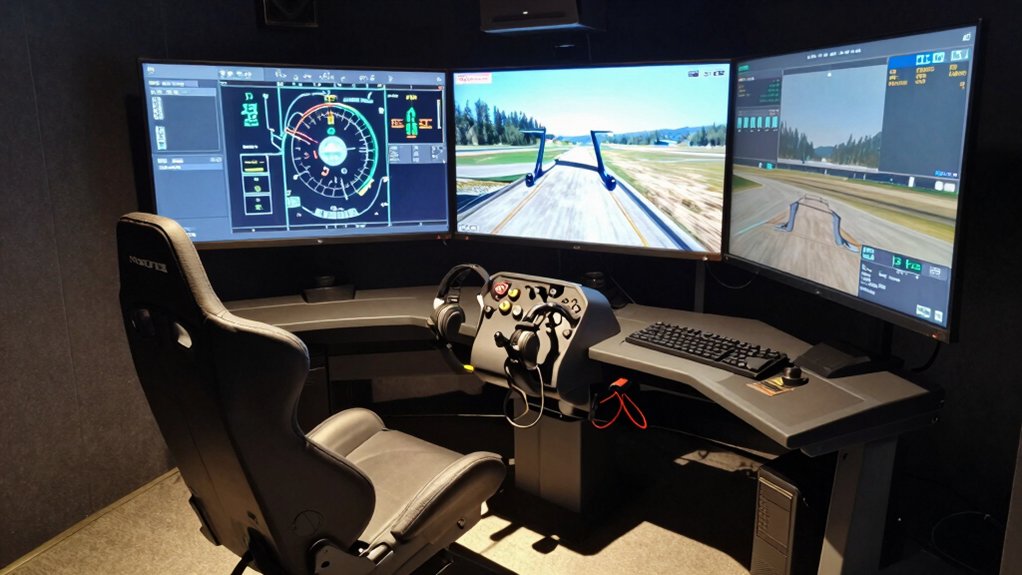
Before you purchase flight simulator equipment, you need to evaluate your budget first, then check whether the hardware works with your current PC setup, and finally test the control precision and responsiveness that match your flying style. Next, determine how much desk or mounting space you have available, and confirm whether the equipment you’re considering can expand with additional modules as your setup grows. These five factors—cost, compatibility, control quality, physical space, and modularity—will guide you toward a setup that fits both your needs and your situation.
Budget and Investment Level
How much you’re willing to spend fundamentally shapes which flight simulator setup you’ll build and how it’ll evolve over time. Entry-level budgets ($100–$300) get you a basic joystick or simple yoke to start flying. Mid-range investments ($300–$1,000) unlock multi-component systems with throttles, rudder pedals, and programmable controls that boost realism. Premium setups ($1,000+) deliver hall-effect sensors, professional-grade mounting rigs, and expanded customization across multiple titles. Consider whether you’ll buy bundled systems—which package yokes, throttles, and trim wheels together—or purchase components separately, as bundles typically cost less overall. Factor in platform compatibility too; setups supporting PC, Xbox, and macOS may require additional software licenses. Plan for future accessory purchases like thrust reversers or mounting hardware, as these expand your investment beyond initial hardware costs.
Compatibility With Your System
Once you’ve set your budget, confirming that your hardware works with your PC and flight simulator titles becomes the next step. Check your setup’s documented operating system requirements—most demand Windows 10 or 11, though some support macOS or Xbox. Verify your chosen flight simulator (Microsoft Flight Simulator, X-Plane, or DCS World) runs on your system. Examine USB or PS/2 connectivity options and determine whether your peripherals need drivers or function as plug-and-play devices. Review platform-specific features like dual-device support that may affect your gaming rig. Finally, confirm your mounting hardware and workspace requirements fit your desk setup. These compatibility checks prevent purchasing incompatible equipment and ensure seamless integration with your existing system.
Precision and Control Feel
What separates a mediocre flight simulator experience from an immersive one? Precision and control feel in your hardware. You’ll want to prioritize non-contact hall effect sensors in yokes, which deliver smooth, accurate rotation without mechanical play. Look for dampened, self-centering mechanisms that return your controls to neutral consistently during maneuvers without a center detent. Adjustable resistance on joysticks and throttles lets you match stick force to your preferred aircraft type. High-resolution inputs across multiple axes, HATs, and programmable buttons with low dead zones give you finer control accuracy. Finally, verify robust physical construction—steel shafts, ball bearings, and stable mounting—minimizes flex and wobble. These specifications ensure your inputs translate precisely to your virtual aircraft’s movements, creating realistic flight dynamics.
Modularity and Expandability
Why settle for a fixed setup when you can customize your controls to match your flying needs?
Modular flight sim systems let you swap components like throttle tops, yokes, and rudder pedals to fit different aircraft. You can detach or reconfigure pieces based on whether you’re flying a commercial jet or fighter plane. Many systems include adjustable pitch, roll, yaw, and trim controls that accommodate various hand sizes and seating positions.
Choose hybrid configurations that work on your desk or lap, giving you flexibility between permanent cockpit-style layouts and temporary setups. Check expandability by verifying compatibility with additional accessories like extra buttons and rudder pedal options. Review software-driven profile customization features that let you save different control configurations. This approach ensures your setup evolves with your sim flying interests without replacing entire systems.
Space and Mounting Options
While modularity lets you swap components freely, you’ll need to contemplate how your setup physically fits in your space and stays stable during use. Start by measuring your desk width and depth to determine available footprint. All-in-one HOTAS or yoke systems require more space than compact controllers, so verify dimensions before purchasing. Next, select your mounting method: two desk clamps work for standard desks, integrated suction mounts suit smooth surfaces, and heavy-duty clamps handle thicker tabletops. For modular setups, plan dedicated zones for your throttle, pedals, and panels. Finally, choose adjustable mounting hardware and rails that accommodate your desk thickness without wobble. This systematic approach ensures stability and optimal use of your available space.
Flight Simulation Software Support
How you’ll use your setup depends entirely on which flight simulators you plan to fly, so compatibility should guide your hardware choice before you buy. Check whether your hardware supports Microsoft Flight Simulator 2020/2024, X-Plane, Prepar3D, or other titles you want to use. Some devices work across multiple simulators with universal plug-and-play setup, while others require dedicated software or firmware apps to configure profiles for specific games. Verify that your hardware has enough programmable buttons and axis count for the simulators you choose. Download required drivers and software before purchasing to confirm full functionality. Many setups include Flight Hangar apps enabling real-time mode switching between titles without reconfiguring controls manually.
Build Quality and Durability
What separates a flight simulator setup that lasts years from one that fails after months? Build quality directly determines durability. Look for metal shafts and reinforced housings instead of plastic components—they resist wear under heavy use. Choose controllers with dampened, self-centering mechanisms that minimize deadzone and reduce play during extended sessions. Verify dual mounting options like clamps or mounting pads that stabilize your setup on different desk surfaces without wobbling. Select equipment with detachable or modular components, allowing you to replace worn parts instead of replacing entire units. Check for integrated cooling features or non-contact sensors that protect against wear from repeated movements. These practical specifications ensure your investment performs reliably for years.
Ergonomics for Extended Use
Since you’ll spend hours gripping your joystick, yoke, and throttle controls, you need equipment that adjusts to your body rather than forcing your body to adjust to it. Start by selecting controls with adjustable positions to match your hand size and seated posture. Next, secure your setup with stable clamps or suction pads that prevent shifting during precise inputs. Choose modular components like detachable throttles and pedals so you can reposition them for neutral wrist alignment and comfortable reach. Look for mechanisms with low deadzone sensitivity and smooth resistance to reduce repetitive micro-corrections that fatigue your forearms and shoulders. Finally, adjust your seat height, backrest angle, and pedal-to-stick alignment to maintain consistent posture, lowering physical strain throughout extended sessions.
Final Thoughts
To build your PC flight simulator setup, you’ll need to select compatible components—a yoke, throttle quadrant, and rudder pedals—then mount them securely to your desk or frame. Install the required software and drivers, configure your controls in your flight simulator, and adjust your seating for proper ergonomics. Test all inputs before extended sessions. Start with essential gear and upgrade gradually as your needs evolve.

Meet Ry, “TechGuru,” a 36-year-old technology enthusiast with a deep passion for tech innovations. With extensive experience, he specializes in gaming hardware and software, and has expertise in gadgets, custom PCs, and audio.
Besides writing about tech and reviewing new products, he enjoys traveling, hiking, and photography. Committed to keeping up with the latest industry trends, he aims to guide readers in making informed tech decisions.