
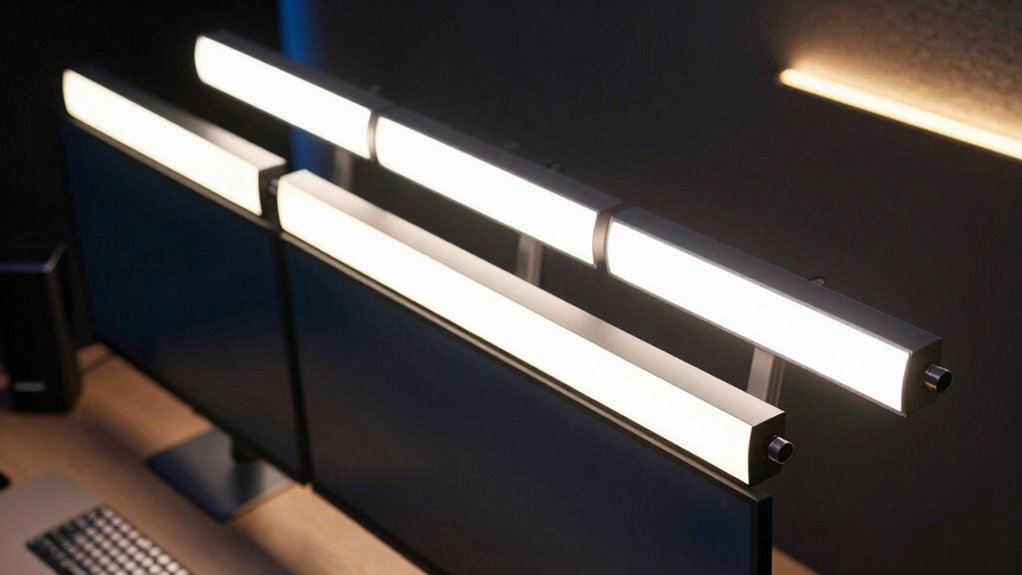

You’re spending hours at your monitor, and your eyes are paying the price. Eye strain happens when your screen lacks proper lighting balance—too much glare in front, too little ambient light behind. Monitor LED light bars solve this by combining front task lighting with backlighting, but you need to know which features actually work. Let’s examine the top options.
| RGB Monitor Light Bar Eye-Care Gaming Desk Lamp |
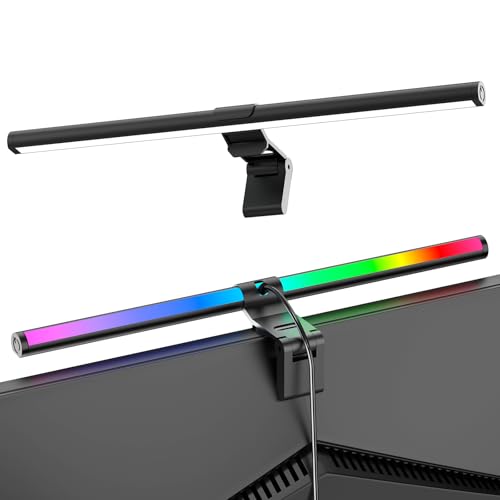
| Best Overall | Power Source: USB-C | Control Method: Button controls (left/right) | Color Temperature Range: 3 color temperatures (warm to cool) | VIEW LATEST PRICE | Read Our Analysis |
| Quntis Computer Monitor Lamp with Auto-Dimming LED |

| Best Eye Protection | Power Source: AC powered (plug-in) | Control Method: Manual brightness/temperature adjustments | Color Temperature Range: 3000K–6500K | VIEW LATEST PRICE | Read Our Analysis |
| Ledagic LED Light Bar with Music Sync & Remote Control |

| Best For Gaming | Power Source: USB powered | Control Method: Remote control + app (LotusLamp X) | Color Temperature Range: 16 million RGB colors | VIEW LATEST PRICE | Read Our Analysis |
| G100 Monitor LED Backlights for PC & Mac |

| Best Screen Sync | Power Source: USB 2.0/3.0 | Control Method: Software control (Skydimo) | Color Temperature Range: 16 million RGB colors | VIEW LATEST PRICE | Read Our Analysis |
| Under Monitor RGB Light Bar with Wireless Remote |
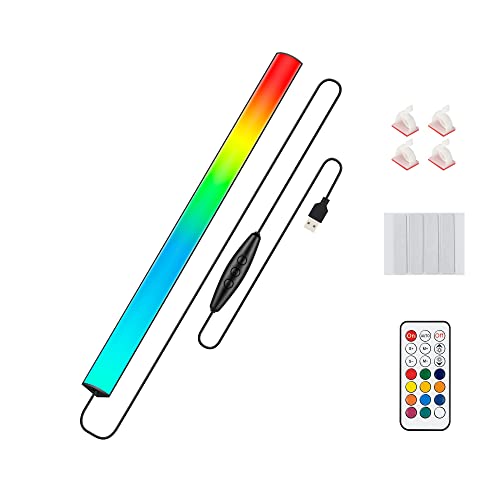
| Budget-Friendly Pick | Power Source: USB powered | Control Method: Wireless remote + switch | Color Temperature Range: 16 million RGB colors | VIEW LATEST PRICE | Read Our Analysis |
| KANTUTOE Monitor Down Light Bar RGB LED Dimmable |

| Best Music Sync | Power Source: USB powered | Control Method: Mobile app + remote control | Color Temperature Range: 16 million RGB colors | VIEW LATEST PRICE | Read Our Analysis |
| Smart Monitor Light Bar RGB Backlight Gaming Work |

| Most Versatile | Power Source: USB powered | Control Method: Full software control | Color Temperature Range: 3000K/4000K/6500K + 16 million RGB | VIEW LATEST PRICE | Read Our Analysis |
| Quntis Monitor Light Bar PRO+ with Remote Control |

| Best For Ultrawide | Power Source: USB powered | Control Method: Smart remote control | Color Temperature Range: 3000K–6500K | VIEW LATEST PRICE | Read Our Analysis |
| Velted RGB Light Bar with Music Sync & Remote Control |

| Best Value Gaming | Power Source: USB powered | Control Method: Remote control + button | Color Temperature Range: 8 dynamic modes (no white light) | VIEW LATEST PRICE | Read Our Analysis |
| Govee RGBIC Light Bars WiFi TV Backlight Smart |

| Best Smart Home | Power Source: 12V AC adapter | Control Method: WiFi app (Govee Home) + voice control | Color Temperature Range: RGBIC dynamic effects | VIEW LATEST PRICE | Read Our Analysis |
More Details on Our Top Picks
RGB Monitor Light Bar Eye-Care Gaming Desk Lamp
If you’re managing eye strain during extended screen time, the RGB Monitor Light Bar stands out as the top choice. The 15.75” lamp features a 45° beam angle that targets your desk and screen while minimizing direct eye exposure. You’ll operate the front light and RGB backlight independently—adjust brightness and color temperature using the right button for work, then control nine RGB effects via the left button for ambience. The retractable clip accommodates thin, thick, flat, and curved monitors without damage. Simply plug the USB-C cable into your laptop, adapter, or power bank for instant installation. The smart memory function automatically recalls your last-used settings, eliminating repetitive adjustments.
- Power Source:USB-C
- Control Method:Button controls (left/right)
- Color Temperature Range:3 color temperatures (warm to cool)
- Light Bar Length:15.75 inches
- Special Sync Feature:RGB backlight only (no sync)
- Eye Care Technology:45° beam angle to minimize eye exposure
- Additional Feature:Independent front/RGB operation
- Additional Feature:Smart memory recalls settings
- Additional Feature:Retractable clip, no damage
Quntis Computer Monitor Lamp with Auto-Dimming LED
Spending hours at your desk? The Quntis Computer Monitor Lamp delivers auto-dimming LED technology that adjusts brightness to 900 lux based on ambient light conditions. Install the weighted clip on your monitor’s top edge for secure, space-saving placement. Customize brightness and color temperature between 3000K and 6500K to match your preference. The 78 LED beads provide uniform illumination across your desk while an asymmetrical design prevents screen glare. IEC-certified flicker-free lighting and reduced blue light protect your eyes during extended screen sessions. The auto-dimming feature minimizes eye fatigue automatically, though you can override settings manually whenever needed.
- Power Source:AC powered (plug-in)
- Control Method:Manual brightness/temperature adjustments
- Color Temperature Range:3000K–6500K
- Light Bar Length:Clip-on monitor top mount
- Special Sync Feature:Auto-dimming via ambient light sensor
- Eye Care Technology:IEC/TR 62778 certified; high CRI (78 LEDs)
- Additional Feature:Auto-dimming ambient light sensor
- Additional Feature:78 LED beads uniform
- Additional Feature:IEC certified blue light
Ledagic LED Light Bar with Music Sync & Remote Control
The Ledagic LED light bar transforms your gaming setup with synchronized audio effects that respond to in-game sound. You’ll plug the USB cord directly into your TV, monitor, or PC to power and sync the device. Use the remote control or LotusLamp X app to select from 64+ lighting patterns, adjust brightness from 1% to full, and choose from 16 million colors. The built-in music sensor automatically syncs lights to audio without requiring a separate hub. Set pre-programmed on/off times for automatic wake-up or sleep lighting. Install the bar beside your monitor or TV for optimal visibility during gaming, streaming, or work sessions.
- Power Source:USB powered
- Control Method:Remote control + app (LotusLamp X)
- Color Temperature Range:16 million RGB colors
- Light Bar Length:60-inch cord (placement flexible)
- Special Sync Feature:Music sync + audio sensing
- Eye Care Technology:No specific eye care certification
- Additional Feature:64+ lighting pattern modes
- Additional Feature:LotusLamp X app control
- Additional Feature:Pre-set timing automation
G100 Monitor LED Backlights for PC & Mac
Fiotura’s G100 offers screen-syncing LED backlights that capture your monitor’s colors in real time, making it an excellent choice if you’re seeking immersive lighting that matches what’s on display. Installation takes minutes: download the Skydimo software for your PC or Mac, plug the USB cord into your computer, and the system auto-recognizes. Attach the light strip behind your 24-32 inch monitor using the included 3M tape and fixers. You’ll access five lighting modes—screen sync, phantom, monochrome, music sync, and flowing light—through software control. The 5050 LED chips deliver 16 million color options. The 22-watt strip measures 20.87 inches wide and includes a 1.5-meter power cord. You’re covered by a one-year warranty.
- Power Source:USB 2.0/3.0
- Control Method:Software control (Skydimo)
- Color Temperature Range:16 million RGB colors
- Light Bar Length:24–32 inch monitor compatibility
- Special Sync Feature:Screen sync + music sync
- Eye Care Technology:No specific eye care certification
- Additional Feature:Screen color sync capture
- Additional Feature:5050 LED chip technology
- Additional Feature:Skydimo software customization
Under Monitor RGB Light Bar with Wireless Remote
Looking for gaming ambiance without breaking the bank? The Under Monitor RGB Light Bar delivers 353 dynamic color modes plus 12 static options via wireless remote control. Install it quickly using adhesive pads behind or below your monitor to illuminate your keyboard area or create wall glow effects. The 12-inch USB-powered bar connects to any standard port, remembers your last settings when powered on, and lets you adjust speed and brightness instantly. Its aluminum case dissipates heat efficiently while consuming minimal energy, making it a practical lighting solution for your gaming setup.
- Power Source:USB powered
- Control Method:Wireless remote + switch
- Color Temperature Range:16 million RGB colors
- Light Bar Length:12 inches
- Special Sync Feature:No sync mentioned
- Eye Care Technology:Energy-efficient LED; low heat
- Additional Feature:353 dynamic color modes
- Additional Feature:12 static color options
- Additional Feature:Wireless remote control
KANTUTOE Monitor Down Light Bar RGB LED Dimmable
Want your monitor lighting to sync with your music? The KANTUTOE Monitor Down Light Bar RGB LED Dimmable does exactly that with its music mode feature. You’ll control it two ways: download the mobile app by scanning the QR code for DIY keyboard customization, or use the included remote to adjust color, brightness, mode, and speed. The light bar attaches under your monitor using strong residue-free tape. It’s powered through any USB port on your computer or power bank. The device remembers your last settings automatically, so you won’t reset preferences each time you turn it on. Choose from jumping color, fading, or dreamy rainbow modes with 16 million color options.
- Power Source:USB powered
- Control Method:Mobile app + remote control
- Color Temperature Range:16 million RGB colors
- Light Bar Length:Not specified
- Special Sync Feature:Music mode with auto-beat adjustment
- Eye Care Technology:No specific eye care certification
- Additional Feature:Music mode beat adjustment
- Additional Feature:DIY keyboard lights app
- Additional Feature:Residue-free adhesive removal
Smart Monitor Light Bar RGB Backlight Gaming Work
The BLAZART DN-ML001 is the most versatile monitor light bar for gamers and professionals who need customizable lighting without compromises. You control the front lamp and rear RGB backlight independently through software. Choose from three color temperatures for the front light: 3000K for warm tones, 4000K for neutral light, or 6500K for cool brightness. Adjust brightness smoothly to your preference. The rear backlight syncs with your screen colors or responds to music and ambient sound. The front lamp angles at 45 degrees to eliminate glare. This dual-light setup delivers both practical desk illumination and immersive ambient wall glow for your workspace or gaming setup.
- Power Source:USB powered
- Control Method:Full software control
- Color Temperature Range:3000K/4000K/6500K + 16 million RGB
- Light Bar Length:16 inches
- Special Sync Feature:Screen sync + music sync
- Eye Care Technology:45° angled optical design; anti-glare
- Additional Feature:Front/rear independent adjustment
- Additional Feature:Screen-sync wall projection
- Additional Feature:One-piece seamless backlight
Quntis Monitor Light Bar PRO+ with Remote Control
If you’re setting up an ultrawide or curved monitor setup, Quntis’s Monitor Light Bar PRO+ delivers dual-angle illumination designed specifically for those display types. The 20.1-inch light bar mounts securely with an upgraded weighted clip and fits monitors 0.12–2.36 inches thick. Use the included remote to adjust brightness and color temperature between 3000K–6500K steplessly. The 45° adjustable rotation angle positions light across your desk and keyboard without creating screen glare. Built-in ambient light sensors auto-dim the lamp, while the 2-hour auto-off timer encourages regular breaks. With 1200+ lux output and IEC62778 anti-blue light certification, this USB-powered option suits home office work effectively.
- Power Source:USB powered
- Control Method:Smart remote control
- Color Temperature Range:3000K–6500K
- Light Bar Length:20.1 inches
- Special Sync Feature:Auto-dimming via ambient light sensor
- Eye Care Technology:IEC62778 anti-blue light; 45° asymmetrical design
- Additional Feature:45° adjustable rotation shaft
- Additional Feature:2-hour auto-off timer
- Additional Feature:Weighted clip stability upgrade
Velted RGB Light Bar with Music Sync & Remote Control
Looking for gaming room lighting that won’t drain your wallet? The Velted RGB Light Bar offers eight dynamic modes powered by IC LED technology, all controlled via remote or on-device buttons. You’ll get three music sync settings that respond to ambient sounds in your environment, creating immersive lighting without WiFi requirements. Setup’s straightforward: connect the USB cable to any standard charging port, then select your preferred mode immediately. The polycarbonate shade and aluminum base stay lightweight and removable, letting you position it on desks, monitors, or TV setups easily. Since it produces no white light, you’re limited to colored modes only. Energy efficiency keeps power consumption minimal at 5 volts, making it ideal for extended gaming sessions.
- Power Source:USB powered
- Control Method:Remote control + button
- Color Temperature Range:8 dynamic modes (no white light)
- Light Bar Length:12.76 inches
- Special Sync Feature:Music sync (3 modes)
- Eye Care Technology:No specific eye care certification
- Additional Feature:Three music sync modes
- Additional Feature:Eight dynamic IC modes
- Additional Feature:No WiFi required operation
Govee RGBIC Light Bars WiFi TV Backlight Smart
Govee’s RGBIC Light Bars deliver smart home integration that syncs your TV backlight with music, voice commands, and dynamic lighting effects. You’ll mount the 15-inch bars behind your 45–70 inch TV using included brackets, or position them horizontally on a table. The WiFi-connected system works with Alexa and Google Assistant for hands-free control through the Govee Home App. Access 8+ music modes to match lighting with audio, or choose from color-changing effects manually. The 30 LEDs produce 24 watts of illumination across your viewing space. Setup includes an adapter, control box, and mounting hardware. You get a 12-month manufacturer warranty and 30-day return option.
- Power Source:12V AC adapter
- Control Method:WiFi app (Govee Home) + voice control
- Color Temperature Range:RGBIC dynamic effects
- Light Bar Length:15 inches
- Special Sync Feature:Music sync (8+ modes) + voice control
- Eye Care Technology:No specific eye care certification
- Additional Feature:Alexa and Google compatible
- Additional Feature:90° rotatable back buckles
- Additional Feature:30 LED light sources
Factors to Consider When Choosing a PC Monitor LED Light Bar
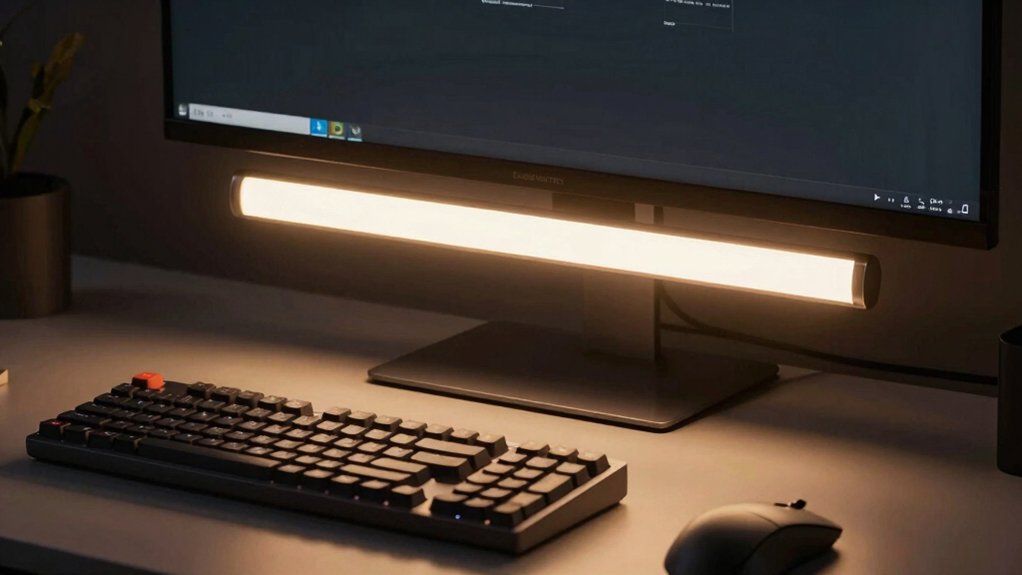
When you’re selecting a PC monitor LED light bar, you’ll need to evaluate eye care features like color temperature adjustments and brightness levels that reduce blue light exposure during extended screen time. Consider the installation requirements and compatibility with your monitor’s size and mounting system, ensuring the light bar fits securely without blocking your view or requiring complex setup. You should also examine the available lighting modes and effects—such as color-syncing with on-screen content, preset ambiance settings, and app controls—to determine which options match your workspace needs and preferences.
Best PC Monitor LED Light Bar
Several key features’ll help you pick a monitor light bar that actually reduces eye strain. First, select a dual-mode design with independent front task lighting and rear ambient backlighting to control glare separately. Next, verify the light bar offers color temperature options between 3000K and 6500K with stepless brightness adjustment for your specific activities. Check that it mounts securely using clip-on or under-monitor attachment compatible with your monitor thickness. Confirm the front light angles at 45 degrees to minimize glare effectively. Look for USB-C or standard USB power options with memory function to retain your preferred settings automatically. Finally, prioritize models with flicker-free operation, high CRI ratings around 78–95, and ambient light sensors for automatic dimming during extended work sessions.
Factors to Consider When Choosing PC Monitor LED Light Bar
What makes one monitor light bar more effective than another at reducing eye strain? You’ll want to evaluate several key factors. First, check the color temperature range—look for adjustable settings between 3000K and 6500K to match your lighting conditions. Second, examine the beam design; asymmetrical 45° angles illuminate your desk without creating screen glare. Third, verify mounting compatibility with your monitor’s size and shape, including curved screens. Fourth, confirm USB power options like USB-C for flexible placement. Fifth, ensure front and rear lights operate independently if you want ambient lighting. Finally, consider bonus features such as auto-dimming sensors, remote control, or app compatibility. Review warranty length—typically 1–3 years—to guarantee long-term reliability and support.
Eye Care And Protection
How does a monitor light bar actually protect your eyes during extended screen time? Light bars direct illumination at your desk and keyboard instead of your screen, which reduces direct glare exposure. You’ll want to look for adjustable color temperatures ranging from 3000K to 6500K so you can match your ambient lighting conditions. This prevents the eye strain that occurs when your screen brightness clashes with your surroundings. Choose models with asymmetrical or 45-degree beam designs to minimize screen reflections. Additionally, select bars featuring auto-dimming and ambient light sensing, which automatically adjust brightness to your environment. Finally, prioritize high CRI ratings and flicker-free operation to preserve accurate colors and eliminate the eye irritation caused by screen flicker during long work sessions.
Installation And Compatibility
Before you purchase a monitor light bar, you’ll need to verify that it’ll work with your specific setup and hardware. First, check the clip design—ensure it securely fits your monitor’s thickness without wobbling. Second, confirm USB power compatibility; the light bar should connect to your laptop, power bank, or adapter without requiring additional hubs. Third, measure your monitor’s dimensions and verify the light bar covers your workspace effectively, accounting for front task lighting angles around 45 degrees and rear ambient backlighting. Fourth, confirm compatibility with your monitor type—curved, flat, or ultrawide. Finally, check whether the light bar requires software or apps for brightness and color temperature adjustments, and verify the app supports your operating system.
Lighting Modes And Effects
When you’re selecting a monitor light bar, you’ll want to examine what lighting modes and effects it offers, since these features directly impact both your comfort and your desk’s visual customization. Look for adjustable front task lighting with color temperature and brightness controls that let you modify illumination for different times of day. Check whether the rear RGB backlighting supports dynamic effects like strobe, gradient, and chase patterns for ambient wall glow. Verify that you can control front and rear lights independently, allowing separate customization of desk and background lighting. Consider models with auto-dimming or ambient light sensing that automatically adjust brightness based on surrounding conditions. Finally, confirm the unit has memory functions to save your preferred settings, so your configurations restore automatically after power cycles.
Power Source And USB Options
After you’ve confirmed the lighting modes and effects that suit your setup, you’ll need to examine the power source and USB options available, since these determine how you’ll connect and control your monitor light bar. Most models run on USB power, drawing 5V at roughly 2A, which means you can plug them into any standard USB port on your laptop, desktop, or power bank. This flexibility lets you place the bar wherever you need it without requiring a dedicated power adapter. Some units feature memory settings that save your brightness and color preferences even after you unplug them. Verify whether your chosen model requires an active USB connection for control functions, as this affects your setup options and cable management strategy.
Control Methods And Convenience
Control methods determine how easily you’ll adjust your monitor light bar’s settings during daily use, so you’ll want to evaluate what options fit your workflow. Most models offer multiple control methods: built-in physical buttons for quick adjustments, remote controls for convenient operation from a distance, mobile apps for smartphone management, and voice assistant compatibility for hands-free control. Consider your preference and accessibility needs when selecting a light bar. Independent operation of front-task lighting and rear ambient lighting lets you adjust both simultaneously without muting one function. Memory functions recall your last-used brightness, color temperature, and mode settings after re-powering, eliminating reconfiguration time. Auto-dimming with ambient light sensors adjusts brightness automatically to reduce glare and eye strain throughout your workday.
Final Thoughts
You’ve reviewed eight top monitor light bars designed to reduce eye strain. To pick the right one, match your monitor type (curved, flat, or ultrawide), check for dual-illumination capability, verify auto-dimming features, and confirm USB power compatibility. Compare color temperature ranges (3000–6500K) and brightness control options. Review mounting systems for your setup. Test return policies before purchasing. Your choice directly impacts comfort during extended screen time.

Meet Ry, “TechGuru,” a 36-year-old technology enthusiast with a deep passion for tech innovations. With extensive experience, he specializes in gaming hardware and software, and has expertise in gadgets, custom PCs, and audio.
Besides writing about tech and reviewing new products, he enjoys traveling, hiking, and photography. Committed to keeping up with the latest industry trends, he aims to guide readers in making informed tech decisions.