
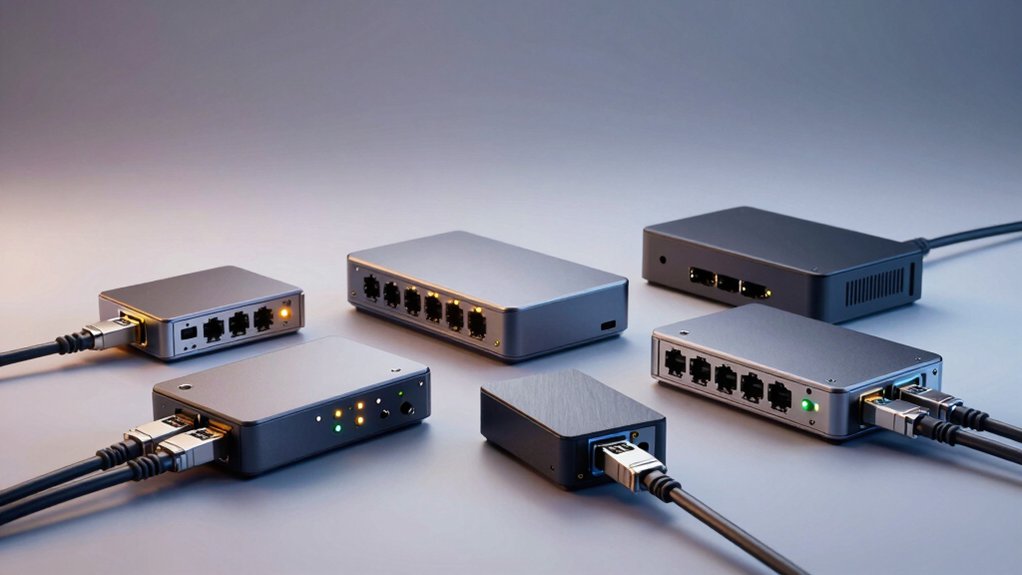

If you’re struggling with weak WiFi signals in distant rooms, powerline Ethernet adapters solve this problem by transmitting internet through your home’s electrical wiring. You plug one adapter into an outlet near your router, pair it with a second unit in the weak signal area, and instantly extend your connection without running cables. Six proven kits offer speeds up to 2000 Mbps with different features—but which one truly fits your specific setup?
| TP-Link AV1000 Powerline Ethernet Adapter Kit |

| Best Overall | Max Data Transfer Speed: 1000 Mbps (AV1000) | WiFi Capability: No WiFi | Ethernet Ports: 1 Gigabit port per adapter | VIEW LATEST PRICE | Read Our Analysis |
| TP-Link AV600 Powerline Ethernet Adapter Kit |

| Budget-Friendly Pick | Max Data Transfer Speed: 600 Mbps (AV600) | WiFi Capability: No WiFi | Ethernet Ports: 1 port per adapter (100 Mbps) | VIEW LATEST PRICE | Read Our Analysis |
| NETGEAR Powerline Adapter Kit 2000 Mbps (PLP2000-100PAS) |

| Fastest Performance | Max Data Transfer Speed: 2000 Mbps (Powerline 2000) | WiFi Capability: No WiFi | Ethernet Ports: 2 Gigabit ports per adapter | VIEW LATEST PRICE | Read Our Analysis |
| TP-Link Powerline WiFi Extender Kit AV1300 AC1200 |
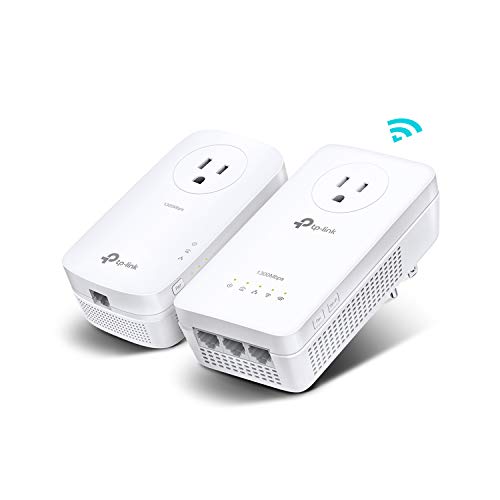
| Best Hybrid Solution | Max Data Transfer Speed: 1300 Mbps (AV1300 powerline) + AC1200 WiFi | WiFi Capability: Yes—AC1200 dual-band WiFi (867 Mbps 5GHz + 300 Mbps 2.4GHz) | Ethernet Ports: 3 Gigabit ports per adapter | VIEW LATEST PRICE | Read Our Analysis |
| G.hn Powerline Ethernet Adapter Kit (GPL-1200-KIT) |

| Gaming & Streaming Optimized | Max Data Transfer Speed: 1200 Mbps (G.hn) | WiFi Capability: No WiFi | Ethernet Ports: 1 Gigabit port per adapter | VIEW LATEST PRICE | Read Our Analysis |
| TP-Link AV1000 Powerline Ethernet Adapter (TL-PA7017) |

| Best Add-On Unit | Max Data Transfer Speed: 1000 Mbps (AV1000) | WiFi Capability: No WiFi | Ethernet Ports: 1 Gigabit port per adapter | VIEW LATEST PRICE | Read Our Analysis |
More Details on Our Top Picks
TP-Link AV1000 Powerline Ethernet Adapter Kit
If you’re struggling to get reliable wired internet to distant rooms without running cables through walls, the TP-Link AV1000 Powerline Ethernet Adapter Kit (TL-PA7017P KIT) delivers a straightforward solution that stands out for its simplicity and practical design. The kit includes two adapters you plug directly into electrical outlets on the same circuit, then connect devices via Gigabit Ethernet cables. You’ll achieve data transfer rates up to 1000 Mbps, though actual speeds depend on wiring quality and distance between adapters. The passthrough design preserves your power outlet, and noise filtering protects against electrical interference. Setup requires no configuration—just plug and pair. Note that you can’t use surge protectors, and the adapters must remain on the same electrical circuit for reliable performance.
- Max Data Transfer Speed:1000 Mbps (AV1000)
- WiFi Capability:No WiFi
- Ethernet Ports:1 Gigabit port per adapter
- Passthrough Outlet:Yes—integrated power socket with extra outlet
- Warranty:2-year manufacturer warranty
- Coverage Range:Up to 750 feet
- Additional Feature:Integrated noise filtering technology
- Additional Feature:Power-saving mode reduces consumption 85%
- Additional Feature:Plug Pair Play setup
TP-Link AV600 Powerline Ethernet Adapter Kit
Why settle for weak WiFi signals in distant rooms? The TP-Link AV600 Powerline Ethernet Adapter Kit delivers reliable connectivity using your existing electrical wiring. You’ll get up to 600Mbps data rates across distances up to 300 meters on the same circuit. Installation takes minutes: plug one adapter into an outlet near your router, connect it with an Ethernet cable, then place the second adapter wherever you need internet access. The gigabit port supports 100Mbps Ethernet speeds. These nano-sized adapters automatically enter power-saving mode, reducing energy consumption up to 85%. The kit includes two units and necessary cables for immediate setup without configuration hassles.
- Max Data Transfer Speed:600 Mbps (AV600)
- WiFi Capability:No WiFi
- Ethernet Ports:1 port per adapter (100 Mbps)
- Passthrough Outlet:No passthrough
- Warranty:2-year manufacturer warranty
- Coverage Range:Up to 750 feet (approximately 300 meters)
- Additional Feature:Nano-sized discreet design
- Additional Feature:Up to 750 ft range
- Additional Feature:Automatic energy-saving mode
NETGEAR Powerline Adapter Kit 2000 Mbps (PLP2000-100PAS)
You’ll find the NETGEAR PLP2000-100PAS delivers fastest performance when you need reliable wired connections throughout your home without adding new cables. This kit reaches speeds up to 2000 Mbps using your existing electrical wiring. Simply plug one adapter near your router and connect it with an included Ethernet cable. Plug the second adapter in another room where you need internet. Each adapter includes two Ethernet ports and a filtered outlet for other devices. The push-button setup requires no software installation. Connect smart TVs, gaming consoles, or streaming devices to either port for 4K streaming and lag-free performance. Expand coverage by adding more adapters to your network as needed.
- Max Data Transfer Speed:2000 Mbps (Powerline 2000)
- WiFi Capability:No WiFi
- Ethernet Ports:2 Gigabit ports per adapter
- Passthrough Outlet:Yes—noise-filtered passthrough outlet
- Warranty:1-year limited warranty
- Coverage Range:Coverage via existing electrical wiring (distance not specified)
- Additional Feature:MIMO with Beamforming technology
- Additional Feature:Supports 4K HD streaming
- Additional Feature:Noise-filtered extra outlet
TP-Link Powerline WiFi Extender Kit AV1300 AC1200
The TP-Link TL-WPA8631P Kit merges powerline and WiFi technology for homes needing extended coverage without running new cables. You’ll get AV1300 powerline speeds through existing wiring and AC1200 WiFi reaching 867 Mbps on 5 GHz and 300 Mbps on 2.4 GHz. The kit includes three Gigabit Ethernet ports with passthrough design, letting you connect devices directly while keeping outlets available. Installation requires plugging adapters into the same electrical circuit—they won’t work through surge protectors. One-click configuration clones your router’s settings automatically. Speed depends on wiring quality and adapter distance, so position units strategically for optimal performance.
- Max Data Transfer Speed:1300 Mbps (AV1300 powerline) + AC1200 WiFi
- WiFi Capability:Yes—AC1200 dual-band WiFi (867 Mbps 5GHz + 300 Mbps 2.4GHz)
- Ethernet Ports:3 Gigabit ports per adapter
- Passthrough Outlet:Yes—passthrough design
- Warranty:2-year manufacturer warranty
- Coverage Range:Up to 750 feet through walls/barriers
- Additional Feature:AC1200 dual-band WiFi extension
- Additional Feature:One-click WiFi configuration
- Additional Feature:3 Gigabit Ethernet ports
G.hn Powerline Ethernet Adapter Kit (GPL-1200-KIT)
NexusLink’s GPL-1200-KIT delivers stable internet through your home’s electrical wiring for gaming and streaming. This Gigabit Ethernet adapter kit includes two units you plug into wall outlets near your devices. It transmits data at 1200 Megabits Per Second using G.hn Wave 1 technology. The adapter reduces gaming lag and dropped frames by providing consistent connection speeds. You can expand your network by connecting up to 16 compatible powerline devices throughout your home. Connect desktops, game consoles, laptops, printers, and smart TVs directly to the adapter for optimal performance. The kit weighs 0.61 kilograms and comes in white. Amazon offers a 30-day return guarantee with this product.
- Max Data Transfer Speed:1200 Mbps (G.hn)
- WiFi Capability:No WiFi
- Ethernet Ports:1 Gigabit port per adapter
- Passthrough Outlet:No passthrough mentioned
- Warranty:30-day voluntary return guarantee
- Coverage Range:Network expandable up to 16 compatible devices (distance not specified)
- Additional Feature:LDPC/FEC error correction
- Additional Feature:Supports up to 16 devices
- Additional Feature:MIMO Dual Phase technology
TP-Link AV1000 Powerline Ethernet Adapter (TL-PA7017)
Looking for a compact addition to your existing powerline setup? The TP-Link AV1000 delivers wired connections up to 750 feet over your home’s electrical wiring. This nano-sized adapter extends Ethernet to desktops, smart TVs, and game consoles without requiring new cables or configuration. You’ll need at least two adapters on the same electrical circuit to function properly. Plug directly into wall outlets—don’t use surge protectors, as they’ll reduce performance. The adapter transfers data at 1000 Megabits per second and includes power-saving mode reducing energy consumption by 85 percent. It’s compatible with all TP-Link powerline adapters, making it ideal for expanding multi-story homes or hard-to-reach areas like basements and garages.
- Max Data Transfer Speed:1000 Mbps (AV1000)
- WiFi Capability:No WiFi
- Ethernet Ports:1 Gigabit port per adapter
- Passthrough Outlet:No passthrough mentioned
- Warranty:2-year manufacturer warranty
- Coverage Range:Up to 750 feet
- Additional Feature:Nano size ultra-compact
- Additional Feature:750 ft range capability
- Additional Feature:CISA Secure-by-Design pledge
Factors to Consider When Choosing a Powerline Ethernet Adapter Kit
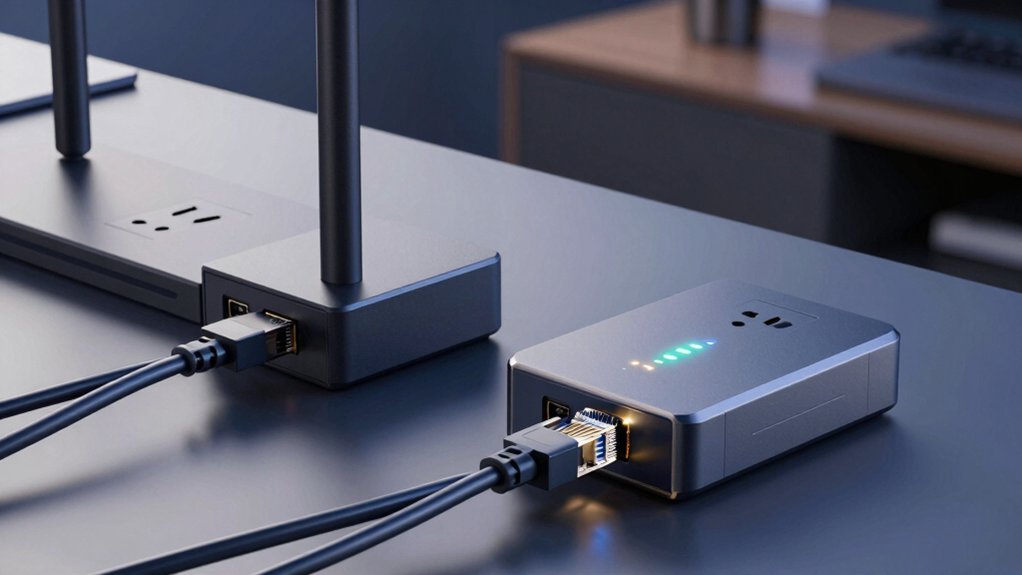
When you’re selecting a powerline ethernet adapter kit, you’ll need to evaluate five key factors that directly affect performance and compatibility with your home setup. Speed and data transfer rates determine how quickly you’ll receive information, electrical circuit compatibility ensures the adapters work properly on your home’s wiring, physical size and design affect where you can install them, power consumption efficiency impacts your electricity costs, and security standards protect your network from unauthorized access. Start by checking your adapter’s speed specifications against your internet plan, verify it’s compatible with your country’s electrical system, measure the space where you’ll plug it in, compare the watts each unit consumes, and confirm it meets current encryption protocols before making your purchase.
Speed and Data Transfer
How much speed you actually get from a powerline adapter kit depends on several real-world factors that differ from the advertised ceiling speeds. Kits labeled AV1000 or AV600 show maximum potential throughput, but your actual data transfer rates will be lower. Wiring quality, distance between adapters, and electrical interference all reduce real performance. To maximize speed, plug both adapters directly into wall outlets—never use surge protectors, which block the signal. Keep adapters on the same electrical circuit for best results. Check your home’s wiring condition; older or damaged wiring significantly cuts speeds. Some advanced models use HomePlug AV2 with MIMO technology to improve multi-stream performance. Select kits with dual Ethernet ports if you need consistent wired speeds across multiple devices simultaneously.
Electrical Circuit Compatibility
What’s the single most critical factor for powerline adapter performance? Electrical circuit compatibility. You must plug both adapters into outlets on the same circuit for them to communicate effectively. Check your home’s electrical panel to identify which outlets share circuits, or use a circuit tester to confirm. Avoid using power strips or surge protectors, as they’re incompatible with powerline adapters and block signal transmission. Instead, plug adapters directly into wall outlets. If your outlets are on different circuits, the adapters won’t work together. Distance between adapters on the same circuit still affects speed—rooms and floors between them reduce throughput from maximum speeds. Verify circuit compatibility before purchasing to ensure your investment functions properly.
Physical Size and Design
Your powerline adapter’s physical dimensions determine whether it’ll fit your outlets and how much wall space it’ll consume. Compact nano-style adapters measure around 2.3 x 1.7 x 3.7 inches, fitting easily into tight spaces without blocking adjacent outlets. Larger wall-plug units require more room and may obstruct neighboring devices. Consider your outlet layout before purchasing.
Weight varies between models, ranging from 0.86 to 1.8 pounds, affecting how you’ll mount or position them. Passthrough designs include an extra powered outlet, preserving available sockets for other devices—a practical feature if your outlets are limited.
Some kits feature built-in Ethernet cables and compact plug-in housings, which reduce clutter and simplify setup. Examine these design elements to match your specific space constraints and usage needs.
Power Consumption Efficiency
Beyond the physical footprint of your adapter sits another practical consideration: how much electricity it’ll actually consume. You’ll want to check the idle power consumption, which typically ranges from 0.3–0.4W when your adapter isn’t actively transferring data. During active use, expect consumption around 2–2.5W, with higher demands under peak load conditions. Look for models featuring power-saving modes that can reduce consumption by up to 85% during inactive periods. Determine whether the mode activates automatically or requires manual activation. Consider your setup as well: connecting your adapter directly to an outlet rather than a surge protector preserves performance and efficiency. Your actual savings depend on network conditions, usage patterns, and how many adapters share your electrical circuit.
Security and Cybersecurity Standards
How do you know if a powerline adapter kit truly protects your home network? Check whether the manufacturer has pledged to CISA Secure-by-Design standards, which signal commitment to building and maintaining secure devices. Review the security features listed in product specs: built-in firewalls, encryption for wired connections, and regular firmware updates. Verify that the kit operates on private HomePlug networks restricted to your electrical circuit, limiting unauthorized access. Confirm the warranty length—two years or longer indicates manufacturer confidence in security performance. Look for free expert support options to help you configure settings correctly. These concrete indicators help you select adapters that actively defend your network rather than simply claiming protection.
Warranty and Technical Support
Two key factors—warranty length and support availability—directly affect how well you’re protected if something goes wrong with your powerline adapter kit. Most kits offer manufacturer warranties ranging from 1 to 2 years, covering hardware defects. Check your specific model’s coverage details before purchasing.
Many TP-Link adapters include free expert support, advertised as 24/7 assistance depending on the model. Beyond warranty service, you’ll find online manuals, PDFs, and downloadable resources for setup and troubleshooting.
Return policies typically follow retailer guidelines—Amazon offers a 30-day window for electronics, subject to condition and eligibility. Review the retailer’s return terms before buying.
Verify warranty terms require direct outlet use, not surge-protected outlets, and that adapters stay on the same electrical circuit for coverage validity.
Network Expandability Options
When you’re planning to extend your powerline network beyond the basic two-adapter kit, you’ll need to understand how many units you can add and what limitations come with expansion. Most kits support multiple adapters on the same electrical circuit, allowing you to scale your network as needed. However, performance decreases with distance and additional connection points. Check your kit’s specifications for maximum adapter capacity. Look for models offering passthrough outlets and multiple Ethernet ports, which improve placement flexibility without losing power access. Verify compatibility requirements—many models won’t work with surge protectors, restricting where you can install units. Advanced specifications like HomePlug AV2 with MIMO and error correction technologies help maintain faster speeds across expanded networks.
Final Thoughts
You’ll choose the right powerline adapter kit by matching speed needs—pick AV600 or AV1000 for basic streaming, AV1300 for WiFi coverage, or the 2000 Mbps option for heavy usage. Check your home’s circuit layout and decide between wired Ethernet ports or wireless extenders. Install by plugging adapters into outlets on different circuits, pairing them via button or app, then connecting devices. Verify compatibility with your existing surge protectors before purchasing.

Meet Ry, “TechGuru,” a 36-year-old technology enthusiast with a deep passion for tech innovations. With extensive experience, he specializes in gaming hardware and software, and has expertise in gadgets, custom PCs, and audio.
Besides writing about tech and reviewing new products, he enjoys traveling, hiking, and photography. Committed to keeping up with the latest industry trends, he aims to guide readers in making informed tech decisions.