
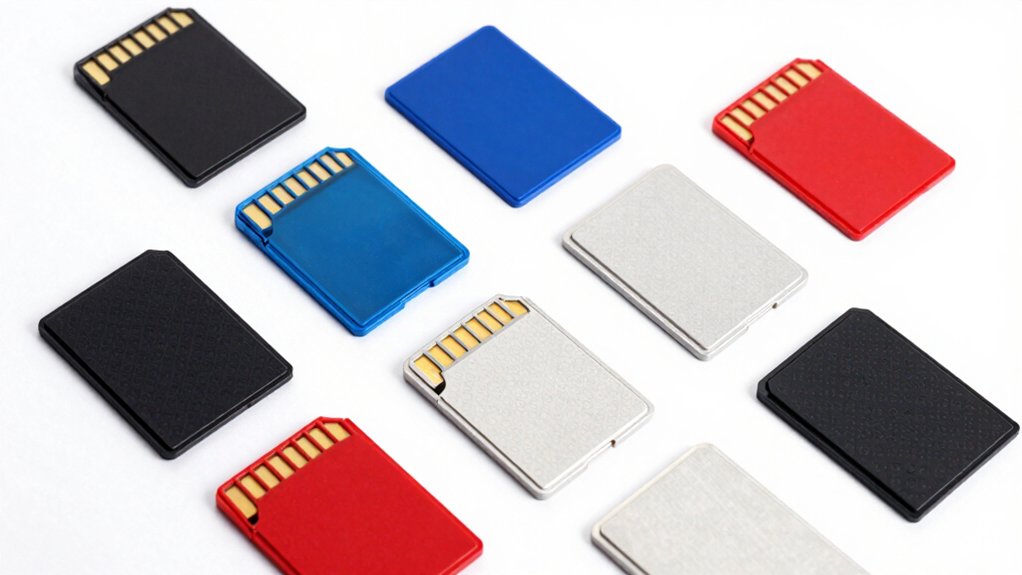

If you’re looking to replace your worn-out PS1 or PS2 memory cards, you’ve got solid options that actually deliver. You can choose from SD-based cards with massive storage, compact 1MB replacements, or high-speed 128MB variants—each designed for different needs. Before you decide which one fits your setup, you’ll need to understand what makes each option work differently and what factors determine whether it’s right for your console.
| PSxMemCard 8GB Memory Card for PS2/PS1 Console |

| Best Overall | Storage Capacity: 8GB (expandable to 2TB) | PS1/PS2 Compatibility: PS1, PS2, and arcade systems | Installation Type: Plug-and-play with OLED display | VIEW LATEST PRICE | Read Our Analysis |
| 4MB PS1 Memory Card for PS1 |

| Budget Pick | Storage Capacity: 4MB | PS1/PS2 Compatibility: PS1 (works with PS2 for PS1 games) | Installation Type: Plug-and-play (partition switching required) | VIEW LATEST PRICE | Read Our Analysis |
| KooingTech PS2 Memory Card 128MB High Speed |

| High Capacity | Storage Capacity: 128MB | PS1/PS2 Compatibility: PS2 Standard and Ultra Thin editions | Installation Type: Plug-and-play | VIEW LATEST PRICE | Read Our Analysis |
| PSxMemCard Gen2 SD2PSX Memory Card for PS1/PS2 – Transparent Clear |

| Best For PS1 | Storage Capacity: SD card-based (variable) | PS1/PS2 Compatibility: PS1 and PS2 | Installation Type: Plug-and-play | VIEW LATEST PRICE | Read Our Analysis |
| Ps1 PlayStation (Psx) Memory Card 1M NXL-PSX01 |

| Classic Option | Storage Capacity: 1MB | PS1/PS2 Compatibility: PS1 (PS2 for PS1 games only) | Installation Type: Plug-and-play | VIEW LATEST PRICE | Read Our Analysis |
| Acogedor MX4SIO SD Card Adapter for PS2 |

| Homebrew Essential | Storage Capacity: SD card adapter (not storage) | PS1/PS2 Compatibility: PS2 FAT only (adapter only) | Installation Type: Adapter requiring homebrew software | VIEW LATEST PRICE | Read Our Analysis |
| 64MB Replacement Game Memory Card for PS2/PS1 |

| FMCB Compatible | Storage Capacity: 64MB | PS1/PS2 Compatibility: PS1 and PS2 | Installation Type: Plug-and-play | VIEW LATEST PRICE | Read Our Analysis |
| PS1 Memory Card 1MB 2-Pack Replacement |
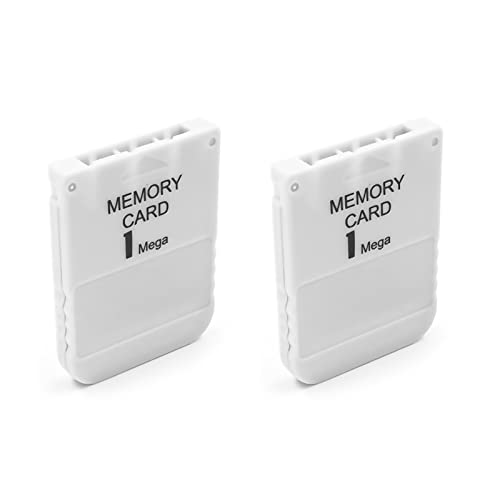
| Best Value Pack | Storage Capacity: 1MB (2-pack) | PS1/PS2 Compatibility: PS1 (PS2 for PS1 games only) | Installation Type: Plug-and-play | VIEW LATEST PRICE | Read Our Analysis |
| Valley of the Sun PS1 Memory Card 0.5MB (2-Pack) |
| Compact Storage | Storage Capacity: 0.5MB (2-pack) | PS1/PS2 Compatibility: PS1 (PS2 for PS1 games only) | Installation Type: Plug-and-play | VIEW LATEST PRICE | Read Our Analysis |
| 256MB PS 2 Memory Card High Speed |

| Maximum Storage | Storage Capacity: 256MB | PS1/PS2 Compatibility: PS2 Standard and Slim | Installation Type: Plug-and-play | VIEW LATEST PRICE | Read Our Analysis |
More Details on Our Top Picks
PSxMemCard 8GB Memory Card for PS2/PS1 Console
Are you managing multiple PS1 and PS2 game saves without constantly swapping physical memory cards? The PSxMemCard creates virtual memory cards that automatically detect your running games and generate dedicated save files. You’ll receive an 8GB Micro SD card storing over 60,000 PS1 cards or 8,000 PS2 cards, expandable to 2TB. The device features a 128×64 OLED screen displaying real-time status and two front buttons for menu navigation. You can select from seven PS2 card sizes ranging from 1MB to 64MB, then save anytime without interrupting gameplay. USB-C connectivity allows firmware updates, keeping your system current with new exploit support for FreePSXBoot and FreeMCBoot installations.
- Storage Capacity:8GB (expandable to 2TB)
- PS1/PS2 Compatibility:PS1, PS2, and arcade systems
- Installation Type:Plug-and-play with OLED display
- Technology Type:Virtual memory card (SD-based)
- Warranty/Support:USB-C firmware updates available
- Package Contents:1 device with 8GB Micro SD card
- Additional Feature:128×64 OLED status screen
- Additional Feature:Expandable to 2TB total
- Additional Feature:Supports exploit launching
4MB PS1 Memory Card for PS1
Looking for a budget pick that expands your PS1 storage? The LYONGZP 4MB Memory Card delivers straightforward functionality for PS1 owners. This card works with PS2 when playing PS1 games, offering four 1MB partitions for organizing saves. You’ll manage partition switching by holding the 1 and SELECT buttons simultaneously when one partition fills up. The card features fast read speeds at 300 bytes per second and lightweight design for easy handling. With a one-year warranty backing your purchase, you get reliable performance without premium pricing. Controller placement matters—keep your memory card and controller on the same side during use. This practical option provides essential storage capacity for classic gaming without unnecessary features.
- Storage Capacity:4MB
- PS1/PS2 Compatibility:PS1 (works with PS2 for PS1 games)
- Installation Type:Plug-and-play (partition switching required)
- Technology Type:Flash memory (SD-based)
- Warranty/Support:1-year warranty
- Package Contents:1 memory card
- Additional Feature:Four partition memory switching
- Additional Feature:300 bytes/second read speed
- Additional Feature:Requires simultaneous button pressing
KooingTech PS2 Memory Card 128MB High Speed
If you’re tired of losing game saves because your original PS2 memory card failed, the KooingTech 128MB High Speed card delivers the high-capacity storage you need to protect your progress. This card works with both PS2 Standard and Ultra Thin editions. Simply insert it into your console’s memory slot—no boot disc required. The upgraded chip processes and saves files 15% faster than older versions. You’ll store saves for games like Guitar Hero, God of War, and Kingdom Hearts without compatibility issues. The durable plastic construction ensures long-term reliability. At 128MB capacity, you’re getting substantially more storage than original cards, making this a straightforward replacement that restores full functionality to your gaming setup.
- Storage Capacity:128MB
- PS1/PS2 Compatibility:PS2 Standard and Ultra Thin editions
- Installation Type:Plug-and-play
- Technology Type:Flash memory
- Warranty/Support:Manufacturer warranty available
- Package Contents:1 memory card
- Additional Feature:15% faster processing/saving
- Additional Feature:No boot disc required
- Additional Feature:Durable plastic construction
PSxMemCard Gen2 SD2PSX Memory Card for PS1/PS2 – Transparent Clear
The PSxMemCard Gen2 SD2PSX works across both PlayStation 1 and PlayStation 2 consoles, making it an ideal replacement for anyone who owns either system. You’ll insert this transparent memory card into your console’s standard memory card slot just like a traditional card. It uses SD card technology to give you expanded storage capacity for saving your game progress. The key advantage is that you can transfer and back up your saves more easily than with conventional memory cards. Installation requires no special tools or complicated setup—simply plug it in and start saving your games. This replacement card streamlines your data management across both PlayStation generations.
- Storage Capacity:SD card-based (variable)
- PS1/PS2 Compatibility:PS1 and PS2
- Installation Type:Plug-and-play
- Technology Type:SD card-based
- Warranty/Support:Standard product warranty
- Package Contents:1 memory card
- Additional Feature:Transparent clear design
- Additional Feature:SD card technology enabled
- Additional Feature:Easier save backup/transfer
Ps1 PlayStation (Psx) Memory Card 1M NXL-PSX01
NEXiLUX’s NXL-PSX01 serves as a classic option for PS1 owners who need reliable game save storage. This grey memory card holds 1 MB of data across 15 blocks, providing sufficient space for multiple PS1 game saves. You can use it with PlayStation 1 and PlayStation 2 systems, though PS2 compatibility applies only to PS1 titles, not PS2 games. The card weighs just 0.01 pounds, making it portable and lightweight. You insert it into your console’s memory card slot to save and reload game progress. If you receive a damaged or dead-on-arrival unit, Amazon’s return policy covers replacements within specified timeframes.
- Storage Capacity:1MB
- PS1/PS2 Compatibility:PS1 (PS2 for PS1 games only)
- Installation Type:Plug-and-play
- Technology Type:Flash memory
- Warranty/Support:No warranty indicated
- Package Contents:1 memory card
- Additional Feature:15 memory blocks included
- Additional Feature:Grey color standard
- Additional Feature:Lightweight hardware design
Acogedor MX4SIO SD Card Adapter for PS2
Want to expand your PS2’s storage without buying official memory cards? The Acogedor MX4SIO adapter lets you connect an SD card to your PS2 FAT console’s memory card slot. You’ll need homebrew software like OPL v1.2.0 to access the card—standard games won’t recognize it. The adapter’s ABS material provides durability, though not all SD cards work with it. Insert the adapter into the memory card slot and load compatible software to use your SD card for game saves and data. Check OPL’s compatibility list before purchasing to ensure your specific SD card will function properly.
- Storage Capacity:SD card adapter (not storage)
- PS1/PS2 Compatibility:PS2 FAT only (adapter only)
- Installation Type:Adapter requiring homebrew software
- Technology Type:SD card adapter
- Warranty/Support:30-day return guarantee
- Package Contents:1 SD card adapter/reader
- Additional Feature:Homebrew software access only
- Additional Feature:OPL software compatibility required
- Additional Feature:ABS material construction
64MB Replacement Game Memory Card for PS2/PS1
Looking to play classic PS1 and PS2 games without dealing with failing original memory cards? The 64MB Replacement Game Memory Card supports FMCB V1.966 for both systems. Simply plug it in—no installation required. This card works with most PS2 models, though compatibility varies by serial number. Connect the FMCB first, then attach your hard drive after boot. The card delivers faster game loading speeds and better overall compatibility. Note that it doesn’t support saving games, so plan accordingly. Check your specific PS2 model number against the compatibility list before purchasing to ensure proper functionality with your console.
- Storage Capacity:64MB
- PS1/PS2 Compatibility:PS1 and PS2
- Installation Type:Plug-and-play
- Technology Type:Flash memory (FMCB compatible)
- Warranty/Support:No specific warranty mentioned
- Package Contents:1 memory card
- Additional Feature:Supports FMCB V1.966
- Additional Feature:USB hard drive game reading
- Additional Feature:Model-specific compatibility list
PS1 Memory Card 1MB 2-Pack Replacement
If you’re restocking memory cards for multiple PS1 consoles, this 2-pack offers the most practical value for your setup. Each card stores 1MB and supports 15 game saves, with individual saves using 1–5 blocks depending on the game. The cards work on PS1 fat and slim models, plus PS2 systems for PS1 game storage. Before purchasing, verify you need 1MB capacity rather than larger alternatives. During use, never disconnect power or remove cards while transferring data or booting games. The package includes one-year after-sales service and lifetime tech support, making replacements straightforward if issues arise.
- Storage Capacity:1MB (2-pack)
- PS1/PS2 Compatibility:PS1 (PS2 for PS1 games only)
- Installation Type:Plug-and-play
- Technology Type:Flash memory
- Warranty/Support:1-year after-sales service; lifetime tech support
- Package Contents:2 memory cards
- Additional Feature:Supports 15 game saves
- Additional Feature:Lifetime professional tech support
- Additional Feature:10+ years gaming experience
Valley of the Sun PS1 Memory Card 0.5MB (2-Pack)
The Valley of the Sun PS1 Memory Card 0.5MB (2-Pack) delivers compact storage for players who need reliable save backup across multiple games. Each card stores up to seven game files, though actual capacity depends on individual game requirements—most games use one block, while others demand two to five blocks. You’ll receive two brand-new cards compatible with PS1, PS One Classic, Slim consoles, and PS2 systems for playing PS1 games. Before using them, avoid disconnecting power during data transfer to prevent corruption. The manufacturer provides one-year after-sales support and lifetime tech assistance, ensuring you’ll have help if issues arise.
- Storage Capacity:0.5MB (2-pack)
- PS1/PS2 Compatibility:PS1 (PS2 for PS1 games only)
- Installation Type:Plug-and-play
- Technology Type:Flash memory
- Warranty/Support:1-year after-sales service; lifetime tech support
- Package Contents:2 memory cards
- Additional Feature:Stores 7 game saves
- Additional Feature:Lifetime professional tech support
- Additional Feature:10+ years gaming experience
256MB PS 2 Memory Card High Speed
You’ll find this 256MB PS2 memory card delivers maximum storage for gamers who need reliable data backup without complications. Simply plug the card into your PS2—no boot CD required. The card works with both Standard and Slim PS2 models. If you need less storage, you can choose from smaller capacities: 8M, 16M, 32M, 64M, or 128M. The high-speed flash memory ensures efficient performance when saving customized game data. With a 4.4-star rating from 137 reviews, this black plastic card measures 5.6 x 4.2 x 0.8 centimeters and weighs just 23 grams, making it portable and practical for your gaming needs.
- Storage Capacity:256MB
- PS1/PS2 Compatibility:PS2 Standard and Slim
- Installation Type:Plug-and-play
- Technology Type:Micro SD flash memory
- Warranty/Support:Limited warranty
- Package Contents:1 memory card
- Additional Feature:Multiple capacity options available
- Additional Feature:No boot CD required
- Additional Feature:High speed efficient performance
Factors to Consider When Choosing PS1 and PS2 Memory Card Replacements
When you’re selecting a PS1 or PS2 memory card replacement, you’ll need to evaluate your storage capacity needs based on the number of games you play, verify that the card works with your specific console model, and check the speed and performance specifications to ensure reliable saves. You should also assess the durability and build quality of the card’s materials and connector design, since cheaper options may fail after extended use. Finally, consider whether the card offers expansion capabilities or future flexibility, such as support for additional features or compatibility with homebrew software, so your choice remains useful as your gaming needs change.
Storage Capacity Needs
Several factors determine which memory card capacity works best for your PS1 and PS2 collection. First, count how many games you plan to save across both consoles. PS1 cards offer 0.5MB or 1MB with 7–15 save blocks each, limiting your storage. PS2 cards range from 1MB to 256MB, providing substantially more flexibility. If you’re storing saves for both systems, consider hybrid 4MB cards or larger options that use partitioned designs. A 128MB PS2 card gives you room for extensive game progress across many titles without managing multiple cards. Calculate your needs: one save typically uses one block, though some games require more. Match your card capacity to your collection size to avoid running out of space mid-game.
Console Compatibility Requirements
Which memory card format works with your console setup? You’ll need to match your replacement card to your console version. PS1 memory cards work on PS1 consoles, PS1/PS2 hybrids, and PS2 systems when playing PS1 titles. However, PS2 memory cards require matching your console type—Standard or Slim versions need cards designed specifically for them to save reliably. If you’re using PS2 cards for PS1 games, confirm the card supports cross-compatibility for PS1 saves. External adapters like SD2PSX or MX4SIO require compatible homebrew software and may not work on all PS2 consoles, so verify compatibility before purchasing. Check your console’s manual or model number to determine which card format your system accepts.
Speed And Performance Specs
Once you’ve confirmed your console’s compatibility, you’ll want to evaluate the storage capacity and speed of your replacement card, as these directly affect how many games you can save and how quickly your system accesses those files. Original PS1 cards offer only 1 MB with 15 save blocks, while PS2 replacements range from 8 MB to 256 MB. Higher capacity cards let you store more saves without managing multiple partitions. Speed matters too—some replacement cards advertise “high-speed” performance, which reduces loading times when accessing your saves. Compare advertised speeds and capacity specifications before purchasing. If you frequently switch between games or own large save libraries, prioritize 128 MB or 256 MB cards with high-speed ratings.
Durability And Build Quality
What separates a memory card that lasts years from one that fails after months? Build quality and material choices. Look for cards made with ABS plastic, which resists damage from repeated plugging and unplugging. Check the card’s thickness—aim for 0.8 cm profiles that fit snugly in console sockets without wobbling. Examine the connector’s design; sturdy connectors reduce wear over time. Inspect the housing for rigidity to prevent cracking or warping during insertions. Consider the flash memory type used inside, since some chips handle repeated write cycles better than others. Test the card’s stability in your console before committing to regular use. These durability factors directly impact how long your replacement card functions reliably.
Expansion And Future Flexibility
Because your save library will grow over time, you’ll want to contemplate how much storage capacity you actually need and whether your chosen memory card can handle future demands. Consider PS2 virtual memory cards up to 256MB, which vastly exceed standard 8MB or 32MB cards. SD2PSX adapters let you transfer and back up saves across devices, protecting your data long-term. PS1 cards with multiple partitions allow you to organize saves and switch between active sections without replacing hardware. Check compatibility carefully—some cards work only with PS1, others with PS2, and expansion solutions may require specific console models or homebrew software. Verify whether your chosen replacement supports future updates to FM CB or OPL, ensuring sustained functionality and additional management features.
Final Thoughts
You’ve reviewed multiple memory card options for your PS1 and PS2. Choose based on your needs: pick 8GB SD-based cards for expandability, 128MB variants for large game libraries, or smaller capacity cards for basic saves. Verify compatibility with your console model before purchasing. Install without tools, then transfer your existing saves using appropriate adapters like SD2PSX or MX4SIO. Test functionality immediately after setup to confirm proper operation.

Meet Ry, “TechGuru,” a 36-year-old technology enthusiast with a deep passion for tech innovations. With extensive experience, he specializes in gaming hardware and software, and has expertise in gadgets, custom PCs, and audio.
Besides writing about tech and reviewing new products, he enjoys traveling, hiking, and photography. Committed to keeping up with the latest industry trends, he aims to guide readers in making informed tech decisions.