
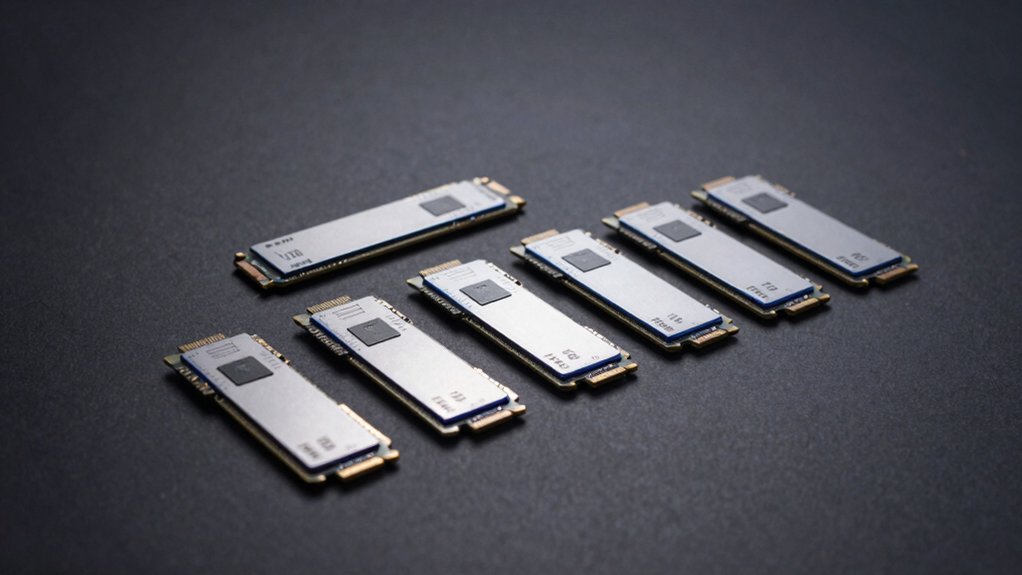

When you expand your PS5 storage, you’re choosing between seven proven NVMe SSDs that offer different capacities, speeds, and price points. You’ll need to evaluate each drive’s read speed, heatsink design, warranty coverage, and how it fits your console’s M.2 slot. The right choice depends on your budget and storage needs. Here’s what each option delivers and why one might work better for your setup than the others.
| WD_BLACK 2TB SN850P NVMe SSD for PS5 |
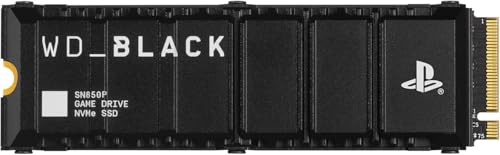
| Best Overall | Read Speed: Up to 7,300 MB/s | Form Factor: M.2 2280 | Interface Type: NVMe PCIe Gen4 | VIEW LATEST PRICE | Read Our Analysis |
| WD_BLACK SN850X 2TB NVMe SSD with Heatsink |

| Best For PC Gaming | Read Speed: Up to 7,300 MB/s | Form Factor: M.2 2280 | Interface Type: NVMe PCIe Gen4 | VIEW LATEST PRICE | Read Our Analysis |
| WD_BLACK 1TB NVMe SSD for PS5 Consoles |

| Budget-Friendly Pick | Read Speed: Up to 7,300 MB/s | Form Factor: M.2 2280 | Interface Type: NVMe PCIe Gen4 | VIEW LATEST PRICE | Read Our Analysis |
| WD_BLACK 4TB NVMe SSD for PS5 Consoles |

| Maximum Storage Capacity | Read Speed: Up to 7,300 MB/s | Form Factor: M.2 2280 | Interface Type: NVMe PCIe Gen4 | VIEW LATEST PRICE | Read Our Analysis |
| fanxiang S660 1TB NVMe SSD for PS5 |

| Best Value | Read Speed: Up to 5,000 MB/s | Form Factor: M.2 | Interface Type: PCIe x4 Gen4 | VIEW LATEST PRICE | Read Our Analysis |
| Seagate Game Drive PS5 2TB NVMe SSD |

| Most Reliable | Read Speed: Up to 7,300 MB/s | Form Factor: M.2 2.5-inch | Interface Type: PCIe Gen4 NVMe | VIEW LATEST PRICE | Read Our Analysis |
| Seagate FireCuda 530 1TB NVMe SSD PS5 Compatible |
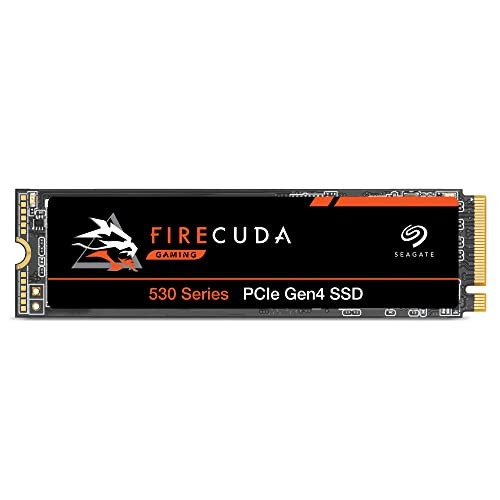
| Best For Content Creators | Read Speed: Up to 7,300 MB/s | Form Factor: M.2 2280 | Interface Type: PCIe Gen4 NVMe | VIEW LATEST PRICE | Read Our Analysis |
More Details on Our Top Picks
WD_BLACK 2TB SN850P NVMe SSD for PS5
Looking to expand your PS5 storage without sacrificing speed? The WD_BLACK 2TB SN850P delivers exactly what you need. This officially licensed drive offers PCIe Gen4 technology with read speeds reaching 7,300 MB/s, letting you play games directly from the expansion drive. The M.2 2280 form factor fits seamlessly into your PS5’s M.2 slot, and the optimized heatsink ensures proper cooling during extended gaming sessions. Installation takes minutes without tools or complicated setup. You’ll get 2TB of additional storage capacity, expandable up to 8TB if you need more space. Western Digital backs this drive with a 5-year limited warranty, protecting your investment.
- Read Speed:Up to 7,300 MB/s
- Form Factor:M.2 2280
- Interface Type:NVMe PCIe Gen4
- Warranty:5-year limited manufacturer
- Heatsink Design:Optimized for PS5
- Capacity Options:1TB to 8TB (2TB model)
- Additional Feature:PS5 M.2 slot optimized
- Additional Feature:Play directly from drive
- Additional Feature:2GB cache memory
WD_BLACK SN850X 2TB NVMe SSD with Heatsink
Want blazing-fast load times for your PS5 library? The WD_BLACK SN850X delivers speeds up to 7,300 MB/s for rapid game loading. This M.2 2280 drive includes a heatsink that maintains performance during extended gaming sessions. You’ll get 2TB of storage using SanDisk TLC 3D NAND technology, giving you room for multiple AAA titles. The drive supports Game Mode 2.0 with predictive loading and adaptive thermal management features. Install it into your PS5’s expansion slot following Western Digital’s guidelines. You can monitor drive health through the WD_BLACK Dashboard on compatible systems. This drive handles demanding games without thermal throttling, ensuring consistent peak performance.
- Read Speed:Up to 7,300 MB/s
- Form Factor:M.2 2280
- Interface Type:NVMe PCIe Gen4
- Warranty:Not specified in details
- Heatsink Design:Optional heatsink version
- Capacity Options:Up to 8TB
- Additional Feature:Game Mode 2.0 feature
- Additional Feature:WD_BLACK Dashboard monitoring
- Additional Feature:RGB lighting customization
WD_BLACK 1TB NVMe SSD for PS5 Consoles
The WD_BLACK 1TB SN850P serves as a budget-friendly pick for PS5 owners who need reliable extra storage without overspending. This officially licensed drive reaches 7,300MB/s read speeds using PCIe Gen 4 technology. The included heatsink fits PS5’s M.2 slot for straightforward installation. You’ll gain capacity to store approximately 200 games at 36GB average file size, though actual counts depend on individual game sizes. The drive carries a 5-year limited warranty. Simply insert it into your console’s expansion slot and begin downloading titles directly to the drive. This option balances performance and cost effectively for casual and moderate gamers.
- Read Speed:Up to 7,300 MB/s
- Form Factor:M.2 2280
- Interface Type:NVMe PCIe Gen4
- Warranty:5-year limited manufacturer
- Heatsink Design:Optimized heatsink for PS5
- Capacity Options:1TB to 8TB (1TB model)
- Additional Feature:Store up to 200 games
- Additional Feature:PS5 tested and approved
- Additional Feature:1GB cache memory
WD_BLACK 4TB NVMe SSD for PS5 Consoles
If you’re seeking maximum storage capacity for your PS5 without compromise, WD_BLACK’s 4TB NVMe SSD delivers 4 trillion bytes of expanded space. This officially licensed drive reads up to 7,300 MB/s and fits the M.2 2280 form factor with an optimized heatsink designed for PS5 compatibility. Installation is straightforward: insert the drive into your PS5’s M.2 slot. You’ll gain capacity to store approximately 200 games, based on 36 GB average per title. The drive includes a 5-year limited warranty and costs more than smaller capacities, making it ideal if you want fewer reinstalls and maximum flexibility in your game library.
- Read Speed:Up to 7,300 MB/s
- Form Factor:M.2 2280
- Interface Type:NVMe PCIe Gen4
- Warranty:5-year limited manufacturer
- Heatsink Design:Optimized heatsink for PS5
- Capacity Options:1TB to 4TB (4TB model)
- Additional Feature:Expand storage up to 8TB
- Additional Feature:Store up to 200 games
- Additional Feature:Easy M.2 slot installation
fanxiang S660 1TB NVMe SSD for PS5
For gamers seeking reliable storage expansion without overspending, fanxiang’s S660 delivers solid value through its PCIe 4.0 interface and 5000 MB/s data transfer speeds. The 1TB capacity provides ample room for your game library while maintaining swift load times on PS5. Its metal heatsink design keeps temperatures low during extended gaming sessions. You’ll benefit from the 5-year manufacturer warranty and professional after-sales support. The drive works across PS5, PC, and Linux platforms, making it a versatile choice. At approximately 30 grams with compact dimensions, installation is straightforward, and expandability options up to 4TB let you scale storage as needed.
- Read Speed:Up to 5,000 MB/s
- Form Factor:M.2
- Interface Type:PCIe x4 Gen4
- Warranty:5-year manufacturer warranty
- Heatsink Design:Efficient cooling heatsink
- Capacity Options:500GB to 4TB (1TB model)
- Additional Feature:Supports PC and PS5
- Additional Feature:Metal enclosure construction
- Additional Feature:5000 MB/s speeds
Seagate Game Drive PS5 2TB NVMe SSD
Wondering which internal drive’ll give you the most reliable expansion without compatibility headaches? The Seagate Game Drive PS5 delivers official licensing and proven performance. You’ll install this M.2 NVMe drive using a screwdriver into your PS5’s expansion slot. It offers 7300 MB/s read speeds and 6000 MB/s write speeds, utilizing PCIe Gen4 technology. The custom heatsink prevents thermal throttling during extended gaming sessions. You get 2TB of additional storage for PS5 and PS4 games. The drive includes a five-year limited warranty, ensuring long-term protection. Seagate’s firmware matches across all PS5 models, eliminating compatibility concerns. Choose this drive when you prioritize official support and sustained peak performance.
- Read Speed:Up to 7,300 MB/s
- Form Factor:M.2 2.5-inch
- Interface Type:PCIe Gen4 NVMe
- Warranty:5-year limited warranty
- Heatsink Design:Custom heatsink
- Capacity Options:Up to 2TB (2TB model)
- Additional Feature:Custom heatsink reduces throttling
- Additional Feature:Firmware matched across models
- Additional Feature:Expands PS5 and PS4 games
Seagate FireCuda 530 1TB NVMe SSD PS5 Compatible
You’ll want the Seagate FireCuda 530 if you’re expanding your PS5’s storage while handling content creation tasks simultaneously. This M.2 NVMe SSD delivers 7300 MB/s transfer speeds using PCIe Gen4 technology, making it roughly 12 times faster than SATA drives. The 1TB capacity suits gamers requiring substantial space for next-gen titles. Its E18 controller and 3D TLC NAND provide reliable performance with 1275 TBW endurance rating. Installation requires inserting the drive into your PS5’s M.2 slot. Seagate backs this drive with a five-year limited warranty plus three years of data recovery services, ensuring protection for your investment.
- Read Speed:Up to 7,300 MB/s
- Form Factor:M.2 2280
- Interface Type:PCIe Gen4 NVMe
- Warranty:5-year limited warranty
- Heatsink Design:Built-in heatsink
- Capacity Options:1TB model
- Additional Feature:Three years data recovery services
- Additional Feature:1275 TBW endurance rating
- Additional Feature:Seagate-validated E18 controller
Factors to Consider When Choosing a PS5 Internal Hard Drive
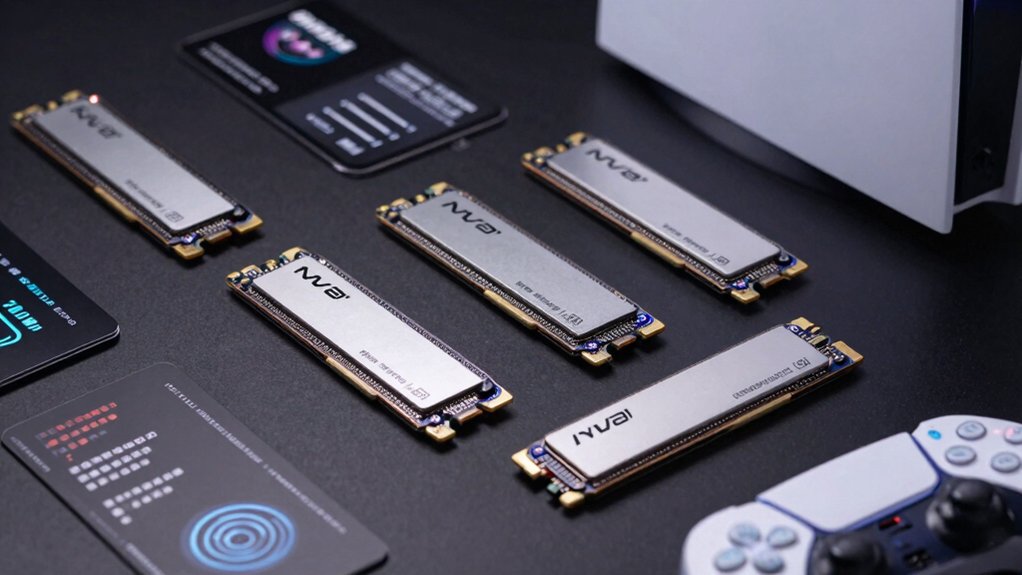
When you’re selecting a PS5 internal hard drive, you’ll need to evaluate storage capacity based on your game library size, check the read speed specifications to ensure they meet Sony’s 5,500 MB/s minimum requirement, and confirm the drive uses the M.2 2280 form factor for proper fit. You should also examine the heatsink design to verify it won’t exceed the PS5’s height restrictions and won’t interfere with the console’s internal components. Finally, review the warranty coverage length offered by the manufacturer, as this protects your investment and indicates the drive’s expected reliability.
Storage Capacity Requirements
How much storage do you actually need for your PS5? Consider your gaming habits first. If you play casually with five to ten games installed, 1 TB works adequately. For moderate gamers maintaining twenty to fifty titles, 2 TB provides comfortable space. Serious collectors who want 200 games installed simultaneously should choose 4 TB. Determine your game library size by calculating average game sizes at 36 GB each. Account for actual usable capacity being less than advertised due to formatting and system files. Higher capacity drives reduce frequent deletions and reinstallations, saving time and wear on your system. Select based on your library size, not theoretical maximum, ensuring you won’t repeatedly manage storage constraints.
Read Speed Performance
Why does read speed matter when selecting a PS5 internal hard drive? Read speed directly affects how quickly your games load assets and levels during gameplay. You’ll notice faster load times and improved in-game responsiveness with higher read speeds. Most PS5 internal SSDs advertise PCIe Gen4 with reads up to 7,300 MB/s. When comparing drives, prioritize this metric across 1 TB to 4 TB models. Check product specifications for sustained performance ratings, which indicate how well drives maintain peak speeds during extended gaming sessions. Heatsinks help support sustained performance by managing heat buildup. Remember that variability can occur due to your host device, capacity, or usage patterns. Select drives with consistent 7,300 MB/s specifications to ensure optimal gaming performance.
Form Factor Compatibility
Beyond read speed performance, you’ll also need to verify that your drive fits physically into the PS5’s expansion slot. The console requires an M.2 2280 form factor, which means the drive measures 22 millimeters wide and 80 millimeters long. You must also check the height: your drive can’t exceed 9.89 millimeters to fit within the PS5’s clearance space. Before purchasing, confirm these dimensions on the manufacturer’s specifications sheet. Drives that don’t meet these exact measurements won’t install properly, even if they’re NVMe drives. Look for drives specifically marketed as PS5-compatible, since manufacturers design these models to fit the console’s constraints. Checking compatibility first prevents purchasing an incompatible drive that won’t work in your system.
Heatsink Design Quality
When you’re selecting an internal hard drive for your PS5, does the heatsink really matter? Yes. The heatsink directly impacts thermal performance during extended gaming sessions. A quality heatsink dissipates heat efficiently, preventing thermal throttling that slows your read/write speeds from the maximum 7,300 MB/s. Check the heatsink design against PS5 specifications to ensure proper fit within the M.2 slot and clearance from the side panel. Look for officially licensed drives featuring integrated heatsinks tailored to your console’s dimensions. Verify that models include Adaptive Thermal Management (ATM) technology for dynamic temperature regulation. Better cooling maintains consistent performance under load. Prioritize drives with proven heatsink designs to avoid installation issues and guarantee sustained peak speeds during your gaming sessions.
Warranty Coverage Length
How long’s your drive covered if something goes wrong? Most PS5 internal SSDs come with a 5-year limited manufacturer warranty from the original maker like Sandisk or WDT, not the retailer. This warranty covers manufacturing defects under normal use conditions. You’ll need to provide proof of purchase to claim coverage, and warranty validity depends on your region and Amazon’s return policies.
Understand what’s included: the warranty protects against defects but typically excludes wear from regular usage or damage from improper installation. Some drives offer additional support services like data recovery as added benefits. Before purchasing, check your specific drive’s warranty terms and confirm your region qualifies for full coverage. Keep your receipt for potential claims.
Official PS5 Licensing
What’s the difference between a PS5-licensed drive and a standard M.2 SSD? Licensed drives carry Sony’s official approval, guaranteeing compatibility with your PS5’s M.2 slot and system software. You’ll avoid potential installation issues or performance problems that non-certified drives may create.
When selecting a drive, check the product packaging and manufacturer specifications for PS5 licensing information. Licensed drives display model numbers and branding that indicate Sony’s endorsement. This certification ensures the drive meets Sony’s speed and reliability standards.
Licensed drives also offer aligned warranty support through Sony-validated channels. If problems arise, you can access dedicated support specifically for PS5 storage solutions. Standard M.2 SSDs lack this guarantee, leaving you responsible for troubleshooting compatibility independently.
Thermal Management Features
During long gaming sessions, your PS5’s internal drive generates heat that can reduce performance if left unchecked. You’ll want to prioritize drives with built-in heatsinks, which dissipate thermal energy more effectively than bare models. Look for SSDs featuring Adaptive Thermal Management (ATM), a system that automatically adjusts performance to prevent overheating during intensive workloads. Drives with integrated PS5-optimized heatsinks maintain consistent read/write speeds under continuous use, preventing thermal throttling that degrades gameplay. Without proper cooling solutions, your drive’s endurance suffers, potentially causing performance dips during demanding gaming sessions. Select higher-end drives with heatsinks to ensure sustained performance stability. If your chosen SSD lacks an integrated heatsink, purchase a separate PS5-compatible cooling solution to protect your investment and maintain optimal gaming performance.
Price-To-Performance Value
When you’re selecting a PS5 internal drive, shouldn’t the total cost over time matter more than the initial price tag? Compare capacity options by calculating cost per usable GB—a 4TB drive often costs less per GB than smaller alternatives, stretching your budget further for large game libraries. Next, evaluate warranty length: a 5-year warranty provides longer protection than shorter options, reducing replacement expenses. Then, assess thermal features; PS5-optimized heatsinks prevent throttling, maintaining consistent performance and extending drive lifespan. Finally, verify official PS5 licensing to avoid compatibility issues that create unexpected costs. By weighing these factors together—capacity, warranty, cooling, and compatibility—you’ll identify the drive delivering genuine value rather than just the cheapest option upfront.
Final Thoughts
You’ll want to pick an SSD that matches your storage needs and budget. Check the drive’s speed rating—aim for 5,500 MB/s or higher. Verify it has a PS5-compatible heatsink to prevent overheating. Compare price-per-GB across options like WD_BLACK SN850X or Seagate FireCuda 530. Finally, confirm the capacity you need: 1TB adds minimal space, while 4TB provides substantial room for multiple games.

Meet Ry, “TechGuru,” a 36-year-old technology enthusiast with a deep passion for tech innovations. With extensive experience, he specializes in gaming hardware and software, and has expertise in gadgets, custom PCs, and audio.
Besides writing about tech and reviewing new products, he enjoys traveling, hiking, and photography. Committed to keeping up with the latest industry trends, he aims to guide readers in making informed tech decisions.