
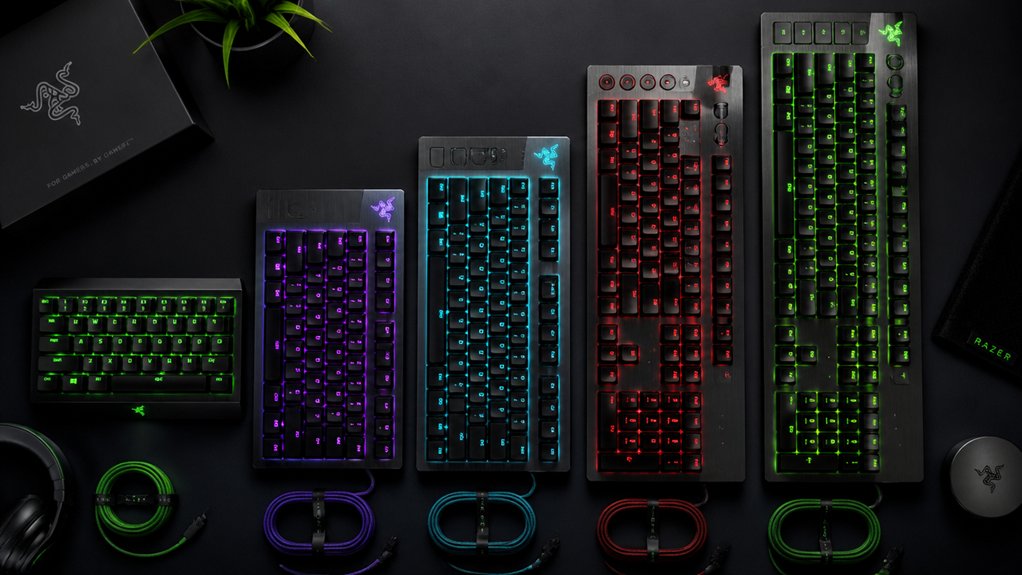

You’re looking to upgrade your gaming setup with a keyboard that matches your specific needs. Razer offers five distinct models that address different priorities: portability, performance, comfort, and customization. Each keyboard features unique specifications—from low-profile designs to mechanical switches—that serve particular gaming styles and preferences. Understanding what each model delivers will help you select the right fit for your setup.
| Razer Ornata V3 Gaming Keyboard RGB Lighting |

| Best for Comfort | Switch Type: Mecha-membrane (hybrid) | RGB Lighting: 10-zone RGB lighting | Key Layout: 104-key QWERTY | VIEW LATEST PRICE | Read Our Analysis |
| Razer BlackWidow V4 X Mechanical Gaming Keyboard |

| Best Customization | Switch Type: Yellow mechanical linear | RGB Lighting: Chroma RGB per-key (16.8M colors) | Key Layout: 104-key QWERTY | VIEW LATEST PRICE | Read Our Analysis |
| Razer Huntsman Mini 60% Gaming Keyboard with RGB Lighting |
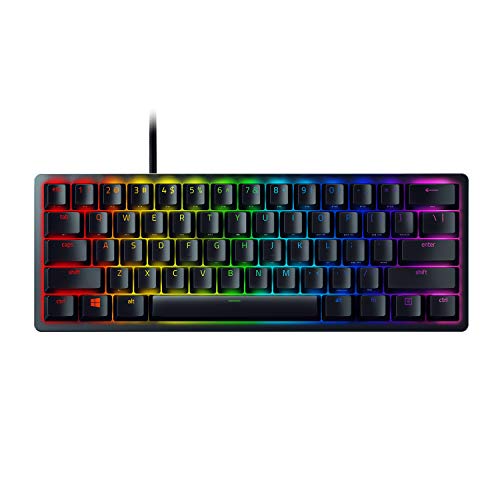
| Best Portable | Switch Type: Linear optical | RGB Lighting: Chroma RGB individually backlit (16.8M colors) | Key Layout: 61-key QWERTY (60% compact) | VIEW LATEST PRICE | Read Our Analysis |
| Razer Huntsman V3 Pro TKL Gaming Keyboard |

| Best for Esports | Switch Type: Analog optical GEN-2 | RGB Lighting: RGB backlighting | Key Layout: 87/84-key tenkeyless | VIEW LATEST PRICE | Read Our Analysis |
| Razer BlackWidow V4 Mechanical Gaming Keyboard RGB |

| Most Tactile Feel | Switch Type: Green mechanical tactile/clicky | RGB Lighting: Per-key Chroma RGB with 2-side underglow | Key Layout: 104-key QWERTY | VIEW LATEST PRICE | Read Our Analysis |
More Details on Our Top Picks
Razer Ornata V3 Gaming Keyboard RGB Lighting
If you’re seeking a keyboard that prioritizes comfort during extended gaming sessions, the Razer Ornata V3 delivers through its low-profile design and included magnetic wrist rest. The mecha-membrane switches combine mechanical responsiveness with conventional keyboard feel, offering snappy, precise keystrokes. Low-profile keys enable natural hand positioning to reduce strain. The 10-zone RGB lighting with backlit keys enhances visibility in low-light conditions. Dedicated media controls let you pause, play, skip, and adjust volume directly. Spill-resistant construction protects against accidental liquid damage. The keyboard connects via USB wired interface and works with Windows 10 and newer systems. At 17.46 inches long and weighing 3.1 pounds, it fits standard desk setups. The 2-year manufacturer warranty covers defects.
- Switch Type:Mecha-membrane (hybrid)
- RGB Lighting:10-zone RGB lighting
- Key Layout:104-key QWERTY
- Wrist Rest:Magnetic soft-touch
- Warranty:2-year manufacturer warranty
- Connectivity:Wired USB
- Additional Feature:Mecha-membrane hybrid switches
- Additional Feature:Spill-resistant construction
- Additional Feature:UV-coated fade-resistant keycaps
Razer BlackWidow V4 X Mechanical Gaming Keyboard
The Razer BlackWidow V4 X gives you extensive customization options through its programmable macro keys and RGB lighting system. You’ll find six dedicated macro keys that you can assign to specific commands for faster gameplay. The keyboard features yellow mechanical switches that actuate at 1.2mm with a 45-gram actuation force, delivering responsive performance. Built-in sound dampeners keep operation quiet during extended sessions. You can customize over 16.8 million RGB colors and effects per key to match your setup. The wired connection ensures stable connectivity to your PC, while the 104-key QWERTY layout provides familiarity and comfort for both left and right-handed users.
- Switch Type:Yellow mechanical linear
- RGB Lighting:Chroma RGB per-key (16.8M colors)
- Key Layout:104-key QWERTY
- Wrist Rest:None included
- Warranty:2-year manufacturer warranty
- Connectivity:Wired USB
- Additional Feature:Six programmable macro keys
- Additional Feature:Multi-function roller control
- Additional Feature:Built-in sound dampeners
Razer Huntsman Mini 60% Gaming Keyboard with RGB Lighting
Want a compact keyboard you can carry between gaming sessions? The Razer Huntsman Mini 60% delivers portability without sacrificing performance. Its linear optical switches actuate at just 1.0mm, giving you faster response times than standard keyboards. The 61-key layout fits easily in a backpack, while the aluminum frame provides durability. You’ll customize every key using Razer Synapse 4 software and save profiles directly to onboard memory. The individually backlit RGB keys let you match your setup’s aesthetic. PBT keycaps resist wear and oil staining. With 2-year manufacturer warranty coverage, you’re protected against defects during normal use.
- Switch Type:Linear optical
- RGB Lighting:Chroma RGB individually backlit (16.8M colors)
- Key Layout:61-key QWERTY (60% compact)
- Wrist Rest:None included
- Warranty:2-year manufacturer warranty
- Connectivity:Wired USB-C (micro USB variant)
- Additional Feature:Rapid Trigger Mode technology
- Additional Feature:Snap Tap key prioritization
- Additional Feature:Onboard memory profile saving
Razer Huntsman V3 Pro TKL Gaming Keyboard
Competitive FPS players gravitate toward this tenkeyless keyboard for its esports-grade performance features. You’ll appreciate the analog optical switches that let you adjust actuation from 0.1 to 4.0 millimeters, giving you precise control over sensitivity. The Razer Snap Tap feature prioritizes inputs between two keys, enabling faster directional changes. Rapid Trigger technology resets with minimal finger lift, allowing ultra-fast repeated inputs. You can adjust settings directly on the keyboard using the onboard LED array without needing software. The aluminum enclosure and PBT keycaps provide durability, while the magnetic wrist rest supports comfortable extended gaming sessions.
- Switch Type:Analog optical GEN-2
- RGB Lighting:RGB backlighting
- Key Layout:87/84-key tenkeyless
- Wrist Rest:Magnetic firm leatherette
- Warranty:2-year manufacturer warranty
- Connectivity:Wired USB-A
- Additional Feature:Adjustable actuation range 0.1-4.0mm
- Additional Feature:Onboard LED actuation adjustments
- Additional Feature:100 million keystroke lifespan
Razer BlackWidow V4 Mechanical Gaming Keyboard RGB
You’ll want the BlackWidow V4 if you’re seeking the most tactile feel combined with responsive performance. This keyboard features Green Switches with a 1.9mm actuation point and 50-gram force, delivering noticeable feedback with each keystroke. The 104-key layout includes six programmable macro keys and a command dial for customization. Per-key RGB lighting syncs with Razer Chroma software for coordinated aesthetics. The magnetic wrist rest snaps securely to the keyboard frame. You get a USB Type-C cable connection, compatibility across Windows, macOS, Android, and Linux platforms, and a two-year manufacturer warranty covering defects and malfunctions.
- Switch Type:Green mechanical tactile/clicky
- RGB Lighting:Per-key Chroma RGB with 2-side underglow
- Key Layout:104-key QWERTY
- Wrist Rest:Magnetic plush leatherette
- Warranty:2-year manufacturer warranty
- Connectivity:Wired USB Type-C
- Additional Feature:Two-side underglow lighting
- Additional Feature:Command dial programmable control
- Additional Feature:Extra-thick ABS keycaps
Factors to Consider When Choosing a Razer Gaming Keyboard
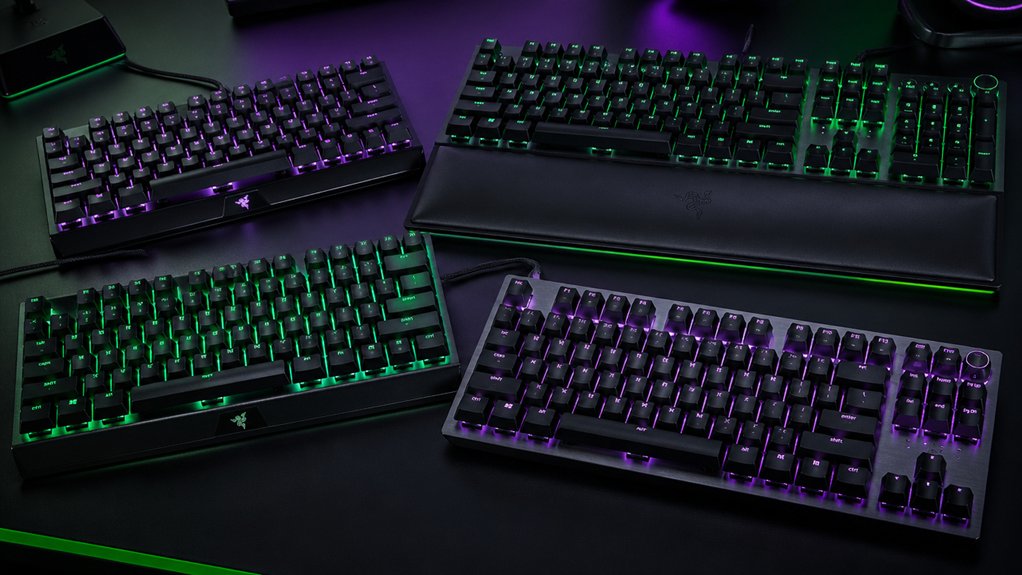
When you’re selecting a Razer gaming keyboard, you’ll need to evaluate the switch type and feel that matches your gaming style, consider the form factor and portability for your setup, and examine the RGB lighting customization options available. Next, you should review the ergonomic design features to ensure comfort during long gaming sessions and check the compatibility and connectivity requirements to make sure the keyboard works with your devices. By assessing each of these factors systematically, you’ll find the keyboard that fits your specific needs and gaming environment.
Switch Type And Feel
Because different switch types affect how your keyboard responds and sounds during gameplay, understanding these options is essential before making your purchase. Razer keyboards offer mechanical switches in three main categories: linear optical, mechanical tactile, and hybrid mecha-membrane variants. Linear optical switches deliver smooth, uninterrupted keystrokes with actuation around 1.0–1.2 mm and light to moderate force, ideal for fast-paced games. Mechanical tactile switches provide a distinct bump at actuation, offering feedback and audible feedback. Hybrid variants combine benefits of both types. Consider your game genre and preference for noise levels. Many Razer models include built-in dampeners to reduce keystroke noise. Check the durability rating—most switches sustain up to 100 million keystrokes. Test different switch types before purchasing to find your optimal feel.
Form Factor And Portability
How much desk space can you dedicate to your keyboard? Your answer determines which form factor works best. A 60% keyboard reduces your footprint significantly and increases portability, making it ideal for compact setups or travel. Tenkeyless models omit the numeric keypad, saving space while preserving essential function keys you need for gaming and daily tasks. Both designs rely on software or onboard memory for macros and profiles since they have fewer physical keys. Consider the enclosure material next. Aluminum or metal enclosures increase durability but add weight and bulk, affecting portability. Finally, evaluate cable options and accessories. Detachable or short USB-C cables and built-in wrist rests improve travel comfort and ease of transport. Match your form factor choice to your lifestyle and workspace requirements.
RGB Lighting Customization Options
What lighting customization matters most to you—zone-based control or granular per-key adjustment? Razer keyboards offer both options depending on your model. Ten-zone RGB backlighting lets you control lighting sections across your keyboard quickly, ideal if you want simple, broad customization. Per-key RGB with 16.8 million colors gives you precise control over individual keys, enabling intricate lighting patterns and effects. Razer’s Chroma RGB integration connects directly to software, letting you link macros to specific key lighting and save custom profiles. Some models include onboard memory, so you can store lighting configurations locally without needing software running. Double-shot keycaps and optimized switch construction enhance brightness and evenness. Evaluate whether zone-based simplicity or per-key precision matches your setup goals.
Ergonomic Design Features
Comfort during extended gaming sessions depends largely on how well your keyboard supports your hands and wrists. Look for keyboards featuring magnetic soft-touch wrist rests that reduce strain on your wrists during long play periods. Choose models with low-profile keys and slim keycaps, which encourage a more natural hand position and decrease fatigue. Consider ambidextrous layouts if you’re left-handed, as several Razer keyboards accommodate both left and right-handed players equally well. Select keyboards with wired USB connectivity paired with ergonomic features to eliminate latency while maintaining comfort. Evaluate the overall build quality by checking for aluminum frames and spill-resistant designs that provide stability during intense gaming sessions. These structural elements contribute directly to long-term comfort and support.
Compatibility And Connectivity Requirements
Before you buy a Razer gaming keyboard, you’ll need to verify that it works with your devices and setup. Most Razer keyboards connect via wired USB (USB-A or USB-C), so check your computer’s available ports. Confirm your operating system compatibility—most models support Windows 10 and Windows 11, while some also work with macOS, Android, or Linux. Consider whether you’ll use onboard memory and profiles without software, or if you’ll install Synapse 4 for advanced customization on supported systems. Evaluate your desk space and cable management needs by reviewing key layout options: full-size (104-key) keyboards require more room, while compact or 60% models fit tighter spaces. Review included accessories like USB-C cables and wrist rests that affect your overall setup integration.
Durability And Warranty Coverage
How long will your keyboard last under daily gaming use? Check the manufacturer warranty first. Most Razer keyboards include a 2-year warranty covering hardware defects during normal use. Review the specific terms on the product listing to understand what’s protected.
Next, examine the durability features. Look for aluminum top frames, doubleshot ABS keycaps, and reinforced enclosure materials that extend lifespan. Note the keystroke rating—models rated for 100 million keystrokes handle heavy gaming better.
Consider spill-resistant designs and reinforced wrist rests, which reduce replacement frequency from accidental damage. Check Amazon’s return policy too: you can return defective keyboards within 30 days, though condition-based fees may apply. Compare warranty length and durability specs across models to match your usage intensity.
Final Thoughts
You’ve reviewed five Razer keyboards that fit different needs. Choose the Ornata V3 for comfort and spill resistance. Pick the BlackWidow V4 X if you want affordability with RGB lighting. Select the Huntsman Mini for portability. Go with the Huntsman V3 Pro TKL for competitive gaming. Choose the BlackWidow V4 for premium features. Match your choice to your budget, space, and gaming style to improve your setup’s performance.

Meet Ry, “TechGuru,” a 36-year-old technology enthusiast with a deep passion for tech innovations. With extensive experience, he specializes in gaming hardware and software, and has expertise in gadgets, custom PCs, and audio.
Besides writing about tech and reviewing new products, he enjoys traveling, hiking, and photography. Committed to keeping up with the latest industry trends, he aims to guide readers in making informed tech decisions.