
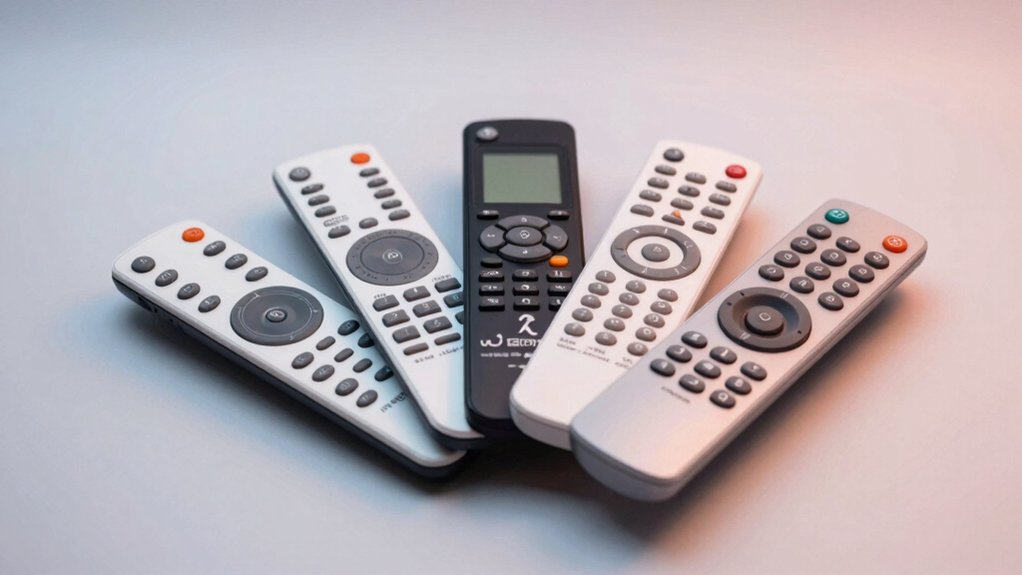

Your Roku remote eventually wears out or gets lost, and you’ll need a reliable replacement that actually pairs with your device and holds up over time. You can choose from official Roku remotes, budget-friendly two-packs, or voice-enabled models with app shortcuts. Each option offers different features—some prioritize durability, others emphasize convenience. Before you settle on one, though, you should understand what factors separate a remote that works from one that’ll frustrate you.
| Roku TV Remote Control (Official Manufacturer Product) |

| Official Roku Pick | Compatibility: Roku TV models only | Control Type: Infrared only | Number of Buttons: 21 buttons | VIEW LATEST PRICE | Read Our Analysis |
| Roku Voice Remote with App Shortcuts & Voice Control |

| Best Voice Control | Compatibility: Roku TV, Roku players, Roku audio devices | Control Type: Infrared with voice control | Number of Buttons: 18 buttons | VIEW LATEST PRICE | Read Our Analysis |
| 2 Pack Replacement Remote for Roku TV |

| Budget Starter Pack | Compatibility: TCL, Hisense, Onn, Sharp, Philips, Element, Westinghouse Roku TVs | Control Type: Infrared only | Number of Buttons: 8 shortcut buttons | VIEW LATEST PRICE | Read Our Analysis |
| Gotellx 2 Pack Replacement Remote Controls for Roku TV |

| Most Buttons | Compatibility: TCL, Hisense, Sharp, Philips, Onn, Element Roku TVs | Control Type: Infrared only | Number of Buttons: 36 buttons | VIEW LATEST PRICE | Read Our Analysis |
| 2 Pack Replacement Remote Control for Roku Devices |

| Streaming Player Specialist | Compatibility: Roku Express, Premiere, Box, Player, Roku 1/2/3/4 | Control Type: Infrared only | Number of Buttons: 13 buttons | VIEW LATEST PRICE | Read Our Analysis |
More Details on Our Top Picks
Roku TV Remote Control (Official Manufacturer Product)
If you own a Roku TV and need a dependable replacement remote, Roku’s official remote is the best choice. The RCC1R model works with all Roku TV models and comes pre-installed with two AAA batteries, so you’ll control your TV immediately after unboxing. This infrared remote features 21 buttons, including dedicated shortcuts for power, volume, mute, and streaming apps. It operates effectively up to 75 feet away. The remote measures 5.7 inches long and weighs just 2.6 ounces, making it comfortable to hold. Roku backs this remote with a one-year manufacturer warranty, and Amazon offers a 30-day return guarantee if you’re unsatisfied.
- Compatibility:Roku TV models only
- Control Type:Infrared only
- Number of Buttons:21 buttons
- Maximum Range:75 feet
- Setup Requirements:Ready to control in one step with pre-installed batteries
- Warranty:1-year manufacturer warranty
- Additional Feature:Pre-installed batteries included
- Additional Feature:Pre-set app shortcut buttons
- Additional Feature:Official Roku manufacturer product
Roku Voice Remote with App Shortcuts & Voice Control
Want hands-free control over your streaming without fumbling through menus? The Roku Voice Remote (Model RCA1R) combines voice search with physical shortcuts. You’ll get 18 buttons including volume, mute, and power controls, plus four pre-set app shortcut buttons for instant access to your favorite channels. Setup takes seconds: turn on your Roku device, pull the battery tab, and it auto-pairs. The remote uses infrared connectivity with a 10-meter range and includes two AAA alkaline batteries. It’s compatible with Roku TVs, players, and audio devices. You’re covered by a one-year manufacturer warranty and Amazon’s 30-day return policy.
- Compatibility:Roku TV, Roku players, Roku audio devices
- Control Type:Infrared with voice control
- Number of Buttons:18 buttons
- Maximum Range:33 feet (10 meters)
- Setup Requirements:Simple setup; auto-pair with battery tab pull
- Warranty:1-year manufacturer warranty
- Additional Feature:Voice control functionality
- Additional Feature:Works with multiple devices
- Additional Feature:Auto-pair setup capability
2 Pack Replacement Remote for Roku TV
The 2 Pack Replacement Remote for Roku TV serves as your budget starter pack if you’ve lost a remote or need backups for multiple Roku televisions. Insert two AAA batteries into each remote and power them on; they’ll auto-pair to your compatible TCL, Hisense, Onn, Sharp, Philips, Element, or Westinghouse Roku TV without programming. Each remote reaches up to 30 feet using infrared technology and includes eight shortcut buttons for Disney, Netflix, YouTube, Hulu, Prime Video, Sling, Apple TV+, and VUDU. The purple remotes deliver stable performance with minimal on-screen delay. Purchase comes with a 30-day Amazon return window and manufacturer warranty coverage.
- Compatibility:TCL, Hisense, Onn, Sharp, Philips, Element, Westinghouse Roku TVs
- Control Type:Infrared only
- Number of Buttons:8 shortcut buttons
- Maximum Range:30 feet
- Setup Requirements:No programming required; insert 2 AAA batteries (not included)
- Warranty:Manufacturer warranty (details on product page)
- Additional Feature:Eight streaming app shortcuts
- Additional Feature:Mature infrared technology
- Additional Feature:Purple color option
Gotellx 2 Pack Replacement Remote Controls for Roku TV
Got multiple Roku TVs but keep misplacing remotes? The Gotellx 2 Pack offers a practical solution. Each pack contains two infrared remotes compatible with TCL, Hisense, Sharp, Philips, Onn, and Element Roku TVs. Setup requires only inserting two AAA batteries—no pairing needed. The 36-button design includes four preset shortcuts for quick app access. With a 34-foot range, you’ll control your TV from across most rooms. Each remote is black and lacks voice or headphone features. Note that these remotes don’t work with Roku Sticks, Boxes, or streaming devices. The one-year warranty and 30-day return guarantee provide purchase protection. This two-pack format lets you keep backup remotes on hand or control separate Roku TVs simultaneously.
- Compatibility:TCL, Hisense, Sharp, Philips, Onn, Element Roku TVs
- Control Type:Infrared only
- Number of Buttons:36 buttons
- Maximum Range:34 feet
- Setup Requirements:No pairing or programming required; insert 2 AAA batteries (not included)
- Warranty:1-year warranty
- Additional Feature:36 total buttons
- Additional Feature:Four preset app shortcuts
- Additional Feature:Reduces remote loss
2 Pack Replacement Remote Control for Roku Devices
If you’re using a Roku Box, Express, Premiere, or Player and need a straightforward IR remote—as a streaming player specialist would recommend—this 2-pack replacement works right out of the box. Insert two AAA batteries into each remote and you’re ready to operate. The preset remote includes thirteen buttons with four shortcuts to Netflix, Sling, Hulu, and Disney+, eliminating manual programming. It transmits up to twenty-six feet with a response time of 0.2 seconds. Note that this remote lacks volume control, a power button, headphone jack, pairing capability, and voice search functionality. The thirty-day manufacturer warranty covers defects, with Amazon’s voluntary return guarantee providing additional protection.
- Compatibility:Roku Express, Premiere, Box, Player, Roku 1/2/3/4
- Control Type:Infrared only
- Number of Buttons:13 buttons
- Maximum Range:26 feet (8 meters)
- Setup Requirements:No programming required; insert 2 AAA batteries (not included)
- Warranty:30-day manufacturer warranty
- Additional Feature:0.2 second response time
- Additional Feature:Four streaming channel shortcuts
- Additional Feature:Works out of box
Factors to Consider When Choosing a Replacement Roku Remote
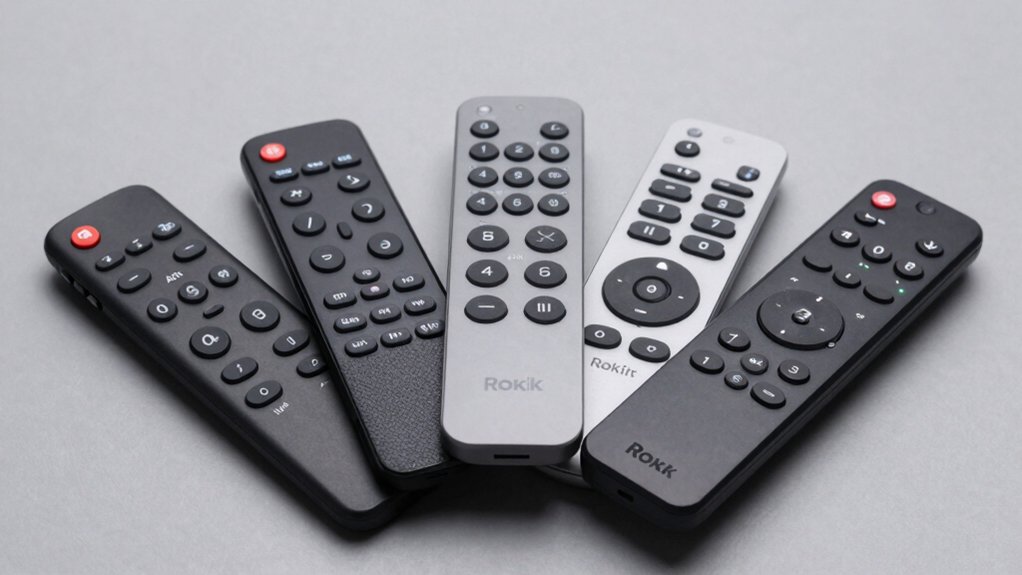
When selecting a replacement Roku remote, you need to verify device compatibility first, check whether you want a standard infrared remote or a voice-enabled model with WiFi connectivity, and review the button layout to ensure it matches your preferences and usage habits. The range and connectivity type determine how far you can operate your remote and whether it’ll work through walls or obstacles, so consider your room setup before purchasing. Each remote offers different features—some include streaming shortcuts, programmable buttons, or headphone jacks—so identify which functions you actually use and prioritize those when comparing options.
Best Replacement Roku Remote
What matters most depends on your specific setup and needs. First, confirm compatibility with your device—some remotes work only with Roku TVs, while others function across Roku TVs, players, and audio devices. Next, evaluate range requirements; infrared remotes typically reach 8–75 feet but need direct line-of-sight. Consider convenience features like pre-programmed app shortcuts, which save time on frequently used services. Check battery requirements; many models use 2 AAA batteries, and some include them. Review warranty coverage—most offer 1-year manufacturer protection plus 30-day Amazon returns. Finally, assess pairing needs; many remotes pair automatically without programming steps. Match these factors to your priorities: compatibility, range, features, and ease of setup determine the best choice for your situation.
Factors to Consider When Choosing Replacement Roku Remote
How you’ll use your remote should guide every decision you make about which replacement to buy. First, verify compatibility with your specific Roku TV model and brand—not all remotes work universally. Next, evaluate connectivity type: infrared remotes need direct line-of-sight and typically reach 8–30 feet, though some extend to 75 feet. Check power requirements and setup complexity; most replacements use 2 AAA batteries and require no programming. Consider the button layout and whether preset shortcuts for Netflix or YouTube match your viewing habits. Finally, review warranty coverage and return policies before purchasing. A 1-year manufacturer warranty and 30-day Amazon return window protect you against defects or incompatibility issues after purchase.
Device Compatibility Matters
Before you buy a replacement Roku remote, you’ll need to verify that it’s designed for your specific Roku TV model and brand. Check whether the remote works with your TV’s manufacturer—TCL, Hisense, Onn, Sharp, Philips, Element, or Westinghouse Roku TVs—since compatibility varies across brands. Don’t confuse Roku TV remotes with remotes for Roku streaming players; they control different devices and won’t function interchangeably. Some remotes work with multiple Roku devices, including TVs, players, and audio equipment, offering broader flexibility if you own several products. Review the remote’s specifications to confirm it supports your TV’s essential functions: power, volume, and input switching. Cross-reference your TV’s model number with the remote’s compatibility list before purchasing.
Range And Connectivity Type
Once you’ve confirmed your remote works with your TV model, you’ll want to evaluate how far the remote can reach and what type of connection it uses. IR remotes typically operate within 30 feet under ideal conditions, though some models advertise ranges up to 75 feet. These remotes require a direct line-of-sight to your TV’s sensor. Bluetooth remotes, by contrast, don’t need line-of-sight and can work through walls and obstacles. Check your remote’s specifications for its advertised range. Consider your room layout and seating distance from the TV. If you sit farther than 30 feet away or have obstacles between you and the TV, prioritize a Bluetooth model. Fresh batteries also improve range performance, so factor in battery quality when making your choice.
Button Layout And Features
What’ll matter most when selecting your replacement remote is whether the button arrangement matches your usage habits and includes the functions you access most frequently. Compact remotes with 13–21 buttons work well if you primarily watch live TV and adjust volume. However, if you stream constantly, you’ll benefit from dedicated shortcut buttons for Netflix, YouTube, Disney+, or Hulu that launch apps without menu navigation. Check whether your remote includes separate controls for power, mute, and input selection—these direct-access buttons save you multiple clicks. Consider the media controls too: play, pause, and rewind buttons eliminate the need to navigate on-screen menus. Count which functions you use daily, then match that list against the remote’s layout before purchasing.
Final Thoughts
You’ve reviewed five solid replacement options. Pick the official Roku remote if you want guaranteed compatibility. Choose the voice remote for app shortcuts and hands-free control. Select a two-pack for backup remotes or multiple devices. Check your remote’s connectivity type—IR or Bluetooth—against your TV model before purchasing. Verify the button layout matches your streaming habits. Test pairing immediately upon arrival to confirm it works with your setup.

Meet Ry, “TechGuru,” a 36-year-old technology enthusiast with a deep passion for tech innovations. With extensive experience, he specializes in gaming hardware and software, and has expertise in gadgets, custom PCs, and audio.
Besides writing about tech and reviewing new products, he enjoys traveling, hiking, and photography. Committed to keeping up with the latest industry trends, he aims to guide readers in making informed tech decisions.