
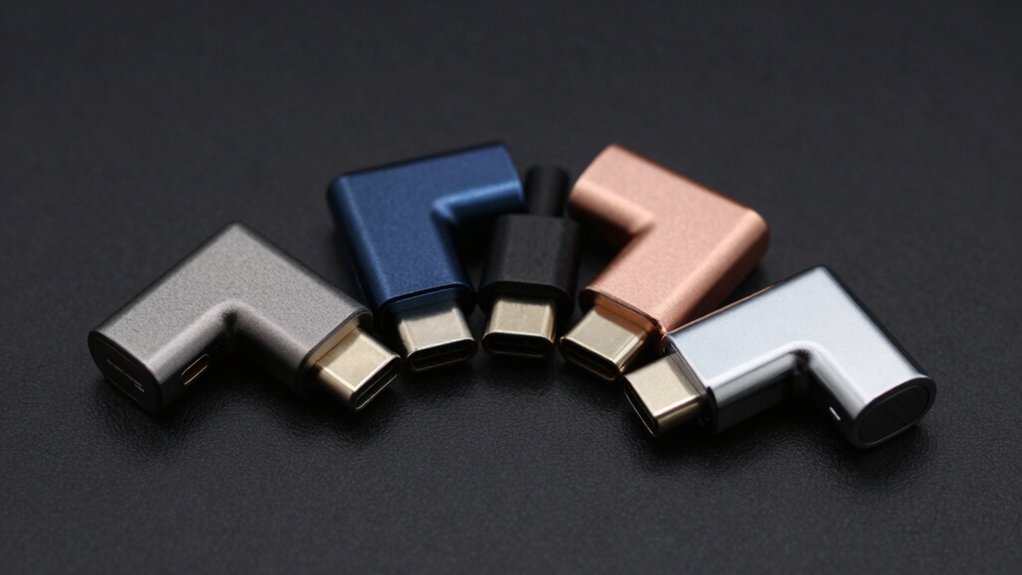

Right-angle USB-C adapters are small accessories that solve big, everyday problems—reducing cable strain, improving port access, and keeping setups clean and low-profile.
They’re especially useful for laptops, handheld consoles, monitors, and tight desk or travel setups where straight connectors get in the way or wear out ports over time.
In this article, we showcase the best right-angle USB-C adapters, comparing designs, data and power support, and real-world usability to help you choose the most practical option for your devices.
| USB-C 90° Adapter 2-Pack: 240W PD Rotatable Extension |
![USB C 90 Degree Adapter [2-Pack], 240W PD USBC Right](https://m.media-amazon.com/images/I/41XY8ICVQ1L._SL500_.jpg)
| Best All-Around | Connector Type: USB-C 90° adapter (USB-C male to female) | Right-Angle Design: 90° (right-angle) with 360° swivel/180° fold | Data Transfer Speed: USB 2.0 data transfer (up to 480 Mbps) | VIEW LATEST PRICE | Read Our Analysis |
| CableCreation 90-Degree USB-C Adapter (2-Pack) |

| High-Speed Value | Connector Type: USB-C 90° adapter (USB-C male to female) | Right-Angle Design: 90° right-angle | Data Transfer Speed: Up to 40 Gbps | VIEW LATEST PRICE | Read Our Analysis |
| Cable Matters USB-C Right-Angle Adapter Kit (40Gbps) |
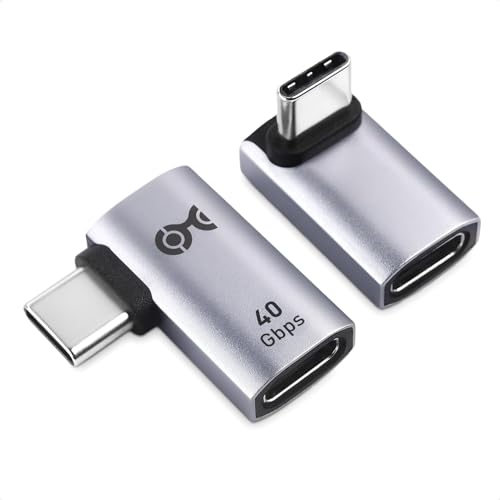
| Pro-Grade Kit | Connector Type: USB-C 90° adapter (USB-C male to female) | Right-Angle Design: 90° right-angle | Data Transfer Speed: 40 Gbps | VIEW LATEST PRICE | Read Our Analysis |
| JSAUX USB-C 90° Adapter 2-Pack (40Gbps) |

| Durable Performance | Connector Type: USB-C 90° adapter (USB-C male to female) | Right-Angle Design: 90° right-angle (left or right variants) | Data Transfer Speed: 40 Gbps | VIEW LATEST PRICE | Read Our Analysis |
| AreWe 90° USB-C Male-to-Female Adapters 2-Pack |
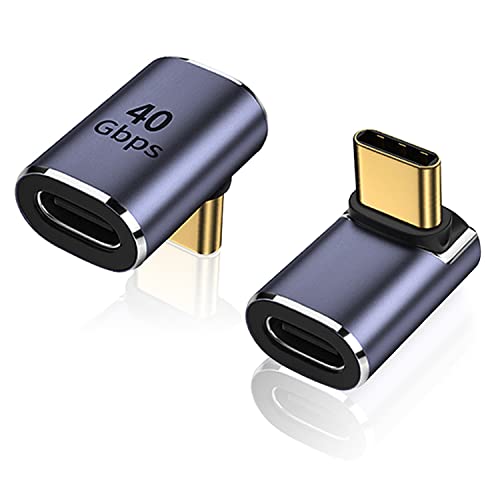
| Versatile TravelMate | Connector Type: USB-C 90° adapter (USB-C male to female) | Right-Angle Design: 90° right-angle | Data Transfer Speed: 40 Gbps | VIEW LATEST PRICE | Read Our Analysis |
More Details on Our Top Picks
USB-C 90° Adapter 2-Pack: 240W PD Rotatable Extension
If you need a reliable, high-w power USB-C extension, this 2-pack delivers 240W PD charging in a rotatable, right-angle design. You connect the adapter to your device and plug in your charger. Use the 360° swivel and 180° fold to position the cable away from your hands, reducing strain and extending cable life. It supports 240W PD charging for demanding laptops and keeps data transfer at USB 2.0 speeds, not suitable for video output or large file transfers above 480 Mbps. It works with MacBook Pro/Air, iPad, iPhone, Galaxy, Pixel, Steam Deck, and others. Build is aluminum, stable, and reliable.
- Connector Type:USB-C 90° adapter (USB-C male to female)
- Right-Angle Design:90° (right-angle) with 360° swivel/180° fold
- Data Transfer Speed:USB 2.0 data transfer (up to 480 Mbps)
- Charging Power:240W PD (48V/5A)
- Video Output Support:No video output
- Compatibility Range:MacBook Pro/Air, iPad, iPhone, Galaxy, Pixel, Steam Deck, etc.
- Additional Feature:Aluminum alloy construction
- Additional Feature:360° swivel / 180° fold
- Additional Feature:240W PD (48V/5A) charging
CableCreation 90-Degree USB-C Adapter (2-Pack)
Take a look at the CableCreation 90-Degree USB-C Adapter (2-Pack) to see why it’s a practical choice when you need a right-angle solution. You’ll connect USB-C devices with a 90-degree bend to reduce cable stress. The adapters are compatible with USB4, Thunderbolt 3 and 4, and other USB-C devices like MacBook Pro, iPad, PC, tablet, and phone. Use the 2-pack for multiple devices or spare parts. They support up to 40Gbps data and 240W charging, with backward compatibility. They work for 8K@60Hz or Dual 4K setups. Each pack ships with two adapters and includes a 24-month warranty.
- Connector Type:USB-C 90° adapter (USB-C male to female)
- Right-Angle Design:90° right-angle
- Data Transfer Speed:Up to 40 Gbps
- Charging Power:240W fast charging (up to 48V/5A)
- Video Output Support:8K@60Hz / Dual 4K@60Hz
- Compatibility Range:USB4, Thunderbolt 4/3, MacBook Pro/Air, iPad, Steam Deck, Switch, VR devices
- Additional Feature:40Gbps data transfer
- Additional Feature:2 Pack packaging
- Additional Feature:24 Months warranty
Cable Matters USB-C Right-Angle Adapter Kit (40Gbps)
The Cable Matters USB-C Right-Angle Adapter Kit (40Gbps) is ideal for anyone who needs high-speed, flexible USB-C connections in tight spaces. Start with the 2-pack right-angle adapters: one top/bottom, one left/right, to fit your device layout. Use the aluminum shell and gold-plated connectors for durability and corrosion resistance. Choose optional USB-C male-to-female adapters when you need longer reach or different ends. Expect USB4/Thunderbolt 3/4 support up to 40Gbps, and video output at 4K@240Hz or 8K@60Hz, plus 240W charging. Verify compatibility with your laptop, phone, or console before connecting peripherals.
- Connector Type:USB-C 90° adapter (USB-C male to female)
- Right-Angle Design:90° right-angle
- Data Transfer Speed:40 Gbps
- Charging Power:240W charging
- Video Output Support:4K@240Hz or 8K@60Hz
- Compatibility Range:USB-C devices, Thunderbolt 4, MacBook, Steam Deck, Switch
- Additional Feature:2-pack, top/bottom and left/right
- Additional Feature:4K@240Hz / 8K@60Hz video
- Additional Feature:Aluminum shell, gold-plated connectors
JSAUX USB-C 90° Adapter 2-Pack (40Gbps)
Choose the JSAUX USB-C 90° Adapter 2-Pack when you need a compact, high-speed solution that preserves port life on devices like the Nintendo Switch or MacBook Pro. You install the 90-degree adapter by aligning the Type-C plug, then push it firmly into the port. Use the left or right angle option to fit your cable direction and space. It supports 100W PD charging, 40Gbps data, and 4K@60Hz video when devices support it. Rely on the aluminum shell for durability and non-slip grip during insertion. Check compatibility with Switch, MacBook Pro, iPhone, and more before purchase.
- Connector Type:USB-C 90° adapter (USB-C male to female)
- Right-Angle Design:90° right-angle (left or right variants)
- Data Transfer Speed:40 Gbps
- Charging Power:100W fast charging (20V/5A)
- Video Output Support:4K@60Hz
- Compatibility Range:Nintendo Switch, Steam Deck, MacBook Pro/Air, iPhone, iPad, Pixel, Samsung Galaxy
- Additional Feature:100W fast charging
- Additional Feature:Left & Right 90-degree variants
- Additional Feature:4K@60Hz video support
AreWe 90° USB-C Male-to-Female Adapters 2-Pack
If you need to protect ports and extend reach on USB-C setups, the AreWe 90° USB-C Male-to-Female Adapters, 2-Pack are the best choice because their right-angle design reduces stress on cables and ports while remaining compact enough for travel. You get two adapters, with a 90-degree, right-angle, USB-C male to female configuration. Connect devices like Steam Deck, Switch, or a laptop for charging, data, and video at 5V/3A–20V/5A up to 100W. Data goes up to 40 Gbps, and 4K@60Hz or 8K output is supported. Ensure devices fit without cases; use with hubs or docks as needed.
- Connector Type:USB-C 90° adapter (USB-C male to female)
- Right-Angle Design:90° right-angle
- Data Transfer Speed:40 Gbps
- Charging Power:100W USB Power Delivery (5V/3A–20V/5A)
- Video Output Support:4K@60Hz / 8K video output
- Compatibility Range:Steam Deck, Switch, MacBook Pro, Surface, Pixel, Galaxy, etc.
- Additional Feature:Metalic Purple finish
- Additional Feature:Ultra-thin, ultra-compact
- Additional Feature:Broad device compatibility
Factors to Consider When Choosing Right-Angle USB-C Adapters
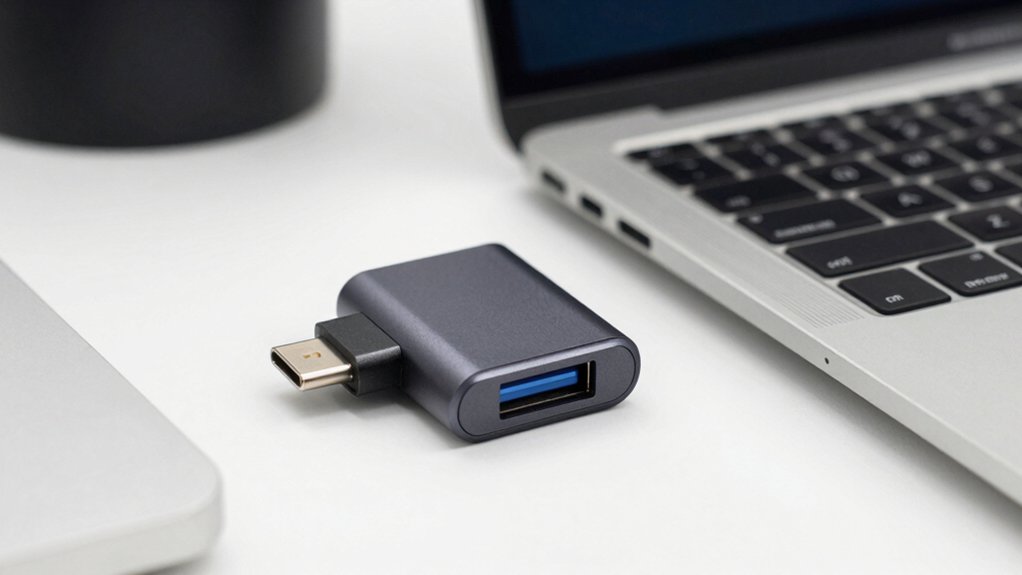
First, check compatibility scope to ensure the adapter fits your devices and ports, noting whether you need USB-C only or mixed protocols. Next, evaluate power delivery limits, and confirm that the adapter’s PD rating matches your charger and device requirements for safe, efficient charging. Then, assess data transfer pace, video support range, and build durability together, comparing examples like 10 Gbps vs 5 Gbps, 4K video compatibility, and reinforced connectors for long-term use.
Compatibility Scope
To choose a right-angle USB-C adapter that fits your setup, start by defining what you need it to do. Identify device types you’ll connect, such as laptops, tablets, or consoles, and note if you require data, charging, and video output. Check compatibility ranges: some adapters support USB4/Thunderbolt 4, others focus on USB-C devices and portable options. Review stated data rates (up to 40Gbps) and charging claims (up to 240W), then confirm video output support (4K@60Hz or 8K) and whether it matches your host device. Consider form factor and port orientation (left/right 90° vs top/bottom) to fit your case. Verify cross-device compatibility with your primary brands (iPhone, Pixel, Galaxy, MacBook, Surface) and ensure your devices support the needed USB-C features. Choose models that align with your daily usage.
Power Delivery Limit
Power delivery (PD) is the key limit you must respect when using a right-angle USB-C adapter. Check the adapter’s PD rating and compare it to your device’s needs. If your device requires up to 100W, ensure the adapter specifies 20V/5A or 48V/5A for higher power. For laptops or demanding gear, look for models advertised at 100W or 240W and verify the exact wattage before charging. Remember, the PD limit also governs data and video use; the adapter must handle charging while transmitting signals. If the device’s requirement exceeds the PD rating, charging may slow or stop when connected. Always verify PD specifications, and choose an adapter that matches or exceeds your device’s power needs to avoid under‑powered charging.
Data Transfer Pace
Data transfer pace matters as you pick right-angle USB-C adapters. You start by checking maximum data speed, looking for up to 40 Gbps with USB4/Thunderbolt 3/4, and note if video is included. Next, verify compatibility with your host and cables; speeds drop to lower standards if devices don’t support faster rates. Consider whether you need simultaneous data on multiple ports, and choose multi-pack options that preserve high speed per port. Assess bundled video claims carefully; 8K@60Hz or 4K@240Hz may ride with 40 Gbps, but confirm true data performance separately. Inspect construction; aluminum shells and gold-plated connectors help maintain stable contact and reduce signal loss. Finally, balance price against your required pace and future-proof needs.
Video Support Range
Video support range depends on both the adapter and the host. You must check the adapter’s bandwidth (40Gbps) and its compatibility with USB4 or Thunderbolt 3/4 to know what video it can carry. Identify the target resolution and refresh rate you need, such as 4K@60Hz, 4K@240Hz, or 8K@60Hz, and confirm the exact specification listed in product details. Remember that higher levels like 8K@60Hz require Thunderbolt 3/4 or proven USB4 compatibility, not just data transfer capability. Also verify the host device and display support, because video output depends on both ends. If a model specifies 4K@60Hz or 8K@60Hz, use those exact figures when comparing options. Prioritize explicit video support details over generic claims.
Build Durability
Durability matters as you pick a right-angle USB-C adapter, especially when you’ve already considered video bandwidth. Start with materials: aluminum shells and gold-plated connectors boost durability and corrosion resistance for long-term use. Check the 90-degree design to reduce port and cable wear by directing bending forces away from the input connector. Look for solid build quality, including precision-milled housings and non-slip, aluminum enclosures for stable, wobble-free connections. Consider left/right 90-degree variants to enable tighter cable routing in confined spaces, adding mechanical protection. Read datasheets for performance specs; clear details like 40Gbps data and 240W charging show components endure frequent mechanical stress. Verify tests or certifications that prove durability under everyday use, including repeated insertions and mild impacts. Choose a model with all these elements for reliable, long-term operation.
Angle Versatility
Angle versatility matters because different setups demand different cable paths. You choose left- or right-90 degree adapters to route cables in tight spaces and reduce door or port stress. Check if the model offers 360° swivel or 180° fold; this expands directional options for your desk, couch, or wall-mounted setup. A 90-degree design helps prevent cable strain by directing movement away from the device port during use. Confirm compatibility across USB4, Thunderbolt 3/4, and 40Gbps data transfer to ensure versatile orientation across devices. Evaluate whether the adapter supports video output alongside charging and data transfer, such as 4K or 8K, if you need displays. Consider how angle options align with your monitor, laptop, or dock arrangement before buying.
Portability & Fit
Portability and fit are key when you choose a right-angle USB-C adapter. Start by checking the size: many models measure about 0.8 x 0.8 inches and weigh under 0.5 ounces, which keeps your bag light. Look for options with left, right, or dual 90-degree angles to direct cables where you need them. Consider 2-pack offerings if you have multiple devices or want spare units for travel. Examine build features such as 360° swivel or foldable elements for tight spaces. Aluminum shells and slim profiles enhance durability without bulk. Assess how the adapter sits with your port and cable, ensuring a snug fit that prevents wobble. Choose a model that balances compactness, flexibility, and sturdiness for on-the-go use.
Final Thoughts
Here’s how to choose quickly: compare the 2-pack options for durability and 40Gbps/100W support, then check the swivel range and left/right orientation to fit your setup. If you need USB4/Thunderbolt, pick a model labeled for 4K/8K video. Confirm aluminum shell and gold-plated contacts for longevity, and verify foldability or flexible joints to avoid cable stress. Decide on 180°–360° flexibility, then match to your devices and travel needs for a reliable, space-saving fit.

Meet Ry, “TechGuru,” a 36-year-old technology enthusiast with a deep passion for tech innovations. With extensive experience, he specializes in gaming hardware and software, and has expertise in gadgets, custom PCs, and audio.
Besides writing about tech and reviewing new products, he enjoys traveling, hiking, and photography. Committed to keeping up with the latest industry trends, he aims to guide readers in making informed tech decisions.