
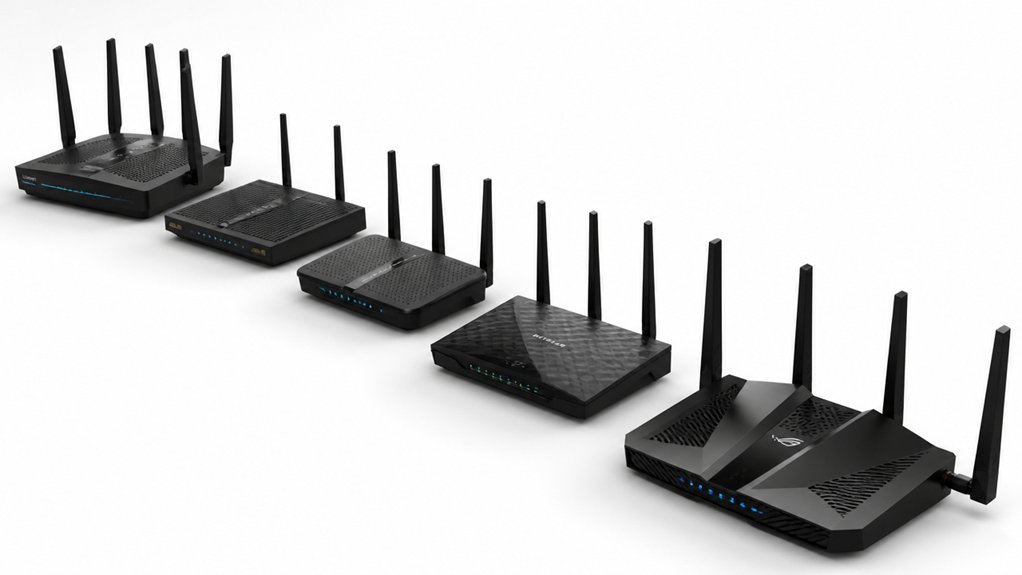

When you’re working with a 100 Mbps internet plan, you need a router that actually matches your speed without creating bottlenecks. You’ll want to evaluate models based on their Gigabit Ethernet ports, security features, and device-handling capacity. The right choice depends on your specific setup, coverage needs, and how many devices you’re connecting. Here’s what separates the routers that genuinely deliver from those that don’t.
| TP-Link AC1200 WiFi Router (Archer A54) |

| Best All-Purpose | WiFi Speed (Total): 1200 Mbps (AC1200) | Dual-Band Support: Yes (5 GHz + 2.4 GHz) | External Antennas: Four antennas | VIEW LATEST PRICE | Read Our Analysis |
| Tenda AC1200 Smart WiFi Router with Dual Band |

| Best for Families | WiFi Speed (Total): 1200 Mbps (AC1200) | Dual-Band Support: Yes (5 GHz + 2.4 GHz) | External Antennas: Four 6 dBi antennas | VIEW LATEST PRICE | Read Our Analysis |
| AC1200 Dual Band WiFi Router with Gigabit Ports |

| Best Mesh Ready | WiFi Speed (Total): 1200 Mbps (AC1200) | Dual-Band Support: Yes (5 GHz + 2.4 GHz) | External Antennas: Four 5 dBi antennas | VIEW LATEST PRICE | Read Our Analysis |
| U-SPEED N300 WiFi Router 300Mbps Wireless Network |

| Budget Extender Pick | WiFi Speed (Total): 300 Mbps (N300) | Dual-Band Support: No (2.4 GHz only) | External Antennas: Two 5 dBi antennas | VIEW LATEST PRICE | Read Our Analysis |
| NETGEAR WiFi 6 Router AX1800 (R6700AX) |

| Best WiFi 6 Performance | WiFi Speed (Total): 1800 Mbps (AX1800 WiFi 6) | Dual-Band Support: Yes (5 GHz + 2.4 GHz) | External Antennas: Two internal antennas | VIEW LATEST PRICE | Read Our Analysis |
More Details on Our Top Picks
TP-Link AC1200 WiFi Router (Archer A54)
The TP-Link Archer A54 covers all-purpose networking needs for most households. This dual-band router delivers 867 Mbps on 5 GHz and 300 Mbps on 2.4 GHz, totaling 1200 Mbps—more than enough for 100 Mbps internet. Four external antennas provide stable coverage up to 1,000 square feet. You’ll manage your network through the TP-Link Tether app, which handles firmware updates and configuration. The router supports WPA3 security and includes Access Point Mode to extend existing wired connections. It’s compatible with major ISPs including AT&T, Verizon, and Xfinity, though you’ll need a separate modem. EasyMesh compatibility lets you expand coverage by connecting additional compatible devices for whole-home mesh networking.
- WiFi Speed (Total):1200 Mbps (AC1200)
- Dual-Band Support:Yes (5 GHz + 2.4 GHz)
- External Antennas:Four antennas
- Security Encryption:WPA3
- AP/Mesh Networking Mode:Access Point Mode, EasyMesh compatible
- Ethernet Ports (Gigabit):Not specified
- Additional Feature:IGMP Proxy/Snooping for IPTV
- Additional Feature:EasyMesh whole-home compatibility
- Additional Feature:TP-Link Tether app management
Tenda AC1200 Smart WiFi Router with Dual Band
Looking for dependable WiFi that handles multiple devices at once? The Tenda AC1200 Smart WiFi Router delivers speeds up to 1.2 Gbps across dual bands—867 Mbps on 5 GHz and 300 Mbps on 2.4 GHz. Four 6 dBi antennas with beamforming provide strong coverage throughout your home. You’ll use the Tenda WiFi APP to set up the router in minutes, then manage your network, monitor status, and schedule internet access. The router supports guest networks and parental controls through the app. Note that you’ll need your ISP-provided modem to use this device. It’s suitable for gaming, 4K streaming, and multi-device usage on the 5 GHz band.
- WiFi Speed (Total):1200 Mbps (AC1200)
- Dual-Band Support:Yes (5 GHz + 2.4 GHz)
- External Antennas:Four 6 dBi antennas
- Security Encryption:Not specified
- AP/Mesh Networking Mode:AP Mode
- Ethernet Ports (Gigabit):Not specified
- Additional Feature:Beamforming antenna technology
- Additional Feature:Parental controls via app
- Additional Feature:Guest network support
AC1200 Dual Band WiFi Router with Gigabit Ports
Want seamless WiFi throughout your home without dead zones? This AC1200 router delivers 1200 Mbps across dual bands: 300 Mbps on 2.4 GHz and 867 Mbps on 5 GHz. Four external antennas with beamforming target your devices for stronger signals. You’ll get one Gigabit WAN port and three Gigabit LAN ports for wired connections. MU-MIMO technology lets multiple devices connect simultaneously without lag. The router supports EasyMesh for scalable expansion and includes WPA3 encryption for security. Setup takes minutes with guided steps—no technician required. Remember: you’ll need a separate modem to access internet, as this router lacks optical modem functionality.
- WiFi Speed (Total):1200 Mbps (AC1200)
- Dual-Band Support:Yes (5 GHz + 2.4 GHz)
- External Antennas:Four 5 dBi antennas
- Security Encryption:WPA3
- AP/Mesh Networking Mode:EasyMesh support
- Ethernet Ports (Gigabit):1 WAN + 3 LAN Gigabit ports
- Additional Feature:MU-MIMO simultaneous device communication
- Additional Feature:Four Front-End Modules (FEMs)
- Additional Feature:Parental controls included
U-SPEED N300 WiFi Router 300Mbps Wireless Network
U-SPEED’s N300 serves as your budget extender pick when you’re outfitting multiple rooms without overspending. You’ll get 300 Mbps wireless speeds on the 2.4G band, which handles streaming, VoIP, and web browsing effectively. The dual 5dBi antennas expand your coverage area and stabilize connections. You can activate WISP Wireless Repeater Mode to connect wirelessly to your primary router and extend network reach. Fast ethernet ports let you wire devices directly for stable connections. QoS bandwidth control lets you prioritize specific devices when multiple users need access simultaneously. WPA2-PSK and WPA-PSK encryption options protect your network. This router works with older 802.11b/g devices too.
- WiFi Speed (Total):300 Mbps (N300)
- Dual-Band Support:No (2.4 GHz only)
- External Antennas:Two 5 dBi antennas
- Security Encryption:WPA2-PSK, WPA-PSK, Mixed
- AP/Mesh Networking Mode:WISP Wireless Repeater Mode
- Ethernet Ports (Gigabit):Fast Ethernet (10/100 Mbps)
- Additional Feature:WISP wireless repeater mode
- Additional Feature:QoS bandwidth control allocation
- Additional Feature:Internet access control features
NETGEAR WiFi 6 Router AX1800 (R6700AX)
Need WiFi 6 performance without breaking your budget? The NETGEAR AX1800 delivers up to 1.8 Gbps across dual bands, easily handling your 100 Mbps connection. You’ll get coverage for 1,500 square feet with support for up to 20 devices simultaneously. Setup takes minutes through the Nighthawk app or web browser once your modem’s active. The router includes four Gigabit Ethernet ports for wired connections and WPA2/WPA3 security protocols. It’s backward compatible with earlier WiFi devices and works with cable, fiber, DSL, and satellite ISPs. For larger homes, consider the NETGEAR Orbi mesh system instead.
- WiFi Speed (Total):1800 Mbps (AX1800 WiFi 6)
- Dual-Band Support:Yes (5 GHz + 2.4 GHz)
- External Antennas:Two internal antennas
- Security Encryption:WPA2, WPA3
- AP/Mesh Networking Mode:No mesh or repeater support
- Ethernet Ports (Gigabit):4 Gigabit LAN ports + 1 WAN port
- Additional Feature:Supports 20 connected devices
- Additional Feature:NETGEAR Armor security trial
- Additional Feature:Nighthawk app setup guidance
Factors to Consider When Choosing a Router for 100 Mbps Internet

You’ll want to assess your WiFi speed requirements first, since you need a router that handles 100 Mbps without bottlenecking, then evaluate dual-band capability to distribute devices across 2.4 GHz and 5 GHz frequencies for better performance. Next, measure your coverage area needs against the router’s range specifications, verify antenna quality and count since more antennas typically improve signal strength, and finally confirm that security features like WPA3 encryption and automatic firmware updates are included to protect your network.
WiFi Speed Requirements
What wireless speed rating should your router truly have? You’ll want at least 1000 Mbps (1 Gbps) total wireless speed to avoid bottlenecks on your 100 Mbps plan. Most AC1200 routers deliver this through combined 2.4 GHz and 5 GHz bands—typically 300 Mbps and 867 Mbps respectively, totaling around 1.2 Gbps. Real-world speeds drop due to interference, distance, and walls, so a higher-rated router maintains optimal performance despite these factors. Look for routers with Gigabit WAN/LAN ports to match your internet speed without creating connection slowdowns. Choose models featuring MU-MIMO and beamforming to distribute your 100 Mbps connection stably across multiple devices. Include modern security standards like WPA3 for future-proofing beyond your current ISP speed.
Dual-Band Capability Benefits
Selecting a dual-band router ensures your 100 Mbps connection handles multiple devices without performance loss across your home. The 5 GHz band delivers higher speeds ideal for gaming and 4K streaming, while the 2.4 GHz band extends range for basic browsing and IoT devices. By splitting traffic between bands, you reduce congestion and minimize interference from neighboring networks. Assign bandwidth-heavy activities to 5 GHz and reserve 2.4 GHz for non-critical tasks. Modern dual-band routers include beamforming and MU-MIMO technology, stabilizing performance on both bands simultaneously. This strategic distribution maximizes your 100 Mbps plan’s efficiency, ensuring latency-sensitive applications run smoothly while other devices remain connected without degradation.
Coverage Area Needs
How large is your home, and does your router need to reach every corner? Start by measuring your square footage to determine coverage requirements. For homes under 2,000 square feet, a standard router typically suffices. For larger spaces, you’ll need extended range or mesh capabilities.
Consider your home’s layout next. Open-concept designs require less equipment than multi-story homes with walls and obstacles. Identify problem areas where signal weakens, particularly bathrooms, basements, or exterior zones.
Evaluate wall materials in your space. Thick concrete, metal, and dense drywall reduce signal penetration markedly. These materials demand routers with higher-gain antennas or supplemental repeaters to maintain consistent coverage.
Finally, prioritize routers offering mesh or EasyMesh compatibility. This technology eliminates dead spots by using multiple units working together, ensuring reliable 100 Mbps speeds throughout your entire home.
Antenna Quality Matters
Your router’s antenna configuration directly impacts whether you’ll maintain consistent 100 Mbps speeds throughout your home. Choose external, detachable antennas over internal ones—they provide better range and let you adjust positioning for optimal coverage. Look for routers with four-antenna setups paired with high-gain front-end modules, which strengthen signals to multiple devices simultaneously. Check antenna gain specifications; 5dBi to 6dBi antennas deliver solid performance for most homes. Beamforming technology focuses signals directly toward your connected devices, reducing dead zones and improving reliability across rooms. Higher-quality antennas help stabilize both 2.4 GHz and 5 GHz bands, preventing speed drops during peak usage. Prioritize antenna quality because it’s foundational—poor antennas undermine even powerful routers, leaving you with frustratingly weak connections in distant areas.
Security Features Essential
While antenna quality guarantees your 100 Mbps connection reaches every corner of your home, the security of that connection matters just as much. Look for routers supporting WPA3, the strongest current Wi-Fi security standard. It provides better protection against password guessing and stronger encryption than WPA2. If you need backward compatibility, choose a router that supports both WPA2 and WPA3. Check that your router includes a built-in firewall and automatic security updates to defend against external attacks without extra setup. Enable additional protections like network isolation and guest networks to reduce risk further. Finally, confirm the router ships with a strong default password and allows you to change it immediately upon setup.
Wired Port Specifications
What makes wired ports critical for your 100 Mbps setup? Your router’s ports determine how fast your wired devices actually connect. Check that the WAN port supports at least 100 Mbps to match your internet speed. Verify all LAN ports are Gigabit (1000 Mbps), not Fast Ethernet (100 Mbps), since Fast Ethernet ports will limit your speeds. If you’re connecting multiple devices with cables, select routers with 4 or more Gigabit LAN ports to avoid bottlenecks. Some advanced models offer link aggregation, which combines two ports for increased bandwidth—check your router’s specifications for this feature. Prioritizing proper port specs ensures your wired devices fully utilize your 100 Mbps plan without unnecessary slowdowns.
ISP Compatibility Considerations
Before you buy a router, you’ll need to verify it’ll work with your specific ISP and modem setup. First, identify your ISP’s network type—fiber, cable, DSL, or fixed wireless—since some routers don’t support optical network terminals or ISP-provided gateways. Next, confirm your modem’s connection type and whether your router supports it, typically through Ethernet WAN. Check your ISP’s device compatibility list to see if third-party routers work with your service level and speed tier. Verify the router supports your modem’s IP configuration, whether PPPoE, DHCP, or another protocol. Finally, confirm the router’s output speeds match your 100 Mbps plan to prevent bottlenecks. While universal compatibility claims exist, actual performance varies by ISP provisioning and network configuration.
Final Thoughts
You’ll find reliable routers for 100 Mbps internet across multiple price points. Choose the TP-Link Archer A54 for budget-friendly performance, or invest in the NETGEAR AX1800 if you need future-proofing for multiple devices. Verify Gigabit Ethernet ports, WPA3 security, and ISP compatibility before purchasing. Check your ISP’s approved router list to avoid rental fees and ensure optimal speeds throughout your home.

Meet Ry, “TechGuru,” a 36-year-old technology enthusiast with a deep passion for tech innovations. With extensive experience, he specializes in gaming hardware and software, and has expertise in gadgets, custom PCs, and audio.
Besides writing about tech and reviewing new products, he enjoys traveling, hiking, and photography. Committed to keeping up with the latest industry trends, he aims to guide readers in making informed tech decisions.