
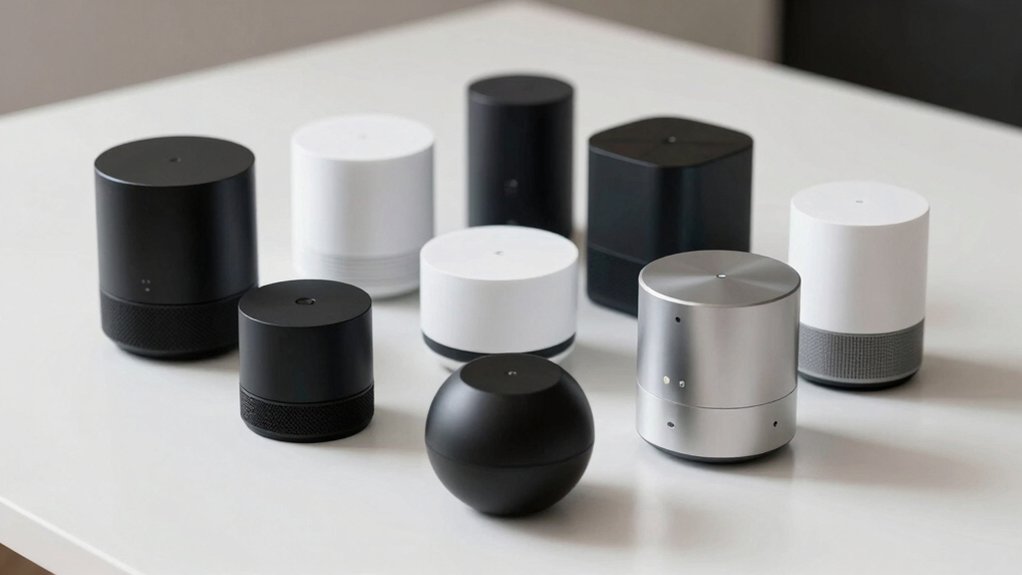

If you’re building a smart home system, you’ll need to choose a hub that handles your devices reliably and works offline when internet fails. You’ve got options—some hubs support Matter, others prioritize Zigbee, and the best ones cover both. Each hub offers different features like Thread support, local processing, and compatibility with various platforms. Understanding what separates these options will help you avoid costly mistakes and guarantee your devices work together seamlessly—but which hub actually fits your setup?
| Matter Smart Home Hub M6 Gateway |

| Best for Beginners | Primary Protocols Supported: Matter, Zigbee | Device Capacity: 125+ devices | Voice Assistant Integration: Google Home, SmartThings (Alexa not supported) | VIEW LATEST PRICE | Read Our Analysis |
| Aeotec Smart Home Hub2 V4 Zigbee Matter Gateway |

| Best Overall | Primary Protocols Supported: Matter, Zigbee | Device Capacity: Thousands of compatible devices | Voice Assistant Integration: Amazon Alexa, Google Assistant | VIEW LATEST PRICE | Read Our Analysis |
| Aqara Smart Home Hub M3 Matter Controller Thread Router |

| Best for Aqara Users | Primary Protocols Supported: Matter, Zigbee, Thread | Device Capacity: 127 Aqara Zigbee + 127 Thread devices | Voice Assistant Integration: Google Home, Apple HomeKit, Alexa (via Matter) | VIEW LATEST PRICE | Read Our Analysis |
| Aqara Smart Hub M200 Matter Controller Thread Router |

| Most Advanced Features | Primary Protocols Supported: Matter, Zigbee, Thread | Device Capacity: 40 Zigbee + 40 Thread devices | Voice Assistant Integration: Apple HomeKit, Alexa, Google Home | VIEW LATEST PRICE | Read Our Analysis |
| MOES ZigBee Bluetooth Mesh Smart Home Gateway Hub |

| Best Budget Pick | Primary Protocols Supported: Zigbee, Bluetooth Mesh | Device Capacity: Up to 128 devices | Voice Assistant Integration: Amazon Alexa, Google Assistant | VIEW LATEST PRICE | Read Our Analysis |
| Hubitat Elevation C-8 Pro Smart Home Hub |

| Professional Grade | Primary Protocols Supported: Matter, Z-Wave, Zigbee, Bluetooth | Device Capacity: 1,000+ devices across 100+ brands | Voice Assistant Integration: Apple Home, Amazon Alexa, Google Home | VIEW LATEST PRICE | Read Our Analysis |
| Matter Smart Wired Hub Gateway for Home Automation |

| Best for Thread | Primary Protocols Supported: Matter, Zigbee, Thread | Device Capacity: Multiple devices (unspecified limit) | Voice Assistant Integration: Siri, Google Home, Alexa | VIEW LATEST PRICE | Read Our Analysis |
| THIRDREALITY Smart Bridge MZ1 Zigbee to Matter |

| Best Zigbee Bridge | Primary Protocols Supported: Zigbee to Matter bridge | Device Capacity: Unlimited Zigbee-to-Matter conversion | Voice Assistant Integration: Apple HomeKit, Google Assistant, SmartThings | VIEW LATEST PRICE | Read Our Analysis |
| SMLIGHT SMHUB Zigbee Smart Home Controller Gateway (SMHUB) |

| Most Versatile | Primary Protocols Supported: Zigbee, Matter bridge capable | Device Capacity: Scalable (depends on configuration) | Voice Assistant Integration: Home Assistant, OpenHub, HomeSeer | VIEW LATEST PRICE | Read Our Analysis |
| THIRDREALITY ZigBee Smart Plug 4-Pack with Energy Monitoring |

| Best Smart Plugs | Primary Protocols Supported: Zigbee 3.0 | Device Capacity: Works with compatible Zigbee hubs | Voice Assistant Integration: Alexa, Google Home (via compatible hubs) | VIEW LATEST PRICE | Read Our Analysis |
More Details on Our Top Picks
Matter Smart Home Hub M6 Gateway
Looking for straightforward smart home setup? The Matter Smart Home Hub M6 Gateway connects 125+ devices through Zigbee and Matter protocols. Install the antenna, download the app, and link compatible devices like lights, sensors, and plugs. You’ll create custom scenes and schedules within the app interface. The hub works with Google Home and SmartThings but doesn’t support Alexa. It covers large or multi-story homes effectively. Automatic updates keep your system current without manual intervention. Setup takes minutes through the user-friendly app. The dual-protocol design prepares you for future smart home expansion.
- Primary Protocols Supported:Matter, Zigbee
- Device Capacity:125+ devices
- Voice Assistant Integration:Google Home, SmartThings (Alexa not supported)
- Local Control/Offline Functionality:OTA updates, app-based automation
- Connectivity Type:Wi-Fi (802.11ac/ax), USB
- Special Features:Long-range antenna, multi-platform support
- Additional Feature:125+ device connections supported
- Additional Feature:Dual-protocol Zigbee + Matter
- Additional Feature:Over-the-air automatic updates
Aeotec Smart Home Hub2 V4 Zigbee Matter Gateway
The Aeotec Smart Home Hub2 V4 stands out as the top choice for those building a unified smart home across multiple device types. It connects to SmartThings, Samsung’s proven ecosystem, enabling you to monitor and automate everything through one app. The hub supports both Matter and Zigbee protocols, letting you control thousands of compatible devices including lights, sensors, switches, and thermostats. Setup takes minutes using Wi-Fi or Ethernet. You’ll access voice control through Amazon Alexa and Google Assistant for hands-free commands. Create custom automations for security and energy savings, and many local routines continue functioning during internet outages, ensuring reliability.
- Primary Protocols Supported:Matter, Zigbee
- Device Capacity:Thousands of compatible devices
- Voice Assistant Integration:Amazon Alexa, Google Assistant
- Local Control/Offline Functionality:Many automations work offline
- Connectivity Type:Wi-Fi or Ethernet
- Special Features:SmartThings ecosystem, easy setup
- Additional Feature:SmartThings ecosystem integration
- Additional Feature:Local automations work offline
- Additional Feature:Wi-Fi or Ethernet setup
Aqara Smart Home Hub M3 Matter Controller Thread Router
Aqara’s M3 Hub shines for users already invested in Aqara’s ecosystem who want local control and Matter bridge capabilities. You’ll connect up to 127 Aqara Zigbee devices and 127 Thread devices directly to the hub. The Matter bridge syncs Aqara-exclusive scenes and automations with other ecosystems like Home Assistant. You can use the built-in IR blaster to control air conditioning units and pair it with Aqara’s temperature sensor to create a thermostat. The hub supports dual-band Wi-Fi, PoE connectivity, and includes 8GB encrypted local storage for automations and device data, ensuring operations continue without internet.
- Primary Protocols Supported:Matter, Zigbee, Thread
- Device Capacity:127 Aqara Zigbee + 127 Thread devices
- Voice Assistant Integration:Google Home, Apple HomeKit, Alexa (via Matter)
- Local Control/Offline Functionality:Edge Hub with local automation
- Connectivity Type:Wi-Fi (dual-band 2.4/5 GHz), PoE, USB-C
- Special Features:IR blaster, Thread router, local encrypted storage
- Additional Feature:Smart IR blaster included
- Additional Feature:8GB encrypted local storage
- Additional Feature:Magic Pair easy detection
Aqara Smart Hub M200 Matter Controller Thread Router
Want a single hub that bridges multiple smart home ecosystems without relying on the cloud? The Aqara Smart Hub M200 connects up to 40 Zigbee devices and 40 Thread devices locally, delivering millisecond response times for automations. You’ll integrate third-party devices into the Aqara Home app while syncing features with Home Assistant, Apple HomeKit, Alexa, and Google Home. The hub includes PoE support, dual-band Wi-Fi with WPA3 security, and a 360° IR blaster for controlling air conditioners and learning remote commands. Its built-in speaker handles security alerts and doorbell notifications. One limitation: you can expose only one AC device to Matter through the IR blaster. You’ll need cloud access for push notifications, though local control functions independently.
- Primary Protocols Supported:Matter, Zigbee, Thread
- Device Capacity:40 Zigbee + 40 Thread devices
- Voice Assistant Integration:Apple HomeKit, Alexa, Google Home
- Local Control/Offline Functionality:Local automation with millisecond response
- Connectivity Type:Wi-Fi (dual-band 2.4/5 GHz), PoE, USB-C
- Special Features:360° IR blaster, built-in speaker, Thread router
- Additional Feature:360° IR blaster capability
- Additional Feature:Built-in security alert speaker
- Additional Feature:Millisecond response times
MOES ZigBee Bluetooth Mesh Smart Home Gateway Hub
Looking for an affordable gateway that connects multiple device types? The MOES ZigBee Bluetooth Mesh Smart Home Gateway Hub supports up to 128 Tuya devices across Bluetooth, Zigbee 3.0, and mesh protocols on a 2.4 GHz network. You’ll control compatible devices like smart locks, light switches, sensors, and thermostats through the MOES or Smart Life app from anywhere. Setup requires no wiring—simply plug it in. The hub includes local automation, sound and light alarms, and integrates with Alexa and Google Assistant for voice control. It’s rated 4.3 out of 5 stars and meets CE, RoHS, and UL compliance standards.
- Primary Protocols Supported:Zigbee, Bluetooth Mesh
- Device Capacity:Up to 128 devices
- Voice Assistant Integration:Amazon Alexa, Google Assistant
- Local Control/Offline Functionality:Local Scenario and Local Automation
- Connectivity Type:2.4 GHz Wi-Fi plug-in
- Special Features:Sound/light alarm, Tuya integration
- Additional Feature:128 Tuya device support
- Additional Feature:Sound and light alarm
- Additional Feature:Local scenario automation
Hubitat Elevation C-8 Pro Smart Home Hub
The Hubitat Elevation C-8 Pro delivers professional-grade local automation without cloud dependency or subscription fees. You’ll run automations directly on the hub during internet outages, ensuring faster response times and stronger privacy protection. The device supports Matter 1.5, Z-Wave 800 Series, Zigbee 3.0, and Bluetooth, connecting 1,000+ devices across 100+ brands. You can integrate with Apple Home, Amazon Alexa, and Google Home while keeping core automations local. Setup’s straightforward for beginners yet robust for advanced users. Before purchasing, review the Compatible Devices list to confirm your specific devices work with this hub.
- Primary Protocols Supported:Matter, Z-Wave, Zigbee, Bluetooth
- Device Capacity:1,000+ devices across 100+ brands
- Voice Assistant Integration:Apple Home, Amazon Alexa, Google Home
- Local Control/Offline Functionality:All automations run locally (no cloud required)
- Connectivity Type:Wi-Fi or Ethernet (via USB-C)
- Special Features:AI-enhanced automations, no subscription required
- Additional Feature:1,000+ devices/100+ brands
- Additional Feature:Z-Wave 800 Series support
- Additional Feature:No subscription required
Matter Smart Wired Hub Gateway for Home Automation
If you’re expanding Thread device coverage across multiple rooms, this gateway delivers the infrastructure you need. Connect your 2.4 GHz WiFi network and USB power, then use the Tuya App to add compatible ZigBee 3.0 and Thread devices. The built-in ZigBee transmitter strengthens signals through walls and across distances. Control devices remotely via Tuya App, Smart Life App, or Google Home App once they’re connected. Enable voice commands through Siri, Google Home, or Alexa. Note that your phone must connect to the same 2.4 GHz network during setup, and only devices supporting Matter boundary routing will work properly.
- Primary Protocols Supported:Matter, Zigbee, Thread
- Device Capacity:Multiple devices (unspecified limit)
- Voice Assistant Integration:Siri, Google Home, Alexa
- Local Control/Offline Functionality:Smart Scene Exploration with local multi-device
- Connectivity Type:2.4 GHz Wi-Fi only, USB Type-C
- Special Features:Enhanced ZigBee transmitter, Thread support
- Additional Feature:Cross-platform Protocol 1.0
- Additional Feature:Enhanced wall penetration signal
- Additional Feature:Smart Scene Exploration feature
THIRDREALITY Smart Bridge MZ1 Zigbee to Matter
Need to connect your existing Zigbee devices to Matter without replacing your entire smart home setup? The THIRDREALITY Smart Bridge MZ1 bridges this gap directly. This compact device converts Zigbee signals to Matter protocol over your 2.4 GHz Wi-Fi network. You’ll plug it in via USB-C, then use the 3R-Installer app to configure it. Once active, your Zigbee devices integrate with Apple HomeKit, Google Home, Google Assistant, and SmartThings simultaneously. The bridge supports over-the-air updates through 3R-Installer, keeping your system current without manual intervention. This approach lets you expand your smart home gradually while maintaining compatibility across multiple platforms.
- Primary Protocols Supported:Zigbee to Matter bridge
- Device Capacity:Unlimited Zigbee-to-Matter conversion
- Voice Assistant Integration:Apple HomeKit, Google Assistant, SmartThings
- Local Control/Offline Functionality:Requires internet for full functionality
- Connectivity Type:2.4 GHz Wi-Fi, USB-C power
- Special Features:Compact bridge design, OTA updates
- Additional Feature:Zigbee-to-Matter conversion bridge
- Additional Feature:USB-C compact design
- Additional Feature:3R-Installer OTA updates
SMLIGHT SMHUB Zigbee Smart Home Controller Gateway (SMHUB)
SMLIGHT’s SMHUB stands as the most versatile hub for users who want flexibility across multiple smart home platforms. You can deploy it three ways: as a standalone hub, a Matter bridge connecting to Google or Apple ecosystems, or a remote coordinator for Home Assistant. It features dual radios—TI CC26xx and Silicon Labs EFR32—letting you run Zigbee2MQTT or Z-Wave JS locally. You’ll expand capabilities through optional modules for Z-Wave and 4G/LTE support. The Linux-based system accepts PoE or USB power, supporting Windows and Linux devices. Its compact design fits desktops easily, and you’ll receive two antennas plus a mounting template.
- Primary Protocols Supported:Zigbee, Matter bridge capable
- Device Capacity:Scalable (depends on configuration)
- Voice Assistant Integration:Home Assistant, OpenHub, HomeSeer
- Local Control/Offline Functionality:Runs Zigbee2MQTT/ZHA locally
- Connectivity Type:Ethernet, USB Type-C, PoE
- Special Features:Modular expansion (Z-Wave, 4G/LTE), dual radios
- Additional Feature:Dual built-in radios included
- Additional Feature:Optional Z-Wave/4G modules
- Additional Feature:PoE power connectivity
THIRDREALITY ZigBee Smart Plug 4-Pack with Energy Monitoring
Looking to automate your appliances with reliable plug-and-play smart controls? The THIRDREALITY ZigBee Smart Plug 4-Pack offers real-time energy monitoring across four outlets without blocking adjacent sockets. Each plug handles up to 15 amps and 1800 watts. Setup requires a compatible ZigBee hub—such as an Echo device with built-in ZigBee, Home Assistant, or SmartThings. Once connected, say “Alexa, discover my devices” for automatic discovery. You’ll control appliances remotely via voice or app, group multiple plugs together, and monitor energy usage to reduce waste. The plugs restore their previous on/off state after power cycles when paired with supported hubs, making them ideal for automating routine tasks like coffee makers and toasters.
- Primary Protocols Supported:Zigbee 3.0
- Device Capacity:Works with compatible Zigbee hubs
- Voice Assistant Integration:Alexa, Google Home (via compatible hubs)
- Local Control/Offline Functionality:Requires compatible hub for local control
- Connectivity Type:Requires compatible hub connection
- Special Features:Real-time energy monitoring, 15A outlet, 4-pack
- Additional Feature:Real-time energy monitoring
- Additional Feature:15A outlet capacity
- Additional Feature:Space-saving adjacent design
Factors to Consider When Choosing a Smart Home Hub for Matter or Zigbee
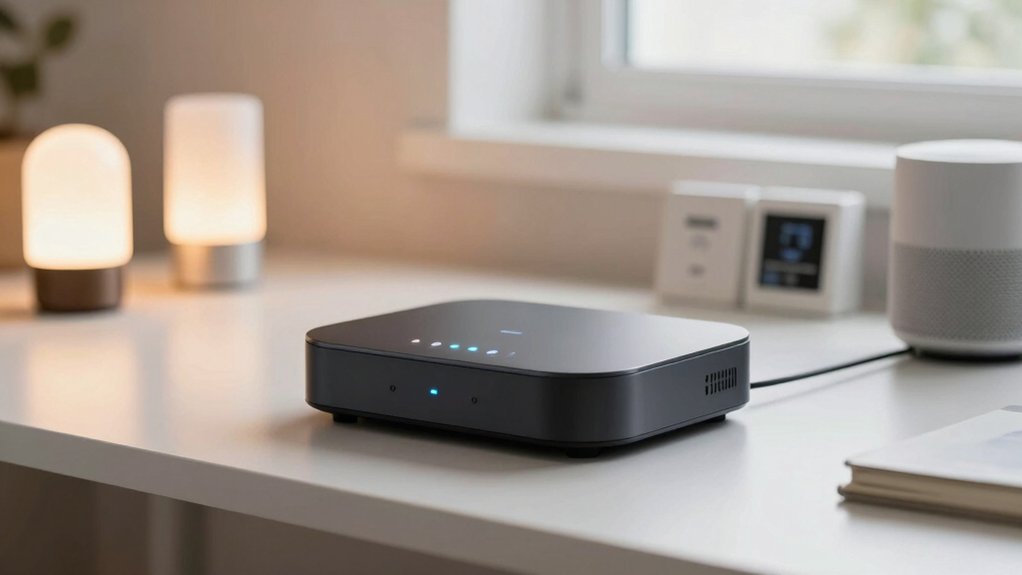
When you’re selecting a smart home hub, you’ll need to evaluate protocol compatibility to ensure it supports Matter, Zigbee, or both depending on your existing devices, then assess device capacity to confirm the hub can handle your current setup plus future additions without performance degradation. Next, verify that the hub offers local automation capabilities so your devices remain operational during internet outages, check its integration with your preferred platforms like Apple Home, Google Home, or Alexa, and finally review the setup process to determine whether you can connect and configure it quickly using your smartphone or computer.
Protocol Compatibility And Support
How you’ll connect your devices across different ecosystems depends entirely on whether your hub supports Matter bridging, Zigbee versions, and Thread capabilities. Start by confirming your hub handles Matter as a bridge or border router to integrate Zigbee devices into Matter networks. Verify the Zigbee version supported—Zigbee 3.0 is standard—and check if Thread is included for multi-router functionality. Next, confirm cross-platform compatibility with your specific platforms: Apple HomeKit, Google Home, Amazon Alexa, SmartThings, or Home Assistant. Review whether the hub manages boundary routing independently or if third-party Zigbee devices require additional Matter bridges. Finally, determine if your hub supports local edge automation or relies on cloud connectivity, since this directly affects offline operation and interoperability between protocols.
Device Capacity And Scalability
Your hub’s device capacity determines how many connected devices it can manage simultaneously, and this number varies substantially across models—ranging from around 40 devices on entry-level hubs to 128 or more on advanced systems. When selecting a hub, evaluate your current device count and plan for future growth. Multi-protocol support—including Matter, Zigbee, Thread, and Tuya—enables you to integrate diverse devices as your system expands. Local control capabilities further enhance scalability by processing commands locally rather than relying on cloud connectivity, which reduces bottlenecks during expansion and outages. Check whether your hub limits third-party Zigbee devices exposed to Matter, as this restriction affects automation participation. Consider hardware features like additional radios, PoE, USB power options, and mounting flexibility to support practical expansion across multiple zones in your home.
Local Automation And Reliability
Beyond managing device capacity, you’ll want to guarantee your hub can execute automations and scenes without depending on cloud connectivity. Look for hubs with edge processing capabilities that run routines natively on the device itself. This approach reduces latency and keeps your system operational during internet outages. Check whether the hub supports local Matter and Zigbee control, which enables fast in-home interactions—many advertise millisecond response times. Evaluate power options carefully: prioritize hubs with PoE or reliable USB power to prevent unexpected shutdowns. Verify the hub has robust local storage for storing automation rules and device data. Test whether automations function offline by temporarily disconnecting internet access. These factors directly impact how reliably your smart home operates when cloud services fail.
Multi-Platform Ecosystem Integration
What ecosystems does your hub actually support, and can it bridge between them? Check your hub’s native compatibility first—some models support Matter, Zigbee, and Thread simultaneously, while others focus on single ecosystems with bridging capabilities. Review the specifications to determine which platforms your hub handles natively versus through bridges. Next, identify your existing devices and their standards. If you own Zigbee devices but want Matter control, verify whether your hub can expose Zigbee devices to Matter apps. Examine firmware update history to confirm whether the manufacturer adds new integrations regularly. Finally, test how automations perform across platforms in your setup. This reveals whether cross-platform rules execute reliably locally or depend on cloud connectivity, affecting your overall automation reliability when services experience outages.
Setup Ease And Connectivity Options
How straightforward is it to get your hub online and ready to control devices? Setup ease depends on your hub’s design and your network setup. Some hubs offer app-based setup with automatic updates, while others require manual steps like mounting and network configuration. You’ll need reliable connectivity through Wi-Fi, Ethernet, USB-C power, or PoE depending on your model. Most hubs require a 2.4 GHz network connection during initial setup, even if your router supports 5 GHz. Many support multiple protocols—Matter, Zigbee, Thread, and Tuya Zigbee—to simplify device onboarding. Local control and offline automation capabilities vary by model, so check whether your hub functions without internet during setup and operation.
Final Thoughts
You’ll want to select a hub that matches your existing devices and future needs. Compare Matter compatibility, local processing, and protocol support—whether you need Zigbee, Thread, or Z-Wave. Check cross-platform integration with your preferred ecosystem: HomeKit, Google Home, Alexa, or Home Assistant. Evaluate device capacity and offline functionality. Test the hub’s setup process before committing to ensure it integrates smoothly with your smart home system.

Meet Ry, “TechGuru,” a 36-year-old technology enthusiast with a deep passion for tech innovations. With extensive experience, he specializes in gaming hardware and software, and has expertise in gadgets, custom PCs, and audio.
Besides writing about tech and reviewing new products, he enjoys traveling, hiking, and photography. Committed to keeping up with the latest industry trends, he aims to guide readers in making informed tech decisions.