
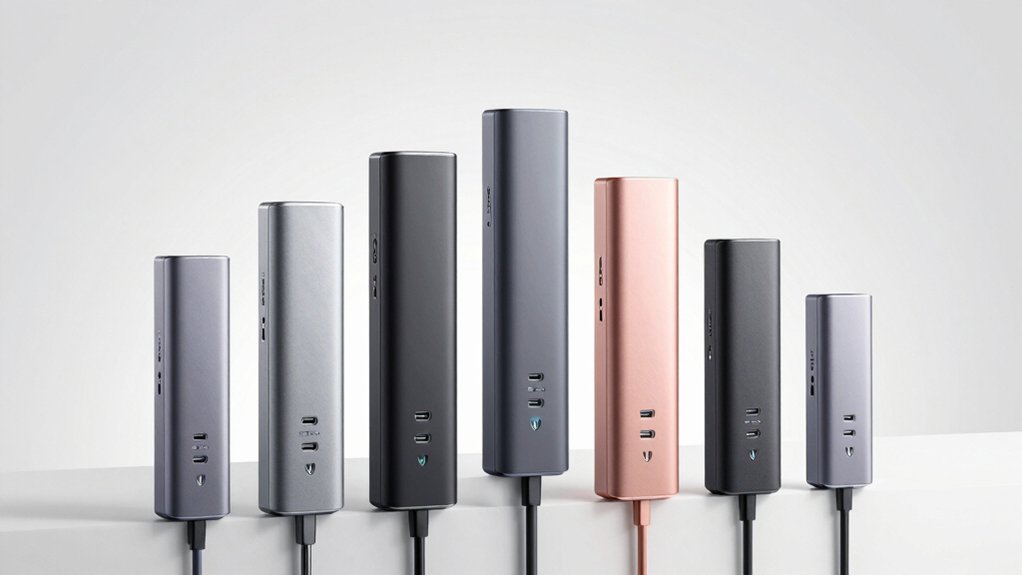

You’ve got cables everywhere, and your desk looks chaotic. A standing USB hub tower solves this problem by consolidating your outlets and ports into one vertical unit. These towers range from compact 5-port chargers to full-featured 12-outlet power strips with multiple USB options. To find the right one, you’ll need to evaluate your specific power needs, port types, and safety features—which brings us to the options available.
| USB-C 285W GaN 8-Port Fast Charging Station |

| Best Overall | Total Power Output: 285W | USB-C Ports: 5 USB-C ports | USB-A Ports: 3 USB-A ports | VIEW LATEST PRICE | Read Our Analysis |
| Kakyanill Power Strip Tower with 9 Outlets & USB Ports |

| Most Outlets | Total Power Output: 1875W (AC outlets) + 4.8A (USB) | USB-C Ports: 4 USB-C ports | USB-A Ports: 4 USB-A ports | VIEW LATEST PRICE | Read Our Analysis |
| Upoy 40W Charging Station with 5 USB Ports |

| Budget-Friendly Pick | Total Power Output: 40W | USB-C Ports: 1 USB-C port (3A) | USB-A Ports: 5 USB ports (combination) | VIEW LATEST PRICE | Read Our Analysis |
| Amazon Basics 7 Port USB 2.0 Hub Tower |
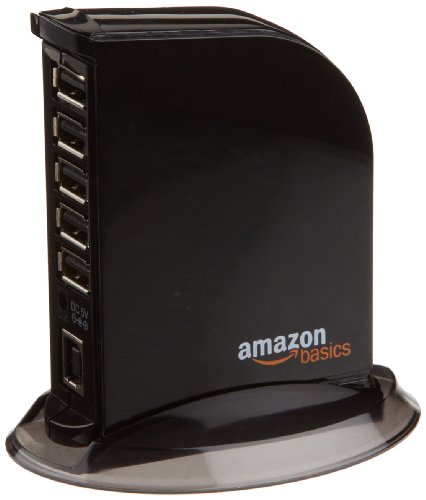
| Best Value | Total Power Output: 20W | USB-C Ports: None | USB-A Ports: 7 USB 2.0 ports (5 regular + 2 fast charging) | VIEW LATEST PRICE | Read Our Analysis |
| Flat Plug Power Strip Tower with 12 AC Outlets |

| Best Design | Total Power Output: 1875W (AC outlets) + varies (USB) | USB-C Ports: 2 USB-C ports (20W PD each) | USB-A Ports: 6 USB-A ports | VIEW LATEST PRICE | Read Our Analysis |
| 7-Port USB 3.0 Hub with RGB Lighting |

| Best For Gaming | Total Power Output: Data hub only (no charging) | USB-C Ports: 1 USB-C port (power only, no data/charging) | USB-A Ports: 7 USB 3.0 ports | VIEW LATEST PRICE | Read Our Analysis |
| VPSUN 6 Port USB Tower Charging Station 50W |

| Best Mid-Range | Total Power Output: 50W | USB-C Ports: None | USB-A Ports: 6 USB ports | VIEW LATEST PRICE | Read Our Analysis |
More Details on Our Top Picks
USB-C 285W GaN 8-Port Fast Charging Station
If you’re juggling multiple devices across your desk—laptop, phone, tablet, and wearables—this 8-port tower hub stands out as the top-tier choice for simultaneous charging. The station delivers 285W total output with 65W and 30W ports for fast charging laptops like MacBook Pro and Dell XPS alongside phones and tablets. Its five USB-C and three USB-A ports accommodate 1000+ device types, from iPhones to Samsung Galaxy models to Steam Deck. The GaN design cuts space usage by 50% compared to traditional hubs. Place it on your desktop, bedside table, or counter using the included 4ft power cord. You’ll charge one laptop, two phones or tablets, and five additional devices simultaneously.
- Total Power Output:285W
- USB-C Ports:5 USB-C ports
- USB-A Ports:3 USB-A ports
- Simultaneous Device Charging:Up to 8 devices
- Surge Protection/Safety Rating:GaN design with heat management
- Cord Length:4ft power cord
- Additional Feature:65W & 30W fast outputs
- Additional Feature:Supports 1000+ device brands
- Additional Feature:50% space savings design
Kakyanill Power Strip Tower with 9 Outlets & USB Ports
The Kakyanill tower provides you with the most outlets and USB ports in a compact vertical design, making it ideal for anyone managing multiple devices in tight spaces. You get 9 AC outlets spaced 1.5 inches apart for bulky adapters, plus 8 USB ports—4 USB-C and 4 USB-A—delivering 4.8A total USB output for simultaneous charging. The ultra-slim 0.35-inch flat plug fits behind furniture, and the 6-foot retractable cord reduces clutter. A 1875W circuit breaker handles high-wattage appliances like mini-fridges. Individual outlet switches let you cut power to specific devices instantly, preventing overheating. UL/FCC certification ensures safety for office or dorm use.
- Total Power Output:1875W (AC outlets) + 4.8A (USB)
- USB-C Ports:4 USB-C ports
- USB-A Ports:4 USB-A ports
- Simultaneous Device Charging:Up to 17 devices (9 AC + 8 USB)
- Surge Protection/Safety Rating:1080J surge protector + fire-resistant ABS
- Cord Length:6ft retractable cord
- Additional Feature:Retractable 6FT flat cord
- Additional Feature:1080J surge protection
- Additional Feature:Individual outlet switches
Upoy 40W Charging Station with 5 USB Ports
Need a budget-friendly pick that charges multiple devices simultaneously? The Upoy 40W Charging Station delivers practical charging for up to six devices at once. This compact sailboat-shaped tower features five USB ports with a Type-C port supporting 3A output and standard USB ports reaching 2.4A each. The Smart IC technology automatically adjusts current to match each device’s requirements, preventing damage. Six integrated protections guard against voltage spikes, overcurrent, overheating, overcharging, short circuits, and disconnection issues. The hot runner process shell withstands extreme temperatures up to 1382°F, ensuring durability. Place it on your desk to organize charging cables while maintaining a clutter-free workspace efficiently.
- Total Power Output:40W
- USB-C Ports:1 USB-C port (3A)
- USB-A Ports:5 USB ports (combination)
- Simultaneous Device Charging:Up to 6 devices
- Surge Protection/Safety Rating:6 protections (overvoltage, overcurrent, overtemp, overcharge, short circuit, disconnect)
- Cord Length:Not specified
- Additional Feature:Sailboat design heat dissipation
- Additional Feature:Smart IC flow technology
- Additional Feature:Six-layer protection system
Amazon Basics 7 Port USB 2.0 Hub Tower
Looking to charge multiple devices simultaneously without overspending? The Amazon Basics 7 Port USB 2.0 Hub Tower delivers practical functionality at an affordable price. This tower includes five standard USB ports outputting 500 mA each and two dedicated fast-charging ports delivering 1.5 A. You’ll get a 5V/4A power adapter, a 3-foot USB cable, and an owner’s manual in the package. Setup requires no drivers—just plug it in. Data transfers reach 480 Mbps. Before charging iPads, tablets, or hard drives, check your device’s power requirements to ensure sufficient current. The hub’s maximum output across all seven ports is 20 W.
- Total Power Output:20W
- USB-C Ports:None
- USB-A Ports:7 USB 2.0 ports (5 regular + 2 fast charging)
- Simultaneous Device Charging:Up to 7 devices
- Surge Protection/Safety Rating:USB 2.0 compliant
- Cord Length:3ft USB cable included
- Additional Feature:480 Mbps data transfer
- Additional Feature:Two fast charging ports
- Additional Feature:Plug-and-play installation
Flat Plug Power Strip Tower with 12 AC Outlets
Cramped desks need smarter power solutions, and this tower’s thoughtful design handles the job efficiently. You’ll charge up to 20 devices simultaneously using 12 AC outlets and 8 USB ports, including 2 PD 20W USB-C ports that charge three times faster than standard 5W ports. The ultra-thin flat plug measures 0.27 inches and angles at 45 degrees, fitting snugly behind furniture. A 10-foot pure copper cord supports 15A current capacity. The compact 3.4 x 3.4 x 6.5-inch tower includes 1200J surge protection, fire-resistant materials, and rubber feet preventing sliding. Don’t exceed 1875W rated power. Place this unit on your desk or tuck it underneath for flexible device organization.
- Total Power Output:1875W (AC outlets) + varies (USB)
- USB-C Ports:2 USB-C ports (20W PD each)
- USB-A Ports:6 USB-A ports
- Simultaneous Device Charging:Up to 20 devices (12 AC + 8 USB)
- Surge Protection/Safety Rating:1200J surge protector + fire-resistant ABS+PC
- Cord Length:10ft extension cord
- Additional Feature:10FT pure copper cord
- Additional Feature:20-in-1 outlet configuration
- Additional Feature:Ultra-thin 0.27″ flat plug
7-Port USB 3.0 Hub with RGB Lighting
Gamers who need multiple device connections will find this 7-port vertical hub transforms cramped gaming setups into organized command centers. The hub expands one USB port into seven, supporting PS5, Xbox, keyboards, headsets, and external drives simultaneously. USB 3.0 speeds reach 5 Gbps, enabling fast file transfers for HD movies and project backups. The side USB-C port provides additional power for demanding devices, though it doesn’t support data transfer. Mount the tower vertically using the included adhesive to save desk space, or position the 2-foot extension cable under your desk for flexible placement. The RGB lighting cycles through seven colors with an adjustable night light button for customization.
- Total Power Output:Data hub only (no charging)
- USB-C Ports:1 USB-C port (power only, no data/charging)
- USB-A Ports:7 USB 3.0 ports
- Simultaneous Device Charging:Up to 7 devices (data transfer only)
- Surge Protection/Safety Rating:No surge protection (data hub)
- Cord Length:2ft extension cable included
- Additional Feature:5 Gbps data transfer speeds
- Additional Feature:RGB color cycling lighting
- Additional Feature:Double-sided adhesive mounting
VPSUN 6 Port USB Tower Charging Station 50W
Need to charge multiple devices without cluttering your workspace? The VPSUN 6 Port USB Tower Charging Station delivers 50W of power across six USB ports, handling smartphones, tablets, smartwatches, and cameras simultaneously. Each port supports up to 2.4A output with smart detection that adjusts charging speed automatically. The tower design maximizes vertical space while keeping cables organized. Built-in protections safeguard against overcurrent, overvoltage, and overheating. You’ll receive the charging station, a 5-foot detachable cord, and customer support. ETL, CE, FCC, and PSE certifications confirm safety standards. Simply plug in your devices and the smart IC manages efficient charging across all ports without requiring manual adjustments.
- Total Power Output:50W
- USB-C Ports:None
- USB-A Ports:6 USB ports
- Simultaneous Device Charging:Up to 6 devices
- Surge Protection/Safety Rating:Smart IC + 4 protections (overcurrent, overvoltage, overheat, short-circuit)
- Cord Length:5ft detachable power cord
- Additional Feature:Auto device detection technology
- Additional Feature:Five international certifications
- Additional Feature:Detachable power cord design
Factors to Consider When Choosing a Standing USB Hub Tower
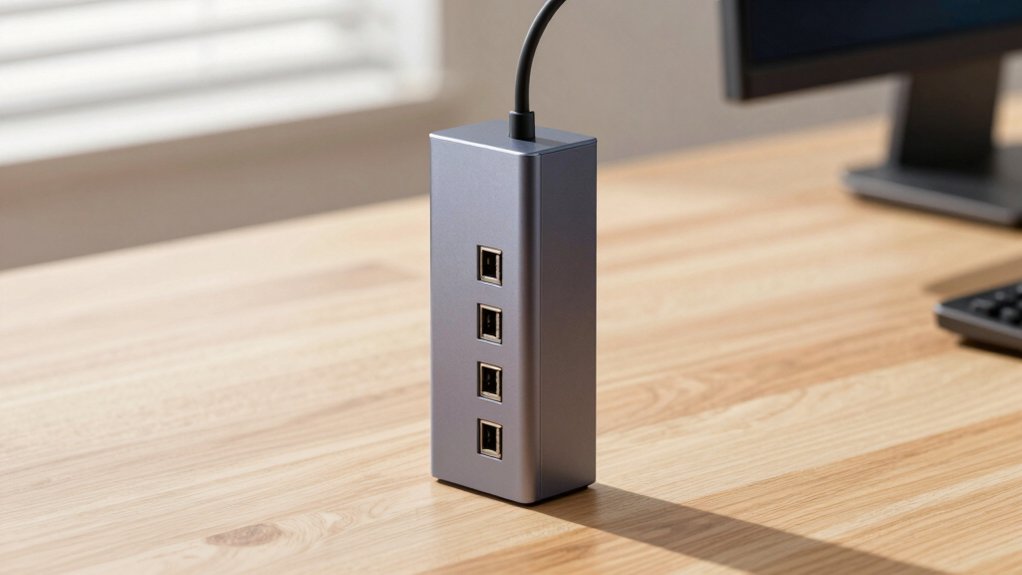
You’ll want to evaluate five key criteria before purchasing a standing USB hub tower: first, check the port count and type (USB-A, USB-C, or both) to ensure you can connect all your devices simultaneously. Second, verify the power output capacity in watts to confirm it’ll handle your devices’ charging demands without slowdowns. Third, examine the space-saving design features, such as vertical orientation and cable management systems, to guarantee it fits your desk layout and actually reduces clutter rather than adding to it. Fourth, confirm the unit includes safety certifications and surge protection to safeguard your electronics from power spikes. Fifth, cross-reference the hub’s compatibility with your specific devices—phones, tablets, laptops—to avoid purchasing a tower that won’t work with what you own.
Port Count And Type
How many devices do you plan to connect simultaneously? This question determines your port count needs. Standing USB hub towers typically range from 4 to 9 ports. Count your devices—phones, tablets, keyboards, mice, and peripherals—to identify the minimum ports required.
Next, consider port types. USB-C ports deliver higher power for laptops and fast-charging devices, while USB-A ports support older peripherals. A balanced configuration like 5 USB-C and 3 USB-A ports accommodates both new and legacy devices effectively.
Verify the hub’s total power output matches your combined device requirements. Higher port counts demand more power. Some towers include a dedicated side USB-C port for additional power delivery, stabilizing data transfer while charging power-hungry devices simultaneously.
Power Output Capacity
Once you’ve identified your port requirements, examine the hub’s power output capacity—the total watts it can deliver across all ports simultaneously. Check the hub’s total wattage rating, such as 285W, 50W, or 40W, to determine if it supports your devices. Higher wattage lets you charge power-hungry devices like laptops while simultaneously powering phones, tablets, and wearables. Review individual port limits, which specify maximum output per port—for example, 65W or 30W per USB-C port, or 2.4A per USB-A port. These limits show the fastest charging speed each port can provide. Verify the hub includes power management features that distribute wattage efficiently across ports, preventing overload and maintaining stable performance. Match the hub’s capacity to your typical charging needs to ensure reliable multi-device charging.
Space-Saving Design Features
What makes a standing hub tower space-efficient? Vertical design frees up your desktop or countertop area compared to horizontal models. You’ll find most towers pack 5–8 ports into a narrow footprint using compact internal layouts or GaN technology, minimizing height while maintaining functionality.
Look for extendable or retractable cords that you can adjust based on your setup. Many models feature 45° plug orientations, allowing you to position cables against walls or behind furniture without taking up visible space.
Taller towers offer additional benefits: they improve cable routing and airflow around your connected devices, keeping everything organized and cool. If you need portability, choose designs with pocket- or strap-friendly profiles that reduce bulk for travel while delivering multiple USB-C and USB-A outputs.
Safety And Surge Protection
Surge protection is essential when you’re connecting multiple devices to a single hub tower, since power spikes can damage your electronics or create fire hazards. Look for a surge protector rating of at least 1080J to absorb spike energy across your connected devices. Verify that your hub includes built-in circuit breakers or individual outlet switches to cut power and prevent overheating or short circuits. Check for safety certifications like UL or FCC, which confirm adherence to recognized safety standards. Choose models with fire-resistant enclosure materials such as ABS+PC rated to high temperatures. Confirm that overload protection and over-current, over-voltage, and over-temperature protections cover all outlets and ports on your tower.
Compatibility With Your Devices
How do you know which hub tower will actually work with the devices you own? Start by listing every device you’ll connect: laptops, tablets, phones, and gaming consoles. Check the hub’s compatibility notes against your specific models—MacBook Pro, iPad, Galaxy S-series, or Steam Deck, for example. Verify port types match your needs: 65W USB-C for laptops, higher-current ports for tablets and phones. Confirm whether the hub supports simultaneous charging and data transfer, since some hubs restrict USB-C functionality. Review brand compatibility across Windows, macOS, Android, and iOS ecosystems. Examine the port layout—whether it offers USB-C, USB-A, or mixed options—ensuring your devices won’t block each other. This systematic approach prevents purchasing incompatible equipment.
Cord Length And Flexibility
When you’re positioning your USB hub tower on your desk, the cord length between the hub and your wall outlet directly determines where you can place it—and whether you’ll need additional extension cords cluttering your setup. Look for hubs with 6–10 foot cords to reach distant outlets without extra cables. Retractable or extendable cords let you adjust the distance and store excess length neatly, reducing desk clutter. Flat plug designs work well with longer cords, fitting behind furniture easily and minimizing wall space intrusion. Consider detachable cord options that allow you to swap lengths for different setups. Always verify the cord gauge supports your total device load and stays within your surge protection rating to ensure safe operation.
Build Quality And Materials
The durability of your USB hub tower depends directly on its materials and construction methods, so you’ll want to examine both carefully before purchasing. Look for chassis made from fire-resistant materials like ABS+PC or aluminum, which provide superior heat resistance and longevity. Check that the model features a high-quality power switch, grounded outlets, and integrated protective features including overload, overcurrent, and short-circuit protection built into the housing. Verify the tower includes mechanical stability features such as non-slip feet and vibration dampening to prevent tipping when multiple devices connect. Confirm the unit carries UL/FCC safety certification and has a heat-resistant coating rated for at least 1382°F. Finally, prioritize GaN-based chargers, which operate cooler and more compactly while demonstrating efficient thermal management throughout the build.
Price Versus Value Proposition
Why’d you settle for a cheap USB hub tower that charges your laptop at a snail’s pace when a premium model could handle the job in half the time? Calculate total wattage first—budget models deliver 20-40W, while higher-end units reach 285W. Determine your actual needs: charging one device costs less than powering a laptop plus multiple phones simultaneously. Compare port configurations next. Premium towers offer 5 USB-C and 3 USB-A ports; budget options provide fewer connections. Evaluate additional features like heat management, compact design, and certified durability. Assess customer support quality and warranty coverage. Factor in convenience gains from reduced desk clutter and eliminated adapter purchases. Premium models justify higher costs through simultaneous multi-device charging and long-term organizational benefits.
Final Thoughts
You’ll want to select a USB hub tower based on your outlet and port needs. First, count how many devices you’re charging simultaneously. Next, check the wattage—aim for 50W or higher. Then verify it has surge protection and safety certifications. Finally, measure your desk space and outlet distance to confirm the cord length works. Match these requirements to one of the seven models listed.

Meet Ry, “TechGuru,” a 36-year-old technology enthusiast with a deep passion for tech innovations. With extensive experience, he specializes in gaming hardware and software, and has expertise in gadgets, custom PCs, and audio.
Besides writing about tech and reviewing new products, he enjoys traveling, hiking, and photography. Committed to keeping up with the latest industry trends, he aims to guide readers in making informed tech decisions.