
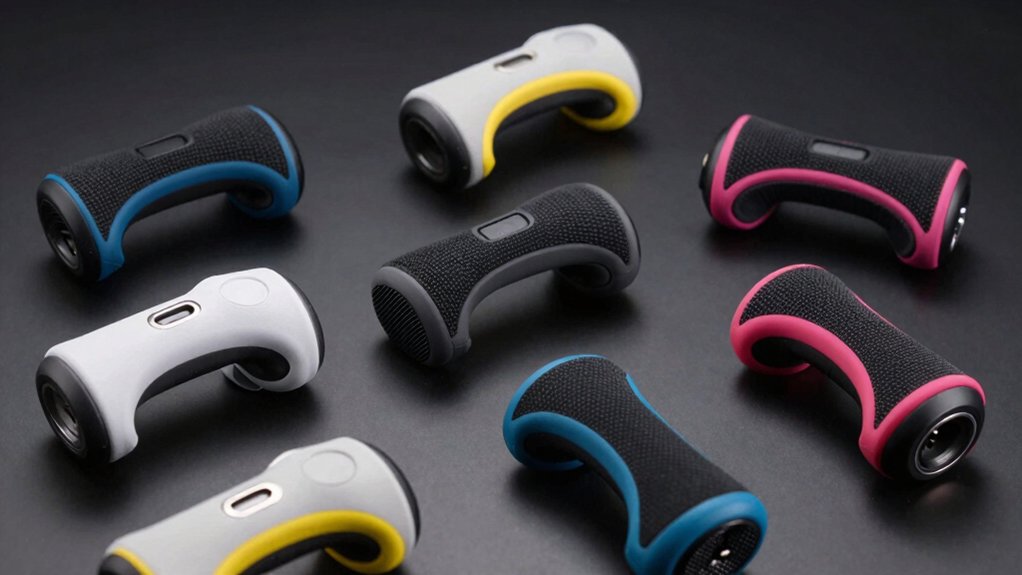

When you’re planning extended gaming sessions on your Switch 2, you’ll need a charging grip that keeps your controllers powered without interrupting play. The right grip combines reliable battery capacity, fast charging speeds, and ergonomic design to support hours of continuous use. You’ve got nine solid options to evaluate, each with different features like LED indicators, built-in batteries, and charging docks. Understanding what distinguishes these grips will help you pick the one that fits your gaming style.
| Joy-Con™ 2 Charging Grip |

| Official Nintendo Choice | Charging Method: USB cable charging | Built-in Battery: None | Design Type: Single charging grip | VIEW LATEST PRICE | Read Our Analysis |
| JSAUX Switch 2 Charging Grip with LED Indicator |

| Best LED Indicators | Charging Method: USB cable charging | Built-in Battery: None | Design Type: Single magnetic grip | VIEW LATEST PRICE | Read Our Analysis |
| Switch 2 Joycon Charging Grip with Built-in Battery |

| Longest Battery Life | Charging Method: USB-C cable charging + built-in 2000mAh battery | Built-in Battery: 2000mAh (charges Joycon twice) | Design Type: Single magnetic grip | VIEW LATEST PRICE | Read Our Analysis |
| JSAUX Charging Grip for Nintendo Switch 2 JoyCon |

| Most Portable | Charging Method: USB-C cable + built-in 1200mAh battery | Built-in Battery: 1200mAh | Design Type: Single grip with detachable cover | VIEW LATEST PRICE | Read Our Analysis |
| AstroniSync Charging Grip for Switch 2 JoyCon |
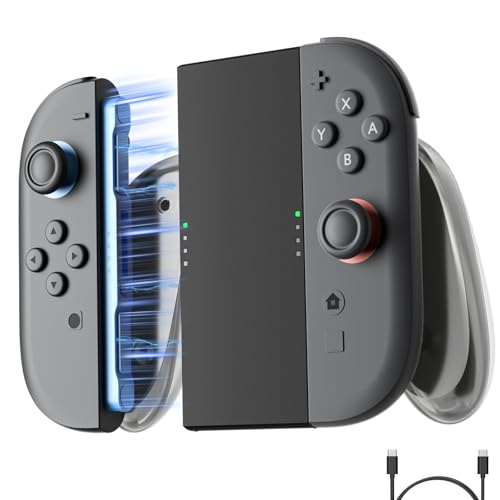
| Best Warranty | Charging Method: USB-C cable charging | Built-in Battery: None | Design Type: Single magnetic grip | VIEW LATEST PRICE | Read Our Analysis |
| JEMDO Ergonomic JoyCon Charging Grip for Nintendo Switch 2 |

| Best Protection Features | Charging Method: USB-C cable charging | Built-in Battery: None | Design Type: Single magnetic grip | VIEW LATEST PRICE | Read Our Analysis |
| SUPCASE Charging Dock for Nintendo Switch 2 Joy Con |

| Multi-Controller Charging | Charging Method: Magnetic dock (4-slot simultaneous charging) | Built-in Battery: None | Design Type: 4-slot charging dock | VIEW LATEST PRICE | Read Our Analysis |
| COOWPS Nintendo Switch Joy-Con 3-in-1 Charging Grip Dock |

| Most Versatile | Charging Method: USB-C cable + magnetic dock + 2 grip charging | Built-in Battery: None | Design Type: 3-in-1 (2 grips + dock) | VIEW LATEST PRICE | Read Our Analysis |
| Joycon 2 Charger Grip for Nintendo Switch 2 |
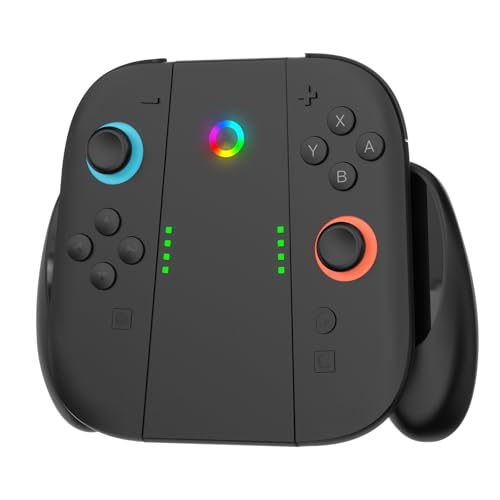
| Best Budget Option | Charging Method: USB Type-C magnetic charging | Built-in Battery: None | Design Type: Single charging grip | VIEW LATEST PRICE | Read Our Analysis |
More Details on Our Top Picks
Joy-Con™ 2 Charging Grip
Why settle for standard controllers during extended play sessions? The Joy-Con 2 Charging Grip transforms your gaming setup by combining controller functionality with continuous power replenishment. Attach your Joy-Con 2 controllers to this grip and you’ll enjoy classic-style handling while the built-in charging station powers your devices via the included USB cable. The grip features GL and GR buttons you can remap to suit your preferences. Weighing just eight ounces with compact dimensions of 4.61 by 5.91 by 2.28 inches, it fits comfortably in your hands during marathon sessions. Rated 4.8 out of 5 stars across 336 reviews and ranking fourth in Nintendo Switch 2 accessories, this official Nintendo accessory delivers reliable performance for uninterrupted gameplay.
- Charging Method:USB cable charging
- Built-in Battery:None
- Design Type:Single charging grip
- LED Indicator:GL/GR buttons (no LED specified)
- Ergonomic Design:Classic controller style
- Material:Not specified
- Additional Feature:GL/GR button mapping capability
- Additional Feature:Classic-style controller design
- Additional Feature:Included USB charging cable
JSAUX Switch 2 Charging Grip with LED Indicator
Want to keep playing while your console charges? The JSAUX Switch 2 Charging Grip delivers exactly that functionality. Its magnetic snap-on design aligns your JoyPads precisely for a stable, wobble-free hold during extended gaming sessions. The grip uses durable PC+ABS material that’s lightweight and comfortable for marathon play. An LED indicator shows charging status: red while charging, green when fully charged. The included 1.5-meter cable lets you game from your couch, desk, or bed without interruption. At 0.08 kilograms, you’ll carry this portable grip easily during commutes and trips. This straightforward solution eliminates battery anxiety during long gaming stretches.
- Charging Method:USB cable charging
- Built-in Battery:None
- Design Type:Single magnetic grip
- LED Indicator:Red (charging) / Green (full)
- Ergonomic Design:Smooth unified grip, reduced wobble
- Material:PC+ABS
- Additional Feature:Magnetic snap-on alignment
- Additional Feature:1.5m cable length included
- Additional Feature:Reduced wobble/stable hold
Switch 2 Joycon Charging Grip with Built-in Battery
If you’re chasing the longest battery life during extended gaming sessions, the BGGUANG Switch 2 Joycon Charging Grip delivers a built-in 2000mAh battery that charges your Joycons twice on a single full charge. Connect the grip’s USB-C cable to power it up, and an LED indicator shows your charging progress—the light stays on during charging and turns off when fully charged. The ergonomic design with ultra-strong magnetic adsorption keeps your Joycons secure without wobble or slip during intense play. At 165 grams, you’ll transport it easily between gaming sessions. The durable PC+ABS materials withstand regular use, making this grip a practical choice for marathon gaming without interruption.
- Charging Method:USB-C cable charging + built-in 2000mAh battery
- Built-in Battery:2000mAh (charges Joycon twice)
- Design Type:Single magnetic grip
- LED Indicator:LED status indicator
- Ergonomic Design:Ultra-strong magnetic grip, reduces wobble
- Material:PC+ABS
- Additional Feature:2000 mAH battery capacity
- Additional Feature:Ultra-strong magnetic adsorption
- Additional Feature:Charges Joycons twice fully
JSAUX Charging Grip for Nintendo Switch 2 JoyCon
The JSAUX Charging Grip stands as the most portable option for gamers who need extended play sessions without access to a power outlet. You’ll connect both Joy-Con controllers into one solid grip piece, then charge via USB-C cable or use the built-in 1200 mAh battery for wireless play. LED indicators display your charging status instantly. The ergonomic handle reduces hand fatigue during marathon sessions. A detachable front cover protects against dust and scratches. You receive the grip, cover, ergonomic section, and charging cable in the box. This grip suits both home and travel gaming scenarios.
- Charging Method:USB-C cable + built-in 1200mAh battery
- Built-in Battery:1200mAh
- Design Type:Single grip with detachable cover
- LED Indicator:LED charging status
- Ergonomic Design:Thick ergonomic handle, stable connection
- Material:Not fully specified
- Additional Feature:1200 mAh built-in battery
- Additional Feature:Detachable protective front cover
- Additional Feature:Wireless charging from battery
AstroniSync Charging Grip for Switch 2 JoyCon
AstroniSync’s charging grip delivers extended gaming without controller downtime. You’ll appreciate the ergonomic design that reduces hand fatigue during marathon sessions. The magnetic fast charging system lets you play while your JoyCons charge simultaneously through the included USB-C cable. Simply connect the cable to any USB power source and attach your controllers magnetically. The lightweight construction makes it portable for travel or home use. LED indicators show charging status at a glance. This grip holds a 4.8-star rating from customers and includes a two-year warranty, making it a reliable choice for uninterrupted gameplay.
- Charging Method:USB-C cable charging
- Built-in Battery:None
- Design Type:Single magnetic grip
- LED Indicator:LED indicator
- Ergonomic Design:Ergonomic design for comfort
- Material:Not specified
- Additional Feature:Magnetic fast charging capability
- Additional Feature:2-year warranty included
- Additional Feature:USB-C power delivery
JEMDO Ergonomic JoyCon Charging Grip for Nintendo Switch 2
JEMDO’s charging grip prioritizes safeguarding your controller during extended play through integrated electrical protections that monitor voltage and current continuously. The grip delivers 10W fast charging, reaching 50% battery in approximately 50 minutes. Its ergonomic design features 7mm palm support rails and textured anti-slip surfaces that reduce fatigue during marathon sessions. The reinforced back handle improves posture and stability for extended comfort. Dual LED indicators display charging status: red for active charging and green when fully charged. The magnetic USB-C connection supports hot-plugging for safe connections without power interruptions. Its compact, lightweight design makes it suitable for travel with power banks or car adapters.
- Charging Method:USB-C cable charging
- Built-in Battery:None
- Design Type:Single magnetic grip
- LED Indicator:Dual LED (red charging / green full)
- Ergonomic Design:Reinforced back support, 7mm palm support, anti-slip
- Material:ABS+PC shell
- Additional Feature:10W fast charging speed
- Additional Feature:Integrated PMIC smart chip
- Additional Feature:Withstands 1.5m drops
SUPCASE Charging Dock for Nintendo Switch 2 Joy Con
SUPCASE’s multi-controller charging dock handles four Joy Con at once. You’ll charge your controllers simultaneously while LED indicators show real-time status for each unit. The magnetic design simplifies alignment and reduces port wear during repeated charging cycles. You can place Joy Con on either side thanks to dual-side charging support, giving you flexibility in setup. Nine RGB lighting modes let you customize the dock’s appearance to match your gaming space. A built-in smart chip automatically stops charging when controllers reach full capacity, preventing overcharging and overheating damage. This dock works exclusively with Nintendo Switch 2 Joy Con released in 2025 and doesn’t include controllers.
- Charging Method:Magnetic dock (4-slot simultaneous charging)
- Built-in Battery:None
- Design Type:4-slot charging dock
- LED Indicator:Individual LED per slot
- Ergonomic Design:N/A (dock only)
- Material:Not specified
- Additional Feature:Charges 4 Joy Con simultaneously
- Additional Feature:9 RGB lighting modes
- Additional Feature:Dual-side charging support
COOWPS Nintendo Switch Joy-Con 3-in-1 Charging Grip Dock
The COOWPS 3-in-1 set is the most versatile option if you’re looking for multiple ways to charge and play simultaneously. You get two comfort grips, a magnetic charging dock, and a USB-C cable. Attach your Joy-Cons to the grips for ergonomic support during extended gaming, or place them on the dock to charge hands-free. The smart chip delivers full charges in 2.5–3 hours with automatic shutoff protection. The N52 magnets ensure secure attachment and detachment. You can enable any of nine RGB lighting modes or disable them entirely. The anti-slip silicone bottom keeps the dock stable on your surface during play or charging.
- Charging Method:USB-C cable + magnetic dock + 2 grip charging
- Built-in Battery:None
- Design Type:3-in-1 (2 grips + dock)
- LED Indicator:RGB lighting (9 modes)
- Ergonomic Design:Smooth curves, natural hand fit
- Material:ABS
- Additional Feature:3-in-1 grip and dock
- Additional Feature:N52 magnet strength superior
- Additional Feature:2.5–3 hour full charge
Joycon 2 Charger Grip for Nintendo Switch 2
Looking for affordable charging functionality without sacrificing ergonomics? The Joycon 2 Charger Grip delivers both. You’ll connect it via USB Type-C and charge two controllers simultaneously while you play. The grip’s ergonomic design prevents hand fatigue during extended sessions. An orange breathing light indicates active charging, while multi-color lights signal full charge. The lightweight frame weighs only 165 grams, making it portable for travel or storage. Its flame-retardant ABS shell and intelligent control circuit ensure safe operation. Magnetic attachment keeps controllers secure. At 4.0 stars from 92 reviews, this affordable option ranks #95 in Nintendo Switch 2 controllers, proving reliable performance for marathon gaming without premium pricing.
- Charging Method:USB Type-C magnetic charging
- Built-in Battery:None
- Design Type:Single charging grip
- LED Indicator:Orange breathing light / multi-color full charge
- Ergonomic Design:Ergonomic grips prevent hand fatigue
- Material:High-quality ABS (flame-retardant)
- Additional Feature:Charges 2 Joycons simultaneously
- Additional Feature:Flame-retardant ABS shell
- Additional Feature:Orange breathing charge indicator
Factors to Consider When Choosing a Switch 2 Charging Grip
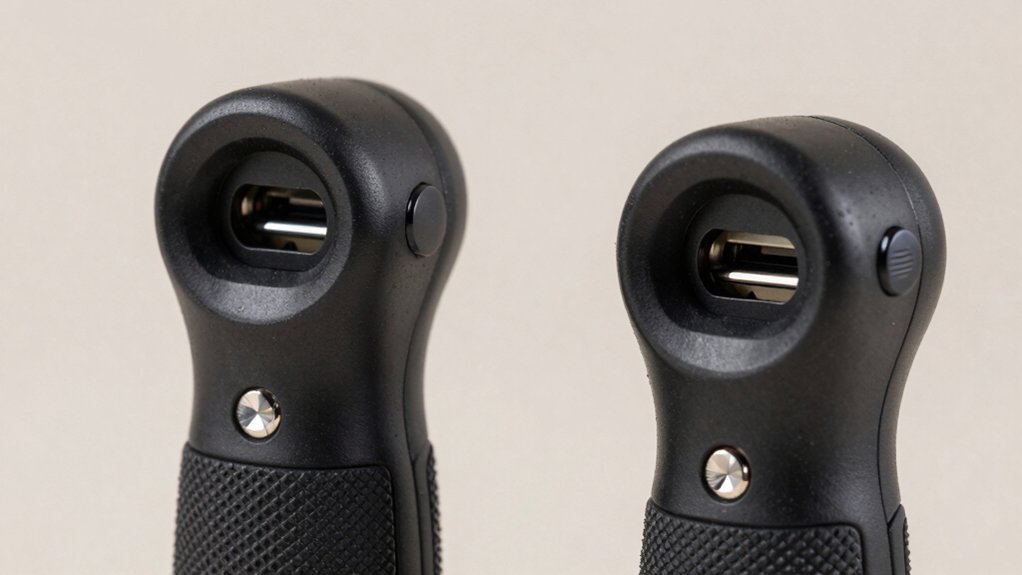
When selecting a Switch 2 charging grip, you’ll need to evaluate battery capacity and runtime to ensure extended play sessions, assess ergonomic design for comfortable long-term use, and compare charging speed so you’re not waiting excessively between gaming periods. You should also examine build quality and durability to confirm the grip withstands repeated use, and verify compatibility with your specific controllers and devices before making a purchase. These five factors directly affect how well a charging grip performs during marathon gaming sessions and how long it’ll serve you reliably.
Battery Capacity And Runtime
How much playtime you’ll actually get depends directly on the battery capacity built into your charging grip. Check the mAh rating—higher numbers mean longer runtime. A 2000 mAh battery, for example, can recharge your Joy-Cons twice when fully charged, extending your total gaming session considerably.
Some grips skip internal batteries and instead charge via external USB-C during play. This approach requires a power outlet nearby but eliminates weight concerns.
Compare dual-charging models against single-charger options. Dual-charging grips power both Joy-Cons simultaneously, maintaining consistent runtime throughout extended sessions.
Use LED indicators on your grip to monitor battery status and estimate remaining operating time. This prevents unexpected power loss mid-session. Prioritize grips matching your typical play duration and available charging access.
Ergonomic Design And Comfort
What makes a charging grip comfortable enough for marathon sessions? You need elevated palm support with at least a 7mm increase in contact area to reduce fatigue during extended play. Look for reinforced back grip design that stabilizes your hand and minimizes cramping. Select a grip with textured anti-slip material to maintain stable handling without slipping during long gaming periods. Choose a compact, travel-ready form factor so you can game comfortably on the go without sacrificing support. Integrated LED indicators or smart chips let you monitor charging status without interrupting gameplay. Evaluate each grip by checking its palm contour, grip texture, and overall weight distribution. These features work together to keep your hands comfortable and supported throughout marathon gaming sessions.
Charging Speed And Efficiency
Beyond comfort, you’ll want to prioritize how quickly your charging grip replenishes power so you can keep playing without extended breaks. Look for grips that specify fast charging speeds, such as 10W or higher, to minimize downtime between gaming sessions. Verify that your chosen grip supports USB-C charging, which guarantees compatibility with Switch 2 accessories and delivers stable power transfer. Built-in batteries ranging from 1200–2000 mAh allow you to play while charging simultaneously, eliminating pause times for recharging. Check for indication LEDs that distinguish between charging and full status, helping you monitor progress and plan charging intervals effectively. Some premium grips offer dual Joy-Con charging capabilities, allowing you to charge both controllers at once and increase overall efficiency for extended play.
Build Quality And Durability
A charging grip’s durability directly affects how long you’ll actually use it before it fails or degrades. Look for housings made from ABS or PC+ABS materials, which resist wear and provide sturdy protection during extended sessions. Check that the grip features reinforced areas and ergonomic rails to reduce hand fatigue without compromising stability.
Examine protective features like dust shields or detachable front covers that guard internal components from damage. Verify the product uses reliable charging circuitry with PMIC or smart chip technology to prevent overheating, overcharging, or short circuits.
Consider models with drop-tested or rugged construction claims, such as withstanding 1.5-meter drops. These durability indicators ensure your investment withstands travel stress and daily use demands.
Compatibility And Controller Support
How do you know if a charging grip’ll actually work with your Switch 2 controllers? Check the product specifications first—most grips are designed exclusively for Switch 2 JoyCon controllers and won’t work with older Switch models. Verify that the grip supports dual JoyCon charging if you want to power both controllers simultaneously. Look for magnetic alignment or snap-on mechanisms, which secure controllers during charging. Confirm the charging method: USB-C or wireless options vary by model. Review compatibility warnings carefully—some products note that other Switch 2 accessories may interfere with fit or charging performance. Contact the manufacturer if specifications aren’t clear. This ensures your grip functions properly without damaging your controllers or interrupting your gaming sessions.
Portability And Travel Features
Once you’ve confirmed your grip works with your Switch 2 controllers, you’ll want to evaluate whether it suits your travel needs. Check the grip’s weight and dimensions—most travel-friendly models weigh between 0.08–0.16 kg with compact footprints that fit easily in bags. Review the battery capacity, typically ranging from 1200 mAh to 2000 mAh, to determine how long it’ll power your gaming sessions. Examine charging options: USB-C cables offer convenient on-the-go charging, while wireless capabilities provide additional flexibility. Consider detachable components and magnetic snap-on designs that reduce bulk and speed up setup between locations. Assess cable management features that protect your devices during transport. These practical elements directly impact whether your grip meets your portable gaming requirements.
Safety Protection Mechanisms
When you’re charging your Joy-Cons for extended gaming marathons, what safeguards keep your controllers from damage? Look for grips with integrated protection features including overcharge, overcurrent, overvoltage, and short-circuit protection. These mechanisms prevent electrical damage during long charging sessions. Choose models with smart chips or PMICs that monitor voltage and current levels, automatically stopping charging when your controllers reach full capacity. Verify the grip includes a resettable fuse and flame-retardant ABS housing to prevent overheating and contain potential faults. Hot-plugging support ensures safe connections when you plug in or remove controllers mid-charge without interrupting gameplay. Independent LED indicators display your charging status, eliminating the need to repeatedly handle devices. These protection features work together to keep your Joy-Cons safe throughout marathon gaming sessions.
Final Thoughts
You’ll find the right charging grip by prioritizing your gaming habits. If you play extended sessions, choose grips with built-in batteries of 1500 mAh or higher. Check for USB-C compatibility and fast-charging capabilities. Verify ergonomic features like palm-support rails for comfort. Review LED indicators for battery status. Compare price against battery capacity and durability ratings. Test the grip’s weight distribution before committing to ensure it suits your hands during lengthy marathons.

Meet Ry, “TechGuru,” a 36-year-old technology enthusiast with a deep passion for tech innovations. With extensive experience, he specializes in gaming hardware and software, and has expertise in gadgets, custom PCs, and audio.
Besides writing about tech and reviewing new products, he enjoys traveling, hiking, and photography. Committed to keeping up with the latest industry trends, he aims to guide readers in making informed tech decisions.