
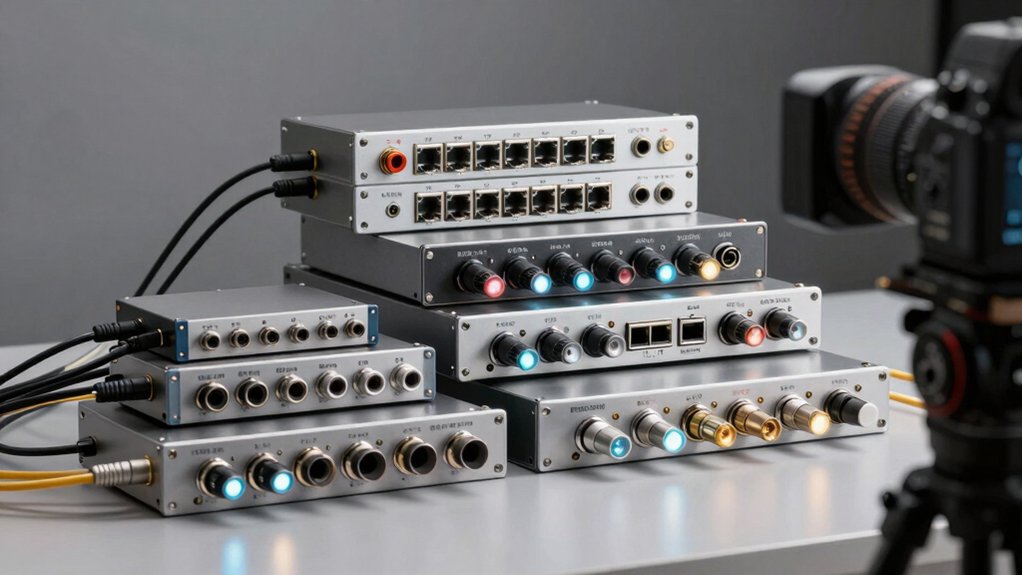

You need a reliable Toslink optical audio switch to manage multiple digital sound sources without quality loss. Whether you’re connecting gaming consoles, streaming devices, or home theater equipment, the right switch handles your setup efficiently. You’ll find options with automatic input detection, remote controls, and various port configurations. The key is matching the switch’s features to your specific equipment needs. So what should you prioritize when choosing among these options?
| COOIDEA Toslink Automatic Optical Switcher 3-in-1 Remote Control |

| Best Auto-Switching | Configuration: 3 inputs, 1 output | Control Method: IR remote control | Power Requirements: No external power | VIEW LATEST PRICE | Read Our Analysis |
| BlueRigger Digital Toslink Optical 3×1 Switch |

| Most Durable Build | Configuration: 3 inputs, 1 output | Control Method: IR remote + manual button | Power Requirements: Requires power cable (adapter not included) | VIEW LATEST PRICE | Read Our Analysis |
| PROZOR Digital Audio Switcher Splitter 3 in 2 Out |

| Best Dual Output | Configuration: 3 inputs, 2 outputs | Control Method: IR remote + manual switch | Power Requirements: Type-C power port | VIEW LATEST PRICE | Read Our Analysis |
| Tendak 3 Port Optical Audio Switch with IR Remote |

| Budget-Friendly Pick | Configuration: 3 inputs, 1 output | Control Method: IR remote + manual button | Power Requirements: USB power cable included | VIEW LATEST PRICE | Read Our Analysis |
| eSynic Portable Digital Optical Audio Switcher 3-in-1 |

| Premium Aluminum Design | Configuration: 3 inputs, 1 output | Control Method: IR remote + manual button | Power Requirements: No external power required | VIEW LATEST PRICE | Read Our Analysis |
| J-Tech Digital SPDIF TOSLINK Optical Audio Matrix |

| Most Versatile | Configuration: 4 inputs, 2 outputs | Control Method: Manual controls (HDMI/audio extraction) | Power Requirements: AC powered | VIEW LATEST PRICE | Read Our Analysis |
| Wiistar Toslink Digital Optical Audio Switch 3×1 |

| Analog Audio Conversion | Configuration: 3 inputs, 1 output | Control Method: Single dual-function button | Power Requirements: AC powered (100-240V) | VIEW LATEST PRICE | Read Our Analysis |
| NEWCARE Digital Optical Audio Splitter 1×3 SPDIF |

| Best Splitter | Configuration: 1 input, 3 outputs | Control Method: USB/app-based control | Power Requirements: USB powered | VIEW LATEST PRICE | Read Our Analysis |
| 4 Way Digital Optical Audio Splitter Toslink SPDIF |

| Most Outputs | Configuration: 1 input, 4 outputs | Control Method: Plug-and-play (no controls) | Power Requirements: USB powered | VIEW LATEST PRICE | Read Our Analysis |
| Monoprice Blackbird Toslink S/PDIF 4×1 Switch |

| Professional Grade | Configuration: 4 inputs, 1 output | Control Method: IR remote control | Power Requirements: USB powered | VIEW LATEST PRICE | Read Our Analysis |
| Monoprice 3X1 Optical Audio TosLink Manual Switch |

| Best Value | Configuration: 3 inputs/1 output or 1 input/3 outputs (bi-directional) | Control Method: Manual switch (no remote) | Power Requirements: No external power | VIEW LATEST PRICE | Read Our Analysis |
More Details on Our Top Picks
COOIDEA Toslink Automatic Optical Switcher 3-in-1 Remote Control
Need a Toslink switcher that automatically detects and routes audio without manual intervention? The COOIDEA model T01 handles this task efficiently. You connect three optical audio sources—like a Blu-ray player, Xbox, and soundbar—into its inputs, then run one output to your speaker system. The device detects which source is actively sending audio and automatically switches to it. If that source stops, it routes to the next active input. You can also use the included remote to manually select inputs from up to 30 meters away. This switcher supports standard audio formats including LPCM 2.0, DTS, and Dolby AC3 5.1 at sampling rates up to 192kHz/24-bit. Setup requires no configuration—simply plug your cables in and power the unit on.
- Configuration:3 inputs, 1 output
- Control Method:IR remote control
- Power Requirements:No external power
- Supported Audio Formats:LPCM 2.0, DTS, Dolby-AC3 5.1
- Auto-Switching Capability:Yes (detects active channels)
- Warranty:1-year manufacturer warranty
- Additional Feature:Remote control up to 30m
- Additional Feature:Compact dimensions (6.3 x 4.2 x 1.8cm)
- Additional Feature:High-quality fiber optic connector
BlueRigger Digital Toslink Optical 3×1 Switch
The BlueRigger 301TS features a durable metal housing built to handle multiple audio sources. This 3-in-1 switch connects three Toslink devices to one output, letting you route audio from your gaming console, Blu-Ray player, or cable box to your soundbar or amplifier. You’ll control it via IR remote or manual button. The switch supports LPCM 2.0, DTS, and Dolby Digital formats at up to 192kHz/24-bit sampling. Keep your Toslink cables under 50 feet for optimal performance. You’ll need an external power adapter, though the power cable ships with the unit. This approach provides stable, lossless audio transmission without auto-switching capabilities.
- Configuration:3 inputs, 1 output
- Control Method:IR remote + manual button
- Power Requirements:Requires power cable (adapter not included)
- Supported Audio Formats:LPCM 2.0, DTS, Dolby Digital, Dolby-AC3, DTS 5.1
- Auto-Switching Capability:No
- Warranty:2-year warranty + lifetime US-based support
- Additional Feature:Durable metal housing construction
- Additional Feature:Two-year manufacturer warranty
- Additional Feature:Advanced IC chipset technology
PROZOR Digital Audio Switcher Splitter 3 in 2 Out
PROZOR’s DA1002C switcher delivers dual output capabilities you’ll need when routing audio from multiple devices to two separate destinations simultaneously. Connect your TV, DVD player, or game console to any of the three optical inputs. Use the manual switch or included remote control to select your active input. Route the audio signal to both a soundbar and wireless Bluetooth transmitter through the dual outputs. The aluminum construction houses five optical ports, and Type-C power connectivity ensures simple setup. Supports LPCM 2.0, DTS, and Dolby-AC3 formats. Transmits cleanly up to 25 meters with minimal signal loss. Includes a bonus 1-meter optical cable for immediate use.
- Configuration:3 inputs, 2 outputs
- Control Method:IR remote + manual switch
- Power Requirements:Type-C power port
- Supported Audio Formats:LPCM 2.0, DTS, Dolby-AC3
- Auto-Switching Capability:No
- Warranty:18-month manufacturer warranty
- Additional Feature:Aluminum alloy material construction
- Additional Feature:Type-C reversible power port
- Additional Feature:Bonus 1m optical cable included
Tendak 3 Port Optical Audio Switch with IR Remote
Looking for a budget-friendly pick that handles multiple audio sources without breaking your setup? The Tendak 3 Port Optical Audio Switch lets you connect three optical devices—PS4, Xbox, Blu-ray player, or soundbar—to one output. You’ll get plug-and-play installation with no signal delay or audio distortion. The switch supports LPCM 2.0, DTS, and Dolby Digital formats. Use the included infrared remote or manual buttons to switch between sources instantly. The device remembers your last selection when powered off, eliminating repeated adjustments. Signal retiming and overvoltage protection ensure stable transmission up to 40 meters. LED indicators show which port is active. At 3.9 out of 5 stars from fifty-one reviews, it’s a practical, affordable solution for managing multiple audio sources efficiently.
- Configuration:3 inputs, 1 output
- Control Method:IR remote + manual button
- Power Requirements:USB power cable included
- Supported Audio Formats:LPCM 2.0, DTS, Dolby Digital
- Auto-Switching Capability:No
- Warranty:Not specified
- Additional Feature:Last working state memory
- Additional Feature:Signal retiming and overvoltage protection
- Additional Feature:LED operating status indication
eSynic Portable Digital Optical Audio Switcher 3-in-1
If you’re running multiple audio sources to a single soundbar or receiver, you’ll want a switcher with premium aluminum design that won’t compromise signal quality. The eSynic 3-in-1 delivers this with its durable aluminum housing that shields against interference and improves heat dissipation. Simply connect three optical sources—your TV, PS4, and Blu-ray player—to the three inputs, then run one cable to your soundbar. Use the included IR remote or manual button to switch between sources in under half a second. The switcher supports Dolby Digital, DTS, and LPCM 2.0 audio formats. It requires no external power and includes a 3.28-foot optical cable, making setup straightforward and immediate.
- Configuration:3 inputs, 1 output
- Control Method:IR remote + manual button
- Power Requirements:No external power required
- Supported Audio Formats:Dolby Digital, DTS, LPCM 2.0
- Auto-Switching Capability:Yes (auto-sensing input)
- Warranty:Amazon 30-day return policy only
- Additional Feature:Aluminum housing with heat dissipation
- Additional Feature:Instant switching under 0.5s
- Additional Feature:No external power required
J-Tech Digital SPDIF TOSLINK Optical Audio Matrix
J-Tech Digital’s most versatile 4×2 matrix switch handles multiple audio sources and routing needs simultaneously. You can connect four optical inputs and route them to two outputs independently, meaning each output pulls from different sources or both share one input. The unit extracts audio directly from HDMI signals and sends it via optical SPDIF, 3.5mm, or HDMI audio-only output. It supports ARC functionality from compatible displays, though ARC audio routes exclusively through the optical port. You’ll get PCM, DTS, and Dolby Digital 5.1 formats across outputs, with up to 7.1 channels via HDMI. The device handles 4K@120Hz and 8K@60Hz with HDR, backed by a one-year warranty and lifetime support.
- Configuration:4 inputs, 2 outputs
- Control Method:Manual controls (HDMI/audio extraction)
- Power Requirements:AC powered
- Supported Audio Formats:PCM, DTS, Dolby Digital 5.1, up to 7.1ch via HDMI
- Auto-Switching Capability:N/A (matrix/extractor)
- Warranty:1-year manufacturer warranty + lifetime technical support
- Additional Feature:True 4×2 matrix configuration
- Additional Feature:HDMI-ARC function supported
- Additional Feature:Free lifetime technical support
Wiistar Toslink Digital Optical Audio Switch 3×1
The Wiistar 3×1 switch handles analog audio conversion with a built-in 24-bit DSP and 96kHz/24-bit DAC, making it ideal for anyone managing multiple optical audio sources. You can connect three TOSLINK inputs and route audio to one TOSLINK output, plus separate L/R analog outputs and a 3.5mm headphone jack. The dual-function button lets you switch between inputs by pressing once or power down by holding it three seconds. This metal-encased unit supports 5.1 surround, LPCM 2.0, and DTS formats with automatic input detection. It requires AC power between 100V and 240V and works with Blu-ray players, gaming consoles, PCs, and televisions. The 30-day Amazon return guarantee protects your purchase.
- Configuration:3 inputs, 1 output
- Control Method:Single dual-function button
- Power Requirements:AC powered (100-240V)
- Supported Audio Formats:AC3, DTS, THX, HDCD, PCM
- Auto-Switching Capability:No
- Warranty:Not specified
- Additional Feature:Built-in 24bit DSP technology
- Additional Feature:L/R analog audio outputs
- Additional Feature:96KHZ/24bit DAC conversion
NEWCARE Digital Optical Audio Splitter 1×3 SPDIF
Need to route a single optical audio source to multiple devices simultaneously? The NEWCARE 1×3 splitter accepts one Toslink input and distributes it across three optical outputs without signal loss or delay. This plug-and-play device supports LPCM 2.0, Dolby Digital, and DTS 5.1 formats, making it compatible with Xbox, PS4, PS5, soundbars, receivers, and Blu-ray players. Connect your source device to the single input, then attach up to three destination devices to the outputs. The automatic balance system maintains stable transmission up to 40 meters. An ESD protection circuit safeguards against electrical damage. The package includes the splitter, one optical cable, and a USB power cord—though you’ll need to purchase a separate power adapter.
- Configuration:1 input, 3 outputs
- Control Method:USB/app-based control
- Power Requirements:USB powered
- Supported Audio Formats:LPCM 2.0, Dolby Digital, DTS 5.1
- Auto-Switching Capability:No
- Warranty:Not specified
- Additional Feature:ESD protection circuit included
- Additional Feature:1 input to 3 outputs
- Additional Feature:40m transmission distance capability
4 Way Digital Optical Audio Splitter Toslink SPDIF
Adoreen’s 4-way splitter offers the most outputs among single-input optical switches, making it ideal if you’re connecting multiple audio devices to one TV or gaming console. This active splitter distributes one optical signal to four synchronized outputs while maintaining clear digital audio with minimal signal loss. You’ll need to power it via USB-A from your TV, console, or a stable 5V source to operate it. The gold-plated Toslink connectors and high-transparency fiber reduce plug-in losses. It supports Dolby Digital 5.1, DTS 5.1, and PCM 2.0 formats. Compatible devices include PS5, Xbox Series X, Blu-ray players, and soundbars. Installation requires no drivers—simply insert connectors fully and connect your outputs.
- Configuration:1 input, 4 outputs
- Control Method:Plug-and-play (no controls)
- Power Requirements:USB powered
- Supported Audio Formats:LPCM 2.0, PCM, Dolby, DTS 5.1
- Auto-Switching Capability:No
- Warranty:2-year warranty
- Additional Feature:Active splitter with distribution chip
- Additional Feature:Gold-plated Toslink connectors
- Additional Feature:2-year warranty included
Monoprice Blackbird Toslink S/PDIF 4×1 Switch
Wondering how to consolidate multiple digital audio sources without sacrificing quality? The Monoprice Blackbird Toslink S/PDIF 4×1 Switch connects up to four optical audio sources to one output device, such as an amplifier or television. You’ll use the included IR remote to select your desired input source. The device supports LPCM, DTS, and Dolby Digital formats at 96 kHz sampling rates with signal re-timing capability. It transmits audio reliably up to 131 feet with minimal cable loss. USB power keeps installation straightforward, and over-voltage protection safeguards your equipment. This switch handles 2-channel high-definition audio effectively, making it practical for managing multiple digital sources in your setup.
- Configuration:4 inputs, 1 output
- Control Method:IR remote control
- Power Requirements:USB powered
- Supported Audio Formats:LPCM, DTS, Dolby Digital
- Auto-Switching Capability:No
- Warranty:Not specified
- Additional Feature:Four input to one output
- Additional Feature:Signal re-timing supported
- Additional Feature:131 feet transmission distance
Monoprice 3X1 Optical Audio TosLink Manual Switch
The Monoprice 102946 delivers affordable switching flexibility for your optical audio setup. You can operate this 3×1 switch in two ways: select one of three input devices to direct to a single output, or send one input to three different outputs. The bi-directional design means you’ll control signal routing based on your needs. Simply connect your Toslink cables—from Blu-ray players, gaming consoles, or televisions—and manually switch between sources. The optical connectors maintain signal clarity without degradation. This silver unit weighs just 0.24 pounds and fits easily into any cabinet setup. At a budget-friendly price point, you’re getting practical functionality without premium costs.
- Configuration:3 inputs/1 output or 1 input/3 outputs (bi-directional)
- Control Method:Manual switch (no remote)
- Power Requirements:No external power
- Supported Audio Formats:N/A (passive optical switcher)
- Auto-Switching Capability:No
- Warranty:Amazon 30-day return policy only
- Additional Feature:Bi-directional switch capability
- Additional Feature:Manual operation (no batteries/power)
- Additional Feature:Silver finish color option
Factors to Consider When Choosing a Toslink Digital Optical Audio Switch
When you’re selecting a Toslink digital optical audio switch, you’ll need to verify audio format compatibility with your devices, check whether the input and output configuration matches your setup, and confirm the power requirements and connectivity options available. Next, you should evaluate the transmission distance to ensure signal quality won’t degrade between your source devices and receiver, and inspect the build material and durability to guarantee the switch will withstand regular use. These five factors determine whether a switch will function reliably in your audio system and deliver consistent performance over time.
Audio Format Compatibility
How do you know if a Toslink switch’ll handle the audio formats your equipment produces? First, confirm the switch supports LPCM 2.0, DTS, and Dolby Digital (AC3)—these are the most common formats in home audio systems. Next, check the maximum sampling rate and bit depth specifications, such as 192kHz/24Bit, and match them against your source devices and receiver capabilities. Then verify whether the switch passes 5.1-channel surround sound, since some models only support 2.0 stereo or limited surround formats. Finally, review the product documentation for lossless transmission confirmation and optical loss measurements below 0.2 dB/m to preserve audio quality. Matching your switch’s format support to your actual equipment prevents compatibility problems and ensures reliable audio delivery across all your devices.
Input And Output Configuration
Before you select a Toslink switch, you’ll need to determine how many source devices you want to connect and how many outputs your setup requires. Most switches offer 3-in/1-out or 4-in/1-out configurations, meaning three or four input sources funnel into a single output. If you need multiple outputs simultaneously, consider bidirectional models that support 1×3 input-to-output or 3×1 output-to-input setups. Count your devices: Blu-ray players, gaming consoles, streaming boxes, and soundbars each require an input slot. Next, decide between manual switching, remote control switching, or auto-switching capability. Auto-switching detects active sources automatically, while manual options give you direct control. Match your switch’s configuration to your current and future device count to avoid bottlenecks.
Power Requirements And Connectivity
Power supply options represent a critical factor in your Toslink switch selection, as they directly impact both performance and setup convenience. You’ll encounter two main power types: external adapters and USB-powered models. External adapters provide dedicated power through DC connections, typically labeled as DC 5V or similar specifications. USB-powered switches draw energy from connected devices or ports, requiring a stable USB source to prevent signal loss and jitter. Check your switch’s specifications for power port labels alongside input/output details. If you choose a USB-powered model, verify that your available USB ports deliver consistent power throughout operation. Some switches include dedicated power cables, while others operate independently without adapters. Matching your power availability to the switch type ensures reliable audio transmission and optimal stability during switching operations.
Transmission Distance And Signal Quality
When you’re selecting a Toslink switch, understanding how far your optical signal can travel without degradation is essential to your setup’s success. Most quality switches handle optical loss around 0.2 dB per meter, allowing stable transmission across several meters without problems. Check your switch’s recommended cable length—typically under 50 feet or 15 meters—to maintain optimal performance. If you need longer runs, consider active splitter designs that use power to strengthen signals across multiple outputs, preventing quality loss over distance. Higher-quality housings with metal or shielded construction minimize interference and preserve signal integrity. For extended cable runs, adding external power or USB connectivity improves signal stability by enabling retiming and reducing distortion, ensuring your audio maintains clarity throughout your system.
Build Material And Durability
Beyond signal transmission, the physical construction of your Toslink switch directly affects how long it’ll perform reliably in your audio setup. Metal and aluminum alloy enclosures offer superior durability and heat dissipation compared to plastic alternatives. Choose metal housing if you need long-term reliability and plan extended use sessions that generate heat. Plastic construction provides lighter weight but sacrifices durability over time. Examine whether the switch includes anti-interference shielding to protect signal integrity during operation. Check the housing material specification in product details before purchasing. Most quality switches feature compact designs, yet build material remains the deciding factor for longevity. Prioritize metal enclosures for professional installations where equipment endures regular handling and sustained performance demands. This choice directly impacts your switch’s lifespan and operational stability.
Final Thoughts
You’ll want to choose a Toslink switch that matches your setup’s input and output needs. Count your audio sources and destinations first. Consider whether you need auto-switching or manual control. Check that it supports your audio formats—LPCM, DTS, and Dolby Digital. Verify power requirements and build quality for your environment. Test connections before permanent installation to ensure reliable performance.

Meet Ry, “TechGuru,” a 36-year-old technology enthusiast with a deep passion for tech innovations. With extensive experience, he specializes in gaming hardware and software, and has expertise in gadgets, custom PCs, and audio.
Besides writing about tech and reviewing new products, he enjoys traveling, hiking, and photography. Committed to keeping up with the latest industry trends, he aims to guide readers in making informed tech decisions.