
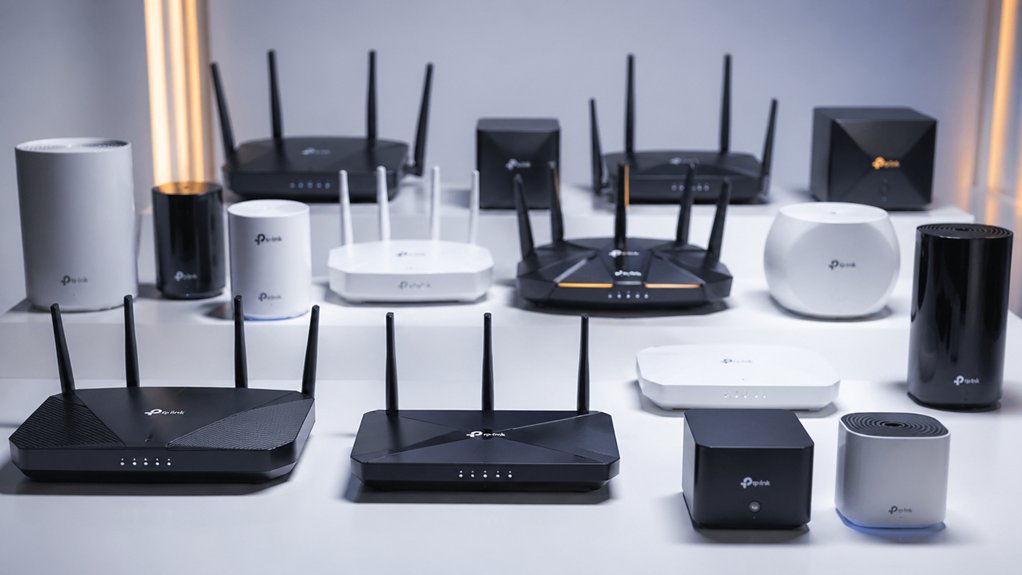

You’ll find TP-Link offers routers across Wi-Fi 6, 6E, and 7 standards, each delivering different speed levels and features for your specific needs. The Archer AX21 provides budget-friendly performance at 1.8 Gbps, while the AXE75 adds 6 GHz capability for congested areas. Wi-Fi 7 models like the BE6500 promise the fastest throughput available today. But which model actually fits your home setup?
| TP-Link Archer AX21 WiFi 6 Router |

| Best Budget WiFi 6 | WiFi Standard: WiFi 6 (802.11ax) | Max Total Speed: AX1800 (1.8 Gbps) | Band Configuration: Dual-Band | VIEW LATEST PRICE | Read Our Analysis |
| TP-Link AXE5400 WiFi 6E Router (Archer AXE75) |

| Best WiFi 6E Router | WiFi Standard: WiFi 6E | Max Total Speed: AXE5400 (5.4 Gbps) | Band Configuration: Tri-Band | VIEW LATEST PRICE | Read Our Analysis |
| TP-Link BE6500 WiFi 7 Router (BE400) |

| Best WiFi 7 Performance | WiFi Standard: WiFi 7 | Max Total Speed: BE6500 (6.5 Gbps) | Band Configuration: Dual-Band | VIEW LATEST PRICE | Read Our Analysis |
| TP-Link Archer AX55 Wi-Fi 6 Dual-Band Router |

| Best Mid-Range WiFi 6 | WiFi Standard: WiFi 6 (802.11ax) | Max Total Speed: AX3000 (3.0 Gbps) | Band Configuration: Dual-Band | VIEW LATEST PRICE | Read Our Analysis |
| TP-Link Archer A54 AC1200 WiFi Router |

| Budget-Friendly Entry | WiFi Standard: WiFi 5 (802.11ac) | Max Total Speed: AC1200 (1.2 Gbps) | Band Configuration: Dual-Band | VIEW LATEST PRICE | Read Our Analysis |
| TP-Link Archer A6 AC1200 WiFi Router |

| Best Basic Coverage | WiFi Standard: WiFi 5 (802.11ac) | Max Total Speed: AC1200 (1.2 Gbps) | Band Configuration: Dual-Band | VIEW LATEST PRICE | Read Our Analysis |
| TP-Link Archer BE230 Wi-Fi 7 Dual-Band Router |

| Best WiFi 7 Value | WiFi Standard: WiFi 7 | Max Total Speed: BE3600 (3.6 Gbps) | Band Configuration: Dual-Band | VIEW LATEST PRICE | Read Our Analysis |
| TP-Link AX5400 WiFi 6 Router (Archer AX73) |

| Best High-Speed WiFi 6 | WiFi Standard: WiFi 6 (802.11ax) | Max Total Speed: AX5400 (5.4 Gbps) | Band Configuration: Dual-Band | VIEW LATEST PRICE | Read Our Analysis |
| TP-Link Archer BE550 WiFi 7 Router (BE9300) |

| Most Advanced WiFi 7 | WiFi Standard: WiFi 7 | Max Total Speed: BE9300 (9.3 Gbps) | Band Configuration: Tri-Band | VIEW LATEST PRICE | Read Our Analysis |
| TP-Link Archer A8 AC1900 Smart WiFi Router |

| Best Legacy WiFi 5 | WiFi Standard: WiFi 5 (802.11ac) | Max Total Speed: AC1900 (1.9 Gbps) | Band Configuration: Dual-Band | VIEW LATEST PRICE | Read Our Analysis |
| TP-Link Deco X55 AX3000 WiFi 6 Mesh System |

| Best Mesh System | WiFi Standard: WiFi 6 (802.11ax) | Max Total Speed: AX3000 (3.0 Gbps) | Band Configuration: Dual-Band | VIEW LATEST PRICE | Read Our Analysis |
| TP-Link Archer AX10 Smart WiFi 6 Router |

| Best Entry WiFi 6 | WiFi Standard: WiFi 6 (802.11ax) | Max Total Speed: AX2400 (2.4 Gbps) | Band Configuration: Dual-Band | VIEW LATEST PRICE | Read Our Analysis |
| TP-Link Archer AX55 Pro WiFi 6 Router |

| Best Multi-Gig Connectivity | WiFi Standard: WiFi 6 (802.11ax) | Max Total Speed: AX3000 (3.0 Gbps) | Band Configuration: Dual-Band | VIEW LATEST PRICE | Read Our Analysis |
| TP-Link Roam 6 AX1500 Wi-Fi 6 Travel Router |

| Best Portable Router | WiFi Standard: WiFi 6 (802.11ax) | Max Total Speed: AX1500 (1.5 Gbps) | Band Configuration: Dual-Band | VIEW LATEST PRICE | Read Our Analysis |
More Details on Our Top Picks
TP-Link Archer AX21 WiFi 6 Router
The TP-Link Archer AX21 delivers affordable WiFi 6 performance for households needing reliable, fast connectivity without premium pricing. This dual-band router provides up to 1.8 Gbps total bandwidth—1200 Mbps on 5 GHz and 574 Mbps on 2.4 GHz. Its four high-gain antennas and beamforming technology extend coverage throughout your home while OFDMA technology efficiently handles multiple devices simultaneously. Setup requires connecting the router to your existing modem via ethernet cable, then using the Tether app for configuration and management. The router supports all major ISPs and includes parental controls, VPN server capabilities, and WPA3 security protocols. You’ll receive a two-year manufacturer warranty and access 24/7 technical support.
- WiFi Standard:WiFi 6 (802.11ax)
- Max Total Speed:AX1800 (1.8 Gbps)
- Band Configuration:Dual-Band
- Security Features:WPA/WPA2/WPA3, VPN Server/Client
- Antenna Configuration:4 external high-gain antennas
- Warranty:2-year manufacturer
- Additional Feature:Alexa compatible smart home
- Additional Feature:24/7 dedicated phone support
- Additional Feature:Easy mesh compatibility included
TP-Link AXE5400 WiFi 6E Router (Archer AXE75)
If you’re upgrading to WiFi 6E technology, TP-Link’s Archer AXE75 delivers tri-band coverage with total speeds up to 5400 Mbps across three frequency bands. The 6 GHz band provides additional bandwidth for faster speeds and near-zero latency. Its 1.7 GHz Quad-Core CPU and 512 MB memory handle multiple devices simultaneously using OFDMA technology. Set up OneMesh for seamless whole-home coverage by connecting TP-Link extenders. Enable HomeShield security to protect your network and IoT devices with premium protection features. Configure VPN Server or VPN Client support using OpenVPN, PPTP, or L2TP protocols for secure connections. Verify compatibility with your ISP before purchasing, as most connections require a separate modem.
- WiFi Standard:WiFi 6E
- Max Total Speed:AXE5400 (5.4 Gbps)
- Band Configuration:Tri-Band
- Security Features:WPA3, HomeShield, VPN Server/Client
- Antenna Configuration:Internal antennas
- Warranty:2-year manufacturer
- Additional Feature:6 GHz band enabled
- Additional Feature:2025 PCMag Editors’ Choice
- Additional Feature:Premium HomeShield security service
TP-Link BE6500 WiFi 7 Router (BE400)
Looking for WiFi 7 performance that handles demanding households? The TP-Link BE6500 delivers 5764 Mbps on 5GHz and 688 Mbps on 2.4GHz using Multi-Link Operation and 4K-QAM technology. Its quad-core CPU manages up to 90 devices across 2,400 square feet. You’ll get dual 2.5 Gbps ports plus three 1 Gbps LAN ports for wired connections. The router includes HomeShield security with real-time scanning, parental controls, and a separate IoT network. Setup occurs through the Tether app or web interface. WPA3 encryption protects your data, while VPN support enables secure browsing simultaneously with regular internet access. EasyMesh compatibility allows network expansion with compatible devices.
- WiFi Standard:WiFi 7
- Max Total Speed:BE6500 (6.5 Gbps)
- Band Configuration:Dual-Band
- Security Features:WPA3, HomeShield, Private IoT, VPN Server/Client
- Antenna Configuration:6 high-performance antennas
- Warranty:2-year manufacturer
- Additional Feature:Covers 2,400 sq. ft.
- Additional Feature:Supports up to 90 devices
- Additional Feature:2.5 Gbps dual ports
TP-Link Archer AX55 Wi-Fi 6 Dual-Band Router
Want solid Wi-Fi 6 performance without premium pricing? The Archer AX55 delivers 2402 Mbps on 5 GHz and 574 Mbps on 2.4 GHz using OFDMA and MU-MIMO technology for efficient multi-device handling. Four high-gain external antennas with beamforming expand your coverage throughout your home. The router includes HomeShield security with network protection, parental controls, and QoS management. You’ll get five Ethernet ports, USB 3.0 connectivity, and VPN support. Installation works with major ISPs like Verizon, AT&T, and Comcast. The 2-year warranty and EasyMesh compatibility for mesh expansion round out this practical mid-range option for households needing reliable Wi-Fi 6 speeds.
- WiFi Standard:WiFi 6 (802.11ax)
- Max Total Speed:AX3000 (3.0 Gbps)
- Band Configuration:Dual-Band
- Security Features:WPA2/WPA3, HomeShield, VPN Server/Client
- Antenna Configuration:4 external high-gain antennas
- Warranty:2-year manufacturer
- Additional Feature:Larger heat sink design
- Additional Feature:Target Wake Time power-saving
- Additional Feature:No heat throttling performance
TP-Link Archer A54 AC1200 WiFi Router
The Archer A54’s budget-friendly entry point makes it ideal for users seeking reliable dual-band coverage without premium pricing. You’ll get 1200 Mbps total bandwidth across dual bands—867 Mbps on 5 GHz and 300 Mbps on 2.4 GHz. The four external antennas cover up to 1,000 square feet. Setup’s straightforward: connect your modem to the WAN port, plug in power, then use the TP-Link Tether app to configure your network. You’ll access WPA3 security, parental controls, and guest WiFi features. Four Fast Ethernet ports let you wire devices directly. EasyMesh compatibility expands coverage by connecting additional compatible routers. This router works with most major ISPs without special configuration requirements.
- WiFi Standard:WiFi 5 (802.11ac)
- Max Total Speed:AC1200 (1.2 Gbps)
- Band Configuration:Dual-Band
- Security Features:WPA3, Firewall, Parental Controls
- Antenna Configuration:4 external antennas
- Warranty:2-year manufacturer
- Additional Feature:Covers up to 1,000 sq ft
- Additional Feature:EasyMesh compatible whole-home
- Additional Feature:IPv6 & parental controls
TP-Link Archer A6 AC1200 WiFi Router
Need solid basic coverage without overspending? The TP-Link Archer A6 delivers 1200 Mbps across dual bands: 300 Mbps on 2.4 GHz and 900 Mbps on 5 GHz. Four external antennas with Beamforming extend your signal throughout your home. Connect wired devices using four Gigabit LAN ports. MU-MIMO technology on the 5 GHz band lets multiple devices stream simultaneously without speed drops. Enable WPA3 security in your settings to protect your network. Use OneMesh support to add compatible extenders and create seamless whole-home coverage with a single Wi-Fi name. This router works with major ISPs including Verizon, AT&T, and Xfinity.
- WiFi Standard:WiFi 5 (802.11ac)
- Max Total Speed:AC1200 (1.2 Gbps)
- Band Configuration:Dual-Band
- Security Features:WPA3, Firewall, Parental Controls
- Antenna Configuration:4 external antennas
- Warranty:Not specified
- Additional Feature:Four Gigabit LAN ports
- Additional Feature:OneMesh seamless whole-home network
- Additional Feature:Extended Beamforming coverage boost
TP-Link Archer BE230 Wi-Fi 7 Dual-Band Router
Looking for Wi-Fi 7 performance without overspending on tri-band complexity? The Archer BE230 delivers dual-band speeds up to 2882 Mbps on 5 GHz and 688 Mbps on 2.4 GHz. You’ll get four streams with Multi-Link Operation for seamless device switching. The router includes two 2.5G ports and three 1G ports, covering up to 2,000 square feet and supporting 60 devices. Setup takes minutes using the Tether App. You’ll access HomeShield for network protection and parental controls, plus EasyMesh compatibility for expanding coverage. This router handles demanding tasks without unnecessary tri-band overhead.
- WiFi Standard:WiFi 7
- Max Total Speed:BE3600 (3.6 Gbps)
- Band Configuration:Dual-Band
- Security Features:WPA3, HomeShield, Private IoT, VPN Server/Client
- Antenna Configuration:4 internal antennas
- Warranty:2-year manufacturer
- Additional Feature:Supports up to 60 devices
- Additional Feature:Covers 2,000 sq ft
- Additional Feature:MLO Multi-Link Operation enabled
TP-Link AX5400 WiFi 6 Router (Archer AX73)
Want a high-speed WiFi 6 router that covers your whole house without dead zones? The Archer AX73 delivers up to 5.38 Gbps across dual bands using six antennas and advanced 4T4R technology. You’ll get stable coverage in kitchens and bedrooms while handling multiple devices simultaneously through OFDMA and MU-MIMO features. The router includes HomeShield security with parental controls, QoS management, and DDoS protection. Connect it to your modem, and you’re ready to stream 8K content and game without lag. OneMesh compatibility lets you expand coverage seamlessly throughout your home.
- WiFi Standard:WiFi 6 (802.11ax)
- Max Total Speed:AX5400 (5.4 Gbps)
- Band Configuration:Dual-Band
- Security Features:WPA2/WPA3, HomeShield, VPN Server/Client
- Antenna Configuration:6 antennas with Beamforming
- Warranty:2-year manufacturer
- Additional Feature:167 cm² vented surface
- Additional Feature:High-Power FEM chipset
- Additional Feature:OneMesh whole-home WiFi compatible
TP-Link Archer BE550 WiFi 7 Router (BE9300)
The Archer BE550’s most advanced WiFi 7 speeds make it ideal for users who need maximum performance across multiple devices simultaneously. You’ll access tri-band coverage delivering 5760 Mbps on 6 GHz, 2880 Mbps on 5 GHz, and 574 Mbps on 2.4 GHz. The router’s 2.5G WAN and LAN ports handle peak device performance. Set it up using the Tether App on your smartphone within minutes. Enable HomeShield for network protection and create a separate Private IoT Network for smart home devices. Use EasyMesh support to extend coverage with compatible range extenders, eliminating dead zones throughout your home.
- WiFi Standard:WiFi 7
- Max Total Speed:BE9300 (9.3 Gbps)
- Band Configuration:Tri-Band
- Security Features:WPA3, HomeShield, Private IoT, VPN Server/Client
- Antenna Configuration:6 internal antennas with Beamforming
- Warranty:Not specified
- Additional Feature:Private IoT network isolation
- Additional Feature:320 MHz channel support
- Additional Feature:Six internal antennas Beamforming
TP-Link Archer A8 AC1900 Smart WiFi Router
If you’re running older devices that don’t support WiFi 6 but still need reliable speeds across your home, the Archer A8 delivers legacy WiFi 5 performance without unnecessary upgrades. It provides 600 Mbps on 2.4 GHz and 1300 Mbps on 5 GHz through dual-band technology and MU-MIMO support. The router covers up to 1,200 square feet and includes four Gigabit LAN ports plus one WAN port for wired connections. Setup takes minutes using the Tether App, which also handles firmware updates. Beamforming technology focuses signal strength toward connected devices, while parental controls and QoS features manage bandwidth. OneMesh compatibility lets you expand coverage with compatible extenders for larger spaces.
- WiFi Standard:WiFi 5 (802.11ac)
- Max Total Speed:AC1900 (1.9 Gbps)
- Band Configuration:Dual-Band
- Security Features:WPA2-PSK, Firewall, Parental Controls
- Antenna Configuration:3 external antennas
- Warranty:2-year manufacturer
- Additional Feature:OneMesh compatible with extenders
- Additional Feature:Coverage up to 1,200 sq ft
- Additional Feature:Smart Connect technology included
TP-Link Deco X55 AX3000 WiFi 6 Mesh System
Looking to blanket your entire home with reliable WiFi? The TP-Link Deco X55 AX3000 delivers WiFi 6 mesh coverage across 6,500 square feet. You’ll get 3,000 Mbps total speeds split between dual bands, plus three Gigabit Ethernet ports per unit. Setup’s straightforward—download the Deco app, follow the visual prompts, and connect all three units. The system learns your network environment automatically and supports Ethernet backhaul for faster performance. Included security features provide basic protection and parental controls. This mesh replaces your traditional router and extender, simplifying your network while maintaining reliable connection throughout your space.
- WiFi Standard:WiFi 6 (802.11ax)
- Max Total Speed:AX3000 (3.0 Gbps)
- Band Configuration:Dual-Band
- Security Features:WPA3, HomeShield, VPN Server/Client
- Antenna Configuration:3 internal antennas per unit
- Warranty:2-year manufacturer
- Additional Feature:Covers 6,500 sq ft total
- Additional Feature:AI-Driven Mesh optimization
- Additional Feature:Ethernet Backhaul support included
TP-Link Archer AX10 Smart WiFi 6 Router
Want to upgrade to WiFi 6 without overspending? The Archer AX10 delivers solid performance at an accessible price point. This dual-band router combines 2.4 GHz speeds up to 300 Mbps and 5 GHz speeds up to 1201 Mbps, supported by a dual-core 900 MHz processor. You’ll get four gigabit Ethernet ports for wired connections and four high-gain antennas with beamforming technology. The router supports OFDMA and MU-MIMO for efficient multi-device data sharing. You can enable parental controls, guest mode, and QoS settings through the interface. OneMesh compatibility lets you expand coverage with TP-Link extenders. Works with major ISPs and supports backward compatibility with older Wi-Fi standards and devices.
- WiFi Standard:WiFi 6 (802.11ax)
- Max Total Speed:AX2400 (2.4 Gbps)
- Band Configuration:Dual-Band
- Security Features:WPA-PSK/WPA2/WPA3, Parental Controls
- Antenna Configuration:4 high-gain antennas
- Warranty:2-year manufacturer
- Additional Feature:Alexa voice control compatible
- Additional Feature:Dual-Core 900MHz processor
- Additional Feature:Four Gigabit LAN ports
TP-Link Archer AX55 Pro WiFi 6 Router
The Archer AX55 Pro delivers dual 2.5 Gbps ports that’ll handle your growing network demands. This AX3000 router reaches 2402 Mbps on 5GHz and 574 Mbps on 2.4GHz, supporting multiple devices simultaneously through MU-MIMO and OFDMA technology. Four antennas with beamforming provide whole-home coverage with focused signals. The router includes HomeShield protection with parental controls, WPA3 security, and VPN capabilities for remote access. You can expand your network using EasyMesh compatibility with compatible extenders. Its 160 MHz channel support enables lag-free gaming and 8K/4K streaming performance.
- WiFi Standard:WiFi 6 (802.11ax)
- Max Total Speed:AX3000 (3.0 Gbps)
- Band Configuration:Dual-Band
- Security Features:WPA3, HomeShield, VPN Server/Client
- Antenna Configuration:4 fixed antennas
- Warranty:2-year manufacturer
- Additional Feature:2.5 Gbps multi-gig ports
- Additional Feature:EasyMesh expansion compatible
- Additional Feature:Alexa & Google Assistant
TP-Link Roam 6 AX1500 Wi-Fi 6 Travel Router
Frequent travelers who need reliable Wi-Fi on the go will find a portable solution in the TP-Link Roam 6 AX1500. This pocket-sized router delivers Wi-Fi 6 speeds up to 1,201 Mbps on 5 GHz and 300 Mbps on 2.4 GHz while supporting 60 devices simultaneously. You can power it via USB-C with any 5V/3A source, including power banks. Set it up through the Tether App or web interface, then connect to public Wi-Fi, your ISP, or USB tethering. Use Router, AP, RE, or Client modes depending on your needs. The built-in VPN support with OpenVPN and WireGuard keeps your data encrypted while traveling through hotels, airports, and Airbnbs.
- WiFi Standard:WiFi 6 (802.11ax)
- Max Total Speed:AX1500 (1.5 Gbps)
- Band Configuration:Dual-Band
- Security Features:WPA3, VPN Client (OpenVPN/WireGuard)
- Antenna Configuration:Internal antennas
- Warranty:Not specified
- Additional Feature:Pocket-sized portable design
- Additional Feature:USB-C power connectivity
- Additional Feature:AP/RE/Client mode included
Factors to Consider When Choosing a TP-Link WiFi Router
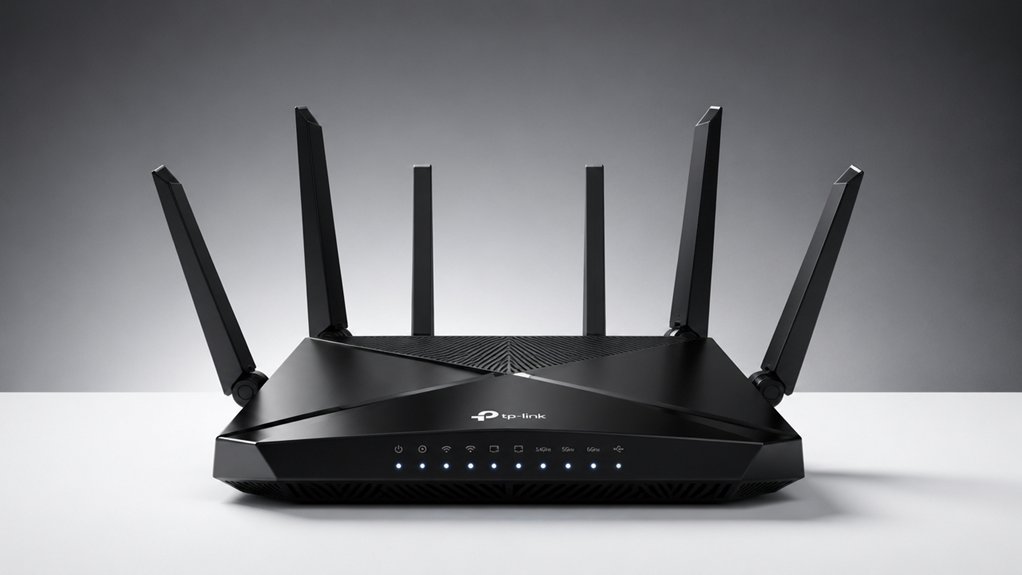
When you’re selecting a TP-Link WiFi router, you’ll need to evaluate three critical factors: your speed and bandwidth requirements based on how many devices you’ll connect and what activities you’ll perform, your coverage area and range to ensure the signal reaches every room in your home or office, and the security features and protection options available to safeguard your network from unauthorized access. Start by calculating your bandwidth needs—streaming video requires 5-25 Mbps per stream, video calls need 2.5-4 Mbps, and gaming typically demands 10-35 Mbps—then match these requirements to the router’s advertised speeds and supported WiFi standards like WiFi 6 (802.11ax) for faster performance. Finally, verify that the router offers WPA3 encryption, built-in firewalls, and intrusion detection systems to protect your personal data and connected devices.
Best Tp-Link Wifi Router
Selecting the right TP-Link router depends on matching your needs to five key specifications: Wi-Fi standard, total bandwidth, port features, security capabilities, and mesh compatibility.
First, determine your Wi-Fi standard. Wi-Fi 6/6E routers deliver up to 5400 Mbps, while Wi-Fi 7 models reach 5760 Mbps with Multi-Link Operation for lower latency. Next, assess your bandwidth requirements based on device count and usage patterns. Then, check port features—multi-gig ports (2.5 Gbps) future-proof your wired connections. Fourth, review security needs. TP-Link’s HomeShield offers parental controls, IoT protection, and reporting across most models. Finally, consider mesh compatibility. Mesh or EasyMesh support enables seamless whole-home coverage when you add compatible extenders. Match these five factors to your household’s specific demands for optimal performance.
Factors to Consider When Choosing Tp-Link Wifi Router
Once you’ve identified that a TP-Link router fits your needs, you’ll want to evaluate five specific factors that directly impact performance in your home.
First, check the WiFi standard: WiFi 6 and 6E models deliver faster speeds and handle multiple devices better than older WiFi 5 versions. Second, examine port options—look for 2.5 Gbps WAN/LAN ports and multiple 1 Gbps ports for wired connections. Third, verify mesh compatibility through EasyMesh or OneMesh to expand coverage without dead zones. Fourth, review security features like HomeShield for network protection and parental controls. Finally, confirm your ISP compatibility and whether you’ll need a separate modem. These factors work together to determine your router’s actual performance and long-term value.
Speed and Bandwidth Requirements
How much speed do you actually need from your router? Start by identifying your primary use cases. If you’re streaming 4K video or gaming, you’ll need higher speeds—aim for routers offering 3.0 Gbps or more aggregate bandwidth. For basic web browsing and email, 1.8 Gbps suffices. Count your connected devices next. More devices require tri-band or quad-band routers with OFDMA and MU-MIMO technology to distribute bandwidth efficiently without slowdowns. Check your internet plan’s speed. Your router can’t exceed your ISP’s maximum speeds, so match accordingly. Finally, consider wired connections. Multi-gig Ethernet ports (2.5 Gbps) prevent bottlenecks for bandwidth-heavy tasks, especially if you’re backing up large files or streaming 8K content.
Coverage Area and Range
What’s the actual coverage you need from your router? Standard models cover up to 2,400 square feet, while mesh systems extend coverage to 6,500 square feet. Determine your home’s size first, then match it to the appropriate router type.
Consider these coverage-expanding options: add extenders or compatible nodes using Mesh or EasyMesh support, install high-gain external antennas to improve signal reach, or enable beamforming to stabilize connections across larger spaces. WiFi 6 and 6E routers distribute traffic more efficiently across multiple devices, reducing dead zones.
Multi-band designs—dual, tri, or quad-band—enhance range consistency by spreading network traffic across different frequency bands. Choose mesh systems for larger homes, standard routers for smaller spaces, and antennas or extenders to fill gaps in coverage within your existing setup.
Security Features and Protection
Since wireless networks are vulnerable to unauthorized access and data theft, you’ll want to prioritize routers equipped with robust security tools. TP-Link routers offer multiple protection layers you should evaluate. First, check for WPA3 or WPA2 encryption standards to secure your wireless signal. Second, review whether the model includes TP-Link HomeShield, which provides network protection, IoT security, and parental controls. Third, consider models with VPN support (OpenVPN, PPTP, L2TP) if you need secure remote access. Fourth, look for private IoT network capabilities to isolate IoT devices from your main network, preventing potential vulnerabilities. Fifth, verify that the router includes regular firmware updates and network scanning features. These security measures combined create a comprehensive defense against threats and unauthorized access to your network.
Mesh Networking Compatibility
If you’re planning to expand your WiFi coverage beyond a single router, you’ll need to verify that your TP-Link model supports mesh networking. TP-Link offers two main mesh protocols: EasyMesh and OneMesh. EasyMesh provides seamless roaming when paired with compatible TP-Link extenders or other EasyMesh devices. OneMesh creates a single network name across your TP-Link routers and extenders, eliminating SSID duplication and simplifying device handoff throughout your home.
Before purchasing additional units, confirm all devices support the same mesh protocol for full interoperability. Mesh-capable models typically feature multi-band architectures, including 5 GHz bands, which sustain performance across multiple nodes. Match your router with compatible extenders or additional routers to ensure your entire system functions as one unified network without coverage gaps.
Device Capacity Support
How many devices’ll your TP-Link router actually handle? Most TP-Link models support 60 to 90+ connected devices, depending on the specific hardware and features. Check your router’s specifications to find its maximum device capacity before purchasing.
Consider your household’s needs. Count all devices you’ll connect—smartphones, laptops, tablets, smart home equipment, and streaming devices. If you’re near the router’s limit, you’ll experience slower speeds and connection drops.
TP-Link routers with Wi-Fi 6 technology use OFDMA and MU-MIMO, which let them serve multiple devices simultaneously without saturating bandwidth. Tri-band models add a 6 GHz band, distributing devices across more channels for better performance.
For larger homes or many devices, choose mesh-compatible TP-Link routers. Adding additional units expands your capacity while maintaining seamless connectivity throughout your space.
Final Thoughts
You’ll find your ideal TP-Link router by matching your needs to speed requirements and budget. Choose the AX21 for basic performance, the AX73 or AXE75 for faster speeds and multiple devices, or Wi-Fi 7 models like the BE6500 for future-proofing. Check your home’s size, device count, and whether you need 6 GHz support. Compare wired port options and security features. Install your selected router in a central location for optimal coverage.

Meet Ry, “TechGuru,” a 36-year-old technology enthusiast with a deep passion for tech innovations. With extensive experience, he specializes in gaming hardware and software, and has expertise in gadgets, custom PCs, and audio.
Besides writing about tech and reviewing new products, he enjoys traveling, hiking, and photography. Committed to keeping up with the latest industry trends, he aims to guide readers in making informed tech decisions.