
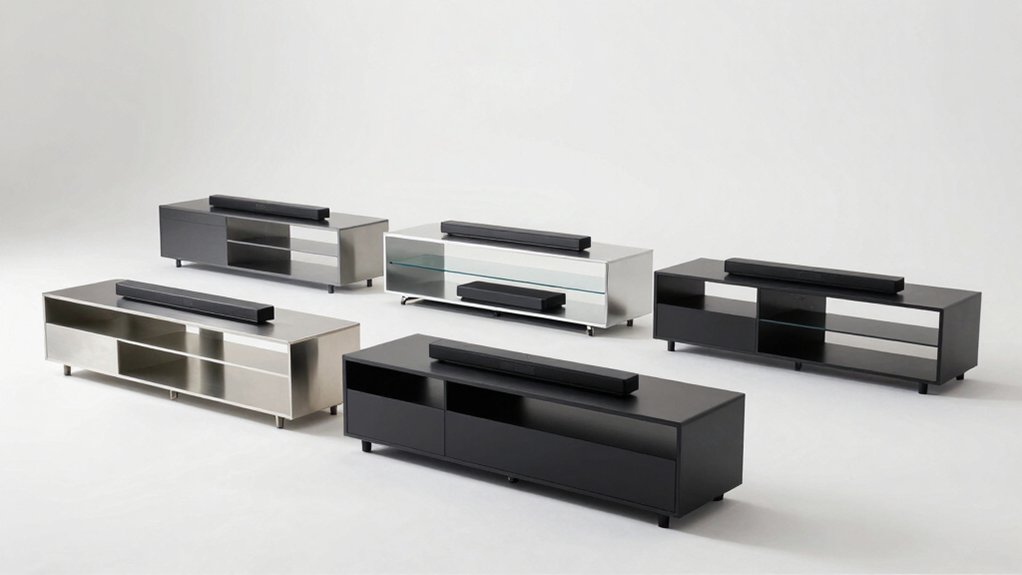

You’re looking to upgrade your TV setup with a stand that handles both your television and soundbar without cluttering your space. The right TV legs with an integrated soundbar mount eliminate extra furniture, streamline your cable management, and create a polished look. Before you choose, you’ll need to understand the key differences between models—their height adjustability, weight capacity, and mounting options. Here’s what separates the best options from the rest.
| Rfiver Height Adjustable TV Stand for 37-86 Inch TVs |

| Most Adjustable | TV Size Compatibility: 37-86 inches | Weight Capacity: 150 lbs | Height Adjustability: 6 levels (1.8″ per level, up to 8.9″) | VIEW LATEST PRICE | Read Our Analysis |
| Perlegear Universal TV Stand Legs 37-86 Inch (PGTVS20) |

| Best Value | TV Size Compatibility: 37-90 inches | Weight Capacity: 150 lbs | Height Adjustability: 8 levels (26.38″ to 32.28″) | VIEW LATEST PRICE | Read Our Analysis |
| AX WABER Adjustable TV Stand for 37-86 Inch TVs |

| Most Stable | TV Size Compatibility: 37-86 inches | Weight Capacity: 150 lbs | Height Adjustability: 7 levels | VIEW LATEST PRICE | Read Our Analysis |
| Perlegear Soundbar Mount Adjustable Height (PGSM04B) |

| Best Soundbar Mount | TV Size Compatibility: Universal (all TV sizes) | Weight Capacity: 15 lbs | Height Adjustability: Tool-free height adjustment with 360° rotation | VIEW LATEST PRICE | Read Our Analysis |
| 5Rcom Universal TV Stand Mount for 22-65 Inch TVs |

| Most Compact | TV Size Compatibility: 22-65 inches | Weight Capacity: 88 lbs | Height Adjustability: 3 levels (25″ to 27.4″) | VIEW LATEST PRICE | Read Our Analysis |
| Soundbar Mount TV Top Shelf Universal (33.8×4.7 inch) |
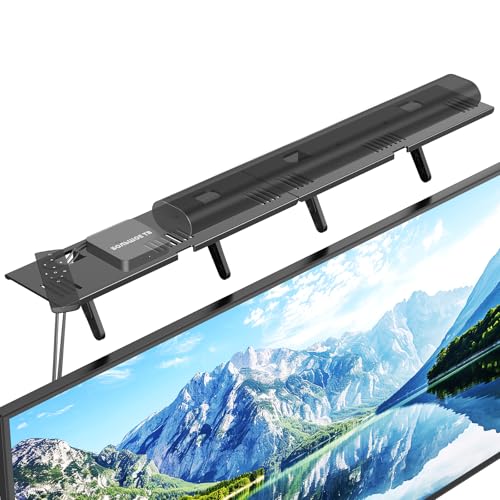
| Easiest Installation | TV Size Compatibility: Universal (all flat-screen TVs) | Weight Capacity: 15 lbs | Height Adjustability: Fixed height (sits on top of TV) | VIEW LATEST PRICE | Read Our Analysis |
More Details on Our Top Picks
Rfiver Height Adjustable TV Stand for 37-86 Inch TVs
Looking for a TV stand that’ll adapt to your space? The Rfiver Height Adjustable TV Stand works with 37 to 86 inch TVs and holds up to 150 lbs. You’ll adjust the height across six levels, each raising 1.8 inches, reaching a maximum height of 8.9 inches. The double T-shaped steel construction with triangular support prevents tipping during bumps or movement. Non-slip base pads protect your surfaces and keep the stand stable on desks or cabinets. Sticky cable fasteners organize wires behind your TV. Installation takes about 15 minutes without drilling. The stand fits VESA patterns from 200×200 mm to 800×600 mm, covering most flat and curved TVs in this size range.
- TV Size Compatibility:37-86 inches
- Weight Capacity:150 lbs
- Height Adjustability:6 levels (1.8″ per level, up to 8.9″)
- Installation Method:No drilling required; ~15 minutes assembly
- Anti-Slip/Stability Features:Anti-tilt design, non-slip base pads, anti-slip stickers
- Cable Management:Sticky cable fasteners
- Additional Feature:Shock-absorbing anti-slip stickers
- Additional Feature:Double T-shaped steel construction
- Additional Feature:Supports curved TV displays
Perlegear Universal TV Stand Legs 37-86 Inch (PGTVS20)
Need a TV stand that fits nearly any screen size without breaking your budget? The Perlegear PGTVS20 supports TVs from 37 to 90 inches with VESA compatibility ranging from 200x200mm to 800x500mm. You’ll adjust the height across eight levels between 26.38″ and 32.28″ to achieve comfortable viewing angles. The stand holds up to 150 lbs and features 15″ reinforced steel feet with anti-slip pads for stability. Installation takes roughly ten minutes without drilling. Wire management clips organize cables effectively. Soundbar isolation pads reduce vibration while protecting sound quality. You free up floor space for decorations or media devices.
- TV Size Compatibility:37-90 inches
- Weight Capacity:150 lbs
- Height Adjustability:8 levels (26.38″ to 32.28″)
- Installation Method:No drilling required; ~10 minutes assembly
- Anti-Slip/Stability Features:Anti-slip pads, soundbar isolation pads
- Cable Management:Wire management clips
- Additional Feature:Soundbar isolation pads included
- Additional Feature:8 height adjustment levels
- Additional Feature:Frees space for accessories
AX WABER Adjustable TV Stand for 37-86 Inch TVs
The AX WABER stand delivers the most stable foundation for large TVs spanning 37 to 86 inches. This steel-base model supports up to 150 pounds and accommodates VESA patterns from 100×100 millimeters to 800×600 millimeters, covering most TV models. You’ll adjust the stand’s height across seven levels to optimize your viewing angle and create space beneath for a soundbar or accessories. The anti-scratch padded feet protect your furniture while preventing sliding. Installation requires minimal effort—the included hardware kit and instruction manual guide you through setup. A 90-day warranty backs your purchase, with Amazon’s 30-day return policy providing additional protection for your investment.
- TV Size Compatibility:37-86 inches
- Weight Capacity:150 lbs
- Height Adjustability:7 levels
- Installation Method:No drilling required; easy installation
- Anti-Slip/Stability Features:Anti-scratch padded feet
- Cable Management:Not specified
- Additional Feature:7 height adjustment levels
- Additional Feature:Anti-scratch padded feet
- Additional Feature:90-day warranty included
Perlegear Soundbar Mount Adjustable Height (PGSM04B)
Want your soundbar positioned perfectly without cluttering your entertainment space? The Perlegear Soundbar Mount with Adjustable Height offers a practical solution. You’ll install it above or below your TV using tool-free knobs and 360° rotation to customize placement. The mount supports soundbars up to 15 lbs and accommodates most screw types. For TVs under 83 inches, you can choose either position. For larger TVs, mount it above. Detachable extension plates let you adjust spacing and achieve a no-gap setup if you prefer. Installation requires attaching brackets to your speaker, securing the mount to your TV’s back, and positioning your TV. The metal construction fits standard TV mounts and stands.
- TV Size Compatibility:Universal (all TV sizes)
- Weight Capacity:15 lbs
- Height Adjustability:Tool-free height adjustment with 360° rotation
- Installation Method:Bracket attachment to speaker and TV
- Anti-Slip/Stability Features:Designed for optimal soundbar placement and stability
- Cable Management:Cable-free appearance option
- Additional Feature:360° rotation capability
- Additional Feature:Tool-free height knobs
- Additional Feature:Detachable extension plates
5Rcom Universal TV Stand Mount for 22-65 Inch TVs
If you’re furnishing a tight living space, Rcom’s most compact universal stand mount offers detachable legs that adapt to cramped quarters while supporting screens up to 65 inches. The stand accommodates VESA patterns from 200×100 mm to 800×500 mm, fitting most LCD, LED, and plasma displays. You can adjust the height to three levels—25 and 27 inches—for proper eye-level positioning. The upgraded alloy steel construction holds up to 88 lbs with an arc-shaped design that increases stability. Soft bottom pads protect your furniture and prevent slipping. Assembly requires no drilling, and you’ll move it easily across tabletops without wall mounting.
- TV Size Compatibility:22-65 inches
- Weight Capacity:88 lbs
- Height Adjustability:3 levels (25″ to 27.4″)
- Installation Method:No drilling required; easy assembly
- Anti-Slip/Stability Features:Soft pads on bottom, arc-shaped design
- Cable Management:Not specified
- Additional Feature:Detachable legs for portability
- Additional Feature:Arc-shaped stability design
- Additional Feature:3-level height adjustment
Soundbar Mount TV Top Shelf Universal (33.8×4.7 inch)
Looking for the quickest way to mount a soundbar without drilling holes or hiring professionals? The CUISIBOT Soundbar Mount delivers. This steel shelf sits directly on your TV’s top surface, requiring zero tools or installation time. Simply unpack it, place it on your TV, and adjust the feet—setup takes under 30 seconds. The mount holds soundbars up to 15 pounds and fits most flat-screen TVs from major brands like Samsung, Sony, and LG. Its padded edge protects your TV from scratches. You’ll need at least 4.72 inches of clearance between your TV and wall. The mount also stores streaming devices, routers, or gaming accessories, freeing up entertainment center space while improving airflow around your setup.
- TV Size Compatibility:Universal (all flat-screen TVs)
- Weight Capacity:15 lbs
- Height Adjustability:Fixed height (sits on top of TV)
- Installation Method:No drilling required; under 30 seconds setup
- Anti-Slip/Stability Features:Padded edge strip, supportive legs
- Cable Management:Improves airflow/cleaner appearance
- Additional Feature:No-drilling tabletop placement
- Additional Feature:Holds multiple device types
- Additional Feature:1-year manufacturer warranty
Factors to Consider When Choosing TV Legs With Soundbar Mount
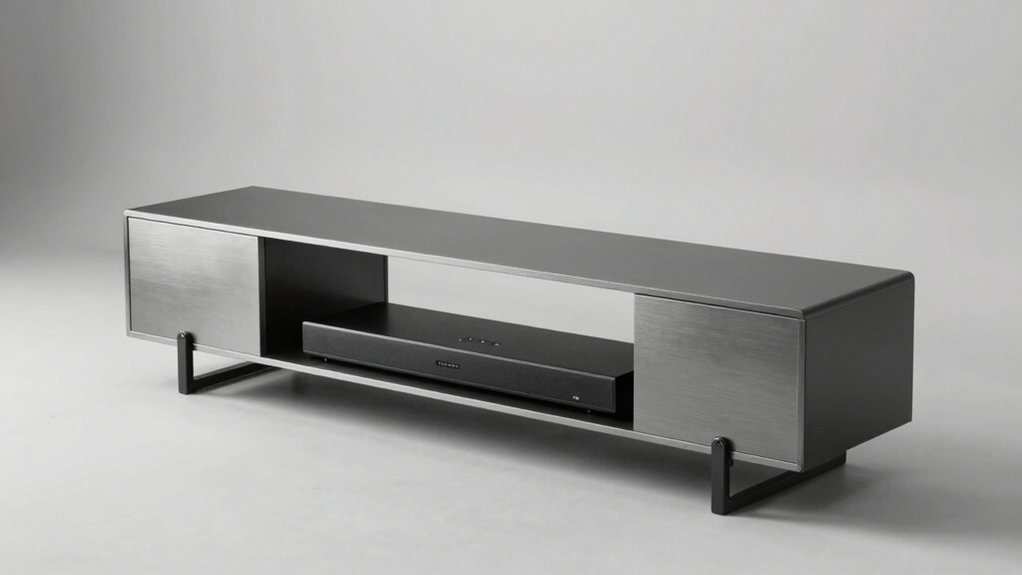
When selecting TV legs with a soundbar mount, you’ll need to verify compatibility with your TV size and check the weight capacity to ensure the stand supports both your television and soundbar safely. Next, examine the height adjustment options available, review the installation requirements to confirm you can complete setup without professional help, and assess the cable management features to keep cords organized and hidden. These five factors work together to determine whether a particular stand will function properly in your space while maintaining a clean appearance.
Compatibility With TV Size
How do you know if TV legs with a soundbar mount will actually fit your television? Check your TV’s screen size first—most stands support 37–86 inches or 37–90 inches. Next, verify VESA compatibility by locating your TV’s mounting pattern, typically ranging from 200×200 mm to 800×600 mm. Match this pattern to the stand’s specifications exactly. Third, confirm the weight capacity supports both your TV and any attached soundbar combined. Fourth, determine if the stand accommodates your TV’s shape—flat or curved models may require different legs. Finally, check whether detachable legs are available if you need flexibility for smaller TVs or alternate setups. These steps ensure proper fit and safe installation before purchasing.
Weight Capacity Requirements
Three critical steps will help you choose a TV stand with adequate weight capacity for your setup. First, add your TV weight and soundbar weight together, then compare this total to the stand’s maximum load capacity, which typically ranges from 100 to 150 pounds. Second, verify the soundbar shelf has its own weight limit—often 15 pounds—and ensure your soundbar doesn’t exceed it. Third, select stands with reinforced steel feet and anti-slip pads to distribute weight safely. Account for future upgrades by choosing a stand rated 30 to 50 pounds above your current combined weight. This buffer protects against overloading if you later purchase a larger TV or heavier soundbar. Always check manufacturer specifications before purchasing.
Height Adjustment Flexibility
Why does height adjustment matter when you’re selecting TV legs with a soundbar mount? The right height positions your TV at eye level, reducing neck strain during viewing. Look for models offering 6 to 8 adjustment levels to fine-tune placement. Check the actual height range—typically mid-20s to low-30s inches—against your seating distance and eye level. Verify whether adjustments require tools or operate tool-free; tool-free mechanisms let you modify height quickly without disassembly. Test the adjustment stability to confirm it prevents wobble or vibration, especially when a soundbar sits mounted below. Calculate combined height needs by measuring both TV depth and soundbar thickness to avoid clearance issues and ensure proper ventilation around your equipment.
Installation Ease And Speed
When you’re ready to set up your TV legs with a soundbar mount, installation speed and simplicity should rank high on your priority list. Look for models that require no drilling and can be assembled in 10–15 minutes or less. Choose designs that include clear, step-by-step instructions and all necessary hardware pre-packaged. Prioritize stands with tool-free adjustments and simple knob mechanisms for height modifications. Select mounts featuring detachable components that streamline TV attachment and accommodate various sizes within your range. Check for pre-installed anti-slip pads that eliminate extra steps. Verify that cable management clips are included and straightforward to use. These features collectively minimize the time you spend setting up while reducing the tools and frustration involved in the process.
Cable Management Solutions
How you route and conceal cables matters just as much as the stand itself, since messy wiring can undermine the clean aesthetic you’re after. Look for stands with dedicated cable clips or channels that run along the legs or base, keeping power and AV cables hidden from view. Check whether the soundbar mount design allows cables to route underneath or around the TV without creating visible clutter. Sticky cable fasteners and wire management clips help organize multiple cords in one place. Choose stands with anti-slip feet to prevent movement that stresses connectors. If the stand has detachable legs or modular extensions, you’ll gain flexibility to route cables tighter or extend runs toward wall outlets and media devices.
Final Thoughts
You’ve reviewed six TV leg and soundbar mount options designed to organize your setup. Choose based on your TV size, space constraints, and budget. Verify VESA compatibility with your model before purchasing. Install using the tool-free height adjustments, secure the anti-slip base, attach the soundbar mount, and route cables through the management system. This approach gives you a stable, clutter-free entertainment center.

Meet Ry, “TechGuru,” a 36-year-old technology enthusiast with a deep passion for tech innovations. With extensive experience, he specializes in gaming hardware and software, and has expertise in gadgets, custom PCs, and audio.
Besides writing about tech and reviewing new products, he enjoys traveling, hiking, and photography. Committed to keeping up with the latest industry trends, he aims to guide readers in making informed tech decisions.