
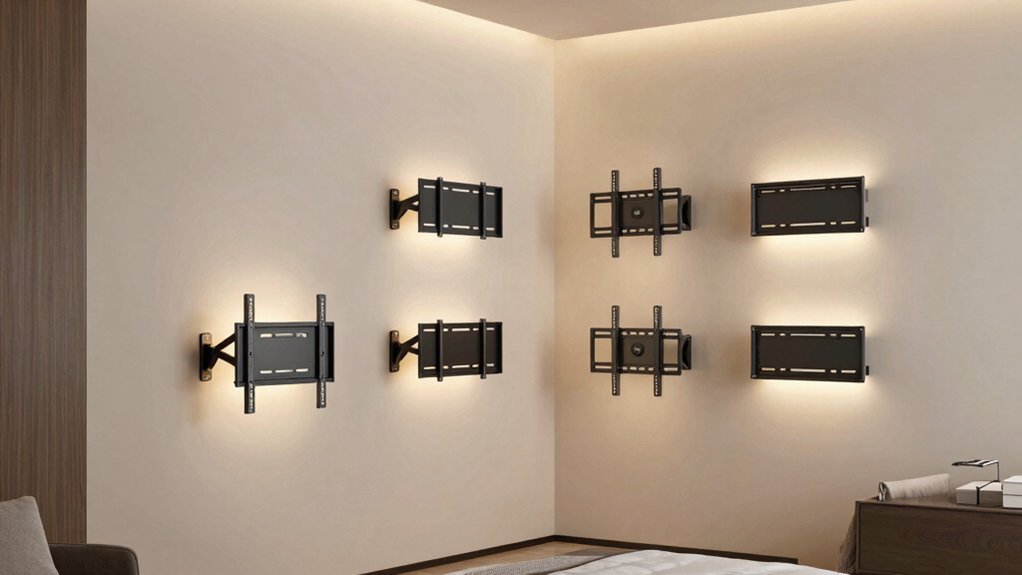

When you mount a TV in a corner room, you’re working with tight angles and limited wall space—which means you need the right bracket to avoid clutter and wasted square footage. You’ll want a mount with extended reach, sturdy construction, and smooth motion to angle your screen properly. Before you pick one, though, you need to understand the specific features that separate a good corner mount from one that’ll disappoint you.
| Perlegear Corner TV Wall Mount 32-75 Inch Full Motion |

| Best for Large Screens | Screen Size Compatibility: 32–75 inches | Weight Capacity: Up to 100 lbs | Extension Range: 3.12″ to 32.37″ | VIEW LATEST PRICE | Read Our Analysis |
| USX MOUNT Swivel TV Wall Mount 26-60 Inch |

| Best Value Pick | Screen Size Compatibility: 26–60 inches | Weight Capacity: Up to 80 lbs | Extension Range: 2.52″ to 19.37″ | VIEW LATEST PRICE | Read Our Analysis |
| MOUNTUP 37.9″ Full Motion TV Wall Mount 42-75 |

| Best Long Arm Extension | Screen Size Compatibility: 42–75 inches | Weight Capacity: Up to 99 lbs | Extension Range: 3″ to 37.9″ | VIEW LATEST PRICE | Read Our Analysis |
| PERLESMITH Corner TV Wall Mount 26-65 inch (PSMFK7) |

| Best Pre-Assembled Design | Screen Size Compatibility: 26–65 inches | Weight Capacity: Up to 70 lbs | Extension Range: 3.2″ to 19.17″ | VIEW LATEST PRICE | Read Our Analysis |
| USX STAR Corner TV Wall Mount 37-84 Inch |
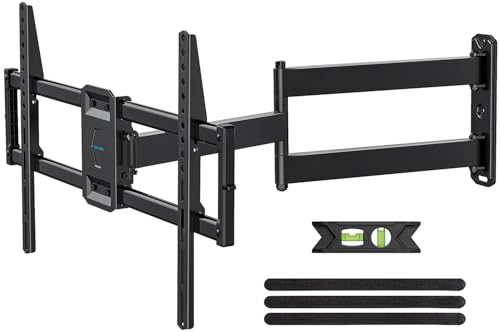
| Best Premium Features | Screen Size Compatibility: 37–84 inches | Weight Capacity: Up to 100 lbs | Extension Range: 2.52″ to 32″ | VIEW LATEST PRICE | Read Our Analysis |
| monTEK Full Motion TV Wall Mount Bracket (13-43 Inch) |

| Best for Small Spaces | Screen Size Compatibility: 13–43 inches | Weight Capacity: Up to 44 lbs | Extension Range: 2.6″ to 14.6″ | VIEW LATEST PRICE | Read Our Analysis |
| Amazon Basics Full Motion TV Wall Mount |

| Budget-Friendly Pick | Screen Size Compatibility: 26–55 inches | Weight Capacity: Up to 80 lbs | Extension Range: 2.6″ to 16.3″ | VIEW LATEST PRICE | Read Our Analysis |
More Details on Our Top Picks
Perlegear Corner TV Wall Mount 32-75 Inch Full Motion
Want to mount a large screen without sacrificing floor space? The Perlegear Corner TV Wall Mount handles TVs from 32 to 75 inches and supports up to 100 lbs. This full-motion mount extends 32.37 inches from the wall and retracts to 3.12 inches, giving you flexible positioning. It swivels ±90°, tilts from -15° to +5°, and levels ±4° after installation. Mount it on concrete, brick, or wood studs—never drywall alone. The mount fits VESA patterns up to 600×400 mm, making it compatible with most large televisions. Installation includes labeled hardware and a user-friendly manual.
- Screen Size Compatibility:32–75 inches
- Weight Capacity:Up to 100 lbs
- Extension Range:3.12″ to 32.37″
- Swivel & Tilt Movement:±90° swivel; -15° to +5° tilt
- VESA Pattern Support:200×100 mm to 600×400 mm
- Wall Installation Type:Single stud (concrete, brick, wood); not drywall alone
- Additional Feature:Corner installation specifically designed
- Additional Feature:UL-listed for safety assurance
- Additional Feature:Single stud wall mounting
USX MOUNT Swivel TV Wall Mount 26-60 Inch
If you’re furnishing a corner room and need flexibility without breaking your budget, the USX MOUNT’s value pick credentials shine through its dual-function design. This mount handles TVs from 26 to 60 inches and weighs up to 80 lbs, covering most standard setups. You’ll get ±90° swivel capability and tilt adjustments of +5° to -12° for optimal viewing angles. The arm extends 19.37 inches or retracts to 2.52 inches, letting you adapt your space. Installation includes a paper template, pre-labeled hardware bags, and post-mounting leveling adjustment. Verify your TV’s weight, size, and VESA pattern before purchasing to ensure compatibility.
- Screen Size Compatibility:26–60 inches
- Weight Capacity:Up to 80 lbs
- Extension Range:2.52″ to 19.37″
- Swivel & Tilt Movement:±90° swivel; +5° to -12° tilt
- VESA Pattern Support:75×75 mm to 400×400 mm
- Wall Installation Type:Single stud (wood, concrete); not drywall alone
- Additional Feature:Paper template eases mounting
- Additional Feature:Security lock screws included
- Additional Feature:Pre-labeled hardware bags
MOUNTUP 37.9″ Full Motion TV Wall Mount 42-75
The MOUNTUP mount’s 37.9″ extendable arm delivers the longest reach among corner room solutions. You’ll find it supports TVs from 42 to 75 inches with VESA patterns ranging from 150×100 mm to 600×400 mm and handles up to 99 lbs. The triple-folding arm design retracts to just 3″ from the wall, saving space when retracted. Full motion capabilities include ±90° swivel, +5°/-10° tilt, and ±3° leveling for optimal viewing angles. The single-stud corner mounting design positions your TV in any room corner. Installation includes a bubble level, mounting template, and standard hardware. You must use proper wall anchors—don’t install into drywall alone.
- Screen Size Compatibility:42–75 inches
- Weight Capacity:Up to 99 lbs
- Extension Range:3″ to 37.9″
- Swivel & Tilt Movement:±90° swivel; +5° to -10° tilt
- VESA Pattern Support:150×100 mm to 600×400 mm
- Wall Installation Type:Single stud (concrete, brick, wood); not drywall alone
- Additional Feature:Triple folding arm design
- Additional Feature:Bubble level included
- Additional Feature:Concrete anchors available/requested
PERLESMITH Corner TV Wall Mount 26-65 inch (PSMFK7)
Looking to mount a TV in a corner without spending hours on assembly? The PERLESMITH Corner TV Wall Mount fits 26–65 inch TVs weighing up to 70 lbs. Before purchasing, verify your TV’s size, weight, and VESA pattern against the mount’s supported range of 100x100mm to 400x400mm. The pre-assembled design reduces installation steps by 30%, so you’ll spend less time assembling. Mount it on wood studs, concrete, or brick—avoid drywall-only walls. Once installed, you’ll adjust tilt (+5° / -15°), swivel (±90°), and leveling (±3°). The arm extends 19.17 inches from the wall or retracts to 3.2 inches. U.S.-based customer support assists with installation questions.
- Screen Size Compatibility:26–65 inches
- Weight Capacity:Up to 70 lbs
- Extension Range:3.2″ to 19.17″
- Swivel & Tilt Movement:±90° swivel; +5° to -15° tilt
- VESA Pattern Support:100×100 mm to 400×400 mm
- Wall Installation Type:Single stud (wood, concrete, brick); not drywall alone
- Additional Feature:Pre-assembled reduces installation steps
- Additional Feature:U.S.-based customer support
- Additional Feature:Premium steel articulating arm
USX STAR Corner TV Wall Mount 37-84 Inch
Need a wall mount that handles large TVs in tight corner spaces? The USX STAR mount accommodates 37–84 inch televisions weighing up to 100 lbs, making it suitable for most larger screens. Its 32-inch extension arm pulls your TV forward from the wall, then retracts to just 2.52 inches for a compact profile. You’ll gain full-motion adjustment with ±90° swivel, +5°/−15° tilt, and ±4° level correction to eliminate glare and optimize viewing angles. The steel construction supports VESA patterns from 200×100 through 600×400 mm. Installation includes cable management velcro, a bubble level, detailed instructions, and pre-labeled hardware. USX STAR provides ten-year product support and designs all mounts to international safety standards.
- Screen Size Compatibility:37–84 inches
- Weight Capacity:Up to 100 lbs
- Extension Range:2.52″ to 32″
- Swivel & Tilt Movement:±90° swivel; +5° to -15° tilt
- VESA Pattern Support:200×100 mm to 600×400 mm
- Wall Installation Type:Single stud (concrete, brick, wood); not drywall alone
- Additional Feature:Built-in cable management velcro
- Additional Feature:Ten-year product support
- Additional Feature:Concrete anchors on request
monTEK Full Motion TV Wall Mount Bracket (13-43 Inch)
If you’re furnishing a corner room where wall space is limited, monTEK’s full motion bracket saves precious square footage by retracting to just 2.6 inches when you’re not adjusting your view. This mount fits 13–43 inch TVs with VESA patterns from 75x75mm to 200x200mm, supporting up to 44 pounds across Samsung, LG, Sony, and other compatible brands. You’ll get ±90° rotation, +5°/-15° tilt, and extension up to 14.6 inches for optimal positioning. Installation requires mounting to wood studs, concrete, or brick—not drywall alone. The articulating arms, security screws, and concealed cable management ensure stable, organized placement in living rooms, bedrooms, or offices.
- Screen Size Compatibility:13–43 inches
- Weight Capacity:Up to 44 lbs
- Extension Range:2.6″ to 14.6″
- Swivel & Tilt Movement:±90° rotation; +5° to -15° tilt
- VESA Pattern Support:75×75 mm to 200×200 mm
- Wall Installation Type:Single stud (wood, concrete, brick); not drywall alone
- Additional Feature:Portrait/landscape transition capability
- Additional Feature:Four times max load tested
- Additional Feature:Concealed cable management design
Amazon Basics Full Motion TV Wall Mount
The Amazon Basics Full Motion Articulating TV Wall Mount is your budget-friendly pick for corner installations. This mount supports TVs from 26″ to 55″ and holds up to 80 lbs, making it suitable for most standard flat-panel televisions. The articulating arm extends 2.6″ to 16.3″ from the wall, allowing you to position your screen away from corner walls for optimal viewing. You’ll get 180° swivel capability and tilt adjustments from +10° to -5°. Installation works on wood studs, concrete, and brick surfaces using included hardware. The package contains a mounting template, bubble level, and user manual to guide your setup process.
- Screen Size Compatibility:26–55 inches
- Weight Capacity:Up to 80 lbs
- Extension Range:2.6″ to 16.3″
- Swivel & Tilt Movement:Up to 180° swivel; +10° to -5° tilt
- VESA Pattern Support:3.9×3.9 to 15.7×15.7 (in inches)
- Wall Installation Type:Single stud (concrete, brick, wood)
- Additional Feature:Up to 180° swivel
- Additional Feature:Bubble level included
- Additional Feature:Mounting template provided
Factors to Consider When Choosing a TV Wall Mount for Corner of Room
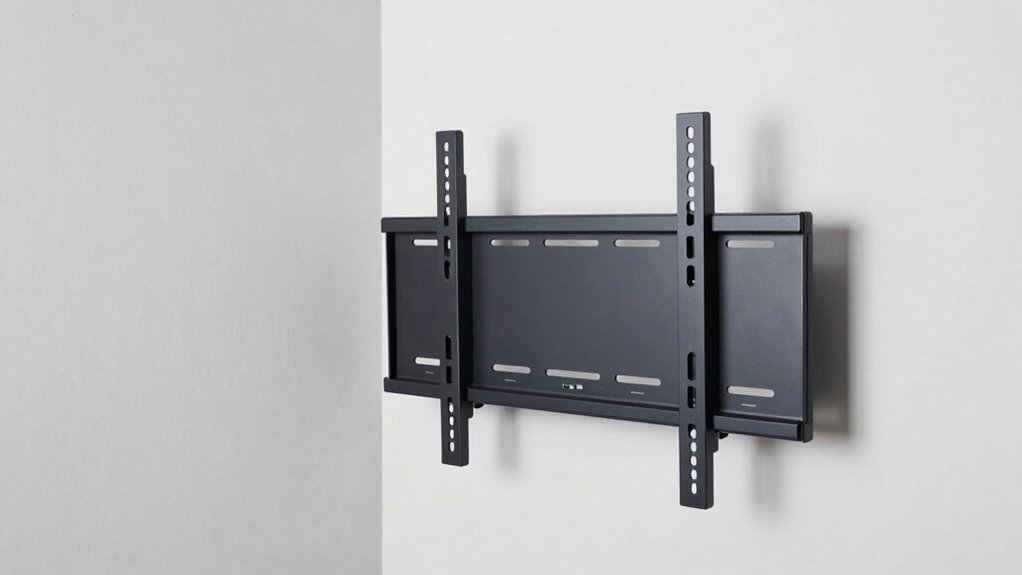
Before you purchase a TV wall mount for your corner room, you’ll need to evaluate five critical factors: screen size compatibility (which determines the mount’s VESA pattern and weight limits), weight capacity requirements (ensuring the mount supports your TV’s actual weight), extension and retraction range (allowing you to pull the TV away from the wall or push it flush), wall material and anchoring options (concrete, drywall, or brick each require different fasteners), and swivel and tilt flexibility (which lets you angle the screen toward your seating area). Each factor directly impacts whether the mount will function safely and provide the viewing angle you want in a corner space. You’ll verify these specifications against your TV’s dimensions, weight, and your room’s wall type before making your final selection.
Screen Size Compatibility
When selecting a TV wall mount for a corner room, you’ll need to verify three critical specifications before making your purchase. First, check your TV’s screen size in inches and confirm it falls within the mount’s supported range, such as 32–75″. Second, locate your TV’s VESA pattern (the bolt hole spacing measured in millimeters, typically ranging from 200×100 mm to 600×400 mm) and match it against the mount’s compatibility list. Third, compare your TV’s weight, including all hardware, to the mount’s weight capacity to prevent overloading. Write down these three numbers from your TV’s manual or specifications sheet, then cross-reference them with the mount’s documentation before ordering to ensure proper fit and safety.
Weight Capacity Requirements
How much weight can your corner mount actually support? You need to choose a mount with a weight capacity that exceeds your TV’s weight plus a safety margin. Most corner mounts range from 44 to 100 pounds depending on the model. Verify that your wall type—wood studs, concrete, or brick—can handle the stated capacity, especially when the arm extends fully. Some units extend over 32 inches while maintaining load limits, so confirm the weight rating accounts for full extension. Select mounts with security features like lock screws to prevent movement or tipping. When positioning the arm toward your viewing area, ensure the weight capacity stays adequate at full extension. This prevents dangerous shifts that compromise your installation’s safety and stability.
Extension And Retraction Range
What distance does your TV need to travel from the wall to clear the corner and reach your ideal viewing position? Extension range varies by model, typically spanning 19 to 32 inches. This distance allows your TV to swing past the corner and position itself for optimal viewing from different room areas. When selecting a mount, consider your specific layout and furniture placement. Some long-arm designs extend up to 37.9 inches, providing flexibility for wider rooms. Retraction depth commonly ranges from 2.5 to 3.5 inches, keeping your TV close to the wall when not in use. Verify that your chosen mount supports your wall type—single stud or solid walls—to ensure safe, stable operation during extension and retraction cycles.
Wall Material And Anchoring
Your wall’s composition directly affects how securely your mount’ll hold during the extension and retraction cycles you’ll rely on in a corner setup. Don’t mount on drywall alone; instead, use proper anchors and install into studs, concrete, or brick. For wood studs, verify your wall type and select compatible fasteners. Concrete or brick walls require different anchors specified by your mount manufacturer. Check your mount’s documentation for concrete anchor options, such as 10x50mm anchors available upon request. Many mounts include pre-labeled hardware and paper templates to guide correct stud or anchor placement. Before installation, ensure the wall articulation won’t collide with adjacent walls or obstructions. Always use anchors rated for your specific wall material to guarantee stability during operation.
Swivel And Tilt Flexibility
When you’re mounting a TV in a corner room, you’ll need to prioritize swivel and tilt flexibility because fixed mounts won’t let you adjust the viewing angle from different areas of your space. Most full-motion corner mounts offer swivel ranges around ±90° and tilt ranges from -15° to +5°, enabling you to view comfortably from multiple positions. Extended arms reaching 32–37.9 inches from the wall allow larger swivel radii even in tight corners. Some models include post-install leveling adjustments of ±3° to ±4° for fine-tuning horizontal alignment. Higher-end options provide tool-free tilt adjustments within a few degrees, simplifying glare reduction. Before purchasing, verify that maximum swivel and tilt won’t be obstructed by cabinet edges or wall corners for your specific TV size and VESA pattern.
Installation Complexity And Tools
Once you’ve confirmed that your mount’s swivel and tilt range won’t hit obstacles, you’ll need to assess how difficult the installation itself will be. Look for mounts with pre-assembled designs and labeled hardware, which considerably reduce setup time. Many models include bubble levels or templates to guide your placement accurately. Before installing, identify your wall type and locate studs or solid surfaces like concrete or brick—never mount on drywall alone, as it won’t support the weight. Check your mount’s weight capacity against your TV’s specifications. Some mounts require basic tools like a drill and level, while others need stud finders for precision. Review the instruction manual beforehand to understand all steps. Corner mounts with triple-folding arms demand extra attention during installation to ensure proper alignment from corner to center.
Long-Term Durability And Build
What’ll keep your corner mount stable for years? Choose reinforced steel construction with a robust articulating arm designed for extended reach and movement. Select a mount with high weight capacity—80–100 lbs minimum—to safely support larger TVs over time, especially when extended from a corner.
Prioritize secure fittings like locking screws and sturdy hinge pins that prevent loosening and sag. Look for mounts offering reliable post-install leveling adjustments, typically ±3° to ±4°, to maintain level viewing as components wear.
Verify the mount has a durable corrosion-resistant finish rated specifically for corner installations. This coating withstands prolonged exposure and frequent angle changes without deteriorating. These durability factors directly impact how long your mount performs reliably.
Cable Management And Aesthetics
While durability keeps your mount functioning reliably, the cables powering your TV can undermine that clean, professional look you’ve worked toward in your corner space. Many quality corner mounts include built-in cable management features like velcro wraps and channeling paths that conceal wires along the arm and wall plate. Some models offer designated cable storage managers for organized routing when the arm extends. Before installation, identify your wall type—wood stud, concrete, or brick—to plan secure pathways that prevent protruding clutter. Choose mounts with pre-labeled hardware and step-by-step templates to streamline installation in tight spaces. These features minimize visible cables around your TV, maintaining the aesthetic appeal that corner mounting provides while keeping all wires neatly organized and hidden.
Final Thoughts
You’ve reviewed seven corner TV wall mounts with varying reach, weight capacity, and TV sizes. Select one matching your TV dimensions and wall type. Install on solid walls only, using provided templates and hardware. Level the mount to ±3°–±4° after installation. Organize cables behind the TV. Your corner setup now maximizes viewing space while minimizing clutter.

Meet Ry, “TechGuru,” a 36-year-old technology enthusiast with a deep passion for tech innovations. With extensive experience, he specializes in gaming hardware and software, and has expertise in gadgets, custom PCs, and audio.
Besides writing about tech and reviewing new products, he enjoys traveling, hiking, and photography. Committed to keeping up with the latest industry trends, he aims to guide readers in making informed tech decisions.