
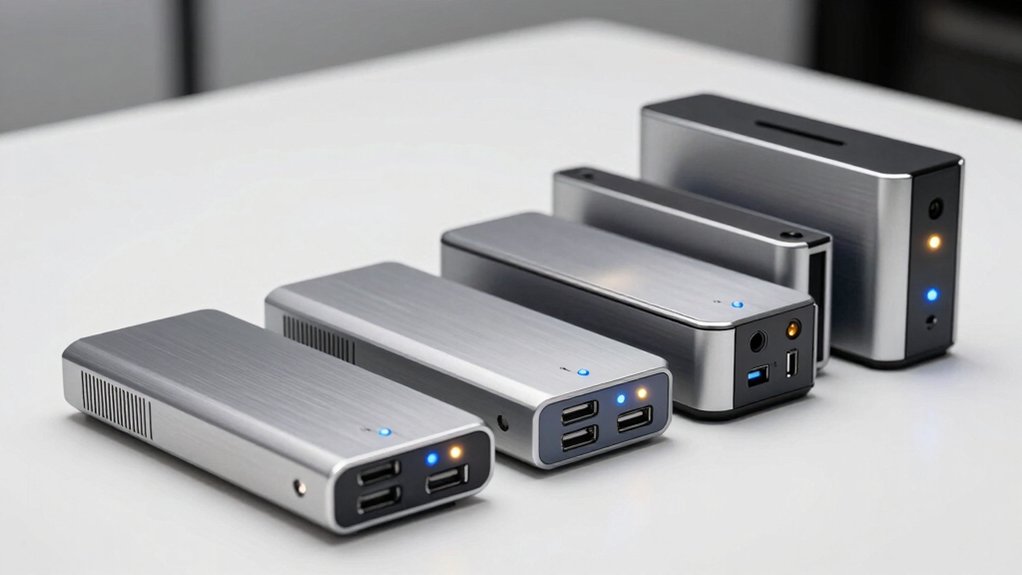

If you’re duplicating USB flash drives regularly, you’re wasting time doing it manually on your computer. A standalone USB duplicator handles 1–4 drives simultaneously, cutting your workload dramatically. These devices offer speeds ranging from 20 MB/s to 2.5 GB/min, plus features like bit-by-bit copying and secure erasure. The question isn’t whether you need one—it’s which model fits your specific needs.
| StarTech.com USB Flash Drive Duplicator Cloner Eraser |

| Professional Grade | Maximum Simultaneous Targets: 2 USB drives | Copy Speed: 1.5 GB/min | Standalone Operation: No computer required | VIEW LATEST PRICE | Read Our Analysis |
| BestDuplicator 1 to 2 Target USB Flash Drive Cloner |

| Budget-Friendly Pick | Maximum Simultaneous Targets: 2 USB drives | Copy Speed: 20-40 MB/s | Standalone Operation: No computer required | VIEW LATEST PRICE | Read Our Analysis |
| Vinpower Flash Memory USB Duplicator 1 to 3 |
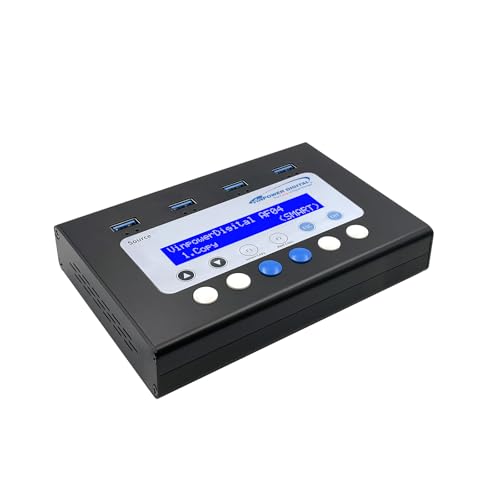
| Best For Beginners | Maximum Simultaneous Targets: 3 USB drives | Copy Speed: Not specified | Standalone Operation: No computer required | VIEW LATEST PRICE | Read Our Analysis |
| EZ Dupe USB Duplicator 1 to 4 MK II |
![[New Update Version] EZ Dupe 1 to 4 Mini USB](https://m.media-amazon.com/images/I/31wC8sYmHfS._SL500_.jpg)
| Best Value | Maximum Simultaneous Targets: 4 USB drives | Copy Speed: 2.5 GB/min (45 MB/s max) | Standalone Operation: No computer required | VIEW LATEST PRICE | Read Our Analysis |
| Systor USB Duplicator & Sanitizer (SYS-USBD-15) |

| Best Overall | Maximum Simultaneous Targets: 15 USB drives | Copy Speed: 2 GB/min (33 MB/s) | Standalone Operation: No computer required | VIEW LATEST PRICE | Read Our Analysis |
| EZ Dupe USB Duplicator for Flash Drives & Hard Drives |
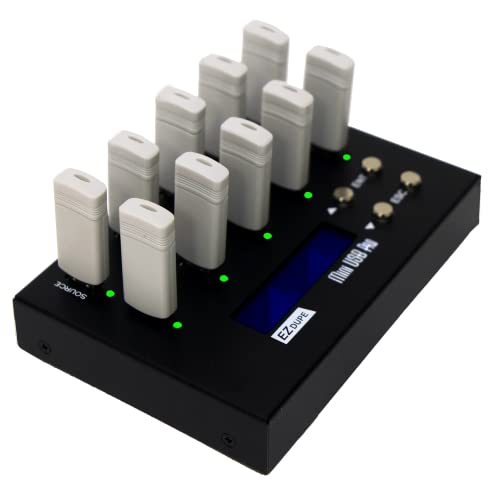
| Most Versatile | Maximum Simultaneous Targets: 9 USB drives | Copy Speed: 2 GB/min (33-35 MB/s) | Standalone Operation: No computer required | VIEW LATEST PRICE | Read Our Analysis |
| StarTech Hard Drive and USB Duplicator/Eraser (SU2DUPERA11) |

| Editor’s Choice | Maximum Simultaneous Targets: 1 USB drive (or SATA HDD) | Copy Speed: 18 GB/min (SATA), 2.4 GB/min (USB) | Standalone Operation: No computer required | VIEW LATEST PRICE | Read Our Analysis |
| EZ Dupe USB Cyclone Duplicator & HDD Cloner |

| Enterprise Scale | Maximum Simultaneous Targets: 15 USB drives | Copy Speed: 45 MB/s per USB slot | Standalone Operation: No computer required | VIEW LATEST PRICE | Read Our Analysis |
More Details on Our Top Picks
StarTech.com USB Flash Drive Duplicator Cloner Eraser
Looking for a professional-grade duplicator that doesn’t require a computer? The StarTech.com standalone unit copies USB drives at 1.5 GB/min using sector-by-sector duplication. You can clone to two drives simultaneously using asynchronous copy mode, which handles files under 64 MB without interruption. Simply remove finished drives and insert new ones to continue. The device supports FAT16/32, NTFS, and Linux formats. You’ll access three erase options: quick erase, single-pass overwrite, and three-pass DoD/NIST-compliant deletion. An LCD display shows drive information, performance metrics, and error scans. Copy & Compare verification confirms successful cloning. LED indicators signal activity and errors throughout operations.
- Maximum Simultaneous Targets:2 USB drives
- Copy Speed:1.5 GB/min
- Standalone Operation:No computer required
- Copy Verification:Copy & Compare mode
- Secure Erase Capability:3-Pass Overwrite (DoD/NIST compliant)
- User Interface:LCD menu display with push buttons
- Additional Feature:Sector-by-sector whole-drive copy
- Additional Feature:3-pass DoD/NIST erase standard
- Additional Feature:Firmware upgradeable
BestDuplicator 1 to 2 Target USB Flash Drive Cloner
Need to copy multiple USB drives quickly without spending much? The BestDuplicator BD-UB300 handles 1 to 2 target drives simultaneously at 20-40 MB/s speeds. Connect your source drive to the input port, then attach up to two target drives. Use the 4-key LCD control panel to select your duplication mode. The device performs bit-by-bit comparison to verify each copy’s accuracy. You can also clone SD and microSD cards using USB adapters. The portable design weighs just 1.1 pounds, making it convenient for office or field use. At Best Sellers Rank #27 in external duplicators with 4.5 stars from 38 reviews, it offers reliable performance for personal media duplication and drive erasing tasks.
- Maximum Simultaneous Targets:2 USB drives
- Copy Speed:20-40 MB/s
- Standalone Operation:No computer required
- Copy Verification:Bit-by-bit comparison
- Secure Erase Capability:Cloning/duplication and erasing
- User Interface:4-key control with LCD display
- Additional Feature:Bit-by-bit comparison verification
- Additional Feature:SD/microSD adapter compatible
- Additional Feature:Portable lightweight design
Vinpower Flash Memory USB Duplicator 1 to 3
The Vinpower Flash Memory USB Duplicator 1 to 3 works standalone without a computer, making it ideal for newcomers to USB duplication who want straightforward operation. You’ll use either Smart Copy mode to quickly duplicate accessible files or Raw Copy mode for complete bit-by-bit duplication. The device features three ports, allowing you to clone one source drive to three destination drives simultaneously. It includes a secure erase function that permanently wipes data following DoD 5220.22-M standards, protecting sensitive information. Error Skip capability bypasses bad sectors and recovers usable files from failing drives. Schools, businesses, and government agencies rely on this portable duplicator for distributing identical content safely without virus or ransomware risks.
- Maximum Simultaneous Targets:3 USB drives
- Copy Speed:Not specified
- Standalone Operation:No computer required
- Copy Verification:Not specified
- Secure Erase Capability:DoD 5220.22-M secure erase
- User Interface:Not specified
- Additional Feature:Smart copy & raw copy
- Additional Feature:Error skip & data recovery
- Additional Feature:DoD 5220.22-M secure erase
EZ Dupe USB Duplicator 1 to 4 MK II
Ever need to copy dozens of USB drives without tying up your computer? The EZ Dupe 1 to 4 Mini USB Plus MK II handles this standalone. Insert your source drive, then add up to four blank drives simultaneously. The duplicator copies at 2.5 GB/min—25% faster than the original model. As each drive finishes, a solid green light signals completion. Replace it with another blank drive and copying resumes immediately. No display or buttons needed; the process runs automatically. Powered by USB or a power bank, it’s portable for offices or events. It supports USB 1.0, 2.0, and 3.0 drives up to 2 TB capacity.
- Maximum Simultaneous Targets:4 USB drives
- Copy Speed:2.5 GB/min (45 MB/s max)
- Standalone Operation:No computer required
- Copy Verification:Not specified
- Secure Erase Capability:Not specified
- User Interface:Flashing/solid green LED indicators (no display)
- Additional Feature:25% faster copy speed
- Additional Feature:Asynchronous 4-drive simultaneous copying
- Additional Feature:Power bank compatible operation
Systor USB Duplicator & Sanitizer (SYS-USBD-15)
Systor’s 1 to 15 USB duplicator stands out for organizations that need to copy multiple flash drives simultaneously without relying on computers or software. The device delivers 2GB per minute throughput at 33MB per second, maintaining consistent speeds regardless of load quantity. You can perform bit-by-bit duplication using synchronous or asynchronous copy modes depending on your verification needs. The standalone operation means you insert source and target drives, initiate the copy process, and monitor completion without external equipment. Systor includes a 1-year parts warranty, 3-year labor coverage, and lifetime technical support for troubleshooting issues.
- Maximum Simultaneous Targets:15 USB drives
- Copy Speed:2 GB/min (33 MB/s)
- Standalone Operation:No computer required
- Copy Verification:Bit-by-bit copy (implied)
- Secure Erase Capability:Bit-by-bit copy and sanitization
- User Interface:Not specified
- Additional Feature:Synchronous and asynchronous copy modes
- Additional Feature:3 years labor warranty
- Additional Feature:Lifetime technical support included
EZ Dupe USB Duplicator for Flash Drives & Hard Drives
Need to copy multiple USB drives at once without a computer? The EZ Dupe 1 to 9 USB Duplicator handles up to nine simultaneous copies at 2GB per minute. You’ll choose between Quick Copy for essential files or Whole Media Copy for sector-by-sector duplication. Plug in blank drives, and copying starts immediately—you can swap completed drives for new ones without stopping the process. The device supports USB flash drives and external hard drives up to 2TB. It also includes two erase functions for data sanitization. At 4.21 by 6.22 inches and weighing 1.8 pounds, it’s portable for travel or office use.
- Maximum Simultaneous Targets:9 USB drives
- Copy Speed:2 GB/min (33-35 MB/s)
- Standalone Operation:No computer required
- Copy Verification:Not specified
- Secure Erase Capability:2 erase functions
- User Interface:No display or buttons (simple plug-in)
- Additional Feature:Quick copy & sector-by-sector modes
- Additional Feature:Up to 2TB external drive support
- Additional Feature:Immediate asynchronous copy process
StarTech Hard Drive and USB Duplicator/Eraser (SU2DUPERA11)
The StarTech SU2DUPERA11 stands as our editor’s choice for IT professionals and data centers managing bulk drive operations. You’ll duplicate SATA HDDs and SSDs alongside USB flash drives at speeds reaching 18 GB/min. The device offers five erase modes, including 3-Pass Overwrite meeting DoD 5220.22-M standards. You can copy entire disks sector-by-sector or select specific partitions. Its LCD display guides you through push-button operations. Use the Copy & Compare feature to verify cloned drives match originals exactly. Toolless rubber pads secure drives during operation. Compatible adapters expand support to eSATA, mSATA, and M.2 SATA drives, purchased separately.
- Maximum Simultaneous Targets:1 USB drive (or SATA HDD)
- Copy Speed:18 GB/min (SATA), 2.4 GB/min (USB)
- Standalone Operation:No computer required
- Copy Verification:Copy & Compare feature
- Secure Erase Capability:3-Pass Overwrite (DoD 5220.22-M), Quick, Full, Cryptographic
- User Interface:LCD menu display with push buttons
- Additional Feature:SATA HDD/SSD duplication capable
- Additional Feature:Cryptographic erase mode included
- Additional Feature:eSATA/mSATA adapter compatible
EZ Dupe USB Cyclone Duplicator & HDD Cloner
Looking to duplicate drives across an enterprise-scale operation? The EZ Dupe USB Cyclone Duplicator handles 1 to 15 USB devices simultaneously without requiring a computer. You’ll access four copy modes—Essential Files, Full, Partitioned Copy, and Percentage Copy—plus four erase modes including DoD 3-pass and 7-pass options. The system transfers data at up to 45 MB/s per slot with independent bandwidth, so one slow drive won’t bottleneck others. You can clone USB 2.0/3.0/3.1 flash drives and external HDDs/SSDs exceeding 2TB capacity. Execute any operation—copy, compare, erase, or format—by pressing one button. The device automatically alerts you to remove slow drives, maintaining consistent speed across your batch operation.
- Maximum Simultaneous Targets:15 USB drives
- Copy Speed:45 MB/s per USB slot
- Standalone Operation:No computer required
- Copy Verification:Compare function (one-touch)
- Secure Erase Capability:Quick, Full, DoD 3-pass, DoD 7-pass
- User Interface:One-touch execution (no display specified)
- Additional Feature:Independent bandwidth per-channel design
- Additional Feature:7-pass DoD erase option
- Additional Feature:No capacity size limitations
Factors to Consider When Choosing a USB Flash Drive Duplicator
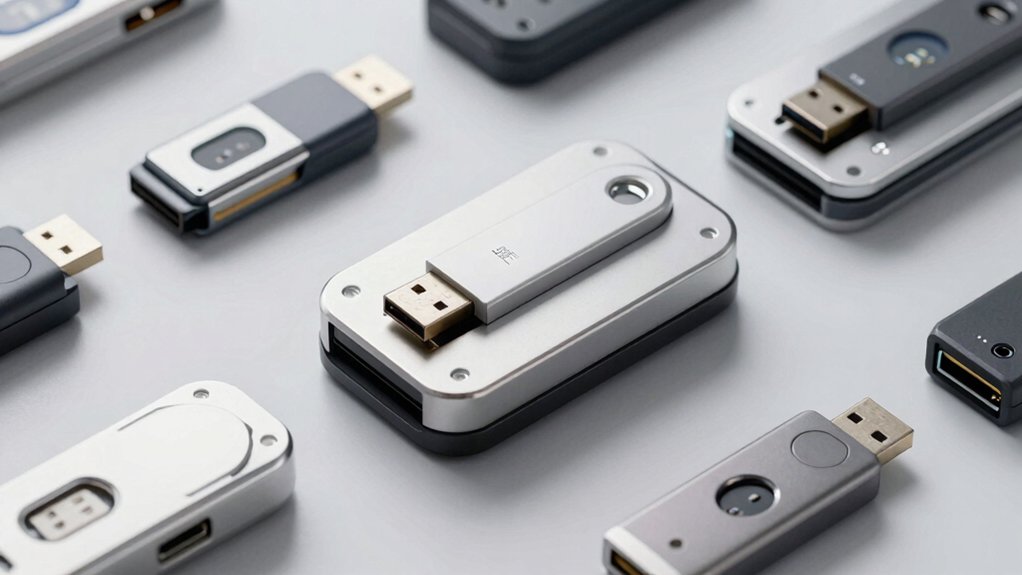
When you’re selecting a USB flash drive duplicator, you’ll need to evaluate several key factors that directly affect your work efficiency and security. First, assess the copy speed and performance capabilities, standalone operation requirements (whether you need a computer connection), drive compatibility with your existing hardware, erasure security standards for data protection, and the number of target ports available for simultaneous copying. Each of these elements determines whether the duplicator will meet your specific duplication needs and timeline requirements.
Copy Speed and Performance
How fast does your duplicator actually copy? You’ll want to check the device’s copy speed, which can reach up to 45 MB/s per slot or 2.5 GB/min under ideal conditions. Understand that sector-by-sector copies take longer than file-based copies, so your actual speed depends on which mode you choose. Look for devices offering asynchronous copy modes, which let you start new copies as soon as you insert a drive, improving overall throughput. The number of simultaneous targets matters too—devices supporting 1 to 15 targets affect how quickly you complete all duplications. Keep in mind that external drive performance and drive health issues like bad sectors will reduce effective speeds below the device’s rated specifications.
Standalone Operation Requirements
Since you won’t always have a computer nearby, you’ll want a duplicator that works independently without needing external software or a connected PC. Check the device’s power source first—some units run on USB power, while others require an external adapter or built-in battery. Review the display options to ensure you can monitor progress and errors. Verify that the duplicator supports asynchronous copying, which lets you swap drives mid-operation without stopping the entire process. Confirm compatibility with your media types, whether USB flash drives or external hard drives. Examine the available copy modes, such as Quick, sector-by-sector, or DoD-style multi-pass erasure. These independent features eliminate workflow delays and maximize efficiency.
Drive Compatibility and Support
What media types does your duplicator actually support? You need to verify whether the unit handles USB flash drives, external hard drives, and SSDs across SATA and USB interfaces. Check the specifications for USB generation compatibility—1.0, 2.0, or 3.x—since older duplicators may bottleneck faster drives. If you’re copying SD cards or microSD cards, confirm whether the duplicator includes built-in slots or requires adapters. Examine capacity limits carefully; some models claim unlimited support while others specify maximum drive sizes. Finally, determine whether the duplicator performs bit-by-bit sector copying or only file-level transfers, depending on your backup needs. These compatibility details directly affect which drives you can clone and how quickly you’ll complete your work.
Erasure Security Standards
When you’re duplicating drives that contain sensitive information, you’ll need to verify that your duplicator supports recognized erasure security standards. Look for devices offering DoD 5220.22-M compliance, which uses three-pass or seven-pass overwrite methods to eliminate data recoverability. Check whether your duplicator explicitly lists DoD 3-pass or DoD 7-pass erase modes in its specifications. Some devices reference DoD/NIST SP 800-88 Rev 1 Clear guidelines for media sanitization. These modes overwrite all sectors and metadata on the drive, ensuring sensitive data can’t be recovered. Compare your security requirements against what each duplicator offers. Don’t assume “secure erase” is sufficient—verify the specific standard and number of passes your chosen device provides.
Number of Target Ports
The number of target ports you choose directly affects your duplicator’s efficiency and productivity. Standalone devices range from 1 to 15 target ports, and your selection depends on your workload. Single-port units work well if you duplicate drives occasionally. Multinode duplicators with 2 to 9 targets enable parallel cloning, reducing overall duplication time considerably. Models supporting up to 15 targets suit bulk distribution tasks, such as deploying identical content to many USB drives simultaneously. When selecting your unit, consider whether you need asynchronous copying, which allows continuous operation as you swap drives in and out. If you also need erasure capabilities, verify the unit provides multi-target support for both copying and sanitizing functions.
Budget and Feature Balance
Finding the right balance between cost and capabilities depends on your specific needs and workload size. Budget options support one to two targets with speeds around 20–45 MB/s, making them suitable for small-scale cloning and basic erasure tasks. Higher-end models offer 2–3 pass erasure following DoD/NIST standards while maintaining 1.5–2.5 GB/min speeds, though this impacts your total time budget. Standalone devices eliminate computer dependencies, reducing setup costs but potentially limiting advanced features like real-time verification across multiple drives. Models with asynchronous copy, LCD displays, and copy-verify functions justify higher prices through increased throughput for multi-drive batches and improved data integrity checks. Assess your volume requirements and security standards before deciding which features justify the investment.
Final Thoughts
You’ll choose a USB duplicator based on your needs: select a 1–2 target unit for occasional cloning, a 4-target model for regular bulk work, or a 15-target system for large-scale deployment. Consider speed requirements—faster units cut production time substantially. Verify the duplicator supports your drive types and USB versions. Confirm whether you need erasure features for data security. Standalone operation eliminates PC dependency, streamlining your workflow.

Meet Ry, “TechGuru,” a 36-year-old technology enthusiast with a deep passion for tech innovations. With extensive experience, he specializes in gaming hardware and software, and has expertise in gadgets, custom PCs, and audio.
Besides writing about tech and reviewing new products, he enjoys traveling, hiking, and photography. Committed to keeping up with the latest industry trends, he aims to guide readers in making informed tech decisions.