
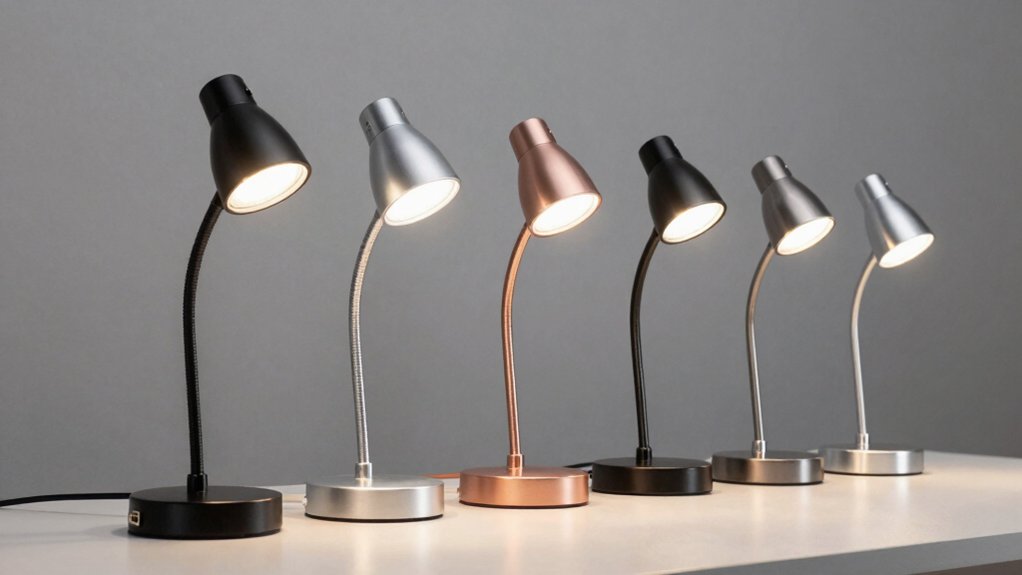

You spend hours at your desk working or studying, but inadequate lighting strains your eyes and reduces productivity. USB LED gooseneck lights offer a practical solution with adjustable positioning, multiple brightness settings, and USB power compatibility. These compact fixtures mount easily to laptops, keyboards, or monitor stands without requiring batteries. However, choosing the right model depends on several factors you’ll want to understand before making your purchase.
| Tujoe USB LED Light for Laptop Keyboard (2-Pack) |

| Best Value Pair | LED Count: 10 LEDs | Brightness Control: Dimmable via long press touch switch | Color Temperature Options: Single warm white | VIEW LATEST PRICE | Read Our Analysis |
| USB Reading Lamp with 14 LEDs Dimmable Touch Switch |
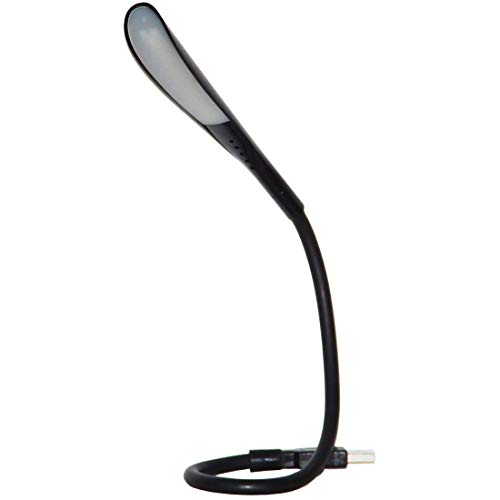
| Most Versatile Settings | LED Count: 14 LEDs | Brightness Control: 3-level touch dimmer (low, medium, high) | Color Temperature Options: Single warm white (frosted lens) | VIEW LATEST PRICE | Read Our Analysis |
| USB Reading Light with Adjustable Gooseneck (4-Pack) |
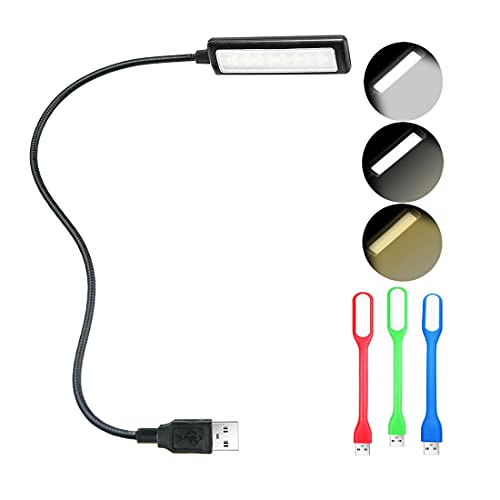
| Best Multi-Pack Option | LED Count: 7 LEDs (3 warm + 4 white) | Brightness Control: 3 brightness levels | Color Temperature Options: 3 color temperatures (3000K, 4000K, 6500K) | VIEW LATEST PRICE | Read Our Analysis |
| USB Light for Laptop Keyboard with Brightness Control |

| Best Color Temperatures | LED Count: Multiple LEDs (exact count not specified) | Brightness Control: 3 brightness levels per color temperature | Color Temperature Options: 3 color temperatures (warm white, warm & white, cool white) | VIEW LATEST PRICE | Read Our Analysis |
| Mudder USB LED Light for Laptop Keyboard (2-Pack) |

| Best Overall Design | LED Count: 10 LEDs | Brightness Control: Dimmable via long press touch switch | Color Temperature Options: Single warm white | VIEW LATEST PRICE | Read Our Analysis |
More Details on Our Top Picks
Tujoe USB LED Light for Laptop Keyboard (2-Pack)
Looking for affordable lighting that covers multiple workspaces? The Tujoe 2-Pack USB LED Light offers two flexible gooseneck lamps with 10 LED beads each. Plug either lamp into any 5V USB port on your laptop, computer, or portable power source. Use the touch switch to turn the light on or off with a brief tap. To adjust brightness, press and hold the switch until you reach your desired intensity, then release. Press and hold again to reduce brightness further. The aluminum alloy gooseneck rotates 360 degrees, allowing you to direct light exactly where you need it. These lamps work well for reading, writing, computer tasks, and camping without requiring batteries or charging.
- LED Count:10 LEDs
- Brightness Control:Dimmable via long press touch switch
- Color Temperature Options:Single warm white
- Gooseneck Flexibility:360-degree flexible aluminum alloy
- Package Quantity:2-pack
- Power Requirements:USB 5V (no battery needed)
- Additional Feature:Aluminum alloy gooseneck construction
- Additional Feature:10 LED beads per lamp
- Additional Feature:No charging or batteries needed
USB Reading Lamp with 14 LEDs Dimmable Touch Switch
Need adjustable desk lighting that works with most laptops? The i2 Gear USB Reading Lamp delivers flexible illumination through its 14 LEDs and gooseneck arm. You’ll connect it to any Type A USB port on your computer—note it won’t work with USB-C devices. The touch dimmer gives you three brightness settings: low, medium, and high. Its frosted lens produces soft, warm light suitable for keyboard work without glare. At 1.7 ounces, you’ll transport it easily between locations. The lamp includes a one-year manufacturer warranty and uses only one watt of power, making it efficient for extended use.
- LED Count:14 LEDs
- Brightness Control:3-level touch dimmer (low, medium, high)
- Color Temperature Options:Single warm white (frosted lens)
- Gooseneck Flexibility:Flexible gooseneck arm
- Package Quantity:Single unit
- Power Requirements:USB 5V, Type A port
- Additional Feature:Frosted lens for soft light
- Additional Feature:1 year manufacturer warranty
- Additional Feature:Type A USB port only
USB Reading Light with Adjustable Gooseneck (4-Pack)
Want versatile lighting for multiple workspaces without buying separate units? The USB Reading Light with Adjustable Gooseneck (4-Pack) solves this problem by providing four individual lights from one purchase. Each unit features a flexible gooseneck that bends 360 degrees to direct light exactly where you need it. You’ll choose from nine lighting modes combining three color temperatures (3000K, 4000K, 6500K) and three brightness levels. The seven LEDs—three warm and four white—create eye-protecting illumination without flicker or glare. Connect any unit to USB sources providing 5V power, including laptop ports, smartphone chargers, or power banks. This setup works effectively for keyboard lighting, bedside reading, camping, and shared workspaces where individual lighting prevents disturbing others.
- LED Count:7 LEDs (3 warm + 4 white)
- Brightness Control:3 brightness levels
- Color Temperature Options:3 color temperatures (3000K, 4000K, 6500K)
- Gooseneck Flexibility:360-degree flexible gooseneck
- Package Quantity:4-pack (1 lamp + 3 mini units)
- Power Requirements:USB 5V (0.5–2A)
- Additional Feature:3 color temperatures included
- Additional Feature:Eye-protecting no-flicker technology
- Additional Feature:Mini LED units included
USB Light for Laptop Keyboard with Brightness Control
The BUBOSPER USB gooseneck lamp excels for anyone working at a laptop without backlit keys in dim conditions. This flexible LED light connects to your laptop, power bank, or USB charger via a 5V USB port. You’ll adjust three color temperatures—warm white, warm and white, or cool white—then select from three brightness levels per temperature. The sturdy gooseneck bends to direct light precisely at your keyboard. Push the button to cycle through settings. At 15.35 inches tall with a compact base, it sits on your desk without taking much space. The lamp weighs just 0.11 pounds, making it portable for different work locations. A one-year warranty and 30-day return guarantee protect your purchase.
- LED Count:Multiple LEDs (exact count not specified)
- Brightness Control:3 brightness levels per color temperature
- Color Temperature Options:3 color temperatures (warm white, warm & white, cool white)
- Gooseneck Flexibility:Thickened flexible gooseneck
- Package Quantity:Single unit
- Power Requirements:USB 5V
- Additional Feature:Thickened sturdy gooseneck design
- Additional Feature:3×3 color/brightness combinations
- Additional Feature:Push-button switch control
Mudder USB LED Light for Laptop Keyboard (2-Pack)
For those who need functional lighting without aesthetic compromise, Mudder’s 2-pack USB LED gooseneck lights deliver streamlined design paired with practical performance. Each lamp features ten LED lights and a 360-degree flexible aluminum gooseneck for positioning over keyboards, books, or work surfaces. The touch-switch control lets you adjust brightness by long-pressing and turn the light on or off with short presses. Both units run on USB power at just one watt, requiring no batteries or charging. Plug either lamp into your laptop, computer, or portable power source. The lightweight aluminum construction makes these lamps portable for desks, dorms, or camping trips.
- LED Count:10 LEDs
- Brightness Control:Dimmable via long press touch switch
- Color Temperature Options:Single warm white
- Gooseneck Flexibility:360-degree flexible aluminum alloy
- Package Quantity:2-pack
- Power Requirements:USB 5V (no battery needed)
- Additional Feature:Black and silver colors
- Additional Feature:Aluminum alloy construction
- Additional Feature:Minimalist rectangular design
Factors to Consider When Choosing USB LED Gooseneck Lights for Laptop
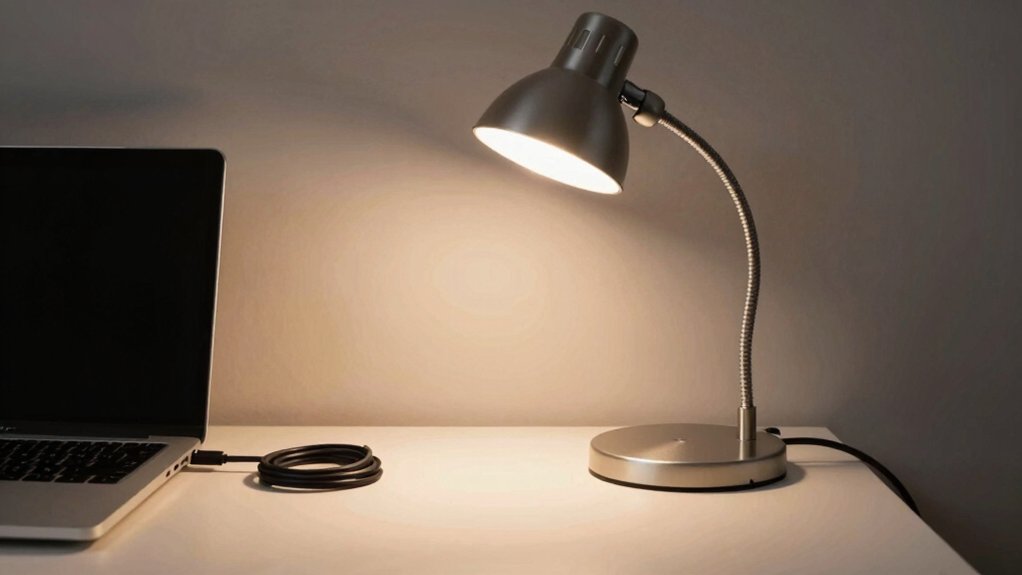
When you’re selecting a USB LED gooseneck light for your laptop, you’ll need to evaluate several key factors: LED count and brightness level for your specific workspace needs, the gooseneck’s flexibility and build quality to ensure it won’t bend or break during regular use, and whether the power source and USB compatibility match your devices. You should also check the color temperature options available, ranging from warm light (2700K) to cool daylight (5000K+), since different temperatures affect your productivity and eye strain differently. Finally, assess the portability and design features—such as weight, clip attachments, or stand bases—to determine if the light fits your workspace setup and whether you can easily transport it if needed.
LED Count And Brightness
How much brightness do you actually need for your workspace? Start by examining your environment’s lighting conditions. If you work in dim settings, choose lamps with 14 LEDs for even, comprehensive illumination. For standard office lighting, 10-LED USB lamps provide sufficient brightness for reading and typing without requiring batteries. Lower 7-LED models deliver less intensity and may create uneven coverage.
Next, evaluate brightness customization options. Select lamps with adjustable levels—low, medium, and high settings—to prevent eye strain and eliminate glare in dark environments. Consider models offering three color temperatures: warm, neutral, and cool. These adjustments influence perceived brightness and how light appears on your keyboard.
Finally, prioritize touch switches or dimmers for quick control. This feature enables you to modify brightness instantly without disrupting your workspace.
Gooseneck Flexibility And Durability
Once you’ve dialed in your brightness and color temperature, you’ll want to ensure your lamp can position that light exactly where you need it. Look for a 360-degree flexible gooseneck made from aluminum alloy, which provides both full-range positioning and robust support. Check the neck’s rigidity—higher rigidity prevents droop over time, so you won’t constantly readjust your lamp. Choose a thickened or reinforced gooseneck to withstand frequent bending without fatigue at the joint. Balance lightweight construction with sturdy joint hardware to avoid wobble during use. Confirm USB compatibility with your laptop setup. These features combined ensure stable, precise light placement that holds position throughout your workday without maintenance.
Power Source And Compatibility
Your USB LED gooseneck light draws power directly from a 5V USB source, so you’ll need to verify that your laptop, desktop, or power bank can supply the necessary current. Each light consumes roughly 1 watt of power, making them lightweight draws on your device. Check your USB port’s current capability—typically 0.5–2A—to ensure stable brightness without overloading the host device. Most gooseneck lights use Type A USB connectors, so confirm your port matches. If your device only has USB-C ports, you’ll need an adapter. When using multi-packs of two or four lights, remember that each unit draws power individually, so your power source must support the total amperage required. Always test your setup before relying on it for extended use.
Color Temperature Options Available
Beyond ensuring you’ve got adequate power for your setup, you’ll want to contemplate what color temperature works best for your specific tasks and environment. Most USB gooseneck lights offer three standard options: warm white at 3000K for relaxed settings, neutral white at 4000K for balanced lighting, and cool white at 6500K for focused work. Choose warm light when you’re reading or doing creative tasks in dim rooms. Select neutral white for general workspace lighting that doesn’t strain your eyes. Use cool white for detailed work requiring sharp visibility. Many models include multiple brightness levels at each temperature, letting you adjust both warmth and intensity. Frosted diffusers soften light output across all settings, reducing glare and eye fatigue while maintaining your chosen color temperature’s benefits.
Portability And Design Features
How portable does your lighting setup need to be? Consider your typical work environment and movement patterns. Portable USB LED gooseneck lights weigh between 0.11 and 0.31 pounds, making them suitable for laptop bags and briefcases. Their compact design fits easily into tight workspaces without occupying much desk real estate.
Evaluate mounting options available. Tabletop bases provide stable placement on desks, while clip-free designs offer flexibility for various surfaces. Some units feature lightweight, slim profiles that reduce bulk.
Check the power source. USB-powered models eliminate battery dependency and draw 5V from laptops, power banks, or standard USB sockets. This design supports continuous on-the-go use without requiring replacements or charging cycles.
Prioritize setup ease. You’ll benefit from designs requiring minimal assembly, enabling quick deployment in shared workspaces or temporary locations.
Final Thoughts
You’ll find the right USB LED gooseneck light by identifying your specific needs first. Determine where you’ll place it—laptop keyboard, desk corner, or reading area—then select the appropriate form factor and brightness level. Compare the five options reviewed, checking their brightness settings, gooseneck flexibility, and USB power compatibility with your devices. Match your workspace requirements to each light’s features, then purchase based on your priorities and budget.

Meet Ry, “TechGuru,” a 36-year-old technology enthusiast with a deep passion for tech innovations. With extensive experience, he specializes in gaming hardware and software, and has expertise in gadgets, custom PCs, and audio.
Besides writing about tech and reviewing new products, he enjoys traveling, hiking, and photography. Committed to keeping up with the latest industry trends, he aims to guide readers in making informed tech decisions.