
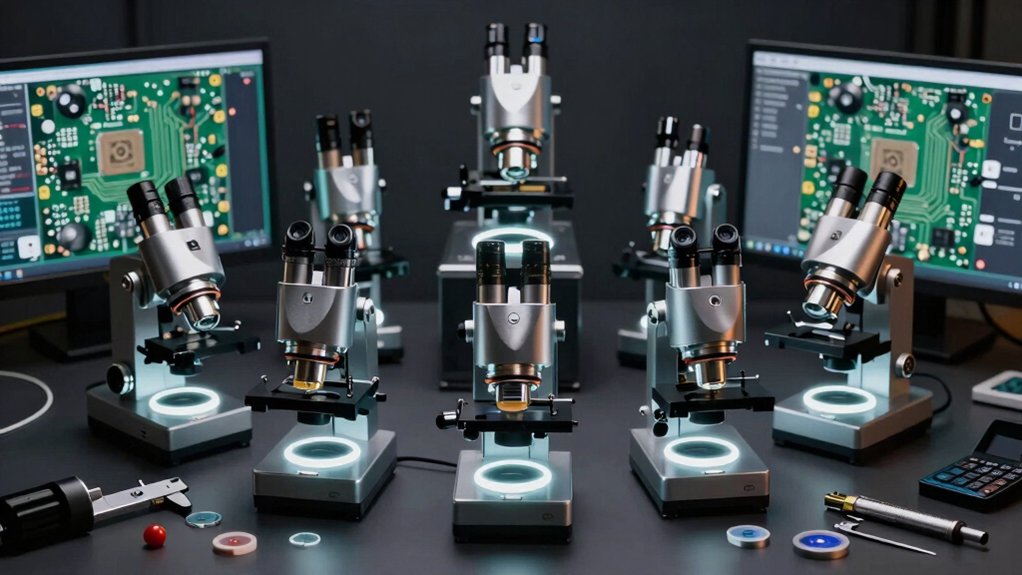

When you’re inspecting PCBs, you need a microscope that delivers clear magnification, reliable stability, and practical features for your workflow. You’ll find options ranging from high-end 4K autofocus models to portable handheld units, each with distinct advantages for different inspection tasks. Your choice depends on specific factors like magnification power, display quality, and portability requirements. Understanding what separates these tools will help you select the right one—and we’ll break down each option next.
| Elikliv Autofocus 4K Digital Microscope (EM4K-AF) |
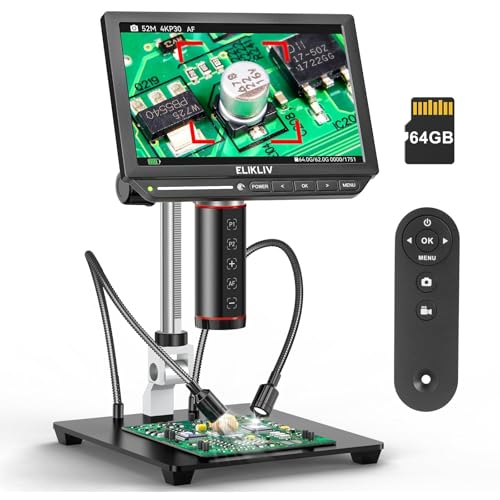
| Best Overall | Magnification Range: 2000X | Display Screen: 8″ IPS (1280x800P) | Image Resolution: 4K UHD (3840x2160P video; 9600x5400P images) | VIEW LATEST PRICE | Read Our Analysis |
| Skybasic Wireless Digital Microscope 50X-1000X Magnification |

| Best For Beginners | Magnification Range: 50X–1000X | Display Screen: Smartphone/computer (1920×1080 or 1280×720) | Image Resolution: 2MP HD (1920×1080 or 1280×720) | VIEW LATEST PRICE | Read Our Analysis |
| TOMLOV DM9 7″ Digital Microscope 1200X Magnification |

| Most Versatile | Magnification Range: 5X–1200X | Display Screen: 7″ rotatable full HD (1920×1080) | Image Resolution: 12MP (1920×1080 FHD) | VIEW LATEST PRICE | Read Our Analysis |
| Plugable USB Digital Microscope 250x with Flexible Arm Stand |

| Budget-Friendly Pick | Magnification Range: 60X–250X | Display Screen: No built-in display (laptop/tablet/desktop) | Image Resolution: 2.0MP (60X–250X) | VIEW LATEST PRICE | Read Our Analysis |
| TOMLOV 3D Digital Soldering Microscope with Dual Lens |

| Professional Grade | Magnification Range: Up to 2000X | Display Screen: 10.1″ IPS (3K UHD) | Image Resolution: 3K UHD | VIEW LATEST PRICE | Read Our Analysis |
| USB Digital Microscope 50x-1600x Magnification Handheld |

| Best For Mobile | Magnification Range: 50X–1600X (digital) | Display Screen: Smartphone only (1920x1440P max) | Image Resolution: 2MP (1920x1440P) | VIEW LATEST PRICE | Read Our Analysis |
| Andonstar AD409 HDMI Digital Microscope for PCB Repair |

| Industrial-Strength Solution | Magnification Range: Up to 300X | Display Screen: 10.1″ IPS HDMI (2160P) | Image Resolution: 2160P video recording | VIEW LATEST PRICE | Read Our Analysis |
| Koolertron 5.5″ LCD Digital Microscope 1-1000X Magnification |

| Best Value | Magnification Range: 1X–1000X | Display Screen: 5.5″ HD LCD | Image Resolution: 8MP (1-1000X) | VIEW LATEST PRICE | Read Our Analysis |
| 7 Inch 1080P Digital Microscope with 1200X Magnification |
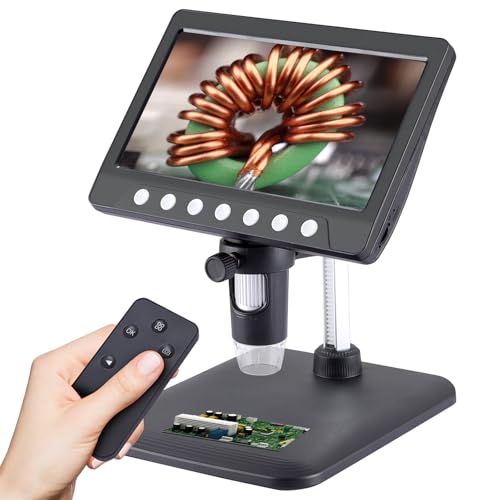
| Editor’s Choice | Magnification Range: 1X–1200X | Display Screen: 7″ HD IPS (1080P) | Image Resolution: 1080P (12MP sensor implied) | VIEW LATEST PRICE | Read Our Analysis |
More Details on Our Top Picks
Elikliv Autofocus 4K Digital Microscope (EM4K-AF)
Why spend time manually adjusting focus when you’re inspecting circuit board traces or soldering joints? The Elikliv EM4K-AF eliminates this frustration with AI-powered autofocus that continuously refines your image in approximately two seconds. You’ll capture stunning 4K UHD video and 52MP images on its 8-inch IPS screen while the Time-of-Flight sensor handles distance measurements automatically. The microscope’s 10-inch stand with an extendable base keeps your PCB stable during detailed inspection work. You can record your findings directly to the included 64GB storage card or connect via HDMI and USB to a larger monitor. This setup makes PCB repair, soldering verification, and component inspection straightforward and efficient.
- Magnification Range:2000X
- Display Screen:8″ IPS (1280x800P)
- Image Resolution:4K UHD (3840x2160P video; 9600x5400P images)
- Connectivity Options:HDMI/USB outputs; 64GB card
- Lighting:LED lights (unspecified count)
- Primary Use Case:PCB repair, coin inspection, watchmaking, soldering
- Additional Feature:AI-powered auto-focus technology
- Additional Feature:52MP imaging capability
- Additional Feature:Freeze and split-screen analysis
Skybasic Wireless Digital Microscope 50X-1000X Magnification
If you’re looking for a microscope that won’t stay locked to your workbench, the Skybasic Wireless Digital Microscope offers flexibility through dual connectivity options—WiFi for smartphone viewing and USB for desktop work. Download the Max-see app, then connect via WiFi to your Android or iOS device’s hotspot for real-time image transmission, or plug the USB cable into your Windows or Mac computer. The 2MP sensor delivers 1920×1080 resolution on phones and 1280×720 on computers. Eight adjustable LED lights illuminate your specimens, while the 50X-1000X magnification range covers most inspection tasks within its 3-60mm optimal focal distance. Note that this model isn’t designed for professional scientific applications but works well for educational and general examination purposes.
- Magnification Range:50X–1000X
- Display Screen:Smartphone/computer (1920×1080 or 1280×720)
- Image Resolution:2MP HD (1920×1080 or 1280×720)
- Connectivity Options:WiFi or USB (smartphone/Windows/Mac)
- Lighting:8 adjustable LED lights
- Primary Use Case:Smartphone/portable inspection; hobbyist (not professional)
- Additional Feature:WiFi connectivity to smartphones
- Additional Feature:Lightweight portable handheld design
- Additional Feature:One-button photo/video capture
TOMLOV DM9 7″ Digital Microscope 1200X Magnification
The TOMLOV DM9 suits engineers and technicians who need both portability and detailed magnification without complicated setup procedures. You’ll connect the microscope to your Windows or macOS computer via USB without installing extra software. The 12MP camera captures images at 1080P resolution, while the 1200X magnification range handles detailed PCB inspection work. The 7-inch rotatable screen lets you view components from different angles. You get ten LED lights—eight fill lights plus two gooseneck lights—ensuring well-lit inspection areas. Store photos and videos on the included 32GB Micro SD card. The aluminum alloy construction provides durability for lab and field use.
- Magnification Range:5X–1200X
- Display Screen:7″ rotatable full HD (1920×1080)
- Image Resolution:12MP (1920×1080 FHD)
- Connectivity Options:USB (Windows/macOS); 32GB Micro SD card
- Lighting:8 LED fill lights + 2 gooseneck lights
- Primary Use Case:Micro soldering, rock/coin/stamp inspection
- Additional Feature:Rotatable 7-inch full HD screen
- Additional Feature:8 LED plus gooseneck lights
- Additional Feature:32GB Micro SD card included
Plugable USB Digital Microscope 250x with Flexible Arm Stand
Looking for a microscope that balances affordability with practical performance for hobby-level PCB inspection and electronics work? The Plugable USB Digital Microscope 250x offers 60x to 250x magnification with a 2.0 MP camera sensor suited for soldering inspection and component examination. You’ll get a built-in LED halo light with adjustable brightness and 7000K color temperature for clear visibility. The flexible arm stand and observation pad let you position your PCB comfortably for detailed work. USB and USB-C connectivity work with most operating systems, and you can use it with laptops, tablets, or desktops. This microscope delivers solid performance for hobby electronics testing without premium pricing.
- Magnification Range:60X–250X
- Display Screen:No built-in display (laptop/tablet/desktop)
- Image Resolution:2.0MP (60X–250X)
- Connectivity Options:USB/USB-C (standard webcam software)
- Lighting:Built-in LED halo light (7000K, 0–38 lumens)
- Primary Use Case:Electronics soldering, coin collecting, hobby exploration
- Additional Feature:Flexible arm stand included
- Additional Feature:Built-in LED halo light
- Additional Feature:Lifetime North American support
TOMLOV 3D Digital Soldering Microscope with Dual Lens
For professionals and hobbyists who need both wide-angle and high-magnification viewing without switching between devices, the TOMLOV 3D Digital Soldering Microscope delivers dual magnetic lenses that you can attach or remove in seconds. The W lens provides full-frame viewing for coins and jewelry, while the L lens offers high magnification for PCB soldering and watch repair. You’ll connect your microscope to a laptop, PC, or television using the included HDMI or USB cables. The 3K UHD resolution with a 10.1″ IPS screen produces crisp, vibrant images. Its flexible arm stand rotates 360° for stable positioning, and the adjustable LED spotlight reduces glare. Magnification reaches 2000x, making detailed inspection straightforward for precision electronics work.
- Magnification Range:Up to 2000X
- Display Screen:10.1″ IPS (3K UHD)
- Image Resolution:3K UHD
- Connectivity Options:HDMI, USB, built-in IPS display
- Lighting:LED gooseneck spotlight (adjustable)
- Primary Use Case:PCB repair, micro soldering, jewelry/coin inspection
- Additional Feature:Magnetic dual lens system
- Additional Feature:360° rotating 3D imaging
- Additional Feature:Triple display output options
USB Digital Microscope 50x-1600x Magnification Handheld
If you’re an engineer, technician, or hobbyist who needs portable magnification exclusively for your smartphone or tablet, this handheld USB microscope delivers 50x to 1600x digital magnification without requiring a computer or external power source. You connect via the included Type-C cable or adapters for Lightning and Micro-USB ports. The 2MP camera captures 1920x1440P HD images and videos. Eight adjustable LEDs illuminate specimens in low-light conditions. You manually focus using the center wheel and toggle between three digital zoom levels through the Sup-Anesok app. For optimal results at high magnification, steady your hand or rest the microscope on a flat surface to minimize vibration and blur.
- Magnification Range:50X–1600X (digital)
- Display Screen:Smartphone only (1920x1440P max)
- Image Resolution:2MP (1920x1440P)
- Connectivity Options:Type-C cable only (smartphone/tablet exclusive)
- Lighting:8 adjustable LEDs
- Primary Use Case:Plants, coins, welding, jewelry, electronics (mobile-only)
- Additional Feature:Mobile device exclusive connectivity
- Additional Feature:Type-C with adapter cables
- Additional Feature:Manual focus center wheel
Andonstar AD409 HDMI Digital Microscope for PCB Repair
The Andonstar AD409 SA combines a 10.1″ HDMI display with a movable slide rail arm stand, making it an excellent choice if you’re working on large circuit boards or need to inspect multiple components without repositioning your entire setup. You’ll access up to 300x magnification and 2160P video recording capabilities. The dual metal C-clamps secure your device to benches up to 3.9 inches thick, providing stability during precision work. You can adjust the working distance using the bracket knob and metal focusing wheel. The integrated endoscope lets you explore hard-to-reach areas with 360° positioning, while the LED lighting with UV filter eliminates blind spots. Professional measurement software for Windows enables you to capture photos and record videos directly to your Micro SD card.
- Magnification Range:Up to 300X
- Display Screen:10.1″ IPS HDMI (2160P)
- Image Resolution:2160P video recording
- Connectivity Options:HDMI, USB, Windows PC, WiFi; Micro SD
- Lighting:LED illumination with UV filter
- Primary Use Case:PCB repair, precision soldering (industrial focus)
- Additional Feature:Slide rail arm with workspace
- Additional Feature:2-in-1 endoscope capability
- Additional Feature:Wireless remote control included
Koolertron 5.5″ LCD Digital Microscope 1-1000X Magnification
Koolertron’s 5.5″ LCD digital microscope delivers continuous magnification from 1x to 1000x with an 8MP sensor, making it well-suited for engineers and technicians who need reliable PCB inspection without a connected computer. The built-in 5.5-inch HD LCD screen lets you view circuit boards directly on the device. Eight LED lights illuminate your work area, reducing shadows and enhancing visibility of fine details. You’ll capture images and videos to a Micro SD card for documentation and analysis. The adjustable bracket stand positions your board at various distances, helping you find superior focus. Battery power and USB charging provide flexibility for bench work or field inspections, eliminating dependency on external displays or constant power connections during PCB repairs and quality control tasks.
- Magnification Range:1X–1000X
- Display Screen:5.5″ HD LCD
- Image Resolution:8MP (1-1000X)
- Connectivity Options:USB; Micro SD card slot (up to 64GB)
- Lighting:8 basic LED illumination
- Primary Use Case:Circuit board/watch/textile/jewelry inspection
- Additional Feature:Rechargeable lithium-ion battery power
- Additional Feature:Height adjustable bracket stand
- Additional Feature:Vertical design reduces reflections
7 Inch 1080P Digital Microscope with 1200X Magnification
When you’re inspecting fine details on circuit boards or examining solder joints, you’ll want a microscope that combines high magnification with a large display screen and reliable power for extended fieldwork. This 7-inch model delivers 1080P resolution with continuous zoom up to 1200X magnification, giving you precise control over your viewing level. The built-in rechargeable battery runs up to 4 hours, supporting portable fieldwork without external power. Eight dimmable LED lights provide adjustable illumination for tasks like PCB soldering and jewelry inspection. Connect via USB 2.0 to your computer for larger-screen collaboration. The included 32GB card stores 10,000+ images, and one-click remote control enables hands-free recording of inspection documentation.
- Magnification Range:1X–1200X
- Display Screen:7″ HD IPS (1080P)
- Image Resolution:1080P (12MP sensor implied)
- Connectivity Options:USB 2.0; 32GB TF card included
- Lighting:8 dimmable LED lights
- Primary Use Case:PCB/solder inspection, coin/stamp collecting, STEM education
- Additional Feature:Built-in rechargeable battery (4hrs)
- Additional Feature:One-click remote control handsfree
- Additional Feature:32GB TF card included
Factors to Consider When Choosing a USB Microscope for PCB Inspection
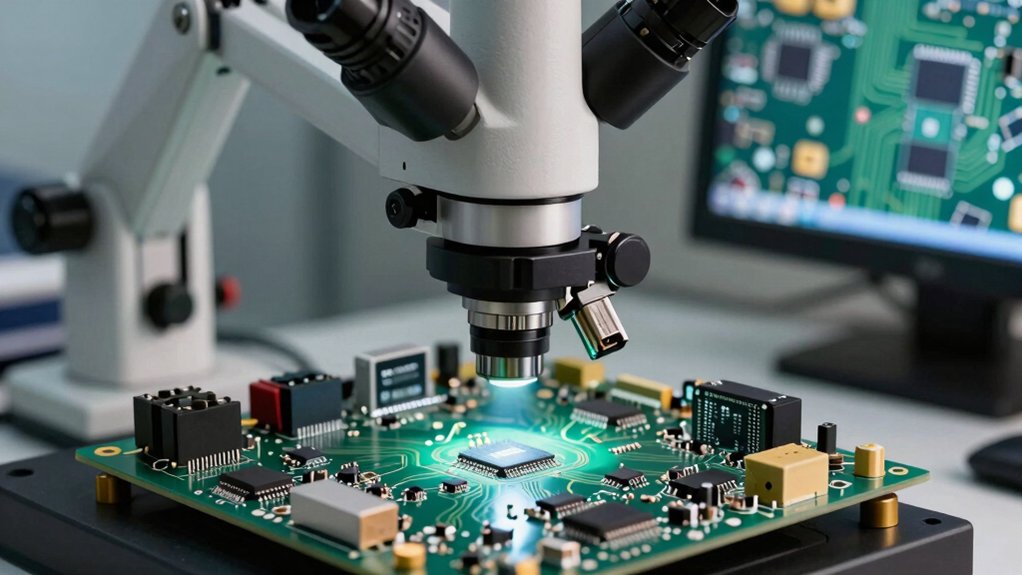
When selecting a USB microscope for PCB inspection, you’ll need to evaluate magnification and resolution to ensure you can see fine details clearly, check the display screen quality to confirm accurate color representation and visibility, and assess the lighting and illumination options since proper lighting directly affects your ability to spot defects. You should also verify the connectivity options available on your device—whether it connects via USB 2.0, USB 3.0, or wireless—and test the stand stability features to guarantee your microscope won’t shift during inspection work. These five factors work together to determine whether a microscope will meet your inspection requirements and deliver consistent, reliable results.
Magnification And Resolution
Why does magnification matter for PCB inspection? You need adequate magnification to examine tiny solder joints, traces, and pad edges effectively. Choose a USB microscope offering up to 1200x magnification for detailed component analysis.
Resolution directly affects image clarity at your selected magnification level. Select models with 1080P or higher video capability and 12MP or greater photo resolution to capture small defects accurately.
You’ll encounter trade-offs with continuous zoom ranges. While 1x to 1200x zoom provides flexibility, image sharpness decreases at maximum magnification without stable lighting and positioning. Multimodal imaging—offering both 4K video and high-resolution still photography—reveals surface textures and defects more reliably than single-mode options.
Pair your magnification and resolution choices with adjustable LED illumination to prevent shadowing and ensure accurate representation of solder joints and pads.
Display Screen Quality
How you’ll view your PCB inspection results depends heavily on your microscope’s display capabilities. Choose a screen size between 7–10 inches to reduce eye strain when examining dense PCB areas for extended periods. Select an IPS panel to maintain consistent brightness and color accuracy across different viewing angles, which helps when multiple engineers inspect jointly. Verify the display offers 1080p resolution or higher for sharp, detailed images of solder joints and fine traces. If your microscope uses HDMI or USB outputs, confirm the connection delivers real-time video with minimal latency so you accurately assess live PCB conditions without delay. Built-in LCD screens eliminate setup complexity during field work, allowing you to inspect immediately without connecting external monitors.
Lighting And Illumination
Proper illumination makes the difference between spotting defects and missing them entirely during PCB inspection. You’ll want bright, even lighting that minimizes shadows and glare across your board’s surface. Choose LED lights with a color temperature between 5500K and 6500K to accurately render component colors and solder joints. Look for high CRI (color rendering index) ratings—these improve contrast on metallic surfaces and flux residues, making defects more visible. Select adjustable gooseneck or ring lights so you can target illumination on densely packed areas and fine features. Ensure uniform light intensity across your entire field of view to eliminate dark spots when examining small vias and traces. Dimmable options let you reduce glare without sacrificing brightness.
Connectivity Options Available
Once you’ve secured proper lighting for your PCB inspection, you’ll need to establish how you’ll view and capture images from your USB microscope. Check whether your microscope supports USB-C, USB-A, or both connectors for your specific setup. Some models also feature HDMI output or wireless WiFi connectivity, allowing you to display images on external monitors or mobile devices. If you work offline or encounter unstable connections, verify that your microscope includes built-in or removable microSD storage for saving images and videos directly. For wireless variants, confirm compatibility with your device’s operating system and local network access. Finally, ensure your chosen microscope works with Windows or macOS software, or standard webcam applications, so you can access measurement and analysis features effectively.
Stand Stability Features
Why does your microscope’s stand matter as much as its optical quality? A stable stand prevents tipping when you’re inspecting small PCB components or applying flux during soldering work. Choose a stand with a broad base and adequate height for your workspace. Metal construction with rigid joints outperforms plastic mounts because it dampens vibrations better and keeps images steady during magnification. Look for adjustable height and tilt features so you can align the camera axis parallel to your PCB surface, which reduces parallax distortion. Select stands equipped with integrated clamps or end-stop mechanisms that secure your PCB firmly in place. This prevents movement that blurs high-magnification images. Flexible arm systems or slide rail options let you position your microscope precisely and reduce hand fatigue during detailed inspection work.
Portability And Flexibility
When you’re moving between workstations or inspecting PCBs at different job sites, your microscope’s portability directly affects your workflow efficiency. Choose a lightweight, handheld model or compact device that fits easily into your tool bag without adding bulk. Verify the stand includes a flexible arm or adjustable positioning so you can switch between hands-free viewing and portable inspection work. Prioritize built-in battery or USB-C power options that eliminate cord dependency and let you work away from outlets. If true portability isn’t essential, USB-tethered models reduce setup time and simplify operation. Check for integrated storage like SD cards or straightforward data transfer through USB or HDMI connections. This streamlines documenting PCB findings immediately on-site without complicated file management procedures.
Software Compatibility Requirements
How’ll you know if a USB microscope will actually work with your existing setup? Start by checking whether the manufacturer provides software that supports both Windows and macOS. Verify if you need extra drivers or if the device works with standard applications like Windows Camera. Next, confirm the software offers essential tools: image capture, annotation, and measurement features for PCB documentation. Check whether you can save high-resolution images and videos directly. Determine if the software runs on desktop only or includes mobile apps. Finally, cross-reference your operating system version—whether Windows 10, macOS Monterey, or earlier—against the microscope’s compatibility list. This verification prevents workflow disruptions and ensures seamless PCB inspection integration with your current equipment.
Recording And Storage Capacity
What storage capacity you’ll need depends on your PCB inspection frequency and documentation requirements. Start by determining your recording format and resolution—1080P video and 12MP photos consume different amounts of space. Calculate file sizes for your typical session length to estimate how many inspections fit on a single card. Most USB microscopes support microSD cards ranging from 32GB to 64GB, which typically store hundreds of inspection files. Verify your device’s maximum supported card size and firmware compatibility to prevent write errors. Check whether your microscope saves directly to the card or requires USB transfer, as this affects your workflow during fieldwork sessions. For frequent inspections, consider keeping multiple cards available to ensure uninterrupted documentation without transferring files between sessions.
Final Thoughts
You’ve reviewed nine USB microscopes suited for PCB inspection work. Select your model based on three criteria: magnification needs (250x to 2000x), display preference (portable screen or HDMI output), and budget constraints. High-end options like the Elikliv EM4K-AF offer advanced features; budget models provide adequate performance. Evaluate your workspace setup and inspection frequency, then choose the microscope matching your specific technical requirements and operational conditions.

Meet Ry, “TechGuru,” a 36-year-old technology enthusiast with a deep passion for tech innovations. With extensive experience, he specializes in gaming hardware and software, and has expertise in gadgets, custom PCs, and audio.
Besides writing about tech and reviewing new products, he enjoys traveling, hiking, and photography. Committed to keeping up with the latest industry trends, he aims to guide readers in making informed tech decisions.