
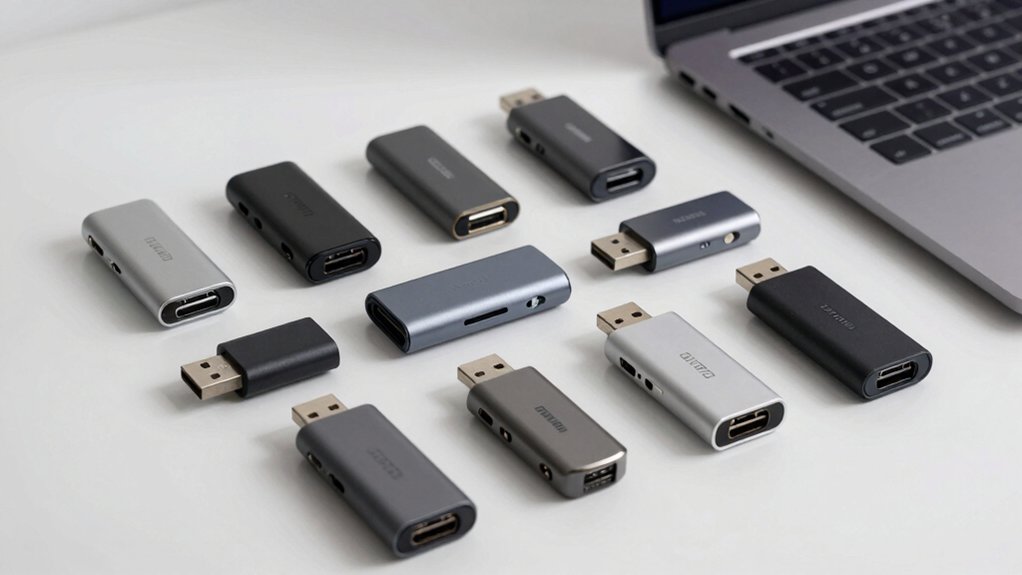

When you connect multiple devices to your laptop, you’ll quickly run out of USB ports. You can solve this problem by choosing the right USB splitter—a hub that expands your laptop’s connectivity. You’ll want to consider powered models with fast speeds, multiple ports, and reliable build quality. The right hub can transform how you work. Here’s what you need to know to make the best choice.
| Acer USB 3.0 Hub 4 Ports with Type-C Power |

| Best Powered Hub | Total USB Ports: 4 ports | Maximum Data Transfer Speed: 5 Gbps | Plug & Play (No Drivers): Yes | VIEW LATEST PRICE | Read Our Analysis |
| Anker USB Hub 4 Ports USB 3.0 Splitter |

| Most Reliable | Total USB Ports: 4 ports | Maximum Data Transfer Speed: 5 Gbps | Plug & Play (No Drivers): Yes | VIEW LATEST PRICE | Read Our Analysis |
| UGREEN USB 3.0 Hub 4-Port Splitter Ultra-Slim |

| Best Portable | Total USB Ports: 4 ports | Maximum Data Transfer Speed: 5 Gbps | Plug & Play (No Drivers): Yes | VIEW LATEST PRICE | Read Our Analysis |
| MOGOOD USB Hub 3.0 Multi-Port Data Hub Adapter |

| Best Hybrid Design | Total USB Ports: 4 ports (1× USB 3.0 + 3× USB 2.0) | Maximum Data Transfer Speed: 5 Gbps (USB 3.0) | Plug & Play (No Drivers): Yes | VIEW LATEST PRICE | Read Our Analysis |
| VIENON 4-Port USB 3.0 Hub with USB-C PD Port |
![VIENON 4-Port USB 3.0 Hub [90°/180° Degree Rotatable], USB Splitter](https://m.media-amazon.com/images/I/31KyAOXX0TL._SL500_.jpg)
| Best Rotatable | Total USB Ports: 4 ports (3× USB + 1× USB-C) | Maximum Data Transfer Speed: 5 Gbps (USB 3.0) | Plug & Play (No Drivers): Yes | VIEW LATEST PRICE | Read Our Analysis |
| BERLAT Aluminum 7-in-1 USB-C Hub with USB 3.0 |

| Best Multi-Port | Total USB Ports: 7 ports (1× USB 3.0 + 4× USB 2.0 + 2× USB-C) | Maximum Data Transfer Speed: 5 Gbps (USB 3.0) | Plug & Play (No Drivers): Yes | VIEW LATEST PRICE | Read Our Analysis |
| Anker 5-in-1 USB-C Hub with 4K HDMI |

| Best Display Output | Total USB Ports: 5 ports (4K HDMI + 1× USB-C data + 2× USB-A + 1× USB-C PD-IN) | Maximum Data Transfer Speed: 5 Gbps | Plug & Play (No Drivers): Yes | VIEW LATEST PRICE | Read Our Analysis |
| ONFINIO USB 3.0 Hub 7-Port with Individual Switches |

| Most Switch Control | Total USB Ports: 7 ports | Maximum Data Transfer Speed: 5 Gbps | Plug & Play (No Drivers): Yes | VIEW LATEST PRICE | Read Our Analysis |
| MOGOOD USB Hub 3.0 4-Port Splitter Ultra-Slim |

| Most Compact | Total USB Ports: 4 ports (1× USB 3.0 + 3× USB 2.0) | Maximum Data Transfer Speed: 5 Gbps (USB 3.0) | Plug & Play (No Drivers): Yes | VIEW LATEST PRICE | Read Our Analysis |
| PANPEO 7-Port USB 3.0 Hub with Individual On/Off |

| Best Cable Length | Total USB Ports: 7 ports | Maximum Data Transfer Speed: 5 Gbps | Plug & Play (No Drivers): Yes | VIEW LATEST PRICE | Read Our Analysis |
More Details on Our Top Picks
Acer USB 3.0 Hub 4 Ports with Type-C Power
If you’re working with multiple peripherals, you’ll want a powered hub that keeps everything running smoothly. The Acer USB 3.0 Hub connects four devices simultaneously with 5Gbps transfer speeds. Plug the hub into your laptop’s USB port, then connect the included USB-C power cable to a 5V adapter for stable operation. Attach your flash drives, mouse, keyboard, or printer to the four USB-A ports. The built-in GL3510 chip manages thermal performance, and no driver installation is required. This hub works on Windows, macOS, ChromeOS, and Linux. The compact design fits easily in your laptop bag, making it ideal for portable setups with multiple peripherals.
- Total USB Ports:4 ports
- Maximum Data Transfer Speed:5 Gbps
- Plug & Play (No Drivers):Yes
- Operating System Compatibility:Windows 11, macOS, ChromeOS, Linux
- Cable Length:2 ft
- Warranty Period:1 year
- Additional Feature:USB Type-C power port included
- Additional Feature:GL3510 chip thermal design
- Additional Feature:ABS durable enclosure material
Anker USB Hub 4 Ports USB 3.0 Splitter
Need to connect multiple devices to your laptop without sacrificing speed? The Anker USB Hub 4 Ports USB 3.0 Splitter transforms one USB port into four, letting you expand your connectivity instantly. It delivers SuperSpeed data transfer at up to 5Gbps, allowing you to move HD movies in seconds. The hub’s precision design offers heat resistance and durability for long-term use. Note that this hub doesn’t support charging, so you’ll need an alternative power solution for devices requiring power. You’ll receive an 18-month warranty and customer support. Simply plug the 2-foot USB-A cable into your laptop and connect your peripherals to the four available ports.
- Total USB Ports:4 ports
- Maximum Data Transfer Speed:5 Gbps
- Plug & Play (No Drivers):Yes
- Operating System Compatibility:Windows, macOS
- Cable Length:2 ft
- Warranty Period:18 months
- Additional Feature:80 million powered devices
- Additional Feature:Precision heat resistance design
- Additional Feature:18-month worry-free warranty
UGREEN USB 3.0 Hub 4-Port Splitter Ultra-Slim
For travelers and remote workers who need reliable port expansion, the UGREEN USB 3.0 Hub converts one USB port into four, making it the most portable option available at just 0.4 inches thick and 33 grams. You’ll connect mice, keyboards, flash drives, and other USB peripherals without installing drivers or software. The hub supports USB 3.0 speeds up to 5 Gbps, allowing you to transfer a 10 GB file in approximately 16.4 seconds. It works with Windows, macOS, Linux, Chrome OS, and other operating systems. You can use this hub with laptops, desktop PCs, gaming consoles like Xbox Series and PS5, and car systems. The compact design fits easily in your bag, making it ideal for business trips and daily commutes.
- Total USB Ports:4 ports
- Maximum Data Transfer Speed:5 Gbps
- Plug & Play (No Drivers):Yes
- Operating System Compatibility:Windows, macOS, Linux, Chrome OS
- Cable Length:No cable (direct connection)
- Warranty Period:Not specified
- Additional Feature:Ultra-slim 0.4 inches thick
- Additional Feature:33g lightweight portable design
- Additional Feature:Compatible with gaming consoles
MOGOOD USB Hub 3.0 Multi-Port Data Hub Adapter
The MOGOOD USB Hub 3.0 balances speed and versatility through its hybrid port configuration. You get one USB 3.0 port for fast data transfers up to 5 Gbps and three USB 2.0 ports for simultaneous device connections. Simply plug the hub into your laptop’s USB-C port—no drivers needed. Connect your flash drives, external hard drives, keyboards, and mice all at once. The slim metal design fits easily in your bag for portability. Note that this hub doesn’t support charging, so use it strictly for data transfer and peripheral connections. It’s compatible with MacBook Pro, Chromebooks, and Windows PCs running Windows 7 through 10.
- Total USB Ports:4 ports (1× USB 3.0 + 3× USB 2.0)
- Maximum Data Transfer Speed:5 Gbps (USB 3.0)
- Plug & Play (No Drivers):Yes
- Operating System Compatibility:Windows 7/8/10, Mac OS X, macOS, Linux, Chrome OS
- Cable Length:No cable (direct connection)
- Warranty Period:Not specified
- Additional Feature:1× USB 3.0 + 2.0 ports
- Additional Feature:Built-in OTG function chip
- Additional Feature:Metal enclosure construction
VIENON 4-Port USB 3.0 Hub with USB-C PD Port
VIENON’s 4-port hub rotates 90 or 180 degrees, solving tight-space problems on your laptop desk or car console. You get three USB 3.0 ports delivering 5 Gbps data transfer speeds and one USB-C port accepting 5V power input to operate the hub itself. Two USB 2.0 ports handle mice, keyboards, and printers at 480 Mbps. All four ports work simultaneously without conflicts. The hub supports Windows XP through Windows 10, macOS, and Linux systems. Weighing only 0.7 ounces, it’s portable for mobile use. Note: the USB-C port doesn’t charge your devices—it only powers the hub and transfers data.
- Total USB Ports:4 ports (3× USB + 1× USB-C)
- Maximum Data Transfer Speed:5 Gbps (USB 3.0)
- Plug & Play (No Drivers):Yes
- Operating System Compatibility:Windows XP-10, Mac OS 8.6-9.2, OSX 10.6+, Linux
- Cable Length:Not specified
- Warranty Period:6 months
- Additional Feature:90°/180° degree rotatable design
- Additional Feature:USB-C PD-in 5W port
- Additional Feature:Suitable for car use
BERLAT Aluminum 7-in-1 USB-C Hub with USB 3.0
Need seamless connectivity across multiple devices without juggling cables? The BERLAT Aluminum 7-in-1 USB-C Hub delivers exactly that. You’ll get one USB 3.0 port (5 Gbps), four USB 2.0 ports (480 Mbps each), and two USB-C 2.0 ports in one compact unit. The aluminum housing keeps it durable while remaining portable for travel. Connect your MacBook, external hard drive, keyboard, mouse, and camera simultaneously. It’s compatible with macOS, Windows 10, Android, Chrome OS, and Linux. The high-speed data transfer lets you download large files in seconds, streamlining your workflow across multiple peripherals and devices without switching connections.
- Total USB Ports:7 ports (1× USB 3.0 + 4× USB 2.0 + 2× USB-C)
- Maximum Data Transfer Speed:5 Gbps (USB 3.0)
- Plug & Play (No Drivers):Yes
- Operating System Compatibility:macOS, Windows 10, Android, Chrome OS, Linux
- Cable Length:Not specified
- Warranty Period:Not specified
- Additional Feature:Durable aluminum alloy housing
- Additional Feature:1× USB 3.0 + 6× additional ports
- Additional Feature:Compatible with XBOX, PS4
Anker 5-in-1 USB-C Hub with 4K HDMI
Want superior display output for your laptop? The Anker 5-in-1 USB-C Hub delivers 4K HDMI streaming up to 4K@30Hz. Connect your external monitor using the dedicated HDMI port for video mirroring or extended display. You’ll also get three data ports: one USB-C and two USB-A ports, each supporting 5 Gbps file transfer speeds. The hub includes a USB-C PD port for pass-through charging up to 85W with a compatible wall charger. This hub works with MacBooks, Windows 10/11, and ChromeOS devices featuring USB-C, USB4, or Thunderbolt connections.
- Total USB Ports:5 ports (4K HDMI + 1× USB-C data + 2× USB-A + 1× USB-C PD-IN)
- Maximum Data Transfer Speed:5 Gbps
- Plug & Play (No Drivers):Yes
- Operating System Compatibility:Windows 10/11, macOS (12+), ChromeOS
- Cable Length:Not specified
- Warranty Period:18 months
- Additional Feature:4K HDMI display output
- Additional Feature:100W pass-through charging support
- Additional Feature:USB-C 5 Gbps data port
ONFINIO USB 3.0 Hub 7-Port with Individual Switches
The ONFINIO 7-port hub offers the most switch control of any splitter on the market. You’ll find individual on/off switches with lights for each port, letting you manage power to specific devices independently. This hub transfers data at 5 Gigabits per second and works with Windows, Mac, and Linux systems. Simply plug it into your laptop—no software installation required. The 3.2-foot cable provides adequate reach for most setups. You can connect up to seven devices simultaneously, including printers, external hard drives, and keyboards. The compact design fits easily in laptop bags for travel.
- Total USB Ports:7 ports
- Maximum Data Transfer Speed:5 Gbps
- Plug & Play (No Drivers):Yes
- Operating System Compatibility:Windows 10/8/8.1/7/Vista/XP, Mac OS X, Linux, Chrome OS
- Cable Length:3.2 ft (1m)
- Warranty Period:Not specified
- Additional Feature:Individual on/off switches included
- Additional Feature:Per-port indicator lights
- Additional Feature:Built-in high-performance protection chip
MOGOOD USB Hub 3.0 4-Port Splitter Ultra-Slim
For ultrabook users who travel frequently, MOGOOD’s most compact 4-port hub solves immediate port shortages without adding bulk. Connect the hub directly to your laptop’s USB-C port—no drivers needed. You’ll gain one USB 3.0 port for fast file transfers up to 5 Gbps and three USB 2.0 ports for mice, keyboards, and flash drives. The aluminum design stays slim and lightweight, fitting easily into laptop bags. Works with MacBook Pro, Chromebooks, and other USB-C devices. Note that this hub doesn’t provide charging power, so you’ll need a separate power source for devices requiring it.
- Total USB Ports:4 ports (1× USB 3.0 + 3× USB 2.0)
- Maximum Data Transfer Speed:5 Gbps (USB 3.0)
- Plug & Play (No Drivers):Yes
- Operating System Compatibility:Windows 7/10, macOS
- Cable Length:No cable (direct connection)
- Warranty Period:Not specified
- Additional Feature:Aluminum ultra-slim no-cable design
- Additional Feature:1× USB 3.0 + 3× 2.0
- Additional Feature:OTG-capable for USB-C devices
PANPEO 7-Port USB 3.0 Hub with Individual On/Off
Need a hub that won’t clutter your workspace? The PANPEO 7-Port USB 3.0 Hub delivers expandable connectivity with a compact design. Connect seven devices simultaneously—flash drives, keyboards, mice, printers, and cameras—through a single USB port. The 3-foot built-in cable enables flexible placement on desks or in bags. Transfer data at 5 Gbps, over ten times faster than USB 2.0, moving HD movies in seconds. Individual on/off switches let you control power to each port independently, reducing unnecessary power drain. This hub supports USB 2.0 and 1.0 devices, ensuring compatibility with older peripherals. Note that this hub doesn’t support charging. The lightweight design makes it ideal for laptops, PCs, and portable setups across home, office, and school environments.
- Total USB Ports:7 ports
- Maximum Data Transfer Speed:5 Gbps
- Plug & Play (No Drivers):Yes
- Operating System Compatibility:Windows, macOS, Linux, Chrome OS
- Cable Length:3 ft
- Warranty Period:Not specified
- Additional Feature:Individual on/off switch ports
- Additional Feature:3 ft built-in cable
- Additional Feature:10x faster than USB 2.0
Factors to Consider When Choosing a USB Splitter for Laptop
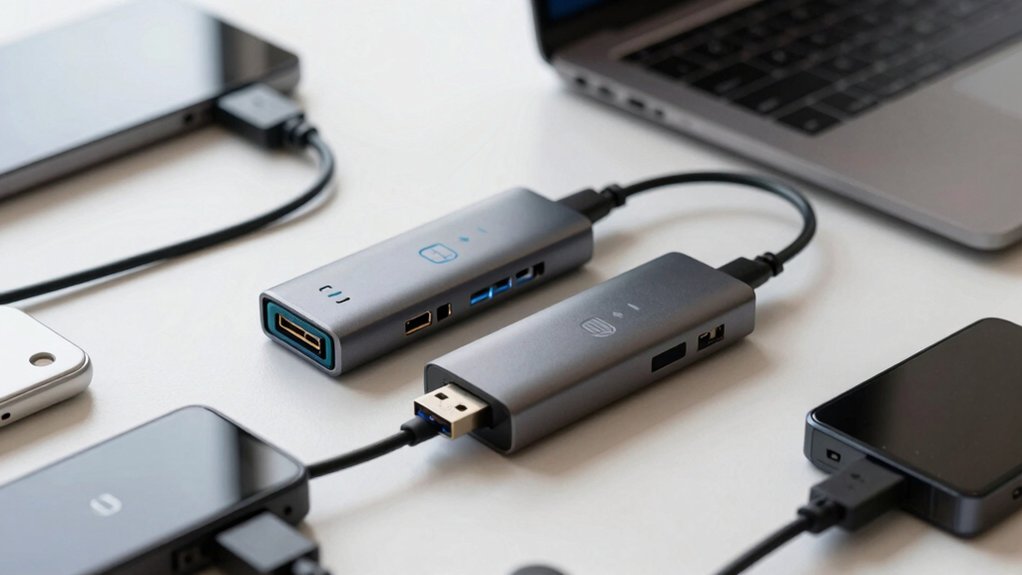
When you’re selecting a USB splitter for your laptop, you’ll need to evaluate five key factors: the number of ports you require for your devices, the data transfer speeds the hub supports (USB 3.0 vs. USB 2.0), whether it needs an external power adapter or draws power from your laptop, which USB standards your devices use, and how portable you need the splitter to be. Start by counting your devices and their power demands, then match those needs to a hub’s specifications—for example, a 7-port hub with individual switches lets you control power to specific devices, while a compact 4-port option prioritizes portability. Finally, confirm that the splitter’s USB generation matches your devices’ capabilities, as a USB 2.0 device won’t benefit from a USB 3.0 hub’s faster speeds, but it’ll still work without issues.
Port Count And Expansion
How many devices do you actually need to connect at once? Count your peripherals—keyboard, mouse, external drive, printer—then add one or two extra ports for future needs. Most USB splitters offer four to seven ports, covering standard setups. Four USB-A ports work for basic use, while configurations with USB-C or additional USB 3.0 ports handle demanding workflows. USB 3.0 ports transfer data at 5 Gbps, making them essential for external drives. USB 2.0 ports max out at 480 Mbps and may slow high-speed devices. If you’re powering multiple devices simultaneously, choose a hub with a dedicated power-in port to stabilize operation. Larger port counts increase size and power draw from your laptop, so balance expansion needs against portability.
Data Transfer Speed Performance
Most USB splitters you’ll encounter offer either USB 3.0 or USB 2.0 connections, and this choice directly impacts how quickly you can move files between devices. USB 3.0 splitters deliver speeds up to 5 Gbps, allowing you to transfer a 10 GB file in roughly thirty seconds under ideal conditions. USB 2.0 connections max out at 480 Mbps, making transfers significantly slower. Check whether your hub supports simultaneous 5 Gbps access across multiple ports or if some ports default to USB 2.0 speeds. For high-demand devices like external drives, verify that your splitter includes external power input. Without adequate power supply, performance drops considerably. Matching your splitter’s speed capability to your actual transfer needs ensures you’re not bottlenecking your laptop’s potential.
Power Supply Requirements
Beyond data speed, your USB splitter’s power supply directly determines whether your devices’ll actually function at full capacity. Check if the hub includes a dedicated 5V power input or USB-C Power Delivery (PD) port. Powered hubs prevent voltage drops when you connect multiple devices like external drives or charging cables simultaneously. If the hub lacks external power, your laptop’s USB ports provide all energy, which often causes throttling and performance loss with demanding peripherals. Verify the hub’s current rating matches your devices’ combined power needs. For external drives or multiple accessories, select a hub with independent power delivery. Confirm whether the PD-IN port supports data transfer or only charges the hub itself—some models separate these functions entirely.
Device Compatibility Standards
When you’re choosing a USB splitter, what compatibility standards should you prioritize? First, verify that the hub supports your laptop’s operating system—check for Windows, macOS, Linux, and Chrome OS compatibility. Second, confirm USB-A port availability, since most laptops and peripherals use this standard. Third, determine if you need USB-C power input or a dedicated power-in port. This matters when connecting power-hungry devices like external hard drives or multiple peripherals simultaneously. Fourth, check whether the hub offers USB 3.0 (5 Gbps) or USB 2.0 (480 Mbps) speeds based on your file transfer needs. Fifth, if you own a USB-C phone or tablet, look for OTG support to expand device connectivity. Finally, confirm compatibility with any specialized devices you plan to connect.
Design And Portability Features
After you’ve confirmed that a USB splitter meets your device’s compatibility standards, you’ll want to evaluate how well it fits into your mobile workflow. Prioritize compact, lightweight designs with slim enclosures that won’t add bulk to your laptop bag. Check the hub’s dimensions and weight specifications against your travel needs. Examine the port arrangement to ensure cables won’t block your keyboard or trackpad when connected. Look for cable options—detachable cables offer flexibility, while built-in cables provide security. Verify that all ports are easily accessible without requiring you to rotate or flip the device. Test whether the hub sits flat on surfaces or includes a stand. These design considerations directly impact your daily usability and portability experience.
Build Quality And Durability
Durability matters because you’ll rely on your USB splitter daily, and a poorly built hub fails when you need it most. Choose metal or aluminum enclosures over plastic housings—they dissipate heat better and withstand wear during extended use. Examine the connector and cable construction; reinforced USB-A or USB-C connectors with braided cables resist damage from repeated insertion and removal. Look for internal shielding and quality chips supporting USB 3.0 or 5 Gbps operation to maintain stable data transfer without corruption or dropouts. Select models with built-in switches or individual port controls, which reduce unnecessary wear on idle ports. Prioritize compact designs with solid materials that survive occasional drops and frequent transportation, ensuring your splitter remains functional through daily use.
Cable Length Considerations
Once you’ve selected a durable hub with solid construction, you’ll need to address how that hub connects to your laptop—specifically through cable length. Most USB splitters come with cables ranging from 2 to 3 feet, which works well for typical laptop setups. Measure the distance between your laptop and where you’ll place the hub to determine your actual needs. Shorter cables reduce signal loss and improve portability, but they limit where you can position devices. Longer cables offer flexibility for spreading peripherals across your desk, though they create excess slack. Before purchasing, verify the cable length the seller lists, as mislabeled specifications can affect workspace fit. Choose a length that accommodates your port placement without unnecessary coiling or strain on connections.
Operating System Support
What operating system runs on your laptop? Check your device’s OS version before purchasing a USB splitter, since compatibility varies by model. Most hubs support Windows, macOS, Linux, and Chrome OS, but some exclude older versions like Windows 7 or specific macOS releases. Verify the hub’s supported OS range matches yours exactly.
Next, determine whether you need drivers. Plug-and-play hubs require no software installation, while others demand OS-specific drivers for full functionality. If you use mobile devices, consider OTG-capable hubs that connect to USB-C phones and tablets, though charging and data capabilities differ by platform.
Finally, check for use-case limitations. Some hubs explicitly lack Linux support or can’t transfer audio and video data. Match these restrictions against your intended applications to ensure the hub meets your requirements.
Final Thoughts
To maximize your laptop’s potential, you’ll want a powered USB hub with at least 4 ports and USB 3.0 speeds. Choose a model with USB-C Power Delivery to keep devices charging while you work. Look for individual on/off switches for power management and driver-free compatibility with your operating system. Prioritize compact designs for travel and reliable build quality to guarantee your peripherals stay connected and functioning properly.

Meet Ry, “TechGuru,” a 36-year-old technology enthusiast with a deep passion for tech innovations. With extensive experience, he specializes in gaming hardware and software, and has expertise in gadgets, custom PCs, and audio.
Besides writing about tech and reviewing new products, he enjoys traveling, hiking, and photography. Committed to keeping up with the latest industry trends, he aims to guide readers in making informed tech decisions.