
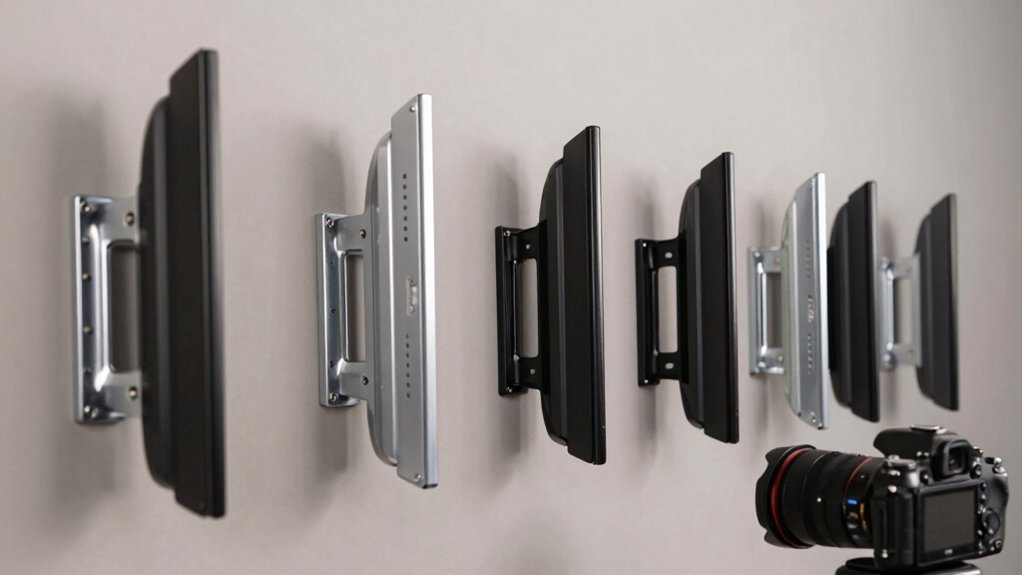

When you’re mounting a 70-inch TV, you need a bracket that holds steady and lets you adjust your view. You’ll find several options that balance weight capacity, swivel range, and extension depth. Each mount offers different features—some tilt more, others extend further—so choosing the right one depends on your room layout and viewing needs. Let’s examine five mounts that deliver reliable performance.
| USX MOUNT Full Motion TV Wall Mount 32-70 inch |

| Best Motion Range | Maximum Weight Capacity: 99 lbs | TV Size Range: 32-70 inches | Tilt Range: +/- 5° | VIEW LATEST PRICE | Read Our Analysis |
| IWORKBOARD Tilting TV Wall Mount for 32-90″ TVs |

| Best Warranty | Maximum Weight Capacity: 132 lbs | TV Size Range: 32-90 inches | Tilt Range: Up to 10° | VIEW LATEST PRICE | Read Our Analysis |
| monTEK Heavy Duty TV Wall Mount 37-90 inch |

| Most Heavy-Duty | Maximum Weight Capacity: 165 lbs | TV Size Range: 37-90 inches | Tilt Range: +5° to -15° | VIEW LATEST PRICE | Read Our Analysis |
| USX Full Motion TV Wall Mount (42-86 inch) |

| Best Overall | Maximum Weight Capacity: 132 lbs | TV Size Range: 42-86 inches | Tilt Range: +5° to -15° | VIEW LATEST PRICE | Read Our Analysis |
| IWORKBOARD Full Motion TV Wall Mount 32-70 inch |
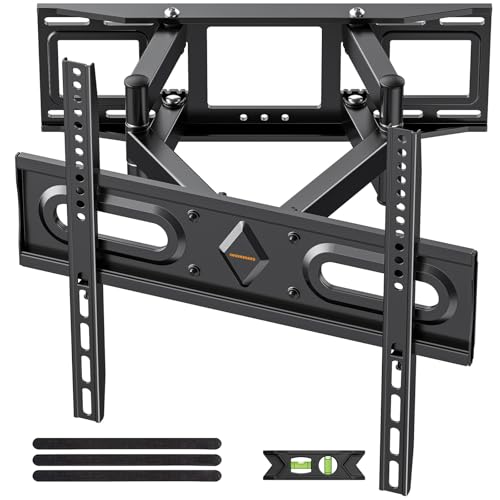
| Best Value | Maximum Weight Capacity: Not specified | TV Size Range: 32-70 inches | Tilt Range: +5° to -15° | VIEW LATEST PRICE | Read Our Analysis |
More Details on Our Top Picks
USX MOUNT Full Motion TV Wall Mount 32-70 inch
If you’re mounting a TV between 32 and 70 inches and need reliable full-motion capability without breaking your budget, the USX MOUNT delivers steady performance for most standard setups. The mount supports TVs up to 99 pounds with VESA compatibility ranging from 75x75mm to 400x400mm. Its dual articulating arms extend 13.89 inches for optimal viewing angles and retract to 2.59 inches when not needed. Installation takes three steps: attach brackets to your TV, bolt the wall plate to wood studs or concrete, then secure the TV to the wall plate. The cold-rolled steel construction provides extra strength, while the ±5° tilt feature reduces glare from windows or lights.
- Maximum Weight Capacity:99 lbs
- TV Size Range:32-70 inches
- Tilt Range:+/- 5°
- Swivel Range:Left/right (degree range not specified)
- Extension/Retraction Distance:Extends to 13.89″, retracts to 2.59″
- Warranty Period:Standard (not specified)
- Additional Feature:Cold-rolled steel construction
- Additional Feature:3-step installation process
- Additional Feature:US-based customer support
IWORKBOARD Tilting TV Wall Mount for 32-90″ TVs
The IWORKBOARD tilting mount works best for anyone who’s installing a large TV across various room sizes and needs flexibility without sacrificing stability. This UL-certified mount supports TVs up to 90 inches and weighs up to 132 pounds, making it suitable for your 70-inch television. The low-profile design keeps the TV close to the wall, while the tilt feature reduces glare up to 10 degrees. Installation requires 24-inch studs and appropriate anchors for concrete surfaces. The mount includes hardware and instructions. You’ll receive a 10-year warranty and can return within 30 days through Amazon’s policy.
- Maximum Weight Capacity:132 lbs
- TV Size Range:32-90 inches
- Tilt Range:Up to 10°
- Swivel Range:Not specified
- Extension/Retraction Distance:Not specified
- Warranty Period:10 years
- Additional Feature:UL-certified mount
- Additional Feature:Quick release mechanism
- Additional Feature:10-year warranty included
monTEK Heavy Duty TV Wall Mount 37-90 inch
Looking for a mount that handles large screens without compromise? The monTEK Heavy Duty mount supports 37–90 inch TVs up to 165 lbs with 40% reinforced dual arms tested four times for stability. Install it on wood studs, concrete, or brick within 30 minutes using pre-labeled hardware and included bubble level. The mount extends 16.6 inches from your wall or retracts to 2.75 inches for a clean look. Adjust tilt from +5° to -15°, swivel 60°, and fine-tune level alignment with ±3° precision for ideal viewing angles and reduced glare. VESA compatibility ranges from 200×100 mm to 600×400 mm, fitting Samsung, LG, Sony, TCL, and Hisense models. Velcro cable straps keep cords organized throughout installation and daily use.
- Maximum Weight Capacity:165 lbs
- TV Size Range:37-90 inches
- Tilt Range:+5° to -15°
- Swivel Range:60°
- Extension/Retraction Distance:Extends to 16.6″, retracts to 2.75″
- Warranty Period:Not specified
- Additional Feature:4X load-tested design
- Additional Feature:Tool-free tilt adjustment
- Additional Feature:Velcro cable management straps
USX Full Motion TV Wall Mount (42-86 inch)
Need a mount that’ll adjust your 70-inch TV after you’ve hung it? The USX Full Motion TV Wall Mount handles 42- to 86-inch screens and supports up to 132 pounds. You’ll get dual articulating arms extending 16.61 inches from the wall, allowing ±45° swivel and +5°/-15° tilt adjustments. The mount fits VESA patterns from 200×100 mm to 600×400 mm. Installation requires attaching bolts to wood stud outer edges at 16-inch intervals. Velcro cable ties keep wiring organized. You receive a 10-year warranty and can request optional concrete anchors. US-based engineers will simulate your specific TV model installation if needed.
- Maximum Weight Capacity:132 lbs
- TV Size Range:42-86 inches
- Tilt Range:+5° to -15°
- Swivel Range:±45°
- Extension/Retraction Distance:Extends to 16.61″, retracts to 2.52″
- Warranty Period:10 years
- Additional Feature:High-quality alloy steel
- Additional Feature:Post-installation TV leveling
- Additional Feature:Bubble level included
IWORKBOARD Full Motion TV Wall Mount 32-70 inch
If you’re mounting a 70-inch TV and want both flexibility and stability without constant wobbling, the IWORKBOARD Full Motion mount delivers heavy-duty performance through its dual articulating arms that are 30% thicker than standard models. This mount fits TVs from 32 to 70 inches with VESA patterns between 75×75 and 400x400mm. Install it on wood studs, concrete, or brick—never drywall alone. The steel construction tilts +5° to -15°, swivels ±45°, and allows ±4° level adjustment post-installation. Your TV sits approximately 3.43 inches from the wall, with arms extending up to 15.07 inches. The package includes all necessary hardware and instructions. You’ll receive ten years of product support.
- Maximum Weight Capacity:Not specified
- TV Size Range:32-70 inches
- Tilt Range:+5° to -15°
- Swivel Range:±45°
- Extension/Retraction Distance:Extends to 15.07″, sits ~3.43″ from wall
- Warranty Period:10 years
- Additional Feature:30% thicker dual arms
- Additional Feature:±45° swivel capability
- Additional Feature:Heavy-duty steel construction
Factors to Consider When Choosing Wall Mounts for 70-Inch TVs
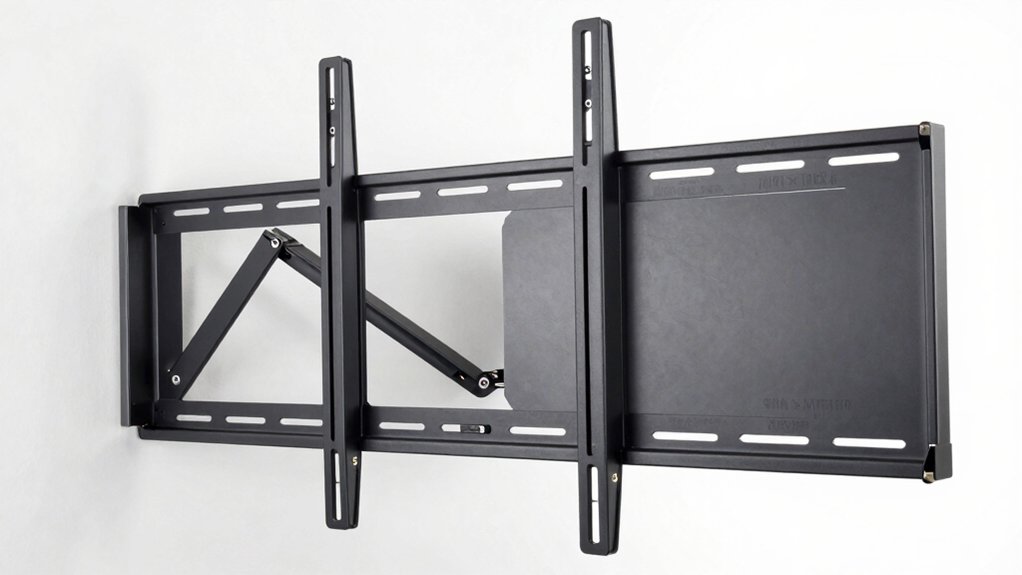
When selecting a wall mount for your 70-inch TV, you’ll need to verify that the mount’s weight capacity exceeds your TV’s weight, check that the VESA hole pattern matches your television’s specifications, and confirm the mount offers the motion range you want—whether that’s fixed, tilting, or full motion with arm extension. You should also determine whether your wall can support the mount through studs or anchors and measure how far you need the TV to extend from the wall during use and retract when not in use. These five factors work together to ensure your mount holds your TV securely while meeting your viewing preferences and installation constraints.
Weight Capacity Requirements
How much weight can your wall mount actually support? You need to check the mount’s listed load limit, which typically ranges from 90 to 132 pounds for 70-inch TVs. Your TV’s actual weight plus any attached components—soundbars, cable boxes, or streaming devices—must not exceed this capacity. Most 70-inch models weigh 60–80 pounds, so you’ll want a mount supporting at least 80–100 pounds to maintain a safety buffer. Look for mounts rated for screen sizes of 70 inches or larger, as some accommodate up to 75–86 inches. Heavy-duty options featuring reinforced dual arms and solid steel construction prevent sagging and wobbling on large displays. Always verify your specific TV’s weight before purchasing to ensure proper support.
VESA Compatibility Standards
Beyond confirming your mount can handle your TV’s weight, you’ll also need to verify that the mounting holes on your TV’s back match your wall mount’s bracket pattern. This alignment system is called VESA compatibility.
Check your TV’s manual or specifications to find its VESA pattern, typically expressed as measurements like 200×100 mm or 400×400 mm. Next, confirm your wall mount supports that exact pattern or falls within a compatible range. For 70-inch TVs, common patterns include 200×100, 400×400, and 600×400 mm.
If your TV’s VESA pattern exceeds your mount’s maximum capacity, you’ll need a larger-capacity mount. Mismatched VESA patterns prevent proper alignment and compromise safety, so always verify compatibility before purchasing.
Motion Range And Flexibility
What degree of movement do you actually need from your wall mount? Start by evaluating your viewing setup. Consider tilt range first—most mounts offer +5° to -15° adjustment, reducing glare and improving angles. Next, assess swivel needs. Standard models provide ±45° side-to-side movement, while extended options reach 60°. If multiple people watch from different seating positions, wider swivel capability matters. For full-motion arms, extension ranges from 2.5 to 16.6 inches. Longer extensions increase viewing flexibility but require wall space. After installation, you’ll make fine-tuning adjustments of ±3° to ±4° for perfect alignment. Match your mount’s motion capabilities to your room layout and viewing habits to ensure prime positioning without repositioning furniture.
Installation Surface Options
You’ll need to identify your wall type before purchasing a mount, since different surfaces require different installation methods. Wood stud walls offer the most secure installation option—most mounts support 12″ or 16″ spacing, so verify your stud layout matches the mount’s bolt pattern. Concrete or brick walls require optional concrete anchors included with many mounts; confirm your mount specifies compatibility with these materials. Never mount directly into drywall alone; you must anchor into studs or use appropriate heavy-duty anchors rated for your wall type. Finally, verify the mount’s weight rating matches your 70-inch TV’s specifications and that it’s designed for your specific wall material. This prevents installation failure and ensures stability.
Arm Extension And Retraction
How far your TV extends from the wall directly impacts both viewing comfort and room functionality. Most mounts extend 13–16.6 inches from the wall, allowing you to pull your TV forward for better viewing angles from various seating positions. When you retract the mount fully, your TV typically sits 2.5–3.0 inches from the wall, which saves floor space in compact rooms.
Dual articulating arms provide both extension and retraction capabilities, giving you flexibility to adjust your TV’s position based on your needs. Before selecting a mount, measure your room’s layout and identify any furniture or obstacles near the wall. Match the mount’s maximum extension to your viewing distances and confirm the minimum retraction distance won’t interfere with wall-mounted décor or equipment behind the TV.
Tilt And Swivel Adjustability
Once you’ve determined the arm extension that works for your room, consider how tilt and swivel adjustability will affect your viewing experience. Tilt adjustability typically ranges from +5° to -15°, allowing you to angle your TV downward or slightly upward to reduce glare. Swivel capability often offers ±45° movement, letting you rotate the TV side-to-side for viewers in different seating positions. After installation, use fine alignment adjustments—usually ±3° to ±4°—to level your TV precisely. Select mounts with quick-tilt or tool-free features if you want rapid angle changes without disassembly. Some models combine +5°/-15° tilt with 60° swivel for maximum flexibility. Evaluate your room layout and seating arrangement to determine which adjustment range you actually need.
Final Thoughts
When you’re selecting a wall mount for your 70-inch TV, you’ll want to compare extension distances, tilt ranges, and swivel capabilities against your room layout. The USX MOUNT and IWORKBOARD models offer reliable tilting options with compact profiles. If you need maximum adjustability, choose the USX Full Motion or monTEK models. Verify your wall can support the weight, then install the mount securely before attaching your TV.

Meet Ry, “TechGuru,” a 36-year-old technology enthusiast with a deep passion for tech innovations. With extensive experience, he specializes in gaming hardware and software, and has expertise in gadgets, custom PCs, and audio.
Besides writing about tech and reviewing new products, he enjoys traveling, hiking, and photography. Committed to keeping up with the latest industry trends, he aims to guide readers in making informed tech decisions.