
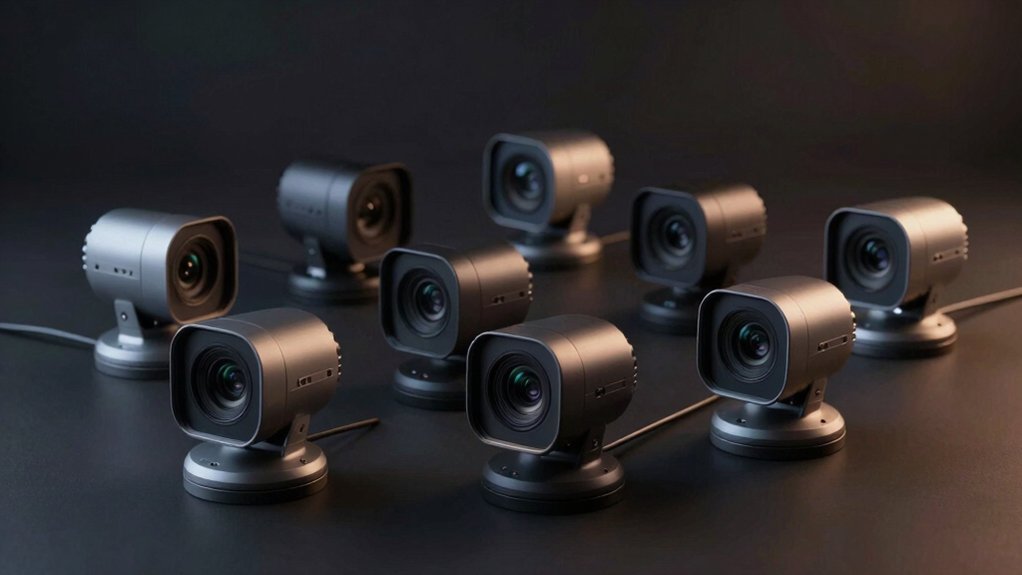

You’re looking for a webcam that delivers sharp video even when your lighting is poor. The right choice depends on your setup—whether you need a built-in ring light, advanced noise reduction, or a fast autofocus system. We’ve tested nine models that excel in dim conditions, each with distinct features and price points. Understanding what makes these cameras perform differently will help you find the one that fits your specific needs and environment.
| Anker PowerConf C200 2K Webcam with AI Noise Canceling |

| AI-Powered Clarity | Video Resolution: 2K (Ultra-Clear) | Noise Cancellation: AI Noise Cancellation (dual mics) | Privacy Protection: Integrated privacy cover | VIEW LATEST PRICE | Read Our Analysis |
| Logitech C920x HD Pro PC Webcam |

| Reliable Standard | Video Resolution: Full HD 1080p | Noise Cancellation: Dual mics with stereo audio | Privacy Protection: None | VIEW LATEST PRICE | Read Our Analysis |
| GUSGU 2K QHD Webcam with Microphone and Ring Light |

| Budget Ring Light | Video Resolution: 2K QHD | Noise Cancellation: CVC noise reduction | Privacy Protection: Integrated privacy cover (slide) | VIEW LATEST PRICE | Read Our Analysis |
| NexiGo N680E Pro 4K Webcam with Ring Light |

| Premium 4K Choice | Video Resolution: 4K UHD (1080p 60fps streaming) | Noise Cancellation: Dual noise-canceling mics | Privacy Protection: Privacy shutter | VIEW LATEST PRICE | Read Our Analysis |
| 4K UHD Ring Light Webcam with AI Noise-Cancelling |
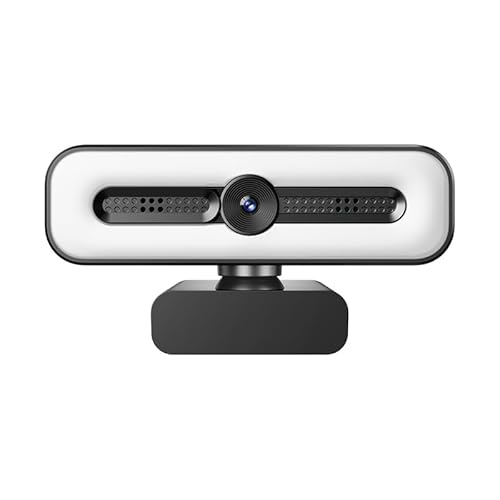
| Best 4K Value | Video Resolution: 4K UHD (auto 1080p fallback) | Noise Cancellation: Dual AI noise-canceling mics | Privacy Protection: Privacy cover | VIEW LATEST PRICE | Read Our Analysis |
| NexiGo StreamCam N930E 1080P Webcam with Ring Light |
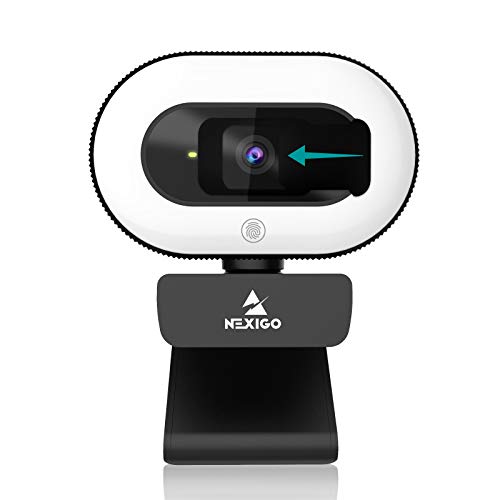
| Affordable Streamer | Video Resolution: 1080p | Noise Cancellation: Noise cancellation mic | Privacy Protection: Built-in privacy cover | VIEW LATEST PRICE | Read Our Analysis |
| ELP Starvis USB Camera 1080P Low Light Webcam |

| Extreme Low Light | Video Resolution: 1080p | Noise Cancellation: Not specified | Privacy Protection: Not specified | VIEW LATEST PRICE | Read Our Analysis |
| Arducam 2MP Low Light USB Webcam with Holder |

| Compact Specialist | Video Resolution: 1080p | Noise Cancellation: Not specified | Privacy Protection: Not specified | VIEW LATEST PRICE | Read Our Analysis |
| Atatat 2K Webcam with Microphone and Privacy Cover |

| Balanced All-Rounder | Video Resolution: 2K (2688×1520) | Noise Cancellation: Noise-canceling microphone | Privacy Protection: Privacy cover | VIEW LATEST PRICE | Read Our Analysis |
More Details on Our Top Picks
Anker PowerConf C200 2K Webcam with AI Noise Canceling
Need crystal-clear video for professional meetings without upgrading your lighting setup? The Anker PowerConf C200 delivers sharp 2K resolution that captures detailed video even in dim environments. Its dual microphones with AI noise cancellation ensure your voice stays crisp during calls in noisy spaces. You can adjust your viewing angle to 65°, 78°, or 95° through software settings to frame yourself properly. The webcam works with Windows 7 or later and macOS 10.11 or later, connecting seamlessly to most devices. A built-in privacy cover slides over the lens when you’re not using it, protecting your security during off-hours.
- Video Resolution:2K (Ultra-Clear)
- Noise Cancellation:AI Noise Cancellation (dual mics)
- Privacy Protection:Integrated privacy cover
- Low-Light Performance:Superior low-light performance
- Field of View:65°, 78°, or 95° (customizable)
- Plug-and-Play Setup:USB (broad compatibility)
- Additional Feature:Customizable viewing angles (65°/78°/95°)
- Additional Feature:Integrated privacy cover design
- Additional Feature:Dual microphone audio clarity
Logitech C920x HD Pro PC Webcam
The Logitech C920x is a reliable standard choice for anyone streaming, conferencing, or creating content in dim environments. Its five-element glass lens and CMOS sensor work together to capture vibrant colors and sharp images even in low light. The camera’s auto white balance, auto exposure, and autofocus features adjust automatically to your lighting conditions. You’ll get Full HD 1080p video at 30fps, which works with Microsoft Teams, Google Meet, and Zoom. The dual microphones on either side of the lens deliver clear, natural audio for calls. The 78-degree viewing angle covers most desk setups. You’ll also receive a 3-month XSplit VCam license for background adjustments.
- Video Resolution:Full HD 1080p
- Noise Cancellation:Dual mics with stereo audio
- Privacy Protection:None
- Low-Light Performance:HD lighting adjustment; performs well in low light
- Field of View:78°
- Plug-and-Play Setup:USB connectivity (no drivers needed for most platforms)
- Additional Feature:Five-element glass lens
- Additional Feature:3-month XSplit VCam license
- Additional Feature:Auto exposure/white balance
GUSGU 2K QHD Webcam with Microphone and Ring Light
Looking for better lighting without buying separate equipment? The GUSGU 2K QHD Webcam combines a built-in selfie ring light with a 2K resolution camera, eliminating the need for additional lighting gear. You’ll adjust brightness across three levels and choose between white or warm light modes to match your environment. The integrated microphone uses CVC noise reduction technology, ensuring clear audio during video calls. Setup takes minutes—simply plug the USB cable into your computer and start using it immediately with Zoom, Skype, Teams, YouTube, or Twitch. The slide-on privacy cover protects your lens without requiring a separate accessory. This all-in-one solution works with desktops, laptops, and MacBooks without driver installation.
- Video Resolution:2K QHD
- Noise Cancellation:CVC noise reduction
- Privacy Protection:Integrated privacy cover (slide)
- Low-Light Performance:Not specifically highlighted
- Field of View:Not specified
- Plug-and-Play Setup:Plug-and-play USB; no driver installation required
- Additional Feature:Selfie ring light included
- Additional Feature:Adjustable brightness/white/warm modes
- Additional Feature:CVC noise reduction built-in
NexiGo N680E Pro 4K Webcam with Ring Light
Want professional-quality video without complicated setup? The NexiGo N680E Pro delivers 4K resolution with a built-in tri-tone ring light that you adjust to three color temperatures with stepless brightness control. The Sony 1/2.5″ sensor captures 1080p at 60fps for streaming, while PDAF autofocus keeps you sharp during movement. Dual noise-canceling microphones ensure clear audio for conversations and recordings. You’ll plug it in via USB—no drivers required—and use the privacy shutter to control lens access. Mount it on a tripod or clip it to your monitor, then rotate and tilt for your ideal angle across Windows, macOS, and Chrome OS.
- Video Resolution:4K UHD (1080p 60fps streaming)
- Noise Cancellation:Dual noise-canceling mics
- Privacy Protection:Privacy shutter
- Low-Light Performance:Premium coated lens; boosts light transmission
- Field of View:80°
- Plug-and-Play Setup:USB plug-and-play; no drivers needed
- Additional Feature:PDAF autofocus technology
- Additional Feature:Tri-tone ring light control
- Additional Feature:1/4 tripod mount compatible
4K UHD Ring Light Webcam with AI Noise-Cancelling
If you’re streaming, conferencing, or recording in dim environments, this 4K UHD ring light webcam delivers sharp video without breaking your budget. The 8MP CMOS sensor captures 4K video when supported, automatically dropping to 1080P if needed. Three adjustable LED colors let you control lighting tone, while stepless brightness eliminates glare. Dual AI noise-cancelling microphones clean up audio during calls. The privacy cover protects your lens when not in use. Setup takes minutes—just plug into USB, and it works on Windows, Mac, Linux, and Android without installing drivers. Mount it on your monitor, laptop, or tripod for flexible positioning.
- Video Resolution:4K UHD (auto 1080p fallback)
- Noise Cancellation:Dual AI noise-canceling mics
- Privacy Protection:Privacy cover
- Low-Light Performance:Auto light correction
- Field of View:73°
- Plug-and-Play Setup:Plug and Play; driver-free USB
- Additional Feature:8MP CMOS sensor resolution
- Additional Feature:Glare-free ring light design
- Additional Feature:Auto light correction feature
NexiGo StreamCam N930E 1080P Webcam with Ring Light
The NexiGo StreamCam N930E is an affordable streamer’s solution for capturing clear video in dim settings. You’ll benefit from its three-level adjustable ring light with touch control, which reduces glare and brightens footage in low-light environments. The 1080p resolution at 30 fps delivers sharp video quality, while autofocus maintains peak clarity at any distance. Built-in noise cancellation ensures clear audio during calls or streams. The privacy cover provides security when you’re not recording. Compatible with Zoom, Skype, Teams, and streaming platforms, this webcam works seamlessly across Windows, Mac, and Chromebook systems via plug-and-play USB connection.
- Video Resolution:1080p
- Noise Cancellation:Noise cancellation mic
- Privacy Protection:Built-in privacy cover
- Low-Light Performance:Soft ring light reduces glare; effective in dim environments
- Field of View:75° (wide angle)
- Plug-and-Play Setup:USB 2.0 plug and play
- Additional Feature:Three-level adjustable ring light
- Additional Feature:Touch control brightness adjustment
- Additional Feature:Wide 75° angle lens
ELP Starvis USB Camera 1080P Low Light Webcam
For extreme low light surveillance and machine vision work, ELP’s Starvis USB camera delivers 0.0001 Lux minimum illumination with 100dB HDR to capture clear video in near-total darkness. The 2MP SmartSens SC2210 CMOS sensor with its 100-degree wide-angle lens produces 1080p video at 30fps across multiple formats including H.264 and MJPEG. You’ll connect it via the included 3-meter USB 2.0 cable with no driver installation needed on Windows, Linux, Mac, or Raspberry Pi. Its compact design fits embedded surveillance, dashcams, and machine vision applications where space is limited. The fixed focus and UVC compliance make setup straightforward for any compatible device.
- Video Resolution:1080p
- Noise Cancellation:Not specified
- Privacy Protection:Not specified
- Low-Light Performance:Exceptional (0.0001 Lux minimum illumination; 100dB HDR)
- Field of View:100° (wide angle; ~117° HFOV)
- Plug-and-Play Setup:USB 2.0 UVC-compliant; plug-and-play
- Additional Feature:Extreme 0.0001Lux low light
- Additional Feature:100-degree wide angle lens
- Additional Feature:HDR 100dB dynamic range
Arducam 2MP Low Light USB Webcam with Holder
Arducam’s compact specialist camera excels when you need sharp video in dim environments. This 2MP USB webcam features a 1/2.8 CMOS sensor with 80dB dynamic range and 95° wide-angle lens for detailed HD images in low light. The device supports 1080P30 video in MJPEG format, though Linux users should manually select MJPEG to achieve full 30fps performance; default YUYV mode limits output to 5fps. Its Type-C connector includes a USB-A adapter for broad compatibility with Windows, Mac, and Linux systems. The included holder accommodates smartphones, tablets, and laptops, making portable setup straightforward and plug-and-play operation immediate.
- Video Resolution:1080p
- Noise Cancellation:Not specified
- Privacy Protection:Not specified
- Low-Light Performance:Enhanced low-light performance
- Field of View:95° diagonal angle
- Plug-and-Play Setup:Type-C to USB-A; plug & play; UVC compliant
- Additional Feature:80dB wide dynamic range
- Additional Feature:Included mounting holder
- Additional Feature:Type-C USB connectivity
Atatat 2K Webcam with Microphone and Privacy Cover
Looking for a webcam that handles low-light situations without sacrificing audio or privacy? The Atatat 2K captures video at 2688×1520 resolution, delivering clarity superior to standard 1080p. The built-in ring light offers three brightness levels—activate it via touch control to illuminate your face during dim conditions. The autofocus lens adjusts automatically to maintain sharpness. A noise-canceling microphone filters background hums, ensuring clean audio during calls or streams. The privacy cover physically blocks the lens when you’re not recording, preventing unauthorized access. Mount it using the 1/4 tripod thread or the adjustable clip that fits various screen thicknesses. This webcam works plug-and-play on Windows and Mac systems with Zoom, Teams, Skype, and OBS.
- Video Resolution:2K (2688×1520)
- Noise Cancellation:Noise-canceling microphone
- Privacy Protection:Privacy cover
- Low-Light Performance:Built-in ring light (3-level adjustable)
- Field of View:Not specified
- Plug-and-Play Setup:Plug-and-play USB; no drivers needed
- Additional Feature:2688×1520 True 2K resolution
- Additional Feature:360° horizontal rotation capability
- Additional Feature:90° vertical tilt adjustment
Factors to Consider When Choosing Webcams for Low Light
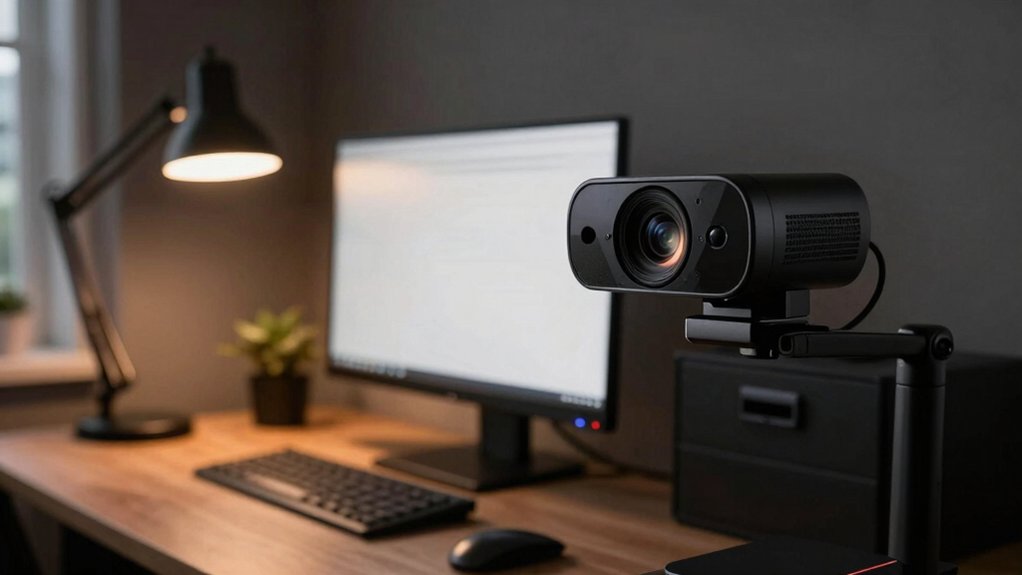
When you’re shopping for a low-light webcam, you’ll want to examine several key specifications: sensor size and sensitivity (which determine how well the camera captures in darkness), lens aperture ratings (lower f-numbers like f/2.0 let in more light), and autofocus performance (to keep your image sharp when lighting conditions change). You should also evaluate the webcam’s actual low-light image quality by checking sample videos, not just relying on specs, since a camera’s real-world performance often differs from its advertised features. Finally, consider whether built-in lighting solutions matter for your setup, as some webcams include ring lights or other lighting features that can supplement poor ambient light.
Sensor Size And Sensitivity
Why does sensor size matter so much for low-light webcams? Larger sensors capture more light, directly improving your video quality in dim conditions. You’ll want a 1/2.9″ to 1/2.5″ sensor rather than a 1/3″ model because the bigger surface area gathers considerably more light. This larger size enhances brightness and detail without requiring excessive ISO increases that introduce noise.
Next, examine the sensor’s pixel pitch—the distance between pixels. Better pixel pitch helps manage noise at high ISO settings. You should also look for back-illuminated (BSI) designs, which improve light capture efficiency compared to standard sensors.
Finally, choose modern CMOS sensors over CCD types. CMOS technology delivers superior real-time video performance and better low-light handling in contemporary webcams.
Autofocus Performance Matters
Beyond sensor quality, your webcam’s autofocus system determines whether you’ll stay sharp during video calls or presentations, especially when lighting shifts or you move around. Look for webcams with PDAF (phase-detection autofocus) or fast contrast-based systems that lock onto dim subjects quickly without hunting. These systems maintain focus across varying distances—from close-ups to mid-shots—without repeated refocusing interruptions. In low light, autofocus relies on higher ISO handling and proper exposure algorithms to keep subjects in focus. Consider models with ring lights or built-in illumination, as these provide consistent contrast that speeds up lens focusing. Test autofocus performance by moving around during calls to confirm your webcam tracks movement smoothly without losing sharpness or creating lag.
Low Light Image Quality
Image clarity in dim environments hinges on three measurable factors: sensor size, ISO performance, and lens aperture. You’ll want to prioritize webcams with larger sensors because they capture more light per pixel, producing clearer images without excessive noise. Next, check the ISO range—higher ISO values (3200 or above) allow your camera to brighten footage in darkness. Third, select models with wider apertures (f/2.0 or lower) to maximize light entry through the lens. Beyond these specs, look for cameras featuring HDR technology or dynamic range compression (80–100 dB WDR), which preserves detail in both bright and dark areas simultaneously. AI-powered noise reduction further improves quality by minimizing grain while maintaining sharpness. These technical improvements directly translate to usable video in low-light conditions.
Lens Aperture Specifications
How much light reaches your sensor depends entirely on your webcam’s aperture, which manufacturers express as an f-number (like f/2.0 or f/2.8). Lower f-numbers mean wider apertures that admit more light, directly improving low-light performance. When comparing webcams, prioritize models with f/2.0 or wider apertures for optimal brightness in dim environments. However, many manufacturers don’t disclose exact f-stop values, making direct comparisons difficult. Look for specifications stating fixed aperture ratings or seek detailed product reviews. Larger apertures typically pair with larger sensors or back-illuminated designs to minimize diffraction and preserve detail. Some webcams compensate for smaller apertures using ring lights or phase-detection autofocus. Evaluate aperture alongside sensor performance and noise handling to determine overall low-light capability.
Built-In Lighting Solutions
When you’re recording video in dim environments, built-in ring lights can make the difference between murky footage and clear, usable video. Most models offer multiple color temperature settings—typically three options—plus stepless brightness control so you can adjust illumination to match your space. Ring lights reduce glare while brightening your subject, which allows your camera to capture sharp 1080p or 4K video without external equipment. Check whether your webcam’s light reaches your intended recording distance effectively. Some advanced models pair ring lights with PDAF autofocus and exposure adjustments that keep lighting even across frames. When selecting a webcam, prioritize models where the built-in light sufficiently illuminates your setup and where automatic exposure can leverage that lighting to maintain consistent video quality.
Dynamic Range Capability
What’s the difference between a webcam that captures washed-out highlights alongside crushed shadows and one that preserves detail across both bright and dark areas? Dynamic range capability determines this. You’ll want to check whether your webcam supports HDR processing or uses a back-illuminated sensor, both of which expand the tonal range your camera captures. Look for webcams offering higher bit-depth capture—this gives you more color information to work with. When evaluating options, prioritize models that handle mixed lighting scenarios without losing detail in shadows or blown-out highlights. Test candidates in your actual low-light environment with overhead lamps and dimmer areas present. Compare the resulting footage to identify which webcam maintains texture and clarity throughout different brightness zones.
Noise Reduction Technology
Most low-light webcams handle noise through AI-driven algorithms or dual microphone arrays that separate voice from background sound and improve clarity in dim environments. When you’re evaluating options, look for cameras with dual microphone setups, which significantly reduce ambient room noise in acoustically reflective spaces. Check whether the model combines software-based AI noise reduction with hardware features like built-in microphones or privacy shutters. Some webcams pair noise cancellation directly with low-light enhancements such as ring lights or HDR, creating a more complete solution. Additionally, consider that faster autofocus systems reduce motion blur, which indirectly supports clearer audio perception during video capture. You won’t need external audio equipment if you select a camera with robust integrated noise reduction capabilities designed specifically for darker environments.
Compatibility And Software Support
How do you know if a low-light webcam will work with your specific devices and conferencing platforms? Check the manufacturer’s specifications for Windows, macOS, iOS, and Android compatibility. Verify support for Zoom, Microsoft Teams, Google Meet, and other platforms you use regularly. Look for driver-free or plug-and-play models that connect via USB without requiring software installation—this eliminates setup delays when you need quick adjustments. Review the software’s low-light features, including exposure controls and noise reduction settings. Test compatibility before purchasing by reviewing user reports on your exact operating system and conferencing application. Confirm that any included software works on all devices you’ll use. Prioritize webcams with broad platform support to guarantee seamless performance across your entire setup without troubleshooting complications.
Final Thoughts
You’ve reviewed nine quality low-light webcams with distinct features. Pick based on your needs: choose ring light models like the NexiGo N680E Pro or GUSGU 2K if you need extra illumination, select the Anker PowerConf C200 for AI noise canceling, or go with the ELP Starvis for budget-friendly 1080P performance. Verify USB compatibility with your device, check privacy features, and confirm autofocus capability before purchasing.

Meet Ry, “TechGuru,” a 36-year-old technology enthusiast with a deep passion for tech innovations. With extensive experience, he specializes in gaming hardware and software, and has expertise in gadgets, custom PCs, and audio.
Besides writing about tech and reviewing new products, he enjoys traveling, hiking, and photography. Committed to keeping up with the latest industry trends, he aims to guide readers in making informed tech decisions.