
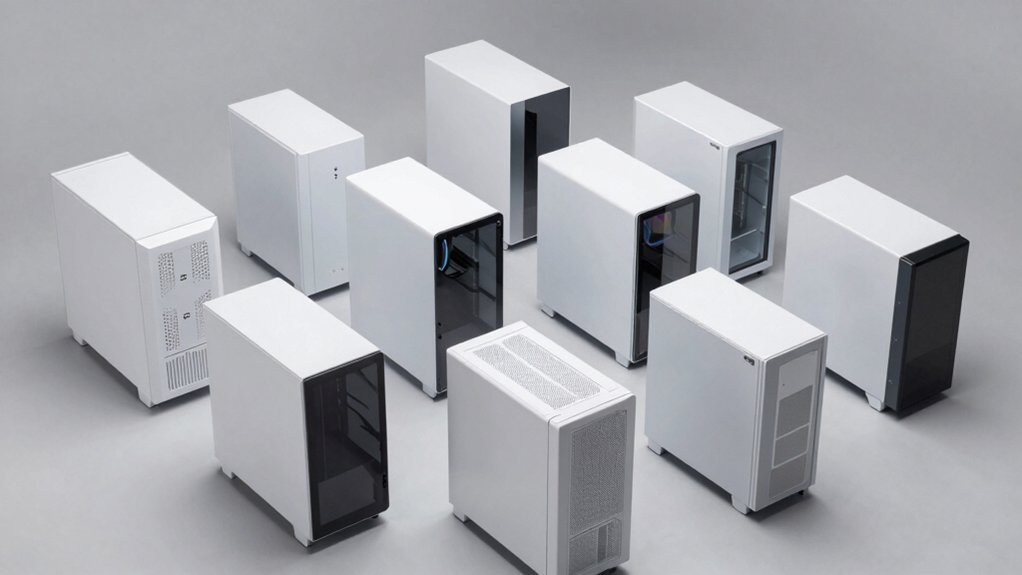

You’re building a PC and want a white case that delivers both style and function. You’ll need to evaluate cases based on size compatibility, cooling capacity, and glass panel quality. This guide walks you through eight top-tier white cases, then covers the key factors you should assess before making your choice—but first, let’s examine what actually sets these cases apart.
| MUSETEX ATX PC Case with ARGB Fans (Y6) |

| Best Overall | Pre-Installed ARGB Fans: 6 PWM ARGB fans | Tempered Glass Design: 270° dual panel full view | Maximum GPU Length Support: 400mm (15.75″) | VIEW LATEST PRICE | Read Our Analysis |
| GAMDIAS White Mid Tower Gaming Case with ARGB Fans |

| Best Value | Pre-Installed ARGB Fans: 3x120mm ARGB PWM fans | Tempered Glass Design: Not specified | Maximum GPU Length Support: 410mm | VIEW LATEST PRICE | Read Our Analysis |
| CORSAIR 3500X RS ARGB Mid-Tower PC Case White |

| Best Premium Build | Pre-Installed ARGB Fans: 3 RS120-R ARGB fans | Tempered Glass Design: Wraparound panoramic glass | Maximum GPU Length Support: Not specified | VIEW LATEST PRICE | Read Our Analysis |
| FOIFKIN F600 ATX Mid-Tower Gaming PC Case with ARGB Fans |

| Most Fans Included | Pre-Installed ARGB Fans: 7 PWM ARGB fans | Tempered Glass Design: 270° panoramic panel | Maximum GPU Length Support: 400mm | VIEW LATEST PRICE | Read Our Analysis |
| Okinos MATX PC Case with 240mm Radiator Support |

| Best Compact Option | Pre-Installed ARGB Fans: 3x120mm ARGB fans | Tempered Glass Design: Tool-free single panel | Maximum GPU Length Support: Not specified | VIEW LATEST PRICE | Read Our Analysis |
| ATX Mid Tower PC Case with Tempered Glass (C9) |

| Best Airflow Design | Pre-Installed ARGB Fans: 7 PWM ARGB fans | Tempered Glass Design: 270° dual panel | Maximum GPU Length Support: 440mm | VIEW LATEST PRICE | Read Our Analysis |
| NZXT H6 Flow Compact Mid-Tower Airflow Case White |

| Best Thermal Efficiency | Pre-Installed ARGB Fans: 3x120mm fans | Tempered Glass Design: Wraparound seamless edge panels | Maximum GPU Length Support: Not specified | VIEW LATEST PRICE | Read Our Analysis |
| RUIX OV303 ATX Mid-Tower PC Gaming Case |

| Best Cable Management | Pre-Installed ARGB Fans: 4x120mm ARGB fans | Tempered Glass Design: Front and side panoramic panels | Maximum GPU Length Support: 420mm | VIEW LATEST PRICE | Read Our Analysis |
| Lian Li O11Vision Compact ATX Mid Tower Case |

| Best Back-Connect Design | Pre-Installed ARGB Fans: No pre-installed fans | Tempered Glass Design: Three-panel design (front, top, left) | Maximum GPU Length Support: Not specified | VIEW LATEST PRICE | Read Our Analysis |
| GAMDIAS White ATX Mid Tower Gaming Case ARGB Fans |

| Best Budget Pick | Pre-Installed ARGB Fans: 4x120mm ARGB fans | Tempered Glass Design: Panoramic side panel | Maximum GPU Length Support: 340mm | VIEW LATEST PRICE | Read Our Analysis |
More Details on Our Top Picks
MUSETEX ATX PC Case with ARGB Fans (Y6)
The MUSETEX Y6 delivers a complete white case setup for builders who want everything included out of the box. You’ll get six pre-installed PWM ARGB fans with adjustable speeds, magnetic dust filters, and a 270° tempered glass view. The case accommodates ATX, Micro-ATX, and Mini-ITX motherboards, supports GPUs up to 400mm, and fits CPU coolers up to 176mm tall. You can install a 360mm top radiator for water cooling or rely on the included air cooling fans. The built-in ARGB control connects to your motherboard for customizable lighting. Amazon’s return policy protects your purchase, and the manufacturer provides a 10-year warranty.
- Pre-Installed ARGB Fans:6 PWM ARGB fans
- Tempered Glass Design:270° dual panel full view
- Maximum GPU Length Support:400mm (15.75″)
- Motherboard Compatibility:ATX, Micro-ATX, Mini-ITX
- Maximum Fan Capacity:6 fans
- Built-In Dust Filters:Top and bottom magnetic filters
- Additional Feature:270° dual tempered glass panels
- Additional Feature:Reverse blade design fans
- Additional Feature:10-year manufacturer warranty
GAMDIAS White Mid Tower Gaming Case with ARGB Fans
Want a white case that doesn’t compromise on cooling or customization? The GAMDIAS Atlas M1 delivers both. You’ll install your ATX, microATX, or mini-ITX motherboard into a spacious mid-tower design. Three 120mm ARGB PWM fans come built-in, expandable to six fans total for enhanced airflow. You can mount GPUs up to 410mm and 360mm radiators or AIO coolers. The customizable RGB lighting system lets you adjust colors and effects through the included app. Cable management stays organized thanks to efficient internal routing, keeping your airflow unobstructed. Two USB 3.0 ports on the front provide convenient connectivity. At 8000 grams, this case balances durability with portability. The white exterior maintains a modern aesthetic while supporting both AMD and Intel processors effectively.
- Pre-Installed ARGB Fans:3x120mm ARGB PWM fans
- Tempered Glass Design:Not specified
- Maximum GPU Length Support:410mm
- Motherboard Compatibility:ATX, Micro-ATX, Mini-ITX
- Maximum Fan Capacity:6x120mm total
- Built-In Dust Filters:Built-in dust filter
- Additional Feature:Display & App integration
- Additional Feature:Up to 6x120mm fan capacity
- Additional Feature:LED control button included
CORSAIR 3500X RS ARGB Mid-Tower PC Case White
Corsair’s 3500X RS ARGB delivers premium build quality in a mid-tower form that accommodates everything from compact Mini-ITX to full EATX motherboards. The wraparound glass design provides an unobstructed view of your components and ARGB lighting. Three pre-installed RS120-R ARGB fans offer high-performance cooling with customizable lighting controlled through a +5V ARGB header. You can expand cooling by mounting additional fans on the side, roof, and PSU areas, supporting up to ten 120mm fans total. Removable tempered glass panels on the front and sides simplify building and component access. The case supports reverse connection motherboards including ASUS BTF, MSI Project Zero, and Gigabyte Project Stealth, giving you flexibility in your build approach.
- Pre-Installed ARGB Fans:3 RS120-R ARGB fans
- Tempered Glass Design:Wraparound panoramic glass
- Maximum GPU Length Support:Not specified
- Motherboard Compatibility:Mini-ITX to EATX
- Maximum Fan Capacity:10x120mm fans
- Built-In Dust Filters:Not specified
- Additional Feature:Reverse Connection Motherboard compatibility
- Additional Feature:Wraparound glass aesthetic
- Additional Feature:Removable front/side panels
FOIFKIN F600 ATX Mid-Tower Gaming PC Case with ARGB Fans
If you’re building a gaming PC and don’t want to buy extra fans, FOIFKIN’s F600 delivers most fans included right out of the box—seven PWM ARGB fans come pre-installed, so you’ll save money and setup time. The case supports up to 10 additional 120mm fans across the sides, top, and PSU mounting points if you need more cooling capacity. You’ll fit ATX, M-ATX, or ITX motherboards, GPUs up to 400mm long, and CPU coolers up to 170mm tall. The 270° panoramic tempered glass panel lets you display your components clearly, while the hinged side panel removes without tools for straightforward upgrades and maintenance.
- Pre-Installed ARGB Fans:7 PWM ARGB fans
- Tempered Glass Design:270° panoramic panel
- Maximum GPU Length Support:400mm
- Motherboard Compatibility:ATX, M-ATX, ITX
- Maximum Fan Capacity:10x120mm fans
- Built-In Dust Filters:Built-in dust filters
- Additional Feature:Tool-free glass panel removal
- Additional Feature:7 pre-installed PWM fans
- Additional Feature:270° panoramic glass design
Okinos MATX PC Case with 240mm Radiator Support
The Okinos MATX case delivers compact cooling capacity without sacrificing performance—making it your go-to choice if you’re building a high-performance system in tight spaces. You’ll appreciate the 270-degree panoramic design that showcases your build while the tool-free tempered glass panel grants quick access. The vertical airflow system supports up to five fans, with two 120mm ARGB fans pre-installed at the bottom and one at the rear. You get a 4-port ARGB controller and splitter cable included. The case accommodates a 240mm top radiator, supports five PCIe slots for optimal GPU cooling, and provides 95mm cable management space on the right panel. Pre-locked copper standoffs simplify installation.
- Pre-Installed ARGB Fans:3x120mm ARGB fans
- Tempered Glass Design:Tool-free single panel
- Maximum GPU Length Support:Not specified
- Motherboard Compatibility:Not specified
- Maximum Fan Capacity:5 fans
- Built-In Dust Filters:Top and bottom magnetic filters
- Additional Feature:Vertical airflow system design
- Additional Feature:4-port ARGB fan controller
- Additional Feature:Pre-locked copper standoffs
ATX Mid Tower PC Case with Tempered Glass (C9)
ANSAITE’s C9 case delivers superior airflow management through its dual-channel design, making it ideal for builders who prioritize cooling performance and visual appeal. The 270° panoramic tempered glass panel lets you display your hardware while the horizontal CPU airflow and vertical GPU airflow keep components cool. Seven pre-installed ARGB fans—three reverse-blade side fans, three top exhaust fans, and one rear exhaust fan—work together with synchronized lighting controlled through daisy-chain capability. Magnetic dust filters on top and bottom maintain airflow efficiency. The case supports GPUs up to 440mm, CPU coolers up to 180mm, and 360mm radiators on top, accommodating various build configurations and upgrade paths.
- Pre-Installed ARGB Fans:7 PWM ARGB fans
- Tempered Glass Design:270° dual panel
- Maximum GPU Length Support:440mm
- Motherboard Compatibility:ATX, Micro-ATX, Mini-ITX (implied)
- Maximum Fan Capacity:9x120mm fans
- Built-In Dust Filters:Top and bottom magnetic filters
- Additional Feature:Dual-channel airflow design
- Additional Feature:USB 3.2 Gen 2 Type-C
- Additional Feature:7 high-performance ARGB fans
NZXT H6 Flow Compact Mid-Tower Airflow Case White
NZXT’s H6 Flow achieves superior thermal efficiency through its dual-chamber compact design, making it ideal for builders prioritizing cooling performance without sacrificing space. The case features wraparound glass panels that provide an unobstructed view of your components while perforated top and side panels enhance airflow and filter dust. Three pre-installed 120mm fans arrive positioned at optimal angles, delivering immediate cooling without additional purchases. You’ll organize cables through intuitive wide channels and straps that simplify routing during assembly. The mid-tower form factor accommodates standard components while maintaining a compact footprint, offering practical functionality for performance-focused builds.
- Pre-Installed ARGB Fans:3x120mm fans
- Tempered Glass Design:Wraparound seamless edge panels
- Maximum GPU Length Support:Not specified
- Motherboard Compatibility:Not specified
- Maximum Fan Capacity:Not specified
- Built-In Dust Filters:Perforated panels for filtration
- Additional Feature:Compact dual-chamber design
- Additional Feature:Perforated top/side panels
- Additional Feature:Wide cable management channels
RUIX OV303 ATX Mid-Tower PC Gaming Case
Looking for superior cable management in a mid-tower case? The RUIX OV303 delivers spacious interior layout that accommodates up to 10 fans or 7 fans with a 360mm AIO liquid cooler. You’ll benefit from four pre-installed 120mm ARGB fans, panoramic tempered glass panels on the front and sides, and large magnetic dust filters on top and bottom. The case supports GPUs up to 420mm long and includes a built-in GPU support bracket to prevent motherboard strain. You can install two 3.5-inch and one 2.5-inch hard drive. Front connectivity features USB 3.0 and Type-C ports for device access. This ATX mid-tower provides ample room for cable routing and component organization.
- Pre-Installed ARGB Fans:4x120mm ARGB fans
- Tempered Glass Design:Front and side panoramic panels
- Maximum GPU Length Support:420mm
- Motherboard Compatibility:Not specified
- Maximum Fan Capacity:10 fans or 7 with 360mm AIO
- Built-In Dust Filters:Top and bottom magnetic filters
- Additional Feature:Built-in GPU support bracket
- Additional Feature:Three panoramic tempered glass panels
- Additional Feature:Supports two 3.5-inch drives
Lian Li O11Vision Compact ATX Mid Tower Case
The O11Vision Compact’s back-connect support stands out for builders who prioritize cable management and clean aesthetics. You’ll appreciate the three tempered glass panels that showcase your components without obstruction. The case accommodates ATX and Micro ATX motherboards, giving you flexibility in your build choice. Its bottom-mounted power supply keeps cables organized away from view. You can install a 360 AIO on the top mesh panel, routing tubing through the second chamber to maintain that clean look. With four expansion slots and three internal bays, you’ve got adequate room for storage drives and additional components. The USB ports—two 3.0 and two 2.0 options—provide sufficient connectivity for peripherals.
- Pre-Installed ARGB Fans:No pre-installed fans
- Tempered Glass Design:Three-panel design (front, top, left)
- Maximum GPU Length Support:Not specified
- Motherboard Compatibility:ATX, Micro-ATX
- Maximum Fan Capacity:Not specified
- Built-In Dust Filters:Not specified
- Additional Feature:Patented three-panel glass design
- Additional Feature:Back-connect support capability
- Additional Feature:AIO tubing concealment chamber
GAMDIAS White ATX Mid Tower Gaming Case ARGB Fans
GAMDIAS’s AURA GC1 ELITE WH delivers strong cooling performance without the premium price tag of competing white mid-tower cases. The case comes equipped with four 120mm ARGB fans pre-installed in the mesh front panel, maximizing airflow for your components. You’ll find ample compatibility with ATX motherboards, support for up to 360mm radiators, and GPU clearance reaching 340mm. The panoramic tempered glass side panel displays your ARGB lighting setup effectively. Internal capacity includes five expansion slots and one bay for storage drives. The case measures 15.5 inches deep by 7.67 inches wide by 17.71 inches high, fitting standard desk configurations. Front I/O provides one USB 3.0 port and four USB ports total for peripheral connectivity. GAMDIAS backs this case with a one-year manufacturer warranty.
- Pre-Installed ARGB Fans:4x120mm ARGB fans
- Tempered Glass Design:Panoramic side panel
- Maximum GPU Length Support:340mm
- Motherboard Compatibility:ATX
- Maximum Fan Capacity:6x120mm fans
- Built-In Dust Filters:Not specified
- Additional Feature:Mesh front panel design
- Additional Feature:4x 120mm ARGB front fans
- Additional Feature:Panoramic tempered glass side panel
Factors to Consider When Choosing White PC Cases
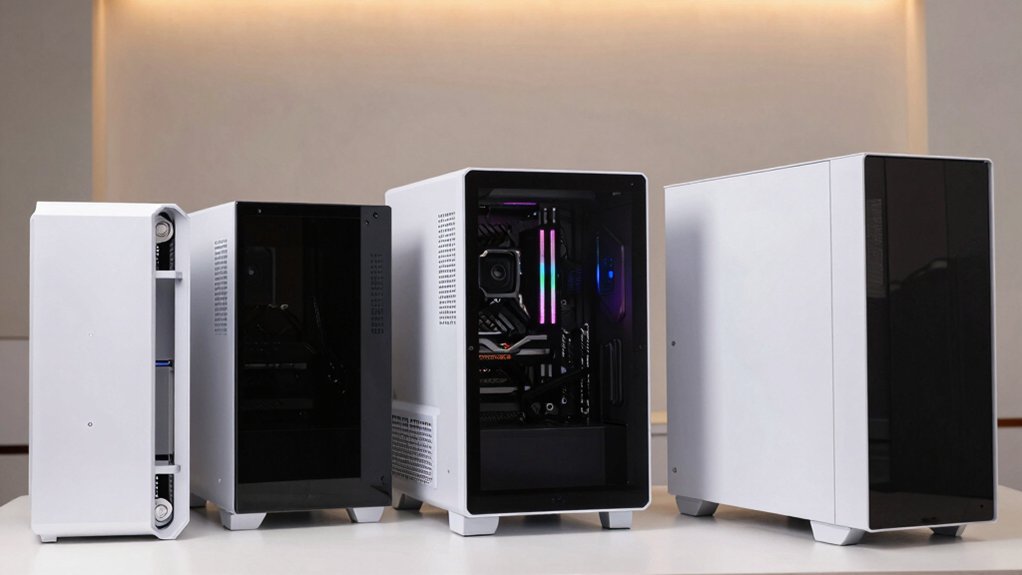
When you’re choosing a white PC case, you’ll want to evaluate cooling performance and airflow patterns, motherboard compatibility and available space, and glass panel durability to ensure your components stay protected and visible. Check the GPU and CPU clearance specifications against your hardware dimensions, and review the fan configuration options and lighting compatibility to match your build’s power and aesthetic requirements. These factors work together to determine whether a case will properly house your components while maintaining safe operating temperatures and your desired visual setup.
Cooling Performance And Airflow
How much airflow does your white PC case actually provide? Check the front intake and rear exhaust fan placements first. Most white cases support 120mm or 140mm fans at these positions, which you’ll need to maximize cooling efficiency. Next, examine radiator capacity. Many models accommodate 360mm radiators at the front or top, supporting liquid cooling setups. Look for cases with top and bottom magnetic dust filters to maintain clean airflow paths without restricting ventilation. Consider anti-vortex or reverse-blade fan designs, which reduce turbulence and direct air more effectively through the case. Finally, inspect cable management compartments. Proper segregation of cables keeps intake areas unobstructed, allowing air to flow directly from front to rear without resistance. These features combine to determine your case’s actual cooling performance.
Motherboard Compatibility And Space
Your motherboard’s form factor determines whether it’ll actually fit in your white PC case, so you’ll need to verify compatibility before purchasing. Most modern cases support ATX, Micro-ATX, and Mini-ITX boards, but you should confirm the specific standoff layout matches your motherboard. Check the case’s internal tray dimensions and mounting hole positions against your board’s specifications. Additionally, verify that your CPU cooler won’t exceed the maximum height clearance—typically 150–180 mm—to prevent contact with the case roof. Measure your graphics card length and compare it against the case’s GPU clearance, usually 340–410 mm. Finally, examine any unusual mounting features like rear radiator placement or PSU orientation, as these affect how you’ll install your motherboard and route cables for optimal airflow and component fit.
Glass Panel Design Quality
What role does glass panel design play in your case selection? Glass panels determine how well you’ll see your components and RGB lighting while affecting case durability. Look for tempered glass, which provides clarity and sound dampening to reduce noise from your system. Consider 270° panoramic designs or dual-panel setups (front/side or dual sides) for maximum visibility from multiple angles. Check whether panels use tool-free or hinged access, allowing you to upgrade hardware without removing entire panels. Heavier, more rigid glass panels improve case stability and vibration control, protecting your components during transport and operation. Evaluate glass quality by examining thickness and weight specifications. Match panel design to your aesthetic preferences and functional needs for displaying your build.
GPU And CPU Clearance
GPU and CPU clearance isn’t something you can overlook when selecting a white PC case, since mismatched components won’t fit and’ll force you to return or replace parts. Check your graphics card length against the case’s maximum GPU clearance, typically ranging from 340 mm to 410 mm in white mid-tower designs. Verify your CPU cooler height—tall air coolers reach 176–180 mm—won’t obstruct the motherboard or PCIe slots. Review radiator mounting options, as front or top radiators consume space that’d otherwise accommodate longer graphics cards. Examine the case’s internal layout, including dual-chamber designs and drive bay arrangements, which directly affect usable GPU length. Cross-reference your specific components against the manufacturer’s tested compatibility list to confirm everything fits properly before purchasing.
Fan Configuration And Lighting
How’ll you balance cooling performance with RGB aesthetics in your white PC case? Start by checking how many pre-installed ARGB fans come with your case—typically three to seven units. Next, verify if the case includes a dedicated ARGB controller or 3-pin 5V motherboard-sync support for centralized lighting control. Then, examine the fan type: PWM-controlled fans let you adjust speeds independently, managing both cooling and noise levels simultaneously. Consider the fan placement strategy—reverse-blade side fans optimize airflow while maintaining visual appeal through the panoramic glass. Finally, review ventilation features like magnetic dust filters and perforated panels, which keep your lighting visible while supporting unobstructed cooling. These elements work together to deliver both effective thermal management and striking RGB presentation without compromise.
Final Thoughts
You’ve reviewed ten white PC cases with varying features and specifications. To choose the right one, you need to identify your motherboard size (ATX, Micro-ATX, or Mini-ITX), measure your GPU length, and determine your cooling needs. Compare each case’s radiator support, fan capacity, and cable management options against your components. Then select the case that matches your budget, aesthetic preferences, and performance requirements for your build.

Meet Ry, “TechGuru,” a 36-year-old technology enthusiast with a deep passion for tech innovations. With extensive experience, he specializes in gaming hardware and software, and has expertise in gadgets, custom PCs, and audio.
Besides writing about tech and reviewing new products, he enjoys traveling, hiking, and photography. Committed to keeping up with the latest industry trends, he aims to guide readers in making informed tech decisions.