
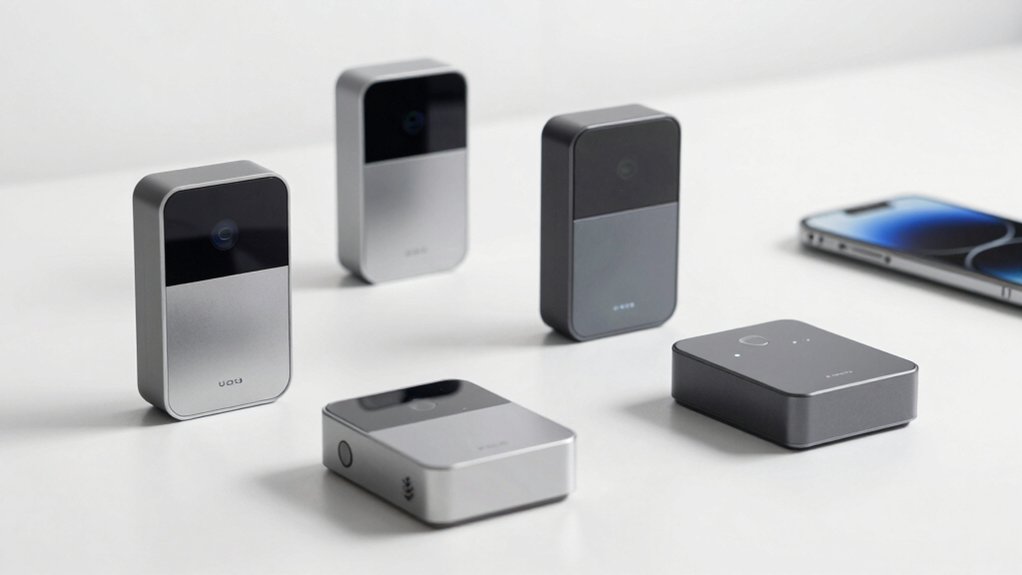

You can strengthen your home security by installing WiFi door sensors that send instant alerts to your phone. These devices monitor entry points like front doors and mailboxes, triggering notifications when opened. They connect directly to your WiFi network or through a hub, integrate with Alexa or Google Assistant, and run on standard batteries for months. But choosing the right sensor requires understanding key features that separate reliable options from mediocre ones—which we’ll break down next.
| Smart WiFi Door and Window Sensor with App Alerts |

| Smart Automation Leader | App Notifications: Real-time alerts via Tuya/Smart Life app | Voice Control Compatibility: Compatible with Alexa and Google Home | Installation Method: No tools required; strong adhesive stickers | VIEW LATEST PRICE | Read Our Analysis |
| Smart WiFi Door Sensor with App Alerts & Alexa |

| Best Value Pick | App Notifications: Instant notifications via Tuya Smart or Smart Life app | Voice Control Compatibility: Works with Amazon Alexa and Google Assistant | Installation Method: 3M sticker mounting; no tools needed | VIEW LATEST PRICE | Read Our Analysis |
| WiFi Door Sensor Chime with Smart Alert Notifications |
| Loudest Alert Option | App Notifications: Real-time push notifications via Tuya/Smart Life app | Voice Control Compatibility: Compatible with Smart Life/Tuya ecosystem | Installation Method: 100% wire-free DIY plug-and-play with adhesive | VIEW LATEST PRICE | Read Our Analysis |
| WiFi Door Window Sensor with App Alerts (4-Pack) |

| Best 4-Pack Bundle | App Notifications: Free app alerts via Tuya Smart or Smart Life app | Voice Control Compatibility: Compatible with Amazon Alexa and Google Assistant | Installation Method: No tools required; included 3M sticker | VIEW LATEST PRICE | Read Our Analysis |
| Tapo Door Sensor Mini with Smart Notifications (T110) |

| Longest Battery Life | App Notifications: Real-time notifications to phone via Tapo app | Voice Control Compatibility: Compatible with Tapo ecosystem (requires Tapo Hub H100) | Installation Method: Easy surface mounting with included 3M adhesive | VIEW LATEST PRICE | Read Our Analysis |
More Details on Our Top Picks
Smart WiFi Door and Window Sensor with App Alerts
This smart automation leader offers instant alerts you’ll receive directly on your phone when doors or windows open or close. You’ll set up the sensor using your Tuya Smart or Smart Life app without needing a gateway—just connect it to your 2.4GHz WiFi network. The device supports Alexa and Google Home, letting you automate linked actions like turning on lights when you enter. You’ll customize sensor names for different locations: front door, garage, or mailbox. Install the sensor using included adhesive stickers on any door or window. When batteries run low, you’ll receive app notifications. The sensor requires two AAA batteries for operation.
- App Notifications:Real-time alerts via Tuya/Smart Life app
- Voice Control Compatibility:Compatible with Alexa and Google Home
- Installation Method:No tools required; strong adhesive stickers
- Battery Type:Two AAA batteries (not included)
- Smart Automation:Intelligent linkage to trigger connected devices
- Suitable Locations:Front doors, garage doors, wine coolers, safes, pet doors, mailboxes
- Additional Feature:Tamper alarm detection feature
- Additional Feature:No gateway required setup
- Additional Feature:Custom device naming options
Smart WiFi Door Sensor with App Alerts & Alexa
For homeowners who want reliable door monitoring without installing a separate hub, the Tuya Smart WiFi Door Sensor delivers straightforward value through its wireless design and instant app notifications. You’ll receive alerts on your phone whenever doors or windows open or close. The sensor pairs with Amazon Alexa and Google Assistant, letting you check status by voice command. Installation takes minutes using the included 3M sticker mount on doors, gates, mailboxes, or refrigerators. Two AAA batteries power the device for over six months. You can automate actions—like triggering smart lights when your door opens—by linking it with other Tuya devices. The manufacturer includes a 24-month warranty covering defects.
- App Notifications:Instant notifications via Tuya Smart or Smart Life app
- Voice Control Compatibility:Works with Amazon Alexa and Google Assistant
- Installation Method:3M sticker mounting; no tools needed
- Battery Type:Two AAA batteries (included)
- Smart Automation:Automate actions with linked Tuya devices
- Suitable Locations:Doors, gates, mailboxes, refrigerators, drawers, garages, yards, pet doors
- Additional Feature:24-month manufacturer warranty included
- Additional Feature:Six-month battery life guarantee
- Additional Feature:Batteries included in package
WiFi Door Sensor Chime with Smart Alert Notifications
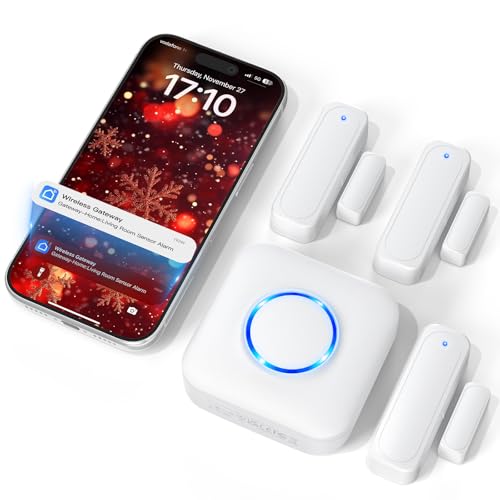
Need an alert system you’ll actually hear? The Satisure WiFi Door Sensor Chime delivers real-time notifications through the Smart Life app whenever doors or windows open. Install the receiver by plugging it into an outlet, then attach sensors using included adhesive—no wiring required. You can assign different ringtones to each of your up to 20 sensors, making it easy to identify which entry point triggered the alert. The system offers 32 melodies at five volume levels, reaching up to 110 decibels. Battery-powered sensors maintain your preferred settings after power outages. For enhanced security, you’ll access optional paid alerts via SMS or phone calls when away from home.
- App Notifications:Real-time push notifications via Tuya/Smart Life app
- Voice Control Compatibility:Compatible with Smart Life/Tuya ecosystem
- Installation Method:100% wire-free DIY plug-and-play with adhesive
- Battery Type:Battery-powered sensor (type not specified)
- Smart Automation:Supports Smart Home ecosystem automation
- Suitable Locations:Doors, windows, business/home environments, child safety applications
- Additional Feature:32 selectable melody options
- Additional Feature:Expandable up to 20 sensors
- Additional Feature:110 decibel audible chime
WiFi Door Window Sensor with App Alerts (4-Pack)
The WiFi Door Window Sensor with App Alerts arrives as a complete four-pack bundle, making it ideal if you’re securing multiple entry points throughout your home without purchasing sensors individually. Installation requires no tools—you’ll simply use the included 3M stickers to mount sensors on doors, windows, garage entries, or mailboxes. The Tuya Smart or Smart Life app sends instant notifications when openings occur and displays battery status, alarm history, and real-time door conditions. You can also enable voice control through Amazon Alexa or Google Assistant without needing a separate hub. Set up programmable automation to trigger smart lights or wall switches automatically when doors open. Each sensor runs on two included AA batteries lasting approximately one year, with low-power warnings alerting you in advance.
- App Notifications:Free app alerts via Tuya Smart or Smart Life app
- Voice Control Compatibility:Compatible with Amazon Alexa and Google Assistant
- Installation Method:No tools required; included 3M sticker
- Battery Type:Two AA batteries (included); up to 1 year life
- Smart Automation:Programmable smart routines via app or Alexa
- Suitable Locations:Front doors, garage doors, liquor cabinets, safes, pet doors, mailboxes
- Additional Feature:Four-pack quantity value
- Additional Feature:One-year battery monitoring included
- Additional Feature:Alarm history tracking feature
Tapo Door Sensor Mini with Smart Notifications (T110)
Tapo’s Door Sensor Mini (T110) delivers the longest battery life among compact door sensors, lasting up to 2 years on a single CR2032 battery with fewer than 30 daily triggers. You’ll need the Tapo Hub H100 (sold separately) to use this sensor, which communicates via Sub-1G wireless protocol for extended range and reliable performance. The sensor monitors doors, windows, cabinets, and fridges with real-time phone notifications when openings occur. Installation takes minutes: use the included 3M adhesive to mount the 15mm-wide sensor on any surface. The hub supports up to 64 sensors simultaneously and enables Smart Actions, allowing you to trigger lights or disable cameras automatically when doors open, even without internet connection.
- App Notifications:Real-time notifications to phone via Tapo app
- Voice Control Compatibility:Compatible with Tapo ecosystem (requires Tapo Hub H100)
- Installation Method:Easy surface mounting with included 3M adhesive
- Battery Type:CR2032 lithium metal battery (included); up to 2 years life
- Smart Automation:Smart Action triggers for lights and cameras
- Suitable Locations:Doors, windows, cabinets, fridges, mailboxes
- Additional Feature:Sub-1G wireless protocol communication
- Additional Feature:Two-year battery life capability
- Additional Feature:Requires separate hub purchase
Factors to Consider When Choosing a WiFi Door Sensor
Before you buy a WiFi door sensor, you’ll need to evaluate several key factors that affect its performance and usability in your home. Consider whether the sensor requires a separate hub to connect to your network, how long its battery lasts before you need to replace it, whether its app works with your smartphone and smart home system, and how straightforward the installation and mounting process is for your door type. Each of these elements directly impacts your day-to-day experience with the device and determines whether it’ll fit seamlessly into your existing setup.
Factors to Consider When Choosing Wifi Door Sensor
What should you prioritize when selecting a WiFi door sensor? First, confirm it operates on 2.4 GHz Wi‑Fi only for reliable connectivity. Second, verify whether you need a hub—some models work directly via Wi‑Fi, while others require a Tuya, Smart Life, or Tapo H100 hub. Third, check real-time app alerts for open/close events and battery notifications. Fourth, confirm compatibility with Alexa, Google Assistant, or IFTTT for automation and voice control. Fifth, evaluate battery type and lifespan—AAA or CR2032 batteries typically last several months to a year. Finally, assess mounting options and whether installation requires tools or uses adhesive. These factors ensure you select a sensor that integrates seamlessly into your security system.
Connectivity and Hub Requirements
How you’ll connect your door sensor to your home network depends on whether you choose a hub-based or direct Wi-Fi model. Direct Wi-Fi sensors connect straight to your 2.4 GHz network without extra equipment, simplifying setup. However, many sensors require a dedicated hub—like the Tapo Hub H100—to function properly and unlock advanced automation features. Check your sensor’s specifications before purchasing. Hub-based systems need an additional device but often provide stronger reliability and broader smart home integration. Remember that most sensors operate on 2.4 GHz only; your router must support this band. After connecting, you’ll receive app-based alerts through platforms like Tuya or Smart Life, and you can integrate your sensor with Alexa or Google Assistant for voice control and automation triggers.
Battery Life and Power Management
Once you’ve set up your sensor’s connectivity and hub requirements, you’ll want to examine how long the device actually stays powered. Most WiFi door sensors use replaceable AA or CR2032 batteries rather than rechargeable options, so you’ll need to budget for periodic replacements. Battery life typically ranges from one to two years depending on your device model and trigger frequency. Heavier usage—more door openings and alerts—drains batteries faster. Check whether your sensor offers low-battery in-app alerts to prevent missed notifications from a dead device. Also consider the wireless protocol: 2.4 GHz WiFi generally consumes more power than Sub-1G alternatives, affecting how often you’ll replace batteries. Compare these specs across models before purchasing.
App Integration and Compatibility
Your door sensor’s usefulness depends largely on which app controls it and what devices it’ll work with. Most WiFi door sensors connect through Tuya Smart or Smart Life apps, where you’ll receive real-time status updates and instant alerts. Check whether your sensor supports Alexa or Google Assistant for voice control and automation queries. Some sensors operate standalone without requiring a hub, while others need a bridge to enable advanced automations and extended range. Cross-device automation lets your door sensor trigger connected lights, switches, or other smart devices within the same ecosystem. Before purchasing, verify app compatibility with your smartphone, confirm voice assistant support matches your setup, and determine whether you need hub functionality for your intended automations.
Installation Ease and Mounting Options
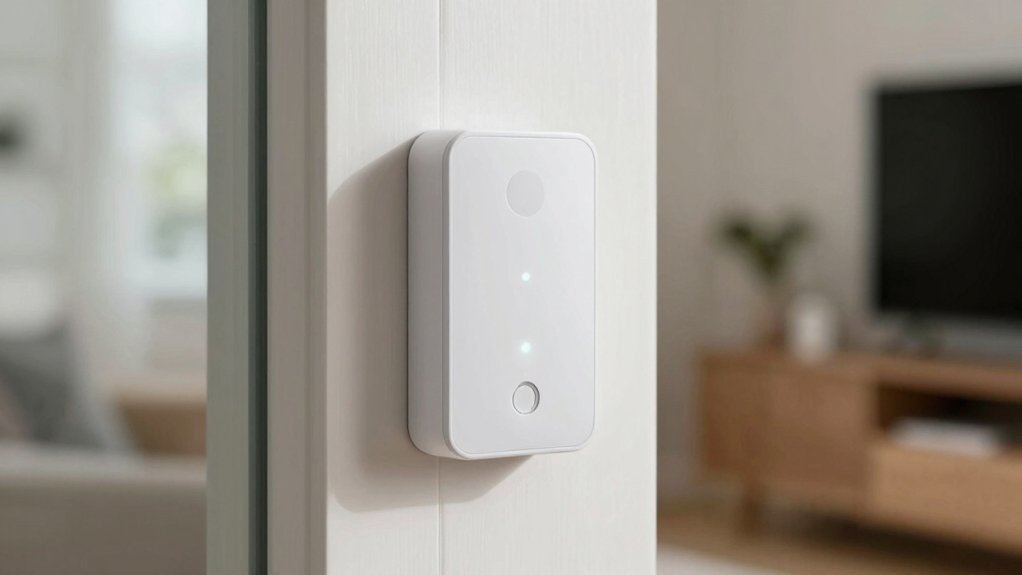
What makes a door sensor truly practical? Installation ease and mounting flexibility. Most WiFi door sensors use 3M adhesive for tool-free mounting directly onto your door or window frame. This method requires no drilling, screws, or professional installation.
You’ll find sensors designed for versatile placement beyond doors—windows, gates, mailboxes, safes, and pet doors all work. Before mounting, clean the surface thoroughly and let the adhesive set for the recommended time, typically 24 hours.
Consider the sensor’s dimensions and profile. Compact designs fit discreetly on standard frames without protruding noticeably. Battery-powered models (AA, AAA, or CR2032) eliminate wiring concerns. Check your hub compatibility first if required, then position the sensor where it detects movement reliably and connects to your WiFi network effectively.
Automation and Smart Home Features
How much control do you want over your home’s connected devices? WiFi door sensors let you build automation routines that trigger lights, switches, and thermostats when doors open or close. You can set rules directly through your sensor’s app or use platforms like Alexa, Google Assistant, or IFTTT for cross-device actions. Some sensors operate independently over 2.4 GHz WiFi, while others need hubs for advanced features. Real-time event triggers enable immediate responses to door activity and tamper alerts. Multi-device ecosystems let you expand sensors throughout your home and manage centralized automation rules. Auto-memory routines preserve your settings during power outages, ensuring consistent behavior across reboots. Check compatibility with your existing smart home platform before purchasing to avoid integration issues.
Alert Types and Notification Methods
Because real-time alerts form the core function of WiFi door sensors, you’ll want to understand the notification options available before making a purchase. Most models push notifications directly to your smartphone app when doors or windows open or close. Some sensors offer premium alert channels like SMS texts or phone calls for an additional fee. You can also receive tamper warnings and battery-low alerts to catch maintenance issues early. Check whether your chosen sensor requires a hub or connects directly via 2.4 GHz Wi-Fi, as this affects notification speed and reliability. Many systems let you assign different notification sounds or ringtones to each sensor, helping you quickly identify which entry point triggered the alert without checking your phone.
Final Thoughts
You’ve now reviewed five top WiFi door sensors. To select the right one, match your needs with the features: decide if you want a hub or hubless model, check 2.4 GHz WiFi compatibility, confirm Alexa/Google support, and verify battery type. Install using 3M adhesive, customize sensor names for each location, and test push notifications. Choose multi-packs for multiple entry points to maximize your smart home coverage.

Meet Ry, “TechGuru,” a 36-year-old technology enthusiast with a deep passion for tech innovations. With extensive experience, he specializes in gaming hardware and software, and has expertise in gadgets, custom PCs, and audio.
Besides writing about tech and reviewing new products, he enjoys traveling, hiking, and photography. Committed to keeping up with the latest industry trends, he aims to guide readers in making informed tech decisions.