
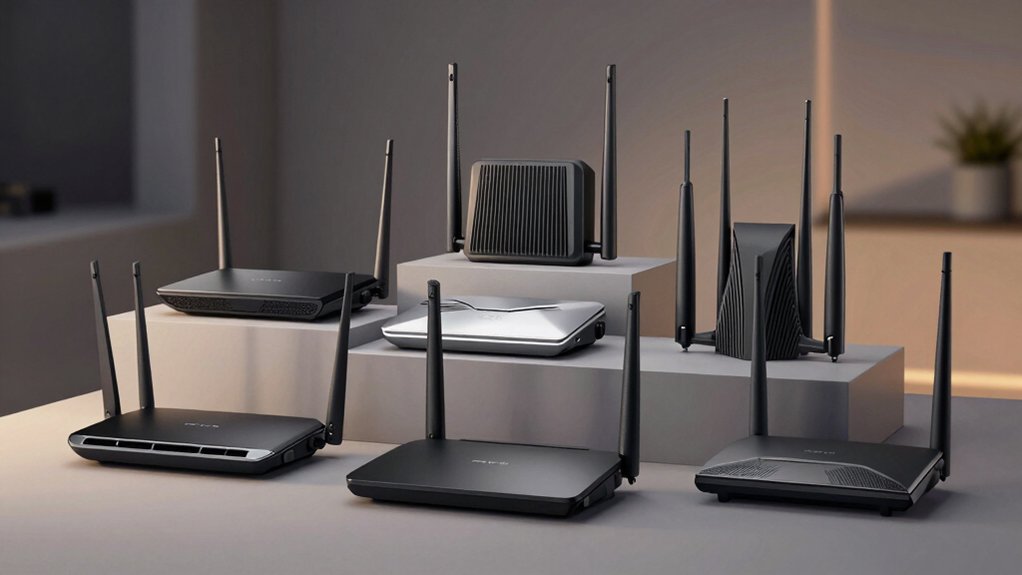

You’re looking to upgrade your home’s WiFi, but standard routers won’t cut it for a 2,500+ square-foot space. You need systems that handle dozens of devices simultaneously without dropping your speed. We’ve tested nine high-performance routers across WiFi 6, 6E, and 7 technology to show you which ones actually work. The right choice depends on your specific needs—and we’ll walk you through each option.
| NETGEAR Nighthawk WiFi 7 Router (BE9300) |

| Best Overall | WiFi Standard: WiFi 7 | Maximum Wireless Speed: 9.3 Gbps | WiFi Coverage Area: 2,500 sq. ft. | VIEW LATEST PRICE | Read Our Analysis |
| TP-Link Deco X55 AX3000 WiFi 6 Mesh System |

| Best Mesh System | WiFi Standard: WiFi 6 | Maximum Wireless Speed: 3.0 Gbps | WiFi Coverage Area: 2,500 sq. ft. | VIEW LATEST PRICE | Read Our Analysis |
| TP-Link BE6500 WiFi 7 Router (BE400) |

| Best WiFi 7 Value | WiFi Standard: WiFi 7 | Maximum Wireless Speed: 6.5 Gbps | WiFi Coverage Area: 2,400 sq. ft. | VIEW LATEST PRICE | Read Our Analysis |
| NETGEAR Nighthawk AX5400 WiFi 6 Router (RAX54S) |

| Best Budget Pick | WiFi Standard: WiFi 6 | Maximum Wireless Speed: 5.4 Gbps | WiFi Coverage Area: 2,500 sq. ft. | VIEW LATEST PRICE | Read Our Analysis |
| TP-Link Tri-Band BE9700 WiFi 7 Router (Archer BE600) |

| Most Advanced | WiFi Standard: WiFi 7 | Maximum Wireless Speed: 9.7 Gbps | WiFi Coverage Area: 2,600 sq. ft. | VIEW LATEST PRICE | Read Our Analysis |
| TP-Link Deco 7 BE23 WiFi 7 Mesh Router |

| Best Mesh WiFi 7 | WiFi Standard: WiFi 7 | Maximum Wireless Speed: 3.6 Gbps | WiFi Coverage Area: 2,500 sq. ft. | VIEW LATEST PRICE | Read Our Analysis |
| NETGEAR Nighthawk WiFi 7 Router (RS200) BE6500 |
| Best Mid-Range | WiFi Standard: WiFi 7 | Maximum Wireless Speed: 6.5 Gbps | WiFi Coverage Area: 2,500 sq. ft. | VIEW LATEST PRICE | Read Our Analysis |
| TP-Link AXE5400 WiFi 6E Router (Archer AXE75) |

| Best 6GHz Coverage | WiFi Standard: WiFi 6E | Maximum Wireless Speed: 5.4 Gbps | WiFi Coverage Area: Not specified | VIEW LATEST PRICE | Read Our Analysis |
| TP-Link Archer A54 AC1200 WiFi Router |

| Budget-Friendly Pick | WiFi Standard: WiFi 5 | Maximum Wireless Speed: 1.2 Gbps | WiFi Coverage Area: 1,000 sq. ft. | VIEW LATEST PRICE | Read Our Analysis |
More Details on Our Top Picks
NETGEAR Nighthawk WiFi 7 Router (BE9300)
For large homes demanding maximum WiFi speed, the NETGEAR Nighthawk WiFi 7 Router (BE9300) stands out. This router delivers 9.3Gbps wireless speed—2.4 times faster than WiFi 6—using a tri-band design that covers up to 2,500 square feet. It supports up to 100 devices simultaneously and includes a 2.5 Gigabit internet port for multi-gig speeds. You’ll need a separate cable modem to connect to your internet service. The sleek design features high-performance antennas for reliable coverage. Built-in security includes NETGEAR Armor protection with a 30-day trial. Setup and management happen through the Nighthawk app.
- WiFi Standard:WiFi 7
- Maximum Wireless Speed:9.3 Gbps
- WiFi Coverage Area:2,500 sq. ft.
- Maximum Devices Supported:100 devices
- Security Suite Included:NETGEAR Armor (30-day trial)
- Setup Method:Nighthawk app
- Additional Feature:2.5 Gigabit internet port
- Additional Feature:VPN-ready capability
- Additional Feature:Supports up to 100 devices
TP-Link Deco X55 AX3000 WiFi 6 Mesh System
The TP-Link Deco X55 AX3000 delivers seamless mesh coverage across 2,500 square feet—ideal if you’re tired of dead zones and buffering in your larger home. This WiFi 6 system replaces your traditional router and extender with a single mesh network. Set it up using the Deco app, which guides you through configuration step-by-step. The system includes three Gigabit Ethernet ports per unit, allowing you to connect devices via wired backhaul for stronger performance. You’ll get 3000 Mbps total data transfer rate across dual bands. TP-Link HomeShield provides built-in security, parental controls, and Quality of Service management. Add more Deco units anytime to expand coverage. The 2-year warranty and 24/7 technical support ensure long-term reliability.
- WiFi Standard:WiFi 6
- Maximum Wireless Speed:3.0 Gbps
- WiFi Coverage Area:2,500 sq. ft.
- Maximum Devices Supported:Not specified
- Security Suite Included:TP-Link HomeShield
- Setup Method:Deco app
- Additional Feature:3 Gigabit Ethernet ports
- Additional Feature:Wired Ethernet backhaul support
- Additional Feature:AI-Driven Mesh optimization
TP-Link BE6500 WiFi 7 Router (BE400)
Looking to cover 2,400 square feet without sacrificing speed? The TP-Link BE6500 delivers Wi-Fi 7 technology with up to 5764 Mbps on 5GHz and 688 Mbps on 2.4GHz. You’ll connect up to 90 devices simultaneously using Multi-Link Operation for enhanced throughput and lower latency. The router includes dual 2.5 Gbps ports and three 1 Gbps ports for wired connections. Set up the system through the Tether app or web interface, then expand coverage with EasyMesh-compatible devices for whole-home mesh networking. TP-Link HomeShield provides parental controls and real-time IoT security, while VPN support lets your devices access remote servers securely.
- WiFi Standard:WiFi 7
- Maximum Wireless Speed:6.5 Gbps
- WiFi Coverage Area:2,400 sq. ft.
- Maximum Devices Supported:90 devices
- Security Suite Included:TP-Link HomeShield
- Setup Method:Tether app or web interface
- Additional Feature:Multi-Link Operation (MLO) tech
- Additional Feature:EasyMesh compatibility
- Additional Feature:Simultaneous VPN and internet
NETGEAR Nighthawk AX5400 WiFi 6 Router (RAX54S)
Need solid WiFi coverage without overspending? The NETGEAR Nighthawk AX5400 delivers up to 5.4 Gbps across 2,500 square feet, supporting 25 devices simultaneously. You’ll connect it directly to your existing cable modem, then use the Nighthawk app to set up your network in minutes. Four Gigabit Ethernet ports handle wired connections for gaming or streaming, while the USB 3.0 port adds flexibility. Security features activate automatically, and you’ll receive a one-year NETGEAR Armor subscription that shields all connected devices against real-time threats and provides VPN privacy protection.
- WiFi Standard:WiFi 6
- Maximum Wireless Speed:5.4 Gbps
- WiFi Coverage Area:2,500 sq. ft.
- Maximum Devices Supported:25 devices
- Security Suite Included:NETGEAR Armor (1-year subscription)
- Setup Method:Nighthawk app
- Additional Feature:1 USB 3.0 port
- Additional Feature:1-year Armor subscription included
- Additional Feature:VPN real-time privacy protection
TP-Link Tri-Band BE9700 WiFi 7 Router (Archer BE600)
TP-Link’s most advanced Archer BE600 router delivers WiFi 7 performance across three bands with 9.7 Gbps total bandwidth. You’ll get coverage up to 2,600 square feet and support for 120 devices simultaneously. The 10 Gbps port and three 2.5 Gbps ports enable multi-gigabit wired connections for demanding applications. Set up the router through the Tether app or web interface within minutes. You can configure guest networks, enable WPA3 encryption, and activate parental controls via HomeShield. The 320 MHz channel on the 6 GHz band reduces interference. Multi-Link Operation keeps your connections stable when moving between rooms.
- WiFi Standard:WiFi 7
- Maximum Wireless Speed:9.7 Gbps
- WiFi Coverage Area:2,600 sq. ft.
- Maximum Devices Supported:120 devices
- Security Suite Included:TP-Link HomeShield
- Setup Method:Tether app or web interface
- Additional Feature:10 Gbps port included
- Additional Feature:320 MHz channel support
- Additional Feature:Multi-gigabit wired connectivity
TP-Link Deco 7 BE23 WiFi 7 Mesh Router
The Deco 7 BE23 delivers WiFi 7 performance across 2,500 square feet without sacrificing speed or device capacity. This mesh system supports 150+ devices and reaches 3.6 Gbps using four streams with dual-band technology. You’ll get two 2.5 Gbps ports for wired backhaul, allowing you to connect your modem directly for faster speeds. The system includes high-gain antennas and power amplifiers that extend coverage throughout large homes. Setup involves placing units strategically, connecting via the Deco app, and selecting wired or wireless backhaul based on your layout. HomeShield protection adds network security, parental controls, and IoT device management. You can control everything through voice commands via Alexa or Google Assistant.
- WiFi Standard:WiFi 7
- Maximum Wireless Speed:3.6 Gbps
- WiFi Coverage Area:2,500 sq. ft.
- Maximum Devices Supported:150+ devices
- Security Suite Included:TP-Link HomeShield
- Setup Method:Deco app
- Additional Feature:2× 2.5 Gbps ports
- Additional Feature:Private IoT network capability
- Additional Feature:Supports 150+ devices
NETGEAR Nighthawk WiFi 7 Router (RS200) BE6500
NETGEAR’s Nighthawk RS200 sits in the mid-range price tier with upper-tier performance specs that make it practical for large homes up to 2,500 square feet. You’ll get WiFi 7 speeds reaching 6.5 Gbps—20% faster than WiFi 6—and support for up to 80 devices simultaneously. The router includes a 2.5 Gig internet port for high-speed connections, though you’ll need a compatible modem separately. Setup requires connecting your modem to the ethernet port, then powering on the unit. NETGEAR Armor provides automatic security protection across all connected devices. The one-year limited warranty covers defects during normal use.
- WiFi Standard:WiFi 7
- Maximum Wireless Speed:6.5 Gbps
- WiFi Coverage Area:2,500 sq. ft.
- Maximum Devices Supported:80 devices
- Security Suite Included:NETGEAR Armor
- Setup Method:NETGEAR app
- Additional Feature:2.5 Gig internet port
- Additional Feature:Fixed antenna design
- Additional Feature:20% faster than WiFi 6
TP-Link AXE5400 WiFi 6E Router (Archer AXE75)
If you’re covering a large home with multiple devices and need superior wireless reach, the Archer AXE75’s 6GHz band delivers the expanded coverage you’re looking for through its tri-band WiFi 6E setup. You’ll get up to 5400 Mbps total speed across three bands: 2402 Mbps on 6GHz, 2402 Mbps on 5GHz, and 574 Mbps on 2.4GHz. The quad-core CPU and eight antennas work together to reduce latency and handle simultaneous device transmissions. You can extend coverage using OneMesh-compatible extenders for seamless whole-home connectivity. The router includes WPA3 security, HomeShield protection for IoT devices, and VPN support for encrypted connections. Five ports provide wired connectivity options, and it’s compatible with major ISPs.
- WiFi Standard:WiFi 6E
- Maximum Wireless Speed:5.4 Gbps
- WiFi Coverage Area:Not specified
- Maximum Devices Supported:Not specified
- Security Suite Included:TP-Link HomeShield
- Setup Method:Tether app or web interface
- Additional Feature:New 6GHz band support
- Additional Feature:OneMesh compatible extenders
- Additional Feature:1.7 GHz Quad-Core CPU
TP-Link Archer A54 AC1200 WiFi Router
Looking for solid WiFi coverage without breaking your budget? The TP-Link Archer A54 AC1200 delivers dual-band performance with 867 Mbps on 5 GHz and 300 Mbps on 2.4 GHz. Four external antennas provide coverage up to 1,000 square feet, making it suitable for medium-sized homes. You’ll get four Ethernet ports for wired connections and WPA3 security protection. The router supports EasyMesh for expanding coverage with compatible extenders. Setup happens quickly through the TP-Link Tether app, which also manages firmware updates. Guest WiFi and parental controls let you customize network access. While it lacks WiFi 6 technology, this AC1200 router offers reliable performance at an affordable price point for basic household needs.
- WiFi Standard:WiFi 5
- Maximum Wireless Speed:1.2 Gbps
- WiFi Coverage Area:1,000 sq. ft.
- Maximum Devices Supported:Not specified
- Security Suite Included:Guest WiFi & Parental Controls
- Setup Method:TP-Link Tether app
- Additional Feature:EasyMesh compatibility
- Additional Feature:Access Point Mode included
- Additional Feature:IPTV optimization support
Factors to Consider When Choosing a WiFi Router for a 2500 Sq Ft House
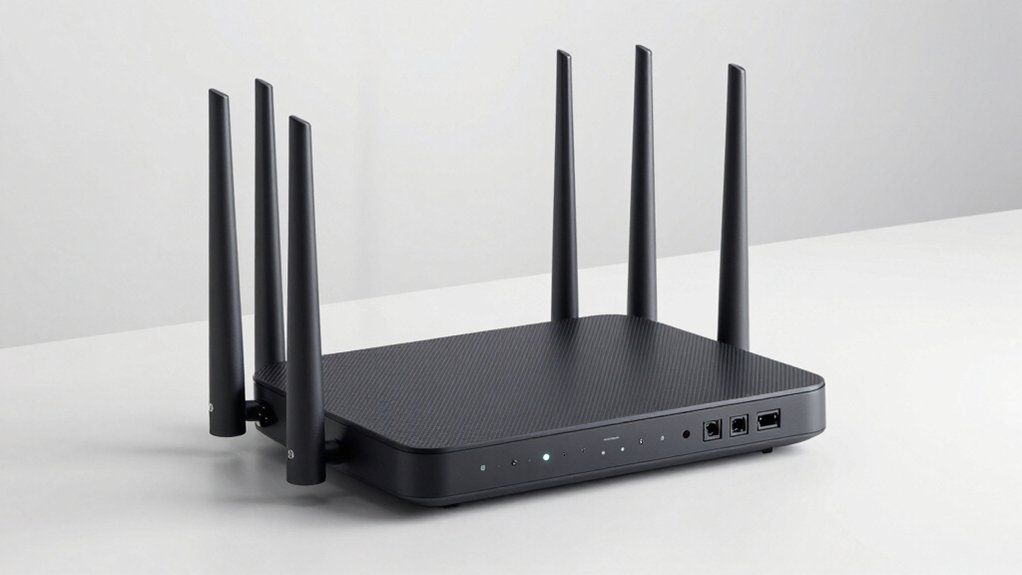
When selecting a WiFi router for your 2500 sq ft home, you’ll need to evaluate five key factors: coverage area and square footage capacity, wireless speed requirements based on your internet plan and activities, the number of devices you’ll connect simultaneously, the security features that protect your network, and whether you’ll benefit from a mesh system or single router setup. Start by measuring your home’s layout and identifying dead zones, then match the router’s advertised coverage range to your space, keeping in mind that walls and obstacles reduce signal strength. Next, determine your speed needs by considering your internet plan’s capacity, the number of simultaneous users, and bandwidth-heavy activities like streaming or gaming, then verify the router’s specifications align with those demands.
Coverage And Square Footage
How do you know which router will actually cover your entire 2,500 sq ft home without dead zones? Check the specifications for coverage claims matching your square footage or exceeding it. Look for mesh or multi-node systems that deliver seamless coverage across all rooms and eliminate weak spots. Tri-band or quad-band routers with high-gain antennas provide better range and signal stability than single-band models. Consider whether the system supports wired backhaul through Ethernet connections, which maximizes coverage efficiency by strengthening the connection between nodes. Review exact coverage specs listed by manufacturers—models advertising up to 2,500 sq ft or more ensure adequate performance throughout your space. Compare multiple units’ specifications side-by-side to determine how many nodes you’ll need for complete home coverage.
Wireless Speed Requirements
What wireless speed do you actually need for a 2,500 sq ft home with multiple users and devices? Look for routers advertising combined throughput between 5,000–9,000 Mbps. This figure represents total speed across all bands, not single-device performance. You’ll want WiFi 6, 6E, or 7 technology because these standards handle congested environments with many simultaneous connections better than older WiFi 5 or 4 routers. Prioritize multi-band systems (tri-band or quad-band) to distribute traffic efficiently across frequencies. Additionally, confirm your router supports 90–150+ concurrent device connections to maintain stability when multiple household members stream, video call, and browse simultaneously. Match your wireless speed tier to your internet plan’s capacity—faster plans require routers with corresponding multi-gig wired ports to prevent bottlenecking.
Device Capacity Needs
Your router’s ability to handle multiple connected devices simultaneously determines whether your network remains stable or slows to a crawl as household members and guests connect their phones, laptops, smart speakers, and IoT devices. For a 2,500 sq ft home, you’ll need a system supporting at least 90–150 devices concurrently. This capacity prevents bottlenecks when many users stream video, work remotely, or operate smart home equipment at once.
Check the router’s specifications for maximum device support before purchasing. Models rated for fewer than 90 devices will struggle under typical household loads. Mesh systems distribute the load across multiple nodes, improving overall device capacity. Prioritize routers explicitly listing their concurrent device limits rather than vague marketing claims about performance.
Security Features Available
Because threats to your home network evolve constantly, you’ll want to prioritize routers equipped with comprehensive built-in security suites—such as NETGEAR Armor or ASUS HomeShield—that deliver real-time protection, scan for malware and vulnerable IoT devices, and push automatic firmware updates without requiring manual intervention. Next, verify that your router supports WPA3 encryption as the minimum standard, alongside guest networks and stateful packet inspection (SPI) firewalls for layered defense. Check the vendor’s Secure-by-Design pledge or cybersecurity commitments to ensure ongoing threat mitigation. Additionally, confirm VPN client and server support, allowing you to run VPN concurrently with regular internet usage for secure remote access. For your 2,500 sq ft home, select mesh-capable systems with AP/Router mode options to maintain consistent security policies across all nodes.
Mesh Versus Single Router
Once you’ve locked down your security foundation, the next decision shapes your entire coverage strategy: choosing between a mesh system and a single router for your 2,500 sq ft home.
A mesh system deploys multiple nodes across your space, eliminating dead zones and allowing seamless roaming. You can expand coverage by adding more nodes without rewiring. Mesh systems provide centralized management through a single SSID, so devices automatically switch access points without manual reconnection.
A single high-end router works for some layouts but struggles with obstacles and distance. It requires wired backhaul or range extenders for wider reach, adding complexity and cost.
For 2,500 sq ft with cluttered layouts and multiple simultaneous devices, mesh maintains better performance and flexibility than a single router.
Ethernet Port Options
What role do wired connections play in your router setup for a 2,500 sq ft home? They’re essential for stable, high-speed performance. Look for routers with at least 4 Gigabit Ethernet ports as your baseline. For better results, prioritize models offering 2.5 Gbps WAN and LAN ports to support multi-gig internet plans and devices. Multiple 2.5 Gbps LAN ports enable you to connect gaming consoles, smart TVs, and NAS systems without bottlenecks. You can also use Ethernet backhaul to connect mesh nodes, substantially improving overall network performance across your large home. This wired connection method delivers faster, more reliable speeds than wireless backhaul. Verify your router supports both standard Gigabit and multi-gig options before purchasing.
Budget And Warranty
How much you’re willing to spend on a router for your 2,500 sq ft home will shape which features you can realistically afford. Budget-conscious buyers should explore WiFi 6 or 6e mesh systems, which offer efficient coverage without requiring expensive extenders. These options typically range from $150 to $400 and deliver solid performance for large spaces.
Next, verify warranty coverage before purchasing. Look for routers offering at least a 1-year manufacturer warranty; many premium models include 2-year protection. Check whether security features like Armor or HomeShield come bundled free or require paid subscriptions. Factor subscription costs into your total budget—some include a complimentary first year, while others charge immediately. This reveals your true ownership cost and helps you compare options accurately.
Final Thoughts
You’ll want to pick a WiFi 7 or 6E router if your home exceeds 2,500 sq ft. Check for multi-gig ports, mesh scalability, and support for 90+ devices. NETGEAR Nighthawk and TP-Link BE series models deliver consistent speed across large spaces. Verify coverage maps match your square footage, confirm Ethernet backhaul options, and compare warranty terms. Install your router centrally, use wired connections for devices when possible, and enable security features included with your system.

Meet Ry, “TechGuru,” a 36-year-old technology enthusiast with a deep passion for tech innovations. With extensive experience, he specializes in gaming hardware and software, and has expertise in gadgets, custom PCs, and audio.
Besides writing about tech and reviewing new products, he enjoys traveling, hiking, and photography. Committed to keeping up with the latest industry trends, he aims to guide readers in making informed tech decisions.