
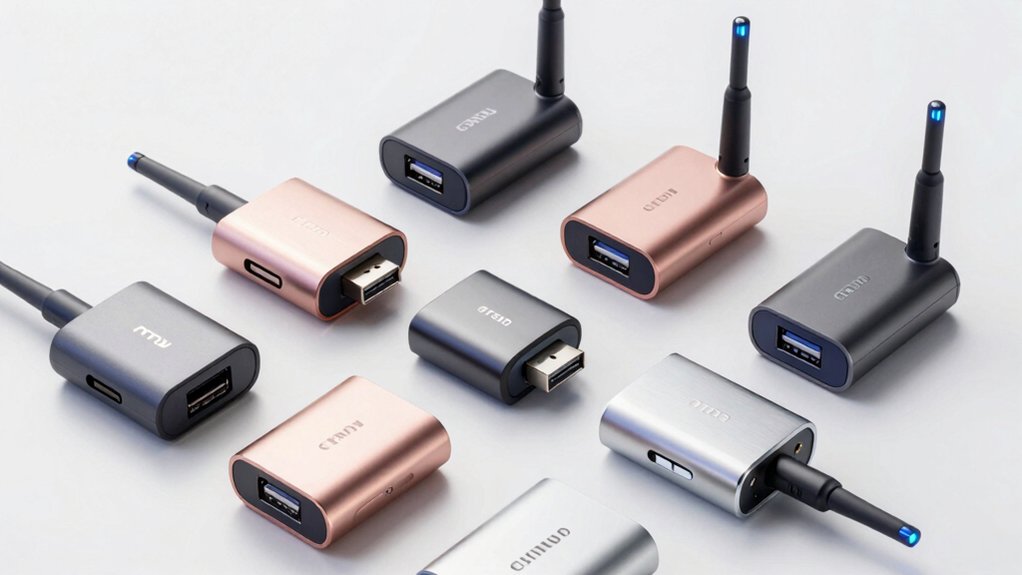

When your Windows 11 device struggles with weak WiFi signals or slow speeds, a USB adapter can restore reliable connectivity. You’ve got several options: compact AC models for basic needs, faster AX WiFi 6 adapters for demanding tasks, or advanced AXE3000 WiFi 6E models for cutting-edge performance. Each adapter offers different speeds, antenna types, and features. But which one actually matches your setup?
| TP-Link AC600 USB WiFi Adapter (Archer T2U Plus) |

| Budget-Friendly Pick | WiFi Standard: 802.11ac (AC600) | Max Speed (5GHz Band): 433 Mbps | USB Interface Type: USB 2.0 | VIEW LATEST PRICE | Read Our Analysis |
| TP-Link AC1300 USB WiFi Adapter (Archer T3U) |

| Best Value | WiFi Standard: 802.11ac (AC1300) | Max Speed (5GHz Band): AC1300 dual-band | USB Interface Type: USB 3.0 | VIEW LATEST PRICE | Read Our Analysis |
| UGREEN AX900 USB WiFi 6 Adapter Dual Band |

| WiFi 6 Essential | WiFi Standard: WiFi 6 (AX900) | Max Speed (5GHz Band): 600 Mbps | USB Interface Type: USB 3.0 | VIEW LATEST PRICE | Read Our Analysis |
| TP-Link WiFi 6 USB Adapter (Archer TX20U Plus) |

| Best Overall | WiFi Standard: WiFi 6 (AX1800) | Max Speed (5GHz Band): 1201 Mbps | USB Interface Type: USB 3.0 with 1-meter cable | VIEW LATEST PRICE | Read Our Analysis |
| Tenda AX900 WiFi Adapter USB Dongle (U11) |

| Plug-and-Play Option | WiFi Standard: WiFi 6 (AX900) | Max Speed (5GHz Band): 600 Mbps | USB Interface Type: USB 2.0 | VIEW LATEST PRICE | Read Our Analysis |
| BrosTrend USB WiFi 6 Adapter AX1800 Long Range |

| Best Performance | WiFi Standard: WiFi 6 (AX1800) | Max Speed (5GHz Band): 1201 Mbps | USB Interface Type: USB 3.0 with 3.3-foot cable | VIEW LATEST PRICE | Read Our Analysis |
| NETGEAR Nighthawk WiFi 6E USB Adapter (A8000) |

| Most Advanced | WiFi Standard: WiFi 6E (AXE3000) | Max Speed (5GHz Band): Up to 3 Gbps (tri-band) | USB Interface Type: USB 3.0 | VIEW LATEST PRICE | Read Our Analysis |
| USB WiFi 6 Adapter with Bluetooth 5.3 |

| Most Versatile | WiFi Standard: WiFi 6 (AX) | Max Speed (5GHz Band): 600 Mbps | USB Interface Type: USB (nano plug-and-play) | VIEW LATEST PRICE | Read Our Analysis |
| RENGOGA USB WiFi Adapter 600Mbps Dual Band |

| Best For Beginners | WiFi Standard: 802.11ac (AC600) | Max Speed (5GHz Band): 433 Mbps | USB Interface Type: USB 2.0/3.0 compatible | VIEW LATEST PRICE | Read Our Analysis |
More Details on Our Top Picks
TP-Link AC600 USB WiFi Adapter (Archer T2U Plus)
The TP-Link Archer T2U Plus is a budget-friendly pick for users who need faster wireless speeds without spending heavily on premium equipment. This dual-band adapter supports 2.4 GHz at 200 Mbps and 5 GHz at 433 Mbps, using the 802.11ac standard. The 5dBi adjustable antenna rotates to optimize signal reception toward your router. Install the OS driver from TP-Link’s website, then plug the USB dongle into your desktop computer. It’s compatible with Windows 11 and earlier versions. The adapter uses WEP and WPA2 security protocols. For best results, position the antenna perpendicular to your router and minimize physical obstructions between devices.
- WiFi Standard:802.11ac (AC600)
- Max Speed (5GHz Band):433 Mbps
- USB Interface Type:USB 2.0
- Windows 11 Compatibility:Windows 11 compatible
- Antenna Configuration:Single 5dBi high-gain adjustable antenna
- Additional Features:Dual-band only
- Additional Feature:Adjustable multi-directional antenna
- Additional Feature:802.11ac three times faster
- Additional Feature:Compact portable USB dongle
TP-Link AC1300 USB WiFi Adapter (Archer T3U)
TP-Link’s AC1300 USB adapter offers solid performance without premium pricing, making it an ideal choice for users upgrading older desktops or laptops that lack built-in WiFi. This dual-band adapter delivers AC1300 speeds across 2.4 GHz and 5 GHz frequencies, ensuring you’ll maintain reliable connections throughout your home. The USB 3.0 interface transfers data faster than older USB 2.0 standards. MU-MIMO technology and Beamforming work together to strengthen your signal and reduce lag during streaming or gaming. Installation requires connecting the adapter to any open USB port, then installing drivers compatible with Windows 11, 10, 8.1, 8, 7, and XP. Its compact, portable design fits easily into laptop bags for mobility between locations.
- WiFi Standard:802.11ac (AC1300)
- Max Speed (5GHz Band):AC1300 dual-band
- USB Interface Type:USB 3.0
- Windows 11 Compatibility:Windows 11 compatible
- Antenna Configuration:Integrated (beamforming technology)
- Additional Features:MU-MIMO with beamforming
- Additional Feature:MU-MIMO with Beamforming technology
- Additional Feature:USB 3.0 faster data transfer
- Additional Feature:World’s #1 WiFi provider
UGREEN AX900 USB WiFi 6 Adapter Dual Band
UGREEN’s AX900 USB adapter brings WiFi 6 essential technology to desktop computers needing faster wireless speeds. You’ll get up to 600 Mbps on 5GHz and 286 Mbps on 2.4GHz when using a WiFi 6 router. Installation requires no CD or driver downloads—Windows 10 and 11 systems recognize it automatically through built-in drivers. The adapter supports dual-band connectivity, WPA2 encryption, and network sharing capabilities. Position your router within 30 feet of the adapter for peak performance. This option works exclusively with Windows 10/11 (X86/X64) and isn’t compatible with MacOS or Linux systems.
- WiFi Standard:WiFi 6 (AX900)
- Max Speed (5GHz Band):600 Mbps
- USB Interface Type:USB 3.0
- Windows 11 Compatibility:Windows 10/11 (built-in drivers)
- Antenna Configuration:Integrated (no external antennas)
- Additional Features:Network sharing capability
- Additional Feature:Built-in driver no downloads
- Additional Feature:Desktop network sharing capability
- Additional Feature:30-foot optimal range distance
TP-Link WiFi 6 USB Adapter (Archer TX20U Plus)
For desktop users wanting superior wireless performance without replacing built-in hardware, this WiFi 6 adapter stands out as the top choice. The Archer TX20U Plus delivers AX1800 speeds with dual-band coverage reaching 1201 Mbps on 5GHz and 574 Mbps on 2.4GHz. Its dual high-gain antennas feature beamforming and adjustable positioning for optimized signal strength. Connect the included 1-meter USB 3.0 cable to your desktop’s USB 3.0 port for peak performance. MU-MIMO and OFDMA technology reduce network congestion while WPA3 encryption secures your connection. Windows 11 and Windows 10 installation is straightforward, making this adapter ideal for gaming, streaming, and downloading.
- WiFi Standard:WiFi 6 (AX1800)
- Max Speed (5GHz Band):1201 Mbps
- USB Interface Type:USB 3.0 with 1-meter cable
- Windows 11 Compatibility:Windows 11 compatible
- Antenna Configuration:Dual high-gain adjustable antennas
- Additional Features:MU-MIMO, OFDMA, WPA3 security
- Additional Feature:WPA3 next generation security
- Additional Feature:Dual high-gain antennas included
- Additional Feature:1-meter USB 3.0 cable
Tenda AX900 WiFi Adapter USB Dongle (U11)
The Tenda U11 delivers a plug-and-play WiFi 6 solution for desktop and laptop users running Windows 7, 10, or 11. This dual-band USB dongle reaches 900 Mbps combined speed: 600 Mbps on 5 GHz and 286 Mbps on 2.4 GHz. You’ll need a WiFi 6 router to achieve maximum performance. The adapter includes pre-installed drivers, so you simply connect it to your USB port and start using it immediately. Position it within 30 feet of your router for optimal signal strength. The U11 also functions as a hotspot—you can receive a signal and share internet with other devices. Security features include WPA/WPA2 encryption. It comes with a three-year manufacturer warranty and qualifies for a 30-day Amazon return window.
- WiFi Standard:WiFi 6 (AX900)
- Max Speed (5GHz Band):600 Mbps
- USB Interface Type:USB 2.0
- Windows 11 Compatibility:Windows 7/10/11 (pre-installed drivers)
- Antenna Configuration:Integrated (no external antennas)
- Additional Features:Network sharing, 3-year warranty
- Additional Feature:Pre-installed drivers plug-and-play
- Additional Feature:3-year manufacturer warranty coverage
- Additional Feature:Receive and transmit two-in-one
BrosTrend USB WiFi 6 Adapter AX1800 Long Range
BrosTrend’s AX1800 adapter delivers superior performance for Windows 11 users who need faster speeds and extended range without complicated setup. This USB 3.0 device reaches 1800 Mbps total speed—1201 Mbps on 5GHz and 574 Mbps on 2.4GHz. The two 5dBi antennas transmit stronger signals through walls and floors using beamforming technology. Install the driver, plug the included extension cable into your PC’s USB port, and position the adapter for optimal reception. You’ll experience reduced buffering during HD streaming, gaming, and video calls. The package includes a quick installation guide, extension cable, and two-year warranty.
- WiFi Standard:WiFi 6 (AX1800)
- Max Speed (5GHz Band):1201 Mbps
- USB Interface Type:USB 3.0 with 3.3-foot cable
- Windows 11 Compatibility:Windows 11 only
- Antenna Configuration:2x 5dBi high-gain external antennas
- Additional Features:OFDMA, MU-MIMO, 2-year warranty
- Additional Feature:3.3-foot USB extension cable
- Additional Feature:2x high-gain 5dBi antennas
- Additional Feature:2-year registered warranty included
NETGEAR Nighthawk WiFi 6E USB Adapter (A8000)
Want to access the fastest wireless speeds available today? The NETGEAR Nighthawk WiFi 6E USB Adapter (A8000) delivers AXE3000 speeds up to 3Gbps—2.5 times faster than WiFi 5. This adapter accesses the new 6GHz band when paired with a WiFi 6E router, creating a dedicated express lane for HD video conferencing, gaming, and streaming. The compact design includes a flippable antenna for optimal signal strength and flexible placement via its included cradle. It connects via USB 3.0 and requires Windows 10 or later. Weighing just 28 grams, this adapter works with any WiFi 6 or 6E router system, making it ideal for upgrading your laptop’s wireless capability instantly.
- WiFi Standard:WiFi 6E (AXE3000)
- Max Speed (5GHz Band):Up to 3 Gbps (tri-band)
- USB Interface Type:USB 3.0
- Windows 11 Compatibility:Windows 10 required
- Antenna Configuration:Flippable antenna (single)
- Additional Features:Tri-band (6GHz support), 1-year warranty
- Additional Feature:Exclusive WiFi 6E 6GHz band
- Additional Feature:Flippable antenna for coverage
- Additional Feature:Compact cradle flexible placement
USB WiFi 6 Adapter with Bluetooth 5.3
Need stronger WiFi without sacrificing Bluetooth connectivity? This USB adapter delivers WiFi 6 performance on both 5 GHz (up to 600 Mbps) and 2.4 GHz (up to 287 Mbps) while supporting seven simultaneous Bluetooth devices like headphones, keyboards, and mice. The Realtek RTL8851BU chipset provides stable long-range connections ideal for streaming and file transfers. You’ll get dual-mode operation: standard receiver mode for PC-to-router connections or AP hotspot mode to create instant WiFi networks from wired sources. Setup takes seconds—simply plug the nano-sized adapter into your Windows 10 or 11 PC for driver-free installation. Its compact design preserves access to adjacent ports, making it perfect for travel or emergency networking situations.
- WiFi Standard:WiFi 6 (AX)
- Max Speed (5GHz Band):600 Mbps
- USB Interface Type:USB (nano plug-and-play)
- Windows 11 Compatibility:Windows 10/11 (driver-free)
- Antenna Configuration:Integrated (nano design)
- Additional Features:Bluetooth 5.3, dual-mode operation (WiFi + AP Hotspot)
- Additional Feature:Dual-mode WiFi receiver hotspot
- Additional Feature:Connect 7 Bluetooth devices
- Additional Feature:Driver-free nano-sized design
RENGOGA USB WiFi Adapter 600Mbps Dual Band
The RENGOGA USB WiFi Adapter 600Mbps Dual Band works straight out of the box—no drivers to install, no technical setup required. You’ll get dual-band connectivity at 2.4 GHz and 5 GHz frequencies, delivering up to 150 Mbps and 433 Mbps respectively. Simply plug it into your USB port on any Windows PC running XP through Windows 11. The adapter supports WEP, WPA, and WPA2 encryption standards for secure connections. It’s compatible with desktops and laptops. With its 1-year warranty and lifetime technical support, you have protection and assistance available whenever needed. Weighing just 20 grams, it’s portable and practical for gaming, streaming, and browsing without lag.
- WiFi Standard:802.11ac (AC600)
- Max Speed (5GHz Band):433 Mbps
- USB Interface Type:USB 2.0/3.0 compatible
- Windows 11 Compatibility:Windows 11 compatible
- Antenna Configuration:Integrated (plug-and-play)
- Additional Features:Lifetime technical support, 1-year warranty
- Additional Feature:Pre-installed built-in drivers included
- Additional Feature:Lifetime technical support included
- Additional Feature:Plug-and-play no expertise needed
Factors to Consider When Choosing a Windows 11 WiFi Adapter
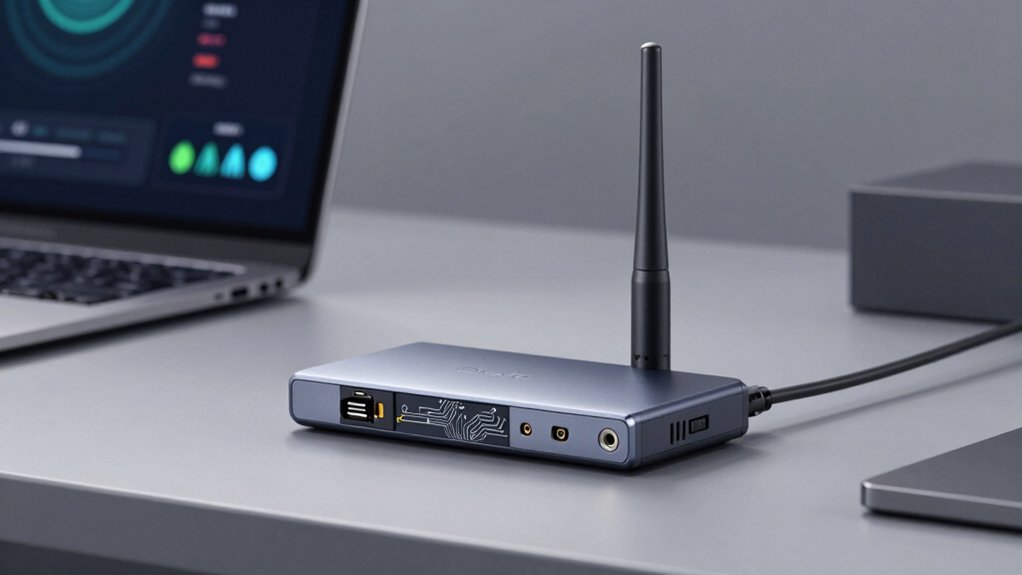
When selecting a Windows 11 WiFi adapter, you’ll want to evaluate five key factors: wireless speed performance (measured in Mbps), operating system compatibility with Windows 11, USB interface type (USB 2.0 or 3.0), antenna design quality for signal strength, and security encryption standards (WPA3 support). Start by checking your current internet speed from your ISP and matching the adapter’s performance rating to that benchmark, then verify the product listing confirms Windows 11 driver availability. Finally, confirm the adapter uses USB 3.0 if possible, has external antennas for better range, and supports modern encryption protocols to protect your network from unauthorized access.
Wireless Speed Performance
How do you know which WiFi adapter will actually deliver the speeds you need? Check the wireless standard first—Wi-Fi 6 (AX) adapters reach up to 1201 Mbps on 5 GHz, while Wi-Fi 5 (AC) maxes around 1300 Mbps combined. Remember that advertised speeds are theoretical maximums; real-world performance drops due to interference and distance. Look for USB 3.0 interfaces instead of USB 2.0 to prevent bottlenecks. Position your adapter within 30 feet of your router with minimal obstructions for best results. Verify your router supports MU-MIMO and OFDMA technologies, which enable multiple devices to receive data simultaneously and reduce contention. Match your adapter’s capabilities to your actual internet plan speed to avoid overpaying for unnecessary performance.
Operating System Compatibility
Why does Windows 11 compatibility matter more than you’d think? You need to verify that your adapter explicitly supports Windows 11, not just earlier versions like Windows 10. Check the manufacturer’s specifications first—some adapters only work with Windows 7 or 10 and won’t function on Windows 11.
Next, determine if drivers come built-in or require manual installation. Windows 11 may include standard drivers, but advanced features like WPA3 and MU-MIMO need updated drivers from the manufacturer’s website.
Confirm your adapter uses USB 3.0 or 3.1 interface for proper Windows 11 compatibility. Finally, verify Windows 11-specific prerequisites on the product page. These steps ensure your adapter works reliably without compatibility issues or missing features on your system.
USB Interface Type
Your adapter’s USB interface type directly controls how fast data moves between your WiFi adapter and Windows 11 system. USB 2.0 adapters work on Windows 11 but limit your speeds significantly, capping performance well below modern WiFi standards. USB 3.0 and 3.1 Gen 1 adapters deliver noticeably faster real-world speeds and support WiFi 5 (AC) without bottlenecks. For WiFi 6 (AX) or WiFi 6E devices, choose USB 3.2 or USB-C adapters to avoid performance restrictions. These newer interfaces provide higher bus bandwidth and lower latency, letting you access closer to your adapter’s maximum speeds. Check your Windows 11 system’s available ports before purchasing. Using a USB extension cable improves signal quality by reducing host interference and positioning your adapter optimally near your router.
Antenna Design Quality
Antenna design directly affects how well your WiFi adapter receives and transmits signals to your Windows 11 system. High-gain antennas rated 5dBi or higher focus signals in narrower patterns, improving reception on the 5 GHz band significantly. Dual-antenna designs with beamforming direct signals toward your router, reducing dead spots and boosting range stability. Adjustable, multi-directional antennas let you aim toward your router for optimal performance, particularly helpful in fixed desktop setups. USB adapters with detachable or extended antennas provide flexibility to reposition for better line-of-sight and obstruction mitigation. Compact or nano form factors with integrated, non-removable antennas limit upgradeability and peak range compared to external high-gain options. Evaluate your space and placement needs before selecting an adapter’s antenna configuration.
Security Encryption Standards
While antenna design determines signal strength and range, the encryption standard your adapter supports determines how well it protects your data from unauthorized access. You’ll want to choose an adapter that supports WPA3, the latest and strongest security standard available for Windows 11. If your network equipment doesn’t support WPA3 yet, ensure your adapter at least handles WPA2-PSK for personal networks or WPA2-PPSK for enterprise setups. Avoid any adapter still relying on outdated WEP encryption, which offers virtually no protection. While WPA2-WPA mixed mode provides backward compatibility with older devices, it reduces overall security. Verify your adapter’s driver supports current protocols before purchasing, guaranteeing maximum protection against unauthorized access while maintaining compatibility with your existing network infrastructure.
Installation Ease Requirements
Original Text (word-for-word), with only the specified word substitutions applied:
Installation ease directly affects how quickly you can start using your new WiFi adapter on Windows 11. Check whether your adapter needs driver installation or works plug-and-play immediately. Many modern adapters include built-in Windows 11 drivers, eliminating the need for manual downloads or installation CDs. Verify compatibility with your Windows 11 edition to avoid compatibility gaps. Select adapters with USB 3.0 interfaces for delivers optimal installation success and performance. Confirm that Windows Update will automatically supply necessary drivers and firmware updates, reducing your setup time significantly. Before purchasing, review the vendor’s Windows 11 support documentation to ensure your specific model receives driver support. This verification step prevents installation delays and compatibility issues later.
Range And Signal Strength
How far can your WiFi adapter actually reach? Your adapter’s range depends on several key factors you can control. First, choose a dual-band adapter that supports the 5 GHz band, which travels farther with less interference than 2.4 GHz. Second, select adapters with higher gain antennas rated 5dBi or above, then orient them toward your router for optimal signal. Third, position yourself within 30 feet of your router for stable performance. Fourth, maintain clear line-of-sight between adapter and router to eliminate obstacles. Finally, consider WiFi 6 adapters featuring beamforming technology, which focuses signal directly to your device and strengthens reception in challenging environments. These steps directly improve both range and connection stability.
Dual-Band Connectivity Options
When you’re selecting a WiFi adapter for Windows 11, you’ll want to understand how dual-band technology works and why it matters for your specific needs. Dual-band adapters operate on both 2.4 GHz and 5 GHz bands simultaneously, letting you choose based on your activity. The 2.4 GHz band provides longer range, while the 5 GHz band delivers faster speeds up to 1201 Mbps for high-bandwidth tasks. Verify your router supports both bands to maximize performance. Check that your adapter’s drivers support dual-band features like MU-MIMO or beamforming, which improve signal stability. Position your device strategically to balance range and speed. Confirm Windows 11 recognizes both bands in your network settings before finalizing your purchase.
Final Thoughts
You’ll improve your Windows 11 connection by selecting an adapter matching your needs. First, check your device’s USB port type—USB 3.0 or 3.1 works best. Next, decide between WiFi 6 (AX) or WiFi 6E models based on your router. Finally, verify driver compatibility before purchasing. Budget adapters start around $20; premium options exceed $100. Match your choice to your speed requirements and range needs for optimal performance.

Meet Ry, “TechGuru,” a 36-year-old technology enthusiast with a deep passion for tech innovations. With extensive experience, he specializes in gaming hardware and software, and has expertise in gadgets, custom PCs, and audio.
Besides writing about tech and reviewing new products, he enjoys traveling, hiking, and photography. Committed to keeping up with the latest industry trends, he aims to guide readers in making informed tech decisions.