
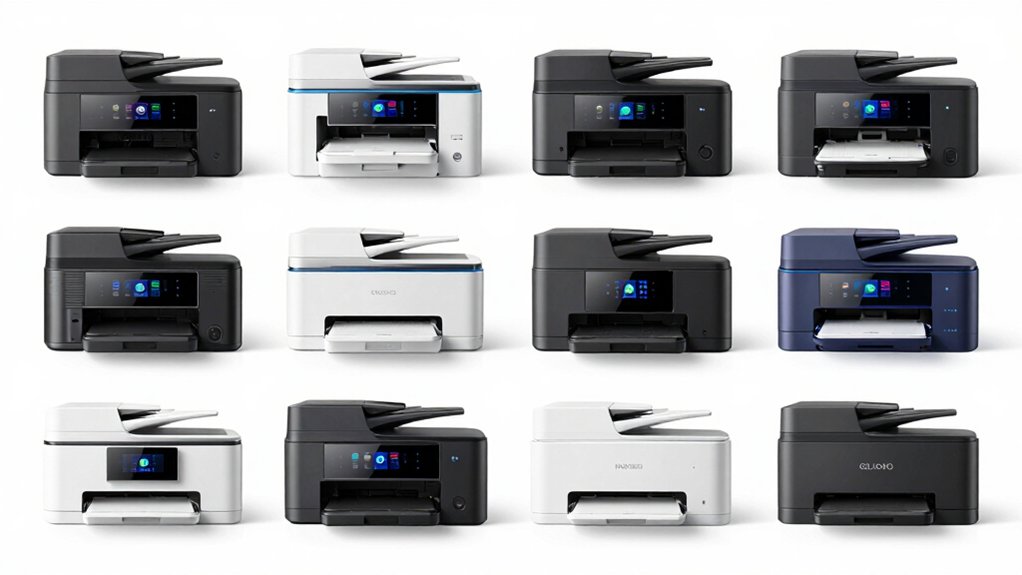

When you’re selecting a wireless printer for your phone, you’ll need to evaluate specific features that actually matter: Bluetooth or Wi-Fi Direct connectivity, compatible mobile apps, and media versatility. You can choose between portable thermal models for travel or full-featured inkjet printers for regular home use. The right choice depends on your budget and printing volume. Let’s examine which models deliver the results you need.
| NDYIN Portable Wireless Thermal Printer N80 Bluetooth |

| Best for Travel | Printing Technology: Direct thermal (inkless) | Mobile Connectivity: Bluetooth + USB-C via Nada Print app | Weight/Portability: 1.5 lbs (highly portable) | VIEW LATEST PRICE | Read Our Analysis |
| HP DeskJet 4255e Wireless All-in-One Inkjet Printer |

| Best All-in-One | Printing Technology: Inkjet with HP 67 cartridges | Mobile Connectivity: Wi-Fi only via HP app | Weight/Portability: 10.6 lbs (desktop) | VIEW LATEST PRICE | Read Our Analysis |
| Canon PIXMA TS3720 Wireless All-in-One Printer |

| Most User-Friendly | Printing Technology: Inkjet with 2 color cartridges | Mobile Connectivity: Dual-band Wi-Fi via Canon PRINT app, AirPrint, Mopria | Weight/Portability: Not specified (desktop all-in-one) | VIEW LATEST PRICE | Read Our Analysis |
| Liene M100 4×6 Photo Printer with Wi-Fi |

| Best Photo Printer | Printing Technology: Thermal dye sublimation | Mobile Connectivity: Wi-Fi hotspot via Liene app | Weight/Portability: Not specified (compact photo printer) | VIEW LATEST PRICE | Read Our Analysis |
| Inkless Portable Wireless Thermal Printer with Carry Case |

| Most Compact | Printing Technology: Thermal (inkless) | Mobile Connectivity: Bluetooth + USB via Jadens Printer app | Weight/Portability: 1.75 lbs (ultra-portable) | VIEW LATEST PRICE | Read Our Analysis |
| HP DeskJet 2827e Wireless All-in-One Inkjet Printer |

| Budget-Friendly Pick | Printing Technology: Inkjet with HP 67 cartridges | Mobile Connectivity: Wi-Fi only via HP app | Weight/Portability: 7.5 lbs (compact desktop) | VIEW LATEST PRICE | Read Our Analysis |
| Brother MFC-J1360DW Wireless Color Inkjet All-in-One Printer |

| Professional Grade | Printing Technology: Inkjet with LC501 series inks | Mobile Connectivity: Wi-Fi + Cloud apps via Brother Mobile Connect, AirPrint, Mopria | Weight/Portability: 16.8 lbs (desktop) | VIEW LATEST PRICE | Read Our Analysis |
| Canon PIXMA TS4320 Wireless Color Inkjet Printer |

| Best Value | Printing Technology: Inkjet with 2-cartridge hybrid system | Mobile Connectivity: Dual-band Wi-Fi via Canon PRINT app, AirPrint, Mopria | Weight/Portability: Not specified (compact desktop) | VIEW LATEST PRICE | Read Our Analysis |
| Aixiqee Portable Thermal Printer Wireless Bluetooth Compatible |

| Longest Battery Life | Printing Technology: Thermal (inkless) | Mobile Connectivity: Bluetooth + USB-C via smartphone app | Weight/Portability: 1.67 lbs (lightweight portable) | VIEW LATEST PRICE | Read Our Analysis |
More Details on Our Top Picks
NDYIN Portable Wireless Thermal Printer N80 Bluetooth
Are you traveling for work and need to print documents on the go? The NDYIN N80 connects to your iPhone, Android phone, iPad, or tablet via Bluetooth using the Nada Print app. You’ll print documents, contracts, invoices, and boarding passes anywhere without carrying ink or toner. The printer uses thermal paper instead of regular paper—purchase US Letter or A4 rolls separately. With a 2600 mAh battery, you get up to 160 sheets per charge. The compact 1.5-pound design fits in your backpack. Install the driver if connecting via USB-C to a laptop, though Bluetooth doesn’t work in USB mode. This inkless technology keeps costs low and benefits the environment while delivering 203 DPI resolution.
- Printing Technology:Direct thermal (inkless)
- Mobile Connectivity:Bluetooth + USB-C via Nada Print app
- Weight/Portability:1.5 lbs (highly portable)
- Maximum Print Speed:Up to 160 sheets per charge (8.5×11″)
- Paper Compatibility:US Letter, A4 thermal paper only
- All-in-One Capabilities:Print only
- Additional Feature:No-ink direct thermal printing
- Additional Feature:160-sheet battery capacity
- Additional Feature:Tattoo transfer paper compatible
HP DeskJet 4255e Wireless All-in-One Inkjet Printer
Looking for a printer that handles home printing tasks without breaking your budget? The HP DeskJet 4255e offers wireless printing, scanning, and copying through your smartphone via the HP app. It prints at 8.5 pages per minute in black and 5.5 pages per minute in color. The flatbed scanner supports documents up to 8.5 by 11 inches, and you can manually print on both sides of paper. Setup involves connecting to your 2.4 GHz Wi-Fi network, then downloading the HP app to your phone. The printer includes a 60-sheet input tray and comes with HP 67 ink cartridges. You’re eligible for three months of Instant Ink service and a one-year hardware warranty.
- Printing Technology:Inkjet with HP 67 cartridges
- Mobile Connectivity:Wi-Fi only via HP app
- Weight/Portability:10.6 lbs (desktop)
- Maximum Print Speed:8.5 ppm black, 5.5 ppm color
- Paper Compatibility:Plain paper up to 8.5×14″
- All-in-One Capabilities:Print, scan, copy
- Additional Feature:AI-enabled workflow adaptation
- Additional Feature:3-month Instant Ink trial
- Additional Feature:Auto document feeder included
Canon PIXMA TS3720 Wireless All-in-One Printer
The Canon PIXMA TS3720 works best for you if you need a printer that connects quickly to your cell phone without requiring a computer setup. Set up Wi-Fi in minutes using dual-band connectivity at 2.4GHz or 5GHz. Download the Canon PRINT app, Apple AirPrint, or Mopria Print Service to your device. You’ll print at 7.7 pages per minute for black documents and 4 pages per minute for color. The 1.5-inch LCD screen guides you through operations. Replace two easy-access ink cartridges when needed. Support includes Chromebook compatibility and versatile media options like envelopes and borderless photos up to 5-by-7 inches. A one-year warranty covers your purchase.
- Printing Technology:Inkjet with 2 color cartridges
- Mobile Connectivity:Dual-band Wi-Fi via Canon PRINT app, AirPrint, Mopria
- Weight/Portability:Not specified (desktop all-in-one)
- Maximum Print Speed:7.7 ppm black, 4 ppm color
- Paper Compatibility:Envelopes, photos, high-resolution paper, banners
- All-in-One Capabilities:Print, scan, copy
- Additional Feature:Dual-band Wi-Fi connectivity
- Additional Feature:Borderless 5×7″ photo printing
- Additional Feature:PosterArtist online banner creation
Liene M100 4×6 Photo Printer with Wi-Fi
If you want to print photos directly from your phone without connecting to your home Wi-Fi network, the Liene M100 is built for you. This portable printer uses thermal dye sublimation technology to create vibrant, water-resistant prints on 4×6 paper. Set up the device by inserting the ink cartridge until it clicks into place, then connect your iPhone, Android, or PC to its built-in Wi-Fi hotspot. Download the app to add borders, apply filters, and adjust contrast before printing. You can print from up to five devices simultaneously. The printer includes 100 sheets of photo paper and three color cartridges, making it ready to use immediately out of the box.
- Printing Technology:Thermal dye sublimation
- Mobile Connectivity:Wi-Fi hotspot via Liene app
- Weight/Portability:Not specified (compact photo printer)
- Maximum Print Speed:Not specified (instant photo printer)
- Paper Compatibility:4×6″ photo paper only
- All-in-One Capabilities:Print only
- Additional Feature:Thermal dye sublimation technology
- Additional Feature:Laminated water/scratch-resistant prints
- Additional Feature:Independent Wi-Fi hotspot included
Inkless Portable Wireless Thermal Printer with Carry Case
Need a printer that’ll fit in your backpack without weighing you down? This thermal printer uses advanced inkless technology, so you don’t need ink, toner, or ribbons. It weighs just 1.75 pounds and connects via Bluetooth to your phone using the Jadens Printer app on iOS or Android. You can also connect it to laptops or desktops after installing the driver. The printer handles documents from 2 to 8.5 inches and works exclusively with Gloryang thermal paper. Your kit includes three thermal paper rolls, a carrying case, charging cable, and manual. Use it for travel documents, contracts, photos, and everyday printing tasks.
- Printing Technology:Thermal (inkless)
- Mobile Connectivity:Bluetooth + USB via Jadens Printer app
- Weight/Portability:1.75 lbs (ultra-portable)
- Maximum Print Speed:Not specified (document printer)
- Paper Compatibility:Gloryang thermal paper (2-8.5 inches)
- All-in-One Capabilities:Print only
- Additional Feature:Ultra-compact 1.7″ thickness design
- Additional Feature:Built-in paper bin system
- Additional Feature:Includes carrying case/accessories
HP DeskJet 2827e Wireless All-in-One Inkjet Printer
HP’s DeskJet 2827e works best for home users who want a compact, wireless printer that connects directly to their smartphone, tablet, or computer. Download the HP App to print, scan, and copy from your mobile device. The printer supports Apple AirPrint and Google Cloud Print for seamless connectivity. Print speeds reach 7.5 pages per minute in black-and-white and 5.5 ppm in color. Use compatible HP 67 cartridges for consistent performance. The 60-sheet paper capacity handles most home printing needs. Energy Star certification ensures efficient operation while keeping utility costs manageable.
- Printing Technology:Inkjet with HP 67 cartridges
- Mobile Connectivity:Wi-Fi only via HP app
- Weight/Portability:7.5 lbs (compact desktop)
- Maximum Print Speed:7.5 ppm black, 5.5 ppm color
- Paper Compatibility:Plain paper up to 8.5×14″
- All-in-One Capabilities:Print, scan, copy
- Additional Feature:4800 x 1200 color resolution
- Additional Feature:Automatic issue resolution Wi-Fi
- Additional Feature:Security/firmware automatic updates
Brother MFC-J1360DW Wireless Color Inkjet All-in-One Printer
The Brother MFC-J1360DW delivers wireless printing, scanning, and copying functionality directly from your smartphone or tablet, making it an ideal choice for users who want mobile device integration without complicated setup steps. Connect via Wi-Fi Direct, AirPrint, or Mopria to print from Android and iOS devices. Use the Brother Mobile Connect app to manage printing, copying, and scanning tasks remotely. The printer supports cloud services including Google Drive, Dropbox, and OneDrive for seamless file access. Its 1.8-inch color display enables direct cloud connectivity. Print speeds reach 16 ppm for black and 9 ppm for color. The 20-page automatic document feeder and 150-sheet paper tray handle typical office workloads efficiently.
- Printing Technology:Inkjet with LC501 series inks
- Mobile Connectivity:Wi-Fi + Cloud apps via Brother Mobile Connect, AirPrint, Mopria
- Weight/Portability:16.8 lbs (desktop)
- Maximum Print Speed:16 ppm black, 9 ppm color
- Paper Compatibility:Plain paper, envelopes, glossy photo paper up to 8.5×14″
- All-in-One Capabilities:Print, scan, copy
- Additional Feature:20-page automatic document feeder
- Additional Feature:Cloud app connectivity integration
- Additional Feature:2-month FREE Refresh subscription
Canon PIXMA TS4320 Wireless Color Inkjet Printer
Looking for a compact printer that connects seamlessly to your smartphone? The Canon PIXMA TS4320 delivers wireless printing through the Canon PRINT App, Apple AirPrint, and Mopria Print Service. You’ll appreciate its dual-band Wi-Fi for stable connections throughout your home or office. The 2-cartridge hybrid ink system produces sharp text and vibrant colors on documents and photos up to 8.5″ x 11″. Setup takes minutes—simply connect to your network and download the mobile app. Automatic duplex printing reduces paper waste while speeding up your workflow. The compact design fits any workspace, and ENERGY STAR certification ensures eco-friendly operation. You get scanning and copying capabilities built in, making this an efficient all-in-one solution for home use.
- Printing Technology:Inkjet with 2-cartridge hybrid system
- Mobile Connectivity:Dual-band Wi-Fi via Canon PRINT app, AirPrint, Mopria
- Weight/Portability:Not specified (compact desktop)
- Maximum Print Speed:Not specified (compact printer)
- Paper Compatibility:Documents and photos up to 8.5×11″
- All-in-One Capabilities:Print, scan, copy
- Additional Feature:2-cartridge hybrid ink system
- Additional Feature:EPEAT Silver certified eco-friendly
- Additional Feature:Automatic 2-sided printing included
Aixiqee Portable Thermal Printer Wireless Bluetooth Compatible
If you’re constantly moving between work, travel, and outdoor locations, the Aixiqee Portable Thermal Printer delivers wireless printing that weighs just 756 grams and fits easily into your bag. Connect via Bluetooth to your iOS or Android phone for instant printing. The thermal technology requires no ink or ribbons, reducing maintenance and cost. Choose from seven paper sizes including US Letter, Legal, and A4. The 4200 mAh battery prints up to 600 pages per charge with auto-shutdown to conserve power. Use the smartphone app for quick setup. This printer handles thermal rolls and folding paper, making it practical for diverse documents and forms across multiple environments.
- Printing Technology:Thermal (inkless)
- Mobile Connectivity:Bluetooth + USB-C via smartphone app
- Weight/Portability:1.67 lbs (lightweight portable)
- Maximum Print Speed:Up to 600 pages per charge (various sizes)
- Paper Compatibility:Thermal roll and folding paper (multiple sizes)
- All-in-One Capabilities:Print only
- Additional Feature:4200 mAh battery capacity
- Additional Feature:600 pages per charge
- Additional Feature:7 paper size options
Factors to Consider When Choosing Wireless Printers for Cell Phones
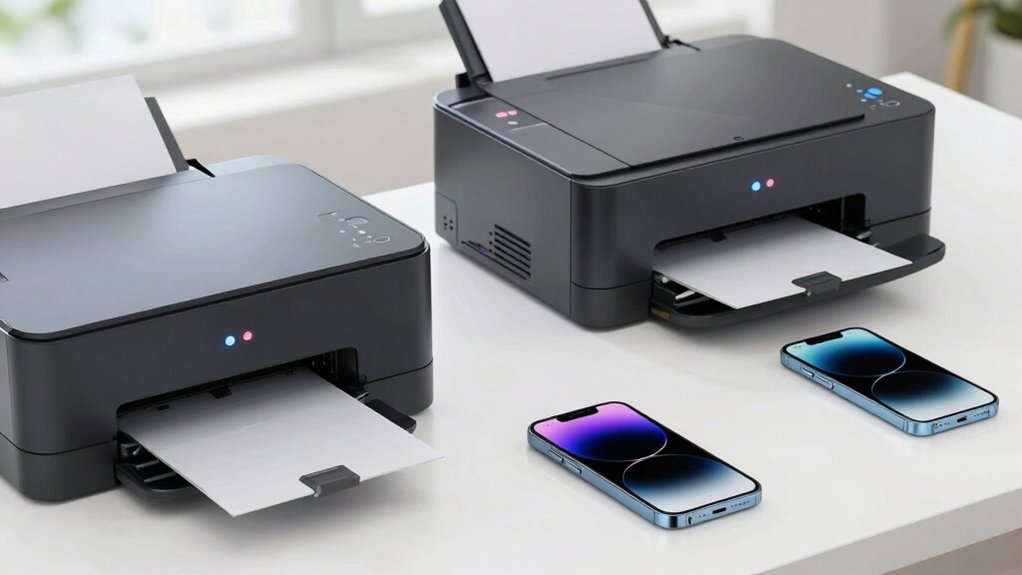
When selecting a wireless printer for your cell phone, you’ll need to evaluate five key factors that directly affect performance and usability. First, check the wireless connectivity options available—whether the printer uses Bluetooth, Wi-Fi, or both—and confirm your phone supports that connection type; next, verify that the printer’s mobile app works with your phone’s operating system and offers the features you need. You should also examine the battery life if you’re buying a portable model, determine whether the print speed meets your needs (measured in pages per minute), and confirm the printer accepts the paper types and sizes you plan to use most often.
Wireless Connectivity Options
Which wireless connectivity method you choose for your smartphone printer depends on your home setup, device compatibility, and printing habits. Wi-Fi offers the most flexibility, letting you print from anywhere in your home through your router. Set it up by connecting your printer to your Wi-Fi network, then download the manufacturer’s app on your phone. Wi-Fi Direct eliminates the router requirement—you connect directly to the printer’s network. Bluetooth works similarly but typically requires pairing and a dedicated app like Nada Print. For USB-C connections, you’ll plug your device directly into the printer, though this requires drivers and isn’t wireless. Cloud printing services like Google Cloud Print let you print remotely. Evaluate your network reliability, device compatibility, and whether you need router-free printing before selecting your method.
Mobile App Compatibility
A mobile app serves as your primary tool for printing from your smartphone, so you’ll want to verify that your printer supports apps for both iOS and Android before purchasing. Check whether the manufacturer offers a dedicated app like Canon PRINT or HP Smart, or if the printer supports standard protocols like AirPrint or Mopria that don’t require brand-specific software. Review what file formats each app handles—PDF, Word documents, and photos are essential. Confirm the app allows you to select paper sizes and formats, monitor job status in real time, and adjust settings for specialized media. Some models require their dedicated app for Bluetooth printing, while others work directly without it. Verify the app guides you through Wi-Fi and Bluetooth pairing during initial setup.
Battery Life Performance
How much printing you’ll do on the go should directly influence your battery life expectations for a wireless printer. Check the page yield first—some models deliver 160 pages per charge, while others exceed 600 pages depending on paper size and print density. Review the battery capacity, typically measured in mAh; a 2600 mAh battery provides several hours of continuous use. Consider your printer type: thermal inkless printers consume less power per page than color inkjet devices. Examine the connection method you’ll use. USB mode often draws more power than Bluetooth wireless printing. Look for auto-shutdown features that reduce standby power drain. Test your actual printing volume against the manufacturer’s specifications to match your needs with the right model.
Print Speed Requirements
Beyond battery efficiency, print speed directly affects whether your wireless printer will meet your daily mobile printing needs. You’ll encounter speeds ranging from 4 to 9 pages per minute for color documents and 7 to 16 ppm for black-and-white drafts. Consider your typical printing volume: light users printing occasional documents can accept slower speeds, while frequent users need faster models. Photo printing operates slower than document printing, so assess whether you’ll print images regularly. Duplex printing—whether automatic or manual—also reduces real-world speed. App-based printing introduces minor processing delays compared to direct USB connections. Match your printer’s speed specifications to your actual usage patterns to avoid frustration with slow output.
Paper Type Support
What paper does your printer actually accept? You’ll find three main types: thermal, inkjet, and dye-sublimation. Thermal printers require special thermal media and won’t work with regular paper. Inkjet and dye-sublimation models accept standard photo paper or letter-sized sheets through the paper tray. Before buying, check your printer’s specifications for supported media types—thermal paper, photo paper, envelopes, or combinations thereof. Common paper sizes for mobile printing include US Letter, A4, 4×6, and 5×7 formats. Some advanced models support multiple widths like 2×3 and 7x, plus roll and folded options. When printing from your phone, match your document type to your printer’s compatible media. This prevents jams, printing failures, and wasted materials.
Portability And Weight
When you’re selecting a wireless printer for mobile use, prioritize models that weigh between 1.5 pounds and 3–4 kilograms—the standard range for travel-friendly devices. Check that dimensions fit your bag or backpack; most quality portable printers measure under 16 inches in width and only a few inches thick. Examine battery capacity next. Built-in rechargeable batteries typically range from 2600 mAh, delivering dozens to hundreds of prints per charge depending on model and print size. Verify connectivity options: Bluetooth or built-in Wi-Fi hotspots eliminate dependency on constant power sources or wired connections during mobile printing. Consider whether the printer includes a carrying case for added protection and convenience. These features directly impact your ability to print reliably while traveling.
Setup And Installation
How you’ll set up your wireless printer depends on which connectivity method you choose and what devices you’re printing from. If you’re printing from a smartphone, you’ll need to download the manufacturer’s mobile app—such as Nada Print, Apple AirPrint, or Mopria—before connecting. For Wi-Fi models, you’ll enter your network credentials through the app or printer display. Bluetooth models require pairing your phone directly to the printer without entering passwords.
When using a laptop, check whether you need driver software. Many Bluetooth printers still require laptop drivers despite wireless capability. You’ll also need to configure paper settings—selecting thermal or regular paper and supported sizes—in your device app during installation. USB-C connections bypass some wireless steps but require a cable. Review your specific model’s requirements before purchasing to match your setup preferences.
Cost Per Print
Once you’ve installed your wireless printer, you’ll want to examine the cost per print—the amount you’ll spend on supplies each time you produce a document or photo. Thermal printers typically offer lower costs per page since they don’t require ink or toner cartridges. However, you’ll need specialized thermal paper, which adds ongoing expenses. Calculate your actual cost per print by dividing the price of thermal rolls by the number of pages per roll. Consider battery capacity too: models with larger batteries and higher page yields between charges reduce your per-print costs. Additionally, factor in costs for extra rolls and accessories you’ll need for continuous printing. Compare these expenses across different printer models to determine which option fits your budget.
Final Thoughts
You’ll choose the right wireless printer by matching your needs to key features. Check the mobile app compatibility with your phone’s operating system. Verify Bluetooth or Wi-Fi connectivity options. Compare ink costs and page yields for your budget. Consider portability if you travel frequently. Test setup ease before purchasing. Review media support for your common print sizes. Balance affordability with performance based on your printing volume and document types.

Meet Ry, “TechGuru,” a 36-year-old technology enthusiast with a deep passion for tech innovations. With extensive experience, he specializes in gaming hardware and software, and has expertise in gadgets, custom PCs, and audio.
Besides writing about tech and reviewing new products, he enjoys traveling, hiking, and photography. Committed to keeping up with the latest industry trends, he aims to guide readers in making informed tech decisions.