

You’re ready to upgrade your home’s lighting with Z-Wave technology, but you need to know where to start. Should you choose a dimmer switch, a relay, or smart bulbs? What hub works best with your setup? The right Z-Wave lighting system depends on your wiring type, range needs, and automation goals. Here’s how to evaluate seven top options that’ll transform your space.
| Ezlo Z-Wave LED Bulb for Smart Home Hubs |
| Most Energy Efficient | Z-Wave Protocol Support: Z-Wave 908.42MHz | Hub Requirement: Required (EzloPlus, HomeAssistant, SmartThings) | Control Method: Remote control via compatible hub | VIEW LATEST PRICE | Read Our Analysis |
| Zooz 800 Series Z-Wave Long Range Dimmer Switch ZEN72 |

| Best Dimmer Switch | Z-Wave Protocol Support: Z-Wave 800 Series Long Range | Hub Requirement: Required (sold separately) | Control Method: Switch control and hub app control | VIEW LATEST PRICE | Read Our Analysis |
| Enbrighten Add-On Smart Switch Z-Wave ZigBee Wireless |

| Best For Retrofits | Z-Wave Protocol Support: Z-Wave and ZigBee | Hub Requirement: Required (Wi-Fi, Z-Wave, or ZigBee) | Control Method: Multi-location switch control via hub | VIEW LATEST PRICE | Read Our Analysis |
| Zooz Z-Wave Smart Lighting Relay ZEN57 800LR |

| Best Compact Relay | Z-Wave Protocol Support: Z-Wave 800 Series Long Range | Hub Requirement: Required (sold separately) | Control Method: Wall switch or Z-Wave automation | VIEW LATEST PRICE | Read Our Analysis |
| Z-Wave Plus Wireless Switch |

| Best Budget Option | Z-Wave Protocol Support: Z-Wave Plus | Hub Requirement: Required (Z-Wave controller/hub) | Control Method: Voice assistants and Z-Wave controller | VIEW LATEST PRICE | Read Our Analysis |
| Home Assistant Connect ZWA-2 Z-Wave Device Hub |

| Best Hub Choice | Z-Wave Protocol Support: Z-Wave 800 Series | Hub Requirement: Standalone hub device | Control Method: Home Assistant integration | VIEW LATEST PRICE | Read Our Analysis |
| GE Enbrighten Z-Wave Smart Switch Plug-In |

| Best Plug-In Solution | Z-Wave Protocol Support: Z-Wave Plus | Hub Requirement: Required (Z-Wave certified hub) | Control Method: Smartphone, voice commands, manual switch | VIEW LATEST PRICE | Read Our Analysis |
More Details on Our Top Picks
Ezlo Z-Wave LED Bulb for Smart Home Hubs
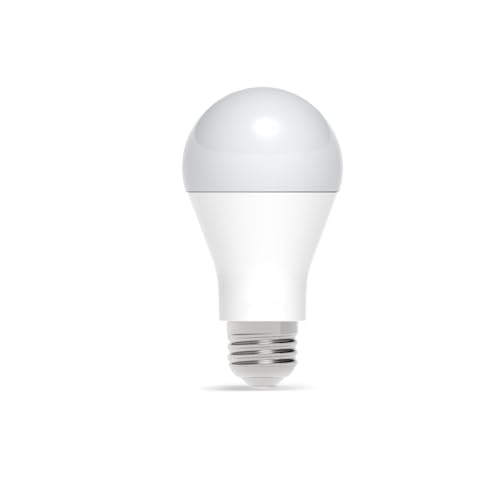
Are you looking to cut your lighting costs while gaining remote control over your home’s brightness? The Ezlo Z-Wave LED Bulb delivers both. This bulb consumes just 9W of power, saving you up to 84% compared to incandescent options. It screws into any standard socket without professional installation required.
You’ll receive 20,000 hours of reliable light with a warm 2700K color temperature. Dim the brightness from 5% to 100% using your compatible hub—EzloPlus, HomeAssistant, SmartThings, or other Z-Wave certified systems work seamlessly. The bulb communicates via 908.42MHz protocol with a 40-meter reliable range. Control your lighting remotely from anywhere using your smart home network.
- Z-Wave Protocol Support:Z-Wave 908.42MHz
- Hub Requirement:Required (EzloPlus, HomeAssistant, SmartThings)
- Control Method:Remote control via compatible hub
- Voice Assistant Compatibility:Compatible through Z-Wave hubs
- Installation Type:Screw-in bulb (no professional installation)
- Advanced Security Features:Z-Wave certified protocol
- Additional Feature:84% energy savings vs incandescent
- Additional Feature:20,000 hour lifespan
- Additional Feature:Dimmable 5-100% brightness
Zooz 800 Series Z-Wave Long Range Dimmer Switch ZEN72
If you’re looking for a dimmer switch that fits into tight electrical boxes without taking up extra space, the Zooz ZEN72 delivers with its compact 1.16-inch depth and absence of heat sink tabs. This 800 Series Z-Wave Long Range dimmer requires a neutral wire and a compatible hub for operation. You’ll control lights on/off and adjust brightness through your hub app or voice assistant. The switch features double-tap functionality to reach full brightness and single-tap to return to your last brightness level. Install it as a single-pole dimmer or wire it for 3-way control using existing on/off switches without additional dimmers. Register your device to activate the extended 5-year warranty and access lifetime tech support.
- Z-Wave Protocol Support:Z-Wave 800 Series Long Range
- Hub Requirement:Required (sold separately)
- Control Method:Switch control and hub app control
- Voice Assistant Compatibility:Compatible with Z-Wave hub only
- Installation Type:In-wall dimmer switch (neutral wire required)
- Advanced Security Features:S2 authenticated protocol and SmartStart
- Additional Feature:800 Series Long Range technology
- Additional Feature:1.16 inches shallow depth
- Additional Feature:Built-in range test tool
Enbrighten Add-On Smart Switch Z-Wave ZigBee Wireless
You’ll find the Enbrighten Add-On Smart Switch (Model 46199) most useful if you’re upgrading existing 3-way or multi-location light setups without replacing your entire wiring system. This add-on switch isn’t standalone—it requires pairing with a primary smart switch, dimmer, or fan control from Enbrighten or UltraPro. You can link up to four add-on switches with one primary unit, enabling control from five locations total. The QuickFit design reduces housing depth by 20%, eliminating heat tabs and fitting older switch boxes easily. It’s rated for 120/277VAC use, supporting both residential and light-commercial applications. Available in white and light almond, it operates via Z-Wave or ZigBee wireless protocols for seamless home automation integration.
- Z-Wave Protocol Support:Z-Wave and ZigBee
- Hub Requirement:Required (Wi-Fi, Z-Wave, or ZigBee)
- Control Method:Multi-location switch control via hub
- Voice Assistant Compatibility:Compatible through smart control hub
- Installation Type:In-wall add-on switch (neutral wire required)
- Advanced Security Features:Z-Wave certified technology
- Additional Feature:QuickFit reduces housing depth 20%
- Additional Feature:Supports up to 5 locations
- Additional Feature:Light-commercial 120/277VAC rated
Zooz Z-Wave Smart Lighting Relay ZEN57 800LR
The Zooz ZEN57 800LR works best for anyone who needs to automate existing light fixtures without replacing bulbs or installing a neutral wire in the switch box. This compact relay connects to your preferred wall switch using dry-contact technology, meaning no voltage travels through input wires. You can control lights up to 150W and create automated schedules to reduce energy consumption. The device requires a Z-Wave hub and supports advanced features like smart bulb mode when your hub allows it. Installation works with toggle and momentary switches only—avoid dimmers or electronic switches. S2 security protocol ensures safe pairing, and registration unlocks a five-year extended warranty.
- Z-Wave Protocol Support:Z-Wave 800 Series Long Range
- Hub Requirement:Required (sold separately)
- Control Method:Wall switch or Z-Wave automation
- Voice Assistant Compatibility:Compatible through Z-Wave hub
- Installation Type:Compact in-wall relay (no neutral needed)
- Advanced Security Features:S2 authenticated protocol and SmartStart
- Additional Feature:Compact XS relay design
- Additional Feature:Dry contact switch compatible
- Additional Feature:Controls up to 150W
Z-Wave Plus Wireless Switch
Smart home enthusiasts who want straightforward control over their lighting without complex wiring should consider the Z-Wave Plus Wireless Switch, which operates as a dimmable control point for your connected home. Installation requires a neutral wire connection. The switch’s blue LED indicates ON/OFF status at the center right paddle. You’ll need a compatible Z-Wave controller or hub to integrate voice control through Amazon Alexa or Google Home. For three-way control setup, pair it with the Accessory Switch model RF9642. The device associates with up to five other Z-Wave Plus devices, expanding your network’s reach and functionality throughout your home.
- Z-Wave Protocol Support:Z-Wave Plus
- Hub Requirement:Required (Z-Wave controller/hub)
- Control Method:Voice assistants and Z-Wave controller
- Voice Assistant Compatibility:Amazon Alexa and Google Home
- Installation Type:In-wall switch (neutral required)
- Advanced Security Features:Z-Wave Plus standard
- Additional Feature:Dimmable blue LED indicator
- Additional Feature:Associates with 5 devices
- Additional Feature:3-Way control compatible
Home Assistant Connect ZWA-2 Z-Wave Device Hub
If you’re running Home Assistant and want a Z-Wave hub that works right out of the box, the ZWA-2 deserves your attention. This hub uses the latest 800-series Z-Wave chipset and connects all your Z-Wave devices seamlessly. Setup takes minutes: plug it in, run the start-up wizard, and you’re done. The tuned antenna provides reliable connections across your home with minimal interference. You can migrate existing Z-Wave devices from other adapters in just a couple of clicks. The sleek design fits naturally into any room. One-click firmware updates keep your hub current without extra effort.
- Z-Wave Protocol Support:Z-Wave 800 Series
- Hub Requirement:Standalone hub device
- Control Method:Home Assistant integration
- Voice Assistant Compatibility:Home Assistant voice integration
- Installation Type:Plug-and-play USB hub device
- Advanced Security Features:800-series certified Z-Wave chipset
- Additional Feature:800-series Z-Wave chipset
- Additional Feature:One-click firmware updates
- Additional Feature:Candle-shaped aesthetic design
GE Enbrighten Z-Wave Smart Switch Plug-In
Looking for a way to control two devices simultaneously without rewiring your home? The GE Enbrighten Z-Wave Smart Switch Plug-In offers dual grounded outlets you can operate remotely via smartphone or voice commands through Alexa and Google Assistant. You’ll need a Z-Wave certified hub like SmartThings or Ring Alarm to enable these features. The plug-in design requires no installation—simply plug it in and connect to your hub. Both outlets operate together rather than individually, making it ideal for controlling two lamps or small appliances as a unit. You can also create custom scenes and schedules for automated control. The device acts as a range extender, strengthening your Z-Wave network throughout your home while supporting LED, CFL, incandescent, and halogen bulbs.
- Z-Wave Protocol Support:Z-Wave Plus
- Hub Requirement:Required (Z-Wave certified hub)
- Control Method:Smartphone, voice commands, manual switch
- Voice Assistant Compatibility:Alexa and Google Assistant via hub
- Installation Type:Plug-in outlet (no wiring required)
- Advanced Security Features:Z-Wave Plus technology
- Additional Feature:Dual outlets simultaneously controlled
- Additional Feature:Range extender/repeater capable
- Additional Feature:Space-saving single outlet design
Factors to Consider When Choosing Z-Wave Lighting
Before you select a Z-Wave lighting system, you’ll need to verify that it’s compatible with your existing smart hub, evaluate its energy consumption and expected lifespan, and assess the installation difficulty for your specific setup. Next, check the device’s wireless range and signal strength to ensure it’ll reach all areas of your home, and confirm whether it offers dimming capabilities that match your control preferences. These five factors—hub compatibility, efficiency and longevity, installation complexity, range and signal strength, and dimming control—will guide you toward the system that best fits your needs.
Compatibility With Your Hub
What’s the first thing you should verify when shopping for Z-Wave lighting? Check your hub’s supported protocol version—whether it uses Z-Wave 800LR or an older generation. This compatibility ensures reliable communication and proper range. Next, confirm your hub brand works with the lighting system you’re considering. SmartThings, Home Assistant, and other platforms have different device compatibility lists.
Review whether the lighting product requires hub updates or special features like SmartStart or S2 security before pairing. Some devices demand these prerequisites for successful installation.
Finally, examine if your lighting choice acts as a Z-Wave repeater. This capability extends network coverage to other devices, strengthening your overall mesh network. These verification steps prevent compatibility issues and guarantee your lighting integrates seamlessly with your existing setup.
Energy Efficiency And Longevity
How much could you save on your electricity bill by switching to Z-Wave LED bulbs? A 9W LED delivers up to 84% energy savings compared to incandescent equivalents. When selecting bulbs, check both wattage and lumen output to ensure you get the brightness you need while maximizing efficiency. Look for bulbs rated for extended lifespans—some models last up to 20,000 hours, reducing replacement costs over time. Use dimming capability to lower power consumption further at reduced brightness levels. Consider long-range Z-Wave devices, which maintain reliable performance and consistent operation, preventing energy waste from repeated connection retries. Calculate your potential savings by comparing your current bulb wattage against Z-Wave alternatives, then multiply the difference by your local electricity rate and expected usage hours annually.
Installation Requirements And Complexity
When you’re ready to install Z-Wave lighting, you’ll need to first assess your existing electrical setup because not all devices work with every home configuration. Check whether your switch boxes have neutral wires available, as some dimmers require them while others don’t. Measure your installation space to confirm the device fits in shallow or crowded multi-gang boxes. Verify that any dimmers you select are compatible with your existing switches and wiring type. Review whether devices need dry-contact inputs or 277VAC support for your specific setup. Finally, determine if you need a compatible hub for full functionality like remote control and scheduling. Understanding these requirements upfront prevents installation mistakes and ensures your system operates correctly.
Range And Signal Strength
Understanding your home’s Z-Wave coverage before purchasing lighting devices will save you from connectivity problems and dead zones. Standard Z-Wave devices typically reach about 40 meters in reliable conditions, though walls and interference reduce this distance. Consider Long Range (LR) variants if your home exceeds average size, as they provide faster signals and extended hub-to-device communication. Each dimmer or relay acts as a signal extender, strengthening your mesh network when positioned strategically throughout your home. Test coverage in problem areas by placing a temporary device and monitoring connection stability. Verify your hub supports both Long Range and S2 security features to maximize effective range. Account for multiple hops through other devices, which can slow signal transmission in larger networks.
Dimming Capabilities And Control
Why settle for simple on-off switches when you can adjust your lighting’s brightness to match your needs? Dimming capability lets you smoothly control brightness from 5% to 100%, which improves ambiance and reduces energy consumption. Some Z-Wave devices support dimming directly at the switch without requiring a hub. Others need a hub and compatible software to access full brightness control. Check whether your chosen device includes a dedicated dimmer channel or relay for reliable performance. You can also program specific dimming levels or scenes through hub software, enabling automated brightness adjustments beyond manual control. Verify that your device functions as a signal extender while dimming to maintain mesh network reliability. Confirm compatibility with 3-way configurations if you need add-on switches for multi-location control.
Final Thoughts
You’ll want to prioritize Z-Wave devices with 800LR security and long-range capability for your smart home. Choose dimmers that offer 5–100% control and relays for non-neutral wiring situations. Select a compatible hub—SmartThings, Home Assistant, or Ezlo—then install add-on switches for multi-location control. Use energy-efficient 9W LEDs and set up hub-driven scenes for reliable automation. Verify 40-meter range coverage in your space before finalizing purchases.

Meet Ry, “TechGuru,” a 36-year-old technology enthusiast with a deep passion for tech innovations. With extensive experience, he specializes in gaming hardware and software, and has expertise in gadgets, custom PCs, and audio.
Besides writing about tech and reviewing new products, he enjoys traveling, hiking, and photography. Committed to keeping up with the latest industry trends, he aims to guide readers in making informed tech decisions.