

The letter O takes on a surprising range of accented forms across European languages — from the grave ò of Italian, to the tilde õ unique to Portuguese, to the umlaut ö central to German, Swedish, and Finnish. Each accented O represents a distinct sound and in many cases cannot be substituted with a plain O without changing the word entirely. This guide covers every way to type every accented O on any device and platform.
The Complete List of O with Accent Marks
Before diving into methods, here is every accented version of the letter O you might need:
| Symbol | Name | Unicode | Languages |
|---|---|---|---|
| Ò / ò | O with grave | U+00D2 / U+00F2 | Italian, French, Vietnamese |
| Ó / ó | O with acute | U+00D3 / U+00F3 | Spanish, Portuguese, Czech, Slovak, Polish, Irish |
| Ô / ô | O with circumflex | U+00D4 / U+00F4 | French, Portuguese, Romanian, Vietnamese |
| Õ / õ | O with tilde | U+00D5 / U+00F5 | Portuguese, Estonian, Vietnamese |
| Ö / ö | O with umlaut / diaeresis | U+00D6 / U+00F6 | German, Swedish, Finnish, Turkish, Hungarian |
| Ō / ō | O with macron | U+014C / U+014D | Latvian, Lithuanian, Māori, Japanese romanization |
| Ŏ / ŏ | O with breve | U+014E / U+014F | Romanian, academic transliteration |
| Ő / ő | O with double acute | U+0150 / U+0151 | Hungarian |
| Ǒ / ǒ | O with caron | U+01D1 / U+01D2 | Mandarin Pinyin romanization |
| Ọ / ọ | O with dot below | U+1ECC / U+1ECD | Vietnamese, Yoruba, Igbo |
| Ø / ø | O with stroke | U+00D8 / U+00F8 | Danish, Norwegian, Faroese |
Note: The O with stroke (Ø ø) is covered in detail in a separate article as it functions as an entirely independent letter in Scandinavian languages rather than a simple accent variant.

XSKN Serato DJ shortcuts US layout silicone keyboard skin fits for 2021 2022 2023 2024 2025 MacBook Pro with M1 M2 M3 M4 max pro M5 chip 14.2 16.2 inch with touch ID keyboard A2442 A2779 A2918 A2992 A3112 A3185 A3401 A3434 A2485 A2780 A2991 A3403 A3186 and fits for 2022 2023 2024 2025 Macbook Air with M2 M3 M4 chip 13.6 15.3 inch with Touch ID keyboard A2681 A3113 A3240 A2941 A3114 A3241

Vivid screen printed design with a guide to over 100 essential shortcuts for Adobe Lightroom. Printed directly on the ultra-thin 0.3mm silicone keyboard protector.

COMPATIBILITY: The Macbook Air 15.3 Inch M3 M2 Chip Keyboard Cover perfect fit for 2025 2024 2023 2022 Newest MacBook Air 15.3 Inch M4 A3241 M3 A3114 M2 A2941, Macbook Air 13.6" M4 A3240 M3 A3113 M2 A2681, 2025 2024-2021 MacBook Pro 14" 16" M5/M4/M3/M2/M1 Pro/Max A3112 A3401 A3185 A3403 A3186 A2918 A2992 A2442 A2779 A2991 A2485 A2780 Keyboard Cover Skin, 2023 MacBook Air 15.3 Inch & 13.6 inch M2 Chip Model A2941 A2681 Accessories, US Keyboard Layout. A good Christmas gift & New Year gift for your family and friends.
What Each Accented O Sounds Like
Understanding the pronunciation helps you use the right variant for the right language:
| Symbol | Pronunciation | Example Word | Meaning |
|---|---|---|---|
| ò | Open, relaxed “aw” sound | òra (Italian) | hour |
| ó | Sharp, closed “oh” sound | fútbol (Spanish) | football / soccer |
| ô | Elongated, rounded “oh” | côte (French) | coast / side |
| õ | Nasalized “ohn” sound | põe (Portuguese) | puts |
| ö | Front rounded vowel — like “ur” in “fur” | schön (German) | beautiful |
| ō | Long flat “oh” sound | Tōkyō (Japanese romanization) | Tokyo |
| ő | Longer, tenser version of ö | erő (Hungarian) | strength |
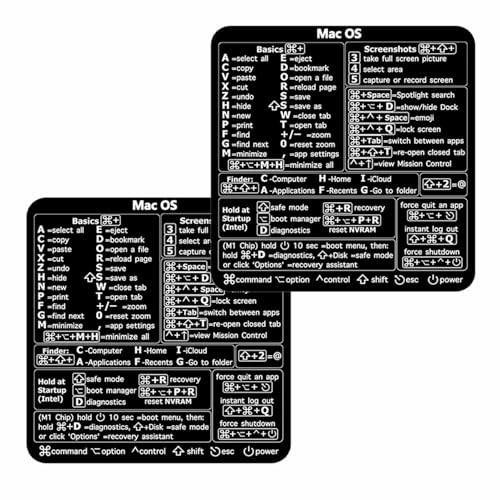
50+ commonly used Mac keyboard keys shortcuts screenshots, system recovery, and more are included in Essential macOS keys at a Glance

🏳️🌈 ✔️ EVERY ESSENTIAL SHORTCUT - With the SYNERLOGIC Mac OS Reference Keyboard Shortcut Sticker, you have the most important shortcuts conveniently placed right in front of you. Easily learn new shortcuts and always be able to quickly lookup commands without the need to “Google” it. ⚠️ A friendly reminder: The ⇧ symbol stands for "Shift" button.
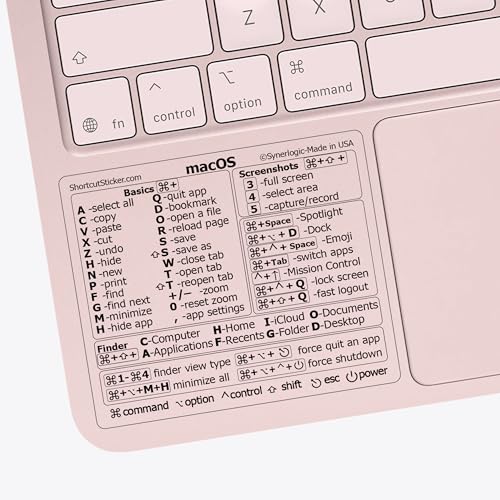
💻 Master Mac Shortcuts Instantly – Learn and use essential Mac commands without searching online. This sticker keeps the most important keyboard shortcuts visible on your device, making it easy to boost your skills and speed up everyday tasks. ⚠️ Note: The “⇧” symbol stands for the Shift key.
How to Type O with an Accent on Windows

XSKN Ableton Live shortcuts US version silicone keyboard skin fits for Apple 2026-2021 released MacBook Pro with M5/M4/M3/M2/M1 pro/max chip 14.2 16.2 inch with touch ID keyboard A3427 A3426 A3434 A3401 A3185 A3112 A2992 A2918 A2779 A2442 A3428 A3429 A3186 A3403 A2991 A2780 A2485 and fits for Apple 2026-2022 released Macbook Air with M5/M4/M3/M2 chip 13.6 15.3 inch with Touch ID keyboard A3449 A3240 A3113 A2681 A3448 A3241 A3114 A2941 and fits for Apple 2026 Macbook Neo 13 inch with A18 Pro chip keyboard A3404

⚠️ Clear stickers won’t work on black surfaces.

💻 Master Mac Shortcuts Instantly – Learn and use essential Mac commands without searching online. This sticker keeps the most important keyboard shortcuts visible on your device, making it easy to boost your skills and speed up everyday tasks. ⚠️ Note: The “⇧” symbol stands for the Shift key.
Alt Codes (Numpad)
Make sure Num Lock is on, hold Alt, type the code on the numeric keypad, then release Alt.
Lowercase accented O
| Character | Name | Alt Code |
|---|---|---|
| ò | O with grave | Alt + 149 |
| ó | O with acute | Alt + 162 |
| ô | O with circumflex | Alt + 147 |
| õ | O with tilde | Alt + 0245 |
| ö | O with umlaut | Alt + 148 |
| ō | O with macron | Alt + 0333 |
| ŏ | O with breve | Alt + 0335 |
| ő | O with double acute | Alt + 0337 |
Uppercase accented O
| Character | Name | Alt Code |
|---|---|---|
| Ò | O with grave | Alt + 0210 |
| Ó | O with acute | Alt + 0211 |
| Ô | O with circumflex | Alt + 0212 |
| Õ | O with tilde | Alt + 0213 |
| Ö | O with umlaut | Alt + 0214 |
| Ō | O with macron | Alt + 0332 |
| Ŏ | O with breve | Alt + 0334 |
| Ő | O with double acute | Alt + 0336 |
Unicode Input (Microsoft Word)
Type the Unicode code point then press Alt + X to convert:
| Character | Type This | Then Press |
|---|---|---|
| ò | 00F2 | Alt + X |
| ó | 00F3 | Alt + X |
| ô | 00F4 | Alt + X |
| õ | 00F5 | Alt + X |
| ö | 00F6 | Alt + X |
| ō | 014D | Alt + X |
| ŏ | 014F | Alt + X |
| ő | 0151 | Alt + X |
Character Map
- Open Start and search “Character Map”
- Search for “latin small letter o” or the specific accent name (e.g., “o with tilde”)
- Select your character
- Click Select, then Copy
- Paste into your document
Add a Language Keyboard
For frequent use, adding the keyboard layout of the language you are writing in is the most efficient long-term solution:
- Go to Settings > Time & Language > Language & Region
- Click Add a language
- Choose French, Spanish, German, Portuguese, Turkish, or whichever language you need
- Switch layouts using Windows key + Space
How to Type O with an Accent on Mac
Press and Hold (Easiest Method)
Simply press and hold the O key on your Mac keyboard and a popup will appear with all available accented variants. Slide to the one you want or press the corresponding number key.
Holding O shows: ò ó ô ö õ ō
This works in every macOS app with no setup required and covers the most commonly needed accented O variants instantly.
Option Key Shortcuts
Press the Option key combination first, release, then type O:
| Character | Shortcut |
|---|---|
| ò (grave) | Option + ` then O |
| ó (acute) | Option + E then O |
| ô (circumflex) | Option + I then O |
| õ (tilde) | Option + N then O |
| ö (umlaut) | Option + U then O |
For the macron ō, the double acute ő, and other extended variants not in the press-and-hold popup, use the Character Viewer (Control + Command + Space) or Unicode Hex Input.
Character Viewer
- Press Control + Command + Space
- Search for “o with” followed by the accent name (e.g., “o with tilde”)
- Double-click to insert
Unicode Hex Input
- Enable Unicode Hex Input under System Settings > Keyboard > Input Sources
- Hold Option and type the Unicode code point:
- 00F2 → ò
- 00F3 → ó
- 00F4 → ô
- 00F5 → õ
- 00F6 → ö
- 014D → ō
- 0151 → ő
How to Type O with an Accent on iPhone and iPad
Press and Hold (Built-In — Easiest)
iOS supports accent popups natively with no setup required. Press and hold the O key and a row of accented variants slides up above the keyboard:
ò ó ô õ ö ō
Slide your finger to the character you want and release. Works in every iOS app instantly.
Uppercase Variants
Tap Shift first to enable caps, then press and hold O to access uppercase accented O variants in the same popup: Ò Ó Ô Õ Ö Ō
Switch Keyboard Language
For full access to all accented O variants used in a specific language:
- Go to Settings > General > Keyboard > Keyboards
- Tap Add New Keyboard
- Choose your target language (French, Spanish, German, Portuguese, Turkish, etc.)
- Switch keyboards while typing using the globe icon
How to Type O with an Accent on Android
Press and Hold
On most Android keyboards including Gboard, press and hold the O key to bring up a popup of accented variants:
ò ó ô õ ö ō
Slide to your choice and release. Works on most Android keyboards without any setup.
Add a Language in Gboard
- Open Gboard Settings
- Tap Languages
- Tap Add Keyboard
- Select your target language
- Switch languages using the globe icon while typing
Personal Dictionary Shortcut
For less common variants like ő, ŏ, or ọ that may not appear in the press-and-hold popup:
- Go to Gboard Settings > Dictionary > Personal Dictionary
- Add the character (e.g., ő) with a shortcut like
odac - Gboard will suggest it whenever you type that shortcut
How to Type O with an Accent in Microsoft Word
Built-In Keyboard Shortcuts (Word Only)
Word has dedicated shortcuts for accented O that work regardless of your keyboard layout:
| Character | Word Shortcut |
|---|---|
| ó (acute) | Ctrl + ‘ then O |
| ò (grave) | Ctrl + ` then O |
| ô (circumflex) | Ctrl + Shift + ^ then O |
| ö (umlaut) | Ctrl + Shift + : then O |
| õ (tilde) | Ctrl + Shift + ~ then O |
For uppercase versions, hold Shift when typing the final O:
- Ctrl + ‘ then Shift + O → Ó
- Ctrl + ` then Shift + O → Ò
- Ctrl + Shift + ^ then Shift + O → Ô
- Ctrl + Shift + : then Shift + O → Ö
- Ctrl + Shift + ~ then Shift + O → Õ
Alt + X Method
Type the Unicode code point followed by Alt + X:
- 00F2 + Alt + X → ò
- 00F3 + Alt + X → ó
- 00F4 + Alt + X → ô
- 00F5 + Alt + X → õ
- 00F6 + Alt + X → ö
Insert > Symbol
- Go to Insert > Symbol > More Symbols
- Set Subset to Latin Extended-A or Latin-1 Supplement
- Find and click your accented O variant
- Click Insert
How to Type O with an Accent in Google Docs
Insert > Special Characters
- Go to Insert > Special Characters
- Search for “o with grave”, “o with umlaut”, or whichever variant you need
- Click the character to insert it
Substitutions
- Go to Tools > Preferences > Substitutions
- Set up shortcuts for the characters you use most, for example:
- Replace
o'with ó - Replace
o`with ò - Replace
o^with ô - Replace
o~with õ - Replace
o:with ö
- Replace
- Click OK
Copy and Paste
Copy any character you need directly from the table at the top of this article and paste it into your Google Doc.
Accented O in HTML and CSS
For web developers, here are the HTML entities and Unicode values for every accented O:
Lowercase
| Character | Named Entity | Hex Entity | Decimal Entity |
|---|---|---|---|
| ò | ò | ò | ò |
| ó | ó | ó | ó |
| ô | ô | ô | ô |
| õ | õ | õ | õ |
| ö | ö | ö | ö |
| ō | — | ō | ō |
| ŏ | — | ŏ | ŏ |
| ő | — | ő | ő |
Uppercase
| Character | Named Entity | Hex Entity | Decimal Entity |
|---|---|---|---|
| Ò | Ò | Ò | Ò |
| Ó | Ó | Ó | Ó |
| Ô | Ô | Ô | Ô |
| Õ | Õ | Õ | Õ |
| Ö | Ö | Ö | Ö |
| Ō | — | Ō | Ō |
| Ŏ | — | Ŏ | Ŏ |
| Ő | — | Ő | Ő |
Best practice: For the five core accented O variants (ò ó ô õ ö), use the named entities — they are universally supported and highly readable in HTML source code. For extended variants (ō ŏ ő), use the hex numeric form. Always include
<meta charset="UTF-8">in your HTML<head>.
Accented O by Language: When to Use Each Variant
Spanish
Spanish uses only ó (acute) — and only to mark stress in words where it falls unexpectedly or to distinguish between homophones:
- él (he) vs el (the) — same pattern applies to O words
- sólo (only/alone) — accent formerly required, now optional per RAE
- adiós (goodbye), camión (truck), corazón (heart)
- The acute accent in Spanish marks spoken stress, not a change in vowel quality
French
French uses ò, ô, and occasionally ö:
- ô (circumflex) — Most common. Historically marks a dropped S from older French: côte (coast, formerly coste), hôtel, château, tôt (soon), rôle
- ò (grave) — Rare in French, appears mainly in loanwords and names
- ö (diaeresis) — Indicates two adjacent vowels are pronounced separately: Noël, naïve
Portuguese
Portuguese uses ó, ô, and the highly distinctive õ:
- ó — Open stressed O: avó (grandmother), só (only), pó (dust)
- ô — Closed stressed O: avô (grandfather), cônjuge (spouse), pôr (to put)
- õ — Nasal O, unique to Portuguese among major European languages: pões (you put), limões (lemons), nações (nations), põe (puts)
The õ is one of the most distinctive features of Portuguese orthography — particularly Brazilian Portuguese — and has no equivalent in Spanish or French.
German
German uses ö (umlaut) extensively and it is one of the language’s three umlaut vowels alongside ä and ü:
- Changes the vowel from a back rounded O to a front rounded vowel
- Appears in common everyday words: schön (beautiful), können (can), öffnen (to open), Öl (oil), Österreich (Austria)
- Uppercase Ö appears in: Öl (oil), Östlich (eastern), proper names
- When ö cannot be typed (older systems), it is sometimes written as oe — schoen for schön — but this is a fallback, not standard
Swedish and Finnish
Both languages use ö as a full letter of the alphabet:
Swedish:
- ö is the last letter of the Swedish alphabet (after å)
- Common in words: öga (eye), öl (beer), öppna (open), söt (sweet), röd (red)
- The city name Göteborg (Gothenburg) contains ö
Finnish:
- ö appears in Finnish vowel harmony — words use either front vowels (ä, ö, y) or back vowels (a, o, u)
- Common words: yö (night), tyttö (girl), löytää (to find)
Turkish
Turkish uses ö as a distinct letter in its 29-letter alphabet:
- Represents the same front rounded vowel as in German
- Common words: göz (eye), söz (word), öğrenci (student), görüşmek (to meet)
- Turkish vowel harmony means ö words follow front vowel patterns throughout
Hungarian
Hungarian uses both ö and the unique ő (double acute):
- ö — Short front rounded vowel
- ő — Long version of the same sound — held longer in pronunciation
- The distinction between ö and ő changes meaning: tör (breaks) vs tőr (dagger)
- Common words with ő: erő (strength), idő (time/weather), ő (he/she), előtt (before)
The double acute accent (˝) is rare outside Hungarian and is one of the most distinctive features of Hungarian orthography.
Italian
Italian uses ò and occasionally ó:
- ò (grave) — Marks open stressed O at the end of words: però (but/however), perciò (therefore), poiché (since)
- ó (acute) — Marks closed stressed O, less common: used in some dictionaries and poetry to indicate pronunciation
- In everyday Italian writing, accents on O appear mainly at word endings: però, ciò (this/that), ciò che (that which)
Romanian
Romanian uses ô though it is now quite rare in modern Romanian orthography — the circumflex over O was largely replaced by the circumflex over I (î) in spelling reforms. It still appears in the word în and related forms.
The Ö in English Context
Like the accented E variants, ö appears in a number of proper nouns and brand names that have entered English usage and technically retain their umlauts in correct spelling:
| Name | Type | Correct Spelling |
|---|---|---|
| Mötley Crüe | Band | Mötley Crüe |
| Björk | Artist | Björk |
| Röntgen | Scientist (X-ray discoverer) | Wilhelm Röntgen |
| Schrödinger | Physicist | Erwin Schrödinger |
| Göteborg | City (Sweden) | Göteborg |
| Köln | City (Germany) | Köln |
| Nöel | Name variant | Noël |
| Citroën | Car brand | Citroën |
In casual English writing these accents are often dropped, but in formal writing, journalism, and any context where accuracy matters, retaining the umlaut is the correct choice.
Quick Reference: O with Accent Cheat Sheet
| Character | Mac Shortcut | Windows Alt | Word Shortcut | HTML Entity |
|---|---|---|---|---|
| ò | Option + ` then O | Alt + 149 | Ctrl + ` then O | ò |
| ó | Option + E then O | Alt + 162 | Ctrl + ‘ then O | ó |
| ô | Option + I then O | Alt + 147 | Ctrl+Shift+^ then O | ô |
| õ | Option + N then O | Alt + 0245 | Ctrl+Shift+~ then O | õ |
| ö | Option + U then O | Alt + 148 | Ctrl+Shift+: then O | ö |
| ō | Hold O (Mac/iOS) | Alt + 0333 | 014D + Alt+X | ō |
| ő | Character Viewer | Alt + 0337 | 0151 + Alt+X | ő |
| ŏ | Character Viewer | Alt + 0335 | 014F + Alt+X | ŏ |
Final Thoughts
The accented O variants span some of the most linguistically distinct characters in the Latin alphabet — from the common ó of Spanish to the uniquely Portuguese õ to the Hungarian ő that appears in almost no other major language. For quick and occasional use, press and hold on Mac, iPhone, and Android surfaces the five main variants instantly with no setup. For regular writing in German, Swedish, Turkish, or Finnish where ö is a constant presence, adding the language keyboard is the most natural long-term solution. Word users get excellent coverage through the built-in Ctrl shortcuts, and web developers should use the named HTML entities — ò, ó, ô, õ, and ö — for the five core variants, all of which have had universal browser support since the earliest days of the web.
💻 ❌ Not for MacBook Neo or 11", 12" macbooks (see our "universal" version - it is smaller). Fit is perfect for any MacBooks Air and Pro, iMacs, and Mac Minis—regardless of CPU type or macOS version.

PERFECT FIT: Designed specifically for MacBook Air 13.6", MacBook Air 15", MacBook Pro 14", MacBook Pro 16" models with M5, M1, M2, or M3 M4 Pro / Max chips, it has an ultra-precise die-cut design for a seamless application. Note: Does not fit macbook Pro 13 inch

⚠️ Clear stickers won’t work on black surfaces.

Meet Ry, “TechGuru,” a 36-year-old technology enthusiast with a deep passion for tech innovations. With extensive experience, he specializes in gaming hardware and software, and has expertise in gadgets, custom PCs, and audio.
Besides writing about tech and reviewing new products, he enjoys traveling, hiking, and photography. Committed to keeping up with the latest industry trends, he aims to guide readers in making informed tech decisions.