
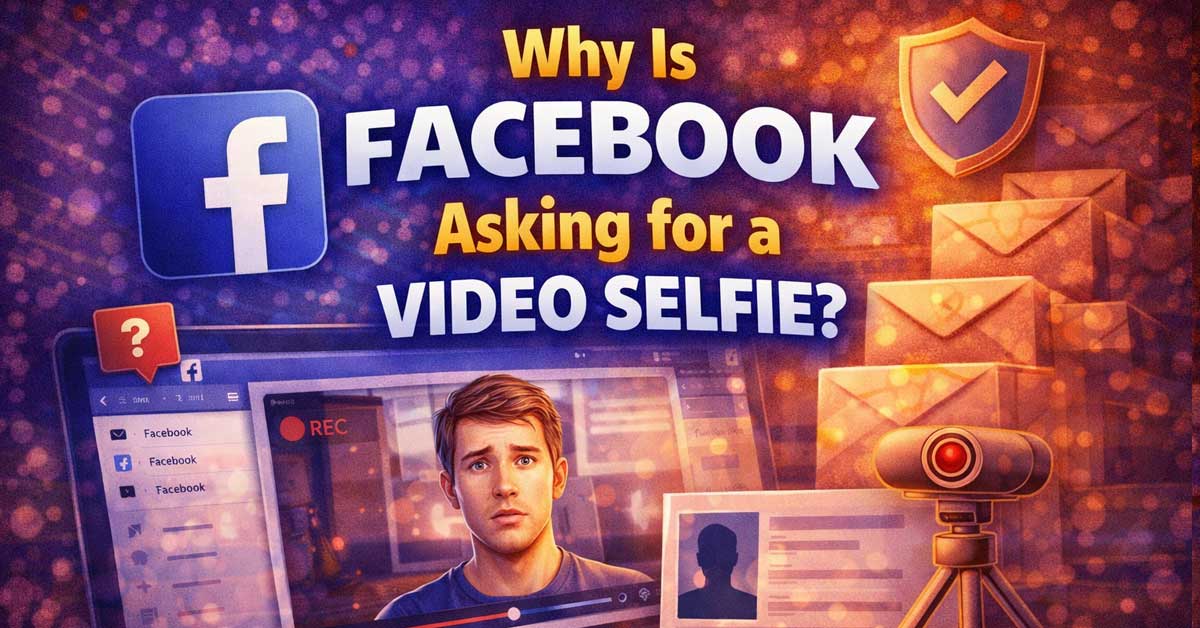

An identity verification request — here’s why it happens and what to expect
You open Facebook and instead of your normal feed, you’re faced with a prompt asking you to record a short video selfie. It feels unexpected and a little invasive.
This isn’t a scam — it’s a legitimate Facebook identity verification step that the platform uses to confirm you’re a real person and that you are who your account says you are.
Here’s why it happens, what the process involves, and what to do if you’re uncomfortable with it.
What the Video Selfie Request Actually Is
Facebook’s video selfie verification is part of its account integrity system. When Facebook’s automated systems flag an account for suspicious activity, unusual login patterns, or behavior that resembles a bot or fake account, it can require the account holder to verify their identity before regaining full access.
The video selfie is Facebook’s way of confirming a real human is behind the account. You’re asked to record a short rotating video of your face — turning your head slowly in different directions. Facebook’s systems compare this video against your profile photos to confirm the account belongs to you.
The video is processed automatically and is not published anywhere on Facebook. According to Facebook’s policies, the video is deleted within 30 days after it’s been reviewed.

【4K Super HD & Night Vision】: SV3C Newest bullet WiFi IP camera with 1/2.8” IMX415 CMOS sensor, displaying images at 4K/8MP 3840 X 2160 resolution. 4K outdoor camera also supports to adjust the resolution to 2560x1440(4MP) and 1920x1080(1080P/2MP). 4K IP camera has built-in 6 LED lights, support Black & White night vision(Infrared lights turn on, up to 160ft) and full color night vision(floodlights turn on, up to 60ft). Infrared light and floodlight can be turned off manually! WiFi with 8.0 megapixel HD IP camera, maximum resolution 3840*2160.

【Smart Motion Detection & Browsers View】: Are you troubled by false alarms? SV3C 5MP outdoor IP camera was updated with human motion detection function. Only 5MP camera has this function for now! The 5MP security camera will alert you by CamHi/CamHipro app or send snapshots to your email when human motion is detected. What' more, the 5MP security camera supports browser viewing, not only IE, but also Firefox, Google Chrome, Edge, etc.

𝙀𝙢𝙚𝙧𝙜𝙚𝙣𝙘𝙮 𝙎𝙊𝙎 𝙫𝙞𝙖 𝙤𝙣𝙚-𝙩𝙤𝙪𝙘𝙝 𝙘𝙖𝙡𝙡: If you are concerned about elderly parents or young children who are unable to make phone calls in an emergency. The CB2 camera allows them to contact you immediately with just one click.
Why Facebook Is Asking You Specifically
There are several reasons Facebook’s systems might trigger a video selfie request on your account.
Unusual login activity is one of the most common triggers. If you logged in from a new device, a new location, a VPN, or an IP address that looks different from your normal pattern, Facebook’s security system flags it and asks for additional verification before granting access.
Suspected bot or fake account behavior triggers verification requests. If your account has been posting or engaging at a high rate, using third-party tools to automate actions, or doing things that pattern-match to inauthentic behavior, Facebook may require identity confirmation.
A long period of inactivity followed by sudden activity can trigger it. An account that’s been dormant for months and suddenly becomes active looks suspicious to automated systems.
Reports from other users can also trigger verification. If your account has been reported multiple times for spam, impersonation, or fake identity, Facebook’s systems may require you to verify before continuing.
Mass friend requests or follows in a short period is a common trigger — this behavior resembles bot activity and frequently results in a verification prompt.

A more natural connection. Smart Camera adjusts automatically so you can move freely and stay in frame, while Smart Sound ensures you can easily be heard.
𝗨𝗽 𝘁𝗼 𝟮𝟯%, 𝗠𝗼𝗿𝗲 𝘁𝗵𝗮𝗻 𝟱𝟬 𝗱𝗮𝘆𝘀, 𝗠𝗼𝗿𝗲 𝘁𝗵𝗮𝗻 𝟴 𝘆𝗲𝗮𝗿𝘀:Monocrystalline silicon solar panels with an energy conversion rate of up to 23%, Built-in high-capacity 9000mah batteries, A complete charge can make the camera work for 60 days or more, High quality battery and less charging times enable the camera to be used for more than 8 years.

Easily video call with friends and family using your Messenger or WhatsApp account, even if they don't have Portal.
Is This Safe to Complete?
Yes — the video selfie request from Facebook is legitimate and safe to complete if it appears within the official Facebook app or website. Facebook uses facial recognition technology to compare the video against your existing profile photos.
The key thing to confirm before completing it is that you’re on the actual Facebook app or facebook.com in your browser — not a phishing site mimicking Facebook’s verification page. Check the URL carefully if you received a link by email or message. Legitimate Facebook verification happens within the app or at facebook.com directly, not through external links.
Facebook states that the video is never shared publicly, never visible to your friends or followers, and is deleted within 30 days of submission.

【$14.9/Month for Unlimited Data】Go with Sovmiku SIM Card or Your Own SIM Card, Compatible with Verizon, AT&T and T-mobile.


How to Complete the Video Selfie
The process itself is straightforward. Facebook asks you to hold your phone up and slowly rotate your face — looking left, right, up, and down — while the camera records. The whole thing takes about 10 to 15 seconds.
Make sure you’re in a well-lit environment so your face is clearly visible. Poor lighting causes the verification to fail or require a retry. Face the camera straight on at the start and follow the on-screen prompts for which direction to turn.
After submission, Facebook’s systems process the video automatically. In most cases access is restored within a few minutes. In some cases it can take longer if manual review is required.
What If You Don’t Want to Submit a Video Selfie?
Facebook doesn’t currently offer an alternative verification method if a video selfie has been requested for your account. If you decline or skip the verification, access to your account remains restricted until it’s completed.
If you have concerns about facial recognition and biometric data, Facebook’s data policy explains how the video is handled. The platform states it uses the video only for identity verification and deletes it within 30 days.
If you’re unwilling to complete the video selfie, the practical options are limited — you can contact Facebook Support through the Help Center to explain the situation and request an alternative verification method, though there’s no guarantee an alternative will be offered.
If the Video Selfie Keeps Being Requested
If you complete the video selfie but Facebook keeps asking for it again, a few things may be happening.
The submission may not have gone through correctly — a poor internet connection during submission can cause it to fail silently. Try submitting again on a stable connection.
Your account may have ongoing activity that keeps triggering the security system. Review what’s happening on your account — third-party apps with access to Facebook, scheduled posts, automated tools, or other activity that Facebook’s systems are interpreting as inauthentic.
Go to Settings → Security and Login → Where You’re Logged In and remove any active sessions from devices or locations you don’t recognize. Also go to Settings → Apps and Websites and revoke access for any third-party apps you don’t actively use or recognize.
Difference Between Video Selfie and Photo ID Verification
Facebook has two separate identity verification systems that are sometimes confused with each other.
The video selfie is the rotating face recording described above — used primarily to confirm you’re a real human and that your face matches your profile photos.
Photo ID verification is a separate process where Facebook asks you to upload a government-issued ID — a driver’s license, passport, or national ID card. This is typically requested when there’s a dispute about your real name, when Facebook suspects your account is using a false identity, or when recovering access to an account after being locked out.
If Facebook is asking for a photo ID rather than a video selfie, the process and privacy implications are different — your ID is reviewed by Facebook staff and then deleted, but it involves sharing document information rather than biometric data.
A Quick Checklist
- Confirm you’re on the real Facebook app or facebook.com before submitting anything
- Record in good lighting facing the camera clearly
- Follow the prompts — turn your head slowly in each direction as instructed
- Submit on a stable internet connection to avoid failed submissions
- Check Settings → Apps and Websites for third-party apps that may be triggering repeated requests
- Check Settings → Security and Login for unfamiliar active sessions
- Contact Facebook Support if you want to request an alternative verification method
The Bottom Line
Facebook’s video selfie request is a legitimate identity verification step triggered by activity that Facebook’s security systems flagged as suspicious — unusual logins, bot-like behavior, reports from other users, or a pattern of activity that doesn’t match normal human use.
Completing it restores your account access and tells Facebook’s systems that a real person is behind the account. The video isn’t published, isn’t shared, and is deleted within 30 days according to Facebook’s policy.
It feels invasive but it’s straightforward — Facebook wants to confirm you’re you, and the video is how it does that.

𝐄𝐚𝐬𝐲 𝐒𝐞𝐭𝐮𝐩 𝐈𝐧𝐝𝐨𝐨𝐫/𝐎𝐮𝐭𝐝𝐨𝐨𝐫 𝐂𝐚𝐦𝐞𝐫𝐚 — 2.5K HD video, vibrant color night vision and IP66, ensuring you never miss a moment, day or night,rainy or sunny. With dual-band 2.4G/5G WiFi & Plug and play setup of the cameras for home security - just download app and scan QR code! No tools needed for tabletop use, mounting screws included for walls

【Indoor Security Camera with High Performance】The dog camera with speaker owns a dual core processor, 2.8-inch screen and 1080P hd resolution,8M night vision distance. 2 way camera with audio and video can provides you a clear image whether day and night, it can be placed in various locations such as the living room, bedroom, or kitchen and dining area. 350°horizontally and 60°vertically rotation, providing all-around monitoring, it's an ideal security camera for home.

【 Capture Every Detail in 2K-4MP】 Experience unparalleled clarity with Winees security camera outdoor. 2K-4MP resolution and F1.6 aperture combine for vivid images, delivering 24/7 live streaming in remarkable clarity.

Meet Ry, “TechGuru,” a 36-year-old technology enthusiast with a deep passion for tech innovations. With extensive experience, he specializes in gaming hardware and software, and has expertise in gadgets, custom PCs, and audio.
Besides writing about tech and reviewing new products, he enjoys traveling, hiking, and photography. Committed to keeping up with the latest industry trends, he aims to guide readers in making informed tech decisions.