


A genuine advantage — but the reasons are more nuanced than most people assume
The claim that Linux is more secure than Windows gets repeated constantly in tech circles, and like most sweeping statements it’s partly true, partly overstated, and missing important context.
Linux does have real structural security advantages over Windows. But the full picture is more interesting than a simple ranking.
The Permission Model: Least Privilege by Default
Linux’s security architecture is built around a strict separation between regular users and system-level access. On a Linux system, standard user accounts have no ability to modify system files, install software system-wide, or access other users’ data without explicit permission elevation.
When a Linux system needs administrative action — installing a package, modifying a system configuration, changing a system-wide setting — it requires explicit authentication through sudo (superuser do).
The user types their password, the elevated action executes, and the elevated privileges immediately expire. There’s no persistent administrative session running in the background.
Windows has User Account Control (UAC), which attempts a similar separation, but the implementation has historically been weaker. UAC prompts are more easily bypassed, more frequently dismissed by users who click through them habitually, and the underlying permission model has been more permissive by design — partly for compatibility with older software that assumed administrative access.
The practical result: malware that manages to run on a Linux user account has limited ability to spread or cause system-wide damage without also exploiting a privilege escalation vulnerability. On Windows, the gap between user-level and system-level access is historically smaller and more porous.

Tags: devops, javascript, unix, developer, sysadmin, software engineer, pc, computer science, code, sudo, git, hacker, technology, root, engineering, python, geeky, programmer, programming, coding, linux, nerd, stack overflow

Ceramic mugs have a beautiful glossy finish and are Dishwasher and Microwave safe. The design is permanently printed on the mug using a heat-press process. Vinyl transfers are never used.

Linux Geek Humor design. Screaming Linux Tux penguin sudo rm -rf / for Linux users, Sysadmins and IT workers. Makes a fun gift for systems administrator, computer geek or Linux enthusiast.
Open Source: More Eyes on the Code
Linux’s source code is publicly available and reviewed by thousands of developers worldwide. Security researchers, independent developers, academic institutions, and commercial companies all inspect Linux code continuously. When vulnerabilities are found, they’re typically reported, discussed publicly, and patched quickly — often within days of disclosure.
This is the Linus’s Law principle: given enough eyeballs, all bugs are shallow. More reviewers increase the probability that any given vulnerability gets found and fixed before it can be exploited.
Windows is closed source. Microsoft’s internal security teams review the code, but the pool of reviewers is smaller and less diverse than the global open source community. Vulnerabilities sometimes persist for years before discovery because fewer people are looking.
The counterargument worth acknowledging: open source also means attackers can study the code looking for vulnerabilities. But the security community’s consensus is that the benefit of broad defensive review outweighs the risk of attackers having access to the same code — particularly because sophisticated attackers typically have the resources to reverse-engineer closed-source software anyway.

Customization: Choose Your Print Size, Framed or UnFramed, as well as Matting Options


Market Share and the Target Incentive
This is the most contextually important factor that security discussions often underemphasize. Windows runs on approximately 70 to 75 percent of desktop computers worldwide. Linux desktop usage is in low single-digit percentages. From a malware author’s perspective, writing software that compromises Windows reaches a vastly larger potential victim pool than writing software that compromises Linux desktop systems.
Most malware targets Windows not because Windows is uniquely vulnerable but because compromising Windows is more economically valuable. A piece of ransomware or credential stealer that runs on Windows affects hundreds of millions of potential targets. The same effort spent targeting Linux desktop systems reaches a fraction of that audience.
This doesn’t mean Linux is inherently secure — it means Linux hasn’t been worth attacking as aggressively at the desktop level. Linux servers are a different story entirely. Linux dominates web servers, cloud infrastructure, and enterprise computing — and Linux servers are attacked constantly and intensively. The security community has decades of experience defending Linux in high-value server contexts.


Linux Mint 22 on a Bootable 8 GB USB type C OTG phone compatible storage
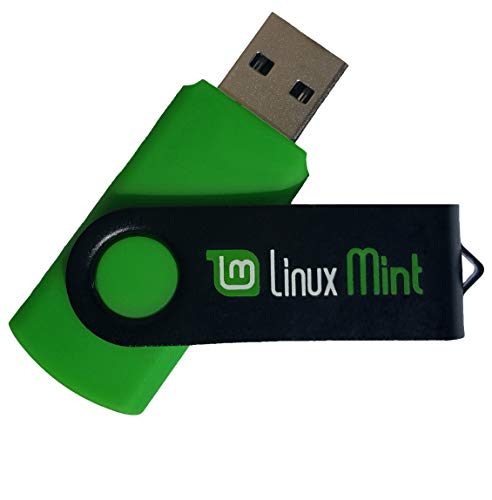
Comes with easy to follow install guide. 24/7 software support via email included. (Only USB flash drives sold by the seller Linux Builder include this)
Package Management: A Centralized and Verified Software Source
Linux distributions provide software through centralized package managers — curated repositories of software that has been reviewed, signed cryptographically, and distributed through a trusted chain. When you install software on Ubuntu, Fedora, or Debian, you’re pulling from that distribution’s verified repository.
Installing software from outside the official repositories is possible but deliberate — you have to specifically configure additional sources or manually install packages. The default behavior keeps users within a trusted software ecosystem.
Windows has no equivalent default. Software is installed by downloading executables from arbitrary websites and running them. The installation experience is identical whether you’re installing legitimate software or malware — an .exe file from a trusted publisher looks the same as one from a malicious source. Microsoft’s Store provides a curated alternative but it’s not the primary software installation method for most Windows users and doesn’t cover most applications.
This difference in software distribution architecture is one of the most concrete security advantages Linux has for typical users.
The Filesystem and Execution Model
Linux’s filesystem doesn’t automatically execute files based on their extension. A file named malware.exe downloaded to a Linux system does nothing when you double-click it — it’s just data. Making a file executable on Linux requires a deliberate step: the file needs the execute permission bit set (chmod +x). Downloaded files don’t have this by default.
Windows treats file extensions as execution instructions. A file with the .exe, .bat, .vbs, .ps1, or dozens of other extensions runs when opened, following a long-standing convention that has been exploited by malware continuously for decades. Extension hiding — where Windows hides known extensions by default, turning malware.exe.txt into apparent malware.txt — has made social engineering attacks against Windows users more effective.
Kernel Architecture and Attack Surface
The Linux kernel separates kernel space and user space with strong boundaries. The kernel handles hardware interaction and core system functions. User applications run in user space and interact with the kernel through a well-defined system call interface. Kernel modules — drivers and extensions — are signed and managed, and distributions increasingly enforce kernel module signing.
Windows has historically had a larger kernel-mode attack surface, partly because the graphics subsystem, networking components, and other features that Linux keeps in user space were moved into the Windows kernel for performance reasons in earlier versions. More kernel-mode code means more potential attack surface for kernel-level exploits.
Microsoft has invested heavily in reducing this over time — Kernel Patch Protection, Secure Boot integration, and Virtualization-Based Security are all meaningful improvements. But the historical architecture decisions created vulnerabilities that persisted for years.
Diversity as a Security Property
The Linux ecosystem is not a single target. Ubuntu, Fedora, Debian, Arch, Red Hat, Alpine — each distribution makes different configuration choices, packages software differently, uses different default applications, and has different attack surfaces. A piece of malware written to exploit a specific Ubuntu configuration may not work on Fedora or Arch.
Windows is a monoculture. A vulnerability in Windows 11 affects every Windows 11 installation in essentially the same way. This uniformity means that successful exploits scale massively — a single vulnerability can be weaponized against hundreds of millions of identically configured systems.
Where the Security Advantage Is Overstated
The honest picture includes where Linux’s security reputation exceeds the reality.
User behavior matters more than OS architecture. A Linux user who runs random scripts from the internet with sudo, ignores system updates, and uses weak passwords is more vulnerable than a careful Windows user who keeps their system patched and avoids risky behavior. The security properties of Linux only protect users who engage with them appropriately.
Linux servers get attacked heavily and successfully. The databases of major breaches frequently run on Linux. Server-side Linux security requires serious operational security practice — it isn’t automatically secure by virtue of being Linux.
Vulnerabilities exist in Linux too. Heartbleed, Shellshock, Dirty COW, and Spectre/Meltdown affected Linux systems significantly. The difference is typically in how quickly they’re patched and how the patch distribution process works.
Desktop Linux security depends heavily on the distribution. A well-maintained Ubuntu LTS installation with automatic security updates is genuinely secure. A hand-configured Arch system without thoughtful security practice may not be.
What Windows Has Improved
Microsoft has made serious security investments over the past decade and Windows is significantly more secure than it was in the Windows XP era that gave it its worst security reputation.
Windows Defender has become a genuinely capable antivirus. Secure Boot, TPM integration, and Windows Hello improve boot security and authentication. Virtualization-Based Security isolates credential storage in a hypervisor-protected environment. Windows Sandbox allows running suspicious software in an isolated environment. PowerShell’s execution policy and script signing requirements reduce scripting attack surface. Microsoft’s Security Development Lifecycle has improved the baseline security of Windows code.
The gap between Windows and Linux security has narrowed considerably from where it was in 2003. The structural differences remain but their practical impact is smaller than it once was for typical users who keep their systems updated.
The Bottom Line
Linux is more secure than Windows for several genuine structural reasons — the permission model, package management architecture, filesystem execution behavior, open source review, and kernel design. These advantages are real and meaningful.
The advantage is most pronounced for users who understand and engage with Linux’s security model, for server environments where configuration discipline is high, and for high-value targets where market share doesn’t determine the threat level.
For typical desktop users, the practical security difference is smaller than the structural difference suggests — because most Windows threats exploit user behavior rather than OS architecture, and careful behavior matters more than which OS you’re running.
Linux’s security advantages are structural and real — but they protect users who understand them more than users who assume the OS does all the work.
Height: 3.0 inches / 7.5 cm; Width: 2.2 inches / 5.6 cm; Border: Merrow - overlock

Measures 3 1/2 x 3 Inches


Meet Ry, “TechGuru,” a 36-year-old technology enthusiast with a deep passion for tech innovations. With extensive experience, he specializes in gaming hardware and software, and has expertise in gadgets, custom PCs, and audio.
Besides writing about tech and reviewing new products, he enjoys traveling, hiking, and photography. Committed to keeping up with the latest industry trends, he aims to guide readers in making informed tech decisions.