
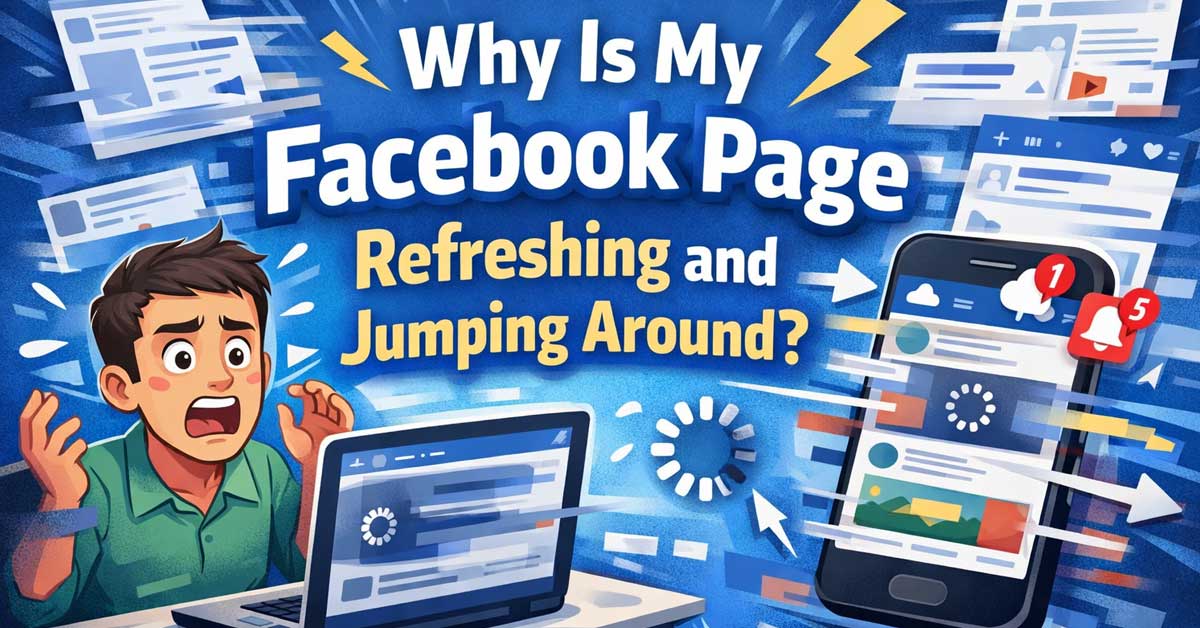

Annoying but fixable — here’s what’s causing it and how to stop it
You’re scrolling through Facebook and the page suddenly jumps back to the top, refreshes on its own, or lurches around while you’re trying to read something. Maybe you’re mid-comment and the whole page reloads. This is one of the most consistently reported Facebook annoyances, and it has several distinct causes — most of which are fixable on your end without waiting for Facebook to do anything.
Facebook’s Auto-Refresh Is Built In
Facebook’s feed is designed to update in real time. New posts, reactions, comments, and stories are constantly coming in, and Facebook periodically refreshes the feed to surface them. This is intentional behavior — not a bug.
The problem is that the refresh can happen while you’re actively scrolling or reading, which yanks the page to a different position. Facebook’s implementation of this has historically been inconsistent, and on slower connections or older devices it becomes noticeably disruptive.
You can’t fully disable Facebook’s auto-refresh — it’s baked into how the feed works. But most of the jumping behavior people experience goes beyond the normal feed refresh and has a more specific cause that can actually be fixed.
A Slow or Unstable Internet Connection
This is the single most common cause of erratic Facebook page behavior. When your connection is slow or dropping in and out, Facebook’s page loading becomes desynchronized. Elements load at different times, images pop in late, and the page shifts and jumps as each piece finishes loading.
Test your connection speed. If it’s below what you’d expect, or if it’s fluctuating — loading fast then slow then fast — that instability is almost certainly the cause of the jumping.
On Wi-Fi, move closer to your router or switch to a wired connection and test again. If the behavior improves significantly on a wired connection, your Wi-Fi signal is the root cause.
Also restart your modem and router — a full 60-second power cycle clears accumulated connection issues that cause exactly this kind of behavior.

Bundle Includes: 1 x PTZOptics Move 4K SDI/HDMI/USB/IP PTZ Camera with 30x Optical Zoom (White), 1 x PTZOptics SuperJoy NDI|HX/IP & Serial PTZ Camera Joystick Controller, 6th Ave Electronics Lens Cleaning Kit, HDMI Cable, Ethernet Cable, Color Wire Ties

Bundle Includes: 1 x PTZOptics Move 4K SDI/HDMI/USB/IP PTZ Camera with 30x Optical Zoom (Gray), 1 x PTZOptics SuperJoy NDI|HX/IP & Serial PTZ Camera Joystick Controller, 1 x PTZOptics Universal Small Camera Wall Mount (Black), 6th Ave Electronics Lens Cleaning Kit, HDMI Cable, Ethernet Cable, Color Wire Ties

Bundle Includes: 1 x PTZOptics Move 4K SDI/HDMI/USB/IP PTZ Camera with 30x Optical Zoom (Gray), 1 x PTZOptics PT-JOY-G4 IP/Serial Joystick Controller (4th Generation), 1 x PTZOptics Universal Small Camera Wall Mount (Black), 6th Ave Electronics Lens Cleaning Kit, HDMI Cable, Ethernet Cable, Color Wire Ties
Too Many Browser Tabs and Extensions
Facebook is a resource-heavy application. It runs a significant amount of JavaScript in the background and demands consistent memory and processing power. When your browser is running low on resources — too many tabs open, too many extensions active, or simply too much going on at once — Facebook’s page rendering becomes erratic.
Close tabs you aren’t using and see if the jumping improves. If you regularly run twenty or thirty tabs, the performance impact on memory-intensive pages like Facebook is real.
Browser extensions are a major and underappreciated cause of Facebook page issues. Ad blockers, script blockers, social media extensions, and even seemingly unrelated extensions can interfere with how Facebook loads and renders. An extension that blocks certain scripts or modifies page content can desynchronize Facebook’s layout and cause it to jump around.
Try disabling all extensions and testing Facebook in that state. If the jumping stops, re-enable extensions one at a time to identify which one is interfering. The most common culprits are ad blockers and content script managers.

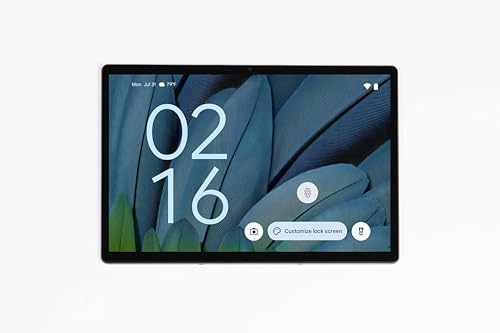
AI-Driven Android 14 Operating System - Enjoy smarter, more intuitive performance with Android 14, featuring AI-powered tools like adaptive battery management, predictive app actions, and voice control for seamless multitasking.
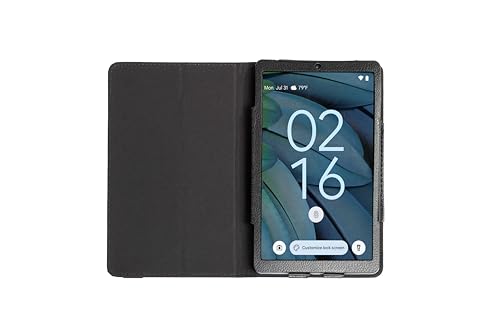
MediaTek MT8781/G99 Octa-Core Processor - Experience high-efficiency multitasking and responsive performance with MediaTek’s AI-ready G99 chipset—ideal for productivity, intelligent app handling, and smooth media playback.
An Outdated Browser or Cached Data
Running an outdated browser version causes compatibility issues with Facebook’s regularly updated code. Facebook pushes code updates constantly, and older browser versions can mishandle the newer JavaScript and rendering instructions — leading to erratic behavior including page jumps.
Make sure your browser is fully up to date. In Chrome, go to the three-dot menu → Help → About Google Chrome to check for updates. Other browsers have similar update checks in their settings menus.
Corrupted browser cache is also a common culprit. Facebook stores a large amount of cached data in your browser to speed up loading, but that cache can become corrupted or stale over time. When Facebook’s page loads against outdated cached files, rendering inconsistencies cause exactly the kind of jumping and lurching behavior you’re experiencing.
Clear your browser cache:
Chrome: Settings → Privacy and Security → Clear Browsing Data → select Cached Images and Files → Clear Data
Firefox: Settings → Privacy & Security → Cookies and Site Data → Clear Data
Safari: Develop menu → Empty Caches (enable the Develop menu in Preferences → Advanced if it isn’t showing)
After clearing, reload Facebook and test. Many people find this alone solves the problem.
Facebook’s Own Ads and Sponsored Content Loading Late
A significant amount of Facebook’s page jumping is caused by ads and sponsored posts loading after the main feed content. Facebook’s ad system loads asynchronously — the regular posts load first, you start scrolling, and then an ad slot finishes loading and inserts itself into the feed, pushing everything below it down and causing a visible jump.
This is one of the harder causes to eliminate completely because it’s Facebook’s own architecture. Some options:
An ad blocker can reduce this significantly by preventing ad slots from loading and shifting the page. uBlock Origin is widely used and effective. Note that Facebook actively attempts to detect and work around ad blockers, so results vary and may require occasional updating of filter lists.
Facebook’s own interface has improved its handling of reserved ad space over time — meaning it tries to hold space for ads before they load so the page doesn’t jump when they appear. But this doesn’t always work correctly, especially on slower connections.
Notifications and Real-Time Updates Pushing Content In
Every time someone reacts to your post, comments on something, or sends a message, Facebook processes that event in real time. On a busy account or in active comment threads, this can trigger frequent micro-refreshes that shift the page.
This is most noticeable when you’re in the middle of reading a comment thread that’s getting a lot of activity simultaneously. New comments load in and push existing content around.
Reducing Facebook notification activity on your most active posts won’t stop the refreshing entirely but can reduce its frequency. You can also try switching to the Most Recent feed view rather than the default algorithmic feed — a chronological feed has less dynamic reshuffling as new content comes in.
The Facebook App vs. Browser
If you’re using Facebook through a mobile browser and experiencing jumping, switching to the Facebook app usually improves stability. Mobile browsers handle Facebook’s JavaScript-heavy pages less smoothly than the native app, which is specifically optimized for the platform.
Conversely, if you’re on the Facebook app and experiencing jumping, clearing the app cache can help. On Android, go to Settings → Apps → Facebook → Storage → Clear Cache. On iPhone, you’ll need to offload and reinstall the app since iOS doesn’t expose per-app cache clearing directly.
If the app has been installed for a long time without being reinstalled, accumulated cache and data can cause all kinds of erratic behavior. A clean reinstall takes a few minutes and solves many persistent Facebook app problems.
A Struggling Device
Older phones and computers genuinely struggle with modern Facebook. Facebook’s web and app code has grown significantly heavier over the years. A device that handled Facebook fine three or four years ago may now be hitting its limits — not enough RAM to hold the page smoothly while it updates, or a processor that can’t keep up with Facebook’s continuous background activity.
Signs this is the issue: the jumping and refreshing happens across all browsers and the app, your device runs warm during Facebook use, and other resource-light apps run fine while Facebook specifically is sluggish.
If your device is the limiting factor, lighter alternatives exist. Facebook Lite is a stripped-down version of the app designed for lower-powered devices and slower connections — it’s available on Android and significantly less demanding than the standard app. Accessing Facebook through a mobile browser in desktop mode on a slower device can also reduce load compared to the full app.
Facebook Bugs and Rollouts
Sometimes Facebook itself is the problem. Facebook regularly tests interface changes, rolls out new features to subsets of users, and occasionally pushes buggy code that causes widespread issues including page jumping.
If the problem appeared suddenly and nothing changed on your end, check whether others are reporting the same issue. Sites like Downdetector show real-time Facebook outage and bug reports. Reddit’s Facebook-related communities also surface these issues quickly when they’re widespread.
If it’s a Facebook-side bug, there’s nothing to do but wait for them to fix it. These kinds of issues typically resolve within hours to a day or two.
A Quick Checklist
Work through these in order:
- Test your internet connection — slow or unstable connections cause most page jumping
- Restart your modem and router — full 60-second power cycle
- Clear your browser cache — especially if the behavior is recent and sudden
- Disable browser extensions one by one to find the culprit
- Update your browser to the latest version
- Close unnecessary tabs to free up browser memory
- Clear the Facebook app cache if you’re on mobile
- Reinstall the Facebook app if cache clearing doesn’t help
- Check Downdetector to see if others are reporting the same issue
- Try Facebook Lite if you’re on an older or lower-powered device
The Bottom Line
Facebook page jumping and refreshing is almost always caused by a slow connection, browser cache issues, or a conflicting extension — not a fundamental problem with your account or Facebook’s servers. The cache clear and extension audit together fix the majority of cases.
If those steps don’t resolve it, a router restart and browser update cover most remaining causes. The only scenario where there’s nothing to do is when Facebook itself is rolling out buggy code — and those situations are usually brief and widely reported.
Facebook’s feed is built to keep moving — but when it moves while you’re reading it, that’s almost always something on your end that’s easy to fix.

Connet your wired device to wifi : by using this dual band Ethernet to wireless adapter, your Ethernet-enabled devices can access the Internet via wireless connection, powered by electrical outlet

Bundle Includes: 2 x PTZOptics Move 4K SDI/HDMI/USB/IP PTZ Camera with 30x Optical Zoom (Gray), 1 x PTZOptics SuperJoy NDI|HX/IP & Serial PTZ Camera Joystick Controller, 6th Ave Electronics Lens Cleaning Kit, HDMI Cable, Ethernet Cable, Color Wire Ties

Bundle Includes: 1 x PTZOptics Move 4K SDI/HDMI/USB/IP PTZ Camera with 20x Optical Zoom (White), 1 x PTZOptics PT-JOY-G4 IP/Serial Joystick Controller (4th Generation), 1 x PTZOptics Universal Small Camera Wall Mount (White), 6th Ave Electronics Lens Cleaning Kit, HDMI Cable, Ethernet Cable, Color Wire Ties

Meet Ry, “TechGuru,” a 36-year-old technology enthusiast with a deep passion for tech innovations. With extensive experience, he specializes in gaming hardware and software, and has expertise in gadgets, custom PCs, and audio.
Besides writing about tech and reviewing new products, he enjoys traveling, hiking, and photography. Committed to keeping up with the latest industry trends, he aims to guide readers in making informed tech decisions.