
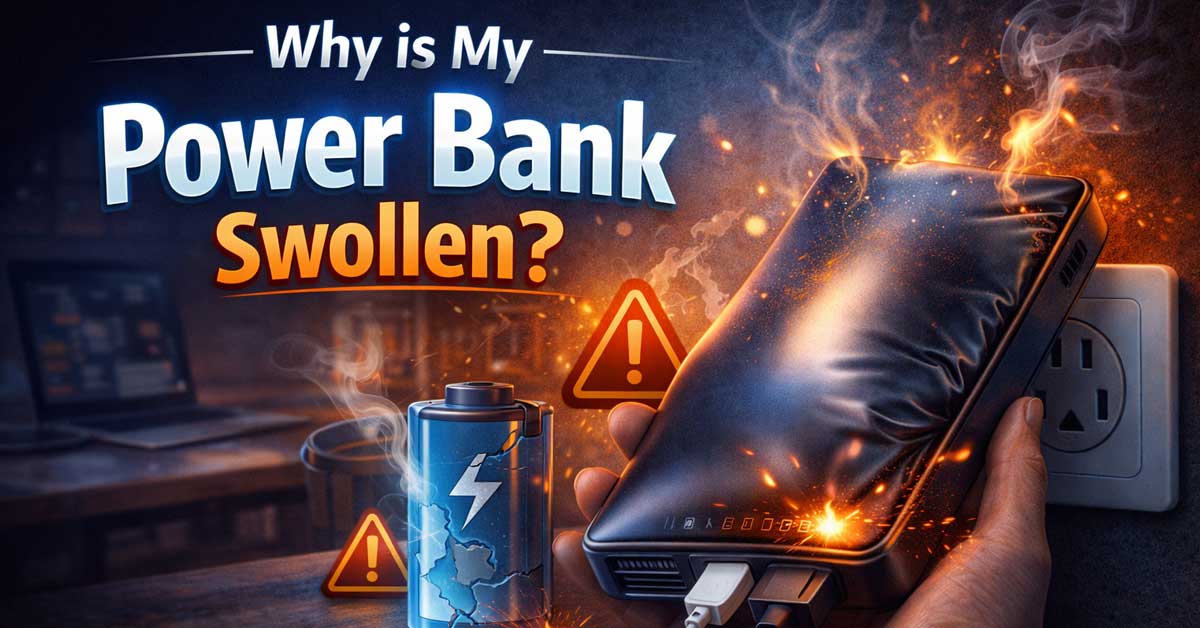

You picked up your power bank and noticed it looks puffy, bloated, or warped — maybe the casing is cracking open or it no longer sits flat. This is a serious warning sign that should not be ignored.
A swollen power bank means the lithium-ion battery inside is failing. Here’s why it happens, what the risks are, and exactly what to do about it.
What Causes a Power Bank to Swell?
1. Battery Cell Degradation Over Time
The lithium-ion battery is breaking down
All lithium-ion batteries degrade with use. As the chemical reactions inside the battery cell age and become less efficient, they can produce excess gas as a byproduct. This gas has nowhere to go, so it builds up inside the sealed cell casing — causing it to expand and push against the power bank’s outer shell.
This is the most natural cause of swelling and is especially common in power banks that are two or more years old with heavy use.
What to do: If your power bank is old and showing swelling, it has reached the end of its safe usable life. Retire it immediately.
2. Overcharging
Leaving it plugged in too long damages the battery
Lithium-ion cells are sensitive to voltage. When a power bank is left charging well past 100% — especially repeatedly — the excess energy causes chemical instability inside the cell. Over time, this accelerates gas production and leads to swelling.
Cheap or counterfeit power banks are especially vulnerable because they often lack reliable overcharge protection circuits.
What to do: Never leave your power bank plugged in overnight or for extended periods after it’s fully charged. Use a charger that matches the manufacturer’s recommended voltage and amperage.
3. Charging With the Wrong Charger
Mismatched voltage stresses the battery
Using a charger that delivers too much voltage or amperage pushes more energy into the battery than it was designed to handle. This generates excess heat, which accelerates the chemical breakdown inside the cell and can trigger swelling quickly — sometimes within a few charge cycles.
What to do: Always use the original charging cable and adapter that came with your power bank, or verify that a third-party charger matches the manufacturer’s specifications exactly.
4. Exposure to Heat
High temperatures accelerate battery failure
Heat is one of the fastest ways to destroy a lithium-ion battery. Leaving your power bank in a hot car, in direct sunlight, or near a heat source causes the electrolyte inside the cell to break down and vaporize — creating gas buildup and swelling.
Even charging a power bank in a warm environment repeatedly can accelerate this process over time.
What to do: Store your power bank at room temperature. Never leave it in a car on a warm day, on a windowsill in direct sun, or near radiators or vents.
5. Physical Damage
A dropped or punctured power bank can swell rapidly
If your power bank has been dropped, crushed, or punctured — even slightly — the internal battery cells can be damaged in ways that aren’t immediately visible. A damaged separator inside the cell can trigger internal short circuits, which generate heat and gas very quickly.
Sometimes swelling from physical damage appears hours or even days after the impact.
What to do: If your power bank has taken a hard fall and later appears swollen, treat it as a safety emergency. Do not charge it or use it.
6. Manufacturing Defects
Poor quality control leads to early failure
Budget and counterfeit power banks sometimes ship with battery cells that have microscopic defects — thin separators, impurities in the electrolyte, or faulty protection circuits. These defects can cause swelling even in a relatively new unit with light use.
What to do: Buy power banks from reputable brands and authorized retailers. Check reviews and avoid suspiciously cheap units with no-name branding. If your power bank swells within its warranty period, contact the manufacturer for a replacement.

How to charge safely: 1. Connect the wall charger to AC socket first, and the led of the charger will light green. 2. Then connect the charger with battery.
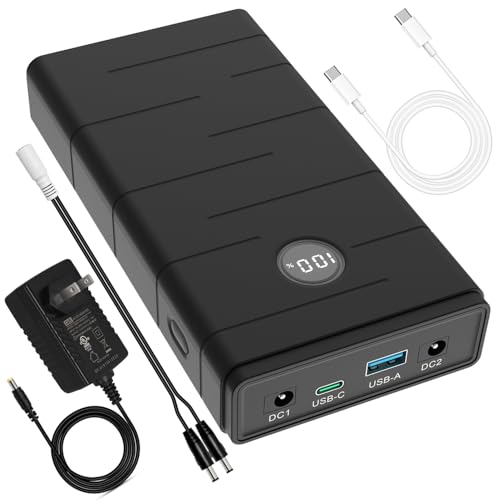
Capacity: total 76.65Wh ( 10.95V 7000mAh, or 3.65V 21000mAh ). Rechargeable DC 12V and USB-C PD 45W and USB-A 18W output lithium ion power bank. The output of USB-C port can reach 5V/5A, compatible with Raspberry Pi 5. Voltage range of the 12V output port is 12.6-9V, it is not constant, compatible with most 12 volt devices. 12v DC port: Inner Positive(+), Outer Negative(-).

From INIU--the SAFE Fast Charge Pro: Experience the safest charging with over 38 million global users. At INIU, we use only the highest-quality materials, so we do have the confidence to provide an industry-leading 3-Year iNiu Care.
Is a Swollen Power Bank Dangerous?
Yes — and this cannot be overstated. A swollen lithium-ion battery is in a state of active chemical failure. If left unchecked, it can:
- Rupture or leak toxic electrolyte chemicals
- Catch fire if punctured or subjected to further stress
- Explode in extreme cases, particularly if exposed to heat or pressure while swollen
Do not charge a swollen power bank. Do not use it. Do not leave it in an enclosed space like a bag, drawer, or car. Keep it away from flammable materials and do not attempt to puncture it to “release the pressure.”

【𝐒𝐭𝐫𝐨𝐧𝐠 𝐌𝐚𝐠𝐧𝐞𝐭𝐢𝐜 𝐒𝐧𝐚𝐩 & 𝐖𝐢𝐫𝐞𝐥𝐞𝐬𝐬 𝐅𝐫𝐞𝐞𝐝𝐨𝐦】Experience true cable-free convenience with our powerfu for Magsafe charger. Built-in N52 magnets provide instant, secure attachment to your iPhone 17/16/15/14 all Series—no adjustments needed. Perfect for commutes, travel, or daily use, it stays firmly in place even while walking or driving. Eliminate cable clutter and enjoy effortless charging anywhere. Works seamlessly through most cases, ensuring reliable power during emergencies or on-the-go moments. Stay connected without being tethered to an outlet—keep your iPhone powered without slowing down.

DESIGNED FOR 7.4V & 5V HEATED CLOTHING: Compatible with most heated vests, jackets, and pants using 3.5mm, 3.8mm, or 4.0mm DC ports. Supports both 7.4V and 5V devices with no adapter needed. DC, Type-C, and USB-A ports included. Not compatible with 12V or 18V heated gear
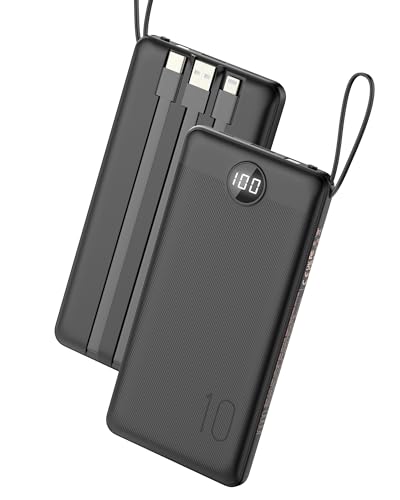
[Built-In Charging Cables for Multiple Devices] Never hunt for cords again! 3 integrated cables (Lightning/USB-C/Micro-USB) work with iPhone 17/16/15/14, Samsung Galaxy S25/S24/Z Fold, Google Pixel 9/8/7, iPad & AirPods. Universal compatibility for 99% of devices
What to Do With a Swollen Power Bank
Step 1: Stop Using It Immediately
Disconnect it from any devices or charging cables the moment you notice swelling. Even if it still appears to function, continued use risks rupture or fire.
Step 2: Do Not Throw It in the Trash
Lithium-ion batteries are classified as hazardous waste. Putting a swollen power bank in regular household trash is illegal in many areas and poses a fire risk to waste collection vehicles and facilities.
Step 3: Take It to a Proper Recycling Facility
Most electronics retailers — including Best Buy, Staples, and Home Depot in the US — accept lithium-ion batteries for safe recycling at no charge. Many local municipalities also have hazardous waste drop-off events. Call2Recycle is a widely available battery recycling program with drop-off locations across North America.
Step 4: Store It Safely Until You Can Dispose of It
If you cannot dispose of it immediately, place the swollen power bank in a fireproof container or a metal tin, away from flammable materials. Do not seal it in an airtight bag. Keep it somewhere cool and accessible.

【SLIM & POCKETABLE】This portable power bank is about the size of a smartphone (6.5×3.3×4 inches) and weighs only 2.54 pounds. It features an ergonomic soft handle for easy portability. It easily fits into a backpack for convenient portability. Pro Tip: Fully charge and discharge the battery twice initially for the best experience.(Solar panel and cable not included)

【100W Total Power Bank to Share】Distribute 100W total across two devices, with a single device receiving up to 65W Max, to rapidly charge iPhones, Samsung phones ects. Quickly charge a 14" MacBook Pro to 50% in under 40 minutes. ANSODY laptop portable charger is a must-have for every business person and game enthusiast.
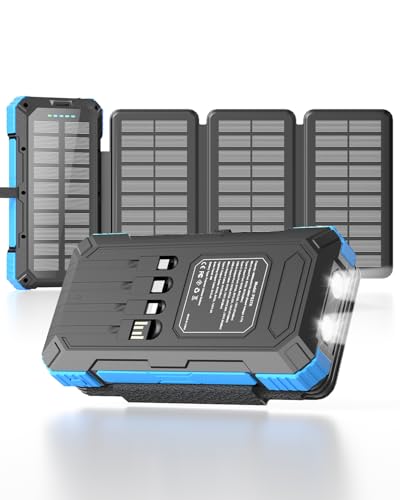
🔄 Power Bank with 4 Built-in Data Cables: This solar power bank features four built-in data cables (iOS, Type-C, USB-A, Micro) and three charging ports (Type-C, Micro, and USB-A), supporting simultaneous charging for up to five devices. Compatible with a wide range of mobile phones, tablets, and other electronic devices, including iPhones, iPads, and Samsung devices, it eliminates the need for cables for both input and output. Say goodbye to cluttered cables and charge anywhere.
How to Prevent Your Power Bank From Swelling
| Habit | Why It Matters |
|---|---|
| Unplug after fully charged | Prevents overcharge damage |
| Use the correct charger | Avoids voltage stress on the battery |
| Store at room temperature | Heat is the fastest way to degrade cells |
| Avoid dropping or crushing it | Physical damage causes internal short circuits |
| Buy from reputable brands | Quality control reduces defect risk |
| Don’t store at 0% or 100% long-term | Extreme charge states stress lithium-ion cells |
How Long Should a Power Bank Last Before This Happens?
A quality lithium-ion power bank, used and stored properly, should last 300–500 full charge cycles before its capacity degrades noticeably — typically two to four years of regular use. Swelling before that point usually indicates misuse, heat exposure, a manufacturing defect, or a counterfeit product.
If your power bank is less than a year old and already swelling, contact the manufacturer. Most reputable brands offer at least a one-year warranty and will replace a defective unit.
Final Thoughts
A swollen power bank is not a quirk or a minor inconvenience — it’s your battery telling you it’s failing, and it needs to be dealt with promptly. Stop using it, keep it away from heat and flammable materials, and dispose of it at a proper recycling facility. Then replace it with a quality unit from a trusted brand, and follow good charging habits to get the most life out of the new one.

Multi Output:This portable power bank has 8 output ports and 5 output Methods. Equipped with 2* 120W(150W Peak) AC outlets, 2* 12V DC ports, 1* Type-C port, 2* QC 3.0 ports, 1* 5V/2.4A USB port. Powers cell phone, iPad, tablets, laptops, drones, headphones, cameras, radio, USB powered night light, mini fan etc under 150W.

[AC Wall Plug Power Bank] This portable charger built in AC Wall plug, compatible with iPhone, Android, and USB C devices. The built-in AC Wall plug allows you to recharge directly from the wall outlet. No need to carry charging cables for your smart devices anymore, travel charger for multiple devices, and your best travel accessories for your smart devices

🌍Multiple Charging Ports, Compact Power Station: with 2* 120W MAX AC Outlets, 1* DC (12V~16.8V/6A MAX), USB1*5V/2.4A Max, 1*QC USB2 (5V/3.1A 9V/2A 12V/1.5A MAX), 1* USB-C (5V/3.1A 9V/2A 12V/1.5A MAX), ZeroKor Portable Power Station is powerful enough to power your smartphone, tablet, laptop, camera, drones and more. LED Flashlight with reading mode , SOS mode for emergency,the Portable Power Station is designed for home power failure and outdoor activities (NOTE:Long press the DC button to enable the portable generator)

Meet Ry, “TechGuru,” a 36-year-old technology enthusiast with a deep passion for tech innovations. With extensive experience, he specializes in gaming hardware and software, and has expertise in gadgets, custom PCs, and audio.
Besides writing about tech and reviewing new products, he enjoys traveling, hiking, and photography. Committed to keeping up with the latest industry trends, he aims to guide readers in making informed tech decisions.