
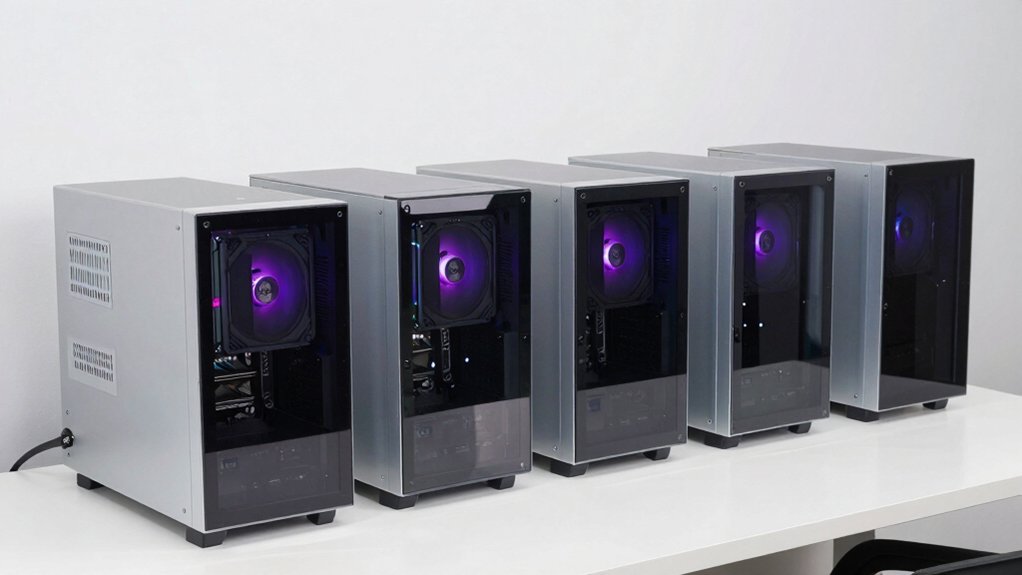

Here are five standout dual-chamber cases to consider for build day: Thermaltake View 380 TG ARGB with glass, includes four ARGB fans and fits up to 360mm radiators; NZXT H9 Flow RGB (2025) supports up to nine 140mm fans and 420mm radiators, with full visibility; MUSETEX Y6 offers 270° glass panels and a 360mm radiator; RUIX OV303 includes four ARGB fans and a 420mm GPU length; NZXT H6 Flow provides solid airflow and easy management. Each option outlines design, airflow, compatibility, maintenance, and aesthetics—more details ahead.
| Thermaltake View 380 TG ARGB ATX Case with Glass |

| Best Dual-Chamber Design | Type: ATX PC case | Dual/Two-Chamber: Dual-chamber | USB Type-C Port: USB Type-C (Gen.2) | VIEW LATEST PRICE | Read Our Analysis |
| NZXT H9 Flow RGB (2025) ATX Case |

| Top-Tier Radiator Support | Type: ATX PC case | Dual/Two-Chamber: Dual-chamber | USB Type-C Port: USB Type-C | VIEW LATEST PRICE | Read Our Analysis |
| MUSETEX ATX PC Case with 360mm Radiator Black |

| Transparent Showpiece | Type: ATX PC case | Dual/Two-Chamber: Dual-chamber | USB Type-C Port: USB Type-C port | VIEW LATEST PRICE | Read Our Analysis |
| RUIX OV303 ATX Case – 4 ARGB Fans USB-C |

| Maximum Expansion Potential | Type: ATX PC case | Dual/Two-Chamber: Dual-chamber | USB Type-C Port: USB-C port | VIEW LATEST PRICE | Read Our Analysis |
| NZXT H6 Flow ATX Mid-Tower Case with Fans |

| Sleek Dual-Chamber Composer | Type: ATX PC case | Dual/Two-Chamber: Dual-chamber | USB Type-C Port: USB 3.2 Type-C port | VIEW LATEST PRICE | Read Our Analysis |
More Details on Our Top Picks
Thermaltake View 380 TG ARGB ATX Case with Glass
The Thermaltake View 380 TG ARGB ATX Case with Glass is an ideal pick if you’re building a dual-chamber PC and want standout visuals without sacrificing airflow. You start with the case identity, noting it’s the Black ATX model and CA-1Z2-00M1WN-00, backed by a 3-year warranty. Next, verify included components: four Hydraulic Bearing 120mm ARGB Lite Fans pre-installed, front and side dual tempered glass, and hidden-connector motherboard support. Check specs: max 360mm radiator, max 415mm VGA, supports hidden-connector boards, and four 120mm fans. Confirm I/O: Gen.2 USB-C, USB 3.0, and HD Audio. Plan your cooling and cable routing accordingly.
- Type:ATX PC case
- Dual/Two-Chamber:Dual-chamber
- USB Type-C Port:USB Type-C (Gen.2)
- Pre-installed Fans:4 x 120mm ARGB Lite fans
- Radiator Support:Up to 360mm
- GPU Clearance:415mm
- Additional Feature:Hidden-Connector motherboard compatibility
- Additional Feature:Dual-chamber design
- Additional Feature:Four ARGB Lite fans included
NZXT H9 Flow RGB (2025) ATX Case
If you’re building with a dual-chamber design, the NZXT H9 Flow RGB (2025) ATX Case stands out because it separates main components from the PSU and drives, improving cooling and cable management while still offering full visibility. You set up the chassis by using the dual chambers, then route cables through wide channels and tie-down points. The case ships with a 420mm RGB fan unit and a 120mm rear fan, and supports up to nine 140mm fans for airflow. It fits large GPUs and 420mm radiators on top or front-right, keeping temps under control.
- Type:ATX PC case
- Dual/Two-Chamber:Dual-chamber
- USB Type-C Port:USB Type-C
- Pre-installed Fans:1 x F420 RGB Core + 1 x F120Q rear (pre-installed set)
- Radiator Support:Up to 420mm (top/front-right)
- GPU Clearance:Large GPU clearance
- Additional Feature:Back-connect Ready
- Additional Feature:Panoramic view panels
- Additional Feature:Ten-fan capacity
MUSETEX ATX PC Case with 360mm Radiator Black
Check out MUSETEX Y6 if you need a dual-chamber case that fits a 360mm radiator and keeps heat in check while you work. You’ll install the case as a mid tower with a black matte finish and 270° full-view dual tempered glass panels. It comes with three 120mm fans pre-installed and supports a 360mm radiator. Use the tool-free design to remove panels, then place components in the ordered internal layout. Ensure GPU fits up to 400mm and CPU cooler up to 176mm. Use magnetic dust filters on top and bottom to reduce dust while maintaining airflow. Finish with USB-C and USB 3.0 ports for access.
- Type:ATX PC case
- Dual/Two-Chamber:Dual-chamber
- USB Type-C Port:USB Type-C port
- Pre-installed Fans:3 x 120mm fans
- Radiator Support:Up to 360mm
- GPU Clearance:400mm
- Additional Feature:270° full-view dual tempered glass
- Additional Feature:Magnetic dust filters top/bottom
- Additional Feature:GPU up to 400mm
RUIX OV303 ATX Case – 4 ARGB Fans USB-C
Multiple pre-installed ARGB fans make the RUIX OV303 a strong choice for dual-chamber builds that prioritize cooling and lighting from day one. You will note four 120mm ARGB fans are already installed, and the case supports up to 10 fans total or seven with a 360mm AIO. Use the top and bottom magnetic dust filters for cleaning and dust prevention. This chassis accommodates GPUs up to 420mm and two 3.5-inch plus one 2.5-inch drives. Use front-panel USB 3.0 and USB-C for connections, and attach the GPU support bracket to prevent sag.
- Type:ATX PC case
- Dual/Two-Chamber:Dual-chamber
- USB Type-C Port:USB-C port
- Pre-installed Fans:4 x 120mm ARGB fans
- Radiator Support:Supports up to 360mm AIO
- GPU Clearance:420mm
- Additional Feature:GPU support bracket
- Additional Feature:Panoramic three-panel glass
- Additional Feature:Up to 10-fan capacity
NZXT H6 Flow ATX Mid-Tower Case with Fans
The NZXT H6 Flow ATX Mid-Tower Case with Fans stands out for its dual-chamber design that improves thermal performance while keeping setup clean and simple. You review the case layout, noting the compact dual-chamber design that enhances airflow and reduces cable clutter. You identify three pre-installed 120mm fans and position them for immediate cooling. You inspect the airflow-optimized top and side perforations, ensuring dust-filtering panels align correctly. You use the intuitive cable management system with wide channels and straps, routing cables along dedicated paths. You complete setup with organized routing, maintaining a clean, efficient build.
- Type:ATX PC case
- Dual/Two-Chamber:Dual-chamber
- USB Type-C Port:USB 3.2 Type-C port
- Pre-installed Fans:3 x 120mm fans
- Radiator Support:Up to 360mm
- GPU Clearance:Not explicitly stated, but ample GPU space
- Additional Feature:Wraparound panoramic glass
- Additional Feature:Dual-chamber layout
- Additional Feature:Three pre-installed fans
Factors to Consider When Choosing Dual-Chamber PC Cases
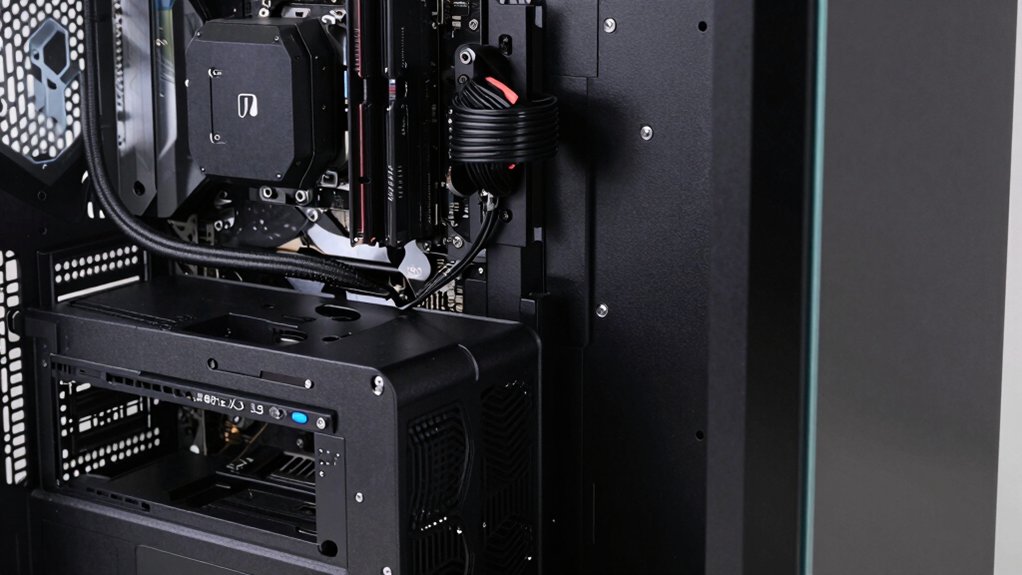
Start by weighing Dual-Chamber Benefits against your build goals, then assess Thermal Performance Factors like cooling paths and heat-zone separation. Check Cable Management Ease, noting where shrouds and cutouts help tidy wires, and evaluate Airflow Efficiency with fan placements and intake/exhaust balance. Finally, verify Compatibility And Space for your motherboard form factor, PSU size, GPUs, drives, and any future upgrades, using concrete measurements and examples from your current setup.
Dual-Chamber Benefits
Dual-chamber PC cases offer clear practical benefits, so start by evaluating how each design helps with cooling and organization. You separate main components from PSU and drives to reduce heat transfer, improving thermal conditions for hot parts. This layout also enhances cable management, making airflow paths cleaner and routing easier in tight builds. Independent ventilation channels for the PSU area help keep processor and GPU temps lower by isolating heat sources. The design often enables larger or more flexible radiator and fan placements, boosting cooling efficiency for high-load components. A dual-chamber configuration can reduce dust intrusion into critical components by directing airflow through distinct, filtered zones, simplifying maintenance and keeping interiors cleaner long-term. Consider these factors when comparing models.
Thermal Performance Factors
To optimize thermal performance in dual-chamber cases, start by evaluating how heat moves between the primary chamber (CPU/GPU) and the secondary chamber (PSU and drives). Recognize that the design separates zones to reduce heat transfer, enabling better airflow management. Plan for wider airflow channels and strategic fan placement, including pre-installed fans and top or side intakes, to remove heat efficiently from hot components. Check radiator support in the primary chamber; models that accommodate up to 360–420mm radiators provide stronger cooling for high-thermal-load CPUs and GPUs. Consider dust mitigation features, such as magnetic or perforated panels, to keep airflow clean and consistent. Evaluate how the secondary chamber handles PSU and storage heat, ensuring unobstructed air paths between zones for sustained performance.
Cable Management Ease
When choosing a dual-chamber PC case, prioritize cable management features that keep wires organized and out of sight. Start with a dedicated PSU and drive compartment to separate cables, reduce cross-traffic, and simplify routing for a cleaner build. Look for extra-wide channels, built-in Velcro straps, and tie-down points that secure cables behind the motherboard tray. Check wide internal layouts and tool-free panel access, which speed up routing and component installation. Verify dedicated cutouts and grommets, plus ample clearance behind the main chamber to hide excess cables from view. Ensure strong back-panel accessibility and enough rear-panel space to accommodate multiple fans or a large GPU without obstructing cables. Choose models with clear routing paths and labeled cable channels for consistency.
Airflow Efficiency
How can you maximize airflow in a dual-chamber case? Start by leveraging the dual-chamber layout, which separates components from the power supply and drives to reduce heat transfer and improve airflow efficiency. Choose a large-throughput case that supports multiple fans, up to nine 140mm, to boost air movement and cooling capacity. Look for perforated panels and optimized front-panel geometry, which guide intake and exhaust more effectively. Ensure spatial separation enables targeted cooling paths, allowing higher radiator or heat-sink performance without cluttering cables. Include magnetic or removable dust filters on intake panels to sustain airflow by reducing dust buildup. Plan fan placement to create a steady front-to-back or bottom-to-top flow, maintaining consistent air pressure and minimizing dead zones.
Compatibility And Space
Start by checking compatibility specs before you buy. Dual-chamber designs separate main components from the PSU and drives to improve thermal performance and cable management. Look for layouts that support large GPUs and radiators in one chamber while housing power supplies in the other to optimize space usage. Check for wide internal clearance and tool-free access, which facilitate installation and future upgrades. Consider panoramic or dual-pane visibility, as it can influence component placement to maximize airflow paths. Review compatibility notes for maximum GPU length, CPU cooler height, and radiator support within the separated chambers. Ensure the case supports your planned GPU, cooler, and radiator in the correct chamber, and verify clearance with any aftermarket cooling or tall memory. Confirm upgrade options align with long-term needs.
Build Aesthetics Pros
Dual-chamber PC cases offer a cleaner interior and better airflow, so start by evaluating how each design separates components. First, assess main components versus power supply and drives; note how this separation improves thermal performance and cable management. Next, consider aesthetics: a cleaner interior reduces visible cabling and enables a neater build. Then, evaluate airflow paths; determine whether the layout supports unobstructed routes for GPU and CPU cooling. If you prefer display panels, check for panoramic or tempered glass options that showcase components while maintaining organization. Finally, inspect filtration; magnetic dust filters on top and bottom help maintain cleanliness without blocking heat dissipation. Compare models by observing panel quality, ease of access, and how filters integrate with your cooling plan.
Final Thoughts
To pick a dual-chamber case, compare cooling performance, build layout, and cable access. Start by listing your components, then check clearance for GPUs and radiators. Choose a model with sufficient airflow, dual-chamber separation, and easy cable routing. Consider noise, weight, and drive bays. For steps, pick a top candidate, verify PSU length fits, confirm fan or radiator compatibility, and ensure front I/O meets your needs. Finally, read reviews, compare prices, and decide based on your build goals.

Meet Ry, “TechGuru,” a 36-year-old technology enthusiast with a deep passion for tech innovations. With extensive experience, he specializes in gaming hardware and software, and has expertise in gadgets, custom PCs, and audio.
Besides writing about tech and reviewing new products, he enjoys traveling, hiking, and photography. Committed to keeping up with the latest industry trends, he aims to guide readers in making informed tech decisions.