
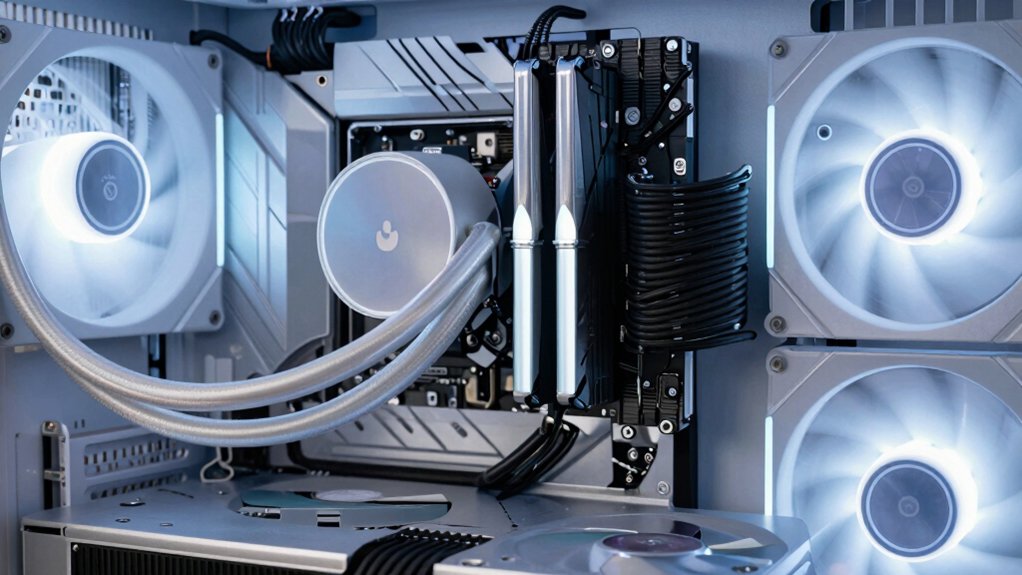

If you want quiet, load-effective AIOs, start with ARCTIC Liquid Freezer III Pro 360 A-RGB or Thermalright Aqua Elite 240 V3 for strong cooling with low noise, then consider Corsair Nautilus 240 RS ARGB or 360 RS for integrated RGB and daisy-chained fans. Add CoolerMaster ML240L RGB V2 or Thermalright Frozen Notte 360 ARGB V2 for balanced performance. Confirm radiator size fits your case, then connect ARGB and PWM headers, and verify temps after install to finish. More options await your setup.
| ARCTIC Liquid Freezer III Pro 360 A-RGB Cooler |

| Best All-Around Cooling | Type: AIO CPU Cooler | Radiator Size: 360 mm | Socket/Platform Compatibility (broad): AMD AM5/AM4, Intel LGA1851/1700 | VIEW LATEST PRICE | Read Our Analysis |
| Thermalright Aqua Elite 240 V3 Water Cooling CPU Cooler |

| Quiet Performance | Type: Water Cooling CPU Cooler | Radiator Size: 240 mm | Socket/Platform Compatibility (broad): AMD AM4/AM5, Intel LGA1150/1151/1200/2011/1700 | VIEW LATEST PRICE | Read Our Analysis |
| Corsair Nautilus 240 RS ARGB AIO Cooler (2 Fans) |

| Mid-Range Powerhouse | Type: AIO Cooler | Radiator Size: 240 mm | Socket/Platform Compatibility (broad): AMD AM5/AM4, Intel LGA1851/1700 | VIEW LATEST PRICE | Read Our Analysis |
| CORSAIR Nautilus 360 RS Liquid CPU Cooler (360mm) |

| Premium RGB Silence | Type: Liquid CPU Cooler | Radiator Size: 360 mm | Socket/Platform Compatibility (broad): AMD AM5/AM4, Intel LGA1851/1700 | VIEW LATEST PRICE | Read Our Analysis |
| Thermalright Aqua Elite 120 V3 CPU AIO Cooler |

| Entry-Level Efficient | Type: AIO CPU Cooler | Radiator Size: 120 mm | Socket/Platform Compatibility (broad): AMD AM4/AM5, Intel LGA1150-1200 | VIEW LATEST PRICE | Read Our Analysis |
| ID-COOLING FrostFlow X 240 CPU AIO Cooler |

| Solid Value | Type: AIO cooler | Radiator Size: 240 mm | Socket/Platform Compatibility (broad): Intel LGA1700/1200/115X, AMD AM4/AM5 | VIEW LATEST PRICE | Read Our Analysis |
| NZXT Kraken Plus 240 AIO CPU Cooler with LCD |

| Smart Display Flex | Type: AIO CPU Cooler | Radiator Size: 240 mm | Socket/Platform Compatibility (broad): AMD AM5/AM4, Intel LGA1851/1700 | VIEW LATEST PRICE | Read Our Analysis |
| CoolerMaster ML240L RGB V2 AIO CPU Cooler |

| Budget-Friendly RGB | Type: Close-Loop AIO CPU Cooler | Radiator Size: 240 mm | Socket/Platform Compatibility (broad): AMD AM4/AM5, Intel LGA1700/1200/1151/1150/1155/1156/1366/2066/2011 | VIEW LATEST PRICE | Read Our Analysis |
| Thermalright Frozen Notte 360 ARGB V2 CPU Cooler |

| High-End White NP | Type: Water Cooling CPU Cooler | Radiator Size: 360 mm | Socket/Platform Compatibility (broad): AM4/AM5, Intel LGA1700/1851/115x/2011 | VIEW LATEST PRICE | Read Our Analysis |
| Thermalright FW360 White ARGB-360 AIO CPU Cooler |

| LCD-Integrated Showpiece | Type: AIO CPU Cooler | Radiator Size: 360 mm | Socket/Platform Compatibility (broad): AMD AM4/AM5, Intel LGA1700/1150/1151/1155/1156/1200/2011/2066 | VIEW LATEST PRICE | Read Our Analysis |
More Details on Our Top Picks
ARCTIC Liquid Freezer III Pro 360 A-RGB Cooler
If you’re after a single, high-coverage solution for quiet, reliable cooling, the ARCTIC Liquid Freezer III Pro 360 A-RGB is a strong choice thanks to its three 120 mm fans and a 38 mm radiator. You connect it to compatible CPUs, including AMD AM5/AM4 and Intel LGA1851/1700, using the native offset mounting for efficient heat transfer. The setup includes a PWM pump, an integrated VRM fan, and a sleeve-wrapped cable for a clean look. Follow the steps: install the contact frame, attach the radiator, connect fans, link the motherboard for PWM control, and verify cooling performance.
- Type:AIO CPU Cooler
- Radiator Size:360 mm
- Socket/Platform Compatibility (broad):AMD AM5/AM4, Intel LGA1851/1700
- RGB/ARGB lighting:ARGB lighting
- Single-munber fan count (as shipped):3 fans
- PWM control:PWM-controlled pump; PWM radiator fans
- Additional Feature:Integrated VRM fan
- Additional Feature:Native offset mounting
- Additional Feature:Single visible cable to motherboard
Thermalright Aqua Elite 240 V3 Water Cooling CPU Cooler
The Thermalright Aqua Elite 240 V3 stands out for its efficient fourth-generation pump and dual TL-C12B-S V2 fans, making it a strong option if you want quiet, reliable cooling with straightforward setup. You connect the cooler to your CPU socket, choose AMD AM4/AM5 or Intel LGA tabs, and mount the radiator. The fourth-generation pump drives the system, while the two fans run at up to 1500 RPM with ARGB lighting. Install the protective mesh pipes, wire ARGB sync, and set PWM control. Verify temps, adjust fan speed in BIOS, and confirm compatibility before final use. Monitor lifespan and maintenance.
- Type:Water Cooling CPU Cooler
- Radiator Size:240 mm
- Socket/Platform Compatibility (broad):AMD AM4/AM5, Intel LGA1150/1151/1200/2011/1700
- RGB/ARGB lighting:ARGB lighting
- Single-munber fan count (as shipped):2 fans
- PWM control:PWM-controlled pump; PWM fans
- Additional Feature:Fourth generation pump head
- Additional Feature:ARGB sync with 5V header
- Additional Feature:Protective mesh water pipe
Corsair Nautilus 240 RS ARGB AIO Cooler (2 Fans)
This Corsair Nautilus 240 RS ARGB AIO Cooler stands out for its balance of performance and quiet operation, making it a strong choice when you need reliable cooling without excess noise. You install the 240mm radiator with two RS120 ARGB fans, then connect to a single 4-pin PWM header for fans and a single +5V ARGB header for lighting. It supports Intel LGA 1851, LGA 1700, and AMD AM5/AM4 sockets. The pump runs quietly with high coolant flow, and you get ARGB control through the motherboard. Use the magnetic dome bearings for reduced noise, and enjoy pre-applied paste for fast contact.
- Type:AIO Cooler
- Radiator Size:240 mm
- Socket/Platform Compatibility (broad):AMD AM5/AM4, Intel LGA1851/1700
- RGB/ARGB lighting:ARGB lighting
- Single-munber fan count (as shipped):2 fans
- PWM control:PWM fans; PWM-enabled control
- Additional Feature:Convex cold plate
- Additional Feature:RS120 ARGB fans
- Additional Feature:Magnetic Dome bearings
CORSAIR Nautilus 360 RS Liquid CPU Cooler (360mm)
Powered by a 360mm radiator and whisper-quiet operation, the CORSAIR Nautilus 360 RS is a strong pick for quiet, high-performance builds. You install the radiator, mount the CPU block with the convex cold plate, and apply the pre-applied paste for direct heat transfer. The RS120 fans push air with high static pressure, while AirGuide tech reduces noise. Daisy-chain the three fans to a single 4-pin PWM header for simpler wiring. It supports Intel LGA 1851, LGA 1700, and AMD AM5/AM4. Include the three RS120 fans, guarantee the system runs smoothly, and verify compatibility before use.
- Type:Liquid CPU Cooler
- Radiator Size:360 mm
- Socket/Platform Compatibility (broad):AMD AM5/AM4, Intel LGA1851/1700
- RGB/ARGB lighting:ARGB lighting
- Single-munber fan count (as shipped):3 fans
- PWM control:PWM-driven pump; PWM fans
- Additional Feature:360mm radiator
- Additional Feature:Easy daisy-chained fan wiring
- Additional Feature:AirGuide technology
Thermalright Aqua Elite 120 V3 CPU AIO Cooler
Thermalright Aqua Elite 120 V3 stands out for its compact 120mm design, making it a strong choice if you’re upgrading a smaller case or want to preserve rear exhaust space without sacrificing cooling. You install the cooler by mounting the 120mm radiator, then attach the TL-C12B-S V2 fan, which runs up to 1500 RPM and 66.17 CFM. Connect to a 4-pin PWM header for speed control, and link ARGB via the 5V 3-pin header for lighting. Use the included FAN HUB to manage power, while keeping cables tidy. Ensure ARGB synchronization with motherboard software for consistent effects.
- Type:AIO CPU Cooler
- Radiator Size:120 mm
- Socket/Platform Compatibility (broad):AMD AM4/AM5, Intel LGA1150-1200
- RGB/ARGB lighting:ARGB lighting
- Single-munber fan count (as shipped):1 fan (pre-installed on unit)
- PWM control:ARGB with PWM fan control
- Additional Feature:ARGB integrated with fan
- Additional Feature:FAN HUB included
- Additional Feature:Aluminum 120mm heat sink plate
ID-COOLING FrostFlow X 240 CPU AIO Cooler
If you’re choosing a quiet, capable AIO for a mid-size build, the ID-COOLING FrostFlow X 240 stands out for its solid performance and clean aesthetics. You install the 240mm radiator with two 120mm PWM fans, connect the pump with white LED, and ensure/guarantee compatibility with LGA1700, 1200, 115X sockets, and AM4/AM5. The cooler delivers excellent heat transfer from the CPU, and PWM fans improve airflow for strong cooling. Use a clean cable route, align the radiator, and power the white-LED pump. Verify socket support, then mount, test, and monitor temps for stable, quiet operation.
- Type:AIO cooler
- Radiator Size:240 mm
- Socket/Platform Compatibility (broad):Intel LGA1700/1200/115X, AMD AM4/AM5
- RGB/ARGB lighting:White LED lighting (ARGB-capable in compatible kits)
- Single-munber fan count (as shipped):2 fans
- PWM control:PWM fans
- Additional Feature:White LED pump lighting
- Additional Feature:240mm radiator
- Additional Feature:AM4/AM5 + Intel LGA1700 compatibility
NZXT Kraken Plus 240 AIO CPU Cooler with LCD
The NZXT Kraken Plus 240 stands out for its integrated LCD and customization, making it a strong fit if you want real-time system monitoring paired with visual flair. You install it like a standard AIO, using pre-applied thermal paste and a single breakout cable to reduce clutter. The 240mm radiator uses two F120P fans for quiet, high‑flow cooling, with a Turbine pump designed for head pressure. Use the 1.54″ LCD to display temps or GIFs, and customize via NZXT CAM. It supports AMD AM5/AM4 and Intel LGA 1851/1700/1200/115X, with tool-free mounting brackets.
- Type:AIO CPU Cooler
- Radiator Size:240 mm
- Socket/Platform Compatibility (broad):AMD AM5/AM4, Intel LGA1851/1700
- RGB/ARGB lighting:ARGB lighting
- Single-munber fan count (as shipped):2 fans
- PWM control:PWM fans; PWM control
- Additional Feature:1.54″ LCD display
- Additional Feature:Customizable via NZXT CAM
- Additional Feature:Breakout cable reduces clutter
CoolerMaster ML240L RGB V2 AIO CPU Cooler
The CoolerMaster MasterLiquid ML240L RGB V2 stands out for its 240mm radiator paired with a refreshed SickleFlow 120 PWM ARGB fan combination, delivering solid cooling performance with quiet operation. You will assess compatibility and install steps in clear, sequential actions. Verify socket support (AMD AM5/AM4, Intel LGA1700/1200) and confirm RAM clearance. Mount the radiator to the case, secure fans in push or pull, and attach the Gen3 dual chamber pump. Connect power, ARGB, and PWM headers. Use the included RGB control for lighting, and test idle and load temps. Consider replacements if temps rise or LEDs fail.
- Type:Close-Loop AIO CPU Cooler
- Radiator Size:240 mm
- Socket/Platform Compatibility (broad):AMD AM4/AM5, Intel LGA1700/1200/1151/1150/1155/1156/1366/2066/2011
- RGB/ARGB lighting:RGB/ARGB lighting
- Single-munber fan count (as shipped):2 fans
- PWM control:PWM fans; PWM control
- Additional Feature:Gen3 dual chamber pump
- Additional Feature:SickleFlow ARGB fans
- Additional Feature:Anti-Leaking construction
Thermalright Frozen Notte 360 ARGB V2 CPU Cooler
For quiet cooling with strong performance across platforms, pay attention to the Thermalright Frozen Notte 360 ARGB V2. You install the three PWM fans and connect the TL-E12W-S V2 trio to run synchronously, ensuring up to 5300 RPM pump speed for the water block. The cooler uses a full copper mirror base and a 360 aluminum fin cold plate, with a white finish. Check compatibility: Intel LGA 1150–2066 and AM4/AM5, plus AM2/AM3 variants. Use the 450 mm tubing, mount on the CPU, and secure the dual platform metal buckles. Verify radiator dimensions (397 × 120 × 27 mm) fit your case.
- Type:Water Cooling CPU Cooler
- Radiator Size:360 mm
- Socket/Platform Compatibility (broad):AM4/AM5, Intel LGA1700/1851/115x/2011
- RGB/ARGB lighting:ARGB lighting
- Single-munber fan count (as shipped):3 fans
- PWM control:PWM fans; PWM pump
- Additional Feature:Full copper base
- Additional Feature:360 radiator size
- Additional Feature:TL-E12W-S V2 fans
Thermalright FW360 White ARGB-360 AIO CPU Cooler
If you’re choosing a Quiet-focused AIO, consider the Thermalright FW360 White ARGB-360 for its large 360 mm radiator and low-noise fans, which help maintain stable temps with minimal audible output. You’ll install the 360 mm radiator and three TL-P12W-S fans, ensuring cables reach the motherboard USB 9-pin header. The pump runs at 3000 RPM ±10% with up to 23 dBA noise. Use the included mounting hardware for AMD AM4/AM5 or Intel LGA1700. Connect the LCD screen, load DIY images, and install Thermalright software. Verify wiring before software setup, and monitor temps after first boot.
- Type:AIO CPU Cooler
- Radiator Size:360 mm
- Socket/Platform Compatibility (broad):AMD AM4/AM5, Intel LGA1700/1150/1151/1155/1156/1200/2011/2066
- RGB/ARGB lighting:ARGB lighting
- Single-munber fan count (as shipped):3 fans
- PWM control:PWM fans; PWM pump
- Additional Feature:IPS LCD screen
- Additional Feature:360mm radiator
- Additional Feature:69.2mm cube cold head
Factors to Consider When Choosing AIO Liquid CPU Cooler
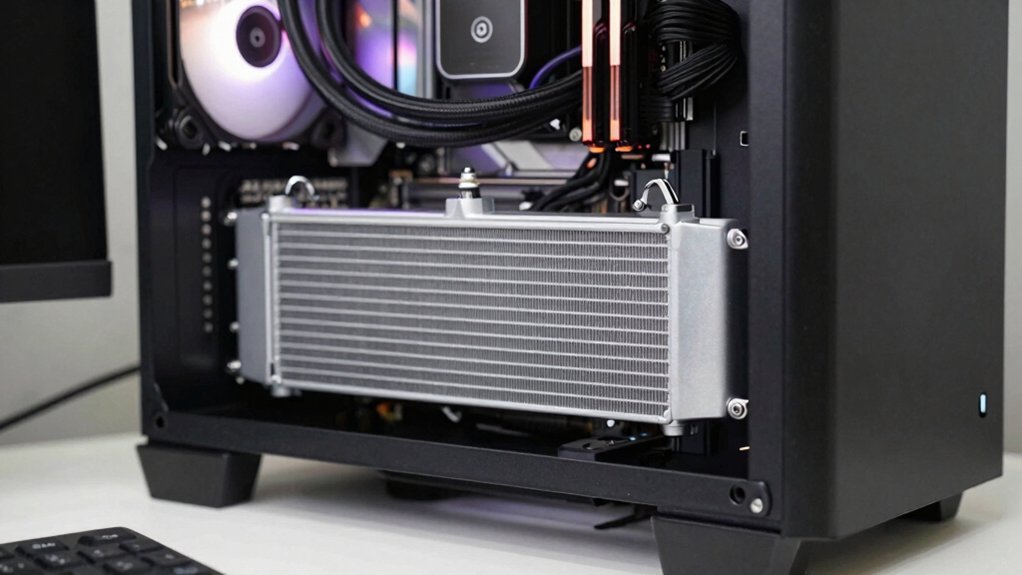
First, check cooler compatibility with your CPU and case, then choose a radiator size that fits your chassis and cooling needs. Next, assess pump noise levels, cooling performance metrics, and how RGB or aesthetic syncing will fit your setup. Finally, compare options across compatibility, size, noise, performance, and visuals to decide what combination best meets your priorities.
Cooler Compatibility Options
Before selecting an AIO, check compatibility across sockets and mounting options to avoid fit issues. Start by confirming the cooler supports AMD and Intel sockets you use, such as AM4/AM5 and LGA 1150/1151/1200/1700/1851. Look for universal mounting kits that cover AM4/AM5 and LGA115x/1200/1700/1851 to reduce bracket needs. Note if the unit includes Intel LGA1851 or LGA1700 mounting frames or adapter sets for hotspot alignment. Check compatibility lists for both motherboard ARGB headers (5V) and 4-pin PWM headers to ensure lighting and cooling control integrate with your system. Consider case and motherboard clearance, since radiator size can affect socket room in tight builds. Verify documentation for mounting depth requirements and verify that your RAM/VRM clearances remain sufficient.
Radiator Size Selection
What radiator size should you choose? Start by matching your CPU load and case space. A 360 mm radiator provides more surface area for heat dissipation and is used for high-end CPUs under heavy loads, but it requires a larger case and mounts. A 240 mm radiator balances case compatibility and cooling performance, suitable for mid-to-high performance CPUs and compact builds. A 120 mm radiator offers a smaller form factor and easier installation, but provides lower cooling capacity than 240 mm or 360 mm options. Remember that radiator size often correlates with fan count and noise; larger radiators with multiple fans can achieve similar cooling at lower fan speeds, reducing noise. Finally, check compatibility: some coolers support multiple sizes, others are fixed to 120, 240, or 360 configurations.
Pump Noise Levels
To compare pump noise levels effectively, start by identifying your tolerance for audible noise under load. Gather specs: pump noise in dBA and max RPM. Lower values mean quieter operation under load. Check pump RPMs; some units reach up to ~5300 RPM, which raises audible noise versus mid-range pumps. Note that dual-chamber and fourth/third generation designs aim to reduce vibration for quieter performance. ARGB lighting doesn’t impact pump noise, but larger pumps with higher flow can add to perceived noise if fans are loud. Look for silent modes such as zero RPM or low-speed PWM control, which shut or throttle fans during idle or light loads. Compare models with these options to find a balanced, quiet setup.
Cooling Performance Metrics
Cooling performance hinges on three core elements: pump dynamics, radiator size and layout, and fan quality. To evaluate, examine pump head speed and design. Higher RPMs (up to 3,300–5,300) improve heat transfer under load; check if the model offers adjustable or documented ranges. Next, assess radiator size and layout: 240 mm vs 360 mm impacts heat dissipation and sustained performance with multi-core CPUs; bigger radiators usually handle steady loads better. Then review fan specifications: PWM control, ARGB/LED, and high static pressure fans (like RS120 or TL-P12W-S) improve radiator airflow and cooling efficiency. Consider cold plate and heat exchanger quality, noting convex contact surfaces, copper bases, and aluminum fin plates for better thermal transfer. Finally, note noise targets (≤23–27 dBA at certain speeds) as a balancing metric.
RGB and Aesthetic Sync
RGB lighting isn’t just for looks; it’s about reliable sync across your cooler’s components. To start, check ARGB systems that synchronize across fans, pumps, and blocks via a 5V header or motherboard software. Ensure your chosen cooler supports integrated ARGB halo, animated displays, or LCD screens for real-time visuals and system data. Verify that ARGB synchronization works with compatible motherboard headers (5V/3-pin) and software to coordinate color and effects. Consider whether the design uses daisy-chained or single-header connections, as this affects how comprehensively lighting is synchronized across multiple fans and components. Review pre-applied patterns or customizable soft-light options to match your build aesthetics, and plan cable routing for clean visibility and reliable control.
Installation Versatility
Many AIO coolers are built with installation versatility in mind, so start by confirming native offset mounting and VRM/fan integration for your motherboard. Check compatibility lists for LGA1150/1151/1200/1700 and AM4/AM5 to ensure cross-platform mounting works without adapters. Look for pre-applied thermal paste and easy-to-follow mounting frames to streamline setup across sockets. Review cable management features like single-sleeved radiator fan cables or daisy-chained fan connections to reduce motherboard clutter after install. Consider RGB or ARGB display options, noting how they may affect mounting orientation and space within the case. For each cooler, follow the manufacturer’s step-by-step guide, and verify anchoring, cable routing, and radiator placement before powering on. Choose a model that balances versatility, simplicity, and space to fit your build.
Cable Management Benefits
Integrated cable management can simplify setup and keep your build neat. Look for radiators with sleeve-managed PWM cables that converge to a single visible cable, reducing clutter and easing motherboard connections. Consider daisy-chained fan connections to one 4-pin PWM header; this minimizes individual fan cables and enhances overall neatness inside the case. Check for 5V ARGB headers you can synchronize through a unified header to lessen multiple loose cables around the motherboard. Evaluate AIO units with built-in hubs or fan hubs, which consolidate power interfaces and support clean chassis routing. Practical steps: plan cable paths, route through the case cutouts, and secure with ties. Expect easier installation, lower snag risk, and improved airflow due to fewer protruding cables near the radiator and fans.
Final Thoughts
To pick an AIO cooler, list your priorities: size, performance, and noise. Compare 360mm options for best cooling, like Arctic Freezer III Pro 360 or Corsair Nautilus 360 RS, and 240mm options for smaller builds, such as Aqua Elite 240 V3 or CoolerMaster ML240L V2. Check radiator compatibility with your case, CPU socket support, and pump quality. Budget per performance, read reviews, and choose ARGB if you want visuals. Confirm warranty and installation steps to finish quickly.

Meet Ry, “TechGuru,” a 36-year-old technology enthusiast with a deep passion for tech innovations. With extensive experience, he specializes in gaming hardware and software, and has expertise in gadgets, custom PCs, and audio.
Besides writing about tech and reviewing new products, he enjoys traveling, hiking, and photography. Committed to keeping up with the latest industry trends, he aims to guide readers in making informed tech decisions.