
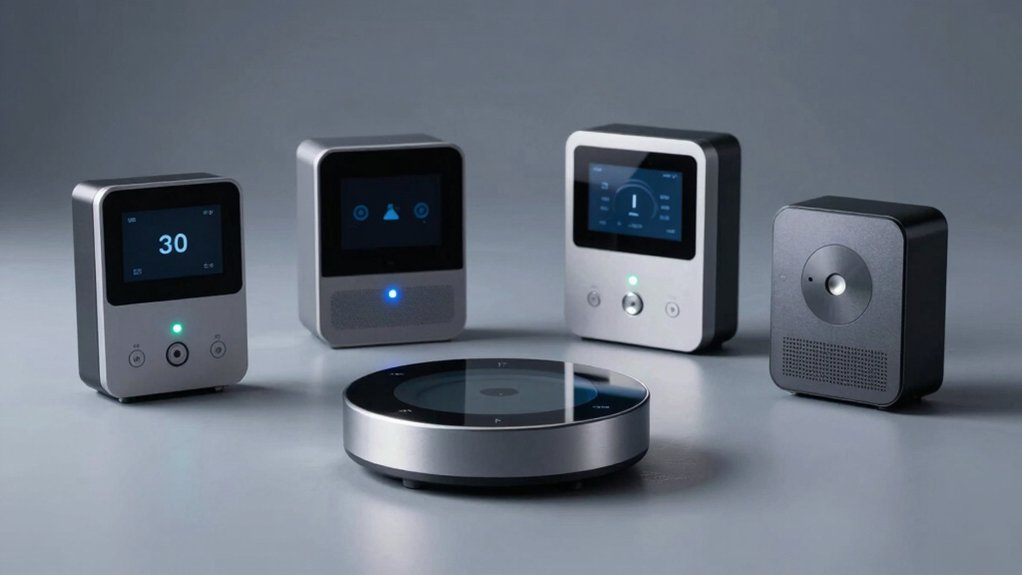

When you’re setting up a smart home system, you need a reliable Z-Wave controller to manage your connected devices. You’ll find several strong options designed specifically for professionals who demand local processing, broad compatibility, and secure automation. Each controller offers different strengths—some prioritize flexibility, others emphasize performance or ease of use. Understanding what each one delivers will help you match your system’s needs with the right foundation. Here’s what you should know about the top choices.
| Aeotec Smart Home Hub Z-Wave Zigbee Matter Gateway |

| Best All-in-One | Z-Wave Standard Support: Z-Wave Plus (V3 model only) | Primary Ecosystem: SmartThings | Device Compatibility: Thousands of compatible devices across multiple brands | VIEW LATEST PRICE | Read Our Analysis |
| Home Assistant Connect ZWA-2 Z-Wave Device Hub |

| Best for Home Assistant | Z-Wave Standard Support: 800-series Z-Wave chipset | Primary Ecosystem: Home Assistant | Device Compatibility: All Z-Wave devices | VIEW LATEST PRICE | Read Our Analysis |
| Zooz 800 Series Z-Wave Long Range USB Stick |

| Advanced User Pick | Z-Wave Standard Support: 800 Series Z-Wave Long Range | Primary Ecosystem: Home Assistant, HomeSeer | Device Compatibility: Z-Wave Plus and Long Range compatible devices | VIEW LATEST PRICE | Read Our Analysis |
| Minoston Z-Wave Scene Controller 4 Button Remote (MR40Z) |

| Best Wireless Remote | Z-Wave Standard Support: 800 Series Z-Wave chip | Primary Ecosystem: SmartThings, Home Assistant, Home Seer | Device Compatibility: Works with legacy Z-Wave devices | VIEW LATEST PRICE | Read Our Analysis |
| Hubitat Elevation C-8 Pro Smart Home Automation Hub |

| Most Powerful Hub | Z-Wave Standard Support: Z-Wave 800 Series, Z-Wave Long Range | Primary Ecosystem: Hubitat Elevation | Device Compatibility: 1,000+ devices across 100+ brands | VIEW LATEST PRICE | Read Our Analysis |
More Details on Our Top Picks
Aeotec Smart Home Hub Z-Wave Zigbee Matter Gateway
Looking to control hundreds of smart home devices from a single hub? The Aeotec Smart Home Hub functions as your central SmartThings hub, connecting thousands of compatible devices across Z-Wave, Zigbee, Matter, and Wi-Fi standards. You’ll manage lighting, comfort, energy use, and voice assistants through the SmartThings app on Android, iOS, or iPadOS. Build custom automations that run locally for faster response times. Set up routines and scenes coordinating multiple devices and brands. Connect via Wi-Fi or Ethernet in minutes. Voice control through Amazon Alexa or Google Home complements your automated system. This hub’s broad device compatibility from leading manufacturers makes it ideal for expanding smart homes without replacing existing equipment.
- Z-Wave Standard Support:Z-Wave Plus (V3 model only)
- Primary Ecosystem:SmartThings
- Device Compatibility:Thousands of compatible devices across multiple brands
- Voice Assistant Support:Amazon Alexa, Google Home
- Setup Complexity:Easy setup in minutes
- Additional Protocol Support:Matter, Zigbee, Wi-Fi
- Additional Feature:Local automation execution capability
- Additional Feature:Multi-brand device coordination
- Additional Feature:Matter certified interoperability
Home Assistant Connect ZWA-2 Z-Wave Device Hub
If you’re already using Home Assistant and want to expand your Z-Wave network without replacing your entire setup, the Home Assistant Connect ZWA-2 Z-Wave Device Hub is built for you. The ZWA-2 features the latest 800-series Z-Wave chipset and integrates seamlessly with Home Assistant and Z-Wave JS. Setup takes minutes—plug it in, run the intuitive start-up wizard, and use one-click firmware updates. Migration from other adapters requires only a couple of clicks. The antenna and base are tuned for reliable connections and maximum range. You’ll experience reduced interference, better wall penetration, and improved battery life across all your Z-Wave devices.
- Z-Wave Standard Support:800-series Z-Wave chipset
- Primary Ecosystem:Home Assistant
- Device Compatibility:All Z-Wave devices
- Voice Assistant Support:Not specified
- Setup Complexity:Plug and Play with intuitive wizard
- Additional Protocol Support:Z-Wave only
- Additional Feature:800-series Z-Wave chipset
- Additional Feature:One-click firmware updates
- Additional Feature:Candle-shaped aesthetic design
Zooz 800 Series Z-Wave Long Range USB Stick
The Zooz 800 Series ZST39 LR serves advanced users who possess solid programming knowledge and deep familiarity with Z-Wave networks. You’ll need a dedicated computer—PC, laptop, or Raspberry Pi—plus compatible home automation software like Home Assistant or HomeSeer. This USB stick extends your network coverage up to a mile and supports Z-Wave Plus and Long Range devices. Before use, ensure your software supports Long Range functionality and that your end devices are compatible. Never apply NVM backups from older 500 or 700 series sticks, as this bricks the device and voids warranty. Only apply firmware updates through the official Zooz support portal to maintain proper operation.
- Z-Wave Standard Support:800 Series Z-Wave Long Range
- Primary Ecosystem:Home Assistant, HomeSeer
- Device Compatibility:Z-Wave Plus and Long Range compatible devices
- Voice Assistant Support:Not included
- Setup Complexity:Advanced users only; requires programming knowledge
- Additional Protocol Support:Z-Wave only
- Additional Feature:One-mile network range extension
- Additional Feature:OTA firmware update support
- Additional Feature:Advanced user customization focus
Minoston Z-Wave Scene Controller 4 Button Remote (MR40Z)
For users who need flexible remote control without rewiring their walls, Minoston’s 4-button scene controller offers practical wireless functionality across 16 different scenarios. This battery-powered remote attaches magnetically to flat surfaces or fits standard switch boxes, letting you add control points anywhere without hiring an electrician. The 800 Series Z-Wave chip provides enhanced signal penetration and interference resistance. You’ll need a compatible hub like SmartThings, Home Assistant, or Home Seer to operate it. Follow your hub’s setup guide to enable full scene programming. The device supports legacy Z-Wave systems, though basic setups may have limited functionality.
- Z-Wave Standard Support:800 Series Z-Wave chip
- Primary Ecosystem:SmartThings, Home Assistant, Home Seer
- Device Compatibility:Works with legacy Z-Wave devices
- Voice Assistant Support:Not specified
- Setup Complexity:Battery-powered; no wiring required
- Additional Protocol Support:Z-Wave only
- Additional Feature:16 different scenario support
- Additional Feature:Battery-powered wireless installation
- Additional Feature:SmartStart S2 security certified
Hubitat Elevation C-8 Pro Smart Home Automation Hub
Need a Z-Wave controller that keeps your home automations running during internet outages? The Hubitat Elevation C-8 Pro processes automations locally on the hub itself rather than relying on remote servers. This means your lights, locks, and security rules function independently of your internet connection. The hub supports Z-Wave 800 Series, Zigbee 3.0, Matter 1.5, and Bluetooth, working with over 1,000 devices across 100+ brands. You’ll create automation rules directly on the hub without subscriptions or cloud services. External antennas provide strong range for larger homes. The C-8 Pro receives regular software updates that add features and expand compatibility without requiring new hardware purchases.
- Z-Wave Standard Support:Z-Wave 800 Series, Z-Wave Long Range
- Primary Ecosystem:Hubitat Elevation
- Device Compatibility:1,000+ devices across 100+ brands
- Voice Assistant Support:Apple Home, Amazon Alexa, Google Home
- Setup Complexity:Easy for beginners; powerful for advanced users
- Additional Protocol Support:Matter 1.5, Zigbee 3.0, Bluetooth
- Additional Feature:Offline automation execution capability
- Additional Feature:AI-assisted automation engine
- Additional Feature:Professional-grade external antennas
Factors to Consider When Choosing Z-Wave Controllers
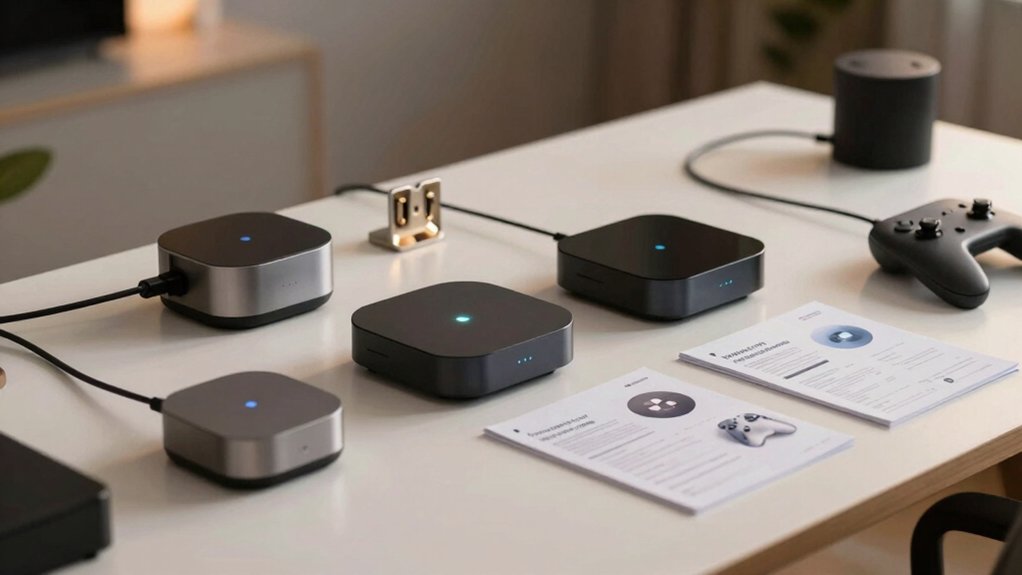
You’ll want to evaluate five key areas before selecting your Z-Wave controller: ecosystem compatibility and standards assure your hub works with your existing devices, local processing and reliability let you automate your home without internet dependency, setup complexity and skill requirements determine how much technical knowledge you need, range and network coverage affect how many devices you can connect throughout your space, and voice assistant and automation integration connect your hub to platforms like Alexa or Google Home and automation services like IFTTT. Each factor directly impacts whether the controller fits your current setup and future expansion plans. Assess your priorities in these areas to narrow down which hub matches your specific needs.
Ecosystem Compatibility And Standards
What standards does your Z-Wave controller actually support? You need to verify three core capabilities: Z-Wave Plus compatibility, Z-Wave Long Range support, and specific device profiles matching your planned installations. Beyond Z-Wave alone, check whether your controller supports Matter, Zigbee, or Wi-Fi integration. Multi-standard controllers expand your device options across brands and reduce future incompatibility risks.
Next, determine whether the controller processes data locally or relies on cloud servers. Local processing preserves reliability and enables offline automation when internet fails. Finally, review compatibility requirements carefully. Many controllers need companion software like Home Assistant, SmartThings, or Hubitat to unlock full scene and automation features across different standards. Verify these dependencies before purchasing to ensure seamless integration with your existing devices and planned expansions.
Local Processing And Reliability
Where does your Z-Wave controller process automation logic—on the hub itself or through cloud servers? Local processing runs automations directly on your hub, eliminating latency and enabling near-instant responses to device events. This approach maintains core functionality during internet outages, keeping lights, locks, and sensors operational. You preserve privacy by keeping data within your home network instead of sending it to external services. Choose a controller supporting local execution to reduce dependency on cloud infrastructure. Verify the hub’s firmware allows offline automation. Check that your selected platform maintains security through regular updates while preserving offline capabilities. Local processing offers reliability and speed that cloud-dependent systems cannot match during connectivity disruptions.
Setup Complexity And Skill Requirements
How much technical expertise are you willing to invest in your Z-Wave controller? Your answer determines which option suits you best.
Plug-and-play controllers offer one-click setup with built-in wizards, requiring minimal technical knowledge. You download the companion app, follow on-screen prompts, and pair devices without manual configuration.
Advanced controllers demand comfort with programming, network concepts, and firmware updates. You’ll need to configure software integrations and manage complex settings manually.
Mid-range options support plugin migrations and streamlined onboarding. You’ll handle basic network setup and device pairing but avoid deep programming.
Dedicated-system controllers require a separate computer and home automation software installation. Setup involves multiple steps: installing software, configuring networks, pairing devices, and updating firmware.
Assess your comfort level with these processes before selecting your controller.
Range And Network Coverage
Because Z-Wave networks rely on mesh technology to extend coverage throughout your home, the controller you choose directly affects how far your devices can communicate. Select a hub that supports Z-Wave Long Range (LR) and 800-series devices to maximize your network’s reach up to one mile. These newer standards offer improved signal penetration and reduced dead spots in multi-room environments. Verify that your controller includes a dedicated Z-Wave radio with optimized antennas, which strengthens connections and extends battery life for wireless nodes. Check that your hub’s software explicitly supports Z-Wave LR and Plus features to achieve full network expansion. Evaluate your home’s layout and identify problem areas where signal weakens, then choose a controller capable of addressing those coverage gaps through advanced radio technology.
Voice Assistant And Automation Integration
Most Z-Wave controllers now support integration with popular voice assistants like Alexa and Google Home, allowing you to control your smart home devices and scenes through voice commands. When selecting a controller, verify that it’s compatible with your preferred voice assistant platform. Look for controllers that offer local automation processing, which eliminates cloud dependency and reduces response delays for voice-triggered routines. Check whether the controller supports standardized hubs like Matter or Z-Wave Plus, as these determine which voice assistants can directly control your devices. Some controllers let you create synchronized voice-driven scenes across multiple brands. Confirm that security features like S2 certification are enabled, ensuring voice commands are properly authenticated before execution. This prevents unauthorized device control through your voice assistant.
Final Thoughts
You’ve reviewed five Z-Wave controllers that match different needs. Choose the Aeotec Hub for straightforward Matter support, the Home Assistant Connect for Z-Wave expansion, or the Zooz stick for long-range coverage. Pick the Hubitat Elevation if you want local processing without cloud dependency. Evaluate your existing devices, required range, and automation complexity before deciding. Each option provides reliable performance—select based on your specific setup requirements.

Meet Ry, “TechGuru,” a 36-year-old technology enthusiast with a deep passion for tech innovations. With extensive experience, he specializes in gaming hardware and software, and has expertise in gadgets, custom PCs, and audio.
Besides writing about tech and reviewing new products, he enjoys traveling, hiking, and photography. Committed to keeping up with the latest industry trends, he aims to guide readers in making informed tech decisions.