
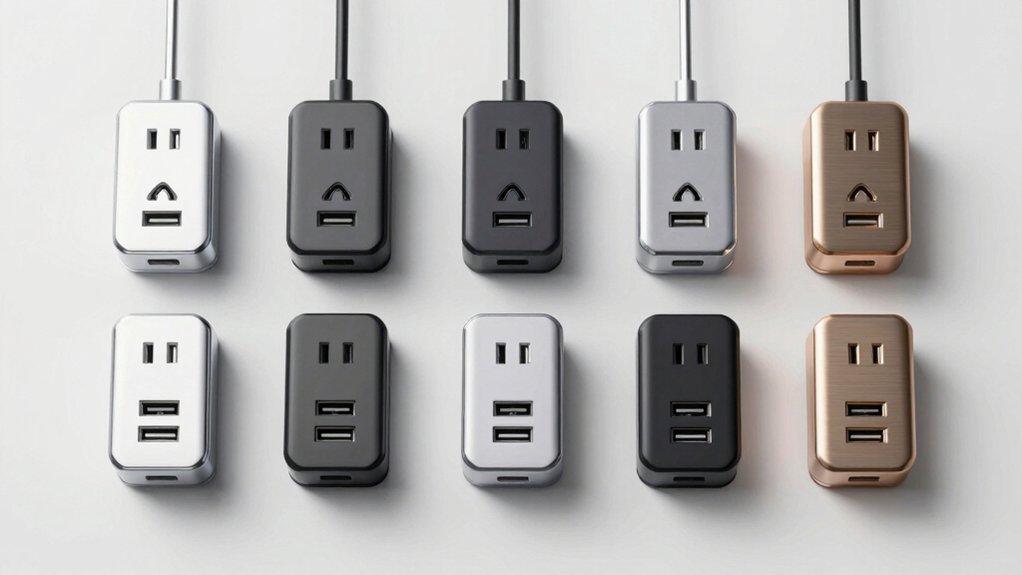

You’re managing multiple devices that need charging, but your standard wall outlets can’t keep up. USB outlet receptacles solve this problem by combining traditional outlets with built-in charging ports, letting you power phones, tablets, and laptops simultaneously from a single wall socket. These units come in various configurations—some feature USB-C ports for fast charging, while others offer multiple USB-A ports for older devices. To find the right option for your needs, you’ll need to understand what features actually matter.
| Amico 6-Port USB Wall Outlet 30W (6-Pack) |

| Best 6-Pack Value | USB Port Configuration: 2 Type A + 1 Type C | Total USB Power Output: 30W (6.0A) | AC Outlet Amperage: 15A receptacle | VIEW LATEST PRICE | Read Our Analysis |
| TOPELER USB-C Wall Outlet 15A with 3 USB Ports |

| Best Overall Design | USB Port Configuration: 2 Type A + 1 Type C | Total USB Power Output: 30W (6.0A) | AC Outlet Amperage: 15A receptacle | VIEW LATEST PRICE | Read Our Analysis |
| Leviton USB In-Wall Charger with Tamper-Resistant Outlet |

| Most Compact | USB Port Configuration: 1 Type A + 1 Type C | Total USB Power Output: 25W+ (5.1A) | AC Outlet Amperage: Standard (not specified) | VIEW LATEST PRICE | Read Our Analysis |
| TOPGREENER USB Outlet with 3-Port Type C (2-Pack) |

| Best Budget Pick | USB Port Configuration: 2 Type A + 1 Type C | Total USB Power Output: 18W (3.6A) | AC Outlet Amperage: 15A receptacle | VIEW LATEST PRICE | Read Our Analysis |
| ThunderWay 15 Amp USB Wall Outlet (6-Pack) |

| Best Multi-Pack | USB Port Configuration: 1 Type A + 1 Type C | Total USB Power Output: 21W | AC Outlet Amperage: 15A receptacle | VIEW LATEST PRICE | Read Our Analysis |
| ELEGRP USB Wall Outlet with Dual USB-C Ports (2-Pack) |

| Highest Energy Efficiency | USB Port Configuration: 1 Type A + 2 Type C | Total USB Power Output: 21W (4.2A) | AC Outlet Amperage: 20A receptacle | VIEW LATEST PRICE | Read Our Analysis |
| One Beat 1680J Power Strip with USB Ports |

| Best Surge Protection | USB Port Configuration: 1 Type A + 2 Type C | Total USB Power Output: 15.5W (3.1A) | AC Outlet Amperage: Surge protector (1680J) | VIEW LATEST PRICE | Read Our Analysis |
| JcBlaon Outlet Extender Surge Protector with USB Ports |

| Most Portable | USB Port Configuration: 2 Type A + 2 Type C | Total USB Power Output: 12W (2.4A per port) | AC Outlet Amperage: 15A max / Surge protector (1050J) | VIEW LATEST PRICE | Read Our Analysis |
| 30W USB Wall Outlet with PD3.0 Charging Ports |

| Best Fast Charging | USB Port Configuration: 1 Type A + 2 Type C | Total USB Power Output: 30W (PD3.0) | AC Outlet Amperage: 15A receptacle | VIEW LATEST PRICE | Read Our Analysis |
| Maxxima USB Receptacle Outlet with 4 USB Charging Ports |

| Most USB Ports | USB Port Configuration: 2 Type A + 2 Type C | Total USB Power Output: 24W (4.8A) | AC Outlet Amperage: Standard (125VAC 60Hz) | VIEW LATEST PRICE | Read Our Analysis |
More Details on Our Top Picks
Amico 6-Port USB Wall Outlet 30W (6-Pack)
If you’re looking to charge multiple devices simultaneously without cluttering your space with power strips, the Amico 6-Port USB Wall Outlet is an excellent choice because it replaces your standard wall outlet while adding three USB ports in a compact, wall-mounted design. You’ll get two Type A ports and one Type C port delivering 30 watts combined output at 5V DC and 6.0 amps. The outlet features tamper-resistant receptacles, flame-resistant materials with UL94 certification, and ETL listing for safety compliance. You can charge smartphones, tablets, and other standard USB devices simultaneously, though it isn’t suitable for laptops. The 6-pack comes with wall plates included, making installation straightforward for residential, commercial, or office settings. This configuration supports Apple, Samsung, and BC1.2 charging protocols.
- USB Port Configuration:2 Type A + 1 Type C
- Total USB Power Output:30W (6.0A)
- AC Outlet Amperage:15A receptacle
- Tamper Resistance/Safety:Tamper-resistant outlets, flame-resistant
- Installation Type:In-wall replacement
- Certifications:ETL Listed, UL94 flame resistance
- Additional Feature:6-pack bulk configuration
- Additional Feature:Flame-resistant UL94 material
- Additional Feature:Suitable for commercial use
TOPELER USB-C Wall Outlet 15A with 3 USB Ports
The TOPELER USB-C Wall Outlet works best for you if you need to charge multiple devices simultaneously without adding extra power strips or adapter clutter to your space. This 15A receptacle combines a standard outlet with one USB-C port and two USB-A ports, delivering 30W total power across all three ports. The USB-C port supports up to 5V/3.6A, while each USB-A port handles 5V/2.4A maximum. Installation requires replacing your existing outlet—use either side or back wiring to fit standard wall boxes. The unit includes a screwless wall plate and features tamper-resistant design with safety shutters, meeting NEC 2017 compliance standards.
- USB Port Configuration:2 Type A + 1 Type C
- Total USB Power Output:30W (6.0A)
- AC Outlet Amperage:15A receptacle
- Tamper Resistance/Safety:Tamper-resistant, safety shutters, flame-resistant
- Installation Type:In-wall replacement, side/back wiring
- Certifications:UL Listed, FCC approved, UL94 flame-resistant
- Additional Feature:Screwless wall plate included
- Additional Feature:Dual side/back wiring
- Additional Feature:1-year limited warranty
Leviton USB In-Wall Charger with Tamper-Resistant Outlet
Looking to simplify your charging setup without cluttering outlets with adapters? The Leviton Type A & Type-C USB In-Wall Charger combines two high-powered USB ports with a standard 15A tamper-resistant outlet. The dual ports deliver 5.1A combined current and 25+ watts of power, enabling you to charge smartphones and tablets simultaneously. A built-in smart chip recognizes each device’s specific charging requirements and optimizes power delivery accordingly. The Type-C port supports faster charging, matching the standard found on iPhones, iPads, Samsung devices, and Google Pixels. Overcurrent protection safeguards your electronics from power surges. Note that this charger doesn’t provide Power Delivery and isn’t designed for laptops. Purchase the wallplate separately to complete installation.
- USB Port Configuration:1 Type A + 1 Type C
- Total USB Power Output:25W+ (5.1A)
- AC Outlet Amperage:Standard (not specified)
- Tamper Resistance/Safety:Overcurrent protection
- Installation Type:In-wall replacement
- Certifications:UL Listed (implied)
- Additional Feature:Built-in smart chip optimization
- Additional Feature:Overcurrent protection for devices
- Additional Feature:25+ watts combined output
TOPGREENER USB Outlet with 3-Port Type C (2-Pack)
Need to charge multiple devices without swapping cables or using adapters? The TOPGREENER USB Outlet with 3-Port Type C delivers simultaneous charging through two USB-A ports and one USB-C port. Install this 15-amp receptacle into your standard wall outlet to replace conventional plugs. The outlet supports up to 3.6A total output with IntelliChip technology that recognizes your device’s power requirements and charges at optimal speeds. You’ll also get two traditional plug outlets on the same unit, plus tamper-resistant shutters for safety. This 2-pack comes with wall plates and arrives UL-listed and NEC-compliant. You won’t experience fast charging capabilities, but you’ll efficiently power three devices simultaneously without adapters.
- USB Port Configuration:2 Type A + 1 Type C
- Total USB Power Output:18W (3.6A)
- AC Outlet Amperage:15A receptacle
- Tamper Resistance/Safety:Tamper-resistant shutters
- Installation Type:In-wall replacement, clamp-type terminals
- Certifications:UL Listed, NEC 2017 compliance
- Additional Feature:IntelliChip technology for optimization
- Additional Feature:Clamp-type wire terminals
- Additional Feature:2-pack configuration included
ThunderWay 15 Amp USB Wall Outlet (6-Pack)
If you’re upgrading multiple rooms or outfitting a commercial space with reliable charging solutions, you’ll want to contemplate this 6-pack of ThunderWay 15 Amp USB wall outlets. Each unit features dual USB ports—one Type-C and one Type-A—delivering 21W combined output for simultaneous device charging. The tamper-resistant design includes built-in shutters protecting against accidental contact. Installation takes minutes with pre-loosened screws and support for side or back wiring in standard wall boxes. The matte white Decora-style finish coordinates with existing décor in kitchens, bedrooms, offices, and living areas. ETL certification guarantees electrical safety and reliability. Each outlet includes a matching white plate cover, providing a complete installation package throughout your space.
- USB Port Configuration:1 Type A + 1 Type C
- Total USB Power Output:21W
- AC Outlet Amperage:15A receptacle
- Tamper Resistance/Safety:Tamper-resistant shutters, flame-resistant
- Installation Type:In-wall replacement, side/back wiring
- Certifications:ETL Listed
- Additional Feature:Pre-loosened screws for installation
- Additional Feature:Decora-style textured matte finish
- Additional Feature:6-pack with outlet plates
ELEGRP USB Wall Outlet with Dual USB-C Ports (2-Pack)
The ELEGRP USB outlet works best for you if you’re charging multiple devices simultaneously without needing fast-charging speeds. This 20-amp outlet includes three USB ports: two USB-C ports delivering 3.0A each and one USB-A port providing 2.4A, totaling 4.2A output. Install the outlet in any standard wall receptacle using the included plate. Connect your devices to the appropriate ports based on their connector type. The surge-protected ports handle Apple, Samsung, and standard BC1.2 protocols. The dedicated charging controller automatically detects your device’s power requirements for stable charging. Each USB-C port withstands 10,000 insertions, while the USB-A port handles 8,000. This setup works for phones, tablets, and similar devices but not laptops.
- USB Port Configuration:1 Type A + 2 Type C
- Total USB Power Output:21W (4.2A)
- AC Outlet Amperage:20A receptacle
- Tamper Resistance/Safety:Tamper-resistant, surge protection, fire-resistant
- Installation Type:In-wall replacement
- Certifications:UL/CUL Listed, FCC approved
- Additional Feature:87% energy efficiency rating
- Additional Feature:Type-C tested 10,000 insertions
- Additional Feature:DOE Level VI compliant
One Beat 1680J Power Strip with USB Ports
Looking for a surge protector that combines multiple outlet types without blocking adjacent plugs? The One Beat 1680J delivers 5 AC outlets and 4 USB ports (including 2 USB-C) in a compact design. Its 1.78-inch outlet spacing prevents your bulky chargers from obstructing neighboring sockets. The unit absorbs up to 1680 Joules of power surges, protecting your devices during electrical spikes. USB ports provide 5V/3.1A total output, with individual ports delivering up to 2.4A. The USB-C ports supply up to 3A each. Mount it on your wall or use it as a desktop expander. ETL certification confirms safety standards. You’ll receive a 30-day return window and 12-month replacement guarantee plus 24-hour customer support.
- USB Port Configuration:1 Type A + 2 Type C
- Total USB Power Output:15.5W (3.1A)
- AC Outlet Amperage:Surge protector (1680J)
- Tamper Resistance/Safety:Surge protection (1680J), fire-resistant shell
- Installation Type:Plug-in power strip
- Certifications:ETL Listed
- Additional Feature:1680 Joules surge protection
- Additional Feature:1.78-inch outlet spacing design
- Additional Feature:Fire-resistant ABS shell
JcBlaon Outlet Extender Surge Protector with USB Ports
Need to charge multiple devices simultaneously without cluttering your workspace? The JcBlaon Outlet Extender offers a practical solution with six AC outlets and four USB ports—two USB-A and two USB-C. Install it by fitting the unit into your duplex outlet and securing it with the screw port. The wide-spaced design prevents larger plugs from blocking adjacent outlets. You’ll get 5V/2.4A charging per USB port with smart technology that optimizes speeds automatically. The device delivers 1050 Joules of surge protection, handles up to 1875W maximum power, and features flame-retardant materials for safety. Note that USB-C ports don’t support devices requiring 14–22V charging.
- USB Port Configuration:2 Type A + 2 Type C
- Total USB Power Output:12W (2.4A per port)
- AC Outlet Amperage:15A max / Surge protector (1050J)
- Tamper Resistance/Safety:Surge protection (1050J), flame-retardant material
- Installation Type:Plug-in outlet extender
- Certifications:UL94 V-0 flame-retardant rated
- Additional Feature:1050 Joules surge protection
- Additional Feature:2.15-inch outlet spacing design
- Additional Feature:18-month replacement coverage
30W USB Wall Outlet with PD3.0 Charging Ports
If you’re constantly hunting for available outlets to charge multiple devices simultaneously—laptops, phones, tablets, and accessories—a 30W USB Wall Outlet with PD3.0 charging ports replaces your standard electrical outlet with a single solution that handles everything at once. You get two USB Type-C ports delivering 30W output and one USB Type-A port providing 18W output, plus a 15-amp tamper-resistant receptacle for standard plugs. The smart IC recognizes your device’s charging protocol and optimizes power delivery automatically. Install it in ten minutes by replacing your existing outlet. You’ll charge MacBook Air, iPhone 16, Samsung Galaxy phones, AirPods, and Fire Sticks without hunting for wall space or using multiple adapters.
- USB Port Configuration:1 Type A + 2 Type C
- Total USB Power Output:30W (PD3.0)
- AC Outlet Amperage:15A receptacle
- Tamper Resistance/Safety:Tamper-resistant receptacle, fire-resistant
- Installation Type:In-wall replacement
- Certifications:UL Listed
- Additional Feature:PD3.0 fast charging technology
- Additional Feature:30W max output capacity
- Additional Feature:MacBook Air compatible charging
Maxxima USB Receptacle Outlet with 4 USB Charging Ports
The Maxxima USB Receptacle Outlet solves a common problem: you’ve got multiple devices to charge but only one outlet available. This outlet features four USB ports—two Type-C and two Type-A—delivering 4.8A total output. You can charge devices simultaneously at 3.0A per USB-C port or 2.4A per USB-A port. The unit comes with a wall plate and screws for straightforward installation. It’s UL Listed and operates at 125VAC 60Hz, making it safe for homes, offices, and travel spaces. Overload protection and robust terminal screws ensure dependable performance. Simply plug the outlet into your wall, attach the included wall plate, and connect your devices directly without adapters.
- USB Port Configuration:2 Type A + 2 Type C
- Total USB Power Output:24W (4.8A)
- AC Outlet Amperage:Standard (125VAC 60Hz)
- Tamper Resistance/Safety:Overload protection, robust terminals
- Installation Type:In-wall replacement
- Certifications:UL Listed
- Additional Feature:4.8A total output capacity
- Additional Feature:Overload protection included
- Additional Feature:Robust terminal screws
Factors to Consider When Choosing a USB Outlet Receptacle
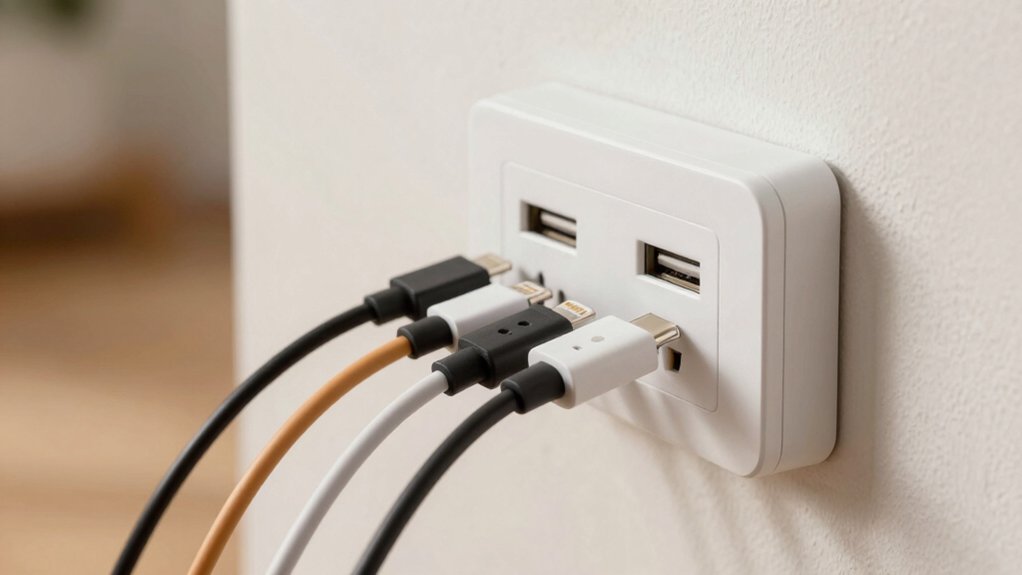
When selecting a USB outlet receptacle, you’ll need to evaluate your power output requirements first—determine how many devices you’re charging simultaneously and their total wattage demands, then match that to the outlet’s amperage rating. Next, verify the port types you’ll use, whether USB-A, USB-C, or a combination, so your cables connect properly without adapters. Finally, confirm the unit includes safety features like surge protection and overcurrent prevention, offers straightforward installation that fits your wall setup, and provides sufficient charging capacity to handle your devices without overheating or shutting down.
Power Output Requirements
How much power does your outlet actually deliver? You need to check two specifications: total wattage and per-port current limits. Most USB outlets provide either 30W with 6.0A shared across all ports or 21W with 4.2A total. Individual ports typically support 3.0A for USB-C and 2.4A for USB-A connections. Match these ratings to your devices’ requirements—laptops and tablets often need USB-C Power Delivery at higher voltages like 9V, 12V, or 20V. When you plug multiple devices simultaneously, the outlet may reduce power to certain ports to stay within budget. Review the manufacturer’s specifications for explicit total wattage and per-port amperage ratings before purchasing to ensure the outlet meets your charging needs.
Port Type Compatibility
Which port combination actually matches your devices’ charging needs?
Start by listing your devices and their charging ports. You’ll find USB outlets typically offer two USB-A ports paired with one USB-C port, or multiple USB-A ports with a single USB-C option. USB-C ports deliver higher power and faster charging—often 5V/3A or greater—making them ideal for laptops and tablets requiring power delivery support. USB-A ports usually max out at 5V/2.4A per port. Next, check your outlet’s total wattage capacity, commonly 21W or 30W, which distributes across all ports simultaneously. If you’re charging multiple high-power devices, ensure the USB-C port supports PD3.0 or higher. Verify compatibility with your devices’ charging protocols, including BC1.2 and Samsung or Apple fast-charging standards. This determines whether you’ll achieve simultaneous fast charging across all ports.
Safety Features Priority
Safety features are your first line of defense against electrical hazards, so you’ll want to prioritize them when selecting a USB outlet receptacle. Look for tamper-resistant (TR) receptacles that prevent foreign objects from being inserted into ports. Verify that your chosen outlet carries UL, ETL, or FCC listings, which confirm it meets recognized safety standards. Check for flame-resistant materials rated UL94 to reduce fire risk during overload situations. Confirm the outlet includes built-in overcurrent protection and surge protection to safeguard your devices from power spikes. Finally, examine safety shutters and child-safety features that minimize accidental contact with live components. These protective elements work together to create a secure charging environment for your household.
Installation Ease Factor
Once you’ve confirmed your outlet meets safety standards, you’ll want to verify that installation won’t require specialized skills or tools. Look for receptacles featuring side or back wiring options with pre-loosened screws, which significantly reduce setup time. Check whether a screwless wall plate comes included, as this eliminates alignment problems during mounting. Confirm the unit fits standard wall boxes and accepts decora-style plates to avoid compatibility issues. Review the provided installation instructions carefully before purchasing to ensure wiring connections and plate attachment steps are clear and straightforward. Additionally, check the manufacturer’s stated lead times for upgrades and warranty details, since these factors affect your support access during installation. Choosing outlets designed for quick installation protects your time investment and minimizes frustration during setup.
Device Charging Capacity
How much power you’ll actually need depends on what devices you’re charging simultaneously. Start by listing your devices and checking their power requirements—usually found on the charger label or device manual. USB-A ports typically deliver 2.4A or 3A, while USB-C ports offer 3.0A or higher with Power Delivery enabled. Calculate your total wattage by multiplying voltage (usually 5V) by amperage for each device. Remember that total outlet capacity often maxes out at 30W combined, meaning using a high-power USB-C port may reduce power to other ports. If you’re charging multiple devices regularly, choose an outlet with smart charging ICs that optimize distribution and prevent overcharging. This ensures all your devices charge efficiently without conflicts.
Durability And Materials
What materials and construction methods should you prioritize when selecting a USB outlet receptacle? Look for fire-rated or flame-resistant materials with UL94 ratings to reduce ignition risk. Choose receptacles with durable construction featuring surge protection and robust terminals that withstand repeated insertion cycles. Verify that USB ports—particularly Type A and Type C—are tested for high insertion cycles, typically 8,000–10,000+ cycles, ensuring long-term reliability. Select tamper-resistant (TR) receptacles equipped with safety shutters that block foreign object insertion, protecting against accidents. Confirm UL or UL-CUL certification and DOE/CEC efficiency compliance on the product label. These certifications guarantee the receptacle meets safety standards and performs reliably. Inspect terminal connections for corrosion resistance and secure contact points. Durable materials and proper certifications directly extend your receptacle’s lifespan.
Certification Standards Met
When you’re evaluating USB outlet receptacles, you’ll want to prioritize products that carry recognized safety certifications, as these markings confirm the device has undergone rigorous testing and meets established electrical safety requirements. Look for UL Listed or cUL markings, which indicate compliance across different regions and usages. Check for UL94 flame-resistant material ratings on the outlet housing to verify its resistance to ignition and combustion. You should also verify ETL Listed certification, which signals adherence to the same safety standards as UL. Some receptacles include FCC approval, confirming compliance with electromagnetic interference guidelines. Review the product packaging and specifications sheet for these certifications before purchasing. Don’t install receptacles lacking these markings, as they haven’t met required safety benchmarks.
Final Thoughts
You’ll want to pick a USB outlet based on your needs. First, count how many devices you charge regularly. Next, check the total wattage—most models offer 21–30W. Then, verify tamper-resistant features and UL/ETL certification for safety. Finally, confirm port types match your devices (USB-C for laptops, USB-A for phones). Installing takes minutes with screwless plates and side wiring. Replace your standard outlet, and you’re done.

Meet Ry, “TechGuru,” a 36-year-old technology enthusiast with a deep passion for tech innovations. With extensive experience, he specializes in gaming hardware and software, and has expertise in gadgets, custom PCs, and audio.
Besides writing about tech and reviewing new products, he enjoys traveling, hiking, and photography. Committed to keeping up with the latest industry trends, he aims to guide readers in making informed tech decisions.