
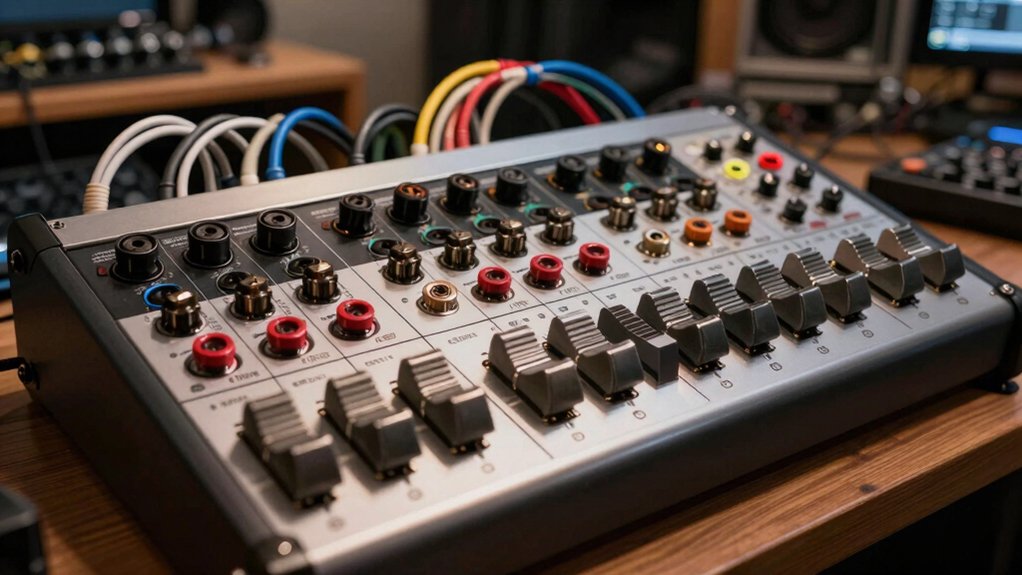

You’ll find that selecting the right patch bay transforms how you organize your home studio’s signal routing. Whether you’re protecting expensive microphones from constant plugging, streamlining connections between outboard gear, or managing multiple input sources, a quality patch bay eliminates wear on your equipment while keeping your setup clean and efficient. The key is matching your specific needs—XLR or 1/4″ connections, point capacity, and operational modes—to what actually works in your space. Here’s what you need to know.
| ART P16 XLR Balanced Patchbay |

| Compact XLR Solution | Connector Type: XLR (16 female front, 16 male rear) | Point Count / Connectivity: 32-point (16 channels) | Rack Mount Format: 19″ rack, 1U | VIEW LATEST PRICE | Read Our Analysis |
| Art Pro Audio P48-48 Point Balanced Patch Bay |

| Professional Studio Standard | Connector Type: XLR balanced | Point Count / Connectivity: 48-point balanced | Rack Mount Format: 19″ rack, 1U | VIEW LATEST PRICE | Read Our Analysis |
| Samson S-Patch Plus 48-Point Audio Patch Bay |

| Best For Speed | Connector Type: 1/4″ phone jack | Point Count / Connectivity: 48-point (front and rear) | Rack Mount Format: 19″ rack mount | VIEW LATEST PRICE | Read Our Analysis |
| AxcessAbles 3ft TRS Balanced Stereo Patch Cables (6-Pack) |
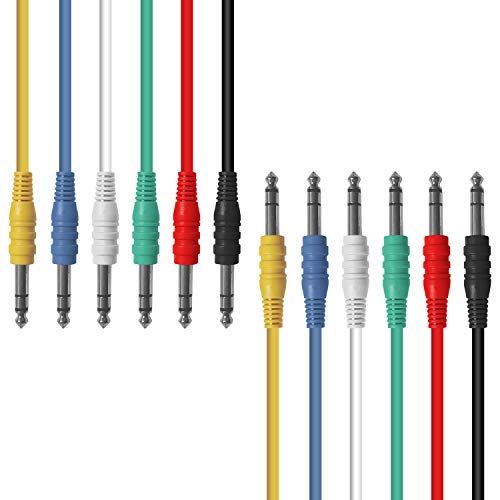
| Essential Patch Cables | Connector Type: 1/4″ TRS to 1/4″ TRS | Point Count / Connectivity: 6-pack cables (3 ft each) | Rack Mount Format: Standalone cables (no rack mount) | VIEW LATEST PRICE | Read Our Analysis |
| Behringer Ultrapatch Pro PX3000 48-Point Patchbay |

| Most Versatile Modes | Connector Type: 1/4″ phone jack | Point Count / Connectivity: 48-point balanced | Rack Mount Format: 19″ rack mount | VIEW LATEST PRICE | Read Our Analysis |
| AxcessAbles 1/4 TS Mono Patch Cables 6-Pack (3ft) |

| Budget-Friendly Mono Option | Connector Type: 1/4″ TS to 1/4″ TS | Point Count / Connectivity: 6-pack cables (3 ft each) | Rack Mount Format: Standalone cables (no rack mount) | VIEW LATEST PRICE | Read Our Analysis |
| AxcessAbles 1/4 TRS Balanced Stereo Patch Cables 6-Pack |

| Extended Reach Cables | Connector Type: 1/4″ TRS to 1/4″ TRS | Point Count / Connectivity: 6-pack cables (5 ft each) | Rack Mount Format: Standalone cables (no rack mount) | VIEW LATEST PRICE | Read Our Analysis |
| XLR HDMI Audio Rack Mount Panel 1U 19 |

| Audio/Video Integration | Connector Type: XLR female and HDMI | Point Count / Connectivity: 8 XLR ports | Rack Mount Format: 19″ rack, 1U hinged panel | VIEW LATEST PRICE | Read Our Analysis |
| Hosa MHB-350 Patch Bay Module 8-point 1/4″ TRS to Same |

| Modular Expansion Choice | Connector Type: 1/4″ TRS to 1/4″ TRS | Point Count / Connectivity: 8-point | Rack Mount Format: Modular patch bay | VIEW LATEST PRICE | Read Our Analysis |
| AxcessAbles 1/8 TRS Balanced Stereo Patch Cables (6-Pack) |

| Compact Minijack Solution | Connector Type: 1/8″ TRS to 1/8″ TRS | Point Count / Connectivity: 6-pack cables (1 ft each) | Rack Mount Format: Standalone cables (no rack mount) | VIEW LATEST PRICE | Read Our Analysis |
More Details on Our Top Picks
ART P16 XLR Balanced Patchbay
Are you running multiple audio devices in your home studio and struggling to manage cable connections? The ART P16 XLR Balanced Patchbay solves this problem by centralizing your balanced audio routing. This 19-inch rack-mount unit features 16 female XLR connectors on the front and 16 male XLR connectors on the rear. You’ll connect your audio sources to the rear inputs and your destination devices to the front outputs. The fully shielded steel enclosure protects your signals from interference. All internal wiring uses reliable PCB construction, ensuring clean signal paths. The unit fits standard 19-inch rack systems with reversible rack ears for flexible mounting. You’ll receive a 3-year warranty covering your investment in reliable studio infrastructure.
- Connector Type:XLR (16 female front, 16 male rear)
- Point Count / Connectivity:32-point (16 channels)
- Rack Mount Format:19″ rack, 1U
- Signal Balance:Balanced XLR
- Switching/Configuration Options:Fixed routing (no switches)
- Construction/Durability:Fully shielded steel enclosure
- Additional Feature:16 front/rear connectors
- Additional Feature:Fully shielded steel enclosure
- Additional Feature:Reversible rack ears
Art Pro Audio P48-48 Point Balanced Patch Bay
When you’re managing multiple audio cables in a home studio setup, the Art Pro Audio P48-48 Point Balanced Patch Bay offers a centralized solution that’ll save you time and protect your equipment. This 1 U rack-mount unit features 48 fully shielded XLR points, allowing you to organize all your connections in one location. Install it in your standard 19-inch rack alongside your other gear. By routing cables through the patch bay instead of directly connecting equipment, you reduce connector wear and tear considerably. This approach keeps your audio chain flexible—you can reconfigure connections without repeatedly plugging and unplugging your devices, extending their lifespan substantially.
- Connector Type:XLR balanced
- Point Count / Connectivity:48-point balanced
- Rack Mount Format:19″ rack, 1U
- Signal Balance:Balanced
- Switching/Configuration Options:Standard patch bay routing
- Construction/Durability:Fully shielded construction
- Additional Feature:48-point balanced routing
- Additional Feature:Reduces connector wear/tear
- Additional Feature:Organized cable management
Samson S-Patch Plus 48-Point Audio Patch Bay
If you’re tired of crawling behind your mixer and equipment rack to swap cables, the Samson S-Patch Plus 48-Point Audio Patch Bay offers the central connection point you need. This fully balanced unit features 48 1/4-inch phone plugs on both front and rear panels, letting you work faster without reaching around equipment. Configure each channel for Normalled, Half-normalled, or Thru operation using high-quality miniature toggle switches. In Thru mode, signals pass from rear inputs to front outputs, maintaining a clean signal path. The solid construction ensures reliable operation, making it ideal for home studios requiring organized audio routing without constant cable rearrangement.
- Connector Type:1/4″ phone jack
- Point Count / Connectivity:48-point (front and rear)
- Rack Mount Format:19″ rack mount
- Signal Balance:Fully balanced
- Switching/Configuration Options:Normalled, Half-normalled, Thru modes
- Construction/Durability:Solid construction, clean signal path
- Additional Feature:Configurable channel operation modes
- Additional Feature:High-quality toggle switches
- Additional Feature:Front-rear convenient connectivity
AxcessAbles 3ft TRS Balanced Stereo Patch Cables (6-Pack)
The AxcessAbles 3ft TRS balanced stereo patch cables work best for home studio owners who need reliable connections between outboard gear like compressors, reverb units, equalizers, and microphone preamps. Each cable features nickel-plated plugs and oxygen-free copper conductors that reject electromagnetic interference while maintaining clear signal transfer. The spiral shields provide flexibility for routing through patch bays without signal degradation. You’ll receive six cables per pack, allowing you to establish multiple connection points across your studio setup. The balanced design suits any patchbay configuration, whether you’re integrating delay units, noise gates, or flangers into your signal chain. AxcessAbles backs these cables with a one-year warranty and US-based support.
- Connector Type:1/4″ TRS to 1/4″ TRS
- Point Count / Connectivity:6-pack cables (3 ft each)
- Rack Mount Format:Standalone cables (no rack mount)
- Signal Balance:Balanced stereo
- Switching/Configuration Options:Fixed connections (cable-based)
- Construction/Durability:Nickel-plated plugs, OFC conductors and shields
- Additional Feature:Oxygen-free copper conductors
- Additional Feature:Multi-color cable identification
- Additional Feature:EMI/RFI rejection shielding
Behringer Ultrapatch Pro PX3000 48-Point Patchbay
Need a patchbay that lets you reconfigure your studio connections without constantly plugging and unplugging cables? The Behringer Ultrapatch Pro PX3000 delivers a 48-point balanced solution that eliminates cable clutter and adds order to your setup. Each channel switches between four functional modes: Parallel, Half-normalled, Normalled, and Open. This flexibility lets you route audio exactly how you need it. Built with high-quality, rugged components, the PX3000 withstands daily studio use. Its durable construction ensures long-term reliability, making it a practical investment for organizing complex signal flows and streamlining your workflow.
- Connector Type:1/4″ phone jack
- Point Count / Connectivity:48-point balanced
- Rack Mount Format:19″ rack mount
- Signal Balance:Balanced
- Switching/Configuration Options:Parallel, Half-normalled, Normalled, Open modes
- Construction/Durability:High-quality components, rugged construction
- Additional Feature:Four switchable modes/channel
- Additional Feature:Eliminates studio cable clutter
- Additional Feature:High-quality rugged components
AxcessAbles 1/4 TS Mono Patch Cables 6-Pack (3ft)
You’ll want these cables if you’re building a patchbay setup for outboard gear like compressors, reverb units, or equalizers. AxcessAbles’ 1/4 TS mono patch cables come in a 6-pack, each measuring 3 feet long. The nickel-plated plugs resist corrosion while oxygen-free copper conductors maintain signal clarity. Spiral shields block electromagnetic interference effectively. The multi-colored design helps you organize complex routing quickly. Each cable handles both analog and digital effects routing without signal degradation. These unbalanced cables suit home and professional studios equally. They’re built for durability with flexible construction that won’t crack during repeated patching and unpatching. The manufacturer backs them with a 1-year warranty and US-based support.
- Connector Type:1/4″ TS to 1/4″ TS
- Point Count / Connectivity:6-pack cables (3 ft each)
- Rack Mount Format:Standalone cables (no rack mount)
- Signal Balance:Unbalanced mono
- Switching/Configuration Options:Fixed connections (cable-based)
- Construction/Durability:Nickel-plated plugs, OFC conductors and shields
- Additional Feature:Unbalanced mono configuration
- Additional Feature:Multi-colored organization system
- Additional Feature:Nickel-plated durable plugs
AxcessAbles 1/4 TRS Balanced Stereo Patch Cables 6-Pack
Looking to connect multiple pieces of outboard gear without signal loss or interference? The AxcessAbles 1/4 TRS Balanced Stereo Patch Cables 6-Pack delivers reliable connections for your studio setup. Each cable spans 5 feet and features nickel-plated plugs with oxygen-free copper conductors that maintain signal clarity. The spiral shields effectively block EMI and RFI while remaining flexible for routing through tight spaces. You’ll get six cables in different colors, making organization simple. These connectors work with compressors, reverb units, equalizers, and other outboard gear. The durable construction suits both home and professional studios. AxcessAbles backs the product with a one-year warranty and US-based support for troubleshooting.
- Connector Type:1/4″ TRS to 1/4″ TRS
- Point Count / Connectivity:6-pack cables (5 ft each)
- Rack Mount Format:Standalone cables (no rack mount)
- Signal Balance:Balanced stereo
- Switching/Configuration Options:Fixed connections (cable-based)
- Construction/Durability:Nickel-plated plugs, OFC conductors and shields
- Additional Feature:5-foot cable length
- Additional Feature:Flexible pliable construction design
- Additional Feature:OFC spiral shield protection
XLR HDMI Audio Rack Mount Panel 1U 19
The XLR HDMI Audio Rack Mount Panel 1U 19 works best for home studio setups that combine audio and video signal routing in a compact, organized format. This 1U hinged rack panel fits standard 19-inch equipment racks and includes eight XLR female ports plus HDMI connections. Mount it securely using included screws in your rack or cabinet. The hinged design on both ends allows easy access to cables for future connections. Its steel construction with black finish withstands regular studio use. Route audio from mixers and interfaces while simultaneously managing video signals to projectors. The organized layout reduces cable clutter and prevents accidental disconnections during sessions or live performances.
- Connector Type:XLR female and HDMI
- Point Count / Connectivity:8 XLR ports
- Rack Mount Format:19″ rack, 1U hinged panel
- Signal Balance:Audio/video (balanced XLR)
- Switching/Configuration Options:Hinged panel access (no switching)
- Construction/Durability:High-quality steel, rugged black finish
- Additional Feature:Mixed XLR/HDMI ports
- Additional Feature:Hinged cable access design
- Additional Feature:Eight-port routing capacity
Hosa MHB-350 Patch Bay Module 8-point 1/4″ TRS to Same
Modular patch bay systems work best when you need to expand your studio’s routing capabilities without replacing your entire setup. The Hosa MHB-350 gives you eight 1/4″ TRS points for flexible signal routing. Install the module into your existing patch bay rack to connect instruments, effects, and line-level signals. Each point accepts standard 1/4″ cables, letting you reorganize your signal flow quickly without rewiring. The durable construction handles frequent patching in active studio environments. Use this module when your current routing options are full and you need additional connection points for your growing setup.
- Connector Type:1/4″ TRS to 1/4″ TRS
- Point Count / Connectivity:8-point
- Rack Mount Format:Modular patch bay
- Signal Balance:Balanced
- Switching/Configuration Options:Standard patch routing
- Construction/Durability:Durable construction, robust performance
- Additional Feature:Modular expansion capability
- Additional Feature:Eight-point routing flexibility
- Additional Feature:Instrument/effects signal routing
AxcessAbles 1/8 TRS Balanced Stereo Patch Cables (6-Pack)
For home studio setups that require flexible routing between audio equipment, AxcessAbles 1/8 TRS Balanced Stereo Patch Cables deliver a practical solution with their six-pack configuration and balanced construction. Each one-foot cable features nickel-plated connectors and oxygen-free copper conductors that reject electromagnetic interference while maintaining signal clarity. You’ll connect these male-to-male TRS cables between your audio devices—compressors, equalizers, microphone preamps, and effects units—to route analog signals efficiently. The spiral shields provide flexibility for tight studio spaces, and the durable pliable design withstands frequent patching. AxcessAbles backs them with a one-year warranty and US-based support. Use this six-pack bundle to establish multiple signal paths across your home studio setup without replacing cables repeatedly.
- Connector Type:1/8″ TRS to 1/8″ TRS
- Point Count / Connectivity:6-pack cables (1 ft each)
- Rack Mount Format:Standalone cables (no rack mount)
- Signal Balance:Balanced stereo
- Switching/Configuration Options:Fixed connections (cable-based)
- Construction/Durability:Nickel-plated plugs, OFC conductors and shields
- Additional Feature:Minijack 3.5mm connectors
- Additional Feature:One-foot individual cable length
- Additional Feature:Mobile device compatibility
Factors to Consider When Choosing Patch Bays for Home Studios
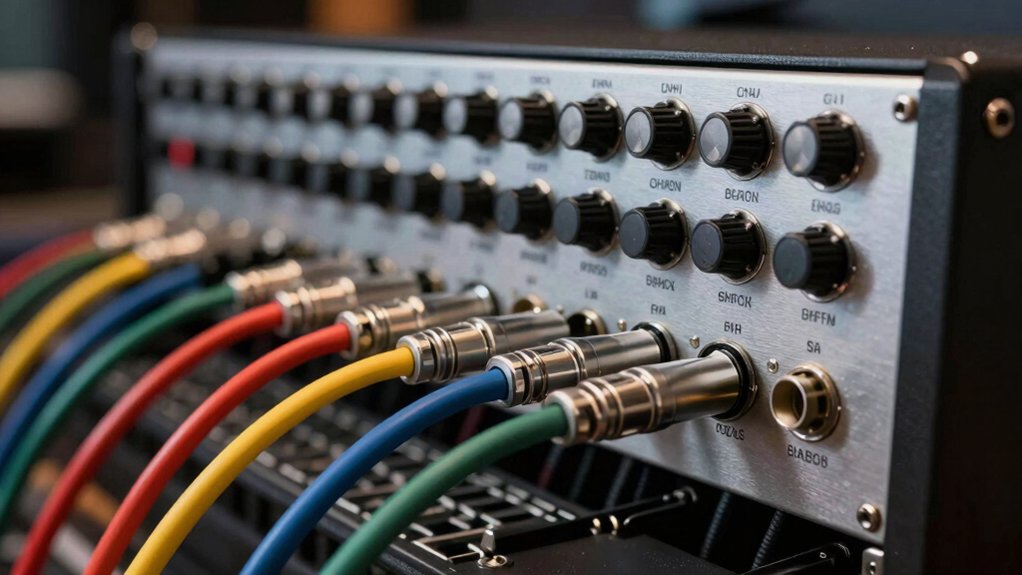
You’ll need to assess five key factors before selecting a patch bay for your home studio: point count and capacity (how many connections you require now and in the future), connector type compatibility (whether your equipment uses 1/4-inch, XLR, or other connectors), physical space requirements (the dimensions available in your rack or studio setup), build quality and durability (the materials and construction that’ll withstand regular patching), and signal path configuration options (whether you need normalled, half-normalled, or non-normalled connections). Start by counting your current equipment outputs and inputs, then add 20–30 percent extra capacity for future gear expansion. Match these specifications to patch bay models that fit your physical constraints and use the connector types your existing equipment requires.
Point Count and Capacity
The foundation of any patch bay setup rests on understanding point count—the number of individual signal paths your bay can handle. You’ll find patch bays in 8, 16, 24, and 48-point configurations. Start by counting your current audio sources and destinations, then add 30 percent for future growth. A 16-point bay works well for basic home setups with a few microphones, instruments, and outboard gear. If you plan to expand, choose a 24 or 48-point model instead. Larger point counts require more rear-panel space and cabling management, so verify your rack depth and cable routing before purchasing. Matching capacity to your actual needs prevents both underutilization and costly upgrades later.
Connector Type Compatibility
Once you’ve settled on your point count, matching connector types to your existing gear becomes your next priority. Patch bays primarily come in two configurations: XLR and 1/4” (TRS or TS). First, audit your equipment’s output and input jacks. If your interface, preamps, and outboard gear use XLR connectors, choose an XLR patch bay to maintain balanced signal paths and preserve audio quality. If your setup relies on 1/4″ connections, select a 1/4″ TRS patch bay for balanced stereo routing or TS for unbalanced paths. Verify the connector gender too—most patch bays feature female front connections and male rear connections. This standard configuration ensures proper mating with your cables and gear without requiring adapters.
Physical Space Requirements
How much rack space can you dedicate to your patch bay? Most home studios fit a 1U patch bay into standard 19-inch racks, consuming minimal vertical space. Calculate your connector needs first: 16–32 total XLR or 1/4″ points typically suffice for home setups. Choose between front-only layouts for shallow installations or front-and-rear configurations that double your connectivity without increasing depth. Measure your rack’s available depth before purchasing, as some bays require 3–4 inches behind the front panel. Consider reversible rack ears if you’ll relocate equipment later. Steel enclosures protect cables and prevent shifting during daily use. If space is extremely limited, select a 1U dual-sided panel that offers 8–16 ports per side, allowing expansion without additional rack units.
Build Quality and Durability
After you’ve determined your rack space and connector layout, examine the materials and construction methods that’ll keep your patch bay functioning reliably for years. Look for fully shielded steel enclosures and high-quality connectors like nickel-plated plugs with OFC conductors—these reduce interference and enhance durability. Check that the manufacturer uses through-hole or PCB wiring, which resists failure during daily use. Inspect front and rear I/O integrity to prevent contact wear. Select configurations with 32 or 48 points that balance sturdiness with reliable contact surfaces. Choose models with hinged or easily accessible panels so you can service connections without straining cables during re-patching. Verify the warranty covers at least three years, signaling the manufacturer’s confidence in long-term performance and your protection against defects.
Signal Path Configuration Options
What’ll determine how your signals flow through your patch bay are the configuration options available on each channel. You can choose from three main setups: normal, half-normal, or thru mode. Normal mode creates a default signal path that reduces wiring needs but requires careful planning to avoid loops. Half-normal gives you flexibility by allowing signals to pass through while still permitting patch connections. Thru mode explicitly routes rear inputs directly to front outputs, letting you access signals without interrupting the original path. Each configuration affects how densely you can pack connections—48-point and 32-point bays offer different routing possibilities. Evaluate your outboard gear count and mixer setup first, then select configurations that match your specific workflow needs.
Cable Management Features
Organizing your patch bay‘s cables requires deliberate planning across three key areas: front and rear connectivity, physical enclosure design, and cable identification systems.
First, position your patch bay so you can access both front and rear panels easily. This layout reduces the time you spend reaching behind equipment. Next, choose a fully shielded steel enclosure to protect cables and maintain signal integrity in crowded studio spaces.
Finally, implement a color-coding system using multi-color patch cables and labeled connectors. Assign specific colors to different signal types—for example, red for outputs, blue for inputs. Label each connector clearly at both ends. This approach prevents mispatching errors and speeds up cable identification during setup changes or troubleshooting.
Final Thoughts
You’ll want to select a patch bay based on your studio’s size and connector type. Choose XLR bays for microphone-heavy setups or 1/4″ TRS for instrument routing. Start with 16–32 points if you’re building your first studio, then expand later. Verify the enclosure’s shielding quality, check warranty coverage, and test all modes—normal, half-normal, and through—before committing to daily use.

Meet Ry, “TechGuru,” a 36-year-old technology enthusiast with a deep passion for tech innovations. With extensive experience, he specializes in gaming hardware and software, and has expertise in gadgets, custom PCs, and audio.
Besides writing about tech and reviewing new products, he enjoys traveling, hiking, and photography. Committed to keeping up with the latest industry trends, he aims to guide readers in making informed tech decisions.