
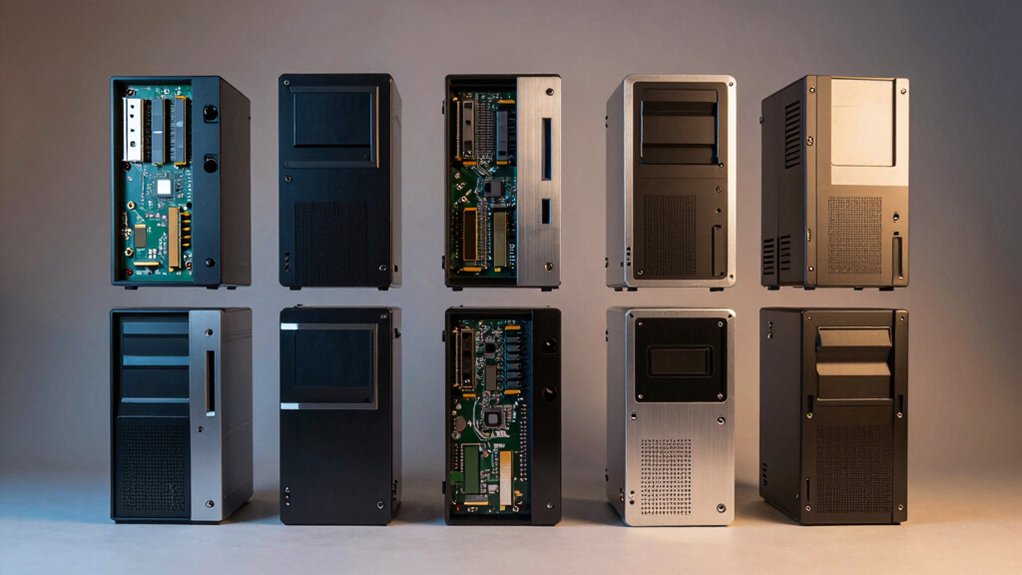

When you’re shopping for a mini PC, you’ll want one that lets you upgrade RAM, storage, and other components without replacing the entire unit. This guide covers seven models that actually deliver on customization, from the GEEKOM A5’s straightforward upgrades to the AX8 Max’s impressive 128GB capacity. Each option serves different needs—gaming, workstations, streaming. Here’s what you need to know before deciding.
| GEEKOM A5 Mini PC AMD Ryzen 5 7430U 16GB |
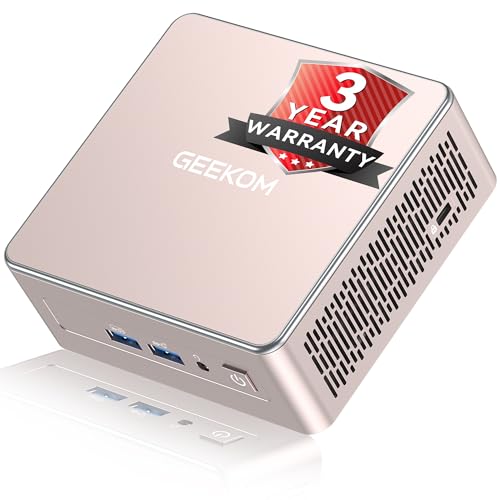
| Best For Business | Processor: AMD Ryzen 5 7430U (15W TDP) | Base RAM & Upgradability: 16GB DDR4, upgradable to 64GB | Storage & Expansion: 512GB NVMe, upgradable to 4TB + 10TB HDD bay | VIEW LATEST PRICE | Read Our Analysis |
| GEEKOM AX8 Max Mini PC AMD Ryzen 7 8745HS |

| Most Powerful | Processor: AMD Ryzen 7 8745HS (8C/16T, up to 4.9GHz) | Base RAM & Upgradability: 32GB DDR5, upgradable to 128GB | Storage & Expansion: 1TB PCIe Gen4 NVMe, upgradable to 8TB | VIEW LATEST PRICE | Read Our Analysis |
| BOSGAME P3 Mini Gaming PC AMD Ryzen 7 7840HS |

| Best For Gaming | Processor: AMD Ryzen 7 7840HS (8C/16T, up to 5.1GHz) | Base RAM & Upgradability: 32GB DDR5, upgradable to 64GB | Storage & Expansion: 1TB PCIe 4.0 NVMe, upgradable with second M.2 slot | VIEW LATEST PRICE | Read Our Analysis |
| GMKtec Mini PC AMD Ryzen 5 PRO 6650H |
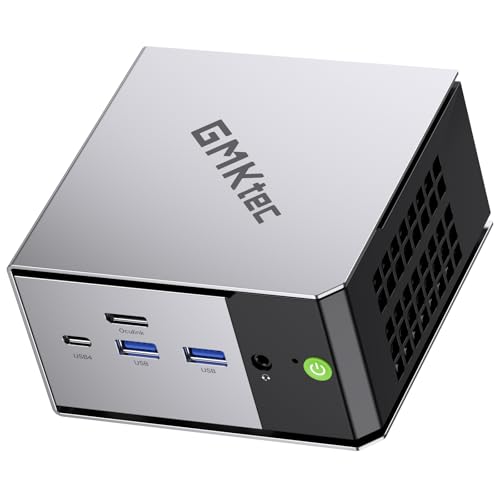
| Best GPU Expansion | Processor: AMD Ryzen 5 PRO 6650H (6C/12T, up to 4.5GHz) | Base RAM & Upgradability: 16GB LPDDR5, upgradable specifications not detailed | Storage & Expansion: 1TB NVMe, dual M.2 slots supporting up to 8TB total | VIEW LATEST PRICE | Read Our Analysis |
| LTC Gaming Mini PC AMD Ryzen 7 8845HS |

| Most Portable | Processor: AMD Ryzen 7 8845HS (8C/16T, up to 5.1GHz, integrated NPU) | Base RAM & Upgradability: 16GB DDR5, upgradable to 32GB | Storage & Expansion: 1TB PCIe 4.0 NVMe, upgradable to 4TB | VIEW LATEST PRICE | Read Our Analysis |
| KAMRUI Mini PC AMD Ryzen 7 7735HS Gaming Computer |

| Best Value | Processor: AMD Ryzen 7 7735HS (8C/16T, up to 4.75GHz) | Base RAM & Upgradability: 16GB DDR5, upgradable to 64GB | Storage & Expansion: 512GB M.2 SSD, dual M.2 slots supporting up to 4TB total | VIEW LATEST PRICE | Read Our Analysis |
| BOSGAME E5 Multi-Functional Mini PC (Ryzen 3 5300U) |

| Budget-Friendly Pick | Processor: AMD Ryzen 5 5300U (4C/8T, up to 3.8GHz) | Base RAM & Upgradability: 16GB DDR4, upgradable via dual slots | Storage & Expansion: 1TB M.2 PCIe SSD, scalable up to 4TB | VIEW LATEST PRICE | Read Our Analysis |
More Details on Our Top Picks
GEEKOM A5 Mini PC AMD Ryzen 5 7430U 16GB
If you’re looking for a compact desktop that you can actually upgrade without soldering tools or proprietary parts, the GEEKOM A5 mini PC delivers practical customization options in a 4.6×4.4×1.9-inch chassis. You can expand the 16GB RAM to 64GB and upgrade the 512GB SSD to 4TB using the M.2 2242 slot. The 2.5″ HDD bay accepts drives up to 10TB, giving you flexible storage expansion. The AMD Ryzen 5 7430U processor handles multitasking, 4K streaming, and light creative work. With Wi-Fi 6, Bluetooth 5.2, and multiple USB ports, connectivity stays fast and reliable. Windows 11 Pro comes preloaded for business use.
- Processor:AMD Ryzen 5 7430U (15W TDP)
- Base RAM & Upgradability:16GB DDR4, upgradable to 64GB
- Storage & Expansion:512GB NVMe, upgradable to 4TB + 10TB HDD bay
- Display Output Capability:Up to 4 displays (2 HDMI, 2 USB-C; 8K via Type-C)
- Wireless & Networking:Wi-Fi 6, Bluetooth 5.2
- Warranty & Support:3-year warranty, 90-day return policy, dedicated support
- Additional Feature:3-year warranty with eco-focus
- Additional Feature:4-screen display setup support
- Additional Feature:3x-reinforced durable chassis
GEEKOM AX8 Max Mini PC AMD Ryzen 7 8745HS
You’re looking at a compact desktop replacement that doesn’t force you to choose between power and flexibility. The AX8 Max runs an AMD Ryzen 7 8745HS processor with 8 cores, 16GB of threads, and speeds up to 4.9GHz. You can upgrade RAM to 128GB and storage to 8TB, matching your workload needs. The dual 2.5G LAN ports and USB4 connectivity support four external displays simultaneously. Connect an external GPU via USB4 for desktop-level gaming performance. Windows 11 Pro comes preinstalled, so you start working immediately. The IceBlast 2.0 cooling system manages heat during intensive tasks, keeping noise minimal. This machine handles video production, streaming, business applications, and gaming on lower settings effectively.
- Processor:AMD Ryzen 7 8745HS (8C/16T, up to 4.9GHz)
- Base RAM & Upgradability:32GB DDR5, upgradable to 128GB
- Storage & Expansion:1TB PCIe Gen4 NVMe, upgradable to 8TB
- Display Output Capability:Up to 4 displays (dual HDMI, dual USB4 Type-C 8K@120Hz)
- Wireless & Networking:Wi-Fi 6E (2.4/5/6 GHz), Bluetooth 5.3, dual 2.5G LAN
- Warranty & Support:Windows 11 Pro preinstalled, professional use positioning
- Additional Feature:IceBlast 2.0 cooling system
- Additional Feature:Dual 2.5G LAN ports
- Additional Feature:External GPU expansion option
BOSGAME P3 Mini Gaming PC AMD Ryzen 7 7840HS
The BOSGAME P3 Mini Gaming PC delivers customizable performance for content creators and gamers who need upgradable components in a compact form factor. You can expand RAM from 32GB to 64GB using the available SODIMM slot, enabling smoother multitasking. For storage upgrades, install an additional M.2 NVMe PCIe 4.0 drive in the second slot to increase capacity beyond the included 1TB SSD. The Ryzen 7 7840HS processor with Radeon 780M GPU handles AAA gaming and 4K video editing. Connect up to three 4K displays simultaneously using HDMI, DisplayPort, and USB-C outputs. Dual Gigabit Ethernet and Wi-Fi 6E provide reliable connectivity for demanding workloads.
- Processor:AMD Ryzen 7 7840HS (8C/16T, up to 5.1GHz)
- Base RAM & Upgradability:32GB DDR5, upgradable to 64GB
- Storage & Expansion:1TB PCIe 4.0 NVMe, upgradable with second M.2 slot
- Display Output Capability:Up to 3 displays (HDMI, DP, USB-C)
- Wireless & Networking:Wi-Fi 6E, Bluetooth 5.2, dual Gigabit Ethernet
- Warranty & Support:1-year limited warranty, 30-day returns, 24/7 support
- Additional Feature:GTX 1060 performance rival
- Additional Feature:AV1 decode/encode support
- Additional Feature:Auto Power On feature
GMKtec Mini PC AMD Ryzen 5 PRO 6650H
Looking to build a powerful workstation that handles both demanding processing and graphics-intensive tasks? The GMKtec Mini PC M8 offers dual M.2 2280 slots supporting up to 8TB total storage, so you can expand your SSD capacity as needed. You’ll get a 6-core Ryzen 5 PRO processor with integrated Radeon 660M graphics, 16GB LPDDR5 memory, and three display support via HDMI, DisplayPort, and USB4. The Oculink port connects external GPUs directly for enhanced gaming or video editing performance. Dual 2.5GbE LAN ports enable server functionality. Three BIOS-adjustable performance modes—Quiet, Balance, and Performance—let you control power consumption from 28W to 40W based on your workflow demands.
- Processor:AMD Ryzen 5 PRO 6650H (6C/12T, up to 4.5GHz)
- Base RAM & Upgradability:16GB LPDDR5, upgradable specifications not detailed
- Storage & Expansion:1TB NVMe, dual M.2 slots supporting up to 8TB total
- Display Output Capability:Up to 3 displays (HDMI 2.0, DisplayPort 1.4, USB4/DP)
- Wireless & Networking:Wi-Fi 6E, dual 2.5GbE LAN ports
- Warranty & Support:1-year limited warranty, professional after-sales team
- Additional Feature:Oculink port eGPU connection
- Additional Feature:Three performance mode options
- Additional Feature:Link aggregation capable LAN
LTC Gaming Mini PC AMD Ryzen 7 8845HS
If you’re a content creator or gamer who wants genuine upgrade flexibility without sacrificing performance, this mini PC delivers both in a palm-sized package. The AMD Ryzen 7 8845HS provides 8-core processing with integrated NPU support for AI tasks. You can expand RAM from 16GB to 32GB DDR5 and upgrade storage from 1TB to 4TB via the PCIe 4.0 slot. The Radeon 780M handles 1080P gaming and creative work smoothly. Triple display support—USB 4.0, HDMI 2.1, and DisplayPort 1.4—lets you connect multiple monitors simultaneously. The 0.5L design stays portable while dual heat pipes manage the 45W TDP efficiently.
- Processor:AMD Ryzen 7 8845HS (8C/16T, up to 5.1GHz, integrated NPU)
- Base RAM & Upgradability:16GB DDR5, upgradable to 32GB
- Storage & Expansion:1TB PCIe 4.0 NVMe, upgradable to 4TB
- Display Output Capability:Triple display (USB 4.0, HDMI 2.1 8K@60Hz, DisplayPort 1.4)
- Wireless & Networking:Wi-Fi 6, Bluetooth 5.2, 2.5Gbps Ethernet
- Warranty & Support:Not specified in details
- Additional Feature:Integrated NPU AI acceleration
- Additional Feature:Ultra-compact 0.5L design
- Additional Feature:45W TDP power efficiency
KAMRUI Mini PC AMD Ryzen 7 7735HS Gaming Computer
For content creators and programmers who need sustained performance without overheating, the KAMRUI Mini PC with AMD Ryzen 7 7735HS delivers reliable computing power in a compact 5.04 × 5.04 × 1.63-inch form factor. You’ll upgrade storage using dual M.2 2280 slots supporting PCIe 3.0 or 4.0 NVMe SSDs, expanding capacity to 4TB total. The 16GB DDR5 RAM handles multitasking efficiently. You can connect multiple displays—one 4K monitor at 60Hz plus two additional displays via HDMI 2.0 and DisplayPort 1.4. The professional cooling system with aluminum heatsink maintains stable performance during extended workloads. Connect peripherals through two USB 3.2 Gen2 Type-A ports and four USB 3.2 Gen1 ports. Mount the unit behind your monitor using the VESA bracket for a streamlined workspace setup.
- Processor:AMD Ryzen 7 7735HS (8C/16T, up to 4.75GHz)
- Base RAM & Upgradability:16GB DDR5, upgradable to 64GB
- Storage & Expansion:512GB M.2 SSD, dual M.2 slots supporting up to 4TB total
- Display Output Capability:Triple display (HDMI 2.0, DP 1.4, USB3.2 Gen2 Type-C)
- Wireless & Networking:Wi-Fi 6, Bluetooth 5.2, 2.5GbE Ethernet
- Warranty & Support:Not specified in details
- Additional Feature:VESA bracket monitor mounting
- Additional Feature:~30% cooling improvement upgrade
- Additional Feature:Blue ambient LED design
BOSGAME E5 Multi-Functional Mini PC (Ryzen 3 5300U)
The BOSGAME E5 delivers solid performance for professionals who need a compact workstation supporting multiple monitors and heavy multitasking. You’ll upgrade the storage up to 4TB via the M.2 2280 PCIe slot, expanding your workspace for large files. The 16GB DDR4 RAM handles simultaneous applications without lag. Connect three displays using HDMI, DisplayPort, and USB-C outputs for 4K@60Hz productivity. Dual 1000Mbps LAN ports and Wi-Fi 5 ensure reliable networking. The Ryzen 3 5300U processor manages design work and light gaming adequately. You’re backed by lifetime after-sales service and 24/7 customer support.
- Processor:AMD Ryzen 5 5300U (4C/8T, up to 3.8GHz)
- Base RAM & Upgradability:16GB DDR4, upgradable via dual slots
- Storage & Expansion:1TB M.2 PCIe SSD, scalable up to 4TB
- Display Output Capability:Triple display (HDMI 2.0, DP, USB-C 4K@60Hz)
- Wireless & Networking:Wi-Fi 5, Bluetooth 5.0, dual 1000Mbps LAN
- Warranty & Support:1-year factory support, lifetime after-sales service, 24/7 online support
- Additional Feature:Lifetime after-sales service offered
- Additional Feature:4K triple display support
- Additional Feature:CTIA audio jack compatibility
Factors to Consider When Choosing a Mini PC With Upgradable Parts
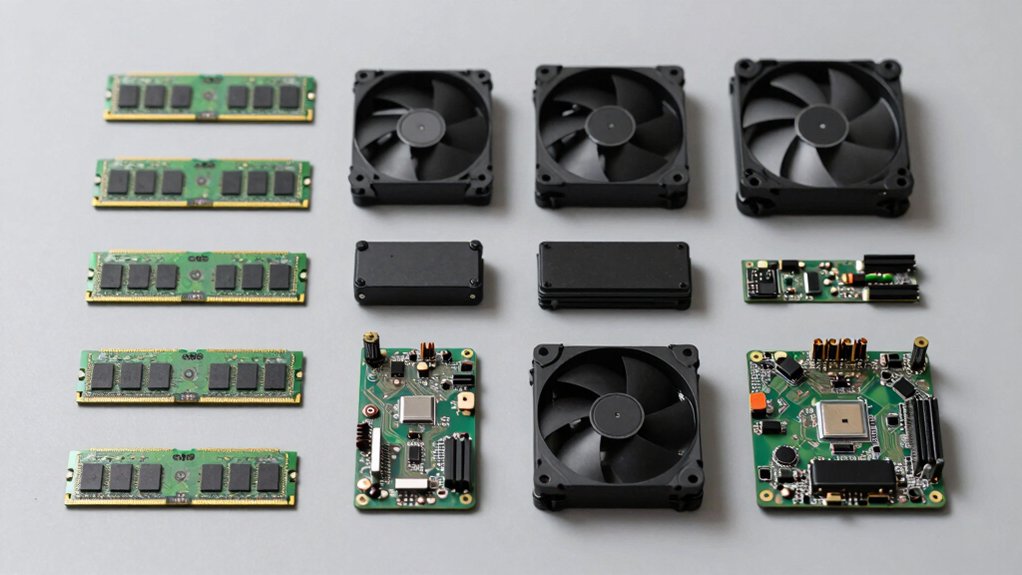
Before you buy a mini PC, you’ll need to check its memory expansion capacity, storage upgrade options, cooling system reliability, port and connectivity standards, and warranty coverage. Start by confirming how many RAM slots the unit has and what maximum capacity it supports, then verify whether you can swap the storage drive or add additional drives without voiding the warranty. Finally, review the manufacturer’s cooling design, available ports for your peripherals, and the length and coverage of their support plan to ensure you can maintain and upgrade your system over time.
Memory Expansion Capacity
How much RAM can you actually add to your mini PC? Check your motherboard’s maximum supported capacity first—some systems max out at 16GB while others reach 64GB or 128GB. Count your memory slots: two SODIMM slots offer better upgrade paths than a single soldered option. Verify the DDR generation your system supports (DDR4 or DDR5) and maximum speeds to ensure module compatibility. Review BIOS limitations on individual module sizes and total memory caps. Confirm storage upgrades work independently through separate M.2 slots or 2.5″ bays so RAM expansion doesn’t compete for resources. Document these specifications before purchasing additional modules to avoid incompatible purchases and maximize your customization options effectively.
Storage Upgrade Options
What storage expansion capacity does your mini PC actually support? Check your unit’s specifications for M.2 NVMe slots—most models offer one or two slots using PCIe Gen4 for fastest speeds. You can typically upgrade to 4–8TB total depending on the model. Some mini PCs also include 2.5″ drive bays for additional storage expansion. Verify whether your system supports dual M.2 slots if you need RAID capability or multiple drives. Consider external options too: USB-C 40Gbps or USB4 ports let you connect external drives or eGPU peripherals. Before purchasing, confirm your mini PC’s power and cooling capacity—insufficient thermal design can throttle performance during heavy disk I/O operations. Review the exact slot types and maximum capacity your specific model supports.
Cooling System Reliability
Why does cooling matter so much when you’re upgrading a mini PC? When you add RAM or storage, your system works harder and generates more heat. You need a cooling system that can handle increased thermal demands without throttling performance.
Check for dual cooling fans, copper heat pipes, or honeycomb vents that create multiple heat dissipation paths. Look at the chassis material—aircraft-grade aluminum and reinforced heat sinks manage temperatures more effectively. Verify that the power limit (measured in watts) matches your cooling capacity. This prevents CPU and GPU slowdowns during heavy multitasking.
Advanced features like 360-degree airflow and high-efficiency thermal compounds support quieter operation and longer component lifespan. Before upgrading, confirm your mini PC’s cooling specifications can sustain your planned configuration upgrades.
Port And Connectivity Standards
Once you’ve confirmed your cooling system can handle upgrades, you’ll need to examine the ports and connectivity standards your mini PC offers, since these connections determine how you’ll expand storage, add peripherals, and connect displays. Look for USB4 ports that deliver 40Gbps speeds alongside USB-C with DisplayPort and power delivery, allowing you to use a single connector for data, video, and charging. Check for dual 2.5GbE or 10GbE Ethernet options to enable link aggregation and faster wired networking. Verify M.2 slots and 2.5″ drive bays for storage flexibility. Confirm multiple display outputs including HDMI and DisplayPort for 4K capability. Finally, evaluate Wi-Fi 6E/7 and current Bluetooth versions to ensure your wireless peripherals stay compatible with future technology.
Warranty And Long-Term Support
How you’ll protect your investment in a customizable mini PC depends largely on the warranty coverage and support infrastructure the manufacturer offers. Look for multi-year warranties—ideally three years—that cover both hardware failures and aftermarket support. Verify the manufacturer provides an official support channel with dedicated teams and clear return policies of at least 90 days. Check that the company offers ongoing firmware and BIOS updates to maintain long-term usability. Confirm certifications like FCC, UL, and ENERGY STAR compliance, which indicate quality standards. Request maximum supported specifications for upgradeable components, such as 64GB RAM or 4TB SSD capacity. These details ensure you can maintain and expand your system reliably throughout its lifespan.
Final Thoughts
When you’re selecting a mini PC, prioritize your specific needs first. Check the RAM upgrade capacity you’ll require—up to 128GB on premium models. Verify M.2 slot availability for storage expansion. Confirm cooling solutions match your workload intensity. Review USB and LAN port counts for connectivity. Compare processor performance against your intended use: gaming, streaming, or workstation tasks. Finally, ensure you’ve got access to replacement parts before purchasing.

Meet Ry, “TechGuru,” a 36-year-old technology enthusiast with a deep passion for tech innovations. With extensive experience, he specializes in gaming hardware and software, and has expertise in gadgets, custom PCs, and audio.
Besides writing about tech and reviewing new products, he enjoys traveling, hiking, and photography. Committed to keeping up with the latest industry trends, he aims to guide readers in making informed tech decisions.