
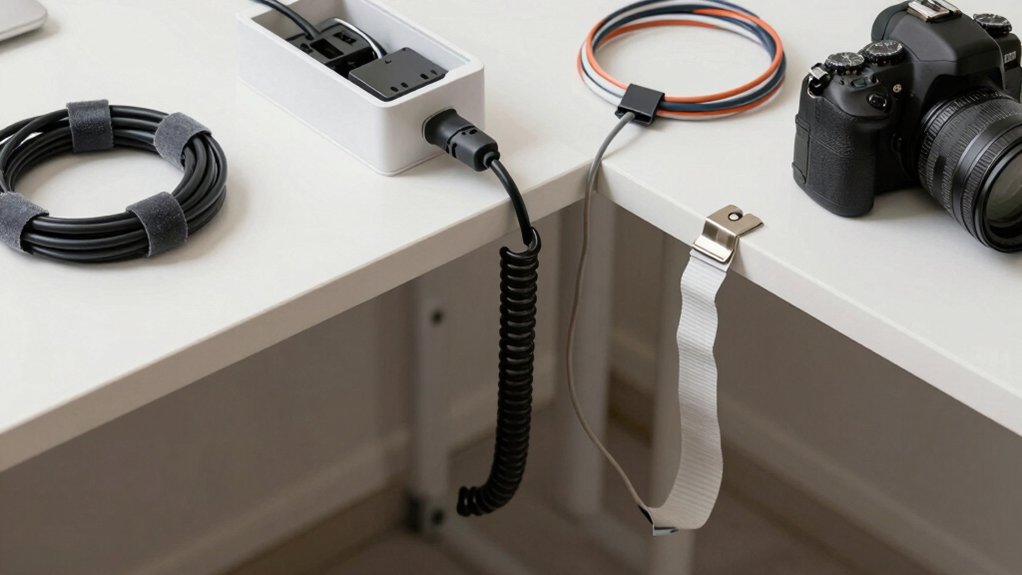

You’ve got tangled cords everywhere, and you need a straightforward fix. You can choose from several proven options: split-loom sleeves that bundle wires together, adhesive clips that route cables along surfaces, reusable ties for flexible adjustments, under-desk trays that mount without tools, or paintable covers that hide wires completely. Each solution addresses different situations and spaces. The right choice depends on your specific setup and needs, which we’ll break down next.
| NOROCME 192 PCS Cable Management Kit Organizer |

| Complete Organizer Kit | Installation Method: No drilling/nailing required; adhesive and clip-based | Material Type: Polyamide66 and polypropylene | Cable Protection: Prevents pet chewing; cord protection | VIEW LATEST PRICE | Read Our Analysis |
| Alex Tech Cord Protector Wire Loom Tubing (10ft) |

| Best for Cable Protection | Installation Method: Split sleeve design; manual loading over wires | Material Type: Split loom tubing (UL Recognized) | Cable Protection: Insulation and pet chewing prevention | VIEW LATEST PRICE | Read Our Analysis |
| Under Desk Cable Management Tray with Clamp Mount |

| Best for Desk Setup | Installation Method: Clamp mount; 3-minute assembly; no drilling | Material Type: Carbon steel with rubber pads | Cable Protection: Mesh design reduces tangling; organizes cords | VIEW LATEST PRICE | Read Our Analysis |
| 60 PCS Reusable Cable Ties & Cord Organizer |
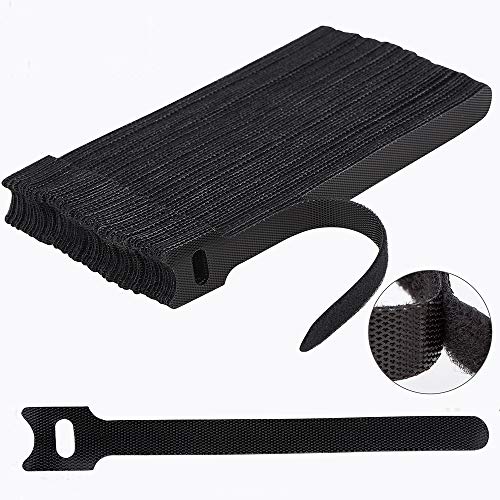
| Budget-Friendly Pick | Installation Method: Self-adhesive hook and loop straps | Material Type: Premium nylon adhesive | Cable Protection: Wraps and organizes loose cords | VIEW LATEST PRICE | Read Our Analysis |
| Delamu Cord Hider Wire Cover Cable Management Kit |

| Best Wall Solution | Installation Method: Self-adhesive or screw-in mounting | Material Type: High-quality plastic (UL94 V-0 rated) | Cable Protection: Conceals and protects cords; child/pet safe | VIEW LATEST PRICE | Read Our Analysis |
More Details on Our Top Picks
NOROCME 192 PCS Cable Management Kit Organizer
Are you struggling with tangled cords around your desk, TV, or computer setup? The NOROCME kit offers 192 pieces to solve this problem. You’ll receive four wire sleeves, twenty reusable ties, thirty-five cable clips, eleven cord holders, two adhesive rolls, and one hundred fastening ties. Start by grouping cables together, then slide them into the split-loom sleeves—the design closes automatically without drilling. Next, attach adhesive mounts to clean desks, walls, or baseboards. Use the various clips and holders to route cables along surfaces. Finally, secure remaining cords with the reusable ties or fastening ties. This system lets you extend organization across multiple areas by connecting components together.
- Installation Method:No drilling/nailing required; adhesive and clip-based
- Material Type:Polyamide66 and polypropylene
- Cable Protection:Prevents pet chewing; cord protection
- Quantity/Coverage:192 pieces total with multiple component types
- Application Environments:Computer setups, desks, TVs, under-desk
- Reusability:Reusable wire ties; expandable design
- Additional Feature:Six types cable clips
- Additional Feature:Expandable/joinable tie system
- Additional Feature:Cat chew protection
Alex Tech Cord Protector Wire Loom Tubing (10ft)
If you’re managing cables in your home or office and need a straightforward solution that works with multiple cable types, the Alex Tech Cord Protector offers practical protection and organization. This 10-foot black sleeve features a split design that lets you load cables easily without disconnecting them. Once you position your wires inside, the sleeve closes on itself to secure everything in place. It works with HDMI, speaker, and automotive cables. The tubing operates safely between -103 and 257 degrees Fahrenheit and carries UL recognition. Use it to prevent tangling, reduce clutter visibility, and protect cables from damage or pet chewing in any environment.
- Installation Method:Split sleeve design; manual loading over wires
- Material Type:Split loom tubing (UL Recognized)
- Cable Protection:Insulation and pet chewing prevention
- Quantity/Coverage:10 feet length
- Application Environments:Home and office; hi-fi, HDMI, automotive
- Reusability:One-time installation (permanent)
- Additional Feature:Wide temperature range (-103–257°F)
- Additional Feature:UL recognized certification
- Additional Feature:Split-design auto-closing sleeve
Under Desk Cable Management Tray with Clamp Mount
You’ll want this under-desk cable management tray if you’re managing multiple cords, power strips, and adapters in tight spaces where drilling isn’t an option. The clamp mount secures to desk edges between 0.4–2 inches thick in about three minutes, using side clips that require no tools. You can install it inward or outward depending on your setup. The carbon steel basket holds up to 15 pounds and features side holes for cable passage. Rubber pads protect your desk surface from scratches. The mesh design reduces dust buildup and improves airflow around cables while keeping cords hidden from feet and away from vacuum cleaners.
- Installation Method:Clamp mount; 3-minute assembly; no drilling
- Material Type:Carbon steel with rubber pads
- Cable Protection:Mesh design reduces tangling; organizes cords
- Quantity/Coverage:Single tray unit
- Application Environments:Home, office, kitchen, outdoor
- Reusability:Permanent mounted installation
- Additional Feature:15 lb weight capacity
- Additional Feature:No-drill clamp mounting
- Additional Feature:Rubber pad desk protection
60 PCS Reusable Cable Ties & Cord Organizer
Whether you’re managing tangled cords in your home office, garage, or outdoor workspace, this 60-piece reusable cable tie set offers a straightforward solution for organizing loose wires and cables. Each strap features premium nylon hook-and-loop material that you can fasten and unfasten repeatedly without losing effectiveness. To use them, wrap a tie around your bundled cords, press the loop side against the hook side, and secure. When you need to adjust your setup, simply pull the strap apart and reposition. Since these ties are reusable and environmentally friendly, you won’t replace them frequently. Use this set across multiple locations—desks, entertainment centers, and outdoor equipment areas—wherever cord clutter develops.
- Installation Method:Self-adhesive hook and loop straps
- Material Type:Premium nylon adhesive
- Cable Protection:Wraps and organizes loose cords
- Quantity/Coverage:60 pieces
- Application Environments:Home, office, garage, outdoor
- Reusability:Reusable and adjustable multiple times
- Additional Feature:Hook loop adhesive material
- Additional Feature:Easily removable/adjustable design
- Additional Feature:Environmentally friendly reusable straps
Delamu Cord Hider Wire Cover Cable Management Kit
The Delamu Cord Hider’s 157-inch length and snap-together design make it an ideal choice for anyone managing multiple cords along walls, behind TVs, or throughout home offices and dorms. Installation requires no professional help—you’ll simply screw or self-adhere it to your desired surface. The plastic cover cuts easily to fit your space and accepts paint to match your wall color. Its UL94 V-0 rating ensures fire safety, stopping flames within ten seconds. The snap structure lets you open and close the cover repeatedly without tools. You’ll hide cords from children and pets while organizing clutter and improving room appearance. The 1-year warranty protects your investment.
- Installation Method:Self-adhesive or screw-in mounting
- Material Type:High-quality plastic (UL94 V-0 rated)
- Cable Protection:Conceals and protects cords; child/pet safe
- Quantity/Coverage:157 inches total length
- Application Environments:Home office, living room, dorms, behind TVs
- Reusability:Removable snap structure for reuse
- Additional Feature:UL94 V-0 fire rating
- Additional Feature:Paintable/cuttable design customization
- Additional Feature:Snap attach-and-click technology
Factors to Consider When Choosing Cable Management Solutions
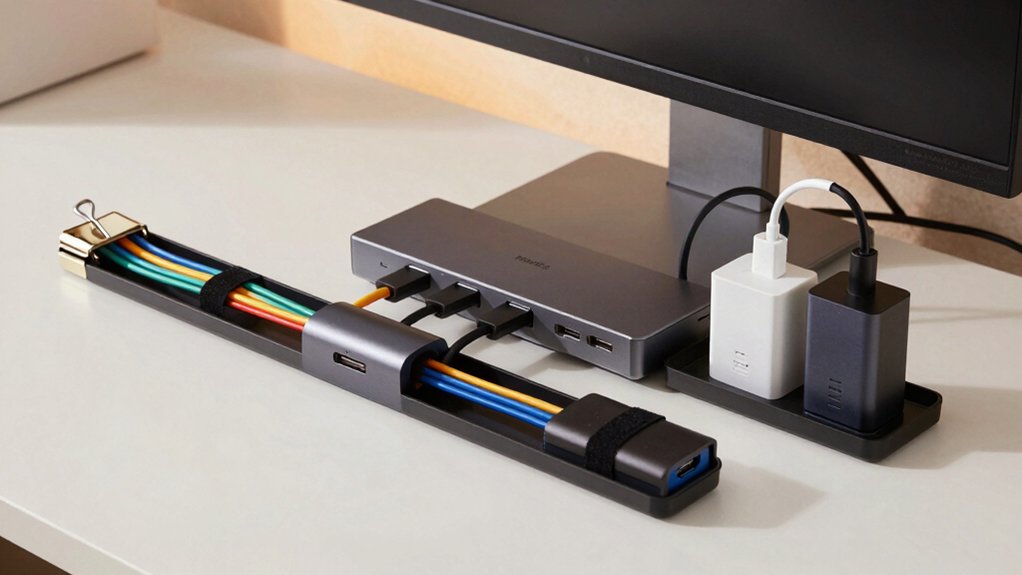
When you’re selecting cable management solutions, you’ll need to evaluate several key factors that directly impact your setup’s effectiveness and longevity. Consider your available space and installation method, the material’s durability for your environment, how many cables you’ll run and whether you need flexibility to add more, and what safety features protect your cables and devices from damage or hazards. By assessing each of these factors before purchasing, you’ll choose a solution that matches your specific needs rather than discovering problems after installation.
Factors to Consider When Choosing Cable Management Solutions
How do you know which cable management solution will actually work for your setup? Start by measuring your cable quantities and lengths to determine if you need 20-inch sleeves or longer wraps. Next, verify material safety by confirming components use non-toxic polyamide66 or high-strength nylon rated for repeated use. Then assess your installation surface—decide whether you need adhesive, clip-on, or clamp-based options suitable for desks, walls, or baseboards. Check protective features like chewing resistance and dust reduction for your environment. Finally, review kit components to ensure you have sufficient clips, mounts, baskets, and ties for your devices, whether organizing computers, TVs, or power strips. This systematic approach ensures your solution matches your specific needs and installation requirements.
Space and Installation Requirements
Once you’ve identified what materials and protective features your setup needs, you’ll want to focus on where and how you’ll actually install your cable management solution. Start by measuring your desk edges, walls, and under-desk areas to confirm the solution fits without blocking workspace or equipment access. Next, check what mounting options work with your furniture: drilling, screws, adhesive pads, or clamp mounts. Verify your furniture’s edge thickness matches the system’s requirements. Then assess load capacity by counting your cables and power adapters to ensure you won’t overload the system. Finally, consider installation time—choose clamp-on, snap-on, or self-adhesive designs if you need quick setup. These steps ensure your cable management installs properly and functions reliably.
Material Quality and Durability
The materials you choose for your cable management system directly affect how long it’ll last and how well it protects your cables. Look for durable materials like nylon or polyamide66, which withstand repeated use and cable weight without degrading. Split sleeves and loom tubing—typically 1/2 inch diameter in 10-foot lengths—bundle wires safely while allowing easy cable loading and closure. For stationary setups, select rigid or semi-rigid trays and baskets made from carbon steel or strong plastics; these won’t sag under multiple cables and adapters. Verify fire safety ratings such as UL recognition and UL94 V-0 flame retardancy if you’re installing cables behind walls or desks. Choose paintable or snap-on designs that resist wear and blend with your workspace over time, maintaining appearance and functionality.
Cable Capacity and Flexibility
Before you purchase a cable management kit, you’ll need to assess two critical factors: how many cables you currently have and how many you might add in the future. Count your existing power cables, HDMI cords, and USB lines to determine the bundle diameter your kit must accommodate. Check the maximum cable capacity listed for each product—some kits handle 5 cables while others manage 15 or more. Look for expandable components like connectable sleeves or adjustable ties that extend as your setup grows. Examine split-design sleeves that let you load cables without complete disassembly. Verify the kit includes sufficient clips and mounts for flexible routing. Review the total number of ties, fasteners, and connectors available to support reconfiguration without purchasing additional components.
Safety and Protection Features
Why should you prioritize safety features when selecting cable management solutions? Exposed cords create multiple hazards: children and pets can chew through wires, causing electrical injury or equipment damage. You’ll want to choose solutions that conceal wires completely using split sleeves or protective channels. These components insulate cables and shield them from physical damage and tangling.
Next, verify that products use flame-retardant materials rated UL94 V-0, which limit burning time if fire occurs. Check for UL certifications on all components to confirm adherence to standardized safety requirements.
Finally, select clamps with non-slip or cushioned surfaces to protect your furniture and walls during installation. This prevents damage to desks and mounting surfaces while keeping cables securely positioned.
Aesthetic and Design Options
Since cable clutter can detract from your workspace’s appearance, you’ll want to select management solutions that match your décor and minimize visual distraction. You can choose from black, white, or transparent options to coordinate with your existing setup. Paintable finishes allow you to blend cable covers directly into wall or desk colors. Modern sleek sleeves and clips offer a streamlined look, while mesh trays and raceways provide discreet organization. Clear or translucent components reduce visibility without sacrificing functionality. You can combine multiple components together to create a continuous, seamless appearance along walls, desks, or baseboards. This approach ensures your cable management enhances rather than detracts from your workspace’s overall aesthetic while keeping cords organized and accessible.
Final Thoughts
You’ve reviewed five effective cable management solutions that address different organizational needs. Choose based on your specific situation: use the NOROCME kit for comprehensive multi-area coverage, select the Under Desk Tray for stationary setups, or opt for the Alex Tech loom for simple routing. Reusable ties work best for frequent adjustments, while the Delamu cover suits visible areas. Assess your space, cord volume, and budget, then implement your selected solution systematically from one area to the next.

Meet Ry, “TechGuru,” a 36-year-old technology enthusiast with a deep passion for tech innovations. With extensive experience, he specializes in gaming hardware and software, and has expertise in gadgets, custom PCs, and audio.
Besides writing about tech and reviewing new products, he enjoys traveling, hiking, and photography. Committed to keeping up with the latest industry trends, he aims to guide readers in making informed tech decisions.