
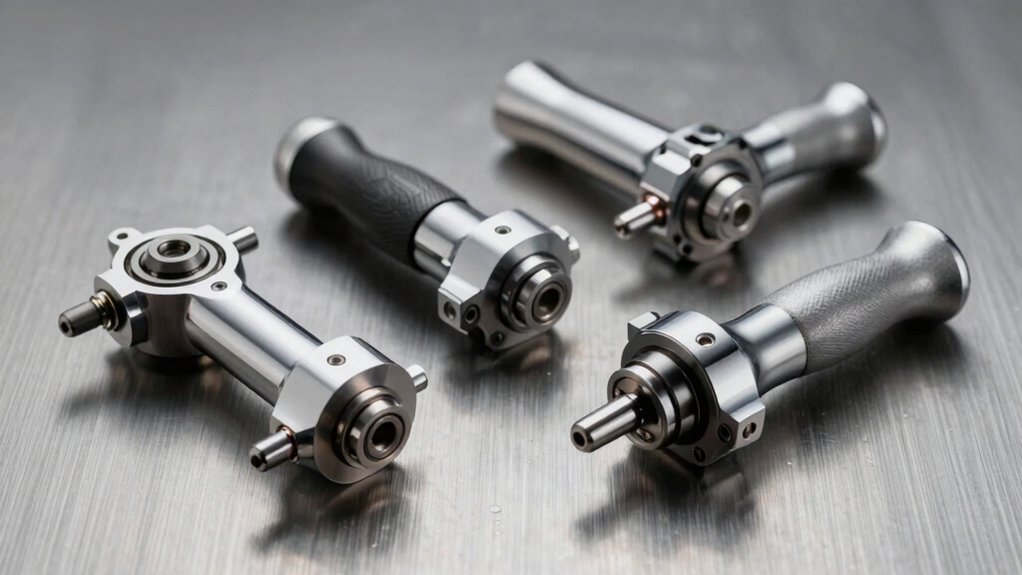

You’ll find that rotary attachments expand what you can engrave considerably. They let you work on curved surfaces like tumblers, bottles, and rings—objects that standard laser beds can’t handle. Each rotary type offers different capabilities, price points, and compatibility requirements. Understanding your specific needs determines which attachment delivers the best results for your projects. Let’s examine each option.
| Longer Laser Engraver Rotary Roller with Bracket |
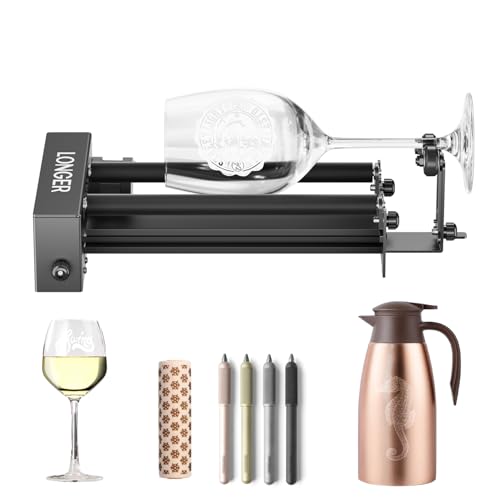
| Best Universal Compatibility | 360° Rotation Capability: 360° auto-rotating roller for cylindrical objects | Diameter/Size Range: Adjustable height for various object sizes | Compatible Software: Compatible with 99% of laser engravers | VIEW LATEST PRICE | Read Our Analysis |
| ORTUR Laser Rotary Roller for Cylindrical Objects |

| Most Versatile Diameter Range | 360° Rotation Capability: 360° Y-axis rotary module with extended engraving area | Diameter/Size Range: 8 mm to 110 mm diameter range (7 adjustable settings) | Compatible Software: LaserGRBL and LightBurn support | VIEW LATEST PRICE | Read Our Analysis |
| ORTUR YRC1.0 Y-axis Rotary Chuck for Laser Engravers |

| Premium All-in-One Chuck | 360° Rotation Capability: 360° rotation engraving at high precision and stability | Diameter/Size Range: 1–120 mm diameter; 25–150 mm spheres; 11–100 mm rings | Compatible Software: Laser Explorer, LaserGRBL, LightBurn | VIEW LATEST PRICE | Read Our Analysis |
| Algolaser Y-axis Rotary Roller for Laser Engraver |
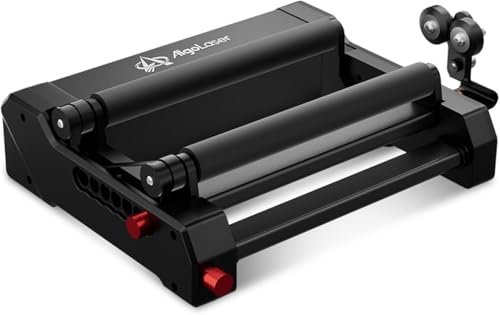
| Best Plug-and-Play Solution | 360° Rotation Capability: 360° rotary engraving for cylindrical objects | Diameter/Size Range: Up to 150 mm diameter (7 adjustable steps) | Compatible Software: Lightburn, LaserGRBL, AlgoLaser APP | VIEW LATEST PRICE | Read Our Analysis |
| xTool S1 20W Laser Cutter and Engraver Bundle |

| Best Complete System | 360° Rotation Capability: 3D engravings on curved surfaces via rotary kit | Diameter/Size Range: Handles projects up to 118 inches via AutoPassthrough | Compatible Software: xTool Creative Space (XCS) with AI-assisted design | VIEW LATEST PRICE | Read Our Analysis |
More Details on Our Top Picks
Longer Laser Engraver Rotary Roller with Bracket
Are you looking to engrave cylindrical objects like tumblers, wine glasses, and bottles? The Longer Laser Engraver Rotary Roller with Bracket delivers 360° rotation for precise engraving on curved surfaces. It’s compatible with 99% of laser engravers, featuring two wiring options: WHITE for Longer RAY5 and most models, BLACK for remaining systems. If WHITE doesn’t work, switch to BLACK. The adjustable height accommodates various object sizes, from small trinkets to tall vases. Its stable support system reduces mistakes and ensures consistent results. Built with durable, high-quality materials, this rotary roller performs reliably whether you’re a professional or amateur engraver.
- 360° Rotation Capability:360° auto-rotating roller for cylindrical objects
- Diameter/Size Range:Adjustable height for various object sizes
- Compatible Software:Compatible with 99% of laser engravers
- Installation & Setup:Rotating drum upgrade kit with stable positioning system
- Precision & Stability:Accurate positioning system with reduced mistakes
- Compatible Objects:Tumblers, cans, cups, bottles, wine glasses, mugs
- Additional Feature:Dual wiring options included
- Additional Feature:Compatible with 99% engravers
- Additional Feature:Reduces engraving mistakes consistently
ORTUR Laser Rotary Roller for Cylindrical Objects
If you’re engraving cylindrical objects like cans, cups, bottles, or tubes, the ORTUR Laser Rotary Roller delivers the precision you need. This 360° rotary module supports seven adjustable diameters ranging from 8 mm to 110 mm, accommodating various object sizes. You’ll expand your engraving area by rotating the axis to different angles. The rotary integrates with most engraving machines through simple wire swapping. It’s compatible with LaserGRBL and LightBurn software, plus Windows and Mac operating systems. ORTUR provides comprehensive customer support and quality guarantees for your investment.
- 360° Rotation Capability:360° Y-axis rotary module with extended engraving area
- Diameter/Size Range:8 mm to 110 mm diameter range (7 adjustable settings)
- Compatible Software:LaserGRBL and LightBurn support
- Installation & Setup:Easy to operate; user-friendly setup
- Precision & Stability:Precise and stable engraving on irregular objects
- Compatible Objects:Cans, cups, bottles, tubes, pipes, bowls, guitars, drums
- Additional Feature:Seven adjustable diameter settings
- Additional Feature:Extended engraving area capability
- Additional Feature:Cross-platform OS compatibility
ORTUR YRC1.0 Y-axis Rotary Chuck for Laser Engravers
The ORTUR YRC1.0 Y-axis Rotary Chuck delivers high-precision 360° engraving for cylindrical and spherical objects, making it ideal if you’re working with items like wine glasses, tumblers, mugs, rings, or sports equipment. You’ll adjust the chuck by scrolling to extend or shrink it, then change jaws for different sizes. The device handles diameters from 1–120 mm, spheres from 25–150 mm, and rings from 11–100 mm. Installation requires four steps: expanding the chuck, installing jaws, assembling the tailstock, and adjusting the angle. You’ll benefit from compatibility with LaserGRBL, LightBurn, and Laser Explorer software across Windows and Mac systems.
- 360° Rotation Capability:360° rotation engraving at high precision and stability
- Diameter/Size Range:1–120 mm diameter; 25–150 mm spheres; 11–100 mm rings
- Compatible Software:Laser Explorer, LaserGRBL, LightBurn
- Installation & Setup:Four installation steps with adjustable chuck framework
- Precision & Stability:Ultra-high precision at 360°/s rotation speed
- Compatible Objects:Wine glasses, tumblers, baseballs, bats, rings, balls, mugs, goblets
- Additional Feature:All-in-one framework structure
- Additional Feature:Jaw change functionality included
- Additional Feature:Engraves spheres and rings
Algolaser Y-axis Rotary Roller for Laser Engraver
For anyone who wants to engrave cylindrical objects like tumblers, bottles, and cups without additional software setup, the Algolaser Y-axis Rotary Roller offers plug-and-play functionality across most GRBL controller machines. You’ll adjust the diameter in seven steps to fit objects up to 150 mm wide. The 42 hybrid stepper motor ensures precise engraving without missing details. Installation takes minutes—just adjust two screws on the pre-assembled unit and connect it to your laser engraver. The roller’s surface speed matches your machine’s original Y-axis speed, so you’ll work seamlessly with Lightburn, LaserGRBL, or AlgoLaser APP software without reconfiguring settings.
- 360° Rotation Capability:360° rotary engraving for cylindrical objects
- Diameter/Size Range:Up to 150 mm diameter (7 adjustable steps)
- Compatible Software:Lightburn, LaserGRBL, AlgoLaser APP
- Installation & Setup:No installation required; plug-and-play design
- Precision & Stability:Higher precision with 42 hybrid stepper motor
- Compatible Objects:Logs, cups, bottles, tubes, bowls, guitars, drums, cans, pens
- Additional Feature:42 hybrid stepper motor
- Additional Feature:No installation required necessary
- Additional Feature:Seven-step diameter adjustment system
xTool S1 20W Laser Cutter and Engraver Bundle
Want a laser engraver that handles both flat and curved materials without swapping equipment? The xTool S1 20W includes a Rotary Kit, letting you engrave spoons, plates, and cylindrical objects directly. The 23.93″ x 15.16″ bed accommodates standard projects, while AutoPassthrough technology extends capabilities to 118-inch materials. You’ll cut through 10mm cherry wood in one pass and access 400+ pre-tested material settings in xTool Creative Space software. The Class 1 safety enclosure protects your workspace with 99% laser light filtering. Setup takes minutes—the device arrives ready to use with 1,000+ project tutorials included. Extensive testing (71,830+ hours) ensures reliability, and Amazon’s return policy provides peace of mind for your investment.
- 360° Rotation Capability:3D engravings on curved surfaces via rotary kit
- Diameter/Size Range:Handles projects up to 118 inches via AutoPassthrough
- Compatible Software:xTool Creative Space (XCS) with AI-assisted design
- Installation & Setup:Ready-to-use out of box with auto-focus
- Precision & Stability:71,830+ hours testing with 7 pre-shipment inspections
- Compatible Objects:Spoons, plates, wood, metal, acrylic materials
- Additional Feature:AutoPassthrough handles 118 inches
- Additional Feature:Class 1 safety enclosure
- Additional Feature:400+ pre-tested materials included
Factors to Consider When Choosing a Rotary for Laser Engravers
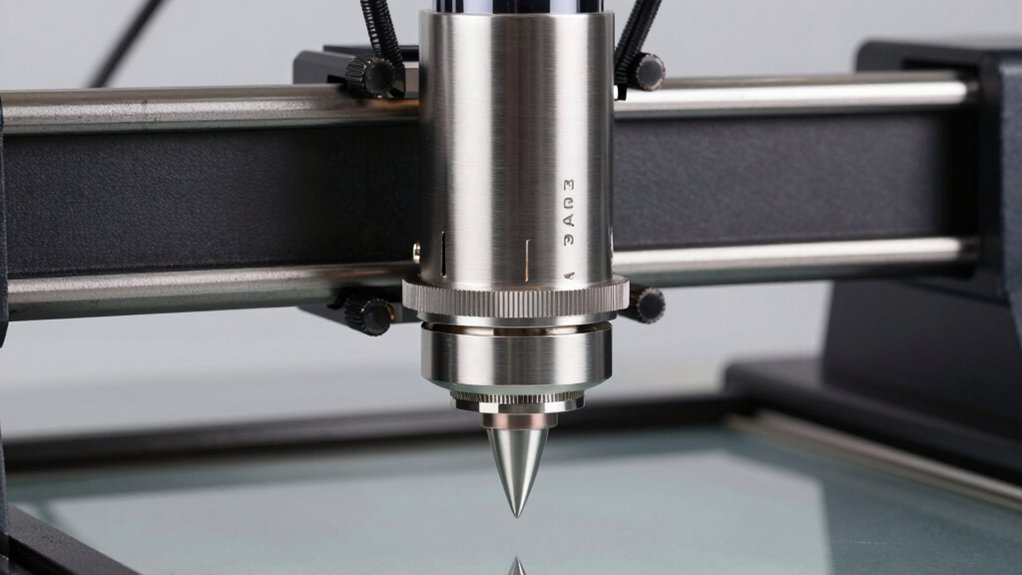
You’ll need to verify that your rotary attachment matches your laser engraver’s specifications, check the diameter range to ensure it accommodates your projects, and evaluate the rotation speed and precision levels required for your designs. Material quality and durability determine how long your rotary will perform reliably, so you should inspect construction materials and read user reviews about long-term use. Finally, you must confirm that the rotary integrates with your engraver’s software and supports the file formats you’ll be using.
Compatibility With Your Engraver
How do you know if a rotary accessory will actually work with your specific laser engraver? Check whether the rotary supports your machine’s software, such as LaserGRBL or LightBurn, to ensure seamless integration. Verify GRBL-based compatibility, as most rotaries work with machines using this standard. Confirm the rotary offers 360° rotation and adjustable diameter ranges matching your cylindrical objects. Review explicit wiring options provided by the manufacturer—typically labeled as white or black head configurations. If initial wiring doesn’t function, documented wiring swaps enable you to troubleshoot connections. Finally, ensure the rotary connects through compatible interfaces allowing you to swap it between different engravers. These verification steps guarantee you select a rotary that integrates properly with your equipment without requiring modifications or workarounds.
Diameter Range And Size Adjustability
Once you’ve confirmed your rotary will connect to your engraver, you’ll need to match its diameter range to the objects you plan to engrave. Diameter range determines which items fit into your setup, spanning from 8 mm to 150 mm depending on your model. Check both the minimum and maximum diameters your rotary supports. Adjustable systems offer versatility by expanding or shrinking the chuck or roller to fit different sizes. Evaluate adjustment methods like screw tension, jaw changes, or scroll mechanisms for ease of use. A broader adjustment capability eliminates the need for multiple dedicated rollers, allowing one setup to handle varied projects. List your typical engraving sizes, then select a rotary with a range that covers all your planned work.
Rotation Speed And Precision Levels
What role does rotation speed play in your engraving quality? Higher speeds demand robust stabilization to maintain accuracy at high resolutions. You’ll need to evaluate how quickly your rotary can spin—some models reach hundreds of degrees per second—and whether your object and setup can handle the resulting inertia without surface finish degradation.
Precision levels depend on jaw stability, anti-vibration design, and adjustment fineness for diameter changes. A rotary with precise, repeatable positioning and calibrated scale references minimizes drift between passes. This consistency enhances repeatability across multiple engravings.
360° rotation enables uniform engraving around cylindrical objects, reducing angular errors and improving edge consistency. When selecting your rotary, match rotation speed capabilities to your material’s tolerance and your resolution requirements to prevent quality loss.
Material Quality And Durability
Most quality rotaries for laser engravers use all-metal or alloy builds rather than plastic-only construction, and this choice directly impacts how long your equipment lasts and how accurately it performs. Metal components resist wear better during repeated engraving cycles and long sessions. Look for rollers with rigid shafts and reliable bearings that minimize runout, ensuring consistent 360° accuracy. Verify that your chosen rotary includes secure mounting and stable clamping mechanisms to maintain consistent engraving depth. Check whether the unit handles various object diameters and weights without warping or drift. Precision adjustments for height and diameter settings protect your investment and deliver reliable results across different projects. Prioritize durable, all-metal designs over cheaper plastic alternatives for long-term performance.
Software Support And Integration
How compatible is your rotary with the software you’re already using? Start by verifying that your rotary supports LaserGRBL or LightBurn, the industry-standard programs for engraver control. Check the manufacturer’s documentation to confirm your device connects via established interfaces like USB on Windows, macOS, and Linux systems.
Look for plug-and-play options with swappable wiring, such as interchangeable blue and green wires, to simplify installation across different machines. Confirm the manufacturer provides official software support, installation guides, and troubleshooting documentation. Review whether pre-tested parameter libraries or AI-assisted design features are available to streamline setup for cylindrical objects. These tools reduce calibration time and minimize errors during the engraving process.
Ease Of Installation And Setup
When you’re ready to integrate a rotary into your laser engraving workflow, installation speed and simplicity should rank high on your priority list. Choose models that arrive pre-assembled with plug-and-play compatibility, eliminating lengthy setup procedures. Verify the rotary requires no additional drivers or software downloads beyond your existing engraver system. Select units featuring adjustable jaws or quick-change diameters that you can modify using standard tools without specialized equipment. Check for dual wiring options allowing straightforward wire-swapping to match your engraver’s specifications. Review the manufacturer’s step-by-step assembly guides before purchasing to confirm clarity and completeness. Prioritize systems offering documented customer support for installation troubleshooting. Confirm the unit includes secure mounting hardware and easy height adjustment mechanisms to prevent shifting during calibration and operation.
Object Types And Versatility
A rotary‘s primary value lies in its ability to engrave objects you couldn’t otherwise process in a standard laser engraver. You need to assess the diameter range your rotary supports—options span 8–110 mm or 1–120 mm depending on the model. If you’re engraving wine glasses, mugs, and bottles regularly, choose a rotary accommodating larger diameters. For specialized shapes, verify multi-mode capabilities: chuck engagement handles standard cylinders, ring mode fits rings, and sphere mode processes rounded objects. Adjustable height and interchangeable fixtures expand compatibility across varying item sizes. Before purchasing, confirm your rotary works with your software—LaserGRBL and LightBurn integration ensures seamless operation. Plug-and-play designs eliminate driver requirements, simplifying your workflow regardless of object complexity.
Budget And Value Proposition
What’s the right price to pay for a rotary that’ll actually deliver value? Compare upfront costs against long-term benefits. A rotary with wider diameter range and 360° rotation costs more initially but handles more object types, reducing your need for multiple machines. Check compatibility with your existing setup—GRBL, LaserGRBL, or LightBurn integration saves integration time and costs. Evaluate build quality: rigid frames and precision bearings cost more but last longer, lowering maintenance expenses. Consider bundled kits that include rotaries, chucks, and software compatibility; they often cost less than buying components separately. Adjustable diameter models with multiple chuck options provide versatility without purchasing dedicated rollers. Calculate total project cost—not just the purchase price—to determine true value.
Final Thoughts
You’ve now reviewed five rotary attachments that expand your engraving capabilities. Select based on your primary needs: choose rollers for curved surfaces, chuck systems for precise cylindrical work, or bundle kits for complete setups. Verify compatibility with your laser model and software before purchasing. Install according to manufacturer instructions, then test on scrap material. Start with lower power settings to dial in your technique on each new attachment type.

Meet Ry, “TechGuru,” a 36-year-old technology enthusiast with a deep passion for tech innovations. With extensive experience, he specializes in gaming hardware and software, and has expertise in gadgets, custom PCs, and audio.
Besides writing about tech and reviewing new products, he enjoys traveling, hiking, and photography. Committed to keeping up with the latest industry trends, he aims to guide readers in making informed tech decisions.