
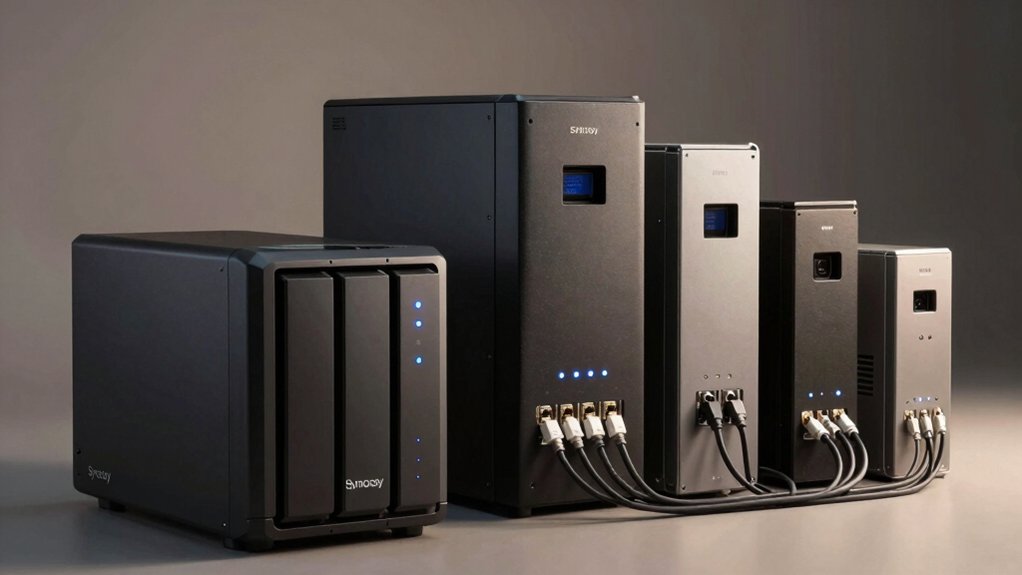

You’re protecting valuable data on your Synology NAS, and a power outage can cost you everything. Choosing the right UPS means matching wattage to your system’s needs, ensuring battery runtime lasts long enough for safe shutdown, and confirming surge protection covers all connected equipment. You’ll find options ranging from compact 120W models to robust 1500VA units with LCD displays and remote monitoring. The difference between adequate protection and data loss comes down to one critical decision—and we’ve identified which UPS models deliver.
| APC 600VA UPS Battery Backup & Surge Protector |

| Entry-Level Protection | Power Capacity (VA/W): 600VA / 330W | Total Outlets: 7 outlets | Battery Backup Runtime: Up to 23 minutes (100W load) | VIEW LATEST PRICE | Read Our Analysis |
| CyberPower CP1500PFCLCD UPS Battery Backup System |

| Best Overall | Power Capacity (VA/W): 1500VA / 1000W | Total Outlets: 12 outlets | Battery Backup Runtime: Varies by load | VIEW LATEST PRICE | Read Our Analysis |
| Amazon Basics UPS Battery Backup & Surge Protector |

| Budget-Friendly Pick | Power Capacity (VA/W): 400VA / 255W | Total Outlets: 6 outlets | Battery Backup Runtime: 1.5-6 minutes (load-dependent) | VIEW LATEST PRICE | Read Our Analysis |
| APC UPS Back-UPS Pro 1500VA Battery Backup |

| High-Capacity Backup | Power Capacity (VA/W): 1500VA / 900W | Total Outlets: 10 outlets | Battery Backup Runtime: Up to 19 minutes (300W load) | VIEW LATEST PRICE | Read Our Analysis |
| CyberPower CP1500AVRLCD3 Intelligent LCD UPS System |

| Smart Monitoring Choice | Power Capacity (VA/W): 1500VA / 900W | Total Outlets: 12 outlets | Battery Backup Runtime: Varies by load | VIEW LATEST PRICE | Read Our Analysis |
| APC UPS Back-UPS Pro 1500VA Battery Backup |

| Sine Wave Power | Power Capacity (VA/W): 1500VA / 900W | Total Outlets: 10 outlets | Battery Backup Runtime: Up to 11 minutes (500W load) | VIEW LATEST PRICE | Read Our Analysis |
| CyberPower SL700U Standby UPS Battery Backup |

| Compact & Efficient | Power Capacity (VA/W): 700VA / 370W | Total Outlets: 8 outlets | Battery Backup Runtime: Varies by load | VIEW LATEST PRICE | Read Our Analysis |
| UGREEN NAS UPS 120W Battery Backup & Surge Protector |
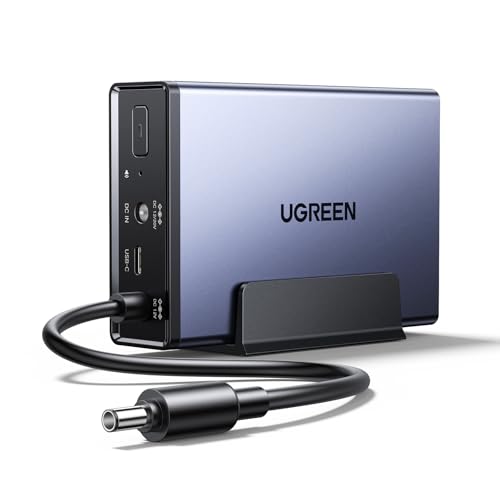
| NAS-Specific Solution | Power Capacity (VA/W): 120W DC | Total Outlets: N/A (NAS-specific) | Battery Backup Runtime: Approximately 10 minutes | VIEW LATEST PRICE | Read Our Analysis |
| APC Back-UPS 425VA Battery Backup Surge Protector (BE425M) |

| Router/Modem Backup | Power Capacity (VA/W): 425VA / 255W | Total Outlets: 6 outlets | Battery Backup Runtime: Up to 15 minutes (100W load) | VIEW LATEST PRICE | Read Our Analysis |
| Smart UPS 150W for NAS Systems with Remote Control |

| Portable NAS UPS | Power Capacity (VA/W): 150W | Total Outlets: N/A (NAS-specific) | Battery Backup Runtime: Varies by load | VIEW LATEST PRICE | Read Our Analysis |
More Details on Our Top Picks
APC 600VA UPS Battery Backup & Surge Protector
Looking for an affordable UPS that’ll protect your Synology NAS and other home office equipment without breaking the bank? The APC 600VA model delivers 330W of backup power with up to 23 minutes of runtime at 100W load. You’ll get 7 outlets—5 with battery backup and surge protection, plus 2 surge-only outlets—plus a USB port for charging devices. The battery is user-replaceable, and APC includes a 3-year warranty with $75,000 equipment protection. This mid-size UPS handles computers, routers, modems, and external drives, making it practical for protecting your NAS during power outages.
- Power Capacity (VA/W):600VA / 330W
- Total Outlets:7 outlets
- Battery Backup Runtime:Up to 23 minutes (100W load)
- Warranty:3-year warranty
- USB Charging Ports:1 USB-A (1.5A)
- Protection Features:Surge protection, power backup
- Additional Feature:User-replaceable battery design
- Additional Feature:$75,000 equipment protection coverage
- Additional Feature:Up to 23 minutes runtime
CyberPower CP1500PFCLCD UPS Battery Backup System
Want a UPS that protects your Synology NAS without draining your budget? The CyberPower CP1500PFCLCD delivers 1500VA and 1000W of power, supporting both active PFC and conventional power supplies. You get twelve outlets: six with battery backup and surge protection, plus six surge-protected outlets. The multifunction color LCD displays real-time battery and power conditions, alerting you to potential issues before downtime occurs. Its Automatic Voltage Regulation corrects minor fluctuations without using battery power, extending battery life. You’ll also find two USB charge ports for additional devices. This system includes a three-year warranty covering the battery and a $500,000 Connected Equipment Guarantee.
- Power Capacity (VA/W):1500VA / 1000W
- Total Outlets:12 outlets
- Battery Backup Runtime:Varies by load
- Warranty:3-year warranty (including battery)
- USB Charging Ports:2 USB ports (Type-A, Type-C)
- Protection Features:PFC sine wave, AVR, surge protection
- Additional Feature:Active PFC sine wave output
- Additional Feature:$500,000 connected equipment guarantee
- Additional Feature:Tilting color LCD display
Amazon Basics UPS Battery Backup & Surge Protector
If you’re running a compact Synology NAS setup in a small office or bedroom environment, the Amazon Basics 400VA/255W UPS offers a budget-friendly solution for keeping your system protected during power interruptions. The unit delivers 6 minutes of runtime at half load and 1.5 minutes at full capacity, providing enough time to shut down your NAS safely. You’ll connect devices to three surge-protected outlets or three combination surge-protected/battery-backup outlets. Keep your total power consumption below 80% of rated capacity for optimal performance. The compact design fits easily into tight spaces, and the 5-foot cord with right-angle plug connects to standard 120V outlets.
- Power Capacity (VA/W):400VA / 255W
- Total Outlets:6 outlets
- Battery Backup Runtime:1.5-6 minutes (load-dependent)
- Warranty:Manufacturer’s warranty
- USB Charging Ports:Not specified
- Protection Features:Surge protection, power backup
- Additional Feature:Compact 7.24×4.33×3.22 inch size
- Additional Feature:Load management below 80% capacity
- Additional Feature:6 outlets budget-friendly option
APC UPS Back-UPS Pro 1500VA Battery Backup
The APC UPS Back-UPS Pro 1500VA delivers 1500VA of power capacity with 900W output, making it well-suited for protecting your Synology NAS and other essential devices during blackouts and power surges. You’ll get up to 19 minutes of backup runtime at a 300W load, which provides adequate time for safe shutdown procedures. The unit features 10 outlets split between 5 battery backup outlets for critical equipment and 5 surge-only outlets for peripherals. Built-in coaxial and Ethernet surge protection safeguards your network connections. Automatic Voltage Regulation corrects voltage fluctuations from 88V and handles surges up to ±13%, extending runtime during outages. The replaceable battery design allows zero-downtime swaps using the APCRBC124 cartridge. A 3-year warranty and $75,000 equipment protection coverage give you added security for your NAS investment.
- Power Capacity (VA/W):1500VA / 900W
- Total Outlets:10 outlets
- Battery Backup Runtime:Up to 19 minutes (300W load)
- Warranty:3-year warranty
- USB Charging Ports:USB-C and USB-A (5V/3A shared)
- Protection Features:AVR, coaxial/Ethernet protection, surge protection
- Additional Feature:Built-in coaxial/Ethernet surge protection
- Additional Feature:ENERGY STAR certified (92%+ efficiency)
- Additional Feature:Up to 19 minutes runtime
CyberPower CP1500AVRLCD3 Intelligent LCD UPS System
You’ll find the CyberPower CP1500AVRLCD3 especially valuable if you’re protecting a Synology NAS alongside multiple networking devices and workstations, since its 1500VA/900W capacity and 12 outlets accommodate several pieces of equipment simultaneously. The unit splits outlets into two categories: six offer battery backup with surge protection for your most critical devices, while six provide surge protection alone for less essential equipment. The multifunction LCD panel displays real-time battery and power information, alerting you to potential issues before they damage your setup. Automatic Voltage Regulation corrects minor power fluctuations without draining the battery, extending its lifespan. The included PowerPanel software lets you monitor your system remotely, while the $500,000 Connected Equipment Guarantee and three-year warranty provide comprehensive protection.
- Power Capacity (VA/W):1500VA / 900W
- Total Outlets:12 outlets
- Battery Backup Runtime:Varies by load
- Warranty:3-year warranty (including battery)
- USB Charging Ports:2 USB ports (Type-A, Type-C)
- Protection Features:AVR, surge protection, color LCD alerts
- Additional Feature:Automatic Voltage Regulation (AVR)
- Additional Feature:$500,000 connected equipment guarantee
- Additional Feature:Color LCD battery monitoring
APC UPS Back-UPS Pro 1500VA Battery Backup
Looking for a UPS that’ll protect your Synology NAS during power interruptions while also powering other household devices? The APC Back-UPS Pro 1500VA delivers 900W output across 10 outlets—six battery-backed for essential equipment and four surge-only for peripherals. Its sinewave technology keeps your NAS cool and extends component lifespan. The unit provides up to 11 minutes of backup runtime at 500W load, giving you time to safely shut down. An LCD display shows remaining runtime and power load in watts. Auto Voltage Regulation stabilizes fluctuating power. Built-in USB charging ports and coaxial/Ethernet surge protection round out the package.
- Power Capacity (VA/W):1500VA / 900W
- Total Outlets:10 outlets
- Battery Backup Runtime:Up to 11 minutes (500W load)
- Warranty:Not specified
- USB Charging Ports:USB-C and USB-A (5V/3A shared)
- Protection Features:AVR, sinewave output, coaxial/Ethernet protection
- Additional Feature:Sinewave power output technology
- Additional Feature:LCD shows remaining runtime
- Additional Feature:Built-in USB-C/USB-A ports
CyberPower SL700U Standby UPS Battery Backup
Need a compact backup power solution that doesn’t sacrifice outlet capacity or charging functionality? The CyberPower SL700U delivers 700VA/370W of standby UPS protection in a slim profile. You’ll get eight outlets total: five with battery backup and surge protection, plus three surge-protected outlets. Two widely spaced outlets accommodate larger plugs. Connect your Synology NAS to a battery-backed outlet to ensure graceful shutdown during power loss. Use the remaining outlets for monitors, routers, or other equipment. Two USB ports provide 2.4 amps combined charging for devices. The unit includes free PowerPanel Personal Software for remote monitoring. You’re covered by a three-year warranty and $100,000 connected equipment guarantee. LED indicators display power status and wiring faults.
- Power Capacity (VA/W):700VA / 370W
- Total Outlets:8 outlets
- Battery Backup Runtime:Varies by load
- Warranty:3-year warranty (including battery)
- USB Charging Ports:2 USB ports (2.4A total)
- Protection Features:Simulated sine wave, surge protection
- Additional Feature:GREENPOWER high efficiency design
- Additional Feature:$100,000 connected equipment guarantee
- Additional Feature:Two widely-spaced outlets
UGREEN NAS UPS 120W Battery Backup & Surge Protector
The UGREEN NAS UPS 120W is ideal if you own specific UGREEN NAS models—the DXP2800, DXP4800, DXP4800Plus, DXP480T, DH4300Plus, or DH2300—and need reliable backup power for your data storage system. This 12000mAh battery backup extends your NAS runtime approximately ten minutes during power outages. The UPS transfers power instantly with zero-second switching, protecting your drives from damage. It includes surge, overcharge, overcurrent, and short-circuit protections. During outages, you can use the app to pause tasks or safely shut down your NAS. When power returns, your system automatically restarts without manual intervention. Note: it’s incompatible with DXP6800 and DXP8800 series models.
- Power Capacity (VA/W):120W DC
- Total Outlets:N/A (NAS-specific)
- Battery Backup Runtime:Approximately 10 minutes
- Warranty:Not specified
- USB Charging Ports:Not applicable (NAS-specific)
- Protection Features:Power failure, surge, overcharge, over-current, short-circuit protection
- Additional Feature:App-based policy customization features
- Additional Feature:0-second power-source transfer capability
- Additional Feature:Automatic NAS restart function
APC Back-UPS 425VA Battery Backup Surge Protector (BE425M)
If you’re running a small Synology NAS in a home office or apartment where space is limited, the APC Back-UPS 425VA (BE425M) offers practical battery backup without taking up much room. This unit delivers 425VA/255W capacity and provides up to 15 minutes of runtime when powering a 100W load—enough time to safely shut down your NAS during outages. The six outlets include four battery backup ports plus two surge-only outlets, protecting your router, modem, and NAS simultaneously. Its compact, wall-mountable design fits under desks or on walls, making it ideal for tight spaces. The 3-year warranty and $75,000 equipment protection coverage add security for your connected devices against power-related damage.
- Power Capacity (VA/W):425VA / 255W
- Total Outlets:6 outlets
- Battery Backup Runtime:Up to 15 minutes (100W load)
- Warranty:3-year warranty
- USB Charging Ports:Not specified
- Protection Features:Surge protection, power backup
- Additional Feature:Compact wall-mountable design
- Additional Feature:$75,000 equipment protection coverage
- Additional Feature:15 minutes runtime (100W)
Smart UPS 150W for NAS Systems with Remote Control
Looking for a UPS that combines compact design with advanced battery technology and remote management? This unit features a 57.6Wh LiFePO4 battery that delivers 3,000+ charge cycles—up to 10 times longer than standard lithium-ion options. You’ll get built-in overcharge, over-discharge, and short-circuit protection through its intelligent BMS system. The compact dimensions of 3.9 x 4.7 x 1.5 inches let you place it easily near your Synology, QNAP, or TerraMaster NAS. You can manage power modes and monitor your system remotely using the mobile app, giving you flexibility without being physically present. At 1.71 pounds, you can transport it between locations when needed.
- Power Capacity (VA/W):150W
- Total Outlets:N/A (NAS-specific)
- Battery Backup Runtime:Varies by load
- Warranty:Not specified
- USB Charging Ports:Remote control via mobile app
- Protection Features:BMS (overcharge, over-discharge, over-current, short-circuit, overheating)
- Additional Feature:LiFePO4 battery (3,000+ cycles)
- Additional Feature:Remote mobile APP control
- Additional Feature:Portable 1.71 pound design
Factors to Consider When Choosing Ups for Synology Nas
When you’re selecting a UPS for your Synology NAS, you’ll need to evaluate five critical factors: power capacity requirements (which determine how many watts your system needs), battery runtime duration (how long your NAS can run during an outage), compatible NAS models (ensuring the UPS works with your specific device), surge protection features (to shield against electrical spikes), and automatic shutdown capability (which safely powers down your system when the battery runs low). Start by calculating your NAS’s total wattage consumption, then match it to a UPS with adequate capacity plus a 20–30% safety margin. Finally, confirm that your UPS model supports your NAS’s shutdown protocols and offers the runtime you need for your typical outage scenarios.
Power Capacity Requirements
How much power does your Synology NAS actually need? Start by checking your specific model’s idle power consumption, which typically ranges from 60–150W for 10-bay units. During backups or hard drive spin-up, peak loads can reach 200–300W. Choose a UPS rated at least 300–500W to provide adequate headroom and prevent early battery depletion. Next, calculate your total connected load by adding the NAS wattage plus any peripherals like network switches or USB devices. Finally, verify the UPS has enough outlets to support all equipment without overloading. Higher capacity also ensures several minutes of runtime at peak load, allowing time for orderly system shutdowns rather than abrupt data loss.
Battery Runtime Duration
What runtime do you actually need from your UPS during a power outage? Calculate this by measuring your NAS‘s wattage, then matching it against the UPS model’s runtime chart. A 20–100W NAS setup yields several minutes to over an hour on larger units, while 200–500W loads compress runtime to minutes or 11–23 minutes depending on the UPS capacity. Choose a UPS with AVR (automatic voltage regulation) to prevent unnecessary battery drain during minor power fluctuations, preserving runtime for actual outages. For extended outages, prioritize models with hot-swappable or LiFePO4 batteries, which improve continuity without replacing the entire unit. Always verify the specific runtime at your NAS’s expected wattage before purchasing.
Compatible NAS Models
Most Synology NAS units—whether you’re running a compact DS220j or a larger DS920+—require an UPS that delivers stable, clean power and sufficient runtime for safe shutdown. Check your NAS model’s power consumption specifications, then select a UPS with wattage that exceeds this requirement by at least 20%20% Smaller units like the DS220j typically need 65–100W, while larger models like the DS920+ require 200–300W. Verify that your chosen UPS supports USB or network connectivity for integration with Synology’s shutdown software. Confirm the UPS includes automatic restart capabilities to resume NAS operations after power restoration. Match the UPS runtime to your NAS needs—aim for at least 10–15 minutes to allow graceful system shutdown and data protection.
Surge Protection Features
Beyond selecting a UPS with adequate runtime and connectivity, you’ll need to verify that the unit provides robust surge protection across all outlets serving your NAS setup. Look for outlets specifically labeled as surge-protected or combined with battery backup, which deliver both immediate protection and power during outages. Check whether the model includes built-in Ethernet and coaxial surge protection to shield your network interfaces and connected NAS devices from electrical spikes. Review the device’s protection rating and compare surge-only outlets against battery-backed outlets to understand your coverage. For NAS systems, prioritize UPS units with data center-grade surge protection capable of handling significant voltage transients, not basic residential-level protection. This ensures your drives remain safe during power events that could otherwise cause component damage.
Automatic Shutdown Capability
How’ll your NAS handle extended power loss if you’re not there to shut it down manually? You need automatic shutdown capability to protect your data. When your UPS battery runs low, it sends a signal that triggers your NAS to shut down safely, preventing data corruption and file system errors. Look for UPS units compatible with NAS-specific software like PowerPanel, which lets you set shutdown thresholds based on battery level or runtime remaining. Some advanced UPS models display runtime estimates on their LCD screens, giving you visibility into how much time remains. After power returns, certain UPS units automatically restart your NAS, reducing downtime without requiring manual intervention. This combination of features ensures your system powers down orderly during outages and resumes operation efficiently.
Long-Term Battery Lifespan
Battery longevity determines how long you’ll actually use your UPS before replacement becomes necessary. Choose units with LiFePO4 cells, which deliver 3000+ charge cycles compared to standard Li-ion options with fewer cycles. Select models featuring built-in BMS protection and thermal management systems that preserve battery health during daily use. Verify that replacement batteries are available from the manufacturer to minimize downtime when your battery approaches end-of-life. Implement regular maintenance by checking battery connections monthly and avoiding deep discharge cycles that degrade capacity faster. These practices extend your practical lifespan substantially and reduce total ownership costs. A longer-lasting battery means fewer replacements and more consistent protection for your Synology NAS system over years of operation.
Final Thoughts
You’ll protect your Synology NAS by selecting a UPS with adequate wattage for your system’s needs, reliable AVR technology, and battery-backed outlets. Prioritize models offering remote monitoring capabilities and USB connectivity for seamless integration. Review the warranty terms and runtime specifications to ensure you’re covered during outages. Match the UPS capacity to your NAS power requirements, then install it between your wall outlet and equipment for optimal data protection.

Meet Ry, “TechGuru,” a 36-year-old technology enthusiast with a deep passion for tech innovations. With extensive experience, he specializes in gaming hardware and software, and has expertise in gadgets, custom PCs, and audio.
Besides writing about tech and reviewing new products, he enjoys traveling, hiking, and photography. Committed to keeping up with the latest industry trends, he aims to guide readers in making informed tech decisions.