
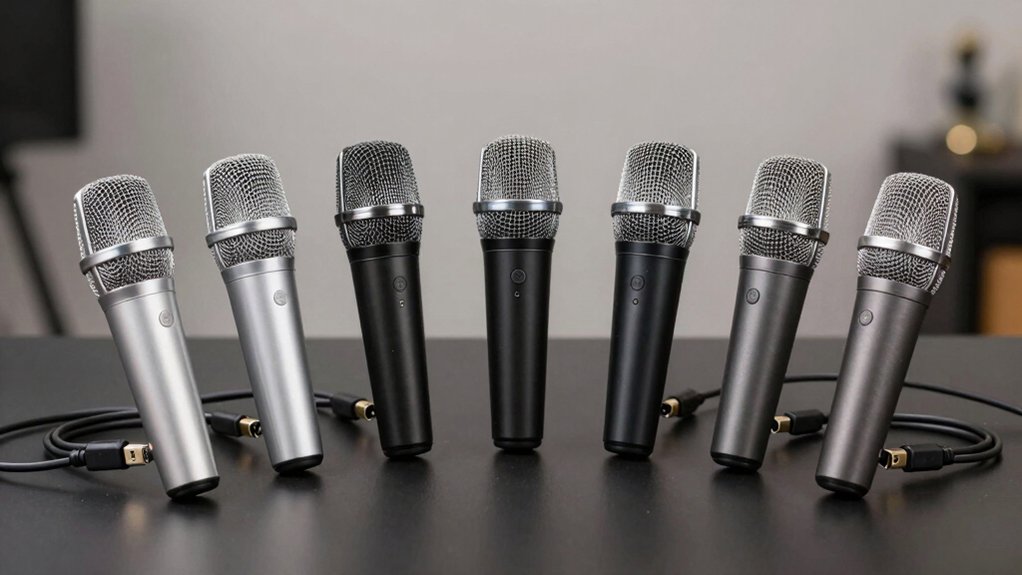

You’re looking for a USB dynamic microphone that delivers clear audio without complicated setup. The right choice depends on your needs: whether you want a basic plug-and-play option, a hybrid wireless model, or a professional mic with XLR flexibility. Each option offers specific advantages in gain control, noise reduction, and monitoring features. Understanding these differences helps you find the exact mic that matches your budget and setup requirements—so let’s examine each model to see which fits best.
| FIFINE USB/XLR Dynamic Microphone for Podcast & Gaming |

| Best for Gamers | Connectivity Options: USB and XLR | Polar Pattern: Cardioid | Headphone Monitoring: 3.5mm jack with volume control | VIEW LATEST PRICE | Read Our Analysis |
| FIFINE K688 USB/XLR Podcast Microphone Kit |

| Complete Podcast Bundle | Connectivity Options: USB and XLR | Polar Pattern: Cardioid | Headphone Monitoring: 3.5mm jack with volume control | VIEW LATEST PRICE | Read Our Analysis |
| MAONO USB/XLR Podcast Dynamic Microphone Studio Kit (HD300T) |

| Best for Beginners | Connectivity Options: USB and XLR | Polar Pattern: Cardioid | Headphone Monitoring: 3.5mm jack with volume control | VIEW LATEST PRICE | Read Our Analysis |
| MAONO PD200W Hybrid Wireless Podcast Microphone with Stand |

| Best Wireless Option | Connectivity Options: Wireless, USB, and XLR | Polar Pattern: Cardioid | Headphone Monitoring: Zero-latency 3.5mm jack | VIEW LATEST PRICE | Read Our Analysis |
| PUPGSIS Podcast Dynamic Microphone XLR/USB Recording Studio Mic |
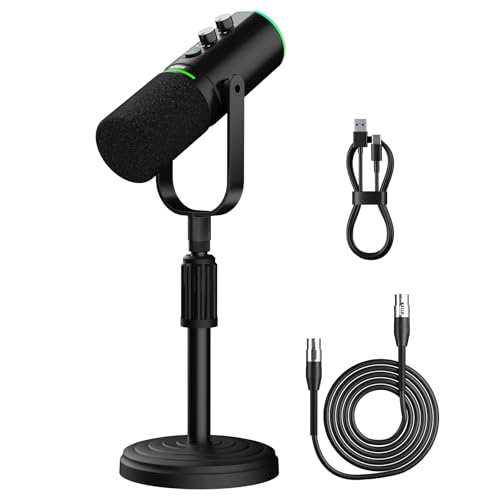
| Best Value | Connectivity Options: USB and XLR | Polar Pattern: Supercardioid | Headphone Monitoring: 3.5mm jack with volume control | VIEW LATEST PRICE | Read Our Analysis |
| Shure MV7+ Podcast Dynamic Microphone with USB-C & XLR |

| Professional Grade | Connectivity Options: USB-C and XLR | Polar Pattern: Unidirectional | Headphone Monitoring: Built-in monitoring via app | VIEW LATEST PRICE | Read Our Analysis |
| FDUCE Dynamic Gaming Microphone Kit USB/XLR (D20) |

| Best Overall | Connectivity Options: USB and XLR | Polar Pattern: Cardioid | Headphone Monitoring: 3.5mm jack with volume control | VIEW LATEST PRICE | Read Our Analysis |
More Details on Our Top Picks
FIFINE USB/XLR Dynamic Microphone for Podcast & Gaming
Are you setting up your first podcast studio, streaming PS5 gameplay, or recording YouTube content from your desktop? The FIFINE USB/XLR Dynamic Microphone handles all three. Plug it into your computer’s USB port for instant setup, or connect an XLR cable to an audio interface for advanced control. The cardioid pattern captures your voice while rejecting background noise. Use the headphone jack to monitor audio in real time, and adjust the gain knob to prevent distortion. The tap-to-mute button keeps you in control during recordings. Mount it on any standard mic stand using the built-in metal threads.
- Connectivity Options:USB and XLR
- Polar Pattern:Cardioid
- Headphone Monitoring:3.5mm jack with volume control
- Mute Control:Tap-to-mute with LED indicator
- RGB Lighting:3 modes, 10+ colors, USB only
- Frequency Response:50 Hz–16 kHz
- Additional Feature:Built-in 3/8″ and 5/8″ threads
- Additional Feature:Noise-canceling windscreen included
- Additional Feature:PS5 console USB compatibility
FIFINE K688 USB/XLR Podcast Microphone Kit
The FIFINE K688 USB/XLR Podcast Microphone Kit works best for content creators who need flexibility between direct computer recording and studio mixer setups. Connect via USB for plug-and-play recording, or use XLR for mixer integration. The cardioid pattern isolates your voice while reducing room noise. Adjust gain through the knob for proper input levels—aim for 2–6 inches from the microphone. The included boom arm, shock mount, and windscreen minimize vibrations and wind noise. Use headphone monitoring to track audio in real time. When switching between USB and XLR, remember that controls function only on your active connection type.
- Connectivity Options:USB and XLR
- Polar Pattern:Cardioid
- Headphone Monitoring:3.5mm jack with volume control
- Mute Control:Tap-to-mute on USB mode
- RGB Lighting:Not mentioned
- Frequency Response:Not specified
- Additional Feature:Robust metal boom arm included
- Additional Feature:C-clamp fits desks under 2″
- Additional Feature:Suspension design reduces vibrations
MAONO USB/XLR Podcast Dynamic Microphone Studio Kit (HD300T)
If you’re recording podcasts, streaming live content, or producing voiceovers and you need flexibility between direct computer connection and professional audio equipment, the MAONO HD300T delivers dual connectivity without compromise. The USB output provides plug-and-play functionality for PC and Mac setups, while the XLR output connects to mixers and audio interfaces for studio work. Its dynamic cardioid capsule reduces background noise and room reverb, delivering clear vocal reproduction. The included shock mount minimizes vibrations, and the pop filter reduces plosives. You’ll appreciate the zero-latency monitoring through the 3.5mm headphone jack for real-time feedback. The kit includes a sturdy metal stand, 78-inch USB cable, and 98-inch XLR cable, making it immediately ready for use.
- Connectivity Options:USB and XLR
- Polar Pattern:Cardioid
- Headphone Monitoring:3.5mm jack with volume control
- Mute Control:Tap-to-mute functionality
- RGB Lighting:Not mentioned
- Frequency Response:Not specified
- Additional Feature:Heavy-duty metal stand included
- Additional Feature:78-inch USB cable included
- Additional Feature:98-inch XLR cable included
MAONO PD200W Hybrid Wireless Podcast Microphone with Stand
Looking for flexibility in how you record podcasts, stream content, or conduct interviews? The PD200W offers three connection modes: wireless (60m range), USB, and XLR. You’ll get up to 60 hours of battery life and a 30mm dynamic capsule with cardioid pickup that captures clean audio at 82dB signal-to-noise ratio. The microphone handles 128dB SPL without distortion, making it suitable for loud environments. Connect two wireless mics to a single receiver for duo podcasts, with each recording to separate tracks for editing. Use the MaonoLink app to adjust EQ, reverb, and four preset modes from your PC or smartphone. The kit includes a desktop stand, cables, receiver, and adapter.
- Connectivity Options:Wireless, USB, and XLR
- Polar Pattern:Cardioid
- Headphone Monitoring:Zero-latency 3.5mm jack
- Mute Control:App-controlled mute
- RGB Lighting:Customizable, can be disabled
- Frequency Response:Not specified
- Additional Feature:60-meter wireless range capability
- Additional Feature:Dual-mic synchronization to tracks
- Additional Feature:Up to 60-hour battery life
PUPGSIS Podcast Dynamic Microphone XLR/USB Recording Studio Mic
Want a microphone that handles both casual streaming and professional studio work without switching equipment? The PUPGSIS delivers dual connectivity through USB and XLR ports. For daily recording and portability, use the USB connection. For professional transmission with enhanced audio space, switch to XLR. The supercardioid pattern reduces background noise from fans and hard drives, keeping your voice center-stage clear. Access the mute button for quick noise stops, or hold it to activate background noise reduction on USB mode. Monitor your audio in real-time using the 3.5mm headphone jack and adjust volume directly on the microphone. Customize the RGB lighting with one-key control, and your settings automatically restore after powering off.
- Connectivity Options:USB and XLR
- Polar Pattern:Supercardioid
- Headphone Monitoring:3.5mm jack with volume control
- Mute Control:Mute button with noise reduction (USB only)
- RGB Lighting:Adjustable with one-key control and memory
- Frequency Response:40 Hz–16 kHz
- Additional Feature:Supercardioid pattern reduces ambient noise
- Additional Feature:Hold-mute activates noise reduction
- Additional Feature:40 Hz – 16 kHz frequency range
Shure MV7+ Podcast Dynamic Microphone with USB-C & XLR
The Shure MV7+ works best for creators who need both USB and XLR connectivity without buying two separate microphones. Connect the USB-C cable directly to your computer for streaming or recording, or plug the XLR output into an audio interface for studio setups. Use the LED touch panel to monitor levels in real-time and adjust gain quickly. Enable Auto Level Mode for hands-free gain adjustment, or activate the Real-Time Denoiser to remove background noise from non-professional spaces. Download the MOTIV Mix app to fine-tune tone, add reverb effects, and customize your sound. The unidirectional polar pattern isolates your voice while rejecting side noise, making it suitable for podcasting, gaming streams, and vocal recording.
- Connectivity Options:USB-C and XLR
- Polar Pattern:Unidirectional
- Headphone Monitoring:Built-in monitoring via app
- Mute Control:Touch-panel LED mute
- RGB Lighting:16.8 million colors on LED touch panel
- Frequency Response:50 Hz–16 kHz
- Additional Feature:Auto Level Mode with spatial detection
- Additional Feature:Real-Time Denoiser background noise removal
- Additional Feature:Built-in digital pop filter
FDUCE Dynamic Gaming Microphone Kit USB/XLR (D20)
If you’re streaming, recording, or gaming and you need a microphone that works with both studio equipment and modern consoles without complicated setup, the FDUCE D20 delivers dual connectivity through its USB and XLR inputs. Position the microphone’s top toward your audio source, maintaining a 2–6 inch recording distance for optimal clarity. Connect via USB for plug-and-play use with PC, PS4, or PS5, or use XLR for studio gear integration. The cardioid pattern minimizes off-axis noise while the frequency response of 50 Hz–16 kHz captures detailed audio. Use the one-touch mute button on the front panel to prevent unwanted noise during breaks. Adjust gain and monitoring volume with the 3-in-1 control knob, checking the LED indicators for function confirmation. Monitor your audio in real-time through the headphone jack. In USB mode, the microphone remembers your RGB lighting settings and applies them automatically when powered on.
- Connectivity Options:USB and XLR
- Polar Pattern:Cardioid
- Headphone Monitoring:3.5mm jack with volume control
- Mute Control:One-touch mute with LED indicator
- RGB Lighting:3 modes, 10+ colors with memory function
- Frequency Response:50 Hz–16 kHz
- Additional Feature:24 Bit/192 kHz sampling capability
- Additional Feature:3-in-1 control knob design
- Additional Feature:2-meter USB-C cable included
Factors to Consider When Choosing USB Dynamic Microphones
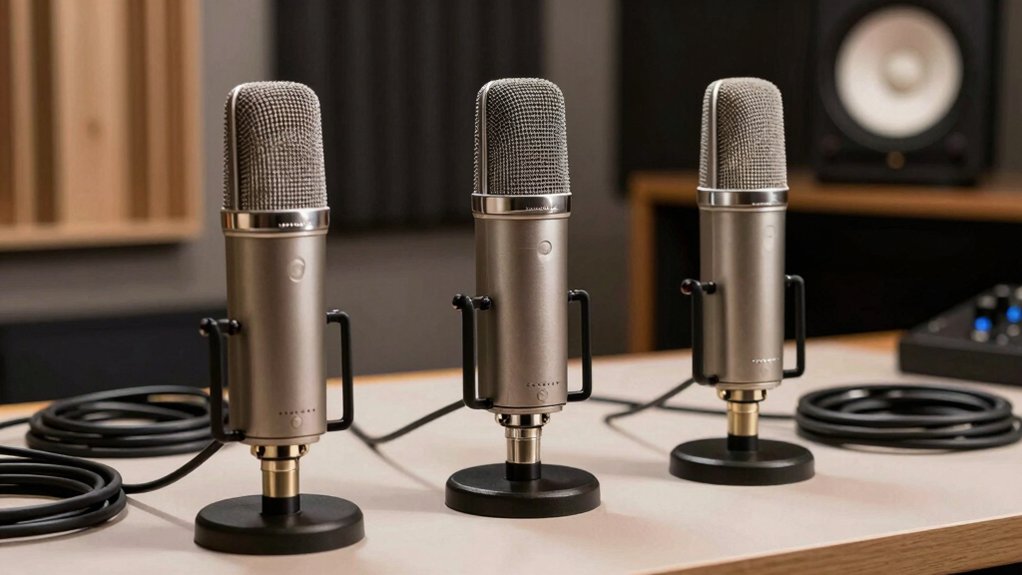
When you’re choosing a USB dynamic microphone, you need to evaluate audio quality standards by checking frequency response ranges and sensitivity ratings, compare connectivity options to determine whether USB-only or dual USB/XLR capability suits your setup, and assess noise reduction capabilities to ensure the microphone minimizes background interference during recording. You’ll also want to examine monitoring and control features such as mute buttons, gain adjustments, and headphone outputs so you can adjust levels in real time. Finally, inspect build quality and durability by reviewing the microphone’s construction materials, weight, shock mount inclusion, and warranty coverage to confirm it’ll withstand regular use.
Audio Quality Standards
How do you know which USB dynamic microphone will actually deliver the audio quality you need? Start by checking the frequency response range listed in the specifications. You’ll want coverage from 50 Hz to 16 kHz minimum, which captures vocal warmth and clarity for spoken content. Next, verify the microphone’s maximum SPL handling—130 dB or higher indicates it’ll manage loud sources without distortion. Examine the polar pattern; cardioid patterns focus on your voice while rejecting room noise. Finally, confirm zero-latency monitoring capability so you can hear yourself in real time and adjust gain accordingly. These concrete specifications tell you whether the microphone matches your recording needs before purchase.
Connectivity Options Available
Once you’ve confirmed that a microphone meets your audio quality standards, you’ll need to evaluate its connectivity options—the physical connections that determine how you’ll link the mic to your computer or recording setup. USB connections offer plug-and-play simplicity without requiring external interfaces, making them ideal for immediate use. XLR connections provide professional flexibility but require an audio interface or mixer. Some microphones feature dual USB/XLR modes, giving you both options. Check whether your mic uses USB-C or USB-A to ensure compatibility with your devices. In dual-mode mics, USB typically enables direct monitoring through the microphone, while XLR delivers cleaner signals to external equipment with separate monitoring capabilities through your interface or mixer.
Noise Reduction Capabilities
What features can you rely on to minimize unwanted background sounds in your USB dynamic microphone setup? Dynamic capsules naturally reduce sensitivity to room reverb and ambient noise compared to condenser mics, giving you clearer vocals in noisy environments. Look for built-in windscreens or pop filters to eliminate plosive interference and room hum. Use the headphone jack and gain knob to monitor levels in real-time, preventing distortion from background noise. Adjust your gain setting to capture your voice while rejecting surrounding sounds. Cardioid pickup patterns focus on the sound source directly in front of the mic, rejecting off-axis noise effectively. Finally, utilize mute buttons and on-device indicators for immediate privacy control during live streams, stopping accidental ambient sound pickup.
Monitoring And Control Features
When you’re selecting a USB dynamic microphone, the onboard monitoring and control features you’ll have access to can considerably impact your ability to catch and fix audio issues in real-time. Look for models with built-in 3.5 mm headphone jacks that let you monitor what you’re recording directly from the mic. Gain control knobs enable you to adjust levels instantly without opening software. Tap-to-mute buttons with LED indicators give you quick privacy control during live streams. Note that USB-mode operation activates full on-device controls like mute, monitor volume, and gain adjustment, while XLR-mode typically disables these features. Some mics include LED dashboards or RGB indicators that display mute status and monitoring levels, helping you track your settings at a glance.
Build Quality And Durability
Beyond the monitoring controls you’ve just examined, you’ll want to evaluate how well your USB dynamic microphone can handle regular use and potential wear. Look for models with sturdy metal housings that resist dents and scratches during frequent handling. Check whether the microphone includes built-in shock mounts to reduce vibrations from typing or desk movement. Examine the connector quality—reinforced USB ports and cables withstand repeated plug cycles better than standard designs. If the microphone includes a stand, verify it uses metal construction with threaded mounts (3/8″ or 5/8″) for stable desk attachment. Review the internal capsule design; reinforced components maintain audio quality over extended use. These durability factors directly protect your investment and ensure consistent performance.
Mounting And Compatibility
How you’ll mount your USB dynamic microphone depends on your workspace layout and connectivity needs. Most USB dynamic mics feature standard 3/8″ and 5/8″ threaded fittings that attach directly to mic stands without adapters. Check your microphone’s mounting specifications before purchasing to confirm compatibility with your existing stand. Many models include desk stands or shock mounts in their kits, which provide stability on flat surfaces and reduce vibration noise. Verify USB-C or USB-A compatibility with your computer or gaming console before setup. Consider the microphone’s weight and form factor, as heavier models require sturdy stands to prevent tipping on small desks. Review whether built-in accessories meet your isolation needs, since included pop filters and shock mounts vary by kit and directly impact audio quality and mounting security.
Use Case And Versatility
What’ll determine your best choice in a USB dynamic microphone? Start by identifying your primary use. For streaming and podcasting, you’ll want on-mic mute, headphone monitoring, and real-time gain control—features that protect privacy and let you monitor audio instantly. If you’re recording casual content, USB plug-and-play simplicity handles your needs without extra equipment. However, plan ahead for growth. Dual-mode USB/XLR mics let you upgrade later by connecting to external preamps, mixers, or PA systems when your setup expands. Consider your environment next. Cardioid dynamic patterns focus on your voice and reduce off-axis noise, improving clarity in less-than-ideal spaces. Match the microphone’s capabilities to where you’ll record and what you’ll need to add later.
Final Thoughts
You’ve reviewed seven USB dynamic microphones offering plug-and-play setup with optional XLR connectivity. Choose based on your needs: select cardioid capsules for general use, supercardioid for noisy environments, and hybrid wireless if you need mobility. Verify USB compatibility with your device, check included accessories like boom arms and shock mounts, and test gain controls before committing. Compare price against features to find your best fit.

Meet Ry, “TechGuru,” a 36-year-old technology enthusiast with a deep passion for tech innovations. With extensive experience, he specializes in gaming hardware and software, and has expertise in gadgets, custom PCs, and audio.
Besides writing about tech and reviewing new products, he enjoys traveling, hiking, and photography. Committed to keeping up with the latest industry trends, he aims to guide readers in making informed tech decisions.