
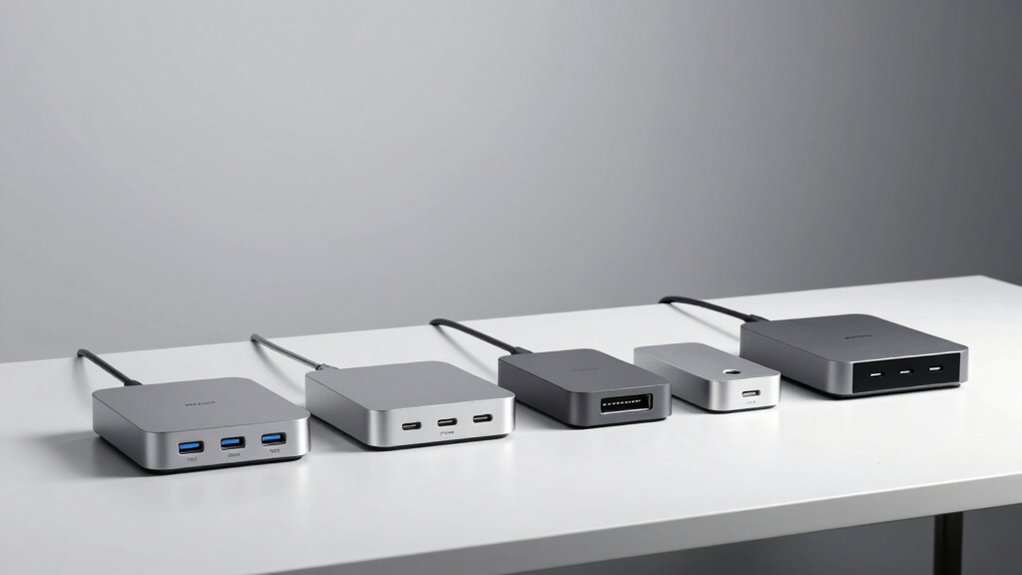

Your Mac Mini M4 needs proper support to maximize its performance and workspace efficiency. You’ll want a dock that handles fast data transfer, stores files securely, and keeps your desk organized. The right choice depends on your connectivity needs, storage capacity, and available desk space. Let’s examine five docks that accomplish these goals—each with distinct advantages you should weigh carefully.
| Satechi Mac mini M4 Hub & Stand with NVMe SSD |

| Compact & Efficient | Storage Expansion: Up to 4TB NVMe SSD enclosure | USB Port Options: 2× USB-A 10Gbps, 1× USB-A 2.0, SD card reader | Video Output: No video output | VIEW LATEST PRICE | Read Our Analysis |
| ORICO Mac mini M4 Dock and Stand with SSD Support |

| Most Connectivity | Storage Expansion: M.2 NVMe/SATA SSD slot | USB Port Options: 10-in-1 hub with USB-C 10Gbps, USB-A 10Gbps/5Gbps, HDMI, Ethernet, PD charging | Video Output: 4K HDMI at 60Hz | VIEW LATEST PRICE | Read Our Analysis |
| Stouchi Mac mini M4 Dock Stand with 8TB SSD Enclosure |

| Best Overall | Storage Expansion: 8TB SSD enclosure (pre-installed) | USB Port Options: 2× USB-A 10Gbps, 2× USB-A 2.0, SD/TF card readers, HDMI, 3.5mm audio | Video Output: 4K HDMI at 60Hz | VIEW LATEST PRICE | Read Our Analysis |
| M5 Retro Dock Station for Mac mini M4 |

| Premium Design Pick | Storage Expansion: Up to 8TB M.2 NVMe SSD enclosure | USB Port Options: 14-in-1 hub with USB-C (10Gbps/Thunderbolt 5), USB-A 10Gbps, 8K DisplayPort, HDMI-in, SD/microSD readers, audio jack | Video Output: Built-in 5″ HD display (1280×720), 8K DisplayPort | VIEW LATEST PRICE | Read Our Analysis |
| Minisopuru MINI4PRO Mac mini M4 Dock with SSD Enclosure |

| Best Value | Storage Expansion: Up to 8TB M.2 NVMe SSD enclosure | USB Port Options: USB 2.0 front interface, SD/Micro card slot, HDMI port | Video Output: 4K HDMI at 60Hz | VIEW LATEST PRICE | Read Our Analysis |
More Details on Our Top Picks
Satechi Mac mini M4 Hub & Stand with NVMe SSD
If you’re looking to expand your Mac mini M4’s storage and connectivity without cluttering your desk, the Satechi Mac mini M4 Hub & Stand with NVMe SSD delivers a compact solution that combines five essential ports into a streamlined aluminum enclosure. The hub measures just 5 by 5 inches with a 0.8-inch height, weighing 192 grams in silver. You get two USB-A 3.2 ports at 10Gbps speeds, one USB-A 2.0 port, an SD card reader supporting up to 312 MB/s, and an NVMe SSD enclosure accepting drives up to 4TB. The self-cooling design features bottom vents and recessed areas that maintain performance across multiple connected devices. Connect compatible M.2 NVMe sizes—2230, 2242, 2260, or 2280—using the included screwdriver and thermal pad. A 2-year limited warranty covers manufacturing defects.
- Storage Expansion:Up to 4TB NVMe SSD enclosure
- USB Port Options:2× USB-A 10Gbps, 1× USB-A 2.0, SD card reader
- Video Output:No video output
- Design Form Factor:Horizontal stand (5″L × 5″W × 0.8″H)
- Cooling & Thermal Management:Optimized self-cooling with bottom vents
- Warranty Coverage:2-year limited warranty
- Additional Feature:Dedicated power button access
- Additional Feature:61% smaller packaging redesign
- Additional Feature:Up to 4TB internal storage
ORICO Mac mini M4 Dock and Stand with SSD Support
The ORICO Mac mini M4 Dock and Stand with SSD Support works best for users who need to maximize desk space while maintaining full connectivity and storage expansion. Its vertical design saves up to 45% desk space compared to traditional setups. You’ll access ten ports including USB-C and USB-A at 10Gbps, HDMI for 4K output at 60Hz, Gigabit Ethernet, and PD100W charging. The M.2 NVMe/SATA SSD slot lets you expand storage with fast read/write speeds for large files. Bottom switch operation eliminates frequent device lifting. This all-in-one dock streamlines your workflow for video editing, presentations, and high-demand applications requiring fast data transmission.
- Storage Expansion:M.2 NVMe/SATA SSD slot
- USB Port Options:10-in-1 hub with USB-C 10Gbps, USB-A 10Gbps/5Gbps, HDMI, Ethernet, PD charging
- Video Output:4K HDMI at 60Hz
- Design Form Factor:Vertical dock (saves 45% desk space)
- Cooling & Thermal Management:Not specified
- Warranty Coverage:Not specified
- Additional Feature:Saves 45% desk space vertically
- Additional Feature:100W PD fast charging
- Additional Feature:Bottom switch operation convenience
Stouchi Mac mini M4 Dock Stand with 8TB SSD Enclosure
Looking for a single dock that consolidates storage, ports, and cable management into one compact unit? The Stouchi Mac mini M4 Dock Stand delivers exactly that. You get 8TB of SSD storage, eight total ports including USB-A 3.2 Gen2 connections at 10Gbps, HDMI 4K output, and SD/TF card readers. The elevated design improves airflow while reducing Wi-Fi interference. Four anchor points and non-slip pads secure your Mac mini M4 firmly. Access the power button from below without lifting your device. Note that the SSD isn’t included, so you’ll need to install your own M.2 NVMe or SATA drive. The 2-year warranty covers your investment.
- Storage Expansion:8TB SSD enclosure (pre-installed)
- USB Port Options:2× USB-A 10Gbps, 2× USB-A 2.0, SD/TF card readers, HDMI, 3.5mm audio
- Video Output:4K HDMI at 60Hz
- Design Form Factor:Elevated stand with ventilation
- Cooling & Thermal Management:Ventilated, elevated design with enhanced cooling
- Warranty Coverage:2-year warranty (double industry standard)
- Additional Feature:Massive 8TB storage capacity
- Additional Feature:Four anchor point locking system
- Additional Feature:Double industry standard warranty
M5 Retro Dock Station for Mac mini M4
Want a desk setup that combines vintage aesthetics with modern connectivity? The M5 Retro Dock Station delivers both through its Macintosh-inspired design. You’ll slide your Mac mini M4 directly into the dock, instantly reducing desk clutter while accessing a built-in 5″ HD display. The 14-in-1 hub provides two USB-C options—10Gbps for everyday tasks or Thunderbolt 5 at 80Gbps for professional data transfer needs. You also get USB-A ports, 8K DisplayPort, HDMI-in, SD card readers, and a 3.5mm audio jack. An M.2 NVMe SSD enclosure supports drives up to 8TB with fanless cooling. The dock works with Mac mini M4, MacBook, Windows, and Android devices supporting DisplayPort. WOKYIS backs it with a one-year warranty and Amazon’s 30-day return policy.
- Storage Expansion:Up to 8TB M.2 NVMe SSD enclosure
- USB Port Options:14-in-1 hub with USB-C (10Gbps/Thunderbolt 5), USB-A 10Gbps, 8K DisplayPort, HDMI-in, SD/microSD readers, audio jack
- Video Output:Built-in 5″ HD display (1280×720), 8K DisplayPort
- Design Form Factor:Integrated dock with built-in display
- Cooling & Thermal Management:Fanless cooling
- Warranty Coverage:1-year warranty
- Additional Feature:Built-in 5″ HD display
- Additional Feature:Thunderbolt 5 (80Gbps) edition
- Additional Feature:Classic Macintosh-inspired design aesthetic
Minisopuru MINI4PRO Mac mini M4 Dock with SSD Enclosure
If you’re running low on storage or need seamless connectivity without cluttering your desk, the Minisopuru MINI4PRO dock combines an all-in-one stand and hub with a built-in SSD enclosure that supports M.2 NVMe drives up to 8TB. The aluminum construction matches your Mac mini M4/M4 PRO while maintaining its compact footprint. You’ll access HDMI 4K@60Hz output for multi-screen setups, USB 2.0 ports for peripherals, and SD/Micro card slots with 104MB/s read speeds. The SSD enclosure accepts 2230/2242/2260/2280 drive sizes—bring your own M.2 NVMe SSD. Its sturdy design and tin-plated copper cable ensure stable performance and improved Wi-Fi reliability for uninterrupted productivity.
- Storage Expansion:Up to 8TB M.2 NVMe SSD enclosure
- USB Port Options:USB 2.0 front interface, SD/Micro card slot, HDMI port
- Video Output:4K HDMI at 60Hz
- Design Form Factor:Compact stand (5″L × 5″W × 0.6″H)
- Cooling & Thermal Management:Improved stability through design (cooling not specified)
- Warranty Coverage:Not specified
- Additional Feature:Tin-plated copper core cable
- Additional Feature:Reduces Wi-Fi interference shielding
- Additional Feature:Brushed aluminum fingerprint-resistant finish
Factors to Consider When Choosing a Mac Mini M4 Dock
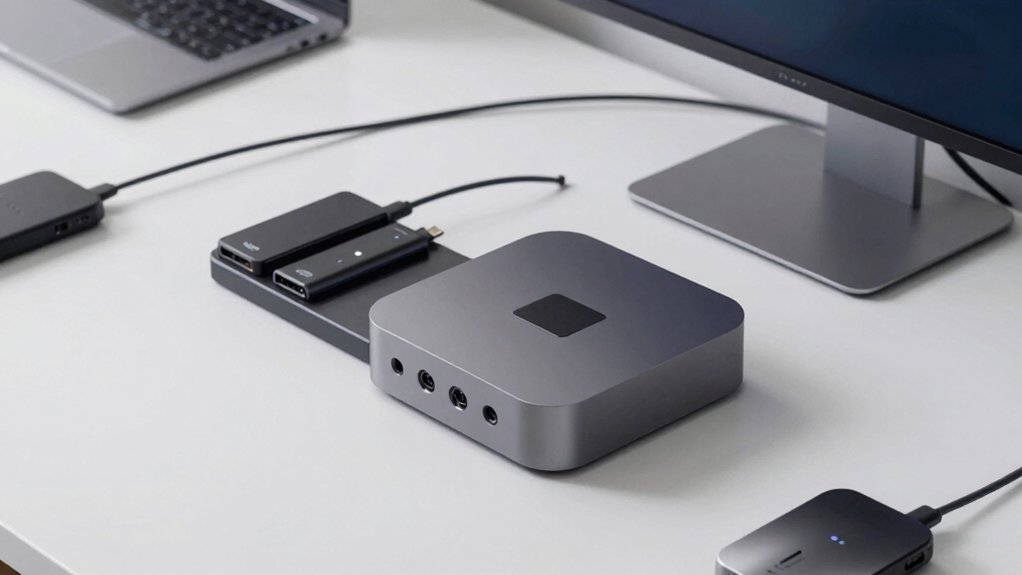
When selecting a Mac mini M4 dock, you’ll need to evaluate five key factors that directly impact your setup’s functionality and longevity. First, assess the port variety and connectivity options available, the storage expansion capabilities for your files, the thermal management performance to protect your device, the design and space efficiency for your desk layout, and the dock’s compatibility with your specific Mac mini model. By examining each of these elements against your workflow requirements, you can identify the dock that best matches your needs.
Port Variety and Connectivity
To build a functional Mac Mini M4 desk setup, you’ll need a dock that matches your device ecosystem and workflow demands. Start by identifying your port requirements: count how many USB-C and USB-A devices you’ll connect simultaneously. Look for docks offering 10Gbps transfer speeds to support external SSDs and fast peripherals without bottlenecks. Next, determine your display needs and select a dock with HDCP 2.2-compatible video output—either HDMI or DisplayPort—supporting 4K at 60Hz for smooth visuals. Consider whether you’ll transfer media frequently; if so, prioritize models with dedicated SD/TF card readers to eliminate adapter clutter. Finally, calculate your power demands across all devices and verify the dock’s total power delivery capacity matches your requirements, preventing charging failures or performance drops.
Storage Expansion Capabilities
Beyond connectivity, storage expansion determines whether your Mac Mini M4 dock can grow with your data needs. Most docks support M.2 NVMe SSDs in sizes 2230, 2242, 2260, and 2280, letting you add 4TB to 8TB of internal storage depending on your model. Some docks combine an SSD enclosure with the hub itself, streamlining your setup. Check thermal specifications carefully—many enclosures include heatsinks, but double-sided drives may overheat in tight spaces. Note that SATA SSD support isn’t universal; several docks specify NVMe compatibility only. Pair your storage expansion with additional USB-A and USB-C ports plus SD card readers to handle large file transfers and backups efficiently.
Thermal Management Performance
How much heat does your Mac Mini M4 dock generate during heavy workloads? Check the dock’s design for bottom vents and recessed top areas that optimize heat dissipation. These features prevent thermal buildup when multiple devices connect simultaneously.
Evaluate airflow capability by ensuring the dock elevates your Mac mini off your desk surface. This positioning allows air to circulate underneath and around the unit, reducing heat concentration.
Review NVMe SSD enclosure specifications if you’re adding storage. Integrated heatsinks improve cooling performance, but verify compatibility with your drive type—single-sided drives work best with heatsink-equipped enclosures.
Consider the dock’s power management system. Dedicated power distribution minimizes heat generation by preventing electrical stress on individual components.
For fanless designs, confirm your typical workload and ambient temperature won’t trigger thermal throttling during extended use sessions.
Design and Space Efficiency
When you’re setting up your Mac mini M4 workspace, does your dock respect the machine’s naturally compact footprint? Choose docks measuring roughly 5×5 inches with sub-1 inch height to maintain your desk’s clean layout. Select designs featuring integrated stands or front-facing ports for easy cable access without repositioning equipment. Consider vertical or low-profile configurations that align with your Mac mini, eliminating additional clutter. Look for all-in-one housings combining USB, SD card, and NVMe storage functions into a single unit, reducing peripheral sprawl. Prioritize aluminum construction for durability and passive cooling in tight spaces. Evaluate whether the dock’s footprint requires additional desk real estate or fits seamlessly beside your monitor. These space-efficient choices directly impact your workspace’s functionality and aesthetic.
Compatibility With Mac Mini
Your dock’s performance depends directly on matching its specifications to your Mac Mini M4’s actual ports and power requirements. First, verify your Mac Mini M4 or M4 Pro model to confirm Thunderbolt and USB-C port availability. Next, check the dock’s power delivery capacity—ensure it meets your Mac’s needs, typically 100W or higher. Then, examine video output options: confirm whether you need HDMI at 4K@60Hz or DisplayPort connectivity for your monitors. Review USB-A port limitations, as some don’t support CD readers or iPad charging. Finally, if you need storage expansion, confirm the dock supports M.2 NVMe SSD enclosures in your required size (2230/2242/2260/2280). Match each dock specification to your actual setup requirements before purchasing.
Data Transfer Speeds
Why does data transfer speed matter when selecting a Mac Mini M4 dock? Faster speeds let you move large project files quickly between your Mac and external storage. Most docks feature USB-C ports supporting up to 10 Gbps data transfer, making file moves efficient. Some models also offer USB-A ports at 10 Gbps or 5 Gbps, giving you compatibility options with existing drives. M.2 NVMe/SATA SSD slots enable rapid storage expansion with speeds exceeding traditional external HDDs. When you use multiple high-bandwidth devices simultaneously, power contention can occur. To maintain sustained speeds, connect one bus-powered device at a time. Check your dock’s specifications and match them to your workflow needs, ensuring the speeds align with your file transfer requirements.
Build Quality and Materials
The physical construction of your Mac Mini M4 dock directly affects its durability, stability, and thermal performance. You’ll want to prioritize solid aluminum or metal housing that matches your Mac Mini’s aesthetics while providing robust support. Look for docks with precise fit designs around 5×5 inches and 0.6–0.8 inches in height to ensure stable placement. Check that the dock includes non-slip silicone pads or anti-slip measures underneath, preventing unwanted movement during daily use. Verify the enclosure features heat-dissipating elements like bottom vents or an elevated, ventilated design for optimal thermal management. Before purchasing, confirm the product specifications explicitly support Mac Mini M4 (2024) or M4 Pro models to guarantee physical and interface compatibility. Quality materials directly determine how long your dock performs reliably.
Warranty and Support Coverage
Once you’ve selected a dock with solid build quality and proper thermal design, protecting your investment through warranty coverage becomes your next consideration. Most docks offer a 2-year limited warranty covering defects in materials and workmanship during normal use. Review what your warranty excludes, as wear on components like SSDs or cables typically isn’t covered. Check the retailer’s return policy—many align with Amazon’s standards—since this affects how you handle warranty claims and exchanges. Some manufacturers provide dedicated customer support for installation and troubleshooting. Before purchasing, verify whether extended support options exist for your region. Prioritize docks with clear warranty terms and accessible support channels to ensure you can resolve issues quickly if problems arise.
Final Thoughts
You’ll choose your Mac Mini M4 dock based on three priorities: connectivity needs, storage capacity, and desk space. Evaluate your port requirements—USB-C, USB-A, HDMI—against each model’s specifications. Consider whether you need built-in SSD storage or prefer external options. Test stability and heat management in your setup. Match the dock’s footprint to your available desk area. Make your selection by comparing these factors against your specific workflow demands.

Meet Ry, “TechGuru,” a 36-year-old technology enthusiast with a deep passion for tech innovations. With extensive experience, he specializes in gaming hardware and software, and has expertise in gadgets, custom PCs, and audio.
Besides writing about tech and reviewing new products, he enjoys traveling, hiking, and photography. Committed to keeping up with the latest industry trends, he aims to guide readers in making informed tech decisions.