
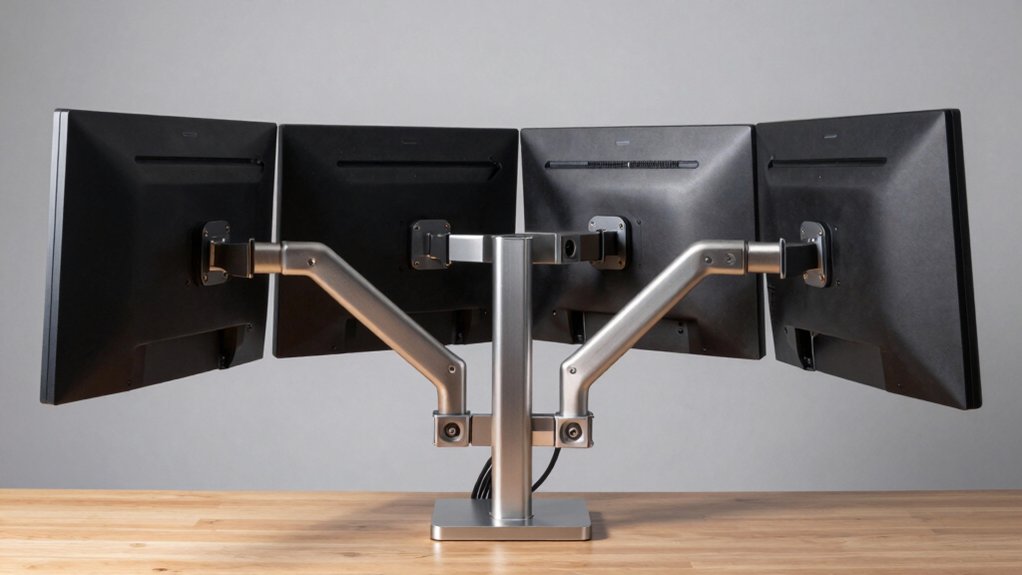

If you’re setting up a multi-monitor workspace, you’ll need a mount that supports your specific screen sizes and setup requirements. You’ve got several options available, each with different features and weight capacities. The right choice depends on your monitor dimensions, desk space, and whether you want wall or desk mounting. Let’s examine five quad monitor mounts that can dramatically improve your workspace layout.
| MOUNTUP Quad Monitor Stand for 17-32 Inch Screens |

| Best Overall | Maximum Screen Size Supported: 32 inches | Weight Capacity Per Monitor: 17.6 lbs | VESA Compatibility: 75×75 mm or 100×100 mm | VIEW LATEST PRICE | Read Our Analysis |
| WALI Quad Monitor Mount for 13-27 Inch Screens (M004S) |

| Best Value | Maximum Screen Size Supported: 27 inches | Weight Capacity Per Monitor: 22 lbs | VESA Compatibility: 75×75 mm or 100×100 mm | VIEW LATEST PRICE | Read Our Analysis |
| MOUNT PRO Quad Monitor Stand for 13-32 Inch Screens |

| Best for Flexibility | Maximum Screen Size Supported: 32 inches | Weight Capacity Per Monitor: 17.6 lbs | VESA Compatibility: 75×75 mm or 100×100 mm | VIEW LATEST PRICE | Read Our Analysis |
| VIVO Pneumatic Quad Monitor Desk Mount (STAND-V400D) |

| Premium Heavy-Duty Pick | Maximum Screen Size Supported: 49 inches (1 ultrawide), 38 inches (2 ultrawide each) | Weight Capacity Per Monitor: 5.5–44 lbs per arm | VESA Compatibility: 75×75 mm or 100×100 mm | VIEW LATEST PRICE | Read Our Analysis |
| Pholiten Quad Monitor Arm Desk Mount (MD18864) |

| Budget-Friendly Pick | Maximum Screen Size Supported: 32 inches | Weight Capacity Per Monitor: 10 kg (22 lbs) | VESA Compatibility: 75×75 mm or 100×100 mm | VIEW LATEST PRICE | Read Our Analysis |
More Details on Our Top Picks
MOUNTUP Quad Monitor Stand for 17-32 Inch Screens
Why’d you choose a quad monitor setup if you’re going to waste desk space mounting them? The MOUNTUP Quad Monitor Stand solves this problem by consolidating four 17–32 inch screens onto one compact base. Each arm supports up to 17.6 lbs, accommodating LCD, LED, flat, or curved displays. You’ll find VESA compatibility at 75×75 mm or 100×100 mm. Install it using a C-clamp or grommet mount on tables measuring 0.39–3.15 inches thick. Adjust height along the center pole, then tilt (±90°), swivel (±180°), and rotate 360° for optimal ergonomics. Cable clips keep wires organized. Assembly takes under 20 minutes.
- Maximum Screen Size Supported:32 inches
- Weight Capacity Per Monitor:17.6 lbs
- VESA Compatibility:75×75 mm or 100×100 mm
- Rotation Capability:360° rotation
- Mounting Options:C-clamp or grommet mount
- Cable Management:Cable clips for organized cables
- Additional Feature:±90° tilt range capability
- Additional Feature:360° landscape/portrait rotation
- Additional Feature:Quick-release VESA plate
WALI Quad Monitor Mount for 13-27 Inch Screens (M004S)
Looking for a quad monitor mount that adapts to your desk setup? The WALI M004S offers two mounting options: a C-clamp for desks 0.2–3.62 inches thick or a grommet base for desks 0.39–2.56 inches thick. You’ll support up to four screens sized 13–27 inches with a maximum load of 22 lbs per monitor. Each arm tilts ±35 degrees, swivels ±90 degrees, and rotates a full 360 degrees, giving you complete control over viewing angles. The steel construction includes integrated cable management to organize wires. Assembly takes minimal time with the included manual and hardware. WALI provides US-based customer support seven days weekly, and you get a 30-day return guarantee through Amazon.
- Maximum Screen Size Supported:27 inches
- Weight Capacity Per Monitor:22 lbs
- VESA Compatibility:75×75 mm or 100×100 mm
- Rotation Capability:360° rotation
- Mounting Options:C-clamp (0.2–3.62″) or grommet (0.39–2.56″)
- Cable Management:Integrated cable management
- Additional Feature:Maximum 31.65″ height reach
- Additional Feature:±35° tilt adjustment range
- Additional Feature:7-day US customer support
MOUNT PRO Quad Monitor Stand for 13-32 Inch Screens
The MOUNT PRO Quad Monitor Stand works best for professionals who need to maximize screen real estate without sacrificing desk space. You’ll support up to four monitors between 13 and 32 inches, with each arm holding up to 17.6 pounds. The stand accommodates VESA patterns of 75x75mm and 100x100mm. You can adjust tilt from +90° to -90°, swivel 180°, and rotate 360° for optimal positioning. The 31.7-inch pole provides flexible height adjustment for sitting or standing work. Installation requires minimal effort with labeled parts and clear instructions. Cable clips keep your workspace organized. The stand fits desks with thickness between 0.59 and 3.15 inches.
- Maximum Screen Size Supported:32 inches
- Weight Capacity Per Monitor:17.6 lbs
- VESA Compatibility:75×75 mm or 100×100 mm
- Rotation Capability:360° rotation
- Mounting Options:C-clamp or grommet mount
- Cable Management:Cable clips
- Additional Feature:31.7″ tall center pole
- Additional Feature:Fits curved monitor screens
- Additional Feature:Labeled parts for assembly
VIVO Pneumatic Quad Monitor Desk Mount (STAND-V400D)
If you’re setting up a workspace with multiple ultrawide monitors, you’ll want a mount that handles substantial screen sizes without sacrificing stability or adjustability. The VIVO Pneumatic Quad Monitor Desk Mount supports up to four ultrawide screens, including one 49-inch monitor and two 38-inch monitors. Each arm holds 5.5 to 44 pounds and features pneumatic height adjustment for effortless positioning. The heavy-duty cast aluminum construction withstands daily use, while detachable VESA plates simplify monitor installation. You’ll get 180-degree swivel capability and 360-degree rotation for optimal viewing angles. The clamp base secures to desktops up to 2 inches thick, and you’ll receive a three-year warranty with your purchase.
- Maximum Screen Size Supported:49 inches (1 ultrawide), 38 inches (2 ultrawide each)
- Weight Capacity Per Monitor:5.5–44 lbs per arm
- VESA Compatibility:75×75 mm or 100×100 mm
- Rotation Capability:360° rotation
- Mounting Options:Clamp base (up to 2″ thick)
- Cable Management:Not specified
- Additional Feature:Ultrawide 49″ screen support
- Additional Feature:Pneumatic height adjustment system
- Additional Feature:Cast aluminum construction material
Pholiten Quad Monitor Arm Desk Mount (MD18864)
Need to maximize your desk space while supporting multiple large displays? The Pholiten Quad Monitor Arm Desk Mount (MD18864) lifts four monitors up to 32 inches off your desk surface. It’s compatible with VESA standard mounts (75x75mm to 100x100mm) and supports up to 10 kg per monitor. You’ll choose between C-clamp or grommet installation based on your desk type. The adjustable arm moves forward and backward for positioning, while the VESA plate tilts ±80°, swings ±90°, and rotates 360°. This flexibility lets you arrange monitors vertically or horizontally. Setup includes all necessary hardware and instructions for straightforward installation.
- Maximum Screen Size Supported:32 inches
- Weight Capacity Per Monitor:10 kg (22 lbs)
- VESA Compatibility:75×75 mm or 100×100 mm
- Rotation Capability:360° rotation
- Mounting Options:C-clamp or grommet mount
- Cable Management:Not specified
- Additional Feature:±80° tilt range capability
- Additional Feature:Forward/backward arm movement
- Additional Feature:Grommet or clamp options
Factors to Consider When Choosing a Quad Monitor Mount for Desk
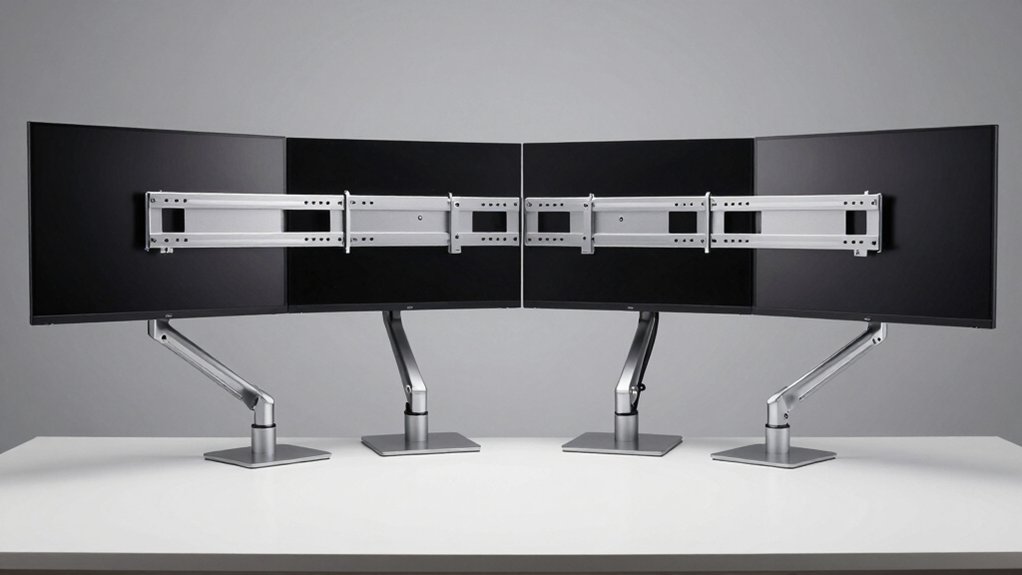
You’ll need to evaluate five key factors before purchasing a quad monitor mount: screen size compatibility ensures your monitors fit within the arm’s support range, weight capacity per arm confirms each arm can safely hold your specific monitor weight, adjustability and range of motion allow you to position displays at optimal viewing angles and heights, desk space requirements determine whether the mount fits your work surface, and installation method options dictate how you’ll attach the mount to your desk—whether through clamps, grommet holes, or other fastening systems. Start by measuring your monitor dimensions and weight, then cross-reference these specs against the mount’s listed compatibility ratings. Finally, assess your desk’s available space and attachment points to confirm the installation method will work for your setup.
Screen Size Compatibility
What’s the first thing you should verify before purchasing a quad monitor mount? Check your monitor sizes against the mount’s supported range. Most mounts accommodate 13–32 inches, 17–32 inches, or up to 49 inches for ultrawide displays. Confirm each of your four monitors fits within these specifications.
Next, measure your monitors’ widths and depths to ensure the total stacking or quad arrangement fits your desk. Calculate whether a 2×2 grid or linear configuration works for your workspace.
Then verify VESA compatibility—your monitors must match either 75×75 mm or 100×100 mm patterns. Check each monitor’s weight against the per-arm limit, typically 17.6 to 44 pounds. Finally, confirm the mount supports curved or flat screens to match your setup.
Weight Capacity Per Arm
Once you’ve confirmed your monitors fit the mount’s size range, the next step is checking whether each arm can actually support your specific monitors’ weight. Review the per-arm weight limit in the product specifications, typically ranging from 8 kg to 10 kg per arm. Weigh your monitors and verify none exceeds this individual limit. For quad mounts, each arm must handle its assigned monitor independently to prevent overloading. Also check the total system capacity, which accounts for combined load on the pole and base. If your monitors approach the maximum rating, select a mount with adjustable, counterbalanced arms that actively distribute weight. This design maintains stability under heavier loads. Always prioritize staying below maximum ratings rather than testing limits.
Adjustability And Range Motion
How much flexibility do you need when positioning your monitors throughout the day? Adjustability and range motion directly impact your workspace efficiency. Most quad mounts offer ±90° tilt, allowing you to angle screens vertically for comfortable viewing. Some models provide ±35° tilt if you need limited vertical adjustment. Swivel capabilities typically range from ±90° to ±180°, enabling side-to-side screen alignment for multi-monitor setups. All four-arm systems include 360° rotation, letting you switch monitors between landscape and portrait orientation instantly. Height adjustability spans approximately 31 to 31.7 inches through a central pole or adjustable arms, supporting ergonomic positioning. Each arm moves independently, so you can create stacked or varied configurations while maintaining collective adjustability across all monitors.
Desk Space Requirements
Most quad monitor mounts demand careful space planning because they occupy considerable desk real estate and need a sturdy foundation to hold four screens safely. You’ll encounter two main base options: single central pole designs that minimize desk footprint, and clamped or grommeted mounts that use edge space instead. Measure your desk thickness first—most mounts accommodate 0.39–3.15 inches. Next, check VESA pattern compatibility (75×75 mm or 100×100 mm) to confirm your monitors fit the mount’s arms. Consider extension reach and arm length, as these notably affect your workspace footprint when monitors are arranged horizontally or stacked vertically. Finally, verify available desk surface before purchasing to ensure the mount doesn’t obstruct your work area.
Installation Method Options
When you’re ready to secure your quad monitor mount to your desk, you’ll need to choose between two primary attachment methods: C-clamp or grommet base. C-clamp mounts attach directly to your desk edge and support thickness ranges of 0.2–3.62 inches or 0.39–3.15 inches, depending on the model. Grommet mounts require drilling a hole in your desk and typically accommodate thicknesses of 0.39–2.56 inches, offering a cleaner underside appearance. Some models include both options to maximize compatibility with various desk setups. Verify your desk thickness before purchasing to ensure proper fit. Assembly typically takes 20–30 minutes using quick-release VESA plates and labeled parts that guide your installation process step-by-step.
Cable Management Solutions
Why should you care about cable management when installing a quad monitor mount? Poorly organized cables create safety hazards, restrict monitor movement, and damage cords over time. You’ll want to evaluate these cable management features: built-in clips or channels that organize cords along the arms, integrated sleeves that conceal multiple cables for a cleaner appearance, and detachable VESA plates that simplify cable routing during setup. Additionally, check for rubber grommets or grommet-friendly bases to protect cables passing through desk holes. Finally, select mounts with full-length arm articulation to maintain smooth cable routes as you tilt, swivel, and rotate your monitors. These features work together to keep your workspace organized and prevent cable strain that could shorten equipment lifespan.
Build Quality And Materials
A quad monitor mount’s structural integrity directly impacts its performance and longevity, so you’ll want to prioritize heavy-duty construction materials like steel or cast aluminum that can reliably support the combined weight of four displays. Verify that each arm clearly states its weight capacity—typically 17.6 to 22 lbs per arm—and match this against your monitors’ actual weights. Check the joint hardware for durability; reinforced connections resist wobbling over time. Examine the base or mounting method: C-clamps and grommets each offer different stability levels depending on your desk type. Finally, evaluate maximum extension distance to ensure the mount reaches all positions without compromising stability. These material and construction details determine how long your setup remains secure and functional.
Warranty And Support Coverage
Most quad monitor mounts come with warranty coverage that typically spans 3 years, though you’ll want to verify the exact terms before you buy since coverage varies considerably between manufacturers. Check the product page or packaging for specific details on what’s covered. Some manufacturers provide US-based customer support seven days a week, which can be helpful if you encounter installation issues or defects. Beyond the manufacturer’s warranty, consider the retailer’s return policy—Amazon, for example, offers a 30-day voluntary return guarantee. Complete warranty protection often includes detachable VESA plates and clear installation instructions. Review all terms carefully to understand what’s included, what’s excluded, and how long you’re protected. Contact customer support directly if coverage details aren’t clear before finalizing your purchase.
Final Thoughts
You’ve reviewed five quad monitor mounts suited to different screen sizes and configurations. Identify your monitor sizes first—whether you’re mounting 13–27″ displays or larger 32″ screens. Check your desk’s surface type to determine if you need C-clamp, grommet, or wall-mounting options. Compare weight capacity against your total monitor weight. Select the mount matching your setup requirements, then follow the installation instructions carefully for secure, proper positioning.

Meet Ry, “TechGuru,” a 36-year-old technology enthusiast with a deep passion for tech innovations. With extensive experience, he specializes in gaming hardware and software, and has expertise in gadgets, custom PCs, and audio.
Besides writing about tech and reviewing new products, he enjoys traveling, hiking, and photography. Committed to keeping up with the latest industry trends, he aims to guide readers in making informed tech decisions.