
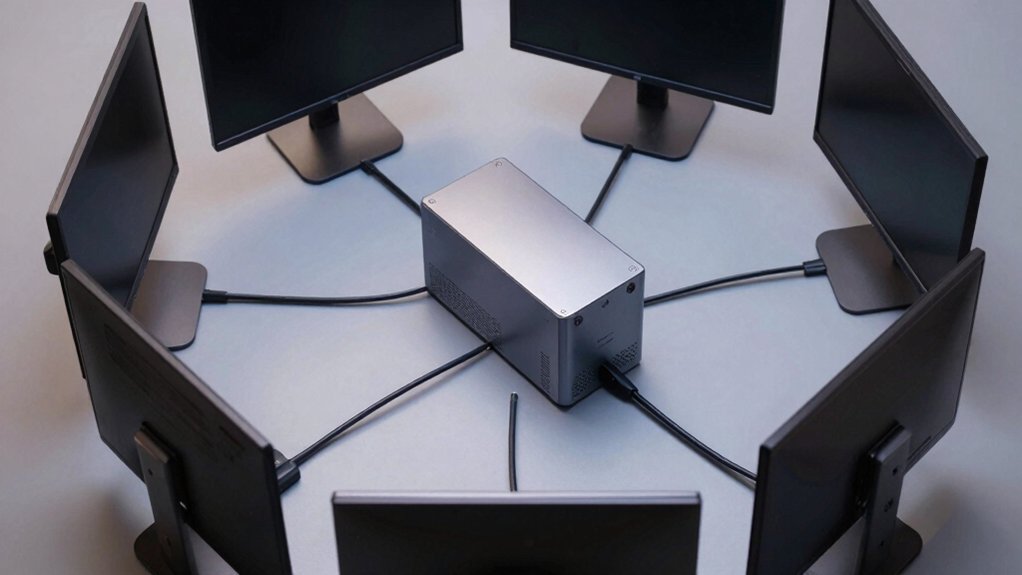

You need a mini PC that handles four monitors without breaking down. The right choice depends on your CPU power, RAM capacity, and cooling system. You’ll find options ranging from AMD Ryzen 7 processors to Intel i5 chips, each offering different performance levels and port configurations. Understanding these specifications helps you match your setup to actual workload demands. Here’s what separates the reliable performers from the rest.
| Getorli Mini PC AMD Ryzen 7 32GB DDR5 1TB SSD |

| Best for Gaming | Processor: AMD Ryzen 7 H255 (8C/16T, up to 4.9GHz) | RAM (Default/Expandable): 32GB DDR5 / Expandable to 256GB | Storage (Default/Expandable): 1TB PCIe 4.0 NVMe / Expandable to 4TB | VIEW LATEST PRICE | Read Our Analysis |
| GEEKOM A5 Mini PC with AMD Ryzen 7 5825U |
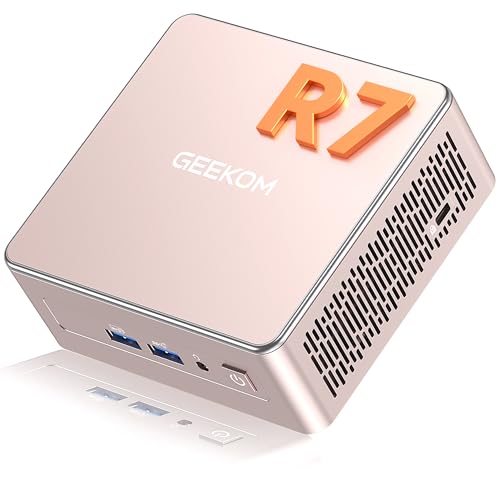
| Best Value | Processor: AMD Ryzen 7 5825U (8C/16T, up to 4.5GHz) | RAM (Default/Expandable): 16GB DDR4 / Expandable to 64GB | Storage (Default/Expandable): 512GB PCIe 3.0 NVMe / Expandable to 2TB total | VIEW LATEST PRICE | Read Our Analysis |
| GEEKOM IT13 Mini PC Intel i5-13600H 16GB RAM |

| Best Overall | Processor: Intel Core i5-13600H (12C/16T, up to 4.8GHz) | RAM (Default/Expandable): 16GB / Expandable to 128GB | Storage (Default/Expandable): 1TB PCIe Gen4 NVMe / Expandable to 4TB total | VIEW LATEST PRICE | Read Our Analysis |
| AOOSTAR MACO AMD R7 6850H Mini PC with 24GB RAM |

| Professional Grade | Processor: AMD Ryzen 7 PRO 6850H (8C/16T, up to 4.7GHz) | RAM (Default/Expandable): 24GB LPDDR5 / Non-expandable | Storage (Default/Expandable): 3× M.2 PCIe 4.0 slots / Expandable to 24TB | VIEW LATEST PRICE | Read Our Analysis |
| N2 Pro 8K USB4 Mini PC Ryzen 7 6800H |

| Best for Creators | Processor: Ryzen 7 6800H (8C/16T, up to 4.7GHz) | RAM (Default/Expandable): 32GB DDR5 / Expandable to 64GB | Storage (Default/Expandable): 512GB PCIe 3.0 NVMe / Expandable to 3TB | VIEW LATEST PRICE | Read Our Analysis |
| MINISFORUM UM890 Pro Barebone Mini PC AMD Ryzen 9 |

| Best for Power Users | Processor: AMD Ryzen 9 8945HS (8C/16T, up to 5.2GHz) | RAM (Default/Expandable): DDR5 SODIMM / Expandable to 96GB | Storage (Default/Expandable): 2× M.2 PCIe 4.0 slots / Expandable to 8TB | VIEW LATEST PRICE | Read Our Analysis |
| KAMRUI Pinova P2 Mini PC 16GB RAM 512GB SSD |

| Budget-Friendly Pick | Processor: AMD Ryzen 4300U (4C, up to 3.7GHz) | RAM (Default/Expandable): 16GB LPDDR4 / Fixed | Storage (Default/Expandable): 512GB M.2 SSD / Expandable to 4TB total | VIEW LATEST PRICE | Read Our Analysis |
More Details on Our Top Picks
Getorli Mini PC AMD Ryzen 7 32GB DDR5 1TB SSD
If you’re looking for a compact system that’ll handle demanding workflows without sacrificing gaming performance, the Getorli Mini PC delivers desktop-class power in a small footprint. Its AMD Ryzen 7 processor with 8 cores runs up to 4.9GHz, supporting heavy multitasking and creative tasks. You get 32GB DDR5 RAM and 1TB SSD storage, both expandable for future needs. The system supports four independent displays via HDMI and DisplayPort, making it ideal for multi-monitor setups. Dual 2.5G Ethernet and WiFi 6 provide reliable connectivity. Advanced cooling with dual copper heat pipes maintains sustained performance during extended work or gaming sessions. The device suits video editing, 3D design, and software development workflows effectively.
- Processor:AMD Ryzen 7 H255 (8C/16T, up to 4.9GHz)
- RAM (Default/Expandable):32GB DDR5 / Expandable to 256GB
- Storage (Default/Expandable):1TB PCIe 4.0 NVMe / Expandable to 4TB
- Display Outputs:HDMI, DisplayPort (up to 4K displays)
- Networking:Dual 2.5G LAN, WiFi 6, Bluetooth 5.3
- Warranty:1-year warranty, 24-hour technical support
- Additional Feature:Advanced dual copper heat pipes
- Additional Feature:PCIe 4.0 NVMe expandability
- Additional Feature:24-hour professional technical support
GEEKOM A5 Mini PC with AMD Ryzen 7 5825U
You’ll find practical value in the GEEKOM A5 when you need four-display capability without overpaying for unnecessary power. The AMD Ryzen 7 5825U processor handles multitasking across four screens efficiently. You get 16GB DDR4 RAM standard, expandable to 64GB for demanding workflows. Storage starts at 512GB with three upgrade slots: add an M.2 SATA SSD up to 1TB or a 2.5″ HDD up to 2TB. Connect displays via two HDMI ports and two USB Type-C ports supporting 8K@120Hz output. Windows 11 Pro arrives pre-installed. The durable metal frame withstands 440 lbs pressure, and tool-free upgrades let you modify components without technical support. WiFi 6 and Bluetooth 5.2 provide fast connectivity for office tasks, content streaming, and light creative work.
- Processor:AMD Ryzen 7 5825U (8C/16T, up to 4.5GHz)
- RAM (Default/Expandable):16GB DDR4 / Expandable to 64GB
- Storage (Default/Expandable):512GB PCIe 3.0 NVMe / Expandable to 2TB total
- Display Outputs:2× HDMI, 2× USB-C (up to four 4K displays)
- Networking:WiFi 6, Bluetooth 5.2
- Warranty:3-year warranty
- Additional Feature:Triple-reinforced ABS+PC shell
- Additional Feature:Withstands 440 lbs pressure
- Additional Feature:3-year warranty coverage
GEEKOM IT13 Mini PC Intel i5-13600H 16GB RAM
The GEEKOM IT13 stands out as the top choice for professionals who need seamless quad-display performance without sacrificing processing power. This 2026 mini PC features Intel’s 13th Gen Core i5-13600H processor with 12 cores and 16GB RAM, delivering reliable multitasking across four monitors simultaneously. You’ll access dual HDMI 2.0 outputs and USB4.0 ports supporting DisplayPort 1.4 for 8K capability. The 1TB NVMe SSD handles intensive workloads, while expandable storage slots accommodate up to 4TB additional capacity. WiFi 6E and 2.5G Ethernet ensure stable connectivity. Its compact 4.6-inch frame fits any workspace, making it ideal for business setups, content creation, and complex professional environments requiring multiple display configurations.
- Processor:Intel Core i5-13600H (12C/16T, up to 4.8GHz)
- RAM (Default/Expandable):16GB / Expandable to 128GB
- Storage (Default/Expandable):1TB PCIe Gen4 NVMe / Expandable to 4TB total
- Display Outputs:2× HDMI 2.0, DP 1.4, 2× USB4 (8K capable)
- Networking:2.5G Ethernet, Tri-Band WiFi 6E, Bluetooth 5.2
- Warranty:3-year warranty, multi-certified (FCC, UL, ENERGY STAR, CE, RoHS)
- Additional Feature:2x USB4.0 (40Gbps) ports
- Additional Feature:Tri-Band WiFi 6E capability
- Additional Feature:Intel NUC13 replacement design
AOOSTAR MACO AMD R7 6850H Mini PC with 24GB RAM
Looking for a professional-grade mini PC that handles multiple monitors without compromise? The AOOSTAR MACO AMD R7 6850H delivers quad-display support through HDMI 2.1, DisplayPort 1.4, and dual USB4 connections. You’ll get an 8-core Ryzen 7 PRO processor with 24GB LPDDR5 RAM, providing smooth performance for 4K editing, programming, and multitasking. Three M.2 PCIe 4.0 slots let you configure up to 24TB storage with RAID options for data protection. The Glacier cooling system keeps thermals managed during intensive work. Security features include fingerprint unlock and Windows Hello support. You receive a 120W power supply, SSD cooling pad, and 12-month warranty with lifetime technical support included.
- Processor:AMD Ryzen 7 PRO 6850H (8C/16T, up to 4.7GHz)
- RAM (Default/Expandable):24GB LPDDR5 / Non-expandable
- Storage (Default/Expandable):3× M.2 PCIe 4.0 slots / Expandable to 24TB
- Display Outputs:HDMI 2.1, DP 1.4, 2× USB4 (up to 4K displays)
- Networking:Dual 2.5Gbps LAN, WiFi 6, Bluetooth 5.2
- Warranty:12-month warranty, lifetime technical support
- Additional Feature:RAID 0/1/5 configurations supported
- Additional Feature:One-touch fingerprint unlock
- Additional Feature:100% recycled aluminum chassis
N2 Pro 8K USB4 Mini PC Ryzen 7 6800H
Creative professionals who need powerful multitasking capabilities should consider the ORIGIMAGIC N2 Pro for their workspace setup. This mini PC features a Ryzen 7 6800H processor with 8 cores and 32GB DDR5 memory, handling demanding creative workflows efficiently. You’ll connect up to four monitors using its dual HDMI 2.0 ports and dual USB4 Type-C ports for 8K output. The 512GB NVMe SSD expands to 3TB when you need additional storage. WiFi 6E and 2.5G LAN provide reliable connectivity. The Radeon 680M GPU supports external graphics cards if you require enhanced performance. A 2-year warranty and 24-hour customer service ensure ongoing support.
- Processor:Ryzen 7 6800H (8C/16T, up to 4.7GHz)
- RAM (Default/Expandable):32GB DDR5 / Expandable to 64GB
- Storage (Default/Expandable):512GB PCIe 3.0 NVMe / Expandable to 3TB
- Display Outputs:2× HDMI 2.0, 2× USB4 Type-C (up to 4 monitors)
- Networking:2.5G LAN, WiFi 6E, Bluetooth 5.2
- Warranty:2-year warranty, 24-hour customer service
- Additional Feature:External graphics card (eGPU) support
- Additional Feature:45W TDP efficiency
- Additional Feature:2-year warranty included
MINISFORUM UM890 Pro Barebone Mini PC AMD Ryzen 9
Want a compact system that handles demanding multitasking without compromise? The MINISFORUM UM890 Pro Barebone delivers with an AMD Ryzen 9 8945HS processor and integrated Radeon 780M GPU. You’ll connect up to four displays simultaneously using HDMI 2.1, DisplayPort 1.4, and dual USB4 ports. The system supports 8K at 60 Hz or 4K at 144 Hz, making it suitable for content creators and professionals. You install your own DDR5 RAM (up to 96 GB) and M.2 SSDs (expandable to 8 TB). Its Cold Wave 2.2 cooling system maintains performance at approximately 43 dB in performance mode, ensuring quiet operation during intensive workloads.
- Processor:AMD Ryzen 9 8945HS (8C/16T, up to 5.2GHz)
- RAM (Default/Expandable):DDR5 SODIMM / Expandable to 96GB
- Storage (Default/Expandable):2× M.2 PCIe 4.0 slots / Expandable to 8TB
- Display Outputs:HDMI 2.1, DP 1.4, 2× USB4 (8K@60Hz capable)
- Networking:Dual 2.5G RJ45 Ethernet, WiFi 6E capability
- Warranty:Warranty per Amazon policy; TPM security chip
- Additional Feature:Neural Processing Unit (NPU)
- Additional Feature:Cold Wave 2.2 cooling system
- Additional Feature:Compatible with DEG1 eGPU dock
KAMRUI Pinova P2 Mini PC 16GB RAM 512GB SSD
The KAMRUI Pinova P2 delivers professional multi-display performance as a budget-friendly pick. You’ll connect three 4K monitors simultaneously using its HDMI 2.0, DisplayPort 1.4, and USB-C outputs without experiencing lag. The AMD Ryzen 4300U processor handles productivity tasks and light editing efficiently, outperforming comparable Intel chips by approximately 40%. Its Vega 5 GPU provides 2.5 times stronger graphics performance than standard integrated options. The compact 5-inch chassis fits easily on desks or mounts via VESA brackets for space-saving setups. You’ll access 16GB RAM and 512GB storage, expandable to 4TB across two M.2 slots. Gigabit networking and dual-band WiFi support seamless connectivity for business environments.
- Processor:AMD Ryzen 4300U (4C, up to 3.7GHz)
- RAM (Default/Expandable):16GB LPDDR4 / Fixed
- Storage (Default/Expandable):512GB M.2 SSD / Expandable to 4TB total
- Display Outputs:HDMI 2.0, DP 1.4, USB-C DisplayPort (triple 4K)
- Networking:Gigabit LAN, WiFi 2.4/5GHz, Bluetooth
- Warranty:12-month warranty, lifetime technical support
- Additional Feature:Triple 4K display support
- Additional Feature:Ultra-compact 5.04×5.04×1.63 inches
- Additional Feature:Lifetime technical support offered
Factors to Consider When Choosing a Mini PC With Quad Display
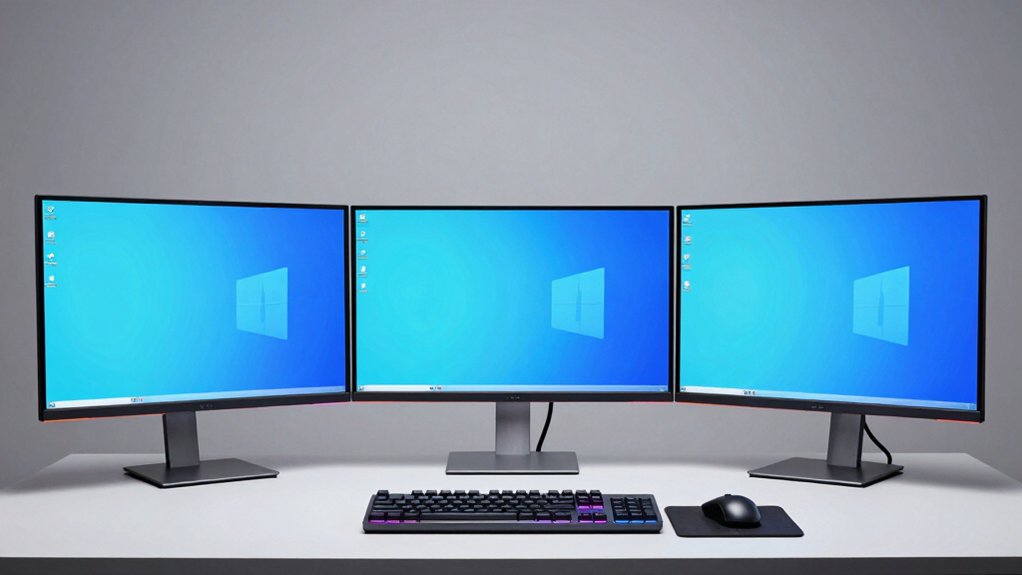
When choosing a mini PC with quad display capability, you’ll need to evaluate five key factors that directly impact your setup’s performance and usability: DisplayPort connectivity options determine how many monitors you can connect simultaneously, resolution and refresh rate capabilities affect image quality and smoothness across all displays, processing power requirements guarantee your tasks run without lag, RAM and storage capacity support multitasking and file management across multiple screens, and thermal management systems keep your device stable during extended use with high output demands. Start by checking your monitor specifications against the mini PC’s maximum resolution and refresh rate support, then verify it has enough DisplayPorts or compatible adapters for your quad-display layout. Finally, match the processor, RAM, and storage specs to your actual workload—such as video editing, data analysis, or programming—to avoid bottlenecks and overheating issues.
Display Port Connectivity Options
How do you connect four monitors to a device the size of a shoebox? You leverage multiple display port connectivity options available on modern mini PCs. First, identify your device’s native outputs: HDMI 2.0/2.1 ports, DisplayPort 1.4, and USB4 or USB-C with DisplayPort alt-mode. Each port can drive one or more displays depending on resolution requirements. HDMI 2.1 handles 4K@120Hz, while DisplayPort 1.4 supports 8K@60Hz. USB4 and USB-C with DisplayPort 2.0 deliver similar high-resolution capability on single connections. Next, count your available ports and match them to your monitor count. If you lack sufficient native outputs, add a Thunderbolt or USB4 dock to expand connectivity. Verify your mini PC’s PCIe lane allocation supports simultaneous multi-display output without performance degradation.
Resolution And Refresh Rate
Once you’ve confirmed your mini PC’s available ports, you’ll need to match your display setup to what the hardware can actually deliver in terms of resolution and refresh rate. Check each port’s maximum output specification—for example, HDMI might support 4K@60Hz while DisplayPort handles 8K@60Hz. Understand that running four displays simultaneously means you’re splitting your GPU’s bandwidth, so you can’t run all four at peak specs. Most quad-display setups use mixed resolutions: perhaps two 4K monitors and two 1080p displays. Verify your GPU’s native output limits and confirm your system has sufficient memory bandwidth and cooling to sustain these refresh rates across all monitors without throttling performance.
Processing Power Requirements
What CPU specs should you prioritize for a quad-display setup? You’ll want at least 8 cores and 16 threads to handle multiple displays without bottlenecks. Choose processors with boost clocks between 4.7–4.9 GHz to maintain smooth performance across open applications and windows. Pair your CPU with 16–32 GB of RAM or more, especially if you’re running creative software or managing large datasets simultaneously. Opt for DDR5 memory when available to reduce memory constraints. Additionally, ensure your mini PC includes PCIe 4.0 storage for faster data transfers. These specifications work together to prevent lag when streaming, editing, or multitasking across four displays. You’ll experience noticeably better responsiveness when all components meet these standards.
RAM And Storage Capacity
Why does RAM matter more in quad-display setups than in standard single-monitor configurations? You’re running multiple applications simultaneously across four displays, so you need sufficient RAM to prevent constant disk swapping. Consider 16GB as your minimum, though 32GB to 64GB performs better for video editing and professional tasks. DDR5 RAM offers faster bandwidth than DDR4, enabling quicker data access across your workloads. Check upgradeability too—some minis let you expand to 96GB later, while others have soldered RAM you can’t upgrade. Pair your RAM choice with fast NVMe PCIe SSDs to reduce load times and improve cache efficiency. Together, these components maintain smooth UI responsiveness and keep your quad-display setup running without lag or stuttering during demanding multitasking sessions.
Thermal Management Systems
Thermal management becomes critical when you’re pushing a mini PC to display content across four monitors simultaneously. Look for systems equipped with dual copper heat pipes and multi-fan setups that actively cool high-core-count CPUs during extended use. Check that the chassis uses aluminum or reinforced composites to dissipate heat efficiently. Verify the cooling design prioritizes low-noise operation, allowing reduced fan speeds without sacrificing performance. Confirm the unit includes dynamic throttling and power management features that balance CPU and GPU frequencies with temperature targets. Ensure components like 8-core CPUs and PCIe 4.0 NVMe storage can sustain prolonged multi-display workloads without thermal throttling. These specifications work together to maintain stability when running graphics-intensive and AI-enabled applications across four displays.
Budget And Price Points
Once you’ve confirmed that a mini PC’s cooling system can handle sustained multi-display workloads, you’ll want to evaluate the price points that align with your budget and performance needs. Entry-level quad-display models start at mid-range prices with basic specs. Mid-tier systems add 16–32 GB RAM and faster processors, increasing costs. Premium units include 4K/8K support, USB4, HDMI 2.1, and multiple M.2 slots for storage expansion. Longer warranties and AI acceleration features push prices higher but reduce long-term ownership costs. Consider barebone configurations that let you upgrade RAM and SSDs yourself, lowering upfront expenses. Match your spending to your actual display requirements—don’t pay for 8K support if you need only 1080p outputs. Calculate total cost including necessary upgrades.
Expansion Slot Availability
Because expansion slots directly affect your mini PC’s ability to support quad displays and handle intensive workloads simultaneously, you’ll need to assess what ports and upgrade options the unit actually provides. Check for multiple video outputs like HDMI and USB-C with DisplayPort alt-mode capabilities. Evaluate PCIe or M.2 slots that enable storage upgrades, which free up system resources for graphics performance. Look for dedicated Thunderbolt or USB4 ports that support external GPU adapters or display expansion hubs. Verify upgradeable RAM capacity and multiple NVMe slots, as these enhancements indirectly boost quad-display performance by allocating more power to graphics workloads. Prioritize units offering daisy-chaining support through MST hubs, which extends your display count without requiring additional physical ports on the device itself.
Warranty And Technical Support
How much protection does your mini PC investment actually carry? Warranty periods vary significantly across quad-display models, ranging from one year to three years. You’ll find one-year coverage on Products #1 and #5, while Products #2, #3, and #6 offer three-year protection. Beyond basic warranty, examine technical support options carefully. Some models, like Product #6, include lifetime technical support, providing ongoing assistance. Others don’t offer this extended coverage. Check each product’s return policy for specifics on DOA, damaged, or unopened-item replacements. Review safety certifications—FCC, UL, ENERGY STAR, CE, and RoHS markings indicate reliability standards. Finally, note that hardware upgrades and security features like Windows Hello and TPM may affect warranty validity. Match warranty length and support type to your usage needs and budget timeline.
Final Thoughts
You’ll want to prioritize models with 16–32GB RAM, PCIe 4.0 storage, and dual copper heat pipes for reliable quad-display performance. Match your CPU needs—Ryzen 7 or Intel i5/i7 options handle most workloads. Check port availability: USB4, Thunderbolt, DisplayPort, and HDMI outputs determine your monitor configuration. Verify expandability through NVMe slots. Compare cooling efficiency and power consumption before purchasing.

Meet Ry, “TechGuru,” a 36-year-old technology enthusiast with a deep passion for tech innovations. With extensive experience, he specializes in gaming hardware and software, and has expertise in gadgets, custom PCs, and audio.
Besides writing about tech and reviewing new products, he enjoys traveling, hiking, and photography. Committed to keeping up with the latest industry trends, he aims to guide readers in making informed tech decisions.