


You’re looking for a WiFi router that delivers fast, reliable internet throughout your home or office. ASUS offers several models that fit different needs and budgets—from entry-level WiFi 6 options to cutting-edge WiFi 7 technology. Each router brings specific features like multi-device support, security tools, and expandable networks. Understanding what you actually need matters before you choose. Here’s what separates these five routers.
| ASUS RT-AX1800S WiFi 6 Extendable Router |

| Budget-Friendly Pick | WiFi Standard: WiFi 6 (802.11ax) | Maximum Speed: 1800 Mbps | Network Security: AiProtection Classic by Trend Micro | VIEW LATEST PRICE | Read Our Analysis |
| ASUS RT-BE58U WiFi 7 BE3600 AiMesh Router |

| Best Value | WiFi Standard: WiFi 7 (802.11be) | Maximum Speed: 3600 Mbps | Network Security: AiProtection Pro by Trend Micro | VIEW LATEST PRICE | Read Our Analysis |
| ASUS RT-BE92U BE9700 WiFi 7 Router |

| Best Overall | WiFi Standard: WiFi 7 (802.11be) | Maximum Speed: 9700 Mbps | Network Security: AiProtection Pro by Trend Micro | VIEW LATEST PRICE | Read Our Analysis |
| ASUS RT-BE88U WiFi 7 AiMesh Router with 10G Ports |

| Professional Grade | WiFi Standard: WiFi 7 (802.11be) | Maximum Speed: 7200 Mbps | Network Security: AiProtection Pro by Trend Micro | VIEW LATEST PRICE | Read Our Analysis |
| ASUS RT-AX3000S WiFi 6 Dual Band Router |

| Best for Families | WiFi Standard: WiFi 6 (802.11ax) | Maximum Speed: 3000 Mbps | Network Security: Built-in VPN and security | VIEW LATEST PRICE | Read Our Analysis |
More Details on Our Top Picks
ASUS RT-AX1800S WiFi 6 Extendable Router
Looking for a budget-friendly WiFi 6 router that doesn’t compromise on performance? The ASUS RT-AX1800S delivers dual-band WiFi 6 technology with 1024-QAM for faster wireless speeds. You’ll get four external antennas and a dual-core processor that handles multiple devices simultaneously through MU-MIMO and OFDMA. The router features five Gigabit ports—one WAN and four LAN—providing 10X faster connections than standard Ethernet. For security, you’ll access AiProtection Classic and ASUS Instant Guard VPN. The device supports AiMesh compatibility, allowing you to expand coverage by adding compatible routers. You’ll also find subscription-free network security, parental controls, and gaming optimization built in. This extendable router suits households needing reliable WiFi 6 performance without premium pricing.
- WiFi Standard:WiFi 6 (802.11ax)
- Maximum Speed:1800 Mbps
- Network Security:AiProtection Classic by Trend Micro
- AiMesh Support:AiMesh Compatible
- VPN Capabilities:Built-in VPN (Instant Guard)
- Parental Controls:Parental Control
- Additional Feature:Four external antennas
- Additional Feature:Five Gigabit ports
- Additional Feature:Subscription-free network security
ASUS RT-BE58U WiFi 7 BE3600 AiMesh Router
Need WiFi 7 performance without overspending? The RT-BE58U delivers speeds up to 3600 Mbps using 4096-QAM technology and multi-link operation (MLO) to connect multiple bands simultaneously. You’ll get coverage across 2000 square feet with its 2×2 dual-band setup. The router includes a 2.5G port for faster wired connections and four 1G ports for standard devices. You can manage IoT devices, set up parental controls, and enable VPN protection through the Smart Home Master interface. AiProtection Pro by Trend Micro provides security scanning and safe browsing. The three-year warranty and 30-day return policy through Amazon offer purchase protection. Setup works with Linux-based systems and supports WPA3 encryption for modern security standards.
- WiFi Standard:WiFi 7 (802.11be)
- Maximum Speed:3600 Mbps
- Network Security:AiProtection Pro by Trend Micro
- AiMesh Support:AiMesh Compatible
- VPN Capabilities:Instant VPN
- Parental Controls:Parental controls
- Additional Feature:2.5G port connectivity
- Additional Feature:AI WAN detection
- Additional Feature:Multiple network SSIDs
ASUS RT-BE92U BE9700 WiFi 7 Router
The ASUS RT-BE92U leads the lineup for users who demand the fastest wireless speeds and most advanced features available. This tri-band WiFi 7 router delivers up to 9700 Mbps across three bands and supports 320MHz bandwidth in the 6 GHz spectrum. You’ll get Multi-link Operation technology that improves performance and stability. The router covers up to 2750 square feet with four fixed antennas and AI-boosted Smart AiMesh support. For security, you receive subscription-free AiProtection Pro by Trend Micro. You can manage multiple IoT devices through Smart Home Master, which lets you create up to three separate SSIDs. Setup involves connecting the included RJ-45 cable and power adapter, then configuring your network through the ASUS interface.
- WiFi Standard:WiFi 7 (802.11be)
- Maximum Speed:9700 Mbps
- Network Security:AiProtection Pro by Trend Micro
- AiMesh Support:AiMesh Compatible
- VPN Capabilities:Comprehensive VPN features
- Parental Controls:Parental controls
- Additional Feature:320MHz bandwidth in 6GHz
- Additional Feature:Up to 20G wired capacity
- Additional Feature:Tri-band configuration
ASUS RT-BE88U WiFi 7 AiMesh Router with 10G Ports
Want professional-grade WiFi 7 performance for demanding home and small office networks? The RT-BE88U delivers wireless speeds up to 7200 Mbps with dual 10G ports—one SFP+ and one WAN/LAN—plus four 2.5G ports for wired connections. Its quad-core 2.6GHz processor handles 34G total wired capacity. Set up AiMesh networking by connecting multiple ASUS routers wirelessly or wired. Enable AiProtection Pro security through the ASUSWRT app for real-time threat detection. Use the USB port for 4G LTE/5G backup connectivity. The router covers up to 3000 square feet and supports five SSIDs with guest network options. It’s compatible with 802.11be, 802.11ac, and 802.11ax devices, making it suitable for mixed-device environments.
- WiFi Standard:WiFi 7 (802.11be)
- Maximum Speed:7200 Mbps
- Network Security:AiProtection Pro by Trend Micro
- AiMesh Support:AiMesh Compatible
- VPN Capabilities:Comprehensive VPN support with site-to-site VPN
- Parental Controls:Parental controls
- Additional Feature:10G SFP+ port
- Additional Feature:34G wired capacity
- Additional Feature:Quad-core 2.6GHz CPU
ASUS RT-AX3000S WiFi 6 Dual Band Router
Looking for reliable WiFi that keeps up with multiple devices? The ASUS RT-AX3000S WiFi 6 router delivers total networking speeds around 3000 Mbps, with 2.4GHz at 574 Mbps and 5GHz at 2402 Mbps. It uses 802.11ax technology and supports OFDMA and MU-MIMO for efficient multi-device communication. You’ll benefit from 1024-QAM for faster wireless connections in high-device environments. The router includes built-in VPN, parental control scheduling, and Instant Guard for security. You can extend your network seamlessly using AiMesh-compatible routers, creating a unified mesh system with advanced roaming features. This makes it practical for households needing dependable coverage across multiple rooms and numerous connected devices.
- WiFi Standard:WiFi 6 (802.11ax)
- Maximum Speed:3000 Mbps
- Network Security:Built-in VPN and security
- AiMesh Support:AiMesh Compatible
- VPN Capabilities:Built-in VPN
- Parental Controls:Parental Control Scheduling
- Additional Feature:Parental control scheduling
- Additional Feature:AiMesh extendable network
- Additional Feature:1024-QAM faster connections
Factors to Consider When Choosing ASUS WiFi Routers
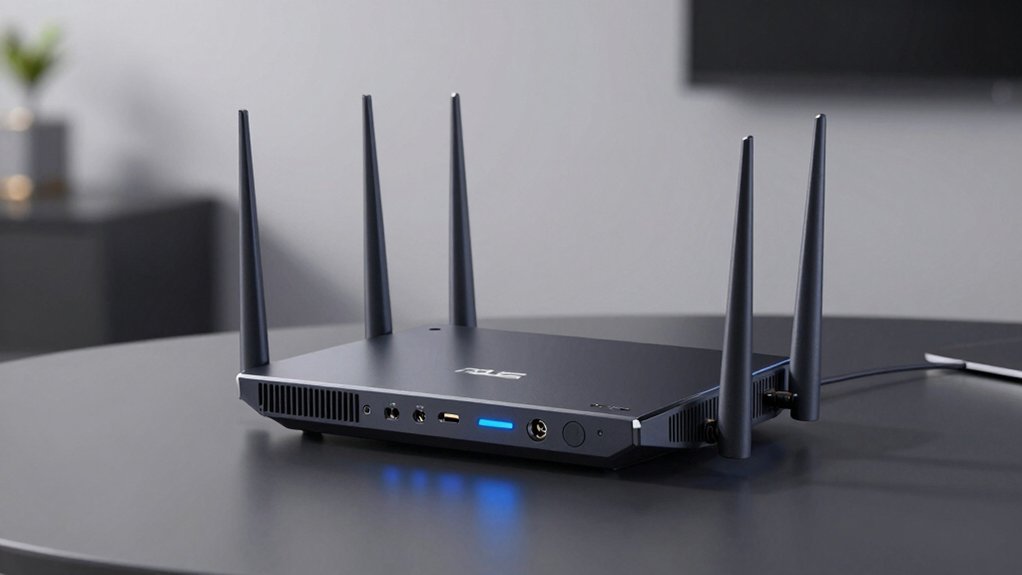
When you’re selecting an ASUS WiFi router, you’ll need to evaluate five critical factors: the WiFi standard and speed that matches your internet plan, the network coverage area required for your home or office space, the port configuration that supports your wired devices, the security and VPN features you need for protection, and device compatibility with your existing electronics. Start by identifying your current internet speed from your service provider, then determine which WiFi standard (such as WiFi 6 or WiFi 5) delivers that speed efficiently. Next, measure your physical space, check how many devices you’ll connect simultaneously, and confirm which ports and security protocols you require before making your purchase decision.
WiFi Standard and Speed
How do you know which WiFi standard and speed rating actually matters for your needs? Start by identifying your usage. If you stream video or work remotely, you’ll benefit from WiFi 6 (802.11ax) routers, which offer improved efficiency through MU-MIMO and OFDMA technology. These features let multiple devices connect simultaneously without slowdowns. For demanding applications like 4K streaming across many devices, consider WiFi 7 (802.11be) routers with 320 MHz channels and Multi-Link Operation. Next, check the aggregate speed rating—typically between 3000 Mbps and 9700 Mbps—which combines speeds across all bands. Match this to your internet plan; exceeding your provider’s speed unnecessarily wastes money. Finally, verify modulation standards like 1024-QAM, which boosts per-channel data rates for faster real-world performance.
Network Coverage Area
While WiFi speed determines how fast your data moves, coverage area determines how far that signal reaches throughout your home. ASUS routers vary in coverage capacity based on antenna count, transmit power, and RF design. Standard models cover 1,500–2,000 square feet, while high-end units reach 2,750–3,000 square feet or more. However, walls, floors, and furniture reduce actual coverage significantly below advertised ranges. For larger homes, consider AiMesh-enabled systems that link multiple units together, creating overlapping networks for seamless roaming. WiFi 7 models with 6 GHz bands offer improved beamforming and broader coverage potential. Evaluate your home’s layout and size before purchasing. Test your chosen router’s placement in central locations to maximize signal distribution across all areas you need to cover.
Port Configuration Needs
What ports you’ll actually use should shape your router choice, since different ASUS models offer varying connectivity options. First, count how many wired devices you need to connect—computers, printers, NAS systems, gaming consoles. Standard models provide five Gigabit ports (one WAN, four LAN), which handles most households. If you have high-speed equipment like NAS drives or gaming rigs, look for 2.5G or 10G ports that reduce bottlenecks. Next, check for USB ports if you need network storage or WAN backup options. Finally, verify whether your model supports dedicated IoT ports or VPN segregation to isolate smart devices from your main network. Match the port configuration directly to your specific devices and usage patterns.
Security and VPN Features
Prioritize security features when you’re selecting an ASUS router, since these protect both your devices and your network data from threats. Look for models that include AiProtection Pro by Trend Micro, which performs one-tap security scans and delivers ongoing protection for all connected devices. Built-in VPN capabilities allow you to access secure connections instantly or set up site-to-site VPN across AiMesh networks. Integrated parental controls let you schedule device access and monitor usage alongside threat defense. If you’re using multiple nodes, choose AiMesh-compatible routers that extend consistent firewall protection throughout your entire network. USB tethering and AI WAN detection maintain secure connectivity even when your primary internet connection fluctuates, ensuring uninterrupted protection across all your devices.
Device Compatibility and Scalability
How you’ll expand your network depends largely on choosing routers that work together seamlessly within ASUS’s AiMesh ecosystem. Start by verifying that each router model you select supports AiMesh compatibility, enabling them to function as a single network rather than separate units. Next, check WiFi standards across all nodes—matching WiFi 6 or WiFi 7 devices ensures consistent performance throughout your expanded coverage area. Consider port configurations on each router, as 2.5G and 10G ports allow faster wired backhaul connections between devices. Finally, review AI WAN and USB tethering options available on your chosen models, since these features determine backup connectivity during outages. Selecting compatible models within the AiMesh ecosystem simplifies centralized management and seamless roaming across your entire network.
Final Thoughts
You’ll choose your ASUS router by matching your needs to these options: pick RT-BE88U or RT-BE92U for maximum speed and 10G ports, select RT-BE58U for mid-range WiFi 7 performance, choose RT-AX1800S for solid WiFi 6 capability, or go with RT-AX3000S for budget-friendly expandable coverage. Evaluate your internet speed, device count, and wired backhaul requirements before deciding.

Meet Ry, “TechGuru,” a 36-year-old technology enthusiast with a deep passion for tech innovations. With extensive experience, he specializes in gaming hardware and software, and has expertise in gadgets, custom PCs, and audio.
Besides writing about tech and reviewing new products, he enjoys traveling, hiking, and photography. Committed to keeping up with the latest industry trends, he aims to guide readers in making informed tech decisions.