
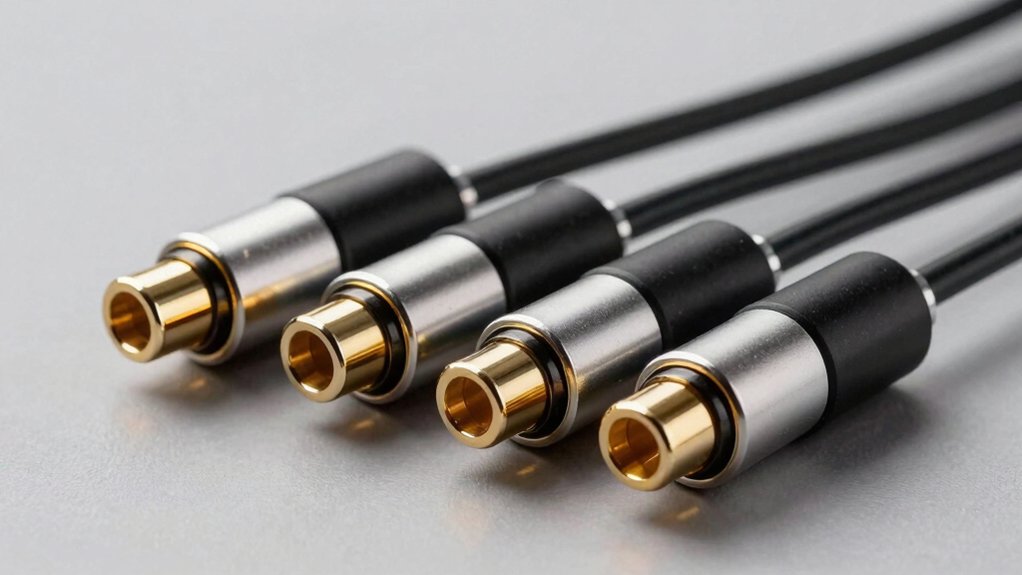

You need a Toslink splitter that actually distributes your audio signal reliably without degradation. Whether you’re connecting a single optical source to multiple devices or managing surround sound formats, picking the right splitter determines your system’s performance. The five models covered here—ranging from basic 1×2 configurations to advanced 1×3 setups—each handle PCM and 5.1 formats differently. Understanding their specific strengths and limitations will help you avoid common pitfalls that plague lesser splitters.
| BlueRigger Digital Optical Audio Splitter 1×2 |

| Best Overall | Output Ports: 2 outputs | Audio Format Support: PCM 2.0, Dolby Digital, DTS 5.1 | Maximum Transmission Distance: Less than 10 ft | VIEW LATEST PRICE | Read Our Analysis |
| J-Tech Digital Optical Toslink Audio Splitter 1×3 |

| Best for Long Runs | Output Ports: 3 outputs | Audio Format Support: PCM Stereo, Dolby Digital, DTS 5.1 | Maximum Transmission Distance: Up to 15 ft | VIEW LATEST PRICE | Read Our Analysis |
| NEWCARE Digital Optical Audio Splitter 1×3 SPDIF Toslink |

| Most Versatile | Output Ports: 3 outputs | Audio Format Support: LPCM 2.0, Dolby Digital, DTS 5.1 | Maximum Transmission Distance: Up to 15 ft / 40 m | VIEW LATEST PRICE | Read Our Analysis |
| avedio links Optical Audio Cable Splitter 1 in 2 Out |

| Best Independent Volume | Output Ports: 2 outputs | Audio Format Support: PCM, Dolby Digital Plus, DTS-HD, LPCM | Maximum Transmission Distance: Up to 150 ft / 40 m | VIEW LATEST PRICE | Read Our Analysis |
| LiNKFOR Digital Optical Audio Splitter 1×3 |

| Premium Build Quality | Output Ports: 3 outputs | Audio Format Support: PCM/LPCM 2.0, Dolby-AC3, DTS 5.1CH | Maximum Transmission Distance: Up to 25 m / 80 ft | VIEW LATEST PRICE | Read Our Analysis |
More Details on Our Top Picks
BlueRigger Digital Optical Audio Splitter 1×2
Looking to connect multiple devices to a single optical audio source? The BlueRigger 1×2 splitter handles this task efficiently. It accepts one Toslink input and distributes audio to two separate outputs simultaneously, so you can route sound from your TV to both an AV receiver and soundbar at once. The splitter uses gold-plated connectors and low-jitter optical fiber to maintain signal quality. Installation requires fully inserting cables into ports until they click securely. Keep output cables under 10 feet for peak performance. The device supports PCM audio and compressed formats like Dolby Digital and DTS 5.1. BlueRigger backs this product with a lifetime warranty and US-based customer support.
- Output Ports:2 outputs
- Audio Format Support:PCM 2.0, Dolby Digital, DTS 5.1
- Maximum Transmission Distance:Less than 10 ft
- Connector Type:24K gold-plated Toslink
- Installation Type:Plug and play, table top mount
- Warranty:Lifetime warranty
- Additional Feature:24K gold-plated connectors
- Additional Feature:Lifetime warranty included
- Additional Feature:Passive splitter design
J-Tech Digital Optical Toslink Audio Splitter 1×3
Need to connect one optical audio source to three different devices? The J-Tech Digital 1×3 splitter handles this task efficiently. Connect your DVD player’s optical output to the splitter’s single input port, then run three separate cables to your receivers or soundbars. The device supports Dolby Digital, DTS 5.1, and PCM audio formats up to 96kHz. You’ll get 5.1 channel output across distances up to 15 feet. Installation requires no power adapter or software—simply plug cables in and activate. The splitter includes over-voltage protection and comes with lifetime technical support plus a one-year manufacturer warranty through J-Tech Digital.
- Output Ports:3 outputs
- Audio Format Support:PCM Stereo, Dolby Digital, DTS 5.1
- Maximum Transmission Distance:Up to 15 ft
- Connector Type:Toslink/SPDIF
- Installation Type:Plug and play
- Warranty:1-year manufacturer warranty
- Additional Feature:Over-voltage protection included
- Additional Feature:Free lifetime technical support
- Additional Feature:1:1 transmission ratio
NEWCARE Digital Optical Audio Splitter 1×3 SPDIF Toslink
The NEWCARE 1×3 optical splitter is the most versatile choice if you’re connecting multiple audio devices to a single source. This splitter accepts one optical input and distributes it to three separate outputs, supporting LPCM 2.0, Dolby Digital, and DTS 5.1 formats. It works with gaming consoles, streaming devices, Blu-ray players, and home theater systems. The automatic balance system transmits signals without loss or delay up to 15 feet, and ESD protection circuitry safeguards your equipment. Setup requires plugging the USB power cord into the adapter, connecting your source device to the input, and attaching three optical cables to the outputs for your destination devices.
- Output Ports:3 outputs
- Audio Format Support:LPCM 2.0, Dolby Digital, DTS 5.1
- Maximum Transmission Distance:Up to 15 ft / 40 m
- Connector Type:Toslink/SPDIF/Optical
- Installation Type:Plug and play, cable mount
- Warranty:100% satisfaction promise with refund/replacement
- Additional Feature:ESD protection circuit included
- Additional Feature:USB power cord included
- Additional Feature:Automatic balance system
avedio links Optical Audio Cable Splitter 1 in 2 Out
Want your soundbar and headset running simultaneously without volume conflicts? The avedio links splitter accepts one optical signal and routes it to two separate devices. You’ll connect your source—PC, PS4, Xbox, or TV—to the single input port. Then attach your soundbar to one output and your headset adapter to the other. Each device maintains independent volume control, so you won’t disturb others. The gold-plated connectors resist corrosion, and the solid PVC construction ensures durability. With transmission capability up to 150 feet, you’ve got flexibility in device placement. The splitter supports uncompressed PCM and 5.1 channels including Dolby Digital Plus and DTS-HD. Setup requires no configuration—just plug cables in and adjust volumes independently.
- Output Ports:2 outputs
- Audio Format Support:PCM, Dolby Digital Plus, DTS-HD, LPCM
- Maximum Transmission Distance:Up to 150 ft / 40 m
- Connector Type:Gold-plated Toslink/SPDIF
- Installation Type:Plug and play
- Warranty:Friendly warranty with responsive support
- Additional Feature:Independent volume control capability
- Additional Feature:12-hour customer support response
- Additional Feature:Corrosion-resistant gold connectors
LiNKFOR Digital Optical Audio Splitter 1×3
Looking to connect one optical audio source to three different devices? The LiNKFOR 1×3 splitter handles this task effectively. You’ll get aluminum alloy construction that shields against signal interference while maintaining audio quality. The splitter supports 5.1CH Dolby-AC3, DTS, and PCM/LPCM2.0 formats, making it compatible with PS3, Blu-ray, DVD, and HDTV systems. Fiber cable loss stays minimal at under 0.2 dB/m, allowing transmission distances up to 25 meters. The device includes over-voltage protection to safeguard against mismatched power adapters. Simply connect your optical source to the single input, then run cables to your three output devices. Note that this splitter doesn’t support 7.1CH formats over fiber connections.
- Output Ports:3 outputs
- Audio Format Support:PCM/LPCM 2.0, Dolby-AC3, DTS 5.1CH
- Maximum Transmission Distance:Up to 25 m / 80 ft
- Connector Type:Toslink/SPDIF/Optical
- Installation Type:Plug and play
- Warranty:No warranty specified
- Additional Feature:Aluminum alloy shielding design
- Additional Feature:Over-voltage protection included
- Additional Feature:High signal interference minimization
Factors to Consider When Choosing a Toslink Splitter
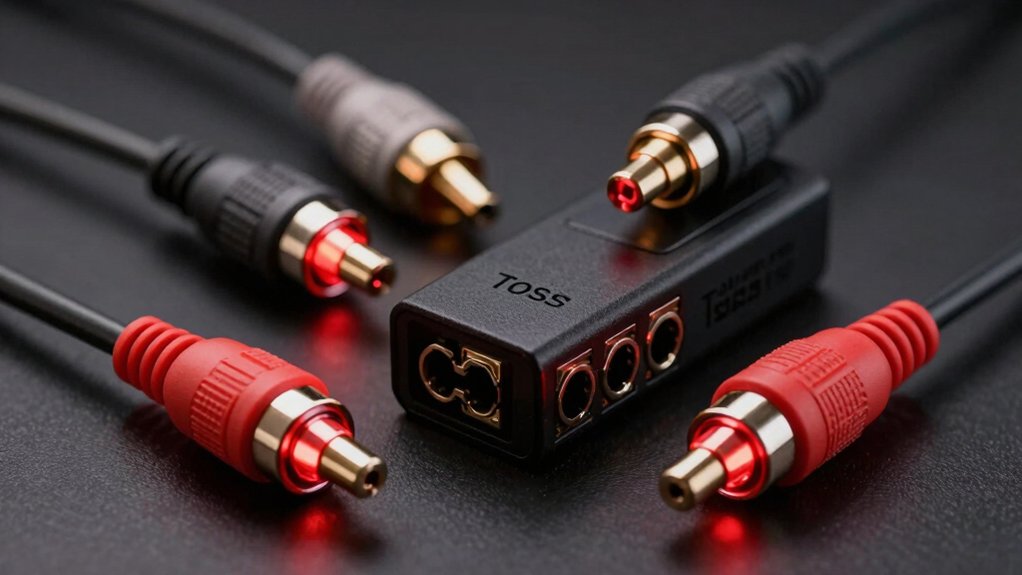
When you’re selecting a Toslink splitter, you’ll need to evaluate three key factors: the number of output ports your devices require, whether the cable lengths work with your setup’s layout, and if the splitter supports all the audio formats you plan to use. Start by counting how many devices you want to connect—a 1×2 splitter handles two outputs, while a 1×3 or 1×4 splitter gives you more flexibility for future additions. Check your room’s dimensions and equipment placement to confirm that standard cable lengths fit your configuration, and verify that the splitter handles Dolby Digital, DTS, and PCM formats if you’re using those audio sources.
Best Toslink Splitter
What makes a Toslink splitter actually reliable for your setup? You need to match the splitter’s output configuration to your devices. A 1-in-2 splitter routes one source to two destinations, while a 1-in-3 splits to three. Check your cable length requirements: 1×2 splitters work reliably up to 10 feet, and 1×3 models support up to 25 meters. Verify the splitter handles your audio formats—it must support PCM and compressed formats like Dolby Digital and DTS. Examine the connectors for gold plating and polished tips to minimize signal loss and jitter. Look for protection features like over-voltage or ESD safeguards. Finally, confirm the manufacturer offers warranty support and responsive customer service before purchasing.
Factors to Consider When Choosing Toslink Splitter
Now that you understand what makes a splitter reliable, you’ll need to evaluate your specific needs before making a purchase. First, determine your split ratio by counting how many devices you’ll connect—a 1×2 handles two outputs, while a 1×3 handles three. Next, measure the distance from your source to each device, ensuring your splitter supports transmission up to that length. Then, verify that your splitter supports the audio formats your equipment uses: PCM 2.0, Dolby Digital, DTS 5.1/7.1, or LPCM. Check whether you need power features like USB support or over-voltage protection. Finally, examine build quality specifics—gold-plated connectors, low-jitter fibers, and sturdy housing directly reduce signal degradation and prevent connection failures.
Number Of Output Ports
How many devices do you need to connect to your audio source? This question determines which splitter configuration you should buy. Common options include 1×2 splitters, which connect one input to two outputs, and 1×3 splitters, which connect one input to three outputs. Each additional output port allows another device to receive the optical signal simultaneously.
However, adding more outputs creates signal attenuation. The single input signal splits across multiple receivers, potentially weakening the audio quality reaching each device. To maintain signal integrity, some splitters include balance circuits or protection mechanisms that stabilize the output across all ports.
Count your devices first, then select a splitter matching that exact number. If you need two outputs, choose 1×2. If you need three, choose 1×3.
Cable Length Compatibility
Beyond the number of ports, cable length directly affects your splitter’s performance and signal quality. Most manufacturers recommend keeping output cables under 10 feet for flawless operation. Some splitters handle transmission distances up to 15 feet or 40 meters depending on cable quality. However, signal loss occurs at approximately 0.2 dB per meter, meaning longer runs create greater attenuation. To maintain stable 5.1 channel output for Dolby Digital and DTS formats, use shorter cable runs with higher fiber quality. When you must use longer distances, employ over-voltage protection and robust cabling to prevent signal degradation or damage. Measure your installation distance first, then select a splitter rated for that specific length to ensure reliable performance.
Audio Format Support
What audio formats does your equipment actually support? Check your receiver and source device specifications first. Most Toslink splitters handle uncompressed PCM and compressed formats like Dolby Digital and DTS 5.1. However, not all splitters preserve multi-channel signals equally. Some models explicitly support only 2-channel PCM output, while others maintain 5.1 channel configurations. A few don’t transmit certain 7.1 formats over fiber. Match your splitter’s maximum channel capability to your devices’ needs. If you’re using 5.1 surround sound, verify the splitter lists 5.1 support. For basic stereo, any splitter works. Document your equipment’s format requirements before purchasing. This prevents buying a splitter that doesn’t support the audio quality you need.
Build Quality Materials
When you’re selecting a Toslink splitter, the materials used in its construction directly impact how well it’ll perform and how long it’ll last. Look for splitters with solid outer housing made from PVC or aluminum alloy, which resist wear and signal interference effectively. Check that connectors feature gold plating, as this reduces contact resistance and improves long-term reliability. Examine the fiber cable itself—it should have low-jitter properties, precise polishing, and proper shielding to maintain signal integrity across distances. Buffer tubing and shielding work together to minimize electromagnetic interference and keep audio transmission stable. For environments with moisture or temperature fluctuations, prioritize models with IP-rated protection or corrosion-resistant features. These construction choices determine durability and consistent performance over time.
Signal Transmission Distance
How far can your Toslink cables actually reach without losing audio quality? Check your splitter’s specifications for maximum transmission distance, which typically ranges from 15 feet to 40 meters depending on the model. Note that distance limits often vary based on the number of outputs—a 1×2 splitter may support longer distances than a 1×3 model. Calculate your total cable path length from the source through the splitter to each receiver, ensuring it stays within the manufacturer’s stated limit. Use quality cables to minimize signal loss, which averages around 0.2 dB per meter. Exceeding recommended distances risks audio degradation or complete signal loss on certain outputs. Always verify distance specs before purchasing to match your setup requirements.
Final Thoughts
You’ll want to pick a splitter based on your setup needs: choose 1×2 models for two devices, 1×3 for three. Check that your splitter handles 5.1 surround sound and PCM formats. Verify connector quality—gold-plated tips reduce signal loss. Match cable lengths to your room layout, staying within 40 feet. Review warranty terms before purchasing. Test your splitter immediately after installation to confirm all outputs work properly.

Meet Ry, “TechGuru,” a 36-year-old technology enthusiast with a deep passion for tech innovations. With extensive experience, he specializes in gaming hardware and software, and has expertise in gadgets, custom PCs, and audio.
Besides writing about tech and reviewing new products, he enjoys traveling, hiking, and photography. Committed to keeping up with the latest industry trends, he aims to guide readers in making informed tech decisions.